# screenRIG — a complete digital signage platform, free
> Canonical HTML: https://screenrig.ai/
Put menus, dashboards, kiosks and live video on the screens you already own, from one TV to thousands, with offline playback built in. Run it yourself in the dashboard, or let your AI agent handle it in a conversation.
[Start free](https://screenrig.ai/dashboard/signup) · [Set up with your agent](https://screenrig.ai/docs/start.md) · [Book a demo](https://screenrig.ai/demo)
Free for unlimited screens. No credit card. No screenRIG logo on your screens.
Used by your AI agent: Meta Muse, Grok Bot, ChatGPT dots, Claude Code, Hermes, ChatGPT Codex, and Gemini Spark.
## Twelve years of enterprise signage, now free
screenRIG is built by TelemetryApp, a Vancouver team that has built and run enterprise signage since 2014, on tens of thousands of screens in more than 40 countries.
[See the comparison](https://screenrig.ai/compare/digital-signage-software-comparison.md) · [Meet the team](https://screenrig.ai/about.md)
| Fact | |
| --- | --- |
| Features | #1, most built in of any signage platform |
| Players | 11 platforms, Android to Raspberry Pi |
| Apps | 230+ ready-made, on every Player |
| Countries | 40+, running enterprise signage since 2014 |
## Everything in one dashboard
Sign up and run it all from the dashboard: pair a screen, upload photos and video, place built-in apps, schedule each page and watch every screen live. Your agent works in the same project, so you can hand over at any time.
[Start free](https://screenrig.ai/dashboard/signup)
### Summary
Screens online, storage and health. Plays per day and every screen’s live picture.
### Playlists
Every playlist and its pages—built in the dashboard or published by your agent—each timed and in order.
### Page editor
Lay out a page on the canvas: 200+ ready-made apps, photos and video, each a layer you place and size.
### Schedule
What each screen plays, hour by hour: dayparts, campaigns and the default, laid out across the week.
## Signage was built around an editor. screenRIG is built around a conversation.
Meta Muse, Grok Bot, ChatGPT, Claude, Gemini or Hermes: tell your agent to install screenrig.ai. It sets up your account, pairs the screen, builds each page from your docs, sheets, calendar and photos, and keeps it current as they change.
[Agents guide](https://screenrig.ai/docs/agents.md) · [What agent-native means](https://screenrig.ai/compare.md#agent-native) · [Watch the 102-second film](https://screenrig.ai/videos/introduction)
### Which agent do you use?
Meta Muse, Grok Bot, ChatGPT dots, Claude Code, ChatGPT Codex, Gemini Spark or
Hermes: each has its own three steps below. On desktop, “I’m an agent” opens the
full agent workflow.
### Meta Muse
1. Get Meta Muse: [iOS](https://apps.apple.com/us/app/muse-from-meta/id6760173601) ·
[Android](https://play.google.com/store/apps/details?id=com.facebook.aura)
2. **Tell it to install screenrig.ai.**
3. It sets up your account and pairs your screen.
[Full Meta Muse guide](https://screenrig.ai/docs/start/muse.md)
### Grok Bot
1. Get Grok Bot: [iOS](https://apps.apple.com/us/app/grok-bot/id6794501026) ·
[Android](https://play.google.com/store/apps/details?id=ai.x.grok.bot)
2. **Tell it to install screenrig.ai.**
3. It sets up your account and pairs your screen.
[Full Grok Bot guide](https://screenrig.ai/docs/start/grok-bot.md)
### ChatGPT dots
1. Create your dot in ChatGPT: [Get started with dots](https://learn.chatgpt.com/docs/dots/getting-started)
2. **Tell it to install screenrig.ai.**
3. It sets up your account and pairs your screen.
[Full ChatGPT dots guide](https://screenrig.ai/docs/start/dots.md)
### Claude Code
1. Run this in your terminal.
```console
claude plugin marketplace add https://github.com/screenrig/plugin.git --scope user && claude plugin install screenrig@screenrig --scope user
```
2. **Ask Claude Code to set up your first screen.**
3. It sets up your account and pairs your screen.
[Full Claude Code guide](https://screenrig.ai/docs/start/claude-code.md)
### ChatGPT Codex
1. Run this in your terminal.
```console
codex plugin marketplace add https://github.com/screenrig/plugin.git --ref main --json && codex plugin add screenrig@screenrig --json
```
2. **Ask Codex to set up your first screen.**
3. It sets up your account and pairs your screen.
[Full ChatGPT Codex guide](https://screenrig.ai/docs/start/chatgpt.md)
### Gemini Spark
1. Start a task in [Gemini Spark](https://gemini.google.com/app).
2. Paste this authorization.
```text
I authorize you to install the official screenRIG plugin from https://github.com/screenrig/plugin.
```
3. **Ask Spark to confirm the bundled CLI runs**, then connect your screen.
[Full Gemini Spark guide](https://screenrig.ai/docs/start/gemini-spark.md)
### Hermes
1. Get Hermes Agent from Nous Research: [Get Hermes](https://hermes-agent.nousresearch.com/docs/getting-started/quickstart)
2. **Ask it to install screenRIG from the official plugin repository** and load the bundled skill.
3. Have it confirm it can run the bundled CLI, then pair your screen.
[Full Hermes guide](https://screenrig.ai/docs/start/hermes.md)
### Quick skip
Already have your pairing code? Send this one message. Your agent will handle
setup and ask only for missing details, including your email.
“Use screenrig.ai for my lobby screen. My pairing code is [code]. Create a
welcome board using my events calendar.”
### I’m an agent
screenRIG is digital signage and kiosk infrastructure for AI agents. Your agent publishes images, videos, streams, web pages, applications, and cards to screens through the official plugin.
screenRIG was built for autonomous agents from the control plane up. Its CLI answers in structured JSON, every error says what to do next, a retried write does not repeat the change, the agent can check what it may do before it acts, content can be prepared on its own machine, and publishing tells assigned apart from actually playing. Your agent can create, deploy, inspect and correct content in one loop.
The official plugin bundles the skill and CLI. The Quickstart guide explains the one-time session PATH setup for its bundled `screenrig` command. Install the plugin from github.com/screenrig/plugin; there is no global package to install.
1. **Install the official marketplace plugin.** With your user’s authorization,
install the [screenRIG plugin](https://github.com/screenrig/plugin) for your
runtime and follow its bundled skill. It includes the CLI and requires
Node.js 22.23.4+, 24.22.1+, or 26.12.1+ (excluding 23.x and 25.x). Already installed? Check freshness using the
[Quickstart guide](https://screenrig.ai/docs/start.md).
2. **Create the project.** Use your user’s actual email address. If you don’t
have it, ask. Name the organization after the business the screens are for, else the person, as you know them from the conversation. Pass Screens only when you know neither, and screenRIG names the organization from the email address. Run
`screenrig agent enroll --email ADDRESS --organization "NAME"`.
Enrollment always creates its identity, organization, project and membership. The agent stays bound to this project. Go straight on to the Player.
3. **Install and connect the Player.** Send your user to
[Player downloads & setup](https://screenrig.ai/downloads.md) to download
and install the Player for their screen’s device. Ask them to launch it and share its pairing code, then run
`screenrig screen pair CODE --context "Lobby TV: welcome loop, playlist Lobby"`. Already installed? They only need to launch
it and share the code.
4. **Plan the content together.** Ask what belongs on the screens, where, and
when. Offer to use data sources the user authorizes to inform the content
you generate. Publish, then request a screenshot to check the result.
Enrollment also emails a member invitation, even if that email already has a login.
Tell the human it is on its way: it is their dashboard login, it works across
projects, and nothing waits on it. Do not create an invitation link or send them to the dashboard.
If the user starts with “use screenrig.ai” and a pairing code, carry out the
missing setup on their behalf. Reuse details already supplied; ask only for
what you still need.
[Product context](https://screenrig.ai/llms-full.txt) ·
[Agent index](https://screenrig.ai/llms.txt) ·
[Digital signage CLI reference](https://screenrig.ai/docs/cli.md)
### See it working
- [A café menu board](https://screenrig.ai/digital-signage/menu-boards.md): A real session: breakfast, lunch and dinner menus on the screen’s own clock, and a sold-out item marked.
- [A Google Sheet on a TV](https://screenrig.ai/guides/google-sheets-on-tv.md): A real session: sales rows become a ranked table, and a changed row reaches the screen without republishing.
- [200+ ready-made apps](https://screenrig.ai/apps.md): Menus, queues, weather, schedules and KPI boards, live in your browser, in nine themes.
## Nothing to add on
Show anything, keep it live, run the fleet and stay in control.
- **Show anything.** Smooth local video (up to 4K on Android, Amazon and Raspberry Pi 5), live streams, web pages, dashboards, built-in apps and custom kiosks your agent builds.
- **Keep it live.** Google Sheets, calendars, Power BI, point-of-sale menus, webhooks and JSON. Data flags itself when it goes stale.
- **Run the fleet.** Dayparts in each screen’s time zone, emergency alerts, live screen view, offline playback and remote reboot.
- **Stay in control.** Roles and approvals, revisions with one-step rollback, proof-of-play reports, single sign-on and an audit log.
[Compare all 83 features](https://screenrig.ai/compare/digital-signage-software-comparison.md) · [Every feature](https://screenrig.ai/features.md)
## Runs on the screens you already have
A TV with Google TV built in, an Amazon Signage Stick or Fire TV Stick, a Windows or Linux PC, a Mac, an iPhone or iPad, a Raspberry Pi, a Chromebox, a commercial display or any browser. Video plays from each device’s own storage, up to 4K on Android, Amazon and Raspberry Pi 5, and keeps playing when the internet drops.
[Install the Player](https://screenrig.ai/docs/players.md) · [All downloads](https://screenrig.ai/downloads.md)
### Players
- [Web browser (PWA)](https://screenrig.ai/downloads.md#web)
- [Amazon Signage Stick](https://screenrig.ai/amazon-signage-stick.md)
- [Android & Google TV](https://play.google.com/store/apps/details?id=ai.screenrig.player)
- [Apple TV](https://apps.apple.com/us/app/screenrig-ai-digital-signage/id6813182055)
- [BrightSign](https://screenrig.ai/downloads.md#brightsign)
- [ChromeOS](https://screenrig.ai/docs/players.md#chromeos)
- [iPhone & iPad](https://apps.apple.com/us/app/screenrig-ai-digital-signage/id6813182055)
- [LG webOS](https://screenrig.ai/docs/players.md#webos)
- [Linux](https://screenrig.ai/downloads.md#linux)
- [macOS](https://apps.apple.com/us/app/screenrig-ai-digital-signage/id6813182055)
- [Raspberry Pi](https://screenrig.ai/downloads.md#raspberry-pi)
- [Windows](https://apps.microsoft.com/detail/9n4pkwgz2jkj)
- Samsung Smart Signage — coming soon
## From one screen to thousands
### One screen: set up from your phone
A café TV or lobby display, running in minutes—from one chat with your agent or straight from the dashboard.
### A team: every location in step
Organize sites with folders and tags, enforce review with roles and approvals, and schedule every location in its local time zone.
### An enterprise: your controls, your terms
Single sign-on, SCIM provisioning, multi-display video walls, proof-of-play exports, contract terms and people to talk to. [Book a demo](https://screenrig.ai/demo)
## Use cases
Use-case films, two minutes each:
### Pharmacy retail media

Dana runs 40 pharmacies by voice: a vaccine playlist on every Ohio counter, invited brands in the ad break, proof of play for each one. [Watch and read the use case](https://screenrig.ai/use-cases/pharmacy.md)
### Restaurant kiosks

Marco runs 60 restaurants from his phone: a sold-out item pulled from every Denver kiosk, and breakfast on each store’s own clock. [Watch and read the use case](https://screenrig.ai/use-cases/restaurants.md)
### Campus signage
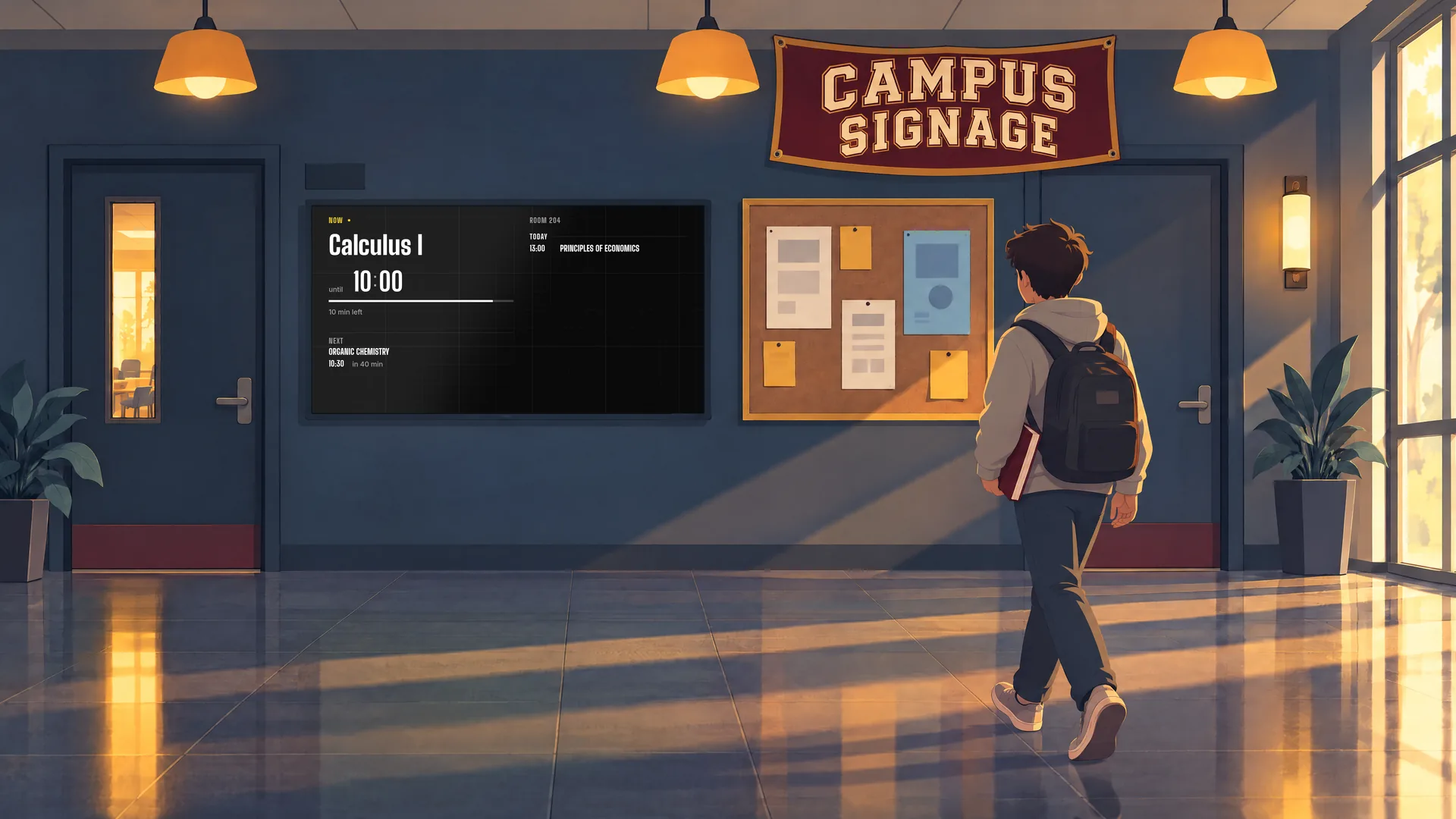
Priya’s ChatGPT dot puts each room’s schedule outside its door every morning, streams commencement live and takes over north campus for severe weather. [Watch and read the use case](https://screenrig.ai/use-cases/campus.md)
### Factory floor displays
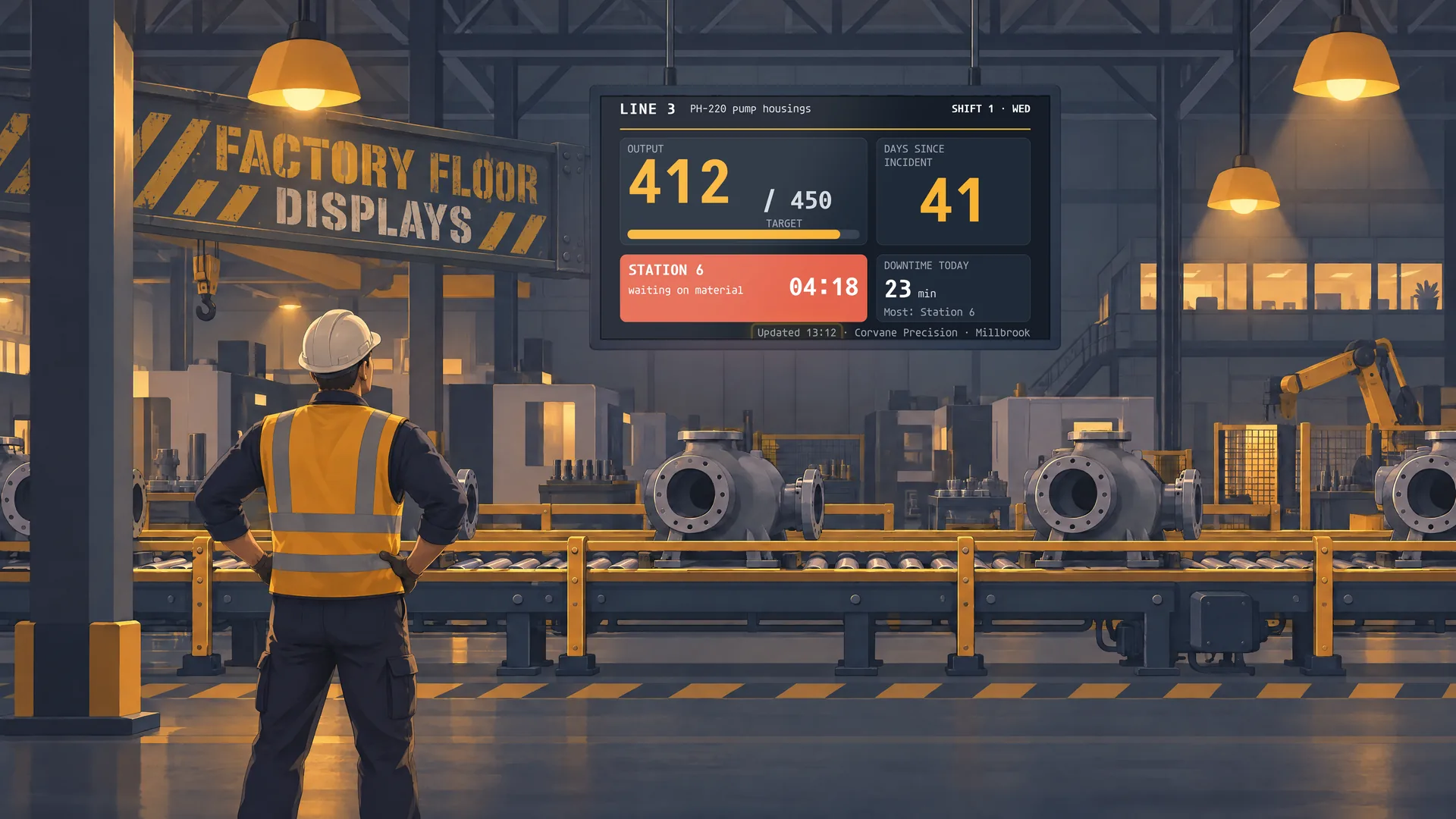
Sam builds a live Line 3 board from production data in Claude Code, publishes it to the floor and rolls it back in one sentence. [Watch and read the use case](https://screenrig.ai/use-cases/factory-floor.md)
[See every use case](https://screenrig.ai/use-cases.md)
## 200+ ready-made apps. Your own when you need more.
Place a ready-made app for the weather, a menu, a queue or the score. Clocks, calendars, leaderboards, charts, countdowns and emergency alerts are ready too. Each one is live on every Player, in nine themes, full-screen, in a region or as a small chip in the corner.
Each app keeps itself current. Point it at a Google Sheet, a calendar, Power BI, your point-of-sale menu, a webhook or JSON, and the screen follows the data without republishing. An app flags itself when its data goes stale, so a screen never shows old numbers as if they were new.
When a screen has a bespoke job (check-in, orders, a factory line) your agent builds a custom app for it instead. It runs on the same Players, beside the ready-made apps, and your agent publishes it like any other page.
[See Apps](https://screenrig.ai/apps)
[Weather](https://screenrig.ai/docs/cards/weather) — Weather
A live sky for the current condition and time of day, with the hours ahead and a multi-day forecast.
[Clock](https://screenrig.ai/docs/cards/clock) — Time
The time in large digital, analog, words, flip, lamps, rings or ruler faces, with date and other cities.
[Now Playing](https://screenrig.ai/docs/cards/now-playing) — Media
The track on right now, with album art, title, artist and album, a progress bar from its start, and what plays next.
[Gauge](https://screenrig.ai/docs/cards/gauge) — Operations
Shows one to six readings as big numbers with the band named in words and a dial, bar, tank or battery shape.
[Now serving](https://screenrig.ai/docs/cards/queue) — Retail
Shows the ticket being served, its counter, the last few calls and the wait.
[Celebrations](https://screenrig.ai/docs/cards/celebrations) — People
Today's birthdays and work anniversaries front and centre, with who is coming up this week.
[Chart](https://screenrig.ai/docs/cards/chart) — Operations
Columns, bars, lines, areas or a donut with one hero figure, few gridlines and direct labels.
[Air quality](https://screenrig.ai/docs/cards/air-quality) — Weather
The index as a big numeral with its category, a plain sentence, a marked scale, and the UV index.
[Data table](https://screenrig.ai/docs/cards/table) — Operations
Leaderboards, schedules and price lists in formatted columns, with ranks, a highlighted row and self-turning pages.
## Sell the airtime on your screens
Turn foot traffic in lobbies, cafés and pharmacies into direct ad revenue—with only the advertisers you invite.
### Offer your inventory
Pick the screens and the breaks. Set your price for 15 seconds of finished playback.
[Advertising on your screens](https://screenrig.ai/docs/players.md#advertising)
### Invite your buyers
Advertisers join only by your emailed invitation. They see your inventory and rates in the dashboard Marketplace. They need no screen of their own.
[Buying and selling setup](https://screenrig.ai/docs/start.md#signage-buying-or-selling)
### Bill completed plays
Buyers accept a quote before a campaign runs. They pay only for plays the Player reports as completed. Skipped or interrupted plays are not billed.
## screenRIG is free.
Unlimited screens.
### Included
- Every Player
- 200+ ready-made apps
- Schedules, playlists and offline playback
- Screenshots and screen alerts
- 1 GB storage and up to 3 people
- Your agent and the dashboard
[Start free](https://screenrig.ai/dashboard/signup)
### When you need more
- Business tools (Power BI, Canva/SharePoint sync, Slack & Teams alerts, 3–12 screen walls)
- More people and more storage
- People to talk to (Enterprise)
- Governance (SSO, SCIM, approvals, audit log)
- Contract terms
[Talk to us](https://screenrig.ai/contact#message) · [See pricing](https://screenrig.ai/pricing.md)
## Start with what you have
- **Trying it first.** Unlimited screens and every Player, with no credit card. [Free digital signage software](https://screenrig.ai/free-digital-signage.md)
- **A smart TV or streaming box.** Install the Player from Google Play on Android TV and Google TV. [Android TV digital signage](https://screenrig.ai/digital-signage/android-tv.md)
- **A media player for business screens.** The Amazon Signage Stick launches screenRIG automatically in kiosk mode. [Amazon Signage Stick](https://screenrig.ai/amazon-signage-stick.md)
- **A Raspberry Pi.** A Pi 5 or Pi 4 becomes a signage appliance that keeps playing offline. [Raspberry Pi digital signage](https://screenrig.ai/digital-signage/raspberry-pi.md)
- **A café or restaurant.** Menus that switch by the clock on any TV, with sold-out items marked. [Digital menu boards](https://screenrig.ai/digital-signage/menu-boards.md)
- **An office.** News, KPIs, room signs and a break room loop, kept current by your agent. [Office digital signage](https://screenrig.ai/use-cases/office-digital-signage.md)
- **Switching from another platform.** Pricing and features side by side, from each platform’s own pages. [Compare pricing and features](https://screenrig.ai/compare/digital-signage-software-comparison.md)
- **A developer or a script.** A REST API, CLI and browser SDK drive the same Players your agent does. [Digital signage API for developers](https://screenrig.ai/developers.md)
## Straight answers
**What is screenRIG?**
screenRIG is digital signage and kiosk software for the screens you already own. You or your AI agent put images, video, live streams, web pages, live data and apps on them, from one screen to thousands.
**What does screenRIG cost?**
screenRIG is free, with unlimited screens. Paid plans add business tools, more people, governance and contract terms. Enterprise adds people to talk to.
**How is screenRIG free—what’s the catch?**
No catch. Screens cache media locally so playback costs almost nothing to serve. Standard includes unlimited screens, 1 GB of storage, up to 3 people per project, 60 agent requests a minute and 120 an hour. Revenue comes from paid team and enterprise plans and the optional ad marketplace.
**Which Players are available?**
Available now: the Player web app (PWA) for browsers and ChromeOS kiosks, Android on Google Play, Amazon Signage Stick, Apple TV, macOS, iPhone and iPad on the App Store, Windows on Microsoft Store, Linux and Raspberry Pi packages, LG webOS Signage, and BrightSign. Samsung Smart Signage (Tizen) is coming soon. Every available Player shows a pairing code: enter it in the dashboard or give it to your agent.
**Do I need an AI agent?**
No. You can sign up, pair a screen, upload media, build pages and set schedules in the dashboard yourself. Connect Meta Muse, Grok Bot, ChatGPT, Claude, Gemini or another agent whenever you want it to do the work, in the same project.
**How do I get started?**
Start free in the dashboard, or tell your agent to install screenrig.ai. Install the Player on your screen, launch it, and enter its pairing code in the dashboard or give it to your agent.
**Can screenRIG run hundreds of locations?**
Yes. Folders, tags, roles and approvals organize fleets of any size, and every schedule follows its screen’s own time zone. Single sign-on, SCIM provisioning, scoped access and an audit log keep large organizations in control.
**What happens if the internet drops?**
Each Player keeps playing from its own storage, so the screen stays on when the connection drops. screenRIG emails you when a screen has been offline for 10 minutes.
**What if a screen freezes or goes black?**
screenRIG spots a blank or frozen screen on every plan and alerts you by email or webhook. A screenshot shows what the screen is showing right now, so you know before your customers do.
**Can I sell ads on my screens?**
Yes, by invitation. Opt a screen in, set a rate per 15 seconds of completed playback, and invite advertisers by email. They buy from your inventory in the dashboard Marketplace and pay only for completed plays.
**Who is behind screenRIG?**
TelemetryApp Services Inc., a Vancouver company that has built and run enterprise signage since 2014, on tens of thousands of screens in restaurants, hospitals, offices, retail and factories in more than 40 countries.
## Put your first screen up today
[Start free](https://screenrig.ai/dashboard/signup) · [Set up with your agent](https://screenrig.ai/docs/start.md) · [Book a demo](https://screenrig.ai/demo)