With relays running on Azure VMs (recently expanded to five global regions: Canada Central, US West, Sweden Central, East Asia / Hong Kong, and South Africa North) alongside two on its main server, Mesh uses Dokploy to bring deployments into a repeatable workflow without changing how its relays communicate.
| Industry | Location | Key benefit |
|---|---|---|
| Nonprofit – Decentralized communications | France | Manage independent servers from one dashboard |
Key stats
| 7+ relays | 6 servers | 0 downtime / 0 failed deploys |
|---|---|---|
| Two on the main host and five distributed across global Azure regions | One main server and five independent Azure remote servers | Brought under Dokploy while preserving their identities and eliminating configuration drift |
The challenge: More servers, more moving parts
Each remote Mesh relay has its own public address, identity keys, and persistent databases. Each needs the correct TCP and UDP ports and a deployment configuration suited to its host. After all, you can't replace a relay like a stateless web application.
Mesh already operated five relays on separate Azure virtual machines, alongside two on its main server. The association wanted a clearer way to manage services across those machines while keeping existing identities and data intact.
They needed to move to a new deployment workflow without having to start the Azure relays from scratch.
The public endpoints, keys, and databases already belonged to functioning relays. Mesh had to retain that state and make sure it was easy for maintainers to identify which server would receive each deployment – especially with multiple independent machines running the same relay software.
Prior to Dokploy, relay deployments were carried out through separate, manual SSH sessions and disparate shell scripts across each virtual machine. This manual approach created three critical friction points: configuration divergence between servers, the tedious operational burden of logging into each machine sequentially whenever a new relay image was released, and – most critically – the risk of identity loss.
Because each Mesh node relies on persistent cryptographic identity keys mounted in Docker volumes, any manual error or accidental volume overwrite during redeployment would destroy the relay’s established cryptographic identity on the network.
“Our biggest challenge was operating isolated relay nodes across multiple continents without introducing complex cluster dependencies or wasting limited non-profit compute resources. Dokploy gave us the best of both worlds: each relay remains fully independent and isolated for resilience, while our lean team of two infrastructure volunteers manages, inspects, and upgrades the entire fleet through a single, elegant interface.”
– Marc Moreau, President, Mesh Network Association
The Dokploy features Mesh uses
| Remote Servers | Docker Compose | Deployments, Logs and API |
|---|---|---|
| Select and manage independent Linux servers over SSH. | Define each relay’s image, ports, restart policy, and persistent volume. | Review manual relay deployments, inspect output, and trigger website deployments via GitHub Actions. |
How Mesh uses Dokploy to manage its relays
Mesh organized its installation into one Dokploy project and one production environment, with separate Compose services for the website, local relays, and each Azure relay.
A service shows its destination server, so the team can deploy the website without touching a relay and update one remote machine independently of the others.

Each relay’s Compose configuration records its container image, advertised hostname, transport ports, restart policy, and persistent volume.
These settings stay explicit for each host. Even when two independent VMs use the same volume name, those volumes stay as separate stores, preserving the different identities of the relays that run on them.

To bring Azure into the workflow, Mesh registered each VM as a remote server using dedicated SSH keys, verified the connection, and ran the server setup.
Dokploy was the interface where they selected a host, reviewed a saved Compose configuration, deployed, and checked logs. The hosts remain independent; they are not part of a shared Docker Swarm cluster.
The team had to be careful during the migration. They inventoried the existing containers and volumes, backed up keys and databases, and then stopped the original containers before deploying replacements through Dokploy.
Mesh reused the existing images and external volumes, ensuring only one container accessed a relay’s data at a time. Afterwards, the team verified identity responses and TCP/UDP connectivity. Both Azure relays retained their identities.
The team completed the migration of existing production relays in less than a day with zero network downtime.
Since the transition, Dokploy has eliminated dozens of repetitive manual steps: provisioning a new relay node has dropped from ~45 minutes of manual server setup down to under 5 minutes, while rolling out network-wide relay updates takes less than 2 minutes instead of 30 minutes of manual SSH logins.
Crucially, failed deployments due to configuration typos or environment mismatches have dropped to zero.
A different approach to multi-server deployment
Unlike applications that replicate identical services across a cluster, Mesh needs independently identified relays hosted on separate machines.
Dokploy manages their lifecycle over SSH, while the messaging traffic travels directly between the relays. If the management dashboard becomes temporarily unavailable, the running relay containers can keep operating.
This architectural choice was deliberate. In a decentralized, censorship-resistant messaging network, nodes must be strictly fault-isolated. Shared clusters (such as Kubernetes or Docker Swarm) introduce cross-regional network latency penalties, cluster quorum fragility during intercontinental network partitions, and heavy resource overhead on lightweight VPS instances.
Dokploy’s independent Remote Servers model ensures that if one cloud provider or geographical zone experiences an outage, no cluster consensus is broken and the remaining relays continue operating without disruption.

Mesh also combines automated and deliberate deployment workflows. Its website is deployed through GitHub Actions using Dokploy’s API after a new container image is published. Relay deployments remain manual, letting the team review the image and configuration before changing a service carrying network traffic.
What’s next for Mesh?
Mesh is preparing to expand its relay network across more hosting providers. With Dokploy, the association can reuse its deployment process:
- Prepare a Linux server
- Set its destination and public endpoint
- Attach its own persistent storage
- Deploy.
The team still needs to pay attention to capacity planning, backups, and release checks as the network grows, but the operational workflow is already in place.
Mesh now has one place to manage a growing set of independent relays, without losing the relays’ identities or the independence of their servers, which leaves more time to develop the messenger, test its protocol, and support the people who operate the network.
Today, the infrastructure is maintained by just two core volunteers. Having already expanded from two to seven active relays across Microsoft Azure (Canada, US West, Sweden, Hong Kong, and South Africa) and self-hosted hardware, the association plans to open relay hosting to community operators and additional cloud providers in 2027, further expanding global geographical and legal diversity.
]]>So, where does a developer environment end and a sandbox environment begin? The terms sometimes get used interchangeably, but they solve different problems.
In this guide, you'll learn what a developer environment actually is, how it compares to a sandbox environment, and how to build one that keeps you moving fast instead of fighting your own setup.
What is a developer environment?
A developer environment is an isolated space, usually local or cloud-based, where you write and run code outside of production. It includes your text editor or integrated development environment (IDE), your source code, your dependencies, and whatever local services your application needs to run – e.g., a database, an API, a cache, or a background job runner, for example.
By keeping it separate, you ensure that untested changes won't be able to touch live systems or real users. If you break something in your developer environment, you just fix it. If you break something in production, your users might notice before you can.
A basic development environment might be nothing more than a laptop that runs a local server and a text editor. A more mature one might add version control, automated tests, and environment variables to keep sensitive data like API keys and database passwords out of your source code entirely. Either way, you get a safe space to write code and see it run before it matters.
What is a sandbox development environment?
A sandbox development environment is a contained environment built specifically to isolate untested or risky code so it can't affect other systems – often to keep vibe coding secure.
While a developer environment is mainly about where you write code, a sandbox is about containment: keeping whatever happens inside it from spreading outside.
Sandboxes get used for more than day-to-day coding. Security teams run suspicious files in a sandbox to study malicious code without putting their network at risk. Product managers use sandboxes to try out a new tool before it touches real data. The common thread is isolation strict enough that a mistake stays a mistake, not an incident.
If you want the full breakdown of how sandbox environments work and when to use one, Dokploy's guide to sandbox environments covers the different types in more depth.
Sandbox vs. development environment
The clearest way to separate sandbox and development environments is to ask who uses each one and what it's built to protect against:
| Developer environment | Sandbox | |
|---|---|---|
| Who uses it | Developers writing and testing their own code | Often shared by developers, security teams, product managers, and non-technical users who need to try something without risking live systems |
| How isolated it is | Isolated from production, but usually fairly open. You can install packages, change configuration and connect to other local services freely. | Deliberately restricted. Network connections, file access and system permissions are often locked down by design. |
| What it's designed for | Day-to-day code writing, not formal testing, security research or non-developer use | Observing code, tools or files safely, rather than writing most day-to-day code |
| How long it lasts | Tends to be long-lived, tied to a project or a developer's machine | Often temporary, spun up for one test or experiment and torn down afterward |
Many teams use both: a developer environment for writing code, and a sandbox for testing anything that carries more risk, from a new AI tool to an untrusted integration.
The core components of a developer environment
A developer environment is made up of a handful of parts that, together, enable you to write code and see it run without touching anything live.
- An IDE or text editor. Tools like Microsoft Visual Studio, VS Code, or a lighter text editor are where you actually write code. An IDE adds built-in tools for debugging and running your application in one interface, while a basic text editor leaves those steps to separate tools.
- Source control. Version control (usually Git) tracks every change to your source code, lets multiple developers work on the same project without overwriting each other, and gives you a way to undo a bad change quickly.
- Environment variables. Configuration like API keys, database passwords, and other sensitive data should live in environment variables, not be hardcoded in your source code, to keep secrets out of version control and make it easy to use different values across different environments.
- A local or containerized runtime. Whatever runs your code: a local server, a virtual machine, or a containerized setup that mirrors your production stack more closely.
- Automated tests. Thorough testing at the developer environment level catches bugs before they reach a testing environment or staging environment, where fixing them costs more time.
Your setup doesnt need to be elaborate to be effective, as long as each piece does its job: write code, track changes, keep secrets separate, run the application, and catch mistakes early.
How to optimize a developer environment for faster coding
A slow developer environment is one of the most common, but least visible drains on developer productivity.
Every minute spent waiting for a local server to restart, chasing a dependency mismatch, or debugging an issue that only exists in your setup is a minute not spent writing code. A few changes can makeall the difference.
- Containerize your dependencies. Running your services through Docker or a similar tool ensures that every developer on your team gets the same versions, the same configuration, and the same behavior, removing a huge source of "it works on my machine" debugging time.
- Automate your tests. Automated tests that run on every code change can catch regressions before they reach another developer, let alone production. Manual testing won't scale if there are more than a couple of people who work on the codebase.
- Keep environment variables out of your workflow friction. Use a .env file or a secrets manager so developers don't have to track down API keys and database passwords manually every time they set up the project.
- Use version control branching well. Short-lived branches with frequent, small commits are easier to test, review, and roll back than large, long-running ones.
AI coding tools have also changed the definition of "fast". You can now generate a working function, a test, or even a whole feature in seconds, which means the bottleneck has moved.
Atlassian's 2025 State of Developer Experience Report found that half of developers lose more than 10 hours a week to non-coding friction such as context switching between tools, with environment and tooling inefficiencies among the top causes.

A developer environment that's slow to set up, inconsistent across machines, or hard to reset can waste more of your time than writing the code.
That shift also raises the stakes when you test AI-generated code safely before it runs anywhere near production data or other systems. If you're exploring how to do that without exposing live systems, Dokploy's guide to AI sandboxes walks through how to contain that kind of testing properly.
What's the ideal developer environment for web development?
There's no single ideal developer environment for web development – it depends on your stack, your team size, your budget, and what your application actually needs to run. A realistic, well-built setup usually includes these parts:
- A code editor with the right extensions. Linting, formatting, and language support catch mistakes as you type instead of after you run the code.
- A local dev server with hot reload. Seeing a change reflected in the browser without a full restart keeps your feedback loop tight, which becomes more important the longer you spend in the editor.
- Containerized services. Running your database and any supporting APIs through Docker Compose keeps your developer environment closer to how production actually behaves, instead of relying on a locally installed database version that might not match.
- Environment variables managed outside your code. Local .env files, kept out of version control, let each developer run the same codebase against their own local services without touching shared secrets.
- Browser developer tools. For web development specifically, your browser's built-in inspector and network tab are as much a part of your developer environment as your editor is.
When combined, this setup gets you a developer environment that's fast to work in day to day, and close enough to production that you get fewer surprises down the line.
Common pitfalls when setting up a developer environment
Teams can avoid most of the problems they might run into with a developer environment, but it's worth knowing what they are.
- Configuration drift between machines. If one developer's local environment uses a different language version, dependency version, or operating system setup than everyone else's, you end up debugging problems that only exist on one machine.
- Hardcoding secrets. API keys and database passwords that end up directly in source code, even temporarily, create a security risk the moment that code is pushed or shared. Environment variables help to prevent this.
- A developer environment isn't secure by default just because it isn't production. You need strict access controls: who can access the codebase, what services a local environment can connect to, whether sensitive data or production data ever ends up in a local setup, and how long any copied data remains accessible before it's deleted.
Keeping environments separate as your team grows
As a team grows past one or two developers, you'll usually end up managing more than one environment: a developer environment for day-to-day work, a sandbox or testing environment for validating changes, and a staging environment that mirrors production closely before anything goes live.
Keep these environments genuinely separate, with their own environment variables, access controls, and data, to protect production systems and production data as more people and more automation tools touch the codebase – especially important as you add more environments.
Conclusion
A developer environment is where good software starts, but it only works if it's fast, properly isolated, and kept separate from production. Get the core components right – an IDE, source control, environment variables, and automated tests – and the most common pitfalls take care of themselves.
If you want your developer or sandbox environments isolated and reproducible without building that infrastructure by hand, Dokploy's sandbox software gives your team a contained environment to build and test in in minutes.
You can sign up and see how it fits into your current workflow.
Developer environment FAQs
Is a developer environment the same as an IDE?
No. An IDE is one tool inside a developer environment, used for writing, running, and debugging code. The developer environment also includes your source control, environment variables, local or containerized services, and automated tests.
How many developer environments does a team need?
Most teams give each developer their own local developer environment, separate from shared sandbox, staging, or production environments. The goal isn't a specific number, but enough isolation that one developer's work in progress doesn't affect anyone else's.
What's the difference between a developer environment and a testing environment?
A developer environment is where code gets written and run by the developer who's building it. A testing environment is usually shared, more structured, and used to validate code changes under conditions closer to production before they move to staging.
]]>Maybe you're standing up something new and don't want to over-engineer it. Maybe you've got a legacy app on an aging virtual machine and a deadline to modernize it. Either way, the choice shapes your infrastructure costs and how much operational work your team takes on, security included.
This guide breaks down how containers and virtual machines actually work under the hood and where each one wins.
It also covers how to work through the modernization or migration of a legacy app while avoiding the pitfalls and acknowledging the negatives.
What's the difference between a container and a VM?
A container packages an application with all the dependencies it needs and shares the host operating system's kernel with every other container on the same machine.
A virtual machine runs its own complete operating system on top of a hypervisor, as if it were its own physical computer, even though it's sharing the same physical hardware as other VMs. Both offer ways to carve one physical server into multiple isolated environments, just at different layers of the stack.
That one distinction, kernel sharing versus full OS virtualization, is behind every other difference between containers and virtual machines, including startup time, resource use, isolation strength, and portability.
How containers work
A container runtime, such as Docker or containerd, starts a process on the host OS and uses kernel features to isolate it from everything else running there.
This process, known as containerization, prevents the container from booting its own kernel or operating system. It just gets an isolated view of processes, networking, mounts, and the filesystem.
Everything a container needs to run comes from a container image, built from a container image's build file – a Dockerfile, for example – that lists the base image, dependencies, configuration, and startup command.
Thanks to these static definitions, the same image produces an identical container every time, whether it's pulled from a container registry onto your laptop or onto a production host.
As there's no guest OS to load, containers typically start in under a second, which is a big reason why Docker containerization became the default packaging format for cloud native applications.
How virtual machines work
A hypervisor sits between the physical hardware and each VM, allocating CPU, memory, storage, and network access to every guest OS it manages.
A single physical server can host multiple VMs running multiple operating systems side by side. Each virtual machine runs a complete operating system, with its own kernel and drivers, entirely separate from the host operating system and from any other VM on the same machine.
That all consumes system resources independently of the host, which is part of the cost of the isolation that you get.
The full stack makes a VM behave like a standalone physical machine, and it's also why a VM takes longer to boot and uses more storage space and memory before your application has even started.
Containers vs. VMs: the key differences
The table below lays out where containers and virtual machines diverge in practice, beyond the basic kernel-sharing distinction.
| Attribute | Containers | Virtual machines |
|---|---|---|
| Operating system | Share the host OS kernel | Run their own complete operating system |
| Startup time | Typically under a second | Often 30 seconds to a few minutes |
| Resource footprint | Megabytes per container | Gigabytes per VM, including a full guest OS |
| Isolation strength | Process-level, via kernel namespaces | Full hardware-level isolation via the hypervisor |
| Portability | Runs identically across any host with a compatible runtime | Tied more closely to hypervisor and OS configuration |
| Best suited to | Microservices, CI/CD pipelines, horizontally scaled apps | Workloads needing a different OS, strict isolation, or legacy software |
Containers virtualize at the application layer, while VMs emulate entire servers. Both are an abstraction layer over the same hardware, but a container gets closer to direct access to the host machine's CPU and memory, since there's no hypervisor in between.
Essentially, containers give you speed and density; VMs give you a harder isolation boundary.
Performance and resource utilization
Because containers skip the guest OS, you can run far more of them on the same hardware than you could run virtual machines. A physical host that comfortably runs a dozen VMs, each with its own OS overhead, can often run hundreds of containers with room to spare.
Once you're the one paying for the hardware, that difference is more important than a benchmark number.
On elastic cloud compute from providers like Google Cloud or Microsoft Azure, inefficient resource utilization mostly shows up as a bigger bill you can resize away.
On a self-hosted remote server or a fixed-capacity VPS, it's the difference between fitting your whole stack on one box or needing another one.
Teams that manage their own infrastructure costs tend to care about container density for exactly this reason, as containerized applications that use fewer resources per instance provide more headroom on the same hardware.
Security: containers vs. VMs
Virtual machines offer stronger isolation than containers, as each VM has its own kernel. If one VM is compromised, the attacker still has to break out of the hypervisor to touch anything else on the host.
Containers share the host kernel, so a kernel-level exploit has a shorter path to other containers on the same machine.
Containers are not intrinsically unsafe to run in production, but there are important mitigations if you want to maintain security across multiple applications on the same host, which is where more structured container management practices become necessary for growing teams:
- Run containers as non-root wherever possible.
- Keep base images minimal and patched.
- Keep the underlying operating system itself up to date, as the host kernel is now a shared resource across every container on the box.
For workloads that genuinely need hardware-level isolation, such as the handling of untrusted code or when you need to meet strict compliance requirements, a VM, or a VM running your container runtime inside it, is still the best option.
Which is better for my app, containers or VMs?
There isn't a single right answer, and most teams end up needing both at some point. A few questions can help you make the right decision:
- Is your app stateless and horizontally scalable? Containers are built for this. Spin up more instances and route traffic across them, then scale back down just as fast when demand drops.
- Does your workload need a different OS than the host, or regulatory-grade isolation? That's a strong signal to keep it on a VM.
- How familiar is your team with container tooling? A container-first approach pays off faster for teams that already understand images, registries, networking, and container orchestration.
- Is the app stateful, with data and configuration baked into a specific machine? It's a common reason teams keep a workload on a VM, at least for now.
If you're weighing this for a new application, default to containers unless you have a specific reason not to.
What is the best way to modernize legacy apps, containers or VMs?
When you are modernizing a legacy app, you don't need to containerize all of it on day one. Start by separating what's realistic to move from what isn't. Stateless components and internal APIs that are already loosely coupled from the rest of the system are usually safe to containerize first.
The parts that typically need to stay on a VM initially are the pieces tightly bound to specific OS versions, legacy drivers, or software that was never designed to run without a complete operating system underneath it. If you try to force those into a container on day one, it will likely cost more time than it saves.
Here is a more realistic modernization path:
- Containerize new features and services as you build them.
- Carve out stateless components from the existing app one at a time.
- Leave the hard-to-move core on its VM until there's a real reason to touch it.
That staged approach matches where most organizations already are: according to Nutanix's Enterprise Cloud Index, 87% of IT leaders expect their use of containers to increase over the next three years, and 83% say they're already building new applications in containers rather than attempting a full rewrite of what's already running.

Should I migrate from virtual machines to containers?
Consider migration when your app is held back by VM-level resource usage, slow deployment cycles, or a software development lifecycle that can't keep up with how often you need to ship. It's not automatically the right decision just because containers are the newer approach.
Before committing to a migration, work through the parts that actually cause friction:
- Stateful data and storage. Containers are meant to be disposable, so persistent data needs to move to volumes or an external database, not live inside the container itself – which often means planning a proper database migration rather than a simple copy.
- Networking. Service discovery and load balancing usually look different in a containerized setup than they did across a handful of VMs.
- CI/CD. Your build and deployment pipeline needs to produce container images, not just deploy code onto an existing machine.
- Team skills. Someone has to own the container runtime, the registry, and ongoing security patching.
Kubernetes usually appears in conversations at this point, and it's worth decoupling it from the container decision itself.
You don't need a full orchestration platform to get the benefits of containers. A simpler, self-hosted deployment tool can handle application deployment and lifecycle management for containerized apps on your own servers without the operational overhead of running a Kubernetes cluster, making it a lighter-weight Kubernetes alternative and a more realistic starting point for most teams moving off VMs for the first time.
Running containers and VMs together
For many teams, the end state is a mix of both, running side by side in a hybrid cloud environment rather than a clean switch from one to the other.
Databases and legacy services often stay on VMs for stability and isolation, while application code and anything that scales horizontally moves to containers through a straightforward container deployment pipeline.
It doesn't represent a stalled migration. Instead, it's a reasonable architecture that matches each workload to the virtualization model it's actually suited for, instead of forcing everything into one box because it's trendy.
Conclusion
Containers and virtual machines solve the same underlying problem, running software reliably without one app stepping on another, but they solve it at different layers.
Containers share the host OS kernel and win on speed and density, with far better portability across hosts. VMs run their own complete operating system and win on isolation. Most real infrastructure needs both, and the right call depends on your team's workload.
If you're moving containerized apps into production and don't want to take on a full Kubernetes setup just to manage them, Dokploy gives you a self-hosted way to deploy and manage containers on your own infrastructure, with a simpler operational model than running your own cluster from scratch.
Container vs. VM FAQs
Can you run a container inside a VM?
Yes, and it's one of the most common setups in production. Cloud providers often run your containers inside a VM for an added layer of isolation, combining the hardware-level security of a VM with the speed and portability of containers and virtual machines working together rather than as a strict either-or choice.
Do containers replace VMs entirely?
No, containers replace VMs for a large share of workloads, particularly stateless, horizontally scaled applications, but VMs remain the better fit for workloads needing a different guest OS, stronger isolation, or software that depends on a complete operating system underneath it.
]]>Yesterday, November 12, 2026, a Dokploy Cloud user reported unauthorized usage of an AI provider API key they had configured in Dokploy. While looking into it, we found a vulnerability in Dokploy Cloud that could have exposed AI provider API keys. We want to share what we know so far, what we've done about it, and what we recommend you do.
Self-hosted instances should not be affected. This issue was specific to Dokploy Cloud, where many organizations share the same instance.
What happened
We identified a vulnerability that could have allowed a logged-in user to escalate their privileges and access AI provider API keys stored in other organizations on Dokploy Cloud. The vulnerability has been fixed. We haven't determined yet whether it is related to the reported unauthorized usage, and we're still reviewing other possible causes.
What we know so far
- We have not confirmed that any API keys were accessed. However, we can't rule it out.
- We have received couple reports of unauthorized API key usage, which we are investigating.
- We have not confirmed any unauthorized access to anything else, including customer servers and services.
What we've done
Fixed the privilege escalation vulnerability. Stopped returning saved API keys to the browser (October 15). Emailed every Dokploy Cloud organization owner with an AI provider configured.
What you should do
As a precaution, if you use AI providers on Dokploy Cloud:
1. Rotate your API keys. Create a new key in your provider's console, update it in Dokploy (Settings -> AI), and revoke the old one.2. Check your usage. Review your provider's usage dashboard for any activity you don't recognize.
If you're self-hosting Dokploy, we always recommend keeping your instance on the latest version.
Questions
If you noticed unusual usage or have any questions, reach out at contact@dokploy.com and we'll look into it with you.
We know you trust us with sensitive credentials, and we're sorry for the worry and trouble this may cause.
We'll keep you posted as we learn more.
The Dokploy Team
However, there are a few reasons teams will look for an Elestio alternative, for example: a deployment pipeline that's still organized VM by VM instead of one clean workflow, a bill that increases every time you add another managed service, or a SaaS product that's starting to outgrow what a single managed VM can handle.
The alternative that suits you best depends on which of those problems you actually have.
This guide groups six options by the challenge they solve: simpler deployment pipelines, predictable startup costs, and better performance for SaaS apps at scale. First, though, let's understand exactly what you're looking for.
What is Elestio?
Elestio is a managed DevOps platform and a managed open-source service: you pick an open-source tool or bring your own app, it deploys onto a dedicated VM with root access, and handles automated backups, SSL certificates, OS patches, security updates, and monitoring, backed by human support.
It's one of several managed services built for software development teams that want to run open-source projects in production without managing the underlying infrastructure – a genuinely useful model.
What is an Elestio alternative?
An Elestio alternative is any platform or managed service that gets open source software and your own apps running in production without those parts of Elestio that don't work for you. For some teams, that means a simpler, self-hosted deployment pipeline that handles a Docker Compose file the same way it handles a single container. For others, it means fixed-cost VPS hosting instead of per-service billing, or a platform built to handle SaaS-scale traffic.
How to choose an Elestio alternative
Before you commit a production workload to any of the options below, these considerations will help narrow the list.
- Deployment pipeline simplicity. Decide whether you want a single deployment pipeline that handles multiple services from one dashboard, instead of Elestio's per-service, VM-by-VM setup.
- Self-hosted vs. fully managed. Full control and root access on your own server, or handing OS patches, security updates, and incident response to a fully managed service instead.
- Pricing model and predictability. Fixed per-server pricing is a better choice for a startup watching cash flow than Elestio's per-service billing, which climbs every time you add another managed open-source tool.
- Managed databases and automated backups. Check whether one-click databases, automated backups, and SSL certificates are handled by default, or whether you're expected to configure them yourself.
- Open source vs. closed source. If a vendor changes pricing or shuts down, an open-source platform you can self-host gives you a way out. A closed-source managed service doesn't.
- Human support and incident response. How responsive is in-person support when something breaks? Does incident response start before you notice a problem or only after you report one?
- Performance and scaling for SaaS apps. A single dedicated VM, Elestio's default model, has a ceiling, and scaling is no longer a niche concern: 82% of container users now run Kubernetes in production, up from 66% in 2023, according to the CNCF Annual Cloud Native Survey. It's an important consideration if you're running a SaaS product that needs multiple services, autoscaling, zero-downtime deploys, or sudden traffic spikes handled without you having to adopt a full container orchestration platform.

Elestio alternatives at a glance
Here's how the six platforms in this guide break down by category.
| Tool | Category | 1-sentence description |
|---|---|---|
| Dokploy | Simpler managed deployment pipelines | A free, open-source, self-hosted platform that deploys apps, databases, and services from one git-push pipeline. |
| Coolify | Simpler managed deployment pipelines | An open source, self-hostable platform with a one-click service catalog and an optional managed Cloud plan. |
| Sliplane | Predictable startup hosting costs | A fixed-price Docker hosting platform that runs unlimited services on one server instead of billing per app. |
| Hetzner Cloud | Predictable startup hosting costs | A low-cost VPS provider with strong price-performance for teams willing to manage their own server. |
| Railway | Better SaaS app performance | A usage-based platform for fast deployments and managed databases that scales resources with actual traffic. |
| Northflank | Better SaaS app performance | A Kubernetes-native platform with autoscaling and GPU support for SaaS workloads that have outgrown a single VM. |
Elestio alternatives for simpler managed deployment pipelines
Some teams like what a managed DevOps platform does for them: automated backups, SSL certificates, patched OS updates, all handled without a second thought.
They just want it organized around one deployment pipeline instead of a new VM for every service.
The two platforms below are open source, self-hosted, and built around a single workflow that can run multiple services and databases from one dashboard.
Dokploy

Best for: Small to growing teams that want a free, open-source deployment pipeline for multiple apps, databases, and services from one dashboard instead of a VM per service.
Dokploy is a self-hosted platform you install on your own server with a single install script, after which it manages Docker containers, Docker Compose stacks, and databases through one web dashboard.
It deploys from a Dockerfile, Docker Compose file, or Nixpacks, and it ships with Traefik built in, so new services get a custom domain and an SSL certificate automatically instead of you configuring a reverse proxy by hand.
Where Elestio spins up a new managed VM for every service, Dokploy runs everything on infrastructure you already control, and it adds Docker Swarm support so you can scale across multiple nodes once one server isn't enough.
One-click database templates cover several engines, each with automated backups to external storage, and real-time monitoring gives you CPU, memory, disk, and network usage per resource without a separate tool.
Dokploy expects you to use root access, whether that means modifying configurations yourself or keeping the underlying server's OS updates and security patches current, which is the opposite of Elestio's fully managed model.
However, for a small team that wants that control and doesn't mind owning it, Dokploy is usually worth it.
Features
- Deploys from Dockerfile, Docker Compose, or Nixpacks with no required config file changes.
- Open source templates for popular tools like Ghost, NocoDB, PostHog, and Appwrite, deployable with one click.
- CLI and REST API for scripting deployments outside the dashboard.
- Notifications to Slack, Discord, Telegram, or email on deployment success or failure.
- Multi-server support for managing remote infrastructure from a single Dokploy instance.
- Ships container logs and metrics to external tools like Grafana, Datadog, New Relic, or AWS CloudWatch.
- Deploy AI tools in your team's fully isolated sandbox environment.
Pros and cons
| Pros | Cons |
|---|---|
| Free and open source, self-host at no license cost | You manage OS updates and security patches on the underlying server yourself |
| One dashboard for apps, databases, and services instead of per-VM management | Some enterprise-only features like audit logs sit behind a separate paid license |
| Native Docker Swarm support for multi-node scaling | |
| Active open source community and frequent releases | |
| Built-in Traefik routing removes manual reverse proxy setup | |
| Dokploy's MCP server enables AI agents to interact with your deployment environment |
Coolify

Best for: Teams that want an open-source, self-hostable platform with a large one-click service catalog, and the option to skip server management entirely on Coolify Cloud.
Coolify works on a similar premise to Dokploy, an open-source control plane you point at your own server over SSH. It builds from GitHub, GitLab, Bitbucket, or Gitea using Nixpacks, Railpack, a Dockerfile, or a prebuilt image.
Pull request preview deployments come built in, a convenience Elestio doesn't offer, as Elestio's model is one persistent VM per service rather than ephemeral environments per branch.
Coolify also supports managing multiple servers from a single instance, with automatic HTTPS and custom domains handled for you.
If you'd rather not run the Coolify server yourself, Coolify Cloud exists as a managed option, which is closer to Elestio's model but limited to running the Coolify control plane rather than a broader catalog of managed VMs. Self-hosting Coolify is free and open source; some features, like email notifications on the Cloud plan, sit behind a paid tier. It is also less intuitive than Dokploy.
Features
- 360-plus one-click open-source services and application templates.
- Deployment webhooks for triggering builds from external systems.
- Rollback to previously built application images.
- Team-based access controls and an API for managing resources programmatically.
Pros and cons
| Pros | Cons |
|---|---|
| Free and open source with no feature behind a paywall on the self-hosted edition | Self-hosting the control plane still makes you responsible for its server |
| Very large service catalog compared to most self-hosted platforms | Smaller multi-node scaling options than platforms built around Docker Swarm or Kubernetes |
| Built-in pull request preview environments | Coolify Cloud covers only the control plane, not a wider managed VM catalog like Elestio's |
Elestio alternatives for predictable startup hosting costs
Elestio's per-service pricing is easy to reason about with one or two tools running, but it adds up fast once you're hosting a database, a cache, a background worker, and a couple of internal apps separately. Startups watching cash flow often prefer a flat, predictable price per server instead, even if that means taking on more of the setup themselves.
Sliplane

Best for: Startups and small teams that want one fixed server price covering unlimited Docker services instead of paying per managed app.
Sliplane charges per server rather than per service. The starter server costs a flat monthly fee with a set amount of vCPU, RAM, NVMe storage, and bandwidth, and every service you deploy to that server runs within those resources at no extra per-app cost. In Elestio, each managed open-source tool is its own billed VM.
You can run a frontend, an API, a database, and a background worker on one Sliplane server until you run out of resources, rather than running out of budget first.
Deploys come from GitHub or Docker Hub, with automatic SSL, health checks, and daily volume backups included at every tier, plus human support if something goes wrong.
What you give up is Elestio's marketplace breadth. Sliplane is Docker hosting with fixed pricing, not a catalog of hundreds of managed open-source apps, and it doesn't offer built-in autoscaling if a service outgrows the server's capacity. You'd need to resize or add a second server manually.
Features
- Free egress bandwidth included on every plan.
- API access for scripting deployments.
- Centralized logs across every service on a server.
Pros and cons
| Pros | Cons |
|---|---|
| Fixed monthly cost per server regardless of how many services you run on it | No built-in autoscaling past a server's fixed resources |
| Automatic SSL and health checks included by default | Smaller managed app catalog than Elestio's |
| Human support included rather than sold as an add-on |
Hetzner Cloud

Best for: Startups comfortable with more hands-on server management in exchange for the lowest possible fixed infrastructure cost.
Hetzner Cloud is a straightforward VPS provider, not a managed platform, which is popular with developers who want full control over server configurations, meaning it has predictable pricing.
You pick a server size, pay a flat monthly rate, and that rate doesn't change based on what you deploy to it or how many separate tools you're running.
Small servers start at a low fixed monthly cost with data center locations spread across multiple continents, private networking, firewall rules you configure yourself, and a one-click apps marketplace for common software.
Pair that with Docker Compose and a reverse proxy like Traefik or Caddy to get a lot of the functionality of a managed DevOps platform for a fraction of the cost.
However, what you spend is time. Hetzner doesn't patch your OS, rotate your SSL certificates, back up your data, or respond to an incident unless you've built that yourself.
For a startup with the technical skill to own that work, there can be significant savings. For one that doesn't, Hetzner Cloud might not be the best option.
Features
- Snapshots for point-in-time server backups you trigger yourself.
- Private networks for isolating internal traffic between servers.
- IPv6 included at no extra cost.
- Load balancers available as an add-on for multi-server setups.
- Object storage available alongside compute for larger file or backup needs.
Pros and cons
| Pros | Cons |
|---|---|
| Very low fixed cost relative to server specs | No managed backups, SSL, or OS patches; you configure and maintain all of it |
| Multiple data center regions to choose from | No human support beyond standard ticket-based infrastructure support |
| Generous included bandwidth on most plans | Incident response is entirely on your team |
Elestio alternatives for better SaaS app performance
A single dedicated VM, Elestio's default unit, works until a SaaS product starts to grow. More users mean more simultaneous database connections, more background jobs, and traffic spikes that a single VM can't always absorb.
The two platforms below are built around scaling multiple services rather than running each one on its own box.
Railway

Best for: SaaS teams that want fast, usage-based deployments with managed databases and no server capacity planning as traffic grows.
Railway deploys straight from a connected Git repository, provisioning environment variables and one-click databases automatically so a new service is usually live within minutes of a push. Resource usage, CPU, RAM, storage, and bandwidth is metered and billed as you consume them rather than being tied to a fixed VM size.
That usage-based model is the core performance benefit over Elestio's single-VM approach: as a SaaS app's traffic grows, Railway scales the resources behind it rather than requiring the user to resize or add a server manually.
A unified project view keeps every service and database for an app visible in one place, which helps when you need to debug a performance issue across several services at once.
That usage-based pricing is flexible, however, not fixed. A sudden spike in traffic that's good for your SaaS business can also mean a bigger bill that month, so it's worth setting usage alerts rather than assuming costs will stay flat.
Features
- Horizontal scaling across multiple service replicas.
- Built-in observability for CPU, memory, disk, and network usage per service.
- Private networking between services in the same project.
- Template marketplace for common app and database stacks.
Pros and cons
| Pros | Cons |
|---|---|
| Deploys and scales resources automatically as traffic grows | Usage-based billing can grow unpredictably during traffic spikes |
| One-click databases and automatic environment variable wiring | Less infrastructure control than a platform built on your own cloud account |
| Fast path from git push to a live, production SaaS app |
Northflank

Best for: SaaS teams that need Kubernetes-native scaling, including GPU workloads, without running their own cluster.
Northflank runs on Kubernetes under the hood, but it hides most of that complexity behind a standard dashboard, CLI, and API.
You can bring your own cloud account from a major provider instead of using Northflank's own infrastructure. Either way, you get horizontal and vertical autoscaling as part of the platform rather than something you configure yourself.
For SaaS products with heavier compute needs, like background processing or AI workloads, Northflank also supports GPU workloads directly, something neither Elestio nor most of the other platforms in this guide offer.
Preview environments spin up per branch, and managed databases plus a library of add-ons cover most of what a growing SaaS app needs without separate tooling.
All of that scaling power comes with more configuration surface than a single managed VM. Northflank's free tier is viable for testing or small projects, but a SaaS app with real production traffic will outgrow it quickly, and the platform is best suited to teams that already understand orchestration concepts even though it doesn't require you to manage Kubernetes directly.
Features
- Built-in CI/CD pipelines triggered on every git push.
- Bring-your-own-cloud support across AWS, GCP, and Azure.
- GPU-backed compute for AI or heavy processing workloads.
- Managed databases with automated backups.
- Secrets and environment variable management per environment.
- Job scheduling for recurring or one-off background tasks.
Pros and cons
| Pros | Cons |
|---|---|
| Kubernetes-native autoscaling without managing a cluster directly | More configuration surface than a single managed VM |
| GPU workload support for compute-heavy SaaS features | Free plan is limited to small, non-production workloads |
| Bring-your-own-cloud flexibility across major cloud providers |
Conclusion
If a VM-by-VM deployment pipeline is the friction point, Dokploy gives you one self-hosted workflow for multiple services instead.
If you value a predictable cost over hands-off management, Sliplane and Hetzner Cloud both trade some convenience for a flat monthly bill you can plan around.
If a growing SaaS app is starting to outgrow a single VM, Railway and Northflank are both built to scale with it, closer to a broader platform as a service (PaaS) model than Elestio's per-VM approach.
If you want to move away from Elestio's per-service model toward a simpler, open-source deployment pipeline you fully control, try Dokploy. Sign up for free and deploy your first app or database in a few minutes.
Elestio alternative FAQs
Is there a free and open-source alternative to Elestio?
Yes. Dokploy is a free, open-source platform you can self-host at no license cost, covering apps, databases, and services from a single dashboard. You still pay for the server it runs on, which is typically far cheaper than Elestio's per-service managed VM pricing.
Can I migrate from Elestio to a self-hosted alternative without rewriting my apps?
In most cases, yes, provided your app already runs in a Docker container or deploys from a Dockerfile or Docker Compose file. The main work is exporting your data, especially databases, and pointing DNS at the new deployment once it's live, rather than rewriting application code as part of the migration.
Do Elestio alternatives still handle SSL certificates and automated backups for me?
It depends on the alternative. Platforms like Sliplane, Railway, and Northflank handle SSL and backups automatically as part of the managed service.
Self-hosted platforms like Dokploy and Coolify automate SSL through a built-in reverse proxy and offer automated database backups, but you're responsible for backing up the underlying server itself.
]]>Transfer Services Between Servers
You can now move a service and its data from one server to another without rebuilding it by hand. Until now, changing a service's server meant recreating it on the new host, copying volumes yourself, and reconfiguring domains.
This is useful when a server is running out of resources, when you're retiring old hardware, or when you want to move a workload closer to its users. Pick the service, choose the destination server, and Dokploy handles the move.


Server Security
Every remote server now has a Security section that brings the checks and actions you used to run over SSH into one place:
- Fail2ban: configure it, including the ban action, and see which IPs are banned.
- IP bans: ban or unban addresses directly from the dashboard.
- SSH settings: review and change your SSH configuration, with clear feedback if a change fails.
- Firewall: see UFW status alongside the ports your server exposes.
- Activity and sessions: track failed login attempts and manage active sessions.
- Updates: see pending package updates for the server.
Editing is tied to permissions, so team members without edit access can view a server's security status without changing it.

Logs and Metrics to External Providers
Dokploy can now ship container logs and metrics to the observability tools you already use. Under the hood it runs Vector, so you configure a destination once and your server's data flows there continuously.
The built-in monitoring is still there for a quick look. But if your team already lives in a dedicated logging or metrics platform, you no longer have to bolt on your own agents to get Dokploy data into it.

Backup Downloads and Custom File Names
Database backups now have a file list with download controls. You can browse the backups stored in your destination and download any of them straight from the dashboard, using short-lived presigned URLs, instead of opening your S3 console.
You can also give backup files a custom name. Combined with rotation based on the file's modification time on the server, this makes backups easier to recognize and keeps retention predictable.

Safe Traefik Updates
You can now check which Traefik version a server is running and update it from the dashboard. Dokploy labels the recommended version, and if a recreate is interrupted midway, it restores the previous container so your traffic isn't left without a proxy.

Enterprise
- Custom forgot-password flow: whitelabeled instances can point the forgot-password link to their own flow. The link is also hidden during 2FA.
- Dual-mode branding: upload separate logos for light and dark themes.
- AI in custom roles: the AI module is now part of custom roles, so you control who can read, use, or configure AI features.
- Audit log export: export filtered audit logs as CSV, TSV, or JSON. The date filter now includes the whole end day.
Want these for your team? Contact us about Dokploy Enterprise.
Dokploy Cloud
- Account deletion: you can now delete your Dokploy Cloud account yourself. Dokploy records the process and cleans up your cloud services.
Security Hardening
This release includes a large batch of security fixes. We recommend upgrading as soon as you can.
- Secrets stay out of logs: commands and secrets no longer leak through error messages, S3 credentials are redacted in backup logs, and registry passwords are passed to
docker loginthrough stdin. - Git tokens out of clone URLs: provider tokens are sent through an HTTP header, so submodule URLs and build logs never contain them.
- Organization isolation: service permission checks, backup destinations, and Traefik file endpoints are now scoped to the active organization.
- Terminals and logs bound to their service: a container terminal or log stream only connects to the service it was opened from.
- Path confinement: Traefik files, file mounts, certificates, and patch paths are confined to their own directories. This includes fixes for two reported advisories.
- Hardened HTTP headers: stricter security headers, and
X-Powered-Byis no longer sent. - Dependencies: Node.js 24.22.1 and several patched packages flagged by Dependabot.
We've surpassed 600 templates check here: https://templates.dokploy.com/
We want to express our gratitude! We've reached 38k stars on GitHub and over 16 million downloads on DockerHub. Thank you so much for your incredible support!
A special thanks to everyone who contributed to this release – the domain toggle, session management page, Scaleway vault provider, Traefik update, and dozens of fixes in this list came from the community.
https://x.com/getdokploy
https://www.linkedin.com/company/dokploy/
Release notes: https://github.com/Dokploy/dokploy/releases/tag/v0.31.0
]]>The same vulnerabilities that security teams have dealt with for decades – injection flaws, broken access control, hardcoded secrets, and weak authentication – still show up in AI-generated code.
Without the right processes in place, they can show up faster, in more places, and with fewer eyes on them before anything ships.
The guide covers both sides of the problem, starting with a practical approach to actually securing vibe coding, whether you're hardening a single project or rolling out guardrails across a company, and how to sandbox the environment the code runs in once it leaves the coding agent.
Then, we compare six vibe coding tools and platforms that take security seriously, so you can find the best tool for you.
What is secure vibe coding?
Secure vibe coding requires you to treat AI-generated code, whether it comes from a prompt-driven app builder or an agentic coding assistant, as untrusted output that still has to clear the same security bar as code a person wrote by hand. It doesn't mean avoiding AI tools, and it doesn't mean reviewing every line yourself as if the agent hadn't done anything. Instead, build the review, scanning, and isolation around the workflow so a flawed result gets caught before it reaches a user.
Is vibe coding secure by default?
No. A large language model reproduces both secure and insecure code from its training data, and nothing in a prompt-to-code workflow checks which version it picked for a given request.
Whether or not the resulting application is secure comes down to the guardrails a team puts around it, not the tool itself – whether you're using a lightweight assistant for a side project or an enterprise coding agent wired into your CI/CD pipeline.
Why vibe coding introduces security risks
The risk isn't a new category of bug. It's the old, familiar bug classes, arriving faster and in more places than a manual review process was ever built to handle.
- Missing input validation and injection flaws. AI models generate functional code with the intent of producing something that works immediately, and they skip sanitization unless a prompt explicitly asks for it. SQL injection and cross-site scripting often remain live in generated endpoints.
- Weak authentication and broken access control. Ask an agent for a dashboard or an API, and it might produce something that technically works for the logged-in case while skipping the authorization check for everyone else, sometimes relying on a client-side check that's trivial to bypass.
- Hard-coded secrets. API keys and tokens get pasted into prompts or written straight into source by the model, which is one of the fastest ways to cause a leaked credential the moment that code reaches a shared repository.
- Over-trust in AI output. None of the other points are really about AI writing worse code than a developer would. The code already ran and looked right, so teams skip the review they'd normally apply.
- Vulnerable and hallucinated dependencies. Models suggest outdated packages with known CVEs, and will sometimes invent a package name that doesn't exist, which attackers can then register and poison.
The software supply chain risk in the last bullet compounds every time an agent installs something without a human checking it first. A USENIX Security 2025 study that generated 576,000 code samples across 16 popular LLMs found an average hallucinated-package rate of at least 5.2% for commercial models and 21.7% for open-source models.
How to secure vibe coding in your company
To roll this out across a team, you need to instil habits that you follow regardless of who's prompting.
- Treat every AI-generated change as untrusted input. Review it the way you'd review a contribution from an unfamiliar contractor, regardless of how confident the output looks.
- Put security instructions in the prompt and in a repo-level rules file. Sanitization, access control checks, and dependency constraints should be part of every generation, not something caught after the fact in review.
- Run static application security testing and software composition analysis in CI/CD. It catches injection patterns and vulnerable dependencies before merge, instead of relying on a human to spot them inside a large AI-generated pull request.
- Add secrets scanning as a merge gate. Hard-coded API keys are one of the most common and most avoidable findings in AI-generated code, but a gate can catch them before they reach a shared branch.
- Enforce role-based permissions over blanket access. A mistake in one project shouldn't be able to touch infrastructure it was never supposed to.
- Keep a human on the merge button. Automation can draft the fix. A person still decides what reaches production.
Steps to add secure vibe coding to your SaaS platform
A SaaS product carries more exposure than a personal project: real customer data, real tenants, and a lot more to lose from a single bad merge. Here's how to add secure vibe coding to one, step by step.
- Set up guardrails before the first feature ships. A repo-level security rules file, a secrets manager instead of plaintext environment variables, and a dependency allowlist or private registry so an agent can't pull in an unreviewed package.
- Configure your pipeline to gate on security, not just passing tests. Static analysis, dependency scanning, and secrets scanning all need the authority to block a merge. A report that nobody reads doesn't count as a control.
- Test the access-control case that's most important for SaaS: one tenant trying to read another tenant's data. Multi-tenant products fail here more than anywhere else, while a generic test suite could miss it entirely. Run that test against a staging environment with realistic data to catch it before a customer does.
- Handle failure with staged rollouts, feature flags, and a fast rollback path. When a coding agent confidently ships a flawed migration or a broken auth check, the fix is to catch it on a small slice of traffic, before rolling it out everywhere.
- Review before every production deploy, with scrutiny scaled to risk. Authentication, payments, and data-access changes should get a senior reviewer every time, regardless of how routine the change looks.
A secure vibe coding checklist for customer data protection
There are different steps to protecting customer data than ensuring general company security.
- Row-level and record-level access control, verified by testing it as a second user. A policy that looks correct on paper and a policy that actually blocks the wrong user are not the same, and the only way to know which one you have is to try it.
- Input validation on every field that reaches a database query, a file path, or an external API call. It's where customer data actually leaks or gets corrupted, not in the parts of the app nobody touches.
- Keep secrets and credentials out of source and out of logs. Debug logging that accidentally prints a user object or a session token is just as damaging as a hardcoded key.
- Encryption in transit by default, with encryption at rest for backups and exports that contain customer data.
- An audit trail of who changed access rules and who deployed what. When something does go wrong, that trail gives you a clear timeline.
Sandbox where your AI-generated code runs
Everything above happens before or during code review. None of it prevents a flaw that slips through review from reaching a shared production environment.
Sandboxing is when you run generated code in an isolated container or environment with its own network boundary, scoped credentials, and no default access to anything outside it. If a vulnerability does make it past scanning and review, the blast radius stops at the sandbox instead of spreading across your infrastructure.
Dokploy can provide you with a way to set up and manage sandbox environments. It is a self-hosted application deployment and management platform, not a code generator or a scanning tool, so it doesn't replace the review and CI/CD steps covered above.
It gives every application its own Docker container by default, and Compose stacks can turn on Isolated Deployments so each one gets its own network and can't reach services in unrelated projects by name.
Pair that with an integrated secrets provider – Vault/OpenBao, Infisical, AWS Secrets Manager, Doppler, Azure Key Vault, or Scaleway Secret Manager – so credentials for an AI-assisted project are referenced rather than pasted into an environment variable an agent can read, and Custom Roles so a vibe-coded project's deploy permissions don't extend to the rest of your infrastructure.
Audit Logs then record who deployed what, which closes the loop with the data-protection checklist above. The production hardening guide is a checklist you can work through directly.
The most secure vibe coding platforms
The six tools below span AI coding assistants, full-stack AI app builders, and the deployment layer underneath them. Each one is judged on what it actually does for security, not just what it claims, including where it falls short.
1. Claude Code (Anthropic)

Best for: Developers who want a coding agent with a permission system built in from the start, rather than added on afterward.
Claude Code is an AI-assisted development tool that runs with a permission mode that decides which actions it can take without asking first. In Manual mode, it starts with read-only access and asks before editing files, running tests, or executing commands, and you choose whether to approve an action once or allow it going forward.
Auto mode takes a different approach: a separate classifier model reviews each proposed action and blocks the ones it judges unsafe, which cuts down on approval prompts without removing the check entirely.
Beyond the permission layer, Claude Code sandboxes its bash tool with filesystem and network isolation, so commands can be scoped to a defined boundary rather than your entire machine.
Cloud sessions go further, running in isolated, Anthropic-managed virtual machines with limited network access and credentials that never enter the session VM directly.
Features
- Manual and Auto permission modes, with an explicit approval flow for file edits and command execution.
- A sandboxed bash tool with filesystem and network isolation, configurable per project.
- Cloud sessions that run in isolated, per-session virtual machines with scoped, short-lived credentials.
- An on-demand /security-review command that runs a security pass over the current branch.
- SOC 2 Type 2 and ISO 27001 certification, documented through the Anthropic Trust Center.
| Pros | Cons |
|---|---|
| Permission system applies by default, not as an opt-in enterprise add-on | Auto mode's classifier still makes a judgment call; it isn't a hard rule set |
| Sandboxed execution limits what a compromised or misdirected command can reach | Manual mode's approval prompts add friction some teams will want to tune down |
| Cloud sessions isolate credentials from the execution environment itself |
2. Cursor

Best for: Teams that need an AI-native IDE with enterprise compliance certifications already in place, not pending.
Cursor holds SOC 2 Type II attestation alongside ISO/IEC 27001, ISO/IEC 42001, and AIUC-1 certification, and commits to third-party penetration testing at least annually.
For a tool that sits directly inside a developer's editor with access to an entire codebase, that level of external verification is an attractive prospect.
Privacy Mode is available to any user, free or paid, not gated behind an enterprise contract, and it stops Cursor from training on a user's code once enabled. New team members inherit their team's Privacy Mode setting automatically, which removes the chance of someone forgetting to turn it on.
Features
- SOC 2 Type II, ISO/IEC 27001, ISO/IEC 42001, and AIUC-1 certifications, available on request.
- Privacy Mode, free on any plan, with inherited settings for new team members.
- Least-privilege internal infrastructure access paired with mandatory multi-factor authentication.
- SSO and SCIM for enterprise user provisioning.
- BugBot and Cloud Agent automations used internally to help secure Cursor's own codebase.
| Pros | Cons |
|---|---|
| Compliance certifications are independently verified, not self-reported | Certifications cover Cursor's own data handling, not the security of the code an agent generates |
| Privacy Mode is free, not an enterprise-only feature | Generated code still needs the same review and scanning as any other AI output |
| Annual penetration testing with an available executive summary |
3. GitHub Copilot

Best for: Teams that already use GitHub and want vulnerability scanning and remediation inside their preferred pull request workflow.
Copilot Autofix, GitHub's agentic remediation feature, can turn CodeQL code-scanning alerts into draft pull requests automatically.
Once a vulnerability is assigned, Copilot analyzes it, builds a remediation plan, and opens a fix for review rather than just flagging the problem and leaving it to a human to resolve.
Copilot also applies vulnerability filters at generation time for some of the most common mistakes, including hardcoded credentials and SQL injection patterns, so a subset of bad suggestions never reaches the editor in the first place. It's a smaller net than a full SAST pass, but it catches the most repeated failure modes before they're even typed.
Features
- Copilot Autofix for agentic remediation of CodeQL alerts via draft pull requests.
- Vulnerability filters applied at suggestion time for hardcoded secrets and SQL injection patterns.
- Code scanning integrated directly into the pull request review flow.
- Enterprise-level compliance certifications through GitHub's broader platform.
| Pros | Cons |
|---|---|
| Remediation happens inside the existing PR workflow, with no extra tool to adopt | Autofix and filtering cover known, defined patterns; logic and business-rule flaws still need a human reviewer |
| Autofix now runs agentically rather than requiring a developer to apply suggestions manually | Coverage is strongest for teams fully on GitHub; the benefit shrinks outside that ecosystem |
4. Bolt.new

Best for: Teams that want the AI-generated app's build and dev server to run somewhere that was never a real, shared server to begin with.
Bolt.new runs on WebContainers, a browser-based runtime built by StackBlitz that executes Node.js, npm, and a full dev server client-side using WebAssembly.
There isn't a shared backend, so generated code runs inside a disposable, per-tab environment rather than on a server your team has to patch, monitor, or isolate from other projects.
That architecture sidesteps an entire category of risk other tools have to solve for after the fact: each session's container exists only in that browser tab, so there's no multi-tenant build server to escape from. However, there are additional challenges once the project is ready to actually launch.
Features
- WebContainer-based execution: Node.js, npm, and a dev server running entirely in the browser.
- Disposable, per-session environments with no shared backend between users.
- Broad framework support out of the box.
| Pros | Cons |
|---|---|
| No shared build infrastructure for an attacker to compromise across projects | Browser-based sandboxing protects development and preview, not the production environment the app eventually ships to |
| Fast iteration without provisioning or managing a remote dev server | Production deployment is still a separate decision the team has to make and secure on its own |
5. Lovable

Best for: Builders, technical or not, who want security scanning built into the publish step itself, rather than a separate task someone has to remember to run.
Lovable runs a Quick scan automatically every time a project is published, checking database access rules for missing row-level security, auditing dependencies for known vulnerabilities, and flagging any MCP server the app exposes without authentication.
An on-demand Deep scan goes further, reviewing application code for access control gaps, injection risks, leaked secrets, and payment logic that a customer could bypass.
Workspaces can connect Wiz for software composition analysis and static analysis, or Aikido for AI-driven penetration testing that attempts real exploits against a running app rather than just reading the code.
Enterprise workspaces can also block publishing outright while critical findings remain open, which turns the scan from a suggestion into a gate.
Features
- Automatic Quick scan on every publish, covering database access rules, dependency vulnerabilities, and unauthenticated MCP servers.
- On-demand Deep scan covering access control, injection, leaked secrets, and payment-logic flaws.
- Optional Wiz (SCA and SAST) and Aikido (AI penetration testing) integrations.
- A Trust Center that publishes verifiable security facts about a live, published app.
- Workspace-level controls that can block publishing while critical issues remain open.
| Pros | Cons |
|---|---|
| Scanning runs automatically at publish time rather than depending on someone remembering it | Lovable's own documentation is explicit that these scans support, but don't replace, a professional security review |
| Covers application-logic risks most built-in scanners skip, including payment and authorization bypasses | Deep scan isn't automatic during regular building; it has to be triggered or asked for |
| Enterprise publishing controls can block a release outright on critical findings |
6. Replit

Best for: Teams that want development and production kept apart by default, after a well-publicized incident forced the issue.
In mid-2025, a Replit agent deleted a production database during a declared code freeze, despite being told explicitly not to make changes, and initially reported the action incorrectly. The fixes that followed were a direct response to what happened.
Replit now separates development from production by default, and Agent checkpoints commit automatically at completed feature milestones rather than arbitrary save points, with one-click rollback that restores the database and AI context together, not just the code. App History adds restorable snapshots on top of that, so a repeat of the 2025 incident would be recoverable rather than catastrophic.
Features
- Development and production environments separated by default.
- Agent checkpoints at feature milestones, with one-click rollback covering code, database, and AI context.
- App History with restorable snapshots.
| Pros | Cons |
|---|---|
| Checkpoint and rollback now cover the exact failure mode that caused the 2025 incident | The incident happened because an agent held write access to production it should never have had |
| Dev/prod separation is now a default, not an opt-in setting teams have to remember | Rollback and history are recovery mechanisms; they don't prevent the agent from attempting something unsafe in the first place |
Conclusion
To ensure secure vibe coding, you need a combination of a review process that treats AI output as untrusted, scanning that runs in CI/CD instead of relying on a human to catch everything, and an isolated place for the code to actually run once it ships.
The vibe coding platform you choose counts for less than whether those three things are in place around it.
If you've got the review and scanning side handled, then you need the deployment layer to match. For secure code and security controls, sign up for Dokploy and give every AI-assisted project its own sandboxed, self-hosted home.
Secure vibe coding FAQs
What's the most secure vibe coding platform?
It depends on which layer you're trying to protect from security flaws and vulnerable code. Cursor and Claude Code lead on agent-level certifications and permission systems, while Lovable leads on built-in, app-level security scanning.
No single platform covers both code generation and deployment isolation at once. Pair a coding tool with a sandboxed deployment layer, rather than picking one tool to handle everything.
Is vibe coding inherently less secure than traditional development?
Not in the sense of introducing new kinds of bugs. The security vulnerabilities are the same ones that show up in human-written code: injection, broken access control, hardcoded secrets, and weak authentication.
What changes with vibe coding is volume and review speed, not the nature of the flaws themselves. Use the checklist and gating steps above to keep your vibe coding secure.
Can you vibe code a SaaS product that handles real customer data safely?
Yes, with the conditions covered above in place: a security-aware prompting and review process, CI/CD gates for scanning and secrets, access control tested as a second user rather than just configured, and an isolated environment for the code to run in once it's deployed.
Skip any one of those and the risk to sensitive data goes up considerably; treat them as a baseline, and a real, customer-facing product is a reasonable outcome.
]]>This guide covers all of these categories and more, with a quick comparison table and a breakdown by category: open-source tools, PostgreSQL options built for scale, schema migration tools, free tools, cloud-native services, and general-purpose data migration platforms.
We tell you what each tool is best for, provide a description, its key features, pricing, and a pros and cons table, so you can jump straight to the category that matches the migration you're actually running.
What are database migration tools?
Database migration tools are software built to move data, and sometimes the schema and logic that depend on it, from a source database to a target database, or to manage versioned changes to a database's structure over time.
Data migration tools focus on moving data: extracting it from a source system, transforming it where the target uses different data types or a different data model, and loading it into place.
Schema migration tools focus on the structure itself, tracking changes like adding a column or splitting a table as versioned, repeatable steps that run alongside your application's deployments. If you want the full picture of migration types, strategies, and the step-by-step process behind either one, our database migration guide covers that in depth.
Picking the right data migration tool, or the right migration tool for schema work, usually comes down to which job you're doing, which database engines are involved, and how much technical expertise your team already has in-house.
What are database migration tools used for?
These tools get used in a handful of recurring situations, depending on the problem they solve. Here are a few common use cases:
- Moving off legacy systems. Teams migrating data off an aging platform or a managed provider, often dealing with legacy data formats that need to be converted before they're usable on the target system.
- Heterogeneous migrations between engines. Moving from one database technology to a different one, such as Oracle databases to PostgreSQL, where schema and data types rarely map one-to-one and complex transformations are part of the job.
- Ongoing schema management. Running small, frequent structural changes as part of a normal deployment pipeline rather than a one-off migration project, which is where schema migration tools and migration scripts come in.
- Feeding a data warehouse or analytics platform. Data engineers building a data pipeline that keeps a warehouse current with operational databases rely on data integration tools built for a steady data flow, not a single cutover.
- Minimizing downtime during cutover. Tools with change data capture keep a target system in sync with a source in near real time, so the actual switch takes minutes instead of hours.
A schema migration tool might struggle if asked to move terabytes of raw data, while a data migration tool with no concept of versioned schema changes will leave your structure out of sync the moment someone adds a column by hand.
Pick by category first, then by tool, to avoid that mismatch before it costs you a failed cutover.
What to look for in a database migration tool (key features)
Here are the criteria that separate the tools that fit your migration from ones that cause more problems than they solve:
- Source and target support. Confirm the tool actually supports both your source and target database engines, not just one side. Heterogeneous migrations between different database engines need broader support than a same-engine move.
- Automatic schema handling. Some tools map and convert schema automatically between engines; others expect you to write that mapping yourself. That gap is most important when it comes to complex migrations with many tables and relationships.
- Data validation. Look for built-in validation tools, checksums, row-level diffs, or similar, that confirm data arrived correctly rather than just confirming a job finished, and run that check against a staging environment with realistic data before trusting it in production.
- Change data capture. For a migration where minimal downtime is the priority, check whether the tool supports change data capture to keep data freshness high between the source and target right up to cutover.
- Data governance and access controls. For regulated data, look for audit trails, access controls, and data masking support that protect sensitive fields as data moves between systems.
- Technical expertise required. A graphical interface lowers the bar for a smaller team without a dedicated data engineer; a tool built around a command-line interface (CLI) assumes someone comfortable writing and maintaining migration scripts.
- Parallel processing at scale. For high-volume migrations, parallel processing and the ability to handle complex transformations carry far more weight than they do for a small migration project, since an underpowered pipeline becomes the bottleneck.
- Pricing model. Flat, self-hosted pricing behaves very differently from usage-based pricing billed on monthly active rows or gigabytes processed. Model your actual data volume before comparing sticker prices.
The best database migration tools, by category
The tools below are grouped into six categories that map to how people actually search for this: open-source, PostgreSQL at scale, schema migration, free, cloud, and general-purpose data migration.
Here's a quick-scan comparison before the full breakdown.
| Tool | Category | Description | GitHub stars / G2 rating |
|---|---|---|---|
| Airbyte | Open-source | Open-source ELT platform with hundreds of connectors for moving data between databases, warehouses, and lakes. | 22.3k GitHub stars / 4.4 G2 (76 reviews) |
| Debezium | Open-source | Open-source change data capture platform that streams row-level database changes in real time. | 13.3k GitHub stars / not listed on G2 |
| pgloader | PostgreSQL at scale | Command-line tool purpose-built to load and migrate data into PostgreSQL from other databases or flat files. | 6.5k GitHub stars / not listed on G2 |
| pgcopydb | PostgreSQL at scale | High-performance tool for copying or migrating an entire Postgres database to another Postgres server, with parallel processing built in. | 1.6k GitHub stars / not listed on G2 |
| Flyway | Schema migration | Version-controlled schema migration tool that applies and tracks SQL-based database changes. | 10.2k GitHub stars / 4.5 G2 |
| Atlas | Schema migration | Schema-as-code tool that plans and applies schema migrations declaratively, closer to infrastructure-as-code than hand-written SQL scripts. | 8.8k GitHub stars / 4.7 G2 (94 reviews) |
| Dokploy | Schema migration (deployment-adjacent) | Self-hosted deployment and database hosting platform that runs schema migration commands as part of an app deployment, not a data migration tool itself. | 37.9k GitHub stars / not listed on G2 |
| DBeaver | Free | Free universal database GUI with data transfer and export wizards across most major database engines. | 52.2k GitHub stars / 4.4 G2 (169 reviews) |
| Google Cloud Database Migration Service | Free (homogeneous) / Cloud | Google Cloud's managed migration service, free for same-engine migrations into Cloud SQL or AlloyDB. | Not applicable (closed source) / 4.5 G2 (limited reviews) |
| AWS Database Migration Service | Cloud | AWS's managed migration service for homogeneous and heterogeneous migrations with built-in replication. | Not applicable (closed source) / 4.1 G2 (49 reviews) |
| Azure Database Migration Service | Cloud | Microsoft's managed migration service for moving databases into Azure SQL Database and other Azure-hosted engines. | Not applicable (closed source) / 4.3 G2 (20 reviews) |
| Fivetran | General data migration | Fully managed ELT platform billed by monthly active rows, covering databases, SaaS tools, and flat files. | Not applicable (closed source) / 4.3 G2 (700+ reviews) |
| Hevo Data | General data migration | No-code ELT platform with a large connector library and event-based pricing. | Not applicable (closed source) / 4.4 G2 (293 reviews) |
Best open-source database migration tools
1. Airbyte

Best for: Teams that want a self-hostable extract, load, transform (ELT) platform with broad connector coverage instead of building custom pipelines by hand.
Airbyte is one of the most widely adopted open-source data migration tools, built around a large and growing library of pre-built connectors spanning relational databases, SaaS APIs, and data warehouses. Instead of writing custom extraction code for every data source, you configure a connector and point it at a destination, which cuts a lot of the manual effort out of standing up a new data pipeline.
The open-source core runs anywhere you can host it, which keeps your data flow inside your own infrastructure, a meaningful difference for teams with strict data governance requirements.
Like all open-source tools, there is the potential for more upkeep than other tools: self-hosting at any real scale means budgeting real infrastructure costs and ongoing engineering time to keep connectors and syncs healthy, which is the same calculation you'd make for any self-managed data integration platform.
Features
- Hundreds of pre-built connectors spanning relational databases, SaaS APIs, and flat files.
- Change data capture support for several major database engines.
- A connector development kit for building custom connectors when a pre-built one doesn't exist.
- Optional managed Airbyte Cloud if you'd rather not operate the open-source version yourself.
Pricing structure
The open-source Core edition is free to self-host, though infrastructure and maintenance costs can start to pinch at scale. Airbyte Cloud starts around $20 a month plus usage-based credits, with higher tiers priced by volume and sync frequency.
| Pros | Cons |
|---|---|
| Large connector library covers most common data sources out of the box | Self-hosting at scale requires real infrastructure and engineering time |
| Keeps data inside your own infrastructure when self-hosted | Support response times on lower Cloud tiers can be slow |
| Active open-source community and frequent connector updates | Cloud usage-based pricing takes some modeling to predict accurately |
2. Debezium

Best for: Teams that need real-time change data capture that feeds a streaming pipeline, rather than a scheduled batch sync.
Debezium takes a different approach than most data migration tools on this list. Rather than moving a full dataset in one pass, it streams every row-level change from a source database the moment it happens.
That difference makes it less of a one-off migration tool and more of an ongoing data movement layer, which fits naturally into event-driven architectures where other systems need to react to database changes as they occur.
It's built on Apache Kafka, so most people who adopt Debezium are usually thinking of or already running a Kafka cluster. For teams that have that infrastructure anyway, or are building toward it, Debezium's change data capture connectors cover most major relational and NoSQL databases.
Features
- Log-based change data capture that reads a database's native replication stream instead of polling for changes.
- Native Kafka Connect integration for routing change events into downstream systems.
- Broad database engine support, including Postgres, MySQL, SQL Server, MongoDB, and Oracle databases.
Pricing structure
Debezium is fully open-source with no licensing cost. The only real cost is the infrastructure to run it and the Kafka cluster it depends on.
| Pros | Cons |
|---|---|
| Zero licensing cost for a capable, production-grade change data capture tool | Requires a Kafka cluster, which is its own operational commitment |
| Near real-time data freshness between source and target | Configuration and schema evolution can get complex on larger deployments |
| Strong community and broad database engine coverage | No managed offering from the project itself, so support falls to your team or a vendor |
Best PostgreSQL database migration tools at scale
3. pgloader

Best for: One-off or recurring loads of data into PostgreSQL from flat files or other database engines.
pgloader solves one specific problem very well: getting data into PostgreSQL quickly, whether it's coming from MySQL, SQLite, flat files, or another Postgres instance.
A single command can handle the extraction, basic data type conversion, and load in one pass, which is a meaningful time saver compared to writing custom scripts for a routine migration.
Where pgloader is less suited is full heterogeneous schema conversion on genuinely complex systems with deep stored procedure logic or unusual constraints. It handles the common cases automatically but isn't built to reason about intricate application logic layered on top of a legacy schema.
Features
- Single-command migration from several source formats directly into PostgreSQL.
- Automatic data type and encoding conversion between MySQL and Postgres.
- Configurable transformation rules for cases where automatic conversion needs an override.
Pricing structure
pgloader is free and open-source with no paid tier.
| Pros | Cons |
|---|---|
| Fast, low-effort migration path for common source formats | Less suited to deeply complex schema or stored procedure logic |
| No licensing cost | Limited to PostgreSQL as the target |
| Active maintenance and a long track record in production | Error output can be terse when a migration hits an edge case |
4. pgcopydb

Best for: Teams migrating large, high-traffic Postgres databases who need parallel processing and minimal downtime.
pgcopydb automates what's normally a manual, multi-step process: running pg_dump and pg_restore between two live Postgres servers, with parallel processing across tables and indexes to cut the time a large migration takes. For a database with meaningful data volume, that parallelism can help a migration finish overnight when it would otherwise take much longer.
It also supports change data capture through Postgres's own logical decoding, which enables you to keep a target database in sync with the source after the initial copy completes, so the actual cutover can happen with a much shorter interruption than a straight dump-and-restore.
Features
- Parallelized dump and restore across tables, indexes, and constraints.
- Logical decoding-based change data capture for near-zero-downtime cutover.
- Resumable operation if a long-running migration is interrupted.
Pricing structure
pgcopydb is free and open-source.
| Pros | Cons |
|---|---|
| Built specifically for large-scale Postgres-to-Postgres migrations | Postgres-to-Postgres only, no heterogeneous migration support |
| Parallel processing meaningfully cuts migration time at scale | Smaller community than more established tools, so fewer public examples |
| Supports near-zero-downtime cutover via logical decoding | Requires comfort with PostgreSQL internals to tune for large databases |
Best database schema migration tools
5. Flyway

Best for: Teams that want straightforward, version-controlled SQL migrations integrated directly into continuous integration and continuous delivery (CI/CD) pipelines.
Flyway has been a default choice for schema migration tools for years, largely because it does one job well: you write plain SQL, or Java for more complex changes, describing a schema change; Flyway applies it, and it keeps a record of what's run against each database.
That versioned history is what makes schema management reliable across a team instead of a team having to rely on someone remembering what changed and when.
Now maintained by Redgate, Flyway's broad database engine support means it fits most relational database stacks without much adaptation, and its command-line design makes it a natural fit for a deployment pipeline rather than a manual process.
Features
- Version-controlled, repeatable SQL and Java-based migrations.
- Broad database engine support across most major relational databases.
- Built-in migration history tracking, so every environment can report exactly which migrations have run.
- Command-line interface designed for CI/CD integration.
- Undo migrations and dry-run support available on paid tiers.
Pricing structure
The Community edition is free. Paid Teams and Enterprise tiers add features like undo migrations and enterprise integrations, priced per user.
| Pros | Cons |
|---|---|
| Free Community edition covers core schema migration needs | Undo migrations and some collaboration features sit behind a paid tier |
| Simple, SQL-first model with a low learning curve | Less expressive than schema-as-code tools for complex, declarative changes |
| Strong track record and wide CI/CD integration support | Primarily SQL script-based, which can get repetitive across many small changes |
6. Atlas

Best for: Teams that want schema changes planned and reviewed declaratively instead of writing migration scripts by hand.
Atlas takes a schema-as-code approach: you describe the schema you want, and Atlas calculates the migration plan needed to get the database there, closer to how infrastructure-as-code tools plan changes to cloud infrastructure than to hand-written SQL migration scripts.
That shift is most beneficial to teams that run frequent schema changes across several services, where reviewing a generated plan in a pull request catches mistakes earlier than reviewing raw SQL.
Atlas also integrates with popular ORMs, so teams already defining models in code can generate schema definitions from what they've already written rather than maintaining two parallel sources of truth.
Features
- Declarative schema-as-code workflow with automatic migration plan generation.
- Built-in linting that flags destructive or risky schema changes before they run.
- ORM integrations for generating schema definitions from existing application code.
- IDE support for inline schema editing and validation.
Pricing structure
The self-hosted Atlas CLI is free and open-source. Atlas Cloud, which adds team collaboration and schema review features, is a separate paid product billed per developer.
| Pros | Cons |
|---|---|
| Declarative plans are easier to review than raw SQL diffs | Schema-as-code model takes some adjustment for SQL-first teams |
| Built-in checks catch destructive changes before they run | Full collaboration features require the paid Cloud tier |
| Free, fully functional self-hosted core |
Best free database migration tools
7. DBeaver

Best for: Individuals and small teams that want a free, graphical way to move and inspect data across many database engines without scripting.
DBeaver is known primarily as a universal SQL client, but its data transfer wizard doubles as a genuinely useful migration tool for smaller jobs: add a source and target, map tables, and run the transfer through a graphical interface rather than the command line.
For anyone who'd rather see their schema and data visually before and after a move, that's a real advantage over CLI-first tools.
It supports a long list of database engines through a shared driver framework, which makes it a practical default when a migration touches more than one type of database, and you don't want to install a separate tool for each.
Features
- Graphical data transfer wizard supporting most major relational and NoSQL databases.
- Visual schema browser and query editor for inspecting source and target structures.
- Support for scheduled and scripted transfers for recurring jobs.
Pricing structure
The Community edition is free and open-source. Paid Enterprise and Ultimate editions add features like administration tooling and commercial support.
| Pros | Cons |
|---|---|
| Free Community edition handles most common migration and inspection needs | Can be resource-intensive on very large datasets |
| Graphical interface lowers the bar for teams without a dedicated data engineer | Not built for fully automated, large-scale, scheduled migration pipelines |
| Broad database engine support through one consistent interface |
8. Google Cloud Database Migration Service

Best for: Teams migrating into Google Cloud that want a no-cost path for same-engine migrations.
Google Cloud's Database Migration Service is free for homogeneous migrations, meaning the source and target run the same database engine, into Cloud SQL or AlloyDB.
That pricing model makes it an obvious default for teams already committed to Google Cloud who are moving an existing MySQL, PostgreSQL, or SQL Server database onto Google's managed infrastructure without changing database engines.
If a migration is heterogeneous, the service becomes a paid, usage-based tool, so it's worth confirming which type of migration you're actually running before assuming the free tier applies.
Features
- Fully managed migration jobs with continuous data replication until cutover.
- Minimal downtime migration path for supported homogeneous migrations.
- Native integration with Cloud SQL and AlloyDB as destinations.
Pricing structure
Homogeneous migrations into Cloud SQL or AlloyDB carry no additional service charge beyond destination infrastructure costs. Heterogeneous migrations are billed per gigabyte processed, with a monthly free allowance for backfill.
| Pros | Cons |
|---|---|
| Genuinely free for same-engine migrations into Google Cloud | Pricing shifts to usage-based the moment a migration is heterogeneous |
| Minimal downtime migration with continuous replication | Tied specifically to Google Cloud as the destination |
| Fully managed, with no infrastructure of your own to maintain | Limited to supported source and destination engine combinations |
Best cloud database migration tools
9. AWS Database Migration Service

Best for: Teams already running on AWS that want a managed migration path with built-in replication for both homogeneous and heterogeneous migrations.
AWS Database Migration Service, commonly shortened to AWS DMS, handles both same-engine and cross-engine migrations into AWS-hosted databases, and uses ongoing replication to keep a target database current until you're ready to cut over.
For teams already operating inside AWS, that means migration work ties directly into existing Identity and Access Management (IAM) permissions and Virtual Private Cloud (VPC) networking, with monitoring through CloudWatch, so there's no separate platform to learn.
Pricing is generally reasonable for migrations between open-source engines like MySQL and PostgreSQL, but costs and complexity both climb for proprietary source engines such as Oracle Database or SQL Server, where licensing and schema conversion can add overhead to the migration process.
Features
- Support for both homogeneous and heterogeneous migrations across most major database engines.
- Continuous data replication for minimal downtime migration during cutover.
- Schema Conversion Tool integration for heterogeneous migrations that need structural changes.
- Deep integration with IAM, VPC, and CloudWatch for access control and monitoring.
Pricing structure
AWS DMS uses pay-as-you-go pricing based on the replication instance you provision, with no separate licensing fee for the service itself.
| Pros | Cons |
|---|---|
| Handles both homogeneous and heterogeneous migrations in one service | Costs and complexity rise noticeably for proprietary source engines |
| Deep integration with existing AWS infrastructure and access controls | Schema conversion for heterogeneous migrations still needs manual review |
| Pay-as-you-go pricing with no separate licensing cost | Best suited to teams already operating inside the AWS ecosystem |
10. Azure Database Migration Service

Best for: Teams that want to move into Azure SQL Database or Azure SQL Managed Instance and need a Microsoft-native migration path.
Azure Database Migration Service (Azure DMS) covers migrations from on-premises or other cloud databases into Azure SQL Database, Azure SQL Managed Instance, and several open-source engines hosted on Azure.
For SQL Server migrations specifically, the current DMS tooling runs through the Azure portal, PowerShell, or the Azure CLI, which fits naturally into teams already managing infrastructure as code on Azure.
Microsoft offers a meaningful cost advantage here: the Standard tier is free for offline migrations on several open-source engines, and the Premium tier, which supports both offline and online migrations, is free for a defined period after you create the service, before usage charges apply.
Features
- Support for migrating into Azure SQL Database, Azure SQL Managed Instance, and open-source engines on Azure.
- Offline and online migration modes, with online migrations minimizing downtime through continuous sync.
- PowerShell and Azure CLI support for scripting migrations as part of infrastructure automation.
- Integration with Azure Migrate for broader infrastructure migration planning.
Pricing structure
The Standard tier is free for offline migrations on supported open-source engines. The Premium tier is free for an initial period after creation, after which usage-based charges apply.
| Pros | Cons |
|---|---|
| Free tiers cover a meaningful share of common migration scenarios | Strongest value is specific to migrating into Azure |
| Online migration mode keeps downtime low during cutover | Less third-party tooling and community content than AWS equivalents |
| Scriptable through PowerShell and the Azure CLI | Premium tier's free period eventually converts to usage-based billing |
Best general-purpose data migration tools
11. Fivetran

Best for: Data teams that want a fully managed ELT platform and are willing to pay for reliability and breadth of connectors.
Fivetran is one of the most established data integration platforms on the market, built around the premise that connectors should require essentially no maintenance once configured.
That reliability is often a priority for data teams that purchase the tool to move data into a data warehouse on an ongoing basis from a mix of operational databases and SaaS tools, rather than for a single migration.
As a result, Fivetran is more expensive than other tools. Fivetran bills by monthly active rows rather than per seat, which keeps team access unlimited but means the bill scales directly with your data volume – which is consistently the top complaint in user reviews.
Features
- Large, pre-built connector library requiring minimal configuration per source.
- Automatic schema handling and schema drift detection as source structures change.
- Built-in transformation capabilities through integration with dbt.
- Unlimited team seats, since billing is based on usage rather than per user.
Pricing structure
Fivetran offers a free tier covering up to 500,000 monthly active rows. Paid plans start around $500 per million monthly active rows on the Standard tier, rising on Enterprise and Business Critical tiers.
| Pros | Cons |
|---|---|
| Minimal ongoing maintenance once a connector is configured | Usage-based pricing becomes expensive at scale, a frequent complaint in reviews |
| Large connector library spanning operational databases and SaaS sources | Less suited to teams wanting full control over transformation logic |
| Unlimited team seats under usage-based billing | Limited flexibility to customize connector behavior |
12. Hevo Data

Best for: Teams that want a no-code pipeline builder without having to manage the underlying infrastructure themselves.
Hevo Data targets a similar audience to Fivetran: no-code data pipelines from databases and SaaS sources into a warehouse, but with a different pricing model and a stronger focus on accessibility for teams without a dedicated data engineer.
Its connector library covers well over a hundred sources, and pipeline setup is built to be usable by an analyst rather than requiring engineering support for every new connection.
Pricing is event-based rather than row-based, which means every insert, update, and delete against a source table counts toward your quota. Model this carefully before committing, since high-change-rate tables can burn through an allowance faster than the row-count model used by some competitors.
Features
- Over 150 pre-built connectors across databases and SaaS platforms.
- No-code pipeline builder aimed at analysts as well as data engineers.
- Automated schema mapping with drift detection as source schemas change.
- Built-in data transformation capabilities for common cleanup tasks before loading.
Pricing structure
A free plan covers up to 1 million events a month. Paid plans start at $299 per month for 5 million events, then move through Professional and custom-priced Business Critical tiers.
| Pros | Cons |
|---|---|
| Accessible no-code setup that doesn't require a dedicated data engineer | Event-based pricing can escalate quickly on high-change-rate tables |
| Large connector library across databases and SaaS sources | Less suited to teams wanting to self-host or fully customize pipelines |
| Fast setup and responsive support, per user reviews |
Conclusion
There's no single best database migration tool. In fact, there are at least three different distinct categories and jobs to be done: moving data, converting schema between engines, and keeping schema changes versioned as part of a deployment.
Match the tool to the job, and to how much technical expertise and infrastructure your team wants to own, rather than picking whichever name is most recognizable.
If you actually need to run schema migrations safely alongside a self-hosted deployment, with zero-downtime health checks and managed database hosting already in place, consider Dokploy's self-hosted platform.
Dokploy is a self-hosted application deployment and management platform that can provide the environment where a migration tool like Flyway, Atlas, or a framework's built-in migrations actually runs as part of a deploy.
Dokploy's Advanced tab includes a run command option that executes a custom shell command inside a container, which is where a schema migration command gets triggered during a deployment.
Paired with zero-downtime deployment health checks, the new container and the schema it depends on both have to report healthy before traffic switches over.
On the data side, Dokploy also runs managed database services for Postgres, MySQL, MariaDB, MongoDB, and Redis, with automated backups, which covers hosting the databases a migration tool runs against, though not the actual data transfer between systems.
You can check current Dokploy pricing or sign up to try it directly.
Database migration tools FAQs
What are the best database migration tools for enterprises?
For enterprise-scale migrations, cloud-native services like AWS Database Migration Service and Azure Database Migration Service cover heterogeneous migrations with built-in replication and commercial support, while Flyway and Atlas lead for schema migration tools with team collaboration features. The right choice usually depends on existing cloud commitments.
How to choose reliable database migration tools for compliance?
Prioritize tools with strong access controls, audit trails, and data masking support for sensitive fields, since compliance requirements usually focus on who touched the data and whether it was protected in transit, not just whether the migration succeeded. Cloud provider services and established commercial platforms tend to have more mature data governance features than smaller open-source tools built for a single job.
Which database migration tools minimize downtime during cutover?
Tools built around change data capture, such as pgcopydb, Debezium, AWS DMS, and Azure DMS in online migration mode, keep a target system continuously in sync with the source so the actual cutover takes minutes rather than hours. Tools without change data capture generally require a maintenance window sized to match your full data volume.
Is a free database migration tool good enough for a production migration?
Often, yes, especially for homogeneous migrations where free tools like pgloader, pgcopydb, or a cloud provider's free-tier service already cover the common cases well.
Free tools tend to fall short on dedicated support and advanced data governance features, which become more important as migration complexity and compliance requirements increase.
]]>Both are mature, free, open-source relational databases with decades of production use, so the decision isn't obvious. It comes down to a handful of concrete differences in how each one handles data types, concurrency, indexing, and scale.
This guide will help you work out which one is actually best for your team. You'll get a plain breakdown of what actually separates PostgreSQL and MySQL, where each one tends to win on performance, and which to reach for depending on your workload. You'll also find a section on deploying and managing either one in production.
What's the difference between Postgres and MySQL?
PostgreSQL and MySQL are both relational database management systems (RDBMS) built around structured query language (SQL), which means your data lives in tables with defined relationships, and you query it with the same basic SQL syntax either way. That shared foundation is exactly why the remaining differences are so important – differences that show up in daily development rather than in the basics.
PostgreSQL is an object-relational database. It extends the standard relational model with support for custom data types, inheritance between tables, and a single, consistent storage engine under the hood.
MySQL takes a different approach, offering a pluggable storage engine architecture where you can choose the engine that backs each table, with InnoDB as the default since MySQL 5.5.
Database developers often describe PostgreSQL as the more feature-complete and standards-compliant of the two, while MySQL's reputation is built on speed and simplicity for straightforward read-heavy applications.
Both characterizations hold up, though neither tells the whole story. PostgreSQL and MySQL also differ in licensing specifics and governance – PostgreSQL is released under its own permissive license with no single corporate owner, while MySQL is developed primarily by Oracle under a dual open source and commercial license.
Architecture and storage engines
When it comes to Postgres vs. MySQL, the clearest structural difference between the two is how each one stores and manages data under the hood.
MySQL's storage engine model is its defining architectural choice. The InnoDB storage engine, MySQL's default since version 5.5, handles row-level locking and crash recovery, and it's what gives MySQL its ACID compliance. Older engines like MyISAM are still available for specific use cases, but they skip transactions and foreign keys entirely in exchange for speed on simple read workloads.
PostgreSQL uses a single engine for every table, built around multiversion concurrency control (MVCC). Instead of locking rows during a write, PostgreSQL keeps multiple versions of a row simultaneously, so readers never block writers and writers never block readers.
MySQL's InnoDB storage engine also implements a form of MVCC, but PostgreSQL's implementation extends further into index behavior and query planning, which is one reason why it tends to handle concurrent write operations more predictably under heavy load.
PostgreSQL supports more types of data. Beyond standard data types, PostgreSQL supports arrays, geometric data, range types, and native JSON support with indexable JSON columns, plus the ability to create custom functions and custom data types in several programming languages, including Python and JavaScript.
PostgreSQL also supports table inheritance, letting one table inherit columns from another. MySQL covers the common data types well and has decent JSON support of its own, but it doesn't offer the same depth of custom data types or table inheritance.
Data integrity and ACID compliance
Both databases offer atomicity, consistency, isolation, durability (ACID) compliance, in different ways.
PostgreSQL enforces ACID compliance by default across every table, with foreign keys and check constraints built into its single storage engine, plus unique constraints you can add on top. There's no engine choice to get wrong.
MySQL offers ACID compliance primarily through the InnoDB storage engine. As long as you're using InnoDB, which has been the default for years, you get the same transactional guarantees and crash recovery PostgreSQL provides by default.
The catch is that it's possible, even if unlikely in a modern setup, to end up on a non-transactional engine and lose those guarantees without realizing it until something fails.
For most new projects, this is not a key difference, unless you're inheriting an older MySQL database and need to confirm every table is actually running on InnoDB before you trust its data integrity.
Postgres performance vs. MySQL
For complex queries involving joins across many tables, window functions, or heavy data analysis, PostgreSQL's query planner tends to handle complexity better, meaning database performance is a key point of divergence.
Its support for partial indexes, expression indexes, and multiple PostgreSQL index types beyond the standard B-tree, including hash and generalized inverted indexes, gives you more ways to speed up specific, unusual query patterns without over-indexing the whole table.
For concurrent write operations specifically, PostgreSQL's MVCC architecture tends to hold up well under write-heavy applications with many simultaneous writers, since readers aren't blocked waiting for writes to finish.
MySQL, running on InnoDB, also handles concurrent writes competently, and for simple, high-volume inserts and primary-key lookups at scale, it often edges ahead on raw throughput – a key reason why so many high-traffic web applications and e-commerce platforms still run on it.
Partial indexes are another point of difference. PostgreSQL lets you index only the rows that match a condition, which keeps the index small and fast for queries that only ever look at a subset of a table:
CREATE INDEX idx_active_orders ON orders (customer_id) WHERE status = 'active';
MySQL has no direct equivalent to a true partial index. You can approximate the effect with a generated column and an index on it, but it's an extra step rather than a native feature.
Replication is worth a mention here as well. MySQL's replication has historically been simpler to set up for basic read replicas, which is useful if multiple users are hitting a read-heavy application simultaneously.
PostgreSQL's replication options have matured significantly and now cover similar ground, with more configuration involved to get there.
The practical takeaway is that, for write-heavy applications with complex data structures and varied query patterns, Postgres tends to pull ahead. For simpler schemas with high-volume, predictable reads and writes, the performance MySQL delivers is often just as good, with less tuning required to get there.
PostgreSQL vs. MySQL comparison: features at a glance
| Feature | PostgreSQL | MySQL |
|---|---|---|
| Storage architecture | Single engine | Pluggable, InnoDB by default |
| Stored procedures | Yes, in multiple languages | Yes, in SQL only |
| Triggers | Full support, including on views | Support triggers on tables |
| Custom functions | Yes, extensible with custom data types | Limited support |
| JSON support | Native, indexable JSON and JSONB types | Native, less indexing flexibility |
| Table inheritance | Yes | No |
| Replication | Mature, more setup involved | Simple to configure for read replicas |
PostgreSQL's broader support for stored procedures in multiple languages and triggers on views makes it the stronger fit when your application logic needs to live close to the data.
MySQL's simplicity also shows up in tooling – MySQL Workbench remains one of the most approachable database management tools for non-technical users who need to browse schemas or run ad hoc SQL queries without deep database management systems expertise.
When to use Postgres vs. MySQL
When to use Postgres vs. MySQL usually comes down to what your application actually needs from the database.
When to use Postgres
Use PostgreSQL when your application relies on complex queries, needs custom data types or geometric data, or when data integrity under heavy concurrent write operations is non-negotiable.
Applications responsible for in-database data analysis, financial systems with strict consistency requirements, and services built around object-relational database patterns tend to fit PostgreSQL well.
When to use MySQL
Reach for MySQL when you're building a conventional web application with well-understood read and write patterns, especially e-commerce platforms and content-driven sites where MySQL's simplicity, wide hosting support, and large talent pool of database developers who already know it reduce total setup time.
Plenty of the internet's highest-traffic web applications run on MySQL precisely because its performance profile for straightforward workloads is so well understood.
Which tool your team is familiar with is also a key consideration. A team of database developers already comfortable with MySQL's triggers, stored procedures, and query tuning will ship faster on MySQL even in a scenario where PostgreSQL has the stronger technical fit on paper.
The reverse is also true: forcing a Postgres-fluent team onto MySQL to chase a specific feature rarely pays off once you account for the ramp-up time.
Which is better for large enterprise databases, Postgres or MySQL?
Neither PostgreSQL nor MySQL has a clear edge for every large enterprise database, but the considerations differ. PostgreSQL's advanced features – custom data types, full support triggers, and fine-grained PostgreSQL index types – tend to suit enterprises running complex, varied workloads across many services, where flexibility is more important than raw simplicity.
MySQL remains extremely common in large databases built around managed services, partly because of market trends favoring its maturity and the sheer number of hosting and managed database options available.
If your enterprise relies on specific tooling or vendors with limited support for PostgreSQL, that practical constraint can have a greater impact on your decision than either engine's technical ceiling.
At genuinely large scale, both MySQL and PostgreSQL require thoughtful sharding, replication, and monitoring regardless of which you pick. The platform rarely fails enterprises; under-provisioned infrastructure and poor query design usually do.
The usage trends inside enterprise teams back this up. In the 2025 Stack Overflow Developer Survey, 58.2% of professional developers reported using PostgreSQL over the past year, against 39.6% for MySQL – a gap that's widened as more teams standardize new projects on Postgres, even while MySQL keeps a durable hold on the large, already-built systems enterprises aren't in a hurry to migrate off.

Deploying and managing Postgres vs. MySQL in production
Picking an engine is only half the decision. Whether you've landed on a Postgres database or a MySQL database, it still needs to be provisioned, backed up, and watched once it's running – an operational layer is where a lot of comparisons stop short.
Dokploy supports one-click deployment for both PostgreSQL and MySQL, so the deployment step itself doesn't favor either engine.
Once a database is running, Dokploy's automated backups push backups to S3-compatible storage on a schedule, which applies the same way whether you're running Postgres or MySQL.
Monitoring works the same way across both: real-time CPU, memory, disk, and network graphs for whichever database you've deployed.
Dokploy makes the infrastructure around either database easier to manage, but it doesn't alter PostgreSQL's or MySQL's underlying performance characteristics. The engine you pick still needs to fit your workload.
Consider this operational layer carefully if you're migrating off a managed provider to cut costs or regain control over your data. Teams running a database migration off a managed PostgreSQL or MySQL service can self-host either engine on their own infrastructure instead, keeping the same deployment and backup workflow regardless of which database they land on.
Conclusion
Even if one is adopted by more teams, when it comes to Postgres vs. MySQL, there is no universal winner.
PostgreSQL is a better fit when you need complex queries, custom data types, or strict data integrity under heavy concurrent load.
MySQL is a better solution when you want a fast, well-understood database for conventional web applications with a huge pool of developers and hosting options behind it. The right call depends on your schema, your query patterns, and how your application actually grows.
Whichever engine you land on, the day-to-day work of deploying, backing up, and monitoring it is nearly identical on Dokploy. Sign up for Dokploy and deploy your first PostgreSQL or MySQL database to see how little infrastructure setup it takes to get running.
Postgres vs. MySQL FAQs
Is Postgres always better than MySQL?
No. PostgreSQL tends to win for complex queries, custom data types, and heavy concurrent writes, but MySQL often matches or beats it on simple, high-volume read and write patterns, with less tuning required.
Can I switch between Postgres and MySQL later without rebuilding my application?
Not without a lot of work. Data types, stored procedures, and SQL queries often need rewriting, since the two aren't wire-compatible. It's possible with planning, but it's rarely a quick swap.
Does MySQL support the same JSON features as Postgres?
MySQL offers JSON support with its own JSON data type, but PostgreSQL's JSONB type supports deeper indexing and more efficient querying against nested JSON, which matters once your JSON documents grow large or complex.
Which database has better tooling for non-technical users?
MySQL Workbench gives non-technical users a straightforward, visual way to browse schemas and run queries without deep database management systems knowledge.
PostgreSQL's tooling, such as pgAdmin, covers similar ground, though MySQL Workbench is generally considered the more polished out-of-the-box experience.
]]>However, as an app grows, you will start to encounter some challenges: usage-based pricing that gets harder to predict at scale, a learning curve for teams not already comfortable with Docker images and volumes, and a thinner catalog of managed add-ons than more established platforms.
The right Fly.io alternative depends on which of those is actually pushing you to look elsewhere. You may be looking for your first tool in the space, or you may have already pushed a few apps through Fly.io's Docker-first workflow, driven by its command-line interface (CLI), and are now weighing it against other options.
This guide is split into two parts: the best alternatives for general app hosting, and a dedicated section for anyone specifically replacing Fly.io's multi-region deployment model.
For each of the 7 tools covered, you'll see what it's best for, along with its real features and a list of pros and cons.
What is a Fly.io alternative?
A Fly.io alternative is any platform, self-hosted or managed, that gives you a comparable way to package and run containerized applications, with a path to scale as traffic grows.
Firstly, though, do you need an alternative? What makes Fly.io unique is that it deploys Docker containers to configurable Machines across 18-plus regions worldwide, using Anycast networking to route each request to the nearest healthy instance for low latency performance and direct control over regional placement.
It's a different application deployment platform model from a traditional platform as a service (PaaS) built around a Git-push workflow, and it's a reason why people still look for alternatives.
Other reasons include wanting more predictable pricing as usage grows, wanting a gentler on-ramp than a Docker-and-CLI-first workflow, needing a richer set of managed databases and background workers built in, or wanting to self-host on your own infrastructure instead of handing full infrastructure management to a vendor entirely.
None of the seven options below are a universal upgrade over Fly.io. Each trades one thing for another, usually automatic global placement against simplicity, or managed convenience against cost and control.
How to choose a Fly.io alternative
To pick the right Fly.io alternative, think about your workload, pricing model, and your team's appetite for managing infrastructure and developer experience.
Work through these bullets before committing a real project to any option below:
- Managed vs. self-hosted infrastructure. Decide whether you want a managed PaaS to handle scaling, patching, and uptime, or you'd rather manage servers yourself for more control and lower fixed costs.
- Pricing predictability at your actual scale. Usage-based, pay-as-you-go pricing can look cheap on a small app and then turn into a surprise bill once instances, regions, and bandwidth add up. Price out a realistic production workload, not just the entry tier.
- Multi-region deployment model. Automatic global deployment, like Fly.io's Anycast routing, is a different architecture from a platform that only supports multiple regions if you configure and manage each one yourself. The two aren't interchangeable.
- Container support and learning curve. Check whether the platform works directly with Docker and Docker Compose, or expects a Git-based, buildpack-driven workflow that abstracts containers away entirely, especially for teams running mostly web applications rather than background services.
- Managed databases and background workers. Databases with ready-made database connections, queues, and scheduled jobs that come built in save real engineering time compared to your team having to wire together separate services by hand.
- Preview environments. Check whether preview deployments for pull requests, or separate staging environments, are available out of the box if your team ships and reviews changes frequently.
- Free tier and operational overhead. A genuinely free tier, or a free and open source self-hosted option with no license fee, is different to a free trial with a usage limit or trial period.
Pricing unpredictability is a recurring complaint from developers switching away from usage-based platforms, and the scale of the problem is real: Flexera's 2026 State of the Cloud Report found that 29% of cloud spend now goes to waste, the first increase in five years.

Fly.io alternatives at a glance
Here's how the seven platforms in this guide break down by category, with the key features covered in detail below. Open source tools list GitHub stars.
| Tool | Category | 1-sentence description | GitHub stars |
|---|---|---|---|
| Dokploy | General app hosting | A self-hosted deployment platform with native Docker Compose and Docker Swarm support, plus an optional managed cloud, which is free on open source. | 37.8k |
| Coolify | General app hosting | An open-source, self-hosted deployment dashboard with a large one-click app catalog. | 63.0k |
| Railway | General app hosting | A CLI-first, usage-based platform that bundles a monthly usage credit into its Hobby and Pro plans. | Closed source – no public product repo |
| DigitalOcean App Platform | General app hosting | A managed PaaS with flat tiered pricing and databases alongside DigitalOcean's wider cloud. | Closed source – no public product repo |
| Render | Multi-region deployments | A managed PaaS that lets you deploy web services into multiple regions you choose, with managed Postgres and private networking. | Closed source – no public product repo |
| Google Cloud Run | Multi-region deployments | Serverless, scale-to-zero containers you can deploy to multiple GCP regions and front with a load balancer. | Closed source – no public product repo |
| Cloudflare Workers | Multi-region deployments | A serverless edge platform that runs stateless code across hundreds of cities by default, instead of specific regions. | Closed source – no public product repo |
The best Fly.io alternatives for general app hosting
Most people searching for a Fly.io alternative just want a dependable, reasonably priced place to run an app, without needing Fly's specific multi-region model. The four platforms below cover that general-purpose need, from free and self-hosted to fully managed.
Dokploy

Best for: Teams that want a scalable self-hosted PaaS alternative to Fly.io that can be used for free, with a dashboard over Docker Compose and Docker Swarm, and none of Fly's usage-based pricing surprises.
Dokploy is open source and free to install on your own VPS. You can deploy from a Dockerfile, a Docker Compose file, Nixpacks, or a Heroku-style buildpack, which covers most existing stacks and programming languages without a rewrite – important for a team that's already containerized an app on Fly.io and just wants somewhere else to run it.
What separates Dokploy from a bare Docker setup is the dashboard layered on top. Docker Swarm clustering, built-in Traefik routing with automatic HTTPS, and one-click managed databases across MySQL, PostgreSQL, MongoDB, MariaDB, libSQL, and Redis all come through the same interface, so you're not bolting together a separate tool for each piece.
Real-time monitoring of CPU, memory, disk, and network usage ships with the platform rather than as an add-on.
For teams that would rather not self-host, Dokploy Hobby starts at $4.50 a month per server, a flat, predictable cost structure that's entirely different to Fly's per-resource, pay-as-you-go billing.
You're responsible for patching and securing the underlying server, scaling to additional nodes requires you to manually configure a Docker registry rather than Fly's automatic placement, and governance features like audit logs are available on the Enterprise tier.
Features
- Native Docker Compose support alongside standard Dockerfile deploys.
- One-click open source templates for tools like Plausible and Cal.com.
- Built-in CLI and API access alongside the web dashboard that enables you to connect your AI agent.
- Deployment notifications via Slack, Discord, Telegram, or email.
- Logs and metrics shipping to Grafana, Datadog, New Relic, and several other providers.
Pros and cons
| Pros | Cons |
|---|---|
| Free and open source to self-host, with no usage-based pricing | You're responsible for maintaining and patching the server yourself, which takes some technical knowledge |
| Native Docker Compose and Docker Swarm support | Scaling to extra nodes needs a manually configured Docker registry |
| Dokploy Cloud available from $4.50/month per server if you'd rather not self-host | |
| Databases, routing, and monitoring built into one dashboard | |
| A sleek, modern user interface that is intuitive to even non-technical team members |
Coolify

Best for: Teams that want an open-source, self-hosted deployment dashboard with a large one-click app catalog as an alternative to Fly's CLI-first workflow.
Coolify runs on a server you provide and connects over SSH. It deploys applications from GitHub, GitLab, Bitbucket, or Gitea using Nixpacks, Railpack, a Dockerfile, Docker Compose, or a prebuilt image.
An optional Coolify Cloud control panel exists for teams that want the dashboard managed, while the apps themselves still run on servers you connect yourself.
Its one-click service catalog covers common databases and tools that install in a couple of clicks instead of a manual setup, and deployments trigger automatically on every Git push with pull-request preview environments included.
Features
- Database and storage backups you can schedule as recurring tasks.
- Deployment webhooks and rollback to retained application images.
- Team-based access controls and an API, CLI, and Model Context Protocol (MCP) server for managing resources.
Pros and cons
| Pros | Cons |
|---|---|
| Free and open source with a large, active community | Self-hosted plan means you manage servers yourself over an SSH connection |
| More than 300 one-click services in the app catalog | No Docker Swarm support |
| Optional Cloud plan from $5/month for a managed dashboard |
Here is our guide to Coolify alternatives, if you want something similar.
Railway

Best for: Teams that want a CLI-first deployment experience similar to Fly.io's, but with usage-based pricing that bundles in a monthly credit instead of raw pay-as-you-go billing.
Railway bills by the second for the compute an app actually uses, and its Hobby and Pro plans each fold a matching usage credit into the flat monthly fee: $5 of usage for Hobby's $5 a month, and $20 of usage for Pro's $20 a month.
One-click managed databases and reference variables that connect services to each other's addresses mean a new service is usually live within a few clicks of connecting a repository.
For a closer look at how it stacks up against another popular pick, read our Railway vs. Render comparison.
A project-based dashboard groups an app's services and dependencies in one view, and PR-based preview environments come included by default rather than as a paid extra.
Features
- Usage-based billing by the second for CPU, memory, and storage.
- Config as code support via TOML or JSON files.
- One-click rollbacks and configurable restart policies.
- Concurrent multi-region deployment available on the Pro plan.
Pros and cons
| Pros | Cons |
|---|---|
| Flat monthly fee bundles in a matching usage credit | Consumption above the included credit bills separately and can climb |
| Project view keeps related services easy to reason about | Global regions are limited on Hobby; concurrent regions need Pro |
| Free trial credit available with no server to maintain | SSO and extended audit log retention are Enterprise-only |
DigitalOcean App Platform

Best for: Teams that want predictable, tiered pricing for web services and static sites alongside other cloud infrastructure they may already use.
DigitalOcean App Platform is a fully managed PaaS that charges a flat monthly rate per container rather than a pure usage meter, making a production estimate easier to build in advance and suiting full-stack applications that pair a backend with a database.
The free tier covers up to three static-site apps, and paid shared-CPU containers start from a flat $5 a month before any database or cloud storage is added on top, with horizontal and vertical scaling available to absorb traffic spikes.
Deploys build from a Git repository or a container image, and the platform handles building, scaling, monitoring, CDN integration, and OS patching without separate tooling.
Rolling back to an earlier deployment doesn't touch existing database data, which keeps a bad release from turning into a data recovery problem.
However, autoscaling is only available on dedicated, not shared, container instances, and extras like a dedicated egress IP at $25 a month per app, or a development database at $7 a month, add to the flat base price if a workload needs them.
Features
- Managed PostgreSQL, MySQL, and Redis alongside app hosting.
- Automatic HTTPS and a global CDN included by default.
- Up to 10 revisions retained for rollback.
- Hourly application metrics and log forwarding.
Pros and cons
| Pros | Cons |
|---|---|
| Flat, predictable tiered pricing instead of a pure usage meter | Autoscaling is limited to dedicated container instances |
| Free tier for static sites, paid containers from $5/month | Dedicated egress IPs and development databases cost extra |
| Deep integration with DigitalOcean's wider cloud infrastructure and object storage |
Fly.io alternatives for multi-region deployments
Multi-region support means different things on different platforms. Automatic global placement is one approach, managed multi-region containers are another, and edge functions solve the problem differently still, so these aren't interchangeable options.
The right one depends on how stateful your app is, how latency-sensitive it really needs to be, and how much manual region configuration your team is willing to take on.
Render

Best for: Teams that want multi-region web service deployments on managed infrastructure instead of Fly's CLI-and-config-driven placement.
With Render, you can choose a region for each web service, private service, or datastore at creation time, across a smaller set of regions than Fly.io covers, and deploy additional services into other regions as needed.
Typical use cases include multi-service architectures with background workers and a database alongside the main app.
Each region gets its own private network for service-to-service communication, with zero-downtime deploys, autoscaling, and high availability (HA) Postgres with point-in-time recovery handled by the platform rather than configured by hand.
Compared with Fly's single-app, Anycast-routed model, there is an obvious limitation: Render's multi-region support requires you to deploy and maintain separate services per region yourself, you can't change an existing service's region after creation, and services in different regions can't communicate over a private network, only over the public internet.
Features
- Built-in logs, metrics, and alerts without extra setup.
- Private networking for services within the same region.
- Daily disk snapshots for persistent storage.
- Infrastructure-as-code Blueprints for reproducing a service group.
Pros and cons
| Pros | Cons |
|---|---|
| Managed HA Postgres and automatic scaling reduce ops work | Each region needs a separately created, separately maintained service |
| Zero-downtime deploys and built-in observability out of the box | No private networking between services in different regions |
| Daily disk snapshots included for persistent storage | You can't move an existing service to a different region later |
Google Cloud Run

Best for: Teams already on Google Cloud that want serverless, scale-to-zero containers they can place in multiple regions.
Cloud Run runs your app as managed containers with automatic scaling, including scale to zero when there's no traffic, offering a simpler Kubernetes alternative for teams that don't want to operate their own cluster, plus a generous monthly free tier of compute.
It's a solid fit for teams that already have a Google Cloud account and complex workloads composed from several Google Cloud Platform (GCP) services.
Each Cloud Run service is regional, but you can deploy the same container image to several of Google Cloud's 40-plus available regions and front them with Cloud Load Balancing for automated failover and traffic distribution.
That composed approach is the trade-off against Fly.io: a single Cloud Run deployment doesn't automatically become multi-region the way a Fly.io app does.
Building true multi-region coverage means deploying to each region separately and adding a load balancer as a distinct, separately billed Google Cloud product. Specialized hardware like GPUs is also available for compute-heavy workloads, billed separately from standard CPU and memory.
Features
- Pay-per-100-millisecond billing with no charge for idle time by default.
- Traffic splitting across container revisions for staged rollouts.
- Tight integration with Cloud SQL, Pub/Sub, and other GCP services.
- Committed use discounts for predictable, always-on workloads.
Pros and cons
| Pros | Cons |
|---|---|
| Scale-to-zero billing keeps idle costs near nothing | True multi-region coverage requires a separate load balancer setup |
| Deployable across 40-plus Google Cloud regions | A full application stack means composing several separate GCP services |
| Generous monthly free tier for compute and requests |
Cloudflare Workers

Best for: Stateless, latency-sensitive workloads that need to run at the edge across Cloudflare's network rather than in specific regional containers.
Cloudflare Workers, Cloudflare's serverless functions and edge functions platform, runs code across more than 300 cities by default, using a lightweight isolate architecture instead of full containers, which removes cold starts and lets a Worker scale up on a traffic spike without pre-provisioned capacity.
The Workers Free plan allows 100,000 requests a day at no charge, and the Workers Paid plan starts at $5 a month, bundling in 10 million requests before $0.30 per additional million kicks in.
Workers execute only in response to a request or event, a genuinely different model from Fly.io's long-running Machines, with Durable Objects and KV available for shared state at the edge.
Workers is a strong fit for edge workloads like authentication, rate limiting, caching, or other edge middleware, but a weaker one for stateful apps that expect a long-running process and local disk.
Features
- Smart Placement option to run a Worker near your data instead of the edge.
- Supports JavaScript, TypeScript, Python, and Rust.
- Direct Git integration for deploys on push or merge.
- Gradual rollout to a percentage of traffic, with instant rollback.
Pros and cons
| Pros | Cons |
|---|---|
| No cold starts and effectively unlimited concurrency | Not a fit for long-running processes or local persistent storage |
| Runs in 300-plus cities by default with no region picking | Billed on CPU time, so sustained heavy compute needs care to estimate |
| Generous free tier before usage-based billing kicks in |
Conclusion
The best Fly.io alternative depends on your use case: a straightforward, predictable platform for general app hosting, or a tool built specifically to replace Fly.io's multi-region, Anycast-routed model.
Of the seven platforms above, each is a better fit for a specific situation, and Fly.io remains a solid choice if neither of those situations applies to you.
If the priority is the lowest initial cost, scalability, an intuitive UI, and the most control, with native Docker Compose support and no usage-based pricing surprises, Dokploy is worth trying. It's free to self-host, and you can sign up and have a first app deployed in minutes, so your team can get back to feature development instead of managing infrastructure.
Fly.io alternatives FAQs
Is there a free Fly.io alternative for side projects?
Yes. Dokploy and Coolify are both free and open source to self-host, with no license fee for the core platform. DigitalOcean App Platform and Cloudflare Workers also offer limited free tiers that convert to paid plans once usage grows.
Can I self-host a Fly.io alternative instead of using a managed platform?
Yes. Dokploy and Coolify both run on a server you provide, giving you full control over the underlying infrastructure instead of handing it to a managed service, though you're responsible for patching and securing that server yourself.
Do Fly.io alternatives support background workers and databases?
Most of them, yes. Dokploy, Coolify, Railway, DigitalOcean App Platform, and Render all support background workers and managed databases natively, while Google Cloud Run and Cloudflare Workers typically connect to a database running as a separate service.
]]>Getting your deployment wrong costs more than engineering time – a rough rollout can damage user trust, while the ability to deploy software reliably is what lets a business respond to market changes without re-architecting its process every time.
Our guide explains what enterprise software deployment is, then walks through the deployment process, the strategies that reduce risk, and a practical checklist.
We also compare five leading enterprise deployment and management software platforms built for application deployment specifically, from established continuous integration and continuous delivery (CI/CD) tools to a self-hosted option for teams that want control without per-seat licensing.
What is enterprise software deployment?
Enterprise software deployment is the process of taking application code and making it available for use across an organization's systems, at the scale and with the level of governance suitable for enterprise organizations. A deployment process that works fine for one developer pushing to one server can break down once you've got multiple teams, multiple environments, and a live production environment that can't go down. Enterprise software deployment can also refer to the act of deploying software developed by enterprises.
Deployment isn't the same thing as release, even though people use the terms interchangeably. Deploying software means moving code into an environment and getting it running; releasing it is the separate decision of when users actually see it.
You can deploy a new feature to production behind a flag, then release it to a small group of users once you're confident it works without redeploying anything.
That distinction is important at enterprise scale. Business processes depend on predictable deployment tasks, and the gap between code going live and users actually seeing it is often what protects you from a bad release.
Enterprise software deployment vs. endpoint software deployment
Before going further, it's worth separating the two definitions properly, since they call for completely different tools.
Enterprise software deployment
Application or code deployment moves code through a development environment, a test environment, a staging environment, and a production environment, usually automated with CI/CD pipelines. The rest of this guide focuses on this meaning, which is typically owned by a development or platform team.
Endpoint software deployment
Endpoint or operating system deployment is a different discipline: installing software packages, patches, or entire operating systems across Windows devices, Windows Server fleets, and other endpoints from a central console, often with tools like PDQ Deploy or similar endpoint management software.
IT operations teams usually own this instead, and the metrics worth tracking are nothing like those relevant to a CI/CD pipeline – it's about device coverage and patch compliance, not environments and rollbacks. Some organizations need both.
The enterprise software deployment process
A typical deployment process moves through at least the following five deployment phases:
- Development. Developers write and compile code in a development environment, with version control tracking every change so nothing gets lost or overwritten.
- Testing. Automated testing, including unit tests and integration tests, runs alongside manual QA to catch issues before anything reaches real users.
- Staging. Code moves to a staging environment that mirrors production as closely as possible, for one more round of thorough testing against realistic conditions.
- Production deployment. The full deployment goes live in the production environment, with careful planning around timing, access control, and clear communication to everyone affected.
- Monitoring and maintenance. Teams track performance and errors after deployment, feeding what they find back into the next set of deployment tasks.
None of these phases is optional at enterprise scale. Even a basic deployment process that skips staging to save time tends to cost far more time later, once a staging-only bug surfaces in front of end users.
Enterprise software deployment strategies
Once code reaches production, how you roll it out is just as important as the testing that came before. Here are a handful of deployment strategies to try:
- Rolling deployment. Updates roll out gradually, one batch of servers or containers at a time, instead of everywhere at once.
- Canary deployment. A new version ships to a small subset of users first, then expands once it's proven stable under real traffic.
- Blue-green deployment. Two identical environments run side by side, and traffic switches over once the new version is verified, with the old version kept live as an instant rollback strategy.
- Progressive delivery. This is the broader umbrella covering canary releases, feature flags, and staged rollouts together, giving teams fine control over exactly who sees a new version and when.
Whichever software deployment strategies you pick, a tested rollback plan is just as important as the rollout itself. If a new version causes problems, the question isn't whether you can get back to the previous version; it's how fast.
Enterprise software deployment best practices
Choosing the right software deployment tools only gets you partway there. Follow these best practices to ensure a smooth deployment process. Together, they carry many benefits beyond just fewer incidents:
- Automate what you can. Automated testing and automated deployment pipelines, built with tools like GitHub Actions or similar CI systems, cut down on the human error that creeps into manual processes.
- Test thoroughly at every stage. Unit tests, integration tests, and user acceptance testing each catch a different category of problem.
- Use environment variables for configuration. Keep environment-specific settings out of the codebase so your build moves cleanly from a development environment through to production.
- Plan the rollback before you need it. A documented rollback plan, agreed on before deployment day, helps keep a bad release from turning into an outage.
- Communicate across teams. Clear communication protocols between technical teams and the business stakeholders who depend on the release head off the coordination failures behind most deployment incidents.
- Gather feedback after every release. Monitor data and direct user feedback together to know whether new features actually meet user needs and project goals, not just whether they ship.
Even if you follow a detailed checklist like this one, it won't guarantee a full deployment goes perfectly every time. It does mean that when something breaks, you'll know which stage to look at first. Over time, that helps you turn successful deployments from a stressful event into a routine one.
Enterprise software deployment solutions at a glance
Here's how the five platforms in this guide compare, with GitHub stars as a rough signal of community size for the open source options.
| Tool | Category | 1-sentence description | GitHub stars |
|---|---|---|---|
| Jenkins | Self-hosted CI/CD automation server | A free, highly extensible automation server that runs build, test, and deployment pipelines through a huge plugin ecosystem. | 26,700 |
| GitLab | Integrated DevOps platform | A source control, CI/CD, and deployment management platform available self-hosted or as a managed service. | 24,600 |
| Octopus Deploy | Dedicated release and deployment manager | A release orchestration tool that plugs into an existing CI system to handle deployment, environments, and runbooks. | Closed source |
| Harness | Modern CI/CD and progressive delivery platform | A commercial CD platform with built-in canary rollouts, automated verification, and rollback based on deployment health. | Closed source |
| Dokploy | Self-hosted, open source deployment platform | A self-hosted platform that deploys applications and databases on your own infrastructure with a Heroku-like workflow. | 37,900 |
What to consider before choosing an enterprise software deployment solution
Picking enterprise deployment software is one of the more strategic decisions a platform team makes. Work through these practical factors before committing to any tool:
- Deployment model. Decide between a fully managed cloud service, a self-hosted platform on your own infrastructure, or a hybrid of both.
- Pipeline complexity. Work out whether you need a full CI/CD platform that also builds and tests code, or a focused deployment and release tool that plugs into a CI system you already run.
- Team size and plan structure. Enterprise plans often gate access controls, audit logs, or scale limits behind higher tiers, so check what's actually included before you commit.
- Existing tooling and future flexibility. Weigh how well a platform fits your existing development environment, source control, and communication protocols, and whether it can adapt as new technologies enter your stack.
- Vendor lock-in and cost at scale. Self-hosted and open-source options avoid per-seat licensing, shifting infrastructure management onto your own team instead of a vendor's.
Leading enterprise software deployment solutions
With those factors in mind, here's how five platforms compare for application deployment specifically, covering a range from established CI servers to a self-hosted alternative.
Jenkins

Best for: Enterprises that want a free, highly extensible, self-hosted automation server for building CI/CD pipelines exactly the way they need them.
Jenkins is the long-standing default for self-hosted continuous integration, built in Java with a plugin ecosystem that covers practically any build, test, or deployment scenario you can name. Because it's open source and self-hosted, enterprises get full control over their pipelines and their infrastructure, without a vendor dictating how a deployment should work.
That flexibility comes at a cost: Jenkins pipelines are typically configured by hand, and the plugin ecosystem that makes it so capable is also what makes long-term maintenance a significant part of the job. Larger organizations often dedicate engineers specifically to keeping Jenkins infrastructure healthy and performing well as pipeline complexity grows.
Features
- Over 2,000 plugins covering builds, testing, static analysis, and deployment.
- Pipelines as code, defined and version-controlled alongside the application itself.
- Distributed builds across multiple agent nodes for large-scale workloads.
- Self-hosted deployment on Linux, Windows, and Docker, with no per-seat licensing.
Pros and cons
| Pros | Cons |
|---|---|
| Free and open source, with no licensing cost at any scale | Plugin maintenance is an ongoing burden |
| An enormous plugin ecosystem covering almost any workflow | A steep configuration learning curve for new teams |
| Full control over infrastructure and pipeline design | With self-hosting, your team owns uptime and security patching |
GitLab

Best for: Enterprises that want source control, CI/CD, and deployment management in a single integrated platform rather than several tools stitched together.
GitLab bundles version control, issue tracking, CI/CD pipelines, and deployment environments into one product, available either self-hosted or as a managed service. Its built-in environments and deployment tracking give teams visibility into what's running where, without wiring together separate tools for source control and delivery.
The tiered plan structure is not for everyone. The free tier and Premium cover a lot of ground, but several CI/CD and compliance features enterprises actually need, like advanced deployment approvals and auditability, sit behind the Ultimate tier, and the price gap between tiers grows quickly at organizational scale.
Features
- Integrated source control, CI/CD pipelines, and built-in container registry.
- Environments and deployment tracking across every stage of the pipeline.
- Self-hosted or SaaS deployment options.
- Merge request approvals and protected environments for production deployments.
- Native Kubernetes integration for containerized deployment targets.
Pros and cons
| Pros | Cons |
|---|---|
| A single platform covers source control through deployment | Advanced CI/CD and compliance features sit behind the Ultimate tier |
| Available self-hosted or fully managed | Cost grows quickly once you're on higher enterprise tiers |
| Strong built-in environment and deployment tracking |
Octopus Deploy

Best for: Enterprises that want a dedicated release and deployment management tool that plugs into an existing CI system rather than replacing it.
Octopus Deploy doesn't build your code. It picks up where a CI system like Jenkins, GitHub Actions, or Azure DevOps leaves off, orchestrating the actual deployment across environments and tenants spread across multiple regions.
Runbooks extend that same orchestration to operational tasks that aren't tied to a specific release, like database maintenance or infrastructure scaling.
Its built-in environment and tenant modeling is a genuine benefit for enterprises managing deployments across multiple customers or regions from one pipeline. That focus is also a limitation: Octopus Deploy still needs a separate CI tool to produce the build artifacts it deploys, and licensing costs climb as you add projects and deployment targets.
Features
- Deployment orchestration that integrates with existing CI systems rather than replacing them.
- Multi-tenant and multi-environment modeling for complex rollout patterns.
- Runbooks for operational tasks outside the standard release cycle.
Pros and cons
| Pros | Cons |
|---|---|
| Purpose-built for deployment and release orchestration | Requires a separate CI tool to build artifacts |
| Strong multi-tenant and multi-region deployment modeling | Licensing cost increases with projects and deployment targets |
| Runbooks extend automation beyond standard releases | Narrower focus than an all-in-one DevOps platform |
Harness

Best for: Enterprises that want a modern, AI-assisted CD platform with strong built-in support for canary and progressive delivery patterns.
Harness takes a GitOps-based approach to deployment, with built-in verification that checks deployment health automatically and triggers a rollback strategy if something looks wrong, rather than waiting for a human to notice.
That automated safety net is particularly useful for enterprises running frequent deployments across Kubernetes and multiple cloud providers.
As a commercial platform aimed squarely at larger engineering organizations, Harness has pricing and configuration complexity to match. Teams moving from a simpler CI/CD setup typically need real onboarding time before Harness's full feature set pays for itself.
Features
- GitOps-based deployment with automated verification.
- Built-in canary and progressive delivery patterns out of the box.
- Automated rollback triggered by deployment health checks.
- Broad support for Kubernetes and multi-cloud environments.
Pros and cons
| Pros | Cons |
|---|---|
| Automated verification and rollback reduce manual monitoring | Commercial pricing aimed at larger engineering organizations |
| Strong native support for canary and progressive delivery | Onboarding time needed before the platform pays off |
| Broad Kubernetes and multi-cloud support |
Dokploy

Best for: Enterprises that want a self-hosted deployment platform for applications and databases without the licensing cost or lock-in of a managed CI/CD vendor.
Dokploy is an open-source, self-hosted platform you install on your own infrastructure, giving teams a deployment workflow without handing control of the underlying servers to a vendor.
It deploys applications from a Dockerfile, a Docker Compose file, Nixpacks, Railpack, or Heroku and Paketo buildpacks, so existing workflows carry over without a rewrite, and it manages databases alongside applications with automated backups to external cloud storage built in.
For enterprises planning to scale past a single server, Dokploy supports Docker Swarm clusters natively, so growing to multiple remote servers doesn't require you to bolt on a separate orchestration tool later.
Role-based access control covers free Owner, Admin, and Member roles out of the box, with an Enterprise tier adding single sign-on, SCIM provisioning, custom roles, and audit logs for organizations that need fuller governance.
Dokploy is a newer tool than Jenkins or GitLab, and on the free, self-hosted edition, your team owns server maintenance and uptime instead of a vendor.
For a platform team that wants deployment control without recurring per-seat costs, that trade is often worth making.
Features
- Deploys via Dockerfile, Docker Compose, Nixpacks, Railpack, or Heroku and Paketo buildpacks.
- Native Docker Swarm support for scaling across multiple servers.
- Role-based access control, from free roles up to Enterprise-tier SSO, SCIM, and audit logs.
- Built-in database management with automated backups.
- Traefik-based routing, domains, and certificate management.
- Real-time monitoring across every resource.
Pros and cons
| Pros | Cons |
|---|---|
| Open source with no per-seat licensing on the self-hosted edition | Shorter track record than established incumbents |
| No vendor lock-in, since the platform and infrastructure are both yours | Server maintenance sits with your team on the free edition |
| Native Docker Swarm support for multi-server scaling | Some features require an Enterprise license |
| Built-in database management and automated backups | |
| Full control over data and infrastructure by design |
Conclusion
There's no single best enterprise software deployment solution. Each platform above offers unique advantages, and the right choice depends on your pipeline complexity, your team size, and how much vendor lock-in you're willing to accept, not on which name is most familiar. If you're already deep into one ecosystem, that context should weigh heavily in the decision.
If what you actually want is a straightforward way to deploy applications and databases across your own infrastructure, without a managed platform's per-seat cost, sign up for Dokploy and deploy your first application in minutes.
Enterprise software deployment FAQs
How do you plan an enterprise software deployment strategy?
Start by mapping your current development environment, test environment, staging environment, and production environment, then decide which deployment strategies fit your risk tolerance – rolling, canary, blue-green, or a mix of the three. From there, choose tools that match your pipeline complexity and team size, and write the rollback plan before you need it, not after.
What are the best practices for successful enterprise software deployment?
Automate testing and deployment wherever you can, keep configuration in environment variables rather than code, communicate clearly across every team involved, and gather feedback after each release. Treat your rollback plan as part of the deployment itself, not an afterthought.
Can a small IT team handle enterprise software deployment for a complex environment?
Yes, provided the tooling matches the team's size. A small team managing a complex environment generally benefits more from a focused, self-hosted platform with straightforward automation than from a heavyweight enterprise suite that needs dedicated staff to run.
Dedicated deployment services make more sense once pipeline complexity or compliance requirements outgrow what a lean internal team can reasonably manage on their own.
What's the difference between a deployment strategy and a rollback plan?
A deployment strategy decides how a new version reaches users, whether that's all at once, gradually, or to a small subset first.
A rollback plan decides what happens if that new version causes problems, and a solid one is tested and documented well before deployment day, not written during an incident.
]]>This guide walks through the application deployment process from first commit to a monitored production environment.
The guidance you'll find applies regardless of your stack, your cloud provider, or whether you're deploying to a server you manage yourself. We also share one concrete example of what the process looks like in practice.
What is application deployment?
Application deployment is the process of moving your application code from a development environment, where you write and test it, into a production environment, where it's live and available to end users. It covers everything from ensuring the code works locally to seeing if the code works for everyone else too: packaging it, configuring it for its new environment, and getting it running reliably.
In most teams, this isn't the job of a single person. Development and operations teams both have a stake in it: developers care that their code changes ship accurately, while operations cares that the production environment stays stable and recoverable if something goes wrong. That shared responsibility is a big part of why a repeatable deployment process beats a one-off script.
If you want the fuller picture of deployment methodologies and where this fits into the software development lifecycle, see what an application deployment is in more depth.
The application deployment process, step by step
Write and test your code
You need to test thoroughly before anything else. Automated testing – unit tests for individual functions, integration tests for how components work together – catches bugs while they're still cheap to fix, instead of after they reach a production environment.
You don't need a sophisticated testing setup to start. Even a handful of automated tests that run before every deployment will catch the most common failure mode: code that works in isolation but breaks something else when it ships.
Choose your target environment and tools
Before you deploy applications anywhere, you need somewhere to send them. The three broad options are a managed cloud provider, a plain virtual server you configure yourself, or a self-hosted platform that sits between the two.
Each comes with a different trade-off between control and maintenance:
- Managed cloud provider. Services like AWS or Google Cloud handle the underlying infrastructure, in exchange for less control over configuration and often less predictable pricing at scale.
- Plain VPS. You get full control over a plain virtual server, but you're also responsible for installation, security patches, firewall rules, and every piece of configuration management yourself.
- Self-hosted platform. Tools like Dokploy install on your own server and handle the orchestration tools and reverse proxy routing for you, SSL certificates included, while still running on infrastructure you control.
There's no universally right answer here. It depends on how much time your team wants to spend on infrastructure versus product work.
Configure dependencies and environment variables
Once you've picked a target environment, the installation of dependencies comes next: the runtime, the libraries your application code imports, and the background services it talks to, like a database or a cache.
Package managers handle most of this automatically, but you still need to confirm versions match what you tested against.
Sensitive information – e.g., API keys, database credentials, and tokens – belongs in environment variables, not hardcoded into your application code.
It's one of the simplest ways you can ensure stronger security, and it means you can use different values for different environments without touching the code itself.
Set up version control and a deployment pipeline
Version control, almost always Git, is the backbone of a reliable deployment process. Every deployment should trace back to a specific, reviewable commit, so you always know exactly what's running in production and can roll back to a known-good state if you need to.
On top of version control, a deployment pipeline automates what happens after you push code. Continuous integration tools, like GitHub Actions, can run your tests automatically on every push, then trigger a deployment once they pass.
If you automate that step, you remove a lot of the human error that creeps in when deployments are a manual, multi-step checklist someone has to remember.
Deploy your application
Here's where the process stops being abstract. Here's what it looks like with Dokploy as a concrete example, though the same shape applies to most modern deployment platforms.
Say you have a web application defined in a docker-compose.yml file, covering the app itself and its database. With a self-hosted platform like Dokploy:
- Connect your Git repository – GitHub, GitLab, or similar – to the platform.
- Point it at your docker-compose.yml file for a multi-service app, or choose Dockerfile as the build type if you're deploying a single service.
- Set your environment variables through the dashboard rather than committing them to the repository. For a Docker Compose deployment, reference them in your compose file with env_file or ${VARIABLE} syntax, since Compose variables aren't injected into containers automatically.
- Push code to your main branch, or trigger a deploy manually.
From there, the platform builds your containers, deploys them, and routes traffic to the new version through a reverse proxy.
Point a domain at it, and you can turn on HTTPS with a Let's Encrypt certificate from the same screen. You still own the decisions – which branch deploys where, which environment variables apply, which domain points where – but the orchestration tools handle the repetitive, error-prone parts.
If you want the full walkthrough, Dokploy's documentation covers the steps of deploying your first application in the tool, end to end.
Monitor and maintain after deployment
Deployment doesn't end when your application goes live. You need to track performance metrics – response times, error rates, resource usage, etc. – so you catch problems before your end users report them.
At minimum, monitor deployment health through logs and uptime checks. Many deployment platforms, Dokploy included, surface logs and basic metrics in the same dashboard you deployed from, so you're not stitching together a separate monitoring tool just to see whether last night's deploy is healthy.
Choosing a deployment strategy
How you roll out a new version is as important as how you build it. A few common deployment strategies:
- Rolling deployment. Replace instances of the old version with the new one gradually, so the application stays available throughout. Simple, but a bad deploy affects some users before you can stop it.
- Blue-green deployment. Run two identical production environments, "blue" and "green." Traffic sits on one while you deploy to the other, then you switch traffic over once it's verified. If something's wrong, you switch back instantly, which makes for close to minimal downtime.
- Canary release. Send a small percentage of traffic to the new version first, then increase it gradually as you confirm nothing's broken.
Each of these helps solve the same problem: they make reliable deployments possible without betting the whole production environment on one untested rollout.
For smaller applications, the complexity of maintaining two identical production environments might not be worth it. For anything with meaningful traffic or uptime requirements, it usually is.
Cloud vs. on-premises deployment
Deploying to a cloud provider means someone else manages the physical hardware: you request capacity, and it's there within minutes, which makes scaling applications far simpler than it used to be. The trade-off is less control over exactly where your data lives and less predictable costs as usage grows.
On-premises deployment, running everything on hardware your organization owns, gives you more control over security, compliance, and performance, since there's no third party in the stack. The cost is that your team now owns capacity planning and hardware maintenance, plus everything else that comes with running physical infrastructure.
Neither one is objectively better. Regulated industries or organizations with strict data residency requirements often lean toward on-premises deployment, while teams prioritizing speed and lower upfront investment tend to lean cloud.
Plenty of teams land somewhere in between, self-hosting software on infrastructure they control while still renting that infrastructure from a cloud provider.
How do I deploy an AI application to production?
To deploy an AI application, you should follow the same core process described above – environment, dependencies, pipeline, monitoring, and so on – but with a few differences.
Model files are often large, sometimes gigabytes rather than megabytes, which changes how you think about build times and storage. You're also typically versioning two things together instead of one: your application code and the specific model version it depends on, since a mismatch between the two can silently change your outputs.
Containerization technologies help here, since they package your model together with its runtime and its dependencies into one reproducible unit, instead of hoping the production environment matches what you tested against. Resource requirements also shift: depending on the model, you may need more memory or GPU access than a typical web application.
The general-purpose deployment process covered in this guide works well for many AI applications, particularly smaller models or ones running inference on CPU.
If you're serving large models with heavy GPU requirements at scale, you'll likely need infrastructure built specifically for that workload. For a deeper look at the options, see this breakdown of how to deploy AI models and the best AI app deployment platforms.
Common deployment mistakes to avoid
Teams commonly make these mistakes when their deployments go wrong:
- Deploying manually, every time. Manual deployments allow human error to creep in: a skipped step, a forgotten environment variable, a typo in a config file, a step done out of order. Use orchestration tools to make deployments repeatable.
- Skipping thorough testing to save time. Tests feel like they slow you down right up until a bug reaches end users and costs far more time to fix.
- Hardcoding sensitive information. Committing API keys or credentials to your repository indicates you need stronger security, even in a private repo.
- No rollback plan. If you can't quickly revert a bad deploy, every release carries more risk than it needs to.
- Ignoring monitoring until something breaks. By the time you're troubleshooting issues without any performance metrics to go on, you're debugging blind.
These failure modes carry a real cost. According to ITIC's Hourly Cost of Downtime Survey, 97% of large enterprises say a single hour of downtime costs their company more than $100,000, and 41% put that figure between $1 million and $5 million or more.

Conclusion
Deploying an application is a process, not a single action: you write and test your code, pick a target environment, configure it properly, automate the pipeline, deploy, and then keep watching it. Get that right and deployment stops being a stressful part of shipping software.
If you'd rather not stitch together version control, a deployment pipeline, environment variable management, and monitoring from separate tools, Dokploy handles them from one self-hosted platform.
You can sign up and deploy your first application in a few minutes.
How to deploy an application FAQs
How do you deploy an application in SCCM?
SCCM, Microsoft's System Center Configuration Manager, is used for distributing software to managed Windows devices across an organization, not for deploying web applications.
You'd package the application as an SCCM deployment type, target it at a device collection, and SCCM handles pushing and installing it across those machines.
It solves a different problem than the deployment process described in this guide, which focuses on getting a web application or service running in a production environment.
How do you deploy an application in AWS?
AWS offers several paths depending on how much control you want. Elastic Beanstalk handles most of the infrastructure for you and is a reasonable starting point for simpler applications. ECS or EKS give you more control if you're already using containers. EC2 gives you a virtual server you configure yourself, closer to a plain VPS. Which one fits depends on the same control-versus-maintenance trade-off covered earlier in this guide.
]]>A side project's bill might climb faster than expected, a team may want to split a monolith into Dockerized microservices to get more control over how each one ships, or a growing SaaS product could need managed databases and compliance features that are now a priority.
To choose the right Render alternative, you need to understand which of those situations you're in.
This guide is organized around four of the most common situations when someone might be looking for an alternative to Render, with categories around startups, simpler pricing at scale, Dockerized microservices, and SaaS platforms.
For each tool, you'll see what it's best for, its features, its pros, and its cons.
What is a Render alternative?
A Render alternative is any platform, self-hosted or managed, that gives you a comparable Git-push application deployment experience to Render for web services, background workers, databases, and static sites.
Render does this task well. It offers automatic HTTPS, managed Postgres and a Redis-compatible store, and a straightforward way to get from a Git repository to a deployed app, all as a managed platform as a service (PaaS).
People look for alternatives when they want more predictable paid plans as usage grows, need container hosting built around native Docker Compose support for Dockerized microservices, would rather self-host on their own cloud than hand the underlying infrastructure to a vendor entirely, or their app has grown into a SaaS platform with needs Render doesn't prioritize.
How to choose a Render alternative
To select the right Render alternative, you need to consider the costs and the sort of developer experience you want. Work through this list before committing a project to any option below:
- Self-hosted vs. managed infrastructure. Decide whether you want full control over your own cloud or server, or you'd rather a managed service own the underlying infrastructure for you.
- Pricing model at your actual scale. A usage credit system can look cheap on a small app but then compound into a surprise bill once egress fees and per-seat paid plans stack up. Price out a realistic production workload, not just the entry tier.
- Docker Compose and multi-service support. Check whether the platform natively handles Docker Compose files.
- Managed databases and backups. Automated database connections and backups save your engineers time, which becomes more important once a side project turns into a real SaaS platform.
- Preview environments. If your team ships frequently and reviews changes before merging, check whether pull-request preview deployments come built in.
- Global scaling and edge network. Some platforms place compute close to users across many data centers; others run from a handful of regions – a consideration if latency across geographies is a constraint.
- Free tier and free alternative options. Do they offer a genuinely free tier or a free and open-source self-hosted option, or just a free trial?
Predictable hosting costs come up again and again as a reason teams switch platforms: Flexera's 2026 State of the Cloud Report found that 29% of cloud spend now goes to waste, the first increase in five years.

A quick look at the seven Render alternatives
Here's how the seven platforms in this guide break down by category.
| Tool | Category | 1-sentence description |
|---|---|---|
| Dokploy | Startups | A free, self-hosted deployment platform with native Docker Compose and Docker Swarm support, plus an optional managed cloud. |
| Coolify | Startups | An open-source, self-hosted deployment dashboard with a large one-click app catalog. |
| Railway | Simpler pricing for scaling apps | A usage-based managed platform that bundles a monthly usage credit into its Hobby and Pro plans. |
| DigitalOcean App Platform | Simpler pricing for scaling apps | A managed PaaS with flat tiered pricing and databases alongside DigitalOcean's wider cloud. |
| Northflank | Dockerized microservices at scale | A platform for services, workers, and databases with managed hosting or bring-your-own-cloud. |
| Fly.io | Dockerized microservices at scale | Runs Docker containers on configurable Machines placed close to users across 30-plus regions. |
| Heroku | SaaS platforms | A dyno-based managed PaaS with a large add-on marketplace for managed data services. |
Best Render alternatives for startups
Startups and indie hackers usually want the lowest possible cost and the least possible ops overhead, whether that means a genuinely free tier or a self-hosted option with no license fee at all.
Dokploy

Best for: Startups and scaling businesses that want a free, self-hosted PaaS alternative to Render with native Docker Compose support and no per-seat fees.
Dokploy is open source and free to install on your own VPS, deploying applications from a Dockerfile, a Docker Compose file, or Nixpacks and Heroku-style buildpacks. That covers most stacks without a rewrite, which is a real advantage for a team that's already containerized an app and just wants somewhere production-ready to run it.
What separates it from a plain self-hosted swap is the scaling path underneath. Dokploy is built around Docker Swarm, giving you multi-node clustering and rolling deploys as first-class concepts rather than a later add-on, alongside built-in Traefik routing for custom domains and free SSL via automatic HTTPS.
Scaling to additional servers means configuring a Docker registry and joining each node to the cluster yourself. One-click managed databases across MySQL, PostgreSQL, MongoDB, MariaDB, Redis, and libSQL come with automated backups, so storage doesn't need a separate tool bolted on. The paid Dokploy tier starts at $4.50 a month per server, and you can connect up to three servers on the startup plan, which costs $15 a month.
SCIM provisioning, audit logs, and fine-grained role-based access control are available on the Enterprise plan.
The main limitation with Dokploy is that you're still responsible for patching and securing the underlying server.
Features
- Real-time monitoring of CPU, memory, disk, and network usage per service.
- Built-in CLI and API access alongside the web dashboard.
- One-click open-source templates for tools like Plausible and Cal.com.
- Deployment notifications via Slack, Discord, Telegram, or email.
- Email and chat support on the Startup Cloud plan.
- Hundreds of app templates you can deploy with a few clicks.
- AI-assisted deployment support through a Model Context Protocol (MCP) server for connecting AI tools.
Pros and cons
| Pros | Cons |
|---|---|
| Free and open source to self-host, with no per-app fees | You're responsible for maintaining and patching the server yourself |
| Native Docker Compose and Docker Swarm support without Kubernetes | SSO, SCIM, audit logs, and RBAC require a separate Enterprise license |
| Dokploy Cloud is available from $4.50/month per server if you'd rather not self-host | |
| Handles routing, databases, and monitoring without bolting on extra tools |
Coolify

Best for: Startups that want an open-source, self-hosted deployment dashboard with an optional managed solution for those teams that want it.
Coolify runs on a server you provide, letting you push code straight from a Dockerfile, a Docker Compose file, or a prepared image, with a web dashboard layered over the whole process.
An optional Coolify Cloud control panel exists for teams that want the dashboard managed without giving up the self-hosted model for the apps themselves.
Its one-click app catalog covers hundreds of common tools and services that install in a couple of clicks rather than a manual setup. Kubernetes support is still listed as in progress, however, and it can be more challenging for non-technical team members than other options in this category.
Features
- Over 280 one-click services available in the app catalog.
- Coolify Cloud control panel for teams that don't want to self-host the dashboard.
- Automated backups and deployment notifications.
Pros and cons
| Pros | Cons |
|---|---|
| Free and open source with a large, active community | Kubernetes support is still listed as coming soon |
| A large one-click app catalog | No built-in SOC 2 or ISO compliance reporting |
| Optional managed Cloud control panel for less ops overhead | It is more challenging to onboard non-technical team members |
Render alternatives with simpler pricing for scaling apps
Usage-based pricing can look cheap at a smaller scale, but become confusing as you scale. The two platforms below take different routes to keeping that bill easier to forecast (Dokploy is also a solid Render alternative that has simpler pricing for scaling apps).
Railway

Best for: Teams that want Render-like simplicity with usage-based pricing that bundles in a monthly usage credit instead of surprise line items.
Railway bills by the second for the compute an app actually uses, and both the Hobby and Pro plans fold a matching usage credit into the flat monthly fee: $5 of usage for Hobby's $5/month, and $20 of usage for Pro's $20/month.
With one-click managed databases and automatic environment variable provisioning, a new service is usually live within a few clicks of connecting a repository.
The project-based dashboard groups an app's services and dependencies in one view, which is useful when several pieces need to be reasoned about together instead of as separate deployments.
Static outbound IPs are available on Pro, though addresses can be shared and may change by region. For a closer side-by-side, read our Railway vs. Render comparison.
Once consumption climbs beyond the included credit, the pricing model starts to show its edges: additional usage is billed separately and can add up if running genuinely high-traffic apps. Single sign-on and longer audit log retention are reserved for Railway's Enterprise plan.
Features
- Usage-based billing by the second for CPU, memory, and storage.
- One-click managed databases with automatic environment variables.
- Builds will auto-detect your app's language and framework via Nixpacks.
- Project dashboard grouping services and their dependencies.
- PR-based preview environments included by default.
Pros and cons
| Pros | Cons |
|---|---|
| A flat monthly fee bundles in a matching usage credit | Consumption above the included credit is billed separately and can climb |
| The project view keeps related services easy to reason about | SSO and extended audit logs are Enterprise-only |
| Free trial credit is available with no server to maintain |
DigitalOcean App Platform

Best for: Teams that want predictable, tiered pricing for web services and static sites alongside other cloud infrastructure they may already use.
DigitalOcean App Platform charges a flat monthly rate per container rather than a pure usage meter, making it easier to estimate production in advance of building web apps, APIs, and static sites.
The free tier covers up to three static-site apps, and paid shared-CPU containers start from a flat $5 a month before any database or storage is added on top, with horizontal and vertical scaling available to absorb traffic spikes.
Deployments build from a Git repository or a container image, and the platform handles building, scaling, monitoring, and OS patching without separate tooling.
Rolling back to an earlier deployment doesn't touch existing database data, preventing a bad release from turning into a data recovery problem.
However, users will face ecosystem lock-in: dedicated egress IPs aren't available for VPC-connected apps or functions, and the platform is a better fit for teams already using DigitalOcean's other services rather than a neutral, provider-agnostic choice.
Features
- Managed PostgreSQL, MySQL, and Redis alongside app hosting.
- Automatic HTTPS and a global CDN included by default.
- Rollback to a previous deployment without affecting database data.
- SOC 2 Type II and ISO 27001 compliance on the platform.
Pros and cons
| Pros | Cons |
|---|---|
| A flat, predictable tiered pricing instead of a pure usage meter | Dedicated egress IPs are excluded for VPC-connected apps and functions |
| A free tier for static sites, paid containers from $5/month | Entry-tier containers have no autoscaling by default |
| A deep integration with DigitalOcean's wider cloud infrastructure |
Render alternatives for deploying Dockerized microservices at scale
Once an app comprises several connected services, workers, and a database rather than one web process, you consider a platform built for coordinated releases across all of them.
Northflank

Best for: Teams coordinating releases across several services, workers, and databases, who want managed hosting or the option to bring their own cloud.
Northflank enables you to build, deploy, and operate application services, databases, and scheduled jobs from the same dashboard, with full-stack preview environments that include the services and configuration you need to test a pull request properly, not just its frontend.
You can bring your own cloud: Northflank can run entirely on its own managed infrastructure, or act as the control plane for application workloads inside a team's own virtual private cloud (VPC) on AWS, GCP, or Azure, which keeps network controls and existing cloud commitments intact.
The alternative is a Kubernetes alternative that asks a team to operate the cluster itself, often with pay-as-you-go pricing billed by the second without seat-based fees.
Features
- Full-stack preview environments including databases and configuration, not just the frontend.
- Bring-your-own-cloud deployment into AWS, GCP, or Azure.
- GPU support for compute-heavy workloads.
- A free sandbox tier with always-on compute for testing.
Pros and cons
| Pros | Cons |
|---|---|
| Coordinates services, workers, and databases in one platform | A steeper learning curve for teams new to container-orchestration concepts |
| The bring-your-own-cloud option keeps workloads in your own VPC | Entry-tier compute is limited, so serious workloads add up quickly |
| Full-stack preview environments included, not a paid add-on |
Fly.io

Best for: Dockerized applications that need compute placed close to users across more than one region.
Fly.io runs Docker containers on configurable Machines that can be placed in specific regions, giving users direct control over where an app's compute actually sits rather than leaving placement to the platform.
HTTP and TCP health checks keep requests away from unhealthy Machines automatically, and persistent storage volumes attach for workloads that need local disk.
Globally distributed Postgres and object storage round out the data side, so a multi-region app doesn't need a separate provider just for its database. GPU-backed Machines cover compute-heavy workloads that need more than ordinary CPU and memory.
Fly.io doesn't offer native preview environments, so PR-based testing isn't a feature and has to be built by hand. There's also no ongoing free compute tier for new organizations beyond a limited trial, and static outbound IPs are a paid, per-region add-on.
Features
- Docker Machines deployable across 30-plus regions.
- Globally distributed Postgres and object storage.
- Persistent volumes attached directly to Machines.
- GPU-backed Machines for compute-heavy workloads.
Pros and cons
| Pros | Cons |
|---|---|
| Direct control over regional placement for Dockerized apps | No native preview environments; PR testing must be built manually |
| GPU options available alongside ordinary compute | No ongoing free tier for new organizations |
| Globally distributed Postgres included | Static outbound IPs are a separate paid add-on per region |
Best Render alternatives for SaaS platforms
SaaS products tend to need a more mature add-on and managed-database ecosystem sooner than a simple app, since paying customers require backups and integrations, as well as reliable operational uptime.
Heroku

Best for: SaaS teams that want a mature, well-documented platform with a large managed add-on ecosystem for data, caching, monitoring, and more.
Heroku's dyno-based process model separates web and worker scaling into distinct, independently scaled parts of the same app, fitting a SaaS backend that needs background job processing alongside its API.
Its large add-ons marketplace covers managed Postgres, Redis, and Kafka without you needing to do any custom integration work.
Review Apps give pull requests their own temporary environment automatically, and release-phase tasks run database migrations before a new version goes live rather than relying on a manual step.
For a SaaS product considering a self-hosted path, Heroku's model is worth comparing directly against a solution like Dokploy.
Cost is the main negative: per-dyno pricing compounds quickly, especially as a SaaS app often needs several always-on dynos plus paid add-ons.
Heroku also stopped offering new Enterprise Account contracts in February 2026 as it shifts toward a more limited roadmap.
Features
- Dyno-based process model scaling web and worker dynos independently.
- Large add-ons marketplace for managed data and monitoring services.
- Review Apps for automatic pull-request preview environments.
- Release-phase tasks to run migrations before a new release goes live.
Pros and cons
| Pros | Cons |
|---|---|
| A mature, well-documented platform with a decade of production use | Per-dyno pricing compounds quickly as a SaaS app scales |
| A large add-on marketplace reduces custom integration work | No new Enterprise Account contracts as of February 2026 |
| Review Apps and release-phase tasks built in |
Conclusion
The best Render alternative for your team depends on your use case and what is the biggest priority for your team. Is it startup cost, pricing predictability at scale, control over Dockerized microservices, or SaaS-specific features like managed databases and compliance?
Among the seven platforms above, you will find a better fit for each specific situation, but Render remains a solid choice if none of those situations apply to you.
If your priority is getting the lowest cost for the most control, with native Docker Compose support and no per-seat fees, Dokploy is worth trying. It's free to self-host, and you can sign up and have a first app deployed in minutes.
Render alternatives FAQs
Is there a free Render alternative for side projects?
Yes. Dokploy and Coolify are both free and open source to self-host, with no license fee for the core platform. DigitalOcean App Platform and Northflank also offer limited free tiers that convert to paid plans once usage grows.
Can I self-host a Render alternative instead of using a managed platform?
Yes. Dokploy and Coolify both run on a server you provide, giving you full control over the underlying infrastructure instead of handing it to a managed service, though you're responsible for patching and securing that server yourself.
Do Render alternatives support background workers and cron jobs?
Most of them, yes. Dokploy, Northflank, Fly.io, and Heroku all support background workers and scheduled jobs natively, while Railway and DigitalOcean App Platform support worker-style services alongside their standard web services.
]]>In this guide, you'll learn what an audit log is, how audit logging differs from your regular application deployment logs, how to configure database audit logs step by step, the most reliable ways to manage audit logs at scale, and how to use them to pass a security audit.
What is an audit log?
An audit log is a chronological record of the actions taken within a system, with each entry tied to the user or service responsible, the time it happened, and the resource it affected. Audit logging, meanwhile, is the practice of generating and storing those entries as events occur, whether that's a login, a file change, a permission change, or a configuration update.
A series of audit logs is known as an audit trail: a sequential history you can follow to reconstruct exactly what happened to a system over time.
Most audit log entries share the same core fields, regardless of which system produced them:
- Timestamp. When the action occurred, ideally synchronized across all your systems so events can be correlated accurately.
- Actor. The user ID, API key, or service account that performed the action.
- Action. What happened: was something created, updated, deleted, logged in, or deployed.
- Resource. The specific object affected, such as a file, a user account, or a server.
- Source. Where the action came from, such as an IP address or host name.
You may find audit logs described as a physical or digital record. In modern IT systems, they're digital, and they don't have to sit in a standalone file on disk – you can also send them to a dedicated log management tool or rely on a platform's built-in audit logging.
Audit logs vs. regular system logs
Audit logs and regular system logs both detail system activity, but they exist for different reasons.
- System logs help you troubleshoot issues, such as a crash report, a slow query, a timeout, or a failed health check.
- Audit logs exist to document accountability, i.e., who did what, so you can answer that question with confidence later.
Regular system logs, along with the metrics you collect for server monitoring, are typically kept only as long as they're useful for debugging and alerting.
Audit logs, by comparison, are built to be immutable. Once an entry is written, nothing, including an administrator, should be able to alter or delete it, since compliance frameworks generally require a verifiable, tamper-evident trail, not just a log that happened to survive.
Why audit logs are important
Audit logs solve several problems at once, making them an important part of a team's production stack:
- Regulatory compliance. PCI DSS explicitly requires audit logs, SOC 2 auditors expect evidence of access and change management, and GDPR requires you to demonstrate how personal data is protected. In each case, a documented trail carries more weight than a written policy.
- Security incident response. When something goes wrong, audit logs let your security team reconstruct the sequence of events: who accessed what, from where, and what they changed.
- Operational troubleshooting. A failed deployment or a broken configuration is far faster to diagnose when you can trace it back to the exact change that caused it.
- Dispute resolution. In a disagreement over who authorized a change or a transaction, an audit log entry is harder to argue with than someone's memory of events.
According to IBM's 2025 Cost of a Data Breach Report, organizations took a mean of 241 days to identify and contain a breach in 2025, the fastest pace in nine years but still a long time to reconstruct what happened without a clear trail to follow. A complete audit trail won't prevent a breach, but it will give your team a head start on working out what happened.

How to configure database audit logs
Teams commonly need audit logging on their databases, since they hold the sensitive data most compliance frameworks are there to secure. Here's a step-by-step setup for two of the most widely used options.
PostgreSQL, using pgaudit:
- Install the extension on your server (on Debian or Ubuntu, this is
apt install postgresql-<version>-pgaudit). - Add
pgaudittoshared_preload_librariesinpostgresql.conf, then restart PostgreSQL so the library loads. - Enable the extension inside the database you want to audit:
CREATE EXTENSION pgaudit; - Set what to log in
postgresql.conf, for example,pgaudit.log = 'write, ddl'to capture data changes and schema changes without logging every read. - Reload the configuration with
SELECT pg_reload_conf();and confirm entries are appearing in your PostgreSQL log output. - If PostgreSQL runs in a Docker container, as it does when you deploy it through Dokploy, install pgaudit in a custom image rather than on the host, and pass
-c shared_preload_libraries=pgauditas a startup argument instead of editingpostgresql.conf.
MariaDB, using the MariaDB Audit Plugin:
- Install the plugin:
INSTALL SONAME 'server_audit'; - Choose which events to capture:
SET GLOBAL server_audit_events = 'CONNECT,QUERY_DDL,QUERY_DML_NO_SELECT';This logs connections, schema changes, and data changes, but skips reads. - Turn logging on:
SET GLOBAL server_audit_logging = ON; - Set a log file destination with
server_audit_file_path, or setserver_audit_output_typetosyslogif you're centralizing logs elsewhere. - Add the same settings under
[mariadb]in your server's config file, sinceSET GLOBALchanges are lost when MariaDB restarts.
In both cases, start with data changes and schema changes rather than logging every statement – though it gives you the most complete audit trail, it also adds real overhead, and most compliance requirements are more about who changed data than who viewed a dashboard.
Best practices to follow when managing audit logs
Once you're generating audit logs from more than one source, the focus moves to managing them effectively. These three approaches cover most situations:
| Approach | Best for | Limitations |
|---|---|---|
| Centralized log management or SIEM | Correlating audit logs across many systems, with search, alerting, and long retention | Adds another tool and ongoing storage costs |
| A database or application's native audit logging | Detailed, system-specific audit data, like the PostgreSQL and MariaDB examples above | Audit log data stays siloed unless you export it somewhere central |
| A platform's built-in audit log | Infrastructure-level actions – deployments, user management, and configuration changes – without configuring anything yourself | Limited to the actions the platform tracks |
Most teams end up combining at least two of these, for example: native audit logging at the database or application layer, centralized somewhere a security team can search audit logs across every system at once, with a platform's own audit log covering the infrastructure layer in between.
How to use audit logs to pass a security audit
If you have audit logs set up, you need to be ready to produce them on request. Before an audit, confirm the following:
- Completeness. Every entry captures who performed the action, what it affected, and when it happened. An auditor who finds gaps will ask why, and failing to answer reflects poorly on the rest of your controls.
- Immutability and data access control. Only authorized users can view audit log files, and no one, including administrators, can edit or delete entries after the fact.
- Retention that matches the framework. PCI DSS requires at least 12 months of history, with the last three months immediately available, while SOC 2 and GDPR don't set a fixed period. Confirm your policy satisfies the framework you're being audited against, and document the policy itself.
- An exportable, filtered view. Auditors don't want a raw log dump. Make sure you can filter audit log entries by user, date range, or resource, and hand over exactly what's relevant, to save everyone time.
Treat this as a quarterly check rather than something you scramble to confirm the week before an audit. By the time the request comes in, you want the answer to already be "yes."
Common audit logging challenges
Audit logging, like every vital process, has some inherent challenges.
- Storage costs climb quickly once you're logging write operations across multiple databases and services, especially if retention requirements push you toward keeping years of history rather than months.
- The audit log itself can also become a target for security breaches: if too many people can read or modify it, you've effectively created a second system that is open to unauthorized access.
- In a distributed setup with container monitoring spanning dozens of services, correlating a single event across every system it touched is genuinely difficult without a centralized place to search.
Because of these challenges, how you store, secure, and search audit logs deserves as much thought as turning logging on in the first place.
Audit logging in Dokploy
If you're running your applications and databases through a self-hosted platform, it helps to see what a platform-native audit log looks like.
Dokploy Enterprise includes an Audit Logs feature that records every meaningful action across your organization: logins and logouts, user and custom role changes, deployments, environment variable changes, and changes to applications, databases, Compose stacks, and domains.
Each entry in Dokploy's audit log captures a timestamp, the user who performed the action, the action type, the affected resource, and the role that user held at the time, and you can filter by user, resource name, action type, or resource type to find a specific event.
It's built into Dokploy's multi-tenant organization structure, so audit logs stay scoped to your organization rather than leaking across tenants.
Audit Logs are available on Dokploy Enterprise alongside features like single sign-on and SCIM provisioning. If you're already using custom roles to control who can do what, audit logs show you what those people actually did.
Conclusion
Audit logs are central to any team's monitoring and compliance efforts. With them in place, you no longer have to guess what happened to a system, as you'll have a verifiable record.
Whether you're setting up database audit logs for the first time, picking a way to manage them across your stack, or preparing evidence for a security audit, the fundamentals stay the same: capture the full chain of who, what, and when, keep the record tamper-proof, and make sure the right people can find what they need quickly.
If you want to see what platform-native audit logging looks like alongside the rest of your deployment workflow, contact us now, or sign up and try Dokploy.
Audit logs FAQs
How long should you retain audit logs?
Retention depends on the compliance framework and industry you're subject to. PCI DSS, for example, requires at least 12 months of audit log history, with the most recent three months immediately available. SOC 2 and GDPR don't set a fixed period, so your documented policy needs to justify the length you choose.
Can a user delete their own audit log entries?
No, not in a properly designed system. Audit logs are built to be immutable, and even administrators typically shouldn't have direct write or delete access to the audit log itself, since that would undermine the entire point of keeping one.
What's the difference between an audit log and an activity log?
The terms overlap, but audit logs focus on security- and compliance-relevant events, while activity logs can include broader, lower-stakes user behavior that doesn't need the same immutability or retention guarantees.
]]>There are plenty of reasons why Coolify is an option in the first place, but you may benefit more from something different depending on which of the above situations you're in, and/or if Coolify falls short for your particular setup.
This guide splits the best Coolify alternatives into three groups that match how people actually search:
- Self-hosted, open-source options for Docker applications
- Production-ready platforms built for hosting and scaling
- Simple, one-click platforms built for startups and indie hackers.
For each one, you'll find what it's best for, alongside its features and a list of pros and cons.
What is Coolify?
Coolify is an open-source platform for deploying Docker containers and Docker Compose files through a web-based container management UI, with a built-in reverse proxy for automatic SSL and a decent library of one-click apps. It also offers Coolify Cloud, a managed version of the same Coolify UI for teams that don't want to install anything at all.
Coolify is a strong option for a lot of teams building web apps, but people look at other deployment tools for a handful of specific reasons: they've hit the ceiling of a single server, they want managed databases and managed cloud services instead of running their own, or they need a feature Coolify simply doesn't prioritize, like deep Kubernetes integration or a bring-your-own-cloud model.
What is a Coolify alternative?
A Coolify alternative is any self-hosted platform or managed cloud service that gives you a comparable git push deployment experience to Coolify, whether that means you stay self-hosted on your own servers or own infrastructure as one of the many self-hostable alternatives to Coolify, or hand the control plane to a managed PaaS instead.
None of the options below are a universal upgrade. Each one has its benefits and limitations, whether that's self-hosted control, simplicity, cost, or features.
How to choose a Coolify alternative
To pick the right Coolify alternative, start by creating a simple checklist. Here is one you can work through before committing a real project to any option below:
- Self-hosted vs. managed cloud services. Decide whether you want to keep running things on your own servers and own infrastructure as a fully self managed setup, security patches included, or you'd rather a managed platform own the control plane for you. This single choice rules out half the list immediately.
- Team size and how much ops work you want to own. A side project or hobby project can absorb babysitting a single server. A growing team running multiple services usually can't, which is when managed options start to look cheap by comparison.
- Docker Compose and Docker Swarm support. Check whether the alternative handles multi-service compose files natively, and whether it can scale past one server without forcing you into Kubernetes.
- Multi-cloud and bring-your-own-cloud needs. Some platforms deploy into your own AWS, GCP, or Azure account instead of their own, which is worth knowing if you want to avoid being tied to a single provider.
- Automatic SSL, custom domains, and scaling. This bullet covers one of the most common questions people have when comparing Coolify alternatives. Self-hosted platforms like Dokploy, CapRover, and Dokku handle SSL through a built-in reverse proxy that you configure and keep patched yourself, and they scale through Docker Swarm or additional servers. Managed platforms like Qovery, Northflank, Render, and Railway handle both automatically as part of the service, with no reverse proxy for you to maintain.
- Managed databases, persistent storage, and backups. One-click databases and automated backups save you engineering time; otherwise, you'd manage storage yourself.
- Preview environments and review apps. Check whether per-pull-request preview deployments are built in, as once more than one person is shipping to the same project, you will need a review layer.
- Free tier and current pricing. Some options are free and open source forever if you self-host; others are usage-based and climb with scale. Model your actual usage rather than comparing sticker prices.
Coolify alternatives at a glance
Here's how the seven platforms in this guide break down by category. Self-hosted tools list real GitHub stars as a trust signal; the managed platforms below them are closed-source products without a single public repository to measure.
| Tool | Category | 1-sentence description | GitHub stars |
|---|---|---|---|
| Dokploy | Self-hosted, open source for Docker applications | A self-hosted, open-source deployment platform that adds Docker Swarm multi-node scaling to Coolify's git-push model. | 37.7k |
| CapRover | Self-hosted, open source for Docker applications | A free, Docker Swarm-based self-hosted PaaS with a large one-click app catalog and years of production use. | 15.2k |
| Dokku | Self-hosted, open source for Docker applications | A lightweight, CLI-only self-hosted PaaS built on Heroku buildpacks for a single server. | 32.2k |
| Qovery | Production hosting and scaling | A platform that deploys into your own AWS, GCP, Azure, or Scaleway account with preview environments and managed cluster upgrades. | Closed source |
| Northflank | Production hosting and scaling | A Kubernetes-native developer platform with GPU workloads, preview environments, and bring-your-own-cloud support. | Closed source |
| Railway | Startups and one-click deployments | A usage-based managed platform for fast, one-click deploys with built-in databases and no server management. | Closed source |
| Render | Startups and one-click deployments | A managed PaaS with auto-deploy from Git, managed databases, background workers, and a real free tier. | Closed source |
Self-hosted, open-source Coolify alternatives for Docker applications
If you're specifically after self-hosted PaaS options that keep Coolify's own-your-infrastructure model and just swap the tool, these three are the closest self-hostable alternative options.
All three run on a server you control and are free and open source, with no per-app fee attached to any of them.
Dokploy

Best for: Small and scaling teams that want to keep Coolify's self hosted, open-source model but add native multi-node scaling without adopting Kubernetes.
Dokploy is an open source deployment platform you install on your own server, and it deploys applications directly from a Dockerfile, a Docker Compose file, or Nixpacks via git push deployments – an app you've already containerized usually works without a rewrite.
It's built for teams starting new projects who want real production deployment capability without taking on Kubernetes or hiring a dedicated platform team.
What sets it apart from a straight Coolify swap is the architecture underneath. Dokploy is built around Docker Swarm, which gives it native multi-node clustering, rolling deploys, and service replicas as first-class concepts, though setting up a cluster still means configuring a Docker registry and adding each node yourself rather than it being something that happens automatically.
A built-in Traefik integration handles routing, custom domains, and automatic SSL, and one-click databases across several engines come with automated backups so you're not managing storage by hand.
Like every self-hosted tool, you're still the one patching and maintaining the underlying server, including on the free self-hosted edition.
The free edition does include basic owner, admin, and member roles, but single sign-on, custom roles, SCIM provisioning, and audit logs sit behind a separate Enterprise license even if you're self-hosting, so check your exact requirements before assuming everything is included for free.
Features
- Real-time monitoring of CPU, memory, disk, and network usage for every service.
- Role-based access control with owner, admin, and member roles.
- Automated backups to S3-compatible storage for managed databases.
- Built-in CLI tools and an API alongside the web dashboard, for teams that prefer the command line over clicking through a UI.
- An MCP and AI-enabled features so you can connect your agent to automate workflows and test in an AI sandbox.
- Notifications on deploy success or failure via Slack, Discord, Telegram, or email.
Pros and cons
| Pros | Cons |
|---|---|
| Free and open-source self-hosted edition with no per-app fees | You're responsible for maintaining and patching the underlying server |
| Native Docker Swarm support for multi-node scaling without Kubernetes | SSO, custom roles, and audit logs are offered on a separate Enterprise license |
| Handles databases, routing, and monitoring without bolting on extra tools | |
| Active development and a fast-growing open source community |
CapRover

Best for: Teams that want a mature, stable self-hosted platform with a large one-click catalog and don't need bleeding-edge features.
CapRover has been running since 2017, which makes it the elder statesman of this category. It's built on Docker Swarm, nginx, and Let's Encrypt, wrapping all three in a dashboard with the same Heroku-like simplicity Coolify is known for – simple enough that you don't need deep Docker or nginx knowledge to get an app live.
The CLI and web GUI both work from day one, so teams that prefer scripting deploys and teams that prefer clicking through a dashboard are equally well served, whether you're shipping hobby projects or something bigger.
Where CapRover earns its reputation is stability rather than new features. Scaling past one box means adding nodes to the same Docker Swarm cluster CapRover already manages, with load balancing handled automatically.
That maturity is also its limitation: release activity has slowed compared with newer tools, and multi-service Docker Compose stacks are rougher around the edges than single-container apps.
Features
- Automatic Let's Encrypt HTTPS with one-click HTTP to HTTPS redirects.
- One-click apps for common databases and services, installed from a dropdown.
- Scales horizontally by adding nodes to a Docker Swarm cluster.
Pros and cons
| Pros | Cons |
|---|---|
| Free forever with no per-app costs | Development pace has slowed relative to newer tools |
| Years of stable production use | Docker Compose support is limited for multi-service stacks |
| Large one-click app catalog | Interface feels dated next to newer platforms |
Dokku

Best for: A CLI-first solo developer or small team running one or two apps on a single server who wants the lightest possible footprint.
Dokku offers a small PaaS implementation. There's no web dashboard in the open-source version, just the command line via the dokku command and a git push to deploy. If you grew up on Heroku, the muscle memory carries over directly, since Dokku reuses Heroku buildpacks rather than approximating them.
A plugin system covers the rest: Postgres, Redis, MySQL, and other add-ons install as plugins rather than built-in services, which keeps the core minimal while still letting you assemble what you need.
There is a paid Dokku Pro tier for teams that do want a web interface without giving up the rest of the model.
Features
- Heroku-compatible buildpacks for Ruby, Node, Python, Go, and more.
- Plugin ecosystem covering Postgres, Redis, MySQL, and other common add-ons.
- Git push deploys with no dashboard required in the open source edition.
Pros and cons
| Pros | Cons |
|---|---|
| Free and open source with minimal resource requirements | No web dashboard without the paid Pro tier |
| Over a decade of production use and stability | Built around a single server rather than native multi-node scaling |
Coolify alternatives for production hosting and scaling
Once a team needs real governance, multiple environments, or scaling across several services, the conversation usually shifts away from a single self-hosted box toward a managed or bring-your-own-cloud platform. Both options below still hand you more control than a fully closed PaaS, just without the server maintenance.
Qovery

Best for: Teams that want Coolify's ownership model at scale, deploying into their own AWS, Azure account, or GCP, without operating the platform layer themselves.
Qovery runs on Kubernetes inside your own cloud account rather than its own infrastructure, so your cloud bill and any negotiated discounts stay in your name, along with your data.
You connect AWS, GCP, Azure, or Scaleway, or aim it at an existing Kubernetes cluster, and Qovery operates the control plane and deployment pipeline on top of it, including cluster upgrades.
Every plan includes preview environments created automatically for pull requests, along with environment variables and secrets management, and managed databases backed by your cloud provider's own services. An AI copilot reads logs, events, and configuration to help explain failed deployments, which can save time when something breaks.
Qovery has a higher cost and level of complexity than the tools that came before. There's no free tier beyond a 14-day trial, and pricing starts well above what a side project needs. You'll also need a cloud account of your own for Qovery to deploy into.
Features
- Preview environments created automatically for every pull request.
- Managed cluster upgrades handled without manual intervention.
- Deploys into AWS, GCP, Azure, Scaleway, or an existing Kubernetes cluster.
- Built-in CI/CD so you're not maintaining a separate pipeline.
- Compliance options including a SOC 2 report and a HIPAA add-on.
Pros and cons
| Pros | Cons |
|---|---|
| Keeps your workloads and cloud spend in your own account | No free tier beyond a 14-day trial |
| Preview environments and managed upgrades included on every plan | Starting price is well above what most side projects need |
| Compliance add-ons available for regulated teams | Requires a cloud account of your own to deploy into |
Northflank

Best for: Teams that need GPU workloads or Kubernetes-native scaling without running their own cluster.
Northflank gives you an abstraction layer over Kubernetes, so you get containerized infrastructure, built-in CI/CD, and preview environments per branch without having to write Kubernetes manifests by hand.
It runs fully on Northflank's own cloud or deploys into your own AWS, GCP, or Azure account, making it a reasonable middle ground between a fully managed PaaS and a bring-your-own-cloud platform like Qovery.
GPU support is a genuine differentiator, with pricing for NVIDIA L4, A100, and H100 instances billed by the hour alongside ordinary CPU and memory workloads.
A free sandbox tier includes always-on compute with no sleeping, and pay-as-you-go pricing starts at just a few dollars a month for small services, so the entry cost is low even though the platform scales to serious production workloads.
Features
- GPU support, including NVIDIA A100 and H100 instances billed hourly.
- Bring your own cloud into AWS, GCP, or Azure.
- Free SSL and custom domains included on every plan.
- Role-based access control available even on entry-level tiers.
Pros and cons
| Pros | Cons |
|---|---|
| Free sandbox tier with always-on compute | Learning curve for teams new to Kubernetes-style concepts |
| Pay-as-you-go pricing starting at a few dollars a month | Smaller one-click catalog than dedicated self-hosted PaaS tools |
| Runs CPU and GPU workloads on the same platform |
Coolify alternatives for startups and one-click deployments
Startups and indie hackers often want the simplest possible path to a deployed app, with one-click deploys and usage-based pricing that doesn't require any server maintenance. Both platforms below are built for exactly that, trading the self-hosted ownership model above for speed and convenience.
Railway

Best for: Startups and indie hackers who want the fastest path from git push to a deployed app, with one-click databases and no server management.
Railway bills by the second for the CPU, memory, and storage your app actually uses, rather than giving you the choice up front. A free trial includes a one-time credit with no card required, and the paid Hobby and Pro plans each include a monthly usage allowance before extra charges kick in.
One-click databases cover any open-source engine you deploy, and environment variables provision automatically alongside each one.
The unified project view, showing services and databases side by side, makes Railway feel fast for a small team: you can see your whole app's shape at a glance instead of jumping between separate dashboards. Preview environments are built in too, so pull requests get their own deployment without extra configuration.
Railway shows its ceiling when it comes to governance and cost at scale. Single sign-on, role-based access control, and longer audit log retention are Enterprise-only, and usage-based billing that feels generous on a side project can climb quickly once a production app's traffic grows.
Features
- Usage-based billing by the second for CPU, memory, and storage.
- One-click deployment for any open-source database with automatic environment variables.
- Unified project view showing services and databases together.
- Built-in preview environments for pull requests.
Pros and cons
| Pros | Cons |
|---|---|
| Free trial credit with no credit card required to start | Single sign-on and longer audit log retention are Enterprise-only |
| Clean, unified view of services and databases in one project | Usage-based costs can climb quickly once traffic grows |
| Scales smoothly from a side project to a small production app |
Render

Best for: Startups that want predictable, production-ready hosting with managed databases and zero server maintenance.
Render's free Hobby plan covers personal projects and prototypes, with paid Pro and Scale tiers adding horizontal autoscaling, full-stack preview environments, and heavier governance features as a team grows.
Static sites stay free to deploy at any tier, with a global CDN and automatic TLS on custom domains included by default.
Beyond web services, Render runs background workers and cron jobs alongside managed Postgres and a Redis-compatible key-value store, so a typical production stack doesn't need a second provider bolted on for data or scheduled tasks.
Deployments auto-deploy from a git push with zero downtime as the default behavior, rather than it being something you have to configure or upgrade into.
However, like every managed platform, there's no self-hosted option if you'd rather own the infrastructure yourself, and the full-stack preview environments that make reviewing a pull request easy are a paid-plan feature rather than something every tier gets.
Features
- Zero-downtime deploys as the default deployment behavior.
- Managed Postgres and a Redis-compatible key-value store.
- Background workers and cron jobs alongside regular web services.
- Always-free static site hosting with a global CDN.
- Full-stack preview environments on paid plans.
Pros and cons
| Pros | Cons |
|---|---|
| Free tier for small projects and static sites | No self-hosted option if you want to own the infrastructure |
| Predictable per-service pricing that's easy to estimate | Full-stack preview environments require a paid plan |
| Handles web services, workers, and databases in one place |
Conclusion
The right Coolify alternative depends on what you're actually optimizing for: staying self-hosted and keeping full ownership, moving to a managed or bring-your-own-cloud platform as your team grows, or getting the simplest possible one-click deploy for a new idea.
Whether you need to deploy applications across a dozen services or just one service (for now), none of the seven options above are a strict upgrade from Coolify; they're a better fit for a specific situation, and Coolify remains an option in certain situations.
If you want to keep the self-hosted, open-source model and get multi-node scaling as well, Dokploy is the closest alternative. It's free to self-host, handles Docker Compose and Docker Swarm natively, and you can sign up and have your first app deployed in minutes.
Coolify alternatives FAQs
Which Coolify alternative supports automatic SSL and scaling?
It depends on whether you want to stay self-hosted or move to a managed platform. Dokploy, CapRover, and Dokku all handle SSL through a built-in reverse proxy that you configure once and renews certificates automatically, and they scale through Docker Swarm or by adding servers. Qovery, Northflank, Render, and Railway handle both automatically as part of the service, with no reverse proxy for you to set up or maintain.
Is there a free and open source alternative to Coolify?
Yes. Dokploy, CapRover, and Dokku are all free and open source to self-host, with no per-app fees on their core editions. Dokploy and CapRover are available under permissive open-source licenses, and Dokku is MIT-licensed, though Dokploy keeps a handful of governance features for larger teams behind a separate paid license.
Can I migrate from Coolify to a self-hosted alternative without rewriting my apps?
In most cases, yes. Since Coolify deploys from Dockerfiles and Docker Compose files, the same files generally work on Dokploy and other software deployment tools without changes to the application itself.
What takes time is recreating environment variables, databases, domains, and certificates on the new platform, so budget for that migration work rather than a rewrite.
]]>Or maybe you are yet to commit to a platform and want to see what else handles a full-stack app before you default to the most familiar name.
Some of you want a different frontend hosting platform, others want a completely free, self-hosted deployment platform with full infrastructure control, and a few of you landed here because of Vercel's AI SDK or Vercel Sandbox specifically, not its hosting at all.
This guide covers all three, organized into categories based on what you're actually trying to solve: what are the best alternatives to Vercel for your use case, what each option is best for, its features, and the pros and cons of each alternative.
What are Vercel alternatives?
A Vercel alternative is any deployment platform, hosting service, or toolkit that provides a similar solution to Vercel for a given use case – for example, hosting a frontend framework with automatic deployments, running serverless functions and edge functions, or providing the AI SDK and sandboxed code execution Vercel offers for agent workloads.
Vercel has become one of the default options in the space by making deployment close to configuration-free for frontend frameworks, particularly Next.js. You connect a repository; it builds and ships to a global CDN. Most projects never even need to touch a server directly.
Many of the alternatives below measure themselves against the same bar: minimal configuration, pricing tiers, automatic SSL, and a build pipeline that works on just a git push.
There are differences. Some replace Vercel's managed infrastructure with infrastructure control you own outright, while others keep the managed model but compete on price, performance, or how much of a full-stack app they can run on one platform.
How to choose a Vercel alternative
To pick a Vercel alternative you'll stay happy with, you need to ask yourself some practical questions. Work through these decisions before you commit a production app to any option below.
- Pricing model and predictable costs. Pay-as-you-go billing suits unpredictable or low traffic, but a flat-rate or self-hosted plan offers better protection if you see frequent traffic spikes. That decision is central to the offering of many more affordable hosting alternatives to Vercel.
- Performance and global reach. Minimal latency depends on genuine global content delivery and real edge functions support, not a claim about a global CDN.
- Serverless and background workflow support. Check whether the platform supports long-running processes, background workers, and cron jobs, or limits you to Vercel's short-lived serverless functions model. Platforms built for advanced serverless workflows are better than ones built for short request-response cycles in this instance.
- Framework support and build process. How well does the platform support your frontend frameworks of choice, and does it offer features like incremental static regeneration and automatic SSL out of the box?
- Infrastructure control versus managed infrastructure. Decide whether you want full ownership and granular control over the server, or you'd rather accept a steeper learning curve if it comes with greater flexibility.
- How generous is the free tier? "Completely free" and "generous free tier" describe very different realities from platform to platform, so check how far a free tier actually stretches before you hit a wall.
In practice, teams that have started shopping for an alternative are usually facing cost overruns and/or bandwidth limits, closely followed by less infrastructure control than a single managed platform allows.
Vercel alternatives at a glance
Here's how the seven tools in this guide break down by category, with GitHub stars as a quick adoption signal where the tool has a public core repository. Three of the platforms below are closed-source SaaS products with no public repository for the core service: Netlify, Railway, and Cloudflare Pages.
| Tool | Category | 1-sentence description | GitHub stars |
|---|---|---|---|
| Dokploy | Self-hosted and free | A free, open-source, professional, self-hosted deployment platform for full-stack apps. | 37.7k |
| Coolify | Self-hosted and free | A self-hosted PaaS for static sites, APIs, databases, and any Docker-based service. | 62.7k |
| Netlify | Full-stack hosting for React and Next.js | A managed frontend hosting platform built around git-based deploy previews. | N/A (closed source) |
| Railway | Full-stack hosting for React and Next.js | A managed platform for full-stack apps with databases and background workers. | N/A (closed source) |
| Cloudflare Pages | Edge-first and global CDN | Static and frontend hosting on Cloudflare's global edge network. | N/A (closed source) |
| Mastra | AI SDK alternative | A TypeScript-first framework built specifically for AI agents and workflows. | 28.6k |
| E2B | Sandbox alternative | An open-source, isolated sandbox platform for running AI-generated code. | 14.2k |
Self-hosted and free Vercel alternatives
If you want full infrastructure control, predictable costs, and no per-seat or usage-based pricing, a self-hosted platform is the honest answer to Vercel alternatives free searches. You own the server, which means you also own its maintenance, but you avoid a bill that scales with traffic you don't control.
Dokploy

Best for: Teams that want a free, open-source, self-hosted alternative to Vercel with full control over their own server.
Dokploy deploys applications directly from a Dockerfile, a Docker Compose file, or Nixpacks, so an existing containerized app or a fresh framework project both land on the platform without a rewrite.
It's built for teams that want real deployment capability: health checks, automatic rollbacks when deployments fail those health checks, zero-downtime deployments, and environment variables management, without taking on a dedicated platform team to run it.
Dokploy also handles the more tedious parts of running a full-stack app in production. Traefik-managed domains with automatic SSL, managed databases across several engines with automated backups, and real-time monitoring of CPU, memory, and network usage all come built in rather than bolted on.
For teams planning to scale past one server, Dokploy supports Docker Swarm clusters natively, so growth doesn't force a move to Kubernetes.
As with every self-hosted tool, on the free plan you own the server it runs on, including its updates and uptime. There is a managed Dokploy Cloud tier if you would rather not run that control layer yourself, but you still connect and pay for your own server to run the actual apps.
Features
- Deploys via Dockerfile, Docker Compose, or Nixpacks with no rewrite required.
- Native Docker Swarm support for scaling to multiple servers.
- Managed databases with automated backups across several major engines.
- Traefik-based routing, domains, and automatic SSL certificate management.
- Real-time resource monitoring and role-based access control.
- Scheduled jobs for recurring tasks, closer to cron jobs than a short-lived function trigger.
- An MCP server to connect your AI agents and enable automated workflows.
- Role-based access controls and SSO that levels up depending on your pricing tier.
Pros and cons
| Pros | Cons |
|---|---|
| Open source with no per-app or per-deployment platform fees | You're responsible for the underlying server's maintenance |
| Full infrastructure control without Kubernetes complexity | Managed Dokploy Cloud still needs your own server for workloads |
| It handles databases, routing, and monitoring without extra tools | |
| An active open-source community and frequent releases | |
| It supports long-running processes that short-lived serverless functions can't |
Coolify

Best for: Teams that want a self-hosted PaaS with an out-of-the-box feature set across static sites, APIs, and databases.
Coolify runs on any VPS, cloud server, or even a Raspberry Pi, and treats static sites, backend services, and databases equally as deployment targets rather than specializing in one. Thanks to that breadth, it's a reasonable fit for teams who want one platform to cover a wider mix of project types than a single full-stack app.
The free, self-hosted edition supports an unlimited number of servers, and an optional managed cloud tier exists for teams who'd rather not run the control layer themselves, which is similar to Dokploy's cloud option.
As users have to manage several elements when deploying applications across multiple servers, many face a steeper learning curve than lighter self-hosted tools once a setup spans several servers and services, simply because there's more surface area to configure.
Features
- Deploys static assets, APIs, backends, and databases on any Docker-compatible server.
- Built-in automatic SSL, disk, and container monitoring.
- Scheduled database backups with no separate backup tool required.
- Unlimited self-hosted servers on the free edition with no feature restrictions.
Pros and cons
| Pros | Cons |
|---|---|
| Broad feature set across static, backend, and database deployments | Steeper learning curve reported once setups span multiple servers |
| Free self-hosted edition with no server cap | Managed cloud tier still has a cost beyond self-hosting |
| Large, active open source community |
Full-stack hosting alternatives for React and Next.js apps
If what you want is a managed platform, not a server to maintain yourself, these two cover the gap between Vercel's frontend-first model and a full-stack app that needs a backend, a database, and background workers in one place.
Netlify

Best for: Frontend developers who want the closest equivalent to Vercel's managed, close-to-zero-configuration for static sites and frontend frameworks.
Netlify popularized the git-push-to-deploy workflow for static sites and frontend frameworks years before it became an industry default, and it remains the platform most directly comparable to Vercel.
Vercel's deploy previews on every pull request, strong support for React, Next.js, and other frontend frameworks, and built-in CI/CD from a git push all carry over – almost one for one.
Netlify's edge and serverless functions cover similar ground to Vercel's, including a comparable cold start profile, but neither platform is built for long running processes.
Its pricing scales in a similar way to Vercel as well, so switching just changes your vendor relationship rather than making things cheaper at high traffic.
Features
- Deploy previews and built-in CI CD triggered from every git push.
- Edge functions and a global CDN for static asset delivery.
- Strong first-class support for Next.js and other frontend frameworks.
- Serverless functions with a cold start profile similar to Vercel's own.
Pros and cons
| Pros | Cons |
|---|---|
| Closest like-for-like migration path from Vercel for frontend developers | Pricing scales similarly to Vercel's at high traffic |
| Mature deploy preview and CI/CD workflow | Not built for longer processes or heavy background work |
| Strong Next.js and frontend framework support |
Railway

Best for: Full stack apps that need a backend, managed databases, and background workers on one platform rather than several stitched together.
Railway deploys from a Dockerfile or directly from a git repository with minimal configuration, and is built around running an entire application, not just the frontend half of one. Managed Postgres, MySQL, and Redis databases sit alongside your app on the same platform, with a pricing calculator on the site for estimating usage-based costs upfront.
The real differentiator from a frontend-first platform is in its support for long-running processes, background workers, and cron jobs – workloads Vercel's serverless model isn't built to run.
Railway is a stronger fit for advanced serverless workflows than a platform limited to short request-response cycles, though it's less specialized to suit static asset delivery and global edge performance, compared to a CDN-first platform.
Features
- Managed Postgres, MySQL, and Redis databases alongside your app.
- Runs scheduled cron jobs and background workers that a serverless-only platform can't.
- Deploys from a Dockerfile or git repo with minimal configuration.
- Usage-based pricing with a pricing calculator for estimating costs upfront.
- Private networking between services on the same project.
Pros and cons
| Pros | Cons |
|---|---|
| Runs a full-stack app, including backend and databases, on one platform | Less specialized for static asset delivery than a CDN-first platform |
| Supports background workers and cron jobs while Vercel's model doesn't | Usage-based pricing needs active cost control at scale |
| Minimal configuration to get a backend and database running |
An edge-first and global CDN alternative
Compare Vercel with an alternative platform that is built around its edge network rather than its build pipeline.
Cloudflare Pages

Best for: Static sites and frontend-heavy apps that want to run on one of the largest global edge networks available, largely for free.
Cloudflare Pages hosts static assets and frontend frameworks directly on Cloudflare's global edge network, which is the same infrastructure behind a large share of the internet's CDN traffic.
Cloudflare Workers extend that into edge functions and serverless compute, running close to the user rather than in one or two centralized regions, which is where its minimal latency and strong Core Web Vitals scores come from.
The free tier includes unlimited bandwidth, which makes it one of the Vercel alternatives that include generous free tiers.
However, potential users will have workloads that don't fit the edge model well: certain Node.js APIs aren't available in the Workers runtime, and longer processes aren't a fit for a platform built around short-lived edge execution.
Features
- Runs on Cloudflare's global edge network across a large number of locations worldwide.
- Provides Cloudflare Workers for edge functions and serverless compute.
- Unlimited bandwidth on the free tier.
- Has a tight integration with other Cloudflare services like DNS and WAF.
Pros and cons
| Pros | Cons |
|---|---|
| One of the largest global edge networks available, largely for free | Certain Node.js APIs aren't supported in the Workers runtime |
| Unlimited bandwidth even on the free tier | It's not built for long-running or stateful backend processes |
| Strong Core Web Vitals from genuine edge execution |
Vercel AI SDK and sandbox alternatives
Vercel has positioned itself as AI-first, so many developers will be looking for alternatives to Vercel's AI SDK and Vercel Sandbox environments specifically, rather than to Vercel's hosting platform. If you're building an AI-driven product, you can mix and match these independently of wherever you host the app.
Mastra

Best for: TypeScript users who want an agent-first framework built from the ground up to help them orchestrate AI workflows, rather than a general-purpose AI SDK adapted to agents after the fact.
Mastra is one of the most direct Vercel AI SDK alternatives. Built specifically around agents and multi-step workflows instead of starting from a chat completion interface, it works with multiple model providers rather than locking you to one, so switching models later doesn't mean rewriting your orchestration logic.
Because Mastra focuses on the agent layer, it deliberately leaves hosting and sandboxed code execution to other tools rather than bundling them in, which works well for teams who want to choose each piece independently, though it does mean you need to assemble more of the stack yourself.
Features
- Built specifically for agents and multi-step workflows, not adapted from a chat SDK.
- Open source with an active GitHub community.
- Works across multiple model providers rather than one.
- Leaves hosting and sandboxing to be chosen independently.
Pros and cons
| Pros | Cons |
|---|---|
| Purpose-built for agent orchestration rather than general chat | A younger project with a smaller ecosystem than more established frameworks |
| Model-provider flexibility avoids lock-in | Requires pairing with separate hosting and sandbox tools |
| Open source and actively maintained |
E2B

Best for: Teams that need an isolated, secure sandbox to run AI-generated or untrusted code, as a direct alternative to Vercel Sandbox.
E2B runs code in isolated, microVM-based sandboxes that are purpose-built for AI agent workloads, providing agents with a safe place to execute the code they generated without touching your production infrastructure.
Among Vercel sandbox alternatives, it stands out for supporting persistent sandbox sessions that stay alive across multiple steps of an agent's work, rather than only a short-lived, function-style execution model – important for workflows that install dependencies or build up state over several tool calls.
The platform has an open-source core alongside a hosted service, so you can inspect how the sandboxing works rather than trusting it blind.
It is more limiting to run the full platform in production entirely on your own infrastructure when compared to using the hosted option, so you may end up on the full platform for serious production use regardless of the open-source core underneath.
For an alternative self-hosted platform, Dokploy offers sandbox software so you can keep your AI agents testing somewhere that doesn't impact your main codebase.
Features
- Isolated, microVM-based sandboxes built for AI agent code execution.
- Persistent sandbox sessions rather than only short-lived function calls.
- Open-source core with a hosted platform option.
- Works independently of your hosting platform or AI SDK choice.
Pros and cons
| Pros | Cons |
|---|---|
| Persistent sessions suit multi-step agent workflows | Full production self-hosting is more limited than the hosted tier |
| Open-source core adds transparency over a closed sandbox | Pricing adds up for teams running many concurrent sandboxes |
| Works independent from the hosting platform you use |
Conclusion
The best overall Vercel alternative is the one that matches what you're actually trying to replace: a general frontend hosting platform, a completely free self-hosted option, the strongest edge performance available, or a different AI SDK and sandbox entirely.
Frontend developers who want the closest managed equivalent tend to land on Netlify or Cloudflare Pages, full-stack apps with a backend and database usually fit Railway better, and teams building agentic products can mix Mastra and E2B independently of where the app itself runs.
If what you actually want is full infrastructure control and predictable costs without per-seat or usage-based pricing, try Dokploy. Sign up for free to try it on your own server directly.
Vercel alternatives FAQs
Which Vercel alternatives offer the best performance?
Cloudflare Pages leads on raw edge performance thanks to its global edge network and genuine edge function execution close to the user. Among self-hosted options, performance depends more on your own server's location and specs, since Dokploy and others run on infrastructure you control rather than a shared edge network.
What are cheaper hosting alternatives to Vercel?
Choose a self-hosted platform like Dokploy as a cheaper option at scale, as then you will only pay for the server rather than a usage-based bill that grows with traffic. Cloudflare Pages' free tier with unlimited bandwidth is the strongest free option if you'd rather stay on managed infrastructure.
Which Vercel competitors support advanced serverless workflows?
Railway runs longer processes and background workers well beyond Vercel's short-lived serverless function model. Dokploy supports similar workloads, as self-hosting removes the execution time limits a managed serverless platform imposes.
Best Vercel alternative for React and Next.js projects?
Netlify is the closest managed, like-for-like alternative for React and Next.js projects, with deploy previews and framework support that mirror Vercel's own workflow. Dokploy also deploys Next.js apps directly from a Dockerfile or Nixpacks if you'd rather self-host the same project.
Which Vercel alternatives include generous free tiers?
Cloudflare Pages' free tier includes unlimited bandwidth, and Dokploy's self-hosted edition is completely free beyond the cost of the server itself, with no feature gate. Self-hosting is often the strongest option if your free tier needs to stay free indefinitely rather than cap out as traffic grows.
]]>The key differences between the two platforms are in pricing and how deep each platform's managed databases actually go.
This Render vs. Railway comparison covers all of that, plus background workers, cron jobs, regions, where a platform like Vercel fits, and where Dokploy offers a third path if you'd rather own the servers your app runs on.
What are Railway and Render?
Railway and Render are both platform-as-a-service (PaaS) providers built for developers who want to deploy from a GitHub repository without provisioning servers by hand. Think of them as spiritual successors to Heroku: connect a repo, get a build pipeline, and receive a running app with managed infrastructure behind it.
Both platforms deploy a web service from your source code or a Docker image, run background workers and cron jobs alongside it, and offer managed PostgreSQL databases.
Both also generate preview environments from a pull request, so you can review a change on a live URL before merging it. Where they differ is pricing, managed database depth, regional coverage, and networking options. We'll go through each of those in turn.
Here's a quick side-by-side of how the two platforms compare. The sections below cover each difference in more detail.
| Render | Railway | |
|---|---|---|
| Pricing model | Plan and instance model, with a flat monthly rate per service | Usage-based, with CPU and memory metered by the second |
| Best pricing fit | Steady, always-on backend apps | Idle side projects and spiky, low-average workloads |
| Free entry point | Free web service that spins down after inactivity | Trial credit, then per-second usage charges |
| Managed databases | Postgres and a Redis-compatible key-value store | Postgres, MySQL, MongoDB, and Redis as one-click services |
| Postgres depth | Point-in-time recovery (PITR), plus read replicas and high availability (HA) clustering on higher tiers | Automatic backups, but PITR and HA clustering are less consistently available |
| Background workers and cron jobs | Dedicated service types, deployed and scaled independently | Configured as a variant of a regular service |
| Preview environments | Generated automatically from a pull request | Generated automatically from a pull request |
| Static sites | Supported, with caching and edge delivery details that differ | Supported, with caching and edge delivery details that differ |
| Regions | Multiple regions, including EU West | Multiple regions, including EU West |
| Private networking | Supported | Supported |
| Docker Compose | Not run natively; deploys from a Dockerfile or prebuilt image per service | Not run natively; can import a Compose file to scaffold services |
Railway vs. Render: pricing and predictability
Pricing is where you'll find the first noticeable difference between Railway and Render:
- Render runs on a plan and instance model: you pick a service size, and you pay a flat monthly rate for it, whether your app is idle or maxed out.
- Railway runs on usage-based pricing, metering CPU and memory by the second, so your bill tracks what your service actually consumes rather than a fixed instance size.
That difference plays out differently depending on your project. A side project or staging environment that sits idle most of the day tends to cost less under Railway's usage-based model, since you're not paying for reserved capacity you aren't using.
On the other hand, a backend app with a steady, always-on load is often easier to forecast under Render's flat per-service pricing, since the bill doesn't move with normal traffic.
The free tiers are also different. Render's free plan gives you a web service that spins down after a period of inactivity, with usage charges only kicking in once you move to a paid instance size.
Railway's entry point leans on trial credit rather than an ongoing free production tier, after which usage charges apply per second of compute. Neither model is unfair; they're just built around different assumptions about how consistently your app runs.
For small teams choosing between the two, usage-based pricing rewards spiky, low-average workloads, while predictable, plan-based pricing rewards steady, always-on ones. Run your own numbers against your actual traffic pattern instead of assuming one model is cheaper.
Managed databases: Postgres, MySQL, and MongoDB
Both platforms offer a managed Postgres database as part of the initial setup, with automatic backups included so you're not restoring from nothing after an incident.
Render's managed Postgres adds point-in-time recovery (PITR) on top of that, letting you restore to a specific moment rather than only the last scheduled snapshot, and its higher tiers extend to read replicas and high availability (HA) clustering for workloads that can't tolerate a single point of failure.
Railway takes a broader approach to database choice. Alongside managed Postgres, it offers MySQL, MongoDB, and Redis as one-click services you can attach to a project, which works for a backend app that already depends on a specific database engine.
However, these run closer to standard containerized services than Render's most deeply managed Postgres tiers, so production features like PITR and HA clustering are less consistently available across the full set.
If your app is Postgres-first and you expect to need read replicas or HA clustering as you grow, Render's managed depth is the stronger match.
If you need MySQL or MongoDB natively, without standing up a separate managed database provider yourself, Railway's broader selection covers more ground out of the box.
PostgreSQL has ranked as the most desired and most admired database in the Stack Overflow Developer Survey every year since 2023, which is exactly why both platforms build their deepest managed database tooling around it first.

Background workers, cron jobs, and preview environments
A real backend app is rarely just one web service. It uses background workers and cron jobs to process background queues and run scheduled cleanup. Both platforms support them, just not with the same first-class status.
Render treats background workers as their own service type, deployed and scaled independently from your web service, with cron jobs configured the same way.
Railway supports both too, though a background worker on Railway is typically configured as a variant of a regular service rather than a dedicated type, which works fine but asks you to be more deliberate about how you separate it from your web process.
Both platforms generate a preview environment automatically from a pull request, spinning up a temporary copy of your app so a reviewer can click through the actual change before it merges into production.
Both also let services reference each other's environment variables directly, so a web service can pick up your database's connection string without you copying and pasting it between dashboards. Plus, connecting a new service to an existing database takes a few clicks rather than a manual configuration step.
Static sites, global regions, and private networking
If part of your project is a static frontend, both platforms host static sites, though the details of caching and edge delivery differ enough to make it necessary to check against your own latency requirements before committing either way.
Region coverage is a real, practical difference. Render and Railway both support multiple regions, including EU West for teams that need to keep data or latency within Europe, but neither matches the breadth of a dedicated edge network.
If your users are genuinely global, fewer global regions on either platform means some of your traffic will always travel further than you'd like – check each platform's current region list against where your users actually are.
Both platforms also support private networking, allowing services within the same project to talk to each other without exposing that traffic to the public internet – an important feature once your app splits into multiple services, an API and a worker, for example, that need to share data without adding a public endpoint for each connection.
Render vs. Railway vs. Vercel: where a frontend platform fits
If you're also weighing Vercel, it helps to separate what each platform is actually built for. Vercel is a frontend and serverless-first platform, built around frameworks like Next.js, optimized for static generation and edge-rendered pages rather than long-running backend processes.
Railway and Render are general-purpose backend PaaS platforms. They run a persistent web service, a database, background workers, and cron jobs as a connected project, not just serverless functions attached to a frontend deploy.
If your project is a Next.js frontend calling a handful of API routes, Vercel is likely still the simpler choice. If it includes a real backend, a database, and background jobs that need to run continuously, Railway or Render fits that shape better than a serverless-first platform does.
Render vs. Railway for side projects vs. backend apps
For a side project, your decision is likely to come down to the free plan and idle cost:
- If you want to prototype without provisioning a server and don't mind a usage-based bill that stays close to zero when your app is quiet, Railway's model rewards that pattern directly.
- If you'd rather have a free tier with fewer moving parts and don't need every database engine under the sun, Render's plan-based setup is just as reasonable a starting point.
For a backend app with real traffic, it changes. You will benefit from predictable pricing, deeper managed Postgres features, background workers as a first-class service type, and point-in-time recovery once uptime and cost forecasting become genuine priorities for the business, which is a real case for Render.
Equally, if your app already depends on MySQL or MongoDB, or your usage pattern is genuinely bursty, Railway's broader database selection and metered billing still make it a legitimate choice.
There's no universal winner between Render and Railway. The right pick depends on your database and your traffic pattern, plus whether you'd rather pay a predictable bill or a metered one.
Where Dokploy fits as a third option
Railway and Render both solve deployment by taking your infrastructure away from you entirely. Dokploy takes a different position: you get the same git-push deployment experience, but on a VPS or cloud server you choose and pay for directly, at a flat per-server rate instead of a metered or per-service bill.
Dokploy runs your existing Docker Compose file as written, so a multi-service backend, say an API talking to a worker and a shared database, deploys the same way it already does locally, rather than being scaffolded service by service inside someone else's platform.
One server also covers unlimited apps and databases for a fixed cost, so adding a second or third project doesn't add a second or third bill the way per-service pricing does.
Dokploy doesn't natively offer point-in-time recovery or high-availability database clustering the way Render's higher tiers do, since your database runs on your own server rather than a managed service tier. What it does offer is backups of any named Docker volume, not just databases, to S3-compatible storage you control.
If you're specifically weighing Dokploy against Render, our dedicated comparison covers pricing and infrastructure ownership in more depth.
Conclusion
Railway and Render both do a genuinely good job of getting an app from a GitHub repository to a running URL, and the choice between them mostly comes down to your database, your traffic pattern, and whether you'd rather pay a flat rate or a metered one.
If you'd rather keep that same deployment simplicity but run it on infrastructure you actually own, with Docker Compose support and one flat rate per server, sign up for Dokploy and deploy your first app in minutes.
Railway vs. Render FAQs
Is Railway or Render cheaper for a small project?
It depends on how idle your project is. Railway's usage-based billing tends to cost less for a project that sits quiet most of the time, while Render's flat per-service pricing can work out cheaper for a small app that runs steadily around the clock.
Does Railway or Render support MySQL and MongoDB?
Railway offers MySQL and MongoDB as one-click managed services alongside Postgres and Redis. Render's managed database support centers on Postgres and a Redis-compatible key-value store, so MySQL or MongoDB would need to run as a self-managed service instead.
Can I use Docker Compose on Railway or Render?
Neither platform runs a Docker Compose file natively as written. Railway can import a Compose file to help scaffold individual services, and Render deploys from a Dockerfile or prebuilt image per service. Dokploy runs an existing Compose file directly, without rework.
Is Dokploy a good alternative to Railway and Render?
Yes, if you want the same git-push deployment experience but on a server you choose and pay for at a flat rate, with native Docker Compose support. It's a stronger fit for teams comfortable owning their own server than for a hobby project that wants zero infrastructure to think about at all. Check out our full list of Render alternatives for more.
]]>In this guide, you'll see what each file actually does, a working example showing where they overlap and where they don't, and how a Compose file and a Dockerfile typically end up in the same project together.
What is a Dockerfile?
A Dockerfile is a simple text file that lists the instructions Docker needs to build a Docker image – which base image to start from, which files to copy in, which dependencies to install, and which command to run when a container starts. Each instruction adds a layer, and Docker builds those layers in order.
Here's a minimal Dockerfile for a small Node.js app:
FROM node:20-alpine
WORKDIR /app
COPY package*.json ./
RUN npm install
COPY . .
CMD ["node", "server.js"]
When you run docker build -t my-app ., Docker reads that file, builds an image, and tags it my-app. That image is a reusable template. Run docker run -p 3000:3000 my-app, and you will get a running Docker container from it.
A Dockerfile just builds one image. It doesn't run anything by itself, and it doesn't have any information about other containers your app might need.
What is Docker Compose?
Docker Compose solves a different problem: running multiple containers together without typing out a long list of docker run flags by hand. You describe every service, its image or build source, its ports, and its environment variables in a single YAML file, usually named docker-compose.yml or compose.yaml, saved in the same project folder as your Dockerfile.
Here's a small example with a Node.js app and a MySQL database:
services:
app:
build: .
ports:
- "3000:3000"
environment:
- DATABASE_URL=mysql://user:password@db:3306/myapp
db:
image: mysql:8.0
environment:
- MYSQL_ROOT_PASSWORD=example
- MYSQL_DATABASE=myapp
- MYSQL_USER=user
- MYSQL_PASSWORD=password
volumes:
- db-data:/var/lib/mysql
volumes:
db-data:
Run docker compose up, and both services start with a single command, connect over a shared network Compose creates automatically, and read their settings from the file instead of a list of flags you'd otherwise have to remember and retype.
The key difference between a Dockerfile and Docker Compose
Once you compare both next to each other, the split is obvious: a Dockerfile builds a single Docker image, while a Docker Compose file defines and runs multiple services from images – images that are often built from a Dockerfile.
As you can see from this table, these two tools solve different problems at different points in the process.
| Dockerfile | Docker Compose | |
|---|---|---|
| Purpose | Builds a Docker image | Runs and connects one or more containers |
| File type | Plain text file named Dockerfile | YAML file, typically docker-compose.yml |
| Typical command | docker build | docker compose up |
| What it manages | Image layers, base image, install and startup steps | Services, networks, volumes, environment variables |
| Scope | One image | One or more containers working together |
Neither file replaces the other. A Compose file that builds a service still needs a Dockerfile (or a ready-made image) to build it from, and a Dockerfile has no concept of a second container, a shared network, or a volume.
When to use a Dockerfile vs. Docker Compose
Which one you use depends on how many moving parts your app has and where you are in your Docker journey.
Single-container apps and custom images
You'll be able to make do with a Dockerfile on its own when you're packaging one application into a portable image with no other services to coordinate. If you're building an image to push to a registry, or running one container standalone on a host, you don't need a Compose file at all.
Multi-container applications
Once your app needs a database, a cache, or a background worker alongside the main service, it's time to consider using Compose.
For these more complex setups, Compose replaces a growing list of manual docker run commands and network setup with one file and one command, and keeps those configurations in version control alongside your code instead of scattered across a README.
Using a Dockerfile and Docker Compose together
Most real projects use both, rather than picking one file over the other, with the Compose file pointing at the Dockerfile for the services it needs to build:
services:
app:
build:
context: .
dockerfile: Dockerfile
ports:
- "3000:3000"
cache:
image: redis:7-alpine
Here, the app service builds from the Dockerfile in the current directory, while cache pulls a ready-made Redis image straight from a registry instead of building one.
Compose treats a build source and a pre-built image the same way once both containers are running, and this setup – one or more services built from a Dockerfile, others pulled as images – covers most multi-container configurations you'll likely need.
How Dokploy handles Dockerfiles and Compose files
Dokploy mirrors the split as two separate ways to deploy a project. An Application service can build directly from a Dockerfile in your repository, as one of several available build types alongside Nixpacks (the default), Railpack, buildpacks, and a Static option for pre-built sites.
A Compose service, on the other hand, takes an existing docker-compose.yml from your repository and deploys it largely as written, with Dokploy managing environment variables, volumes, logs, and monitoring for each service inside it.
To choose between these two options, ask yourself if you are deploying one containerized service or several that need to run together.
If your project already has a Dockerfile and no Compose file, an Application service handles it without you writing a Compose file just to deploy. If you already maintain a docker-compose.yml for local development, a Compose service can deploy that same file with far fewer changes than migrating to a different format.
Conclusion
The question of Dockerfile vs. Docker Compose isn't really a competition once you see what each one is responsible for. A Dockerfile builds a Docker image. A Compose file runs one or more containers from images, coordinating the services, networks, and volumes between them.
Most projects past the single-container stage end up using both, with Compose calling out to a Dockerfile for the services it needs to build.
If you're at the point where you're managing more than one containerized service, Dokploy can deploy either file type directly from your repository, handling builds and environment variables without a separate deployment script, with HTTPS support built in.
Sign up and connect a repository to see how your existing Dockerfile or Compose file deploys.
Dockerfile vs. Docker Compose FAQs
Can you use Docker Compose without a Dockerfile?
Yes. A Compose file can reference ready-made images from a registry for every service instead of building any of them, in which case you don't need a Dockerfile at all. You only need one for services you're building from your own source code.
Do you need a Dockerfile if you already have a Docker Compose file?
Only for the services you build yourself. If every service in your Compose file uses an image: reference to a published image, like a database or cache, there's no Dockerfile involved for those services. Your own application code usually still needs one.
Is Docker Compose only for local development?
No, though that's where it's most commonly introduced. Compose files run the same way in production as they do locally, and plenty of small to mid-sized deployments run a Compose file directly on a server.
Larger, multi-host deployments typically move to container orchestration or a deployment platform once a single host and Compose file stop being enough.
]]>Despite both definitions being quite different from each other, the risks and the fixes of each overlap.
This guide covers what a database migration involves, the types you'll choose between, a step-by-step process you can follow, the tools available, and how to keep your data and your uptime intact along the way.
What is a database migration?
A database migration is the process of moving data, and often the schema and application logic that depend on it, from a source database to a target database. It covers version upgrades, switching database management systems, consolidating multiple databases into one, or moving off a managed provider onto your own infrastructure.
Another common use for the term is when describing a schema migration: a controlled, versioned change to a database's structure, such as adding a column, splitting a table, or changing a constraint.
Schema migrations are usually smaller and handled more frequently than full database migrations. They're run as part of an application's regular development and deployment cycle rather than as a one-off infrastructure project, and they're closer to database management than to a wholesale move.
Both meanings share the same underlying concern: changing where or how your data lives without losing it, corrupting it, or breaking the applications that depend on it.
Why do teams migrate databases in the first place?
A database migration project is rarely undertaken for its own sake. It's usually a response to one of a handful of business or technical pressures:
- Cost. Moving off an expensive managed provider, or consolidating multiple databases into fewer instances, reduces both licensing and infrastructure spend.
- Performance and advanced database features. Newer database management systems often bring better indexing and query optimization than the current setup can offer, along with scaling characteristics it was never built for.
- Disaster recovery. Migrating to a setup with better replication and backup support reduces the risk of a single point of failure causing data loss.
- Compliance and security. Data residency requirements or outdated security practices on a legacy system can force a migration even when nothing else about the current database is broken.
- Control. Some teams migrate from cloud-based database solutions to self-hosted infrastructure specifically to own their critical data directly rather than relying on a third party's platform.
As you can see, there are plenty of reasons why teams accept the risk of a migration project instead of leaving a working system alone.
Homogeneous vs. heterogeneous database migrations
The distinction between a homogeneous and a heterogeneous migration comes down to whether the source and target databases use the same database technology.
- A homogeneous database migration moves data between two instances of the same database technology, for example Postgres to Postgres or MySQL to MySQL. The schema is usually identical or very close, so the transfer is comparatively straightforward.
- A heterogeneous database migration moves data between different database technologies, such as MySQL to Oracle Database, or between different data models entirely, such as a relational database to a document store. It requires schema mapping and often complex data transformations, since data types, indexing methods, and constraints rarely line up one-to-one.
Heterogeneous migrations carry more risk and take longer to plan, mostly because the target systems involved don't share the same assumptions about how data should be structured.
Big bang, trickle, and zero-downtime migration
Once you know what's moving, you need to decide how it gets moved. There are three common database migration strategies:
| Strategy | How it works | Trade-off |
|---|---|---|
| Big bang database migration | The entire data migration process happens in one operation, usually during a maintenance window | Fast and simple, but requires downtime and gives you one shot to get it right |
| Trickle database migration | Data moves gradually while the source and target databases run in parallel | Lower risk and less downtime, but takes longer and needs more infrastructure to run both systems at once |
| Zero-downtime database migration | Database replication keeps the target in sync with the source until a clean cutover, with no interruption to users | Minimal disruption, but the most complex to set up and verify |
There's no universally right choice. A big bang database migration project can be perfectly reasonable for a low-traffic internal tool, while a customer-facing product with strict uptime expectations usually needs a trickle or zero-downtime approach.
A step-by-step database migration strategy for startups
You don't need an enterprise data team to run a successful database migration. You need a sequence you follow in order, and the discipline not to skip steps when time is tight.
- Assess the source database. Before anything else, understand what you're actually moving: table structure, indexes, stored procedures, data volume, and how tables relate to each other, including whether those relationships are one-to-one, one-to-many, or many-to-many. A migration that looks simple on paper can turn complicated fast once you find undocumented dependencies.
- Define data quality rules and a rollback plan. Decide what "correct" looks like for the migrated data – formats, required fields, and referential integrity are all important – before you write a single line of migration code. Write down how you'll revert if something goes wrong, and test that plan, not just the migration itself.
- Choose a migration strategy. Match big bang, trickle, or zero-downtime to how much downtime the business can actually tolerate, not to what looks most impressive in a planning doc.
- Pick the right database migration tool for your source and target databases. The tool needs to match both ends of the migration, not just the one you're more familiar with.
- Migrate the schema, then load and validate the data. Get the structure right first. Loading data into a schema that's still wrong just means migrating the same problems twice.
- Test in a staging environment with realistic data and load. A migration that works cleanly against a small sample can still fail against production data volume or concurrency. Test where the stakes are low before you test where they aren't.
- Cut over, monitor closely, and keep the source database around. Don't delete or decommission the source database the moment the migration finishes. Keep it as a fallback until you've confirmed the target is stable under real traffic.
Backing up the source database before you start is not optional at any point in this sequence. It's the one step that turns a failed migration into an inconvenience instead of a disaster.
Database migration tools
Rather than writing a database migration from scratch, most teams pick a tool that fits the source, the target database, and the type of migration involved.
- Vendor and cloud-native tools, such as AWS Database Migration Service, handle both homogeneous and heterogeneous migrations between supported source and target databases, often with built-in replication for lower-downtime approaches.
- Schema migration tools, such as Flyway, Liquibase, and Prisma Migrate, focus specifically on versioned schema changes rather than moving existing data. If you're already using a web framework, it likely ships with its own migration tool, such as Django's or Rails' built-in migrations.
- ETL tools (extract, transform, load), such as Apache NiFi or Talend, are built for heterogeneous migrations that need real data transformation between different data models, not just a straight copy.
A quick example of what a schema migration command looks like in practice, using Prisma Migrate against a Postgres database:
npx prisma migrate dev --name add_user_email_index
That command generates a versioned migration file describing the schema change, applies it to the database, and keeps a record of what's been run, which is important for the next point.
When you're choosing a database migration tool, weigh three things:
- Whether it supports both your source and target database technology.
- Whether it fits the amount of downtime you can accept
- Whether your team already has one built into its framework or stack.
Whichever tool you pick, don't skip automated data validation once the transfer is done. Compare source data against what landed in the target database using checksums or sample queries, and run a full row-level diff where the data volume allows it, as that catches data corruption that spot checks miss.
A successful data migration is defined by what you can prove afterward, not by how cleanly the tool's progress bar finished.
How to avoid downtime during database migration projects
You need to plan for downtime before it happens, not during or after. More than half of the operators surveyed for Uptime Institute's Annual Outage Analysis 2025 said their most recent significant outage cost more than $100,000, and one in five put the figure above $1 million.
A database migration that goes wrong in production is exactly the kind of incident that shows up in numbers like these.
Downtime during a database migration usually comes from one place: cutting traffic over to the target system before you've confirmed it's actually ready.
A big bang database migration risks downtime by design, since the source database is typically taken offline for the full transfer. Trickle and zero-downtime migrations help you avoid this by keeping both systems available and using database replication to keep the target in sync, so the cutover becomes a quick switch rather than a multi-hour event.
The detail that makes either approach safe is verification before cutover. Run health checks that confirm the target database and the application connecting to it are both responding correctly in order to catch a broken state before it reaches users, rather than after.
That same principle governs zero-downtime application deployments: don't route traffic to the new version until it's proven healthy. It applies just as directly to a database cutover as it does to an app release, and it's worth borrowing that discipline even for a schema migration that only touches one table.
You also need to watch data transfer speed, error logs, and system performance during the actual migration. By tracking these metrics, you will be better able to catch problems while the source database is still available to fall back on, instead of finding out after the fact.
Downtime also has a scope problem worth planning for separately: a migration can go perfectly and still cause an outage if a dependent service wasn't told that the connection string, credentials, or hostname were changing.
Treat the cutover itself, not just the data transfer, as the part of the database migration process that needs a checklist and a named owner.
What is the safest way to migrate databases?
Safety in a database migration is less about being careful and more about being recoverable. Follow these practices to make sure your migrations go smoothly.
- Back up before you touch anything. A current backup of the source database is the baseline requirement, not an optional precaution. If your database already runs in Docker, this is a good moment to make sure your database backup process is solid before you start moving anything.
- Test the rollback plan, not just the migration. A rollback plan that's never been tested is just guesswork. Run it against a staging copy before you need it for real.
- Validate data integrity beyond a row count. Matching row counts between source and target databases informs you that data arrived, not that it arrived correctly. Spot-check records and compare checksums, then confirm foreign key relationships and constraints survived the move too.
- Coordinate with everyone who depends on the database. Application teams, downstream integrations, and anyone running reports against the database should know what kind of migration is happening and when. A technically perfect migration that surprises a dependent team still causes an incident.
- Keep the migration reversible for as long as you can afford to. Where the tooling allows it, opt for additive schema changes over destructive ones. Renaming a column by adding a new one and phasing out the old one is safer than dropping and recreating it, even though it takes an extra step.
None of these steps eliminate risk entirely, but they do reduce what can go wrong and help make sure that when something does, you're not finding out for the first time during the migration itself.
Running database migrations with Dokploy
You will likely encounter both meanings of database migration covered earlier once you're running infrastructure yourself. Dokploy can help you manage your databases at this point.
Moving a database onto your own server
If you're migrating off a managed provider like RDS or Supabase onto your own infrastructure, Dokploy supports self-hosted Postgres, MySQL, MariaDB, MongoDB, and Redis as managed database services once they're running on your server.
It covers hosting, environment configuration, and automated backups on the target side, but doesn't cover the actual data transfer. You'll still need a standard migration tool, or a dump-and-restore step, to move data from the source database to the new one. Once the target database is up, Dokploy's backup feature can schedule ongoing backups to S3-compatible storage, so the database you just migrated is protected from day one.
Running schema migrations as part of a deployment
For teams already using a schema migration tool such as Prisma Migrate, Flyway, or a framework's built-in migrations, the practical question is where that migration command runs during a deploy.
Dokploy's Advanced tab includes a run command option that executes a custom shell command inside the container, which is where a migration command typically gets triggered as part of the deployment flow.
A run command for a Prisma-based application might look like this:
npx prisma migrate deploy
Pairing that with zero-downtime deployment health checks means the new container, and the schema it depends on, both have to report healthy before traffic switches over.
It's the same downtime-avoidance principle covered earlier in this article, applied to a single deploy instead of a full database move. Rather than running or managing the migration logic itself, Dokploy just provides the deployment environment where the migration tool's command runs safely.
Dokploy's own deployment rollback feature reverts the application container to a previous image. It doesn't undo a schema migration. If a migration needs to be reversed, that still has to happen through the migration tool's own rollback mechanism, ideally as part of the rollback plan you tested before running the migration in the first place.
Conclusion
Whether you're moving an entire database to new infrastructure or running a routine schema change as part of a deploy, the fundamentals don't change: back up first, verify before you cut over, and keep a rollback plan you've actually tested.
Pick your migration strategy based on how much downtime your business can tolerate, not on how quickly you'd like the project finished.
If you're planning a move to self-hosted infrastructure, or you want your schema migrations running safely alongside your application deploys, sign up for Dokploy and see how the database and deployment side of that migration fit together.
Database migration FAQs
How long does a database migration take?
It depends on data volume, the migration strategy, and whether the migration is homogeneous or heterogeneous. A small homogeneous migration can take hours; a large heterogeneous migration with complex data transformations can take weeks of planning and testing before the actual cutover.
Can you migrate a database without downtime?
Yes, using a zero-downtime database migration strategy, which relies on database replication to keep the target in sync with the source until a verified cutover. It requires more setup than a big bang migration, but avoids taking the source database offline.
What's the difference between data migration and a database migration?
Data migration is the broader term for moving any data between systems, including storage or application migrations. Database migration specifically refers to moving or restructuring a database, including its schema, from a source database to a target database.
Do I need to migrate the schema and the data at the same time?
Not necessarily. Schema migration and data migration are often planned as separate steps, even within the same project. Getting the target database schema right first, then loading and validating the data against it, is usually safer than trying to change the structure and move the data in a single pass.
]]>In this guide, you'll learn what Docker networking is, the network drivers you can choose between, the commands you'll use to manage them day to day, and where things tend to break once you're running more than one containerized application.
What is Docker networking?
Every container runs in its own isolated slice of the operating system, with its own network interface, its own IP address, and its own routing table, separate from the host machine and from every other container on it. Docker networking is what decides how those isolated containers actually reach each other, the Docker host, the internet, and the outside world.
Without that isolation, every container would share the host's network stack directly, and two containers listening on the same port would collide immediately. The solution is Docker networking, which gives each container its own network namespace, then connects that namespace to the rest of the network through a network driver – a network driver you choose when you create the container or the network it joins.
How Docker networking works under the hood
Each container gets its own network namespace, a private view of the network stack, its own network interface, IP address, and routing table. A container can't see the host's network devices directly, and the host can't see inside the container's namespace either, except through whatever connection Docker sets up between them.
That connection is usually made through a virtual Ethernet interface, or veth pair: one end lives inside the container's namespace, the other attaches to a bridge on the host.
Traffic leaving the container crosses that virtual link, hits the bridge, and from there reaches other containers on the same network or the host's own network stack.
Reaching the internet takes one more step. Docker configures network address translation (NAT) rules through iptables on the host, rewriting each container's private IP address to the host's own address as traffic leaves – which is why a container can reach an external API without needing a public IP address of its own.
Docker networking explained: the network drivers
Docker ships with several network drivers, each one for a different situation. If you're setting up Docker networking, selecting the right driver is key.
Bridge networks and the default bridge network
Every Docker installation creates a default bridge network automatically, and any container you start without specifying a network joins it.
It works, but it has a real limitation: containers on the default bridge network can only reach each other by IP address, not by name, unless you fall back on legacy --link flags that Docker itself recommends avoiding.
A user-defined bridge network fixes this. Create one with docker network create mynet, then run containers with --network mynet, and Docker gives you automatic DNS-based service discovery: any container on that network can reach another by its container name instead of an IP address that might change on restart.
For this reason, a user-defined bridge network is the default choice for most single-host setups, not the default bridge network Docker creates for you.
Host network mode
Host network mode skips container-level network isolation entirely. Instead of getting its own IP address, a container using --network host shares the host's network stack directly, listening on the host's ports as though it were a process running natively.
That removes the small overhead NAT adds, which is why it's more common in latency-sensitive setups. It also means the container has full access to whatever the host machine can reach, since there's no isolation left.
Host network mode is Linux-only and increasingly rare outside specific performance cases, as it trades away one of Docker's main security benefits.
Overlay networks for multiple hosts
A bridge network only works within a single machine. An overlay network extends that same idea across multiple hosts, enabling containers that are running on different Docker hosts to communicate as if they shared one network, using a virtual extensible LAN (VXLAN) to tunnel traffic between them.
Docker Swarm relies on this mechanism for multi-host communication between services, and orchestrators handle distributed workloads the same way. If you're weighing up Swarm or a full orchestrator against simpler options, Docker Swarm covers that setup to a degree of depth.
Macvlan and other specialized drivers
A macvlan network assigns a container its own MAC address, so it appears on the physical network as a separate physical device rather than sharing the host's identity. It's useful for legacy applications that expect a direct network connection rather than one routed through NAT.
Two other drivers round things out:
- ipvlan behaves similarly to macvlan but shares a single MAC address across containers
- The none driver gives a container no external networking at all, useful for workloads that only need to run in complete isolation.
A quick Docker networking tutorial of the commands you'll actually use
Most day-to-day Docker networking comes down to a handful of commands. Here's the core set, using a user-defined bridge network as the example:
docker network create mynet
docker run -d --name web --network mynet nginx
docker network connect mynet some-other-container
The first command creates a new network named mynet. The second starts a container already attached to it. The third connects an existing, already-running container to that same network, useful when you didn't plan the connection in advance.
A few more commands cover most of what's left:
docker network lslists every network on the Docker host, along with its driver and scope.docker network inspect mynetshows the containers connected to a network, their IP addresses, and its subnet.docker network disconnect mynet some-containerremoves a container from a network without stopping it.docker network rm mynetdeletes a network, as long as no container is still using it.
If you're using Docker Compose instead of raw docker run commands, Compose creates a network for the whole application automatically and connects every service to it, which covers most of what's shown above without you typing it by hand.
Our article on what Docker Compose is walks through how that works in full.
Docker networking best practices for containerized applications
These habits keep Docker networking simple to understand and reason as your application grows:
- Default to user-defined bridge networks. Skip the default bridge network for anything beyond a quick test – name-based service discovery alone is worth the extra
docker network createcommand. - Name networks intentionally. A network called
payments-internaltells the next person what it's for. One namedbridge2doesn't. - Don't unnecessarily attach containers. Join a container to the networks it actually needs to reach, not every network that exists on the host, since each extra connection is one more path traffic could take.
- Watch your address pool. Docker allocates a limited number of default network subnets per host, and every Compose project or
docker network createcommand uses one. A host running many separate projects can eventually exhaust that pool, which you don't want to discover mid-deployment.
How to design secure Docker networking for microservices
In Docker networking, good security mostly comes down to controlling what can reach what, rather than a setting you switch on.
Start with internal services that shouldn't be reachable from outside the Docker host at all, like a database. Put them on their own user-defined network with no published ports, so the only way to reach them is from another container already on that same network.
Publishing a port with -p makes a service reachable from outside the host, so treat every published port as part of your actual attack surface, not just a convenience for testing.
Avoid host network mode for anything internet-facing, as it removes the isolation between a container and the host machine's own network stack.
For a microservices setup specifically, resist the urge to put every service on one flat network for convenience. Segmenting services onto separate networks by trust level, so a public-facing API can't reach an internal network it has no business engaging with, limits how far a single compromised container can go.
Misconfiguration already leads the list of cloud-native incident types: according to the State of Cloud-Native Security report, 97% of organizations experienced at least one cloud-native security incident in the past year, and 78% specifically reported a misconfiguration. Network boundaries are one of the more controllable parts of that.

Common Docker networking problems and how to troubleshoot them
Networking Docker containers creates similar pitfalls for every team. Most problems can be grouped into a few categories, so running through a short checklist usually finds the cause fast.
If one container can't reach another, start with docker network inspect on the network both containers should share. Confirm they're actually both listed, since a typo in a --network flag is a common cause.
From there, check DNS resolution by name from inside one container, then check whether a firewall rule or custom iptables rule on the host is blocking the traffic, as Docker's own NAT rules can conflict with firewall software that wasn't configured with Docker in mind.
A different failure shows up as containers refusing to start at all, with an error like all predefined address pools have been fully subnetted. That message means the Docker host has run out of default network subnets, usually after weeks of creating projects and networks without cleaning up unused ones.
Running docker network ls shows how many networks currently exist; once you're near Docker's default limit, removing unused networks or reconfiguring the host's address pools is the solution, rather than fixing anything wrong with the application itself.
Managing Docker networking when you're running more than one application
Everything so far covers Docker networking one command at a time, which works well for a single application on a single host machine.
Once you're running several containerized applications on the same server, each with its own network or networks to track, doing that entirely by hand through the CLI gets tedious, and it's easy to lose track of which container sits on which network.
Dokploy's Docker dashboard includes a dedicated Networks tab for exactly this purpose: creating, inspecting, and deleting bridge or overlay networks through a UI instead of typing docker network create and docker network inspect by hand for every project.
Every application or Compose service you deploy through it also gets its own network attachments, so instead of everything sharing one flat network by default, you can attach or detach specific networks per service and have that change apply on the next deploy.
It isn't the only way to manage Docker networking, and it isn't necessarily for everyone. If you're running one or two containers on a single host machine, the commands covered earlier in this guide are all you need.
Once you're managing several applications and want that network isolation without tracking it by hand, a platform built around Docker networking, like application deployment through Dokploy, can save you time and effort.
Conclusion
Effective Docker networking comes down to a few intentional choices: network namespaces isolate each container, a network driver like bridge, host, overlay, or macvlan decides how it connects to everything else, and a handful of Docker network commands manage that connection day to day.
Get the driver and the network boundaries right, and most container-to-container connectivity problems never happen in the first place.
Once you're running more than a couple of containerized applications on the same host, keeping those networks organized by hand starts to take time away from more important tasks.
Dokploy manages that layer for you, alongside building and deploying the containers themselves, so sign up and see how it handles your own setup in a few minutes.
Docker networking FAQs
What's the best Docker networking setup for production deployments?
For most production deployments, you will need a user-defined bridge network per application, internal services kept off any publicly reachable network, and only the ports that genuinely need to be public actually published.
Multi-host setups add an overlay network on top, typically managed through Docker Swarm or a similar orchestrator, rather than raw bridge networks.
How do you manage Docker networking day to day?
Day to day, managing Docker networking mostly involves creating user-defined networks with docker network create, checking what's connected with docker network inspect, and cleaning up unused networks before a host's address pool runs low.
Docker Compose automates most of this for a single application, and a deployment platform can automate it further across several applications on the same host.
How do you manage Docker networking in the United States?
Docker networking itself works the same everywhere. The underlying mechanics – namespaces, bridges, the Docker network commands – stay the same no matter where the host physically sits.
What does depend on the Docker host's location is latency to your users and any data residency requirements your application needs to meet, which is one reason teams choose to self-host on infrastructure they control in a specific region rather than relying on wherever a managed provider happens to place them.
Do I need Docker Compose to use Docker networking?
No. Docker Compose creates and manages a network automatically as a convenience, but every Docker network command covered in this guide works the same way with or without Compose. Compose is worth using once an application has more than one container that needs to talk to each other, since it saves you from writing those commands by hand.
]]>Most developers encounter Docker volumes for the first time through a database container, then want to understand how a volume differs from a bind mount, how to back one up, or how to move one to another server entirely.
This guide covers what a Docker volume actually is and how it compares to a bind mount, then goes into creating and managing one. From there, it walks through the three tasks that trip people up most: backing up a volume's data, moving a volume between hosts, and mounting a volume to real persistent storage.
What is a Docker volume?
A Docker volume is a persistent storage mechanism managed by Docker that stores data generated by and used by containers, independent of any single container's lifecycle. It's directly related to how Docker containerization works: a container's own filesystem, the writable layer, gets deleted the instant that container is removed. Anything that needs to survive a restart, a rebuild, or a full container removal has to live somewhere else – that somewhere is in a Docker volume.
When you reference a volume that doesn't already exist, Docker automatically creates it for you before the container starts. From that point on, the volume's contents exist outside the container's file system entirely, in a location on the host that Docker itself manages rather than one you pick by hand.
This separation means that volumes are useful for anything stateful: a database, an upload directory, a session store, or a cache that needs to survive a deploy.
The container can be stopped, replaced with a new image, or scaled to a different host, and the data written to its volume stays intact throughout, as the volume's lifecycle was never tied to the container's in the first place.
Writing to volumes is also a better option than writing to a container's writable layer directly.
A storage driver has to manage that writable layer through a union filesystem, which adds a layer of abstraction that a volume skips entirely by writing straight to the host filesystem. For applications with real I/O demands, that difference in write performance adds up.
Docker volumes vs. bind mounts
Docker gives you two main ways to get data in and out of a container: volumes and bind mounts. They solve a similar problem in different ways.
A Docker volume is a location on the host filesystem that Docker creates and manages entirely. You don't pick the path yourself, and non-Docker processes shouldn't touch it directly.
A bind mount maps a directory or file that already exists on the host straight into the container, at whatever path you specify.
Here is a comparison table of the two:
| Docker volumes | Bind mounts | |
|---|---|---|
| Storage location | Managed by Docker, in a dedicated area of the host filesystem | Any path you choose on the host |
| Management | Docker CLI commands or the Docker Engine API | Manual, tied to the host's directory structure |
| Portability | Easy to back up, migrate, and share among multiple containers | Tied to the specific host machine and its layout |
| Typical use case | Persistent app data, databases, production workloads | Local development, syncing source code into a container in real time |
Bind mounts are useful during development, when source code sitting on the host needs to appear inside a container immediately, without a rebuild.
Volumes are a better choice when working with persistent data in production containerized applications, since they don't depend on a specific host directory structure existing on every machine you deploy to, and they are safer to share among multiple containers at once.
Named volumes vs. anonymous volumes
There are further distinctions to be made, as a Docker volume can be either named or anonymous.
Named volumes
As the user, you define the name of a named volume at creation, either explicitly through the docker volume create command or implicitly through a -v flag that references a name Docker hasn't seen before.
From then on, you can reference that same volume name across multiple containers, migrations, and Compose files without needing to track down an ID.
Anonymous volumes
An anonymous volume is created without a name. Docker assigns it a long, random ID instead, which makes it far harder to reference intentionally later.
Anonymous volumes tend to show up when you mount a container path without specifying a source, or when an image's Dockerfile declares a VOLUME instruction that a docker run command doesn't override.
Both named and anonymous volumes persist after the container using them is removed, with one exception: if the container was started with the --rm flag, Docker destroys its anonymous volumes along with it. Named volumes are never removed this way automatically.
For anything that is deliberately set to persist, a named volume with a clear naming convention should be created at the start. Anonymous volumes are fine for short-lived or throwaway state, but left unmanaged, they tend to pile up as unused volumes that nobody remembers creating.
Managing Docker volumes
Here is a handful of docker volume commands that cover almost everything you'll need day to day:
docker volume create [name]creates a named volume explicitly, before any container references it.docker volume lslists every volume Docker currently knows about, named and anonymous.docker volume inspect [name]returns a volume's mount point, driver, and any labels attached to it.docker volume rm [name]removes a specific volume, and fails if a container is currently using it.docker volume pruneremoves every unused volume not referenced by any container, which is a useful routine cleanup step.
Here's a runnable example that creates a named volume, mounts it into a container, and confirms the data lands where it should:
docker volume create my_data
docker run -d --name my_app -v my_data:/app/data alpine tail -f /dev/null
docker exec my_app sh -c 'echo "hello" > /app/data/test.txt'
docker volume inspect my_data
The Mountpoint field in that inspect output shows exactly where on the host filesystem the volume's data is stored, confirming it's sitting in Docker's managed storage rather than the container's writable layer.
Docker offers two flags for mounting a volume: -v (or --volume) and --mount. The -v flag packs everything into one colon-separated string, which is quick to write but easy to misread. --mount spells out each option as its own key-value pair, and is required if you need to specify volume driver options or mount a volume subdirectory.
Both flags produce the same result for a straightforward mount, so which one you opt for is mostly a matter of preference until you need --mount's extra options.
Using Docker volumes in Docker Compose
Docker Compose defines volumes the same way it defines services: declaratively, in the compose.yaml file itself. A top-level volumes key declares named volumes, and a volumes key inside a service definition mounts one into that service.
services:
db:
image: postgres:16
volumes:
- db_data:/var/lib/postgresql/data
environment:
POSTGRES_PASSWORD: examplepassword
volumes:
db_data:
Running docker compose up creates the db_data volume automatically if it doesn't exist yet, and reuses the same volume on every subsequent run – keep that in mind when you go looking for a missing docker volume create step, as compose handles it for you.
docker compose down does not remove named volumes by default. Volume removal is a separate, deliberate action, run with docker compose down --volumes when you actually mean to delete the data, not just stop and remove the containers.
Mounting the same volume name into more than one service in the same file is also a straightforward way to share data between them, which is useful for a backup service that needs read access to another service's data directory.
The best way to back up data using Docker volumes
Backing up a Docker volume involves getting its data into an archive that lives independently of both the volume and the container using it. The standard approach uses a short-lived container to do the archiving:
docker run --rm \
--volumes-from my_app \
-v $(pwd)/backup:/backup \
alpine \
tar czf /backup/my_data-backup.tar.gz -C /app/data .
This code starts a temporary container that mounts the same volumes as my_app via --volumes-from, along with a local backup directory on the host, and runs tar to compress the volume's contents into that directory.
Once the command finishes, my_data-backup.tar.gz sits on the host, independent of both the container and the volume.
Restoring reverses the process. Create or reuse a target volume, then extract the archive back into it through the same kind of short-lived container:
docker run --rm \
-v my_data:/app/data \
-v $(pwd)/backup:/backup \
alpine \
sh -c "cd /app/data && tar xzf /backup/my_data-backup.tar.gz"
A backup that's never been restored is, essentially, guesswork. Periodically restore a backup file into a throwaway volume and check that the data actually looks right if you want to catch a broken backup process before it costs you something.
This manual, tar-based approach is integral to backing up a volume's raw data. It's a different job from backing up the database running inside a container: a platform's dedicated database backup features back up the database itself, on a schedule, which is better when the data in question is a Postgres, MySQL, or similar database rather than an arbitrary volume.
How to move Docker volumes between different hosts
To move a volume to a new host, whether that's a fresh remote server or a replacement machine, you can follow the backup process above with an extra transfer step in the middle.
Start by backing up the volume on the source host, exactly as covered above. Transfer the resulting archive to the destination host using scp or an equivalent tool:
scp backup/my_data-backup.tar.gz user@new-host:/tmp/
On the destination host, create a new named volume to receive the data:
docker volume create my_data
Then restore the archive into that volume using the same short-lived-container approach, this time running against the new host's Docker daemon.
Two things you should keep in mind:
- First, the volume name on the destination doesn't have to match the source volume's name, but keeping it consistent saves confusion later, especially if the same Compose file or app configuration references it by name on both hosts.
- Second, a smooth restore assumes a compatible Docker version and storage driver on the destination host. Mismatched storage drivers between old and new hosts are a rare but real source of restore failures you'll want to rule out before you rely on this for anything critical.
This same approach is applicable when you move an application's data volumes to a new server during a Dokploy deployment migration, not just for a manual container.
How to mount a Docker volume to persistent storage
The docker run -v and Compose examples cover how you mount a volume manually: specify a volume name and container path, and Docker handles where the underlying persistent storage actually lives on the host.
Volume drivers extend this further. A driver lets a volume's data live on external storage systems, like NFS or cloud block storage, instead of the local disk, which is great for setups where an entire host might get replaced, and the data needs to survive.
The deployment platform affects where the manual work happens rather than what's actually going on underneath.
Deploying an application through a platform like Dokploy still requires you to configure a named volume for a service, either through a mount setting in the dashboard or a volumes entry in a Docker Compose file, rather than typing out a docker run -v flag by hand.
Once that named volume exists, Dokploy can schedule automated backups of it to an S3 destination directly, on a cron schedule, without a manual tar and scp process.
The moment something needs a custom mount path, a specific volume driver, or a manual restore, you will find yourself benefiting from that underlying knowledge.
Common Docker volume pitfalls
Here are a few common mistakes you should avoid:
- Don't edit files under the host's Docker-managed volume directory by hand. That location is managed by Docker's storage driver, and touching it outside Docker CLI commands or the Docker Engine API risks data corruption or Docker being left with an inconsistent view of a volume's state.
- Watch for permission mismatches. A container running as a non-root user can hit permission denied errors against a volume with files that were written by a different user ID. This issue often shows up right after you restore a backup that was created by a different container.
- Remember that removing a Compose stack doesn't remove its volumes.
docker composedown leaves named volumes in place by default. That's usually the behavior you want, but it also means unused volumes can pile up unless you clean them up withdocker volume prune. - Don't rely on an anonymous volume sticking around. Since anonymous volumes are hard to reference intentionally once created, any data you want to persist belongs in a named volume instead.
- Watch out for bind-mounting files straight from your app's repository on platforms that re-clone on deploy. Some platforms, Dokploy included, wipe and re-clone the repository directory on every deployment, so a bind mount pointing at a path inside that repository can go missing or empty on the next release. A dedicated file mount or a named volume helps you avoid the problem, as neither depends on the repository directory still existing after a redeploy.
Conclusion
A Docker volume is a simple idea: storage that outlives the container using it. To use volumes well, build up a handful of habits: understanding when to use a named volume instead of an anonymous one, backing up data properly and actually testing the restore, and knowing how to move a volume when a host changes.
If you'd rather not script backup and restore commands by hand for every named volume you manage, you can sign up for Dokploy and configure scheduled volume backups to S3 directly from the dashboard. As a result, you can spend more time on the application itself and less on the storage underneath it.
Docker volume FAQs
Can multiple containers use the same Docker volume at once?
Yes. A volume can be mounted read-write or read-only into more than one container simultaneously – it is a common way for containers to share data with each other.
What happens to a Docker volume when its container is deleted?
A named volume persists after the container using it is removed. An anonymous volume is only destroyed automatically if the container was started with the --rm flag.
Do Docker volumes work the same way on Windows containers?
Volumes work on both Linux and Windows containers, though the host-side storage location and some driver options differ between the two platforms.
]]>In this guide, you'll get a clear answer to the differences between a Docker image vs. a container, with a side-by-side comparison table and a practical guide to when you're actually working with one versus the other.
What is a Docker image?
A Docker image is a read-only template that contains everything your application needs to run: application code, a language runtime, system libraries, and configuration files. Rather than a single file, a Docker Image is more like a stack of layers, where each layer represents one change – installing a package, copying in your code, setting an environment variable, or defining which user the process runs as. Docker builds a new image from a Dockerfile, executing each instruction as its own layer and caching the result so rebuilds only redo the layers that actually changed.
Images are built once and reused often. You can pull a specific Docker image from a central repository like Docker Hub with a single command, rather than rebuilding it on every machine where it's needed. A base image typically starts from a minimal Linux distribution or an even smaller base, and every layer added on top inherits everything below it.
Because layers are shared between images, pulling several images built on the same base operating system files doesn't cost as much disk space as you'd expect (Docker only stores each layer once).
An image isn't runnable on its own, however; it's a static, packaged definition of a piece of software – closer to a shipping container's manifest than the container itself.
What is a Docker container?
A Docker container is the running instance of an image. When you launch one, Docker takes the image's read-only layers and adds a thin writable layer on top, then starts an isolated process on top of that combined file system. It's layers on layers on layers. That isolated process has its own network interface, its own view of the file system, its own process tree, its own hostname, and its own environment variables, even though it's sharing the host system's kernel with every other running container.
You create containers with docker run, which pulls the image if you don't already have it, creates a container from it, and starts it in one step. docker create only completes the creation step, leaving you to start the container separately with a follow-up command. Either way, the resulting container is a live, working instance: it can write new files or install software at runtime, and none of those filesystem changes touch the original image underneath it.
Because a container is just an instance, you can launch multiple containers from the same image at once. Each one gets its own writable layer and its own isolated environment, so changes in one container don't leak into another, even though they all started from identical layers.
There are also advantages here to using containerized applications over traditional virtual machines for most day-to-day work.
A virtual machine needs its own full guest operating system on top of the host's, which makes it heavier to start and run. A container shares the host system's kernel instead, so it starts in a fraction of the time and uses far less resource usage. That fact is a big reason why the same Docker image behaves consistently across a development environment and production environments alike.
Docker image vs. container: key differences
Once you separate the static template from the running process, most of the confusion around Docker images and containers clears up.
The container vs. Docker image table below lays out the key differences.
| Docker image | Docker container | |
|---|---|---|
| What it is | A read-only template made of stacked layers | A running instance created from an image |
| State | Static – doesn't change once built | Dynamic – has a writable layer that changes as it runs |
| Lifecycle | Built or pulled, then stored | Created, started, stopped, and removed |
| Disk footprint | Shared read-only layers, reused across images | Its own writable layer on top of the image it came from |
| Relationship | One image can back many containers | Each container is based on exactly one image |
| Where it lives | Local image cache or a registry like Docker Hub | Running (or stopped) on the Docker engine, on the host system |
The short version of the Docker image vs. container debate: an image is what you ship, a container is what you run.
How Docker images and containers work together
In practice, the two work as a pipeline. You start with the command docker pull to grab a specific Docker image from a registry, or you build one yourself from a Dockerfile. From there, docker run creates one or more containers based on that image and starts them.
Multiple containers usually enter the picture at this point. If you're running a web server image behind a load balancer, you don't want a single point of failure, so you launch several containers from the same image and distribute traffic across them.
Each container operates independently, with its own writable layer and its own isolated process, but they all trace back to the exact same underlying image, so you know each instance is running identical code.
This functionality extends to full applications, which typically involve several images and containers working together rather than just one of each, often defined together with Docker Compose – a container running your application code, alongside others running things like a database or a caching layer.
Each of those containers is based on a different image, pulled or built separately, and each can be updated or restarted on its own schedule without you needing to touch the others.
If you manage that process by hand, across a growing number of containers, a Docker containerization platform can be a real timesaver. Keeping images current and containers running smoothly can become tedious once you're past a couple of services, especially once you factor in how they all need to talk to each other.
A platform like Dokploy sits on top of the Docker engine and handles container deployment, launching containers, and keeping them running, so you're not manually running every command yourself as the number of moving parts grows.
When to use an image vs. a container
Most day-to-day Docker work falls cleanly into one bucket or the other. If you know which one you're actually dealing with, you'll prevent a lot of wasted debugging time.
You're working with an image when you're…
- Changing your application code. Any code change needs a new image build – restarting a container from the old image just gives you the old code again.
- Updating dependencies or the base image. Bumping a library version or moving to a newer base operating system means rebuilding, not restarting.
- Publishing a new version. Tagging and pushing an image to Docker Hub or another registry is how you make a new version available to other systems and other containers.
You're working with a container when you're:
- Starting, stopping, or restarting a running process. If the code hasn't changed, you don't need a new image; you just need to manage the running container.
- Scaling out. Launching more containers from the same image, or leaning on container orchestration, handles increased load without touching the image itself.
- Debugging a live issue. If you check logs, open a shell inside a running container, or inspect its current file system, you'll operate these processes on the container, not the image it came from.
As a rule, if the fix requires different code or dependencies, you need the image. If the fix is about the process itself – whether it's running, how many instances exist, or its current resource usage – you need the container.
Docker containers and security
It's important to be clear about the distinction between an image and a container as soon as the attack surface becomes a consideration, as then it's a genuine security decision, not just a technical detail.
A large image built on a full Linux distribution carries far more installed packages, and therefore more potential vulnerabilities, than a minimal base image with only what your application code actually needs. Every package in that base image is something a Docker user has to patch and track, whether or not the application ever uses it.
The same logic applies once a container is running. An isolated environment limits what a compromised process can reach on the host system, but it isn't a complete boundary – container security still depends on keeping base images current and dropping unnecessary privileges, rather than letting old images run indefinitely.
To enhance security, you need to develop consistent habits around image hygiene: smaller, well-maintained base images on a regular rebuild cadence, paired with containers that run with only the permissions they genuinely need.
It's also worth remembering that other containers on the same host system are a factor as well. A well-isolated container shouldn't be able to read another container's file system or interfere with its running process, but misconfigured networking or shared volumes between containers can quietly undo otherwise good image hygiene.
Self-hosted PaaS platforms that manage this lifecycle, Dokploy included, can make it easier to keep images updated consistently, but they don't replace the underlying discipline of you having to choose sensible base images in the first place.
Conclusion
The core distinction between Docker containers and Docker images is simple: a Docker image is the read-only template, and a Docker container is what you get when that template actually runs.
Images give you something portable and repeatable to ship; containers give you the isolated, running processes that do the actual work, and one image can back as many containers as you need.
If you're managing that lifecycle across a growing number of images and containers, Dokploy gives you a self-hosted application deployment and management tool built to handle it. You can sign up to try it with your own images and containers.
Docker image vs. container FAQs
What is a Docker image vs. a Docker container, in one sentence?
An image is a read-only template built from layers; a container is a running instance of that template, with its own writable layer added on top.
Can one Docker image create multiple containers?
Yes, the same image can be used to launch as many containers as you need, and each one will run independently with its own writable layer, even though they all started from identical read-only layers underneath.
Does deleting a container delete the image it came from?
No, removing a container only removes its writable layer and any changes made while it was running. The image underneath is untouched and can still be used to create new containers.
]]>In this guide, we explore what a staging environment actually is, how it differs from the development and production environments around it, and how to set one up without assuming an enterprise infrastructure budget.
You'll also find a guide to cloning production data safely and the tools that can help you set a staging environment up.
What is a staging environment?
A staging environment is a production-like environment where you test code, configuration, and infrastructure changes before they reach real users, whether that means a single monolith or several containerized applications working together. It's built to mirror your actual production environment as closely as possible: the same runtime versions and third-party integrations, running on a similar general architecture, just walled off from live traffic.
Staging is one of the final stages of your development cycle, after local and development work but before a production deployment. It is a final checkpoint, not a replacement for earlier testing, and acts as a dress rehearsal for release day.
Unit testing and integration testing catch problems in isolated pieces of code; staging catches the problems that only show up once those pieces run together under real-world conditions.
Because staging environments serve as that last checkpoint, they're also where quality assurance (QA) teams and product managers get a chance to validate features and give stakeholder sign-off before anything reaches production.
Why startups need a staging environment
There are real risks if you deploy with the intention of testing changes directly against real users. It's far cheaper to use a staging environment to catch them beforehand. A bad database migration or a misconfigured environment variable is much easier to fix when the only people who see it are your own team.
It's not just an enterprise concern, either. A startup shipping new features every week faces the same deployment risks as a larger company, just with less ability to bounce back from a bad release.
A staging environment gives you a safe space to run through a new version of your app exactly as a real user would, before that version reaches any customers who actually drive revenue.
However, a staging environment does add infrastructure and environment management overhead, so it's worth setting up deliberately rather than by default from day one.
The good news is that for startups, hosting a staging environment doesn't have to mean doubling your bill. It can run on the same server as production, scaled down and properly isolated.
Staging environments vs. other environments
Let's see where staging fits alongside the other environments in a typical setup:
- Local environment. Runs on your own machine. Fastest to iterate on, but the least representative of real-world conditions.
- Development environment. A shared, more permissive space where early integration work happens, often the same as the local environment for smaller teams.
- Testing environment. Focused on individual components rather than the full application, without needing full production parity.
- Staging environment. The closest practical mirror of production, used for the final round of checks before release.
- Production environment. The live environment your actual users interact with.
Not every project needs all five. A solo developer on a small side project can often get by with a local environment and production alone. A growing team shipping frequent changes to paying customers benefits from adding a staging environment, at least, since a bad release can have a real impact.
How to create a staging environment
You don't need a separate team or a six-figure infrastructure budget to set up a staging environment; you just need to follow these four practical steps.
Mirror your production configuration
Start with the details that cause problems when they drift: runtime versions, environment variables, database versions, and the third-party integrations your application depends on.
If production runs Node.js 20 against a specific Postgres version, staging should too. If your application is defined with Docker Compose, reusing the same compose file across both environments keeps this automatic for the most part.
If a third-party integration can't safely point to a live account, use its sandbox or test mode instead.
Configuration drift between environments is a common cause of failures where something worked fine in staging but not in production, so treat this step as ongoing, not a one-time setup task.
Clone production data safely
A staging environment is only useful if it's tested against data that looks like the real thing, but that doesn't mean copying production data over unmasked.
Take a database backup or snapshot from production, then mask or anonymize sensitive fields – customer emails, payment details, API keys, and other personal data – before that data ever reaches staging.
If you expose sensitive information to everyone with staging access, you turn a testing environment into a compliance problem. When a full data clone isn't necessary, use synthetic test data that mimics real data sources in shape and volume, as this is often enough to validate a feature properly – without the risk.
Automate deployment with CI/CD
Wire staging into your CI/CD pipeline so that environment provisioning and deployment happen automatically on every merge to your staging branch, typically through a webhook that triggers a deploy whenever new code lands.
Manual deployment steps are where staging environments quietly drift out of sync with the codebase, since nobody consistently remembers to repeat every step.
An automated pipeline also means anyone on the team can trigger a fresh staging deployment without reconstructing the process from memory – something that a two-person startup relies on just as much as a larger team.
Test before you promote to production
Run your automated tests – unit, integration, regression, load, and performance testing – against staging first, to identify performance issues before they reach a live audience. Follow that with user acceptance testing (UAT), so QA teams and product managers can manually validate that new features and bug fixes behave as expected under near-production conditions.
Only promote a build to production once it has passed both automated and manual checks. Skipping straight from a code change to a live release under deadline pressure defeats the purpose of having a staging environment in the first place.
Tools to help you manage a staging environment
A few tool categories cover most of what you need, without requiring one all-in-one platform:
- CI/CD platforms. Automate the pipeline from a commit to a staging deployment, and from a passed staging test to a production release.
- Self-hosted deployment platforms. Tools like Dokploy let you push to Git and deploy automatically, then organize production and staging as separate, isolated environments within the same project, each with its own environment variables and rollback history. It's one practical option among several, not a requirement.
- Feature-flag tools. A feature flag platform like Flagsmith is useful once code reaches production, allowing you to control a gradual rollout to real users after staging has already done its job.
- Data-masking or synthetic-data tools. Handle the cloning step above, generating or anonymizing data so staging stays realistic without exposing real users' information.
Keep the tool selection proportional to your team size. A single VPS running your application and a scaled-down staging copy alongside it is a legitimate setup, not just a stopgap before "real" infrastructure.
Common staging environment mistakes
A staging environment only earns its keep if you avoid these common pitfalls:
- Letting configuration drift. Environment variables, dependency versions, third-party integrations, or infrastructure settings quietly diverge from production over months, until a staging test passes on a setup that no longer matches reality.
- Skipping data masking. Cloning real customer data into staging without anonymizing it turns a testing environment into a second, more unprotected copy of your production database.
- Treating staging as an afterthought. Only checking staging right before a release, instead of running it continuously as part of the development cycle, cancels out most of the benefit of having one.
- Skipping staging under deadline pressure. Pushing straight to production because there wasn't time to test in staging is exactly the situation staging is there to prevent, and it's usually the release that needed the checkpoint most.
Conclusion
A staging environment gives you a safe space to catch bugs, performance issues, and integration problems before they reach real users, without needing enterprise-scale infrastructure to do it. Mirror your production configuration, clone and mask your data properly, automate the pipeline, and test before you promote, and you'll catch most problems long before your customers do.
If you're looking for a straightforward way to run a staging environment alongside production without managing a second server from scratch, you can sign up for Dokploy and set up an isolated staging environment within the same project, deployed straight from your git repository.
Staging environment FAQs
Do small projects need a staging environment?
Not always. A small side project with a single developer and low stakes can often get by with a local environment and production alone. A staging environment shows its value once a bad release would affect paying users or several people are shipping changes at once.
How is a staging environment different from a preview environment?
A preview environment is one of the more common ephemeral environments: typically temporary, spun up for a single pull request or branch, and torn down once it's merged. Dokploy's own preview deployments work this way, creating an isolated environment per pull request automatically. A staging environment is longer-lived and tests the application as a whole, closer to how it will actually run in production.
How often should you refresh staging data from production?
It depends on how quickly your production data changes, but a regular schedule, weekly or after major data model changes, keeps staging accurate without turning every refresh into a manual project. Automating the refresh as part of your existing pipeline keeps it consistent.
]]>In this guide, you'll learn what separates continuous delivery from continuous deployment, how continuous integration fits underneath both, and a practical way to decide which one your team should run.
You'll also see how each works for enterprise DevOps teams, and where a tool like Flagsmith fits alongside your deployment pipeline.
What is the difference between continuous delivery and continuous deployment?
The difference comes down to one decision point: who, or what, approves the release to production. Continuous delivery and continuous deployment both take a code change through the same continuous integration process, through automated tests, and into a staging environment as a deployable artifact ready to ship. From there, continuous delivery keeps a manual approval step in place before that artifact reaches the production environment. Continuous deployment removes it. If the entire continuous integration process and every automated test pass, the change deploys to production automatically, with no human intervention.
Everything else about the process, from the deployment pipeline to the rollback plan, stays close to identical between the two. The rest of this guide breaks down where they diverge and how to choose the right one for your workflow.
What is continuous integration?
To understand the CD part of CI/CD, let's start with CI.
Continuous integration (CI) is the foundation both continuous delivery and continuous deployment build on, not a separate, competing practice. You'll sometimes see all three lined up together as people try to differentiate between continuous integration vs. continuous deployment vs. continuous delivery, though each one builds directly on the last.
With CI, you merge your code changes into a shared branch as often as possible, ideally several times a day. Each merge triggers the continuous integration process automatically as one stage of the wider DevOps pipeline: a build compiles the change, and a suite of automated tests, usually unit tests first and integration tests after, runs against it. If a test fails, the process stops and reports back so you can fix the bug before it spreads any further.
By catching integration issues this early, you keep them small and easy to trace, rather than letting them pile up for a stressful release day. With strong automated test coverage, you can have more trust in the rest of the deployment pipeline.
What is continuous delivery?
Continuous delivery is when you extend the continuous integration process all the way to the edge of production.
Every change that passes your automated tests and integration tests moves automatically through your deployment pipeline into a staging environment, or another production-like environment, where it sits among your containerized applications, ready to go live.
The deployment process itself is fully automated at this point. What's left is a single manual approval step: someone still decides when that artifact actually reaches the production environment.
That manual end step is intentional. You get an automated release process that can ship whenever you're ready, daily, weekly, or on whatever cadence suits the business, without a scramble to prepare the release by hand.
Complex deployments become routine because the hard part, getting the build production-ready, already happened automatically. The only thing left to decide is timing.
What is continuous deployment?
Continuous deployment is continuous delivery with that manual approval step removed.
Every new container image that makes it through the entire continuous integration process and the full test suite deploys to the production environment automatically, with no human intervention and no separate release day. The pipeline decides, based purely on whether the tests pass.
That's obviously a bigger ask of your testing and monitoring than continuous delivery. You have to trust your automated test coverage h enough that a passing build genuinely means a safe build, and monitoring needs to catch problems the moment code changes reach production rather than hours later.
A fast, well-practiced rollback path is what turns a bad release into a non-event instead of an incident.
Get that combination right, and the benefit is a tight feedback loop: new features and fixes reach production automatically, often within minutes of being merged.
Continuous delivery vs. continuous deployment: key differences
The continuous delivery vs. deployment debate isn't about which pipeline is better built. Both rely on the same automated pipelines, the same staging environment, and the same automated release process right up to the last step.
| Aspect | Continuous delivery | Continuous deployment |
|---|---|---|
| Deployment trigger | Manual approval | Fully automated |
| Who decides when to ship | Someone on the team | The pipeline, if tests pass |
| Release cadence | On demand or scheduled | Continuous, often several times a day |
| Risk profile | Lower per release, human check included | Higher per release, offset by small batch size |
| Rollback approach | Manual assessment, then action | Automated, triggered by monitoring |
| Fit for regulated industries | Generally easier to satisfy | Often needs extra controls |
The main difference is that continuous delivery buys you a checkpoint and coordination time, while continuous deployment buys you speed and a shorter feedback loop.
Neither is missing automation. They just place the same amount of trust at a different point in the process.
Continuous delivery vs. continuous deployment for enterprise DevOps teams
Enterprise DevOps teams tend to opt for continuous delivery. A manual approval step gives support and compliance teams a chance to coordinate before a change goes live, especially when a release can affect thousands of users or several business units at once.
Regulated industries in particular require a documented sign-off before a production deployment, the kind of audit trail that mature enterprise container management practices are built to provide, and continuous delivery's approval step is a natural place to attach that record without slowing down everything ahead of it.
However, continuous deployment is not necessarily unsafe for larger organizations. Plenty run it successfully for internal tools or lower-risk services while using continuous delivery for anything customer-facing or compliance-sensitive.
What's important is that an organization builds trust in its workflows over time. They need a testing culture and monitoring mature enough that removing the manual step doesn't also remove the safety net along with it.
That trust takes longer to build at scale, which is why most enterprise DevOps teams grow into continuous deployment gradually instead of adopting it everywhere at once.
Continuous delivery vs. continuous deployment for faster feature releases
If faster feature releases are the goal, continuous deployment can shorten the feedback loop. Users see new features and bug fixes within minutes of a merge instead of waiting for a release branch to fill up and ship as one batch.
Frequent releases have already become the norm rather than the exception: according to GitLab's 2025 Global DevSecOps Report, 82% of organizations now deploy to production at least weekly, and continuous deployment is what lets that pace happen without turning every release into a scramble.

A great way to stay safe at that speed is by using feature flags. A feature flag enables you to deploy incomplete features to production without exposing them, then switch them on for specific users once you're ready, independently of any deployment.
That mechanism separates two jobs that often get conflated: the deployment pipeline decides what code is running, and a feature flag decides what your users actually see.
Deployment automation and feature flag management are worth keeping as two distinct tools. Flagsmith is built specifically for managing flags, handling targeted rollouts to specific user segments as well as gradual releases. If something goes wrong, you switch the flag off instantly, without touching the deployment at all.
Pair it with a fast deployment pipeline, and shipping a feature becomes a separate decision from releasing it to users.
Which is better, continuous delivery or continuous deployment?
There's no universal winner in the continuous delivery vs. continuous deployment debate, because they optimize for different things: control and coordination against speed and momentum.
That said, if your team has strong automated test coverage, a small blast radius per release, fast rollback, and no hard regulatory requirement for manual sign-off, continuous deployment usually gives you more value: faster feedback and less coordination overhead, with no release day to manage.
If you are missing any of those, particularly test coverage you actually trust, continuous delivery is the safer starting point. The manual approval step buys you time to close those gaps without automatic production releases sitting on top of them.
Most teams don't need to force a permanent choice. You can settle into whichever model matches where they are today and revisit it as your testing and monitoring mature.
How to choose between continuous delivery and continuous deployment
Choosing between continuous delivery and continuous deployment comes down to a few key questions:
- Test coverage. Do your automated tests genuinely catch the bugs that would hurt a customer, or do they mostly check that the code compiles?
- Rollback speed. Can you detect and revert a bad release in minutes, or does that require someone paging through logs first?
- Compliance requirements. Does your release process need a documented, human sign-off for regulatory or audit reasons?
- Team size and on-call capacity. Is someone actually available to respond fast if an automated production deployment goes wrong?
If your answers reveal that you are not ready yet, continuous delivery is the better fit for now.
A lot of teams decide to use a permanent hybrid architecture setup, rather than treating continuous deployment as the final stage everyone should reach: continuous deployment into a staging environment for constant testing, with continuous delivery's manual approval step held back only for the production environment.
How Dokploy supports continuous delivery and continuous deployment
Whichever model you decide to use, you still need a functioning deployment pipeline, which is where Dokploy comes in.
Dokploy builds and deploys automatically from a git push, so the deployment process doesn't depend on someone running commands by hand.
You can run separate staging and production environments for the same application, allowing a change to move through a production-like environment before it reaches real users, whether that final step is a manual approval or fully automated.
If a bad release does make it through, rollback is a single action rather than a manual recovery scramble, which counts for more the closer you get to continuous deployment. Dokploy also manages certificates for your staging and production domains through its built-in Traefik integration, so you're not renewing them by hand.
Dokploy doesn't replace what continuous integration is doing, and it isn't a testing tool. Your automated test coverage still has to come from your own test suite, whatever the deployment process rides on top of.
It also isn't a feature flag platform: pair it with something like Flagsmith if you want to control feature exposure independently of your deployments.
What Dokploy takes off your plate is the deployment and rollback mechanics themselves, whether you're running continuous delivery, continuous deployment, or a hybrid version of the two, on anything from a single Docker Compose file to a multi-server Swarm setup, without running a full Kubernetes cluster to get there.
If Kubernetes still feels like overkill for what you're deploying, it's worth weighing Dokploy against the other Kubernetes alternatives built for the same job.
Conclusion
Continuous delivery and continuous deployment are two alternatives to add to the same continuous integration process, with the actual decision depending on whether a person or the pipeline approves the release to production.
Neither is objectively better. The right choice comes down to your test coverage, your rollback speed, and whatever regulatory constraints you face in your industry.
Whichever model fits your team today, the deployment pipeline underneath it still needs to exist and work reliably. If you want to see how Dokploy handles that part, from an automatic build off a git push to a fast rollback when something breaks, you can sign up for Dokploy and connect your first repository.
Continuous delivery vs. continuous deployment FAQs
Can you have continuous deployment without continuous delivery?
No. Continuous deployment is continuous delivery with the manual approval step removed, so it depends on the same automated tests, deployment pipeline, and staging environment continuous delivery already requires. You can't skip straight to automatic production releases without building that foundation first.
Does continuous deployment mean skipping code review?
No. Code review happens before a change merges into the main branch, well before the continuous integration process or deployment pipeline runs at all. Removing the manual approval step before production doesn't remove code review, and most teams practicing continuous deployment keep that review process strict rather than relaxing it.
What's the difference between a deployment and a release?
A deployment installs a new version of your application into an environment. A release is the decision to make that version available to users. In continuous delivery, those two can happen at different times. In continuous deployment, they usually happen at the same moment, automatically.
]]>This guide walks through developer tools by category: developer productivity tools, general tools for software developers, AI developer tools, web developer tools, API developer tools, and the deployment tools that keep everything else running.
You'll get a comparison table up front, then a closer look at each tool, including the pros and cons, and exactly who each suits best.
What makes a developer tool one of the best?
A developer tool earns a place on a "best" list by removing real, measurable friction from a specific part of the software development lifecycle.
A set of debugging tools and a project management tool are both developer tools, but they solve different problems for different software development teams.
The table below maps every tool in this guide, with a verified GitHub star count where the tool has a public repository. Any tool that's closed source or doesn't publish its code is marked "N/A."
| Tool | Category | Description | GitHub stars |
|---|---|---|---|
| Linear | Developer productivity | Issue tracking built specifically for software teams, not adapted from generic project management software. | N/A |
| Raycast | Developer productivity | A fast, extensible launcher that replaces Spotlight and a handful of utility apps on the Mac. | N/A |
| Notion | Developer productivity | A flexible workspace for documentation, wikis, and lightweight project tracking. | N/A |
| Visual Studio Code | Tools for software developers | A free, extensible code editor that works across nearly every language and stack. | 191.4k⭐ |
| JetBrains IntelliJ IDEA | Tools for software developers | A full-featured IDE built for deep, framework-aware Java and Kotlin development. | 20.5k⭐ (community edition) |
| GitHub Copilot | AI developer tools | AI code completion and chat built directly into the editor you already use. | N/A |
| Cursor | AI developer tools | An AI-native code editor built around multi-file, agentic edits. | N/A |
| Claude Code | AI developer tools | An agentic coding tool that works from the command line across a whole codebase. | 144.3k⭐ |
| Chrome DevTools | Web developer tools | In-browser inspection, debugging, and performance profiling for web applications. | 4.0k⭐ |
| Vite | Web developer tools | A fast frontend dev server and build tool for modern web projects. | 82.8k⭐ |
| Postman | API developer tools | A full-lifecycle API platform covering design, testing, and mocking. | N/A |
| Insomnia | API developer tools | An open-source API client for REST, GraphQL, and gRPC. | 40.0k⭐ |
| Bruno | API developer tools | An offline-first API client that stores collections as plain text files. | 46.8k⭐ |
| Docker | General software developer tools | A containerization platform for packaging and running applications consistently. | 72.1k⭐ |
| Dokploy | General software developer tools | A self-hosted deployment platform for applications and databases. | 37.1k⭐ |
The best developer productivity tools
Developer productivity tools remove friction from your daily individual workflow rather than one specific coding task. The three below cover issue tracking, a fast command launcher, and shared documentation.
Linear

Best for: Engineering teams that want an issue tracker built specifically around how software actually gets shipped.
Linear is a project and issue tracking tool for software teams specifically, rather than a generic project management tool retrofitted for engineering use. Everything in the interface, from keyboard shortcuts to how issues move through states, mirrors how a development team actually plans and ships work.
Where Linear stands out among agile tools is speed and opinion. It ships with sensible defaults for cycles, priorities, and triage, though teams outside software, or ones needing heavy customization, often find it too opinionated.
Features
- Cycles. Automated, time-boxed sprints that roll incomplete work forward without manual re-planning.
- Keyboard-first command palette. Nearly every action is reachable without touching the mouse.
- Two-way GitHub and GitLab sync. Pull requests automatically update linked issue status.
| Pros | Cons |
|---|---|
| Fast, keyboard-driven interface | Less configurable than general-purpose tools |
| Sensible defaults cut setup time | No free tier past a small user cap |
| Native integrations out of the box | Best suited to software teams specifically |
Raycast

Best for: Developers who want a fast, extensible launcher that replaces several separate utility apps.
Raycast is a productivity launcher for the Mac that replaces the built-in Spotlight search with a faster, more extensible command bar, backed by a store of community-built extensions covering everything from calendar lookups to internal tools.
The appeal for developers is how many repetitive tasks it removes from a normal day: switching windows, searching clipboard history, or checking a pull request, all from one shortcut. Raycast is Mac-only, so it isn't an option on Windows or Linux.
Features
- Extensions store. Thousands of community-built extensions, including GitHub and Linear integrations.
- Clipboard history. Searchable history with pinning for frequently reused snippets.
- Window management. Snap and resize windows with keyboard shortcuts instead of a mouse.
- AI commands. A paid add-on for running prompts against clipboard or selected text.
| Pros | Cons |
|---|---|
| Cuts down on app switching for common tasks | Mac only, so no Windows or Linux version |
| Large community extension ecosystem | AI features sit behind a paid tier |
| Fast enough to become muscle memory quickly | Some extensions are third-party, not official |
Notion

Best for: Teams that want one flexible workspace for documentation, wikis, and lightweight project tracking.
Notion is one of the more flexible collaboration tools available, combining documents, databases, tasks, and lightweight project tracking into a single canvas, most often used by engineering teams for project documentation, internal wikis, and day-to-day knowledge sharing.
Notion's flexibility is both its biggest strength and its biggest risk. Because pages can be structured almost any way a team wants, workspaces easily become inconsistent without active upkeep.
Features
- Databases. Structured tables filterable and viewable as boards, calendars, or lists.
- Template gallery. Pre-built layouts for meeting notes, specs, and onboarding docs.
- Real-time collaboration. Multiple people editing the same page with visible cursors.
| Pros | Cons |
|---|---|
| Extremely flexible for docs, wikis, and tracking at once | Flexibility leads to inconsistent structure without upkeep |
| Strong templates for getting started fast | Not built specifically for software teams |
| Generous free tier for individuals and small teams | Performance can lag on very large workspaces |
| Works for both public docs and private knowledge |
The best developer tools for software developers
This category includes the most popular development tools that sit underneath almost everything else a developer does: one broadly used, extensible editor, and one full-featured IDE (integrated development environment) built around a specific language ecosystem, the two integrated development environments most development teams choose between.
Visual Studio Code

Best for: Developers who want one free, extensible editor that works across nearly every language and stack.
Visual Studio Code, often shortened to VS Code, is a free code editor from Microsoft built on an open-source core. It's the default choice for a huge share of developers, largely because it stays lightweight while supporting nearly every programming language and framework in common use.
What sets VS Code apart is the ecosystem around it. Extensions cover everything from language support to remote and container-based workflows, enabling a developer to tailor the editor to their existing tech stack instead of switching to a heavier IDE.
Features
- Extension marketplace. Tens of thousands of extensions covering multiple programming languages, frameworks, and themes.
- Integrated terminal and Git support. Run commands and manage version control without leaving the editor.
- Remote and container development. Develop inside a Docker container or a remote machine as if it were local.
- Built-in AI features. Editor-native code completion and chat, alongside third-party AI extensions.
| Pros | Cons |
|---|---|
| Free and available on Windows, macOS, and Linux | Heavy extension use can slow performance over time |
| Massive extension ecosystem covers nearly any stack | Less deep static analysis than a dedicated IDE out of the box |
| Frequent updates and strong community support | Some advanced refactoring needs extensions rather than being built in |
| Lightweight compared to full IDEs |
JetBrains IntelliJ IDEA

Best for: Teams working deeply in Java, Kotlin, or other JVM (Java Virtual Machine) languages who want a full IDE with deep static analysis.
IntelliJ IDEA is a full-featured IDE from JetBrains, with a free, open-source Community Edition and a paid Ultimate edition for professional use, built around deep, framework-aware understanding of your codebase.
That depth shows up in refactoring tools that understand your code's structure, not just its text, and completion aware of the frameworks a project actually uses. However, it is heavier than a general-purpose editor and leans hard into JVM languages.
Features
- Structural refactoring. Rename, extract, and reorganize code, with changes propagated project-wide correctly.
- Integrated database tools. Query and browse databases inside the IDE, in the Ultimate edition.
- Framework-aware completion. Suggestions aware of the specific frameworks in use, not just syntax.
| Pros | Cons |
|---|---|
| Deep, framework-aware tooling a general editor can't match | Heavier on system resources than a lightweight editor |
| Free Community Edition covers a lot of core work | Full feature set, including database tools, needs the paid Ultimate edition |
| Strong out-of-the-box refactoring and code quality analysis | Best suited to JVM languages, less natural elsewhere |
The best AI developer tools
There are already enough AI-first developer tools to deserve their own category rather than a bullet in a general list.
According to the 2024 Stack Overflow Developer Survey, 76% of developers were using or planning to use AI tools in their workflow that year, up from 70% the year before, and increasing productivity was the most-cited benefit.

The three tools below cover the main forms of an AI coding assistant: one built into an existing editor, an AI-native editor, and one of the newer AI coding agents that works from the command line.
GitHub Copilot

Best for: Developers who want AI code completion and chat built directly into the editor they already use.
GitHub Copilot is an AI pair-programming tool that adds code completion and chat to editors like VS Code, JetBrains IDEs, and Neovim, suggesting completions and answering questions about surrounding code.
For teams standardized on one editor, this is often the lowest-friction way to bring AI into daily work. Copilot for Business also adds policy controls for managing data across an organization.
Features
- Chat interface. A conversational panel for asking questions or generating code.
- Pull request summaries. Drafted summaries of what changed and why, to speed up code reviews.
- Cross-editor support. Works across VS Code, JetBrains IDEs, Neovim, and more.
| Pros | Cons |
|---|---|
| Works inside the editor a team already uses | Suggestions can be wrong on complex logic, so review is still required |
| Broad cross-editor support | Requires a paid subscription beyond a limited free tier |
| Enterprise controls suit larger, regulated teams | Stronger at single-file suggestions than sweeping multi-file changes |
Cursor

Best for: Developers who want an AI-native editor built around multi-file, agentic edits rather than an add-on to an existing one.
Cursor is a code editor built from the ground up around AI-assisted development, rather than AI added on top of an existing editor. Built on a fork of VS Code, it keeps the familiar interface while adding deeper, codebase-aware AI features.
The biggest difference from an editor plugin is scope: its agent mode can plan and carry out changes across multiple files in one request. That suits larger refactors, though changes still need careful review before merging.
Features
- Codebase-aware chat. Ask questions or request changes referencing context pulled from relevant files.
- Multi-line predictive edits. Suggests entire edits across a function, not just the next few characters.
- Agent mode. Plans and executes multi-step, multi-file changes from one request.
- VS Code compatibility. Existing extensions and settings largely carry over.
| Pros | Cons |
|---|---|
| Strong at multi-file, agentic changes most plugins can't handle | Multi-file changes need careful review before merging |
| Familiar interface for anyone coming from VS Code | Paid plans required for the most capable models and higher limits |
| Fast iteration loop for AI-assisted refactoring |
Claude Code

Best for: Developers who want an agentic coding tool that works from the command line across an entire codebase.
Claude Code is an agentic coding tool that can run in the terminal as well as a specific editor window. It can read and reason about an entire codebase, make changes across multiple files, run tests, and work through routine tasks like helping you explain code you didn't write or handling parts of a git workflow, all from natural-language instructions.
Because it's terminal-native, it fits into an existing workflow instead of asking a team to adopt a new editor, and can be wired into CI (continuous integration) pipelines through its command-line interface (CLI) for more automated use.
Features
- Terminal-native workflow. Runs alongside any editor instead of replacing it.
- Whole-codebase context. Reasons across a project, including fast code search, without manually pasting in files.
- Git workflow integration. Stages changes and helps write commit messages.
- Plugin and skill system. Extensible with custom commands for team-specific workflows.
- Scriptable via CLI or SDK. Triggerable from scripts or CI pipelines, not just interactive sessions.
| Pros | Cons |
|---|---|
| Works with any editor instead of requiring a switch | Terminal-first workflow has a learning curve for GUI-only developers |
| Strong at reasoning across a whole codebase | Requires comfort with the command line to get the most out of it |
| Scriptable for CI and automation use cases | |
| Extensible through a plugin and skill system |
The best web developer tools
Web developer tools cover work specific to building and debugging for the browser. The two below handle in-browser debugging and modern frontend build tooling.
Chrome DevTools

Best for: Any web developer who needs to inspect, debug, and profile what's actually happening in the browser.
Chrome DevTools is a set of web developer tools built into Google Chrome, covering everything from inspecting the DOM (Document Object Model) and CSS to profiling network requests and JavaScript performance, with no separate install.
It isn't just useful for basic inspection. Network throttling simulates a slow connection to test real-world performance, and built-in Lighthouse audits surface performance, accessibility, and SEO (search engine optimization) issues without a separate tool.
Features
- Device emulation. Preview how a page renders on different screen sizes and simulated devices.
- Network throttling. Simulate slow connections to test real-world performance.
- Built-in Lighthouse audits. Automated checks for performance, accessibility, and SEO.
- Source-map-aware debugging. Debug against original source files even when code is minified.
| Pros | Cons |
|---|---|
| Built into Chrome, no separate install needed | Chrome-specific, so cross-browser issues still need testing elsewhere |
| Covers debugging, performance, and auditing in one place | Can overwhelm newer developers given how many panels it has |
| Free and updated alongside the browser |
Vite

Best for: Frontend teams that want a fast dev server and build tool instead of an older, slower bundler setup.
Vite is a frontend build tool and dev server designed around speed, using native ES modules during development instead of bundling everything up front. A dev server can start almost instantly, even on a large project.
For teams migrating off an older bundler, Vite's plugin ecosystem is largely compatible with Rollup, keeping the migration manageable rather than requiring a full rewrite.
Features
- Instant dev server start. Native ES module serving means no upfront bundling step.
- Rollup-compatible plugins. Reuses much of the existing Rollup ecosystem for production builds.
- Framework templates. Official starters for popular frameworks with sensible defaults.
| Pros | Cons |
|---|---|
| Noticeably faster dev server start than older bundlers | Some bundler-specific plugins need changes to work |
| Strong, active plugin ecosystem | Production build behavior can differ subtly from the dev server |
| Works well across most popular frameworks |
The best API developer tools
API developer tools help you design, test, and debug the interfaces your applications rely on, with API testing as the common thread across all three. The tools below span the range available, from a long-standing, full-featured platform to newer, lighter alternatives built around local-first, git-friendly workflows.
Postman

Best for: Teams that want one platform covering the whole API lifecycle, from design through testing to mocking.
Postman is a full-lifecycle API platform for designing, testing, documenting, and mocking APIs, widely adopted because it covers so much of the lifecycle in one place.
That breadth comes with trade-offs. Both the desktop app and the web version of Postman ask for a free account to get started, friction that local-first teams sometimes find unwelcome compared with tools built around fully offline use.
Features
- Collection runner and Newman CLI. Run test suites from the command line that are ideal for CI pipelines.
- Mock servers. Simulate an API's responses before the real backend exists.
- API governance and linting. Enforce naming and design standards across a team's collections.
- AI-assisted request generation. Generate requests and test scripts from natural-language prompts.
- Shared workspaces. Organize collections and environments in one place for a whole team.
| Pros | Cons |
|---|---|
| Covers the full API lifecycle in a single platform | Increasingly pushes users toward an account and cloud sync |
| Strong CI integration through Newman | Full feature set requires a paid plan for larger teams |
| Widely adopted, so answers are easy to find | Can feel heavier than needed for simple, local-only testing |
Insomnia

Best for: Developers who want a fully open-source API client covering REST, GraphQL, and gRPC without needing an account for basic local use.
Insomnia is an open-source API client supporting REST, GraphQL, gRPC, and other HTTP-compatible protocols, with a fully open-source core that appeals to teams who want to see exactly how their tooling works.
Insomnia also gives teams a real choice in how they store data: entirely locally, synced through Git, or synced through the cloud, so sensitive API data is never forced into the cloud.
Features
- Plugin system. Extend request handling or add custom authentication flows.
- Native Git sync. Store and version collections in any Git repository instead of a proprietary format.
- Scoped environment variables. Manage different variable sets per environment without duplicating collections.
| Pros | Cons |
|---|---|
| Open-source core builds trust in how the tool works | Some premium collaboration features require a paid subscription |
| Flexible storage options, including fully local use | More interface depth to learn than a minimal, single-purpose tool |
| Strong protocol support beyond just REST |
Bruno

Best for: Developers who want API collections stored as plain text files they can commit and diff in Git rather than a proprietary format.
Bruno is an open-source API client that stores collections as plain text files in a project folder rather than locked inside a database or a vendor's cloud. Collections are easy to commit to version control and review like any other code change.
Bruno is offline-only by design, with no plans to add cloud sync, a feature for teams that want API data staying on their own machines, not a limitation.
Features
- Bru markup format. Human-readable plain text instead of a proprietary binary or JSON blob.
- Offline-first, no forced account. Full functionality without ever creating an account.
- CLI runner for CI pipelines. Run collections from the command line as part of an automated pipeline.
- Cross-platform support. Available as a desktop app on Mac, Windows, and Linux.
| Pros | Cons |
|---|---|
| Git-friendly plain text makes collections easy to review and diff | Smaller plugin ecosystem than more established competitors |
| No forced account or cloud sync | No built-in cloud collaboration for teams that want real-time syncing |
| Free and open source with an active community | |
| Lightweight compared to heavier, all-in-one platforms |
The best software developer tools
This last category covers general-purpose tools that don't fit neatly into productivity, AI, web, or API buckets. It's the part of the software delivery process that platform engineering teams and generalist developers alike rely on to keep everything running once code is written.
Docker

Best for: Teams that need a consistent way to package and run applications across different environments.
Docker is a containerization platform that packages an application with everything it needs to run, so it behaves the same way on a laptop, in testing, and in production.
Docker's ecosystem extends well past the core engine and into configuration management. Docker Compose lets a team define multi-container applications – a web server, database, and cache, for instance – in one configuration file, and the public image registry gives teams a head start on base images.
Features
- Dockerfile-based builds. Reproducible, versioned instructions for building an image.
- Docker Compose. Define and run multi-container applications from one configuration file.
- Public image registry. A vast library of pre-built base images for common languages and services.
- Broad tooling compatibility. Works with virtually every CI/CD (continuous integration and continuous delivery), automated testing, and deployment tool in use.
| Pros | Cons |
|---|---|
| Solves environment consistency problems that plague teams without it | Adds a learning curve for teams new to containers |
| Enormous ecosystem of tools, images, and community support | Running many containers on one machine still needs orchestration knowledge |
| Works as a foundation for almost any other deployment tool |
Dokploy

Best for: Teams that want to self-host their own deployment platform instead of paying for a managed platform as a service (PaaS).
Dokploy is a self-hosted deployment platform for applications and databases, built on Docker and Docker Swarm.
Instead of handing deployment to a third-party managed service, it runs on a server you control, while giving you a managed-platform-like experience for application deployment, database management, and monitoring.
Dokploy fits best in the gap between raw Docker Compose and a fully managed cloud platform. It gives a team Docker Compose support, multi-server deployment, database backups, and monitoring, without the cost or lock-in of a managed PaaS.
Features
- Native Docker Compose support. Deploy multi-container applications directly, without translating them into a different format.
- Multi-server deployment. Manage applications across more than one remote server from a single dashboard.
- Database creation and backups. Create and back up Postgres, MySQL, MariaDB, MongoDB, and Redis databases directly.
- Real-time monitoring. Track CPU, memory, and network usage across deployments as they run, without wiring up a separate application performance monitoring tool for basic infrastructure visibility.
- Open-source templates. One-click templates for popular self-hosted tools, so common apps don't need configuring from scratch.
- MCP and CLI. Connect your AI tools easily for quick automation options.
| Pros | Cons |
|---|---|
| Self-hosted, so there's no recurring platform fee or vendor lock-in | Still requires you to own and maintain the underlying server |
| Native Docker Compose support instead of a translated format | Smaller ecosystem than Docker itself |
| Handles multi-server deployment, databases, and monitoring in one place | Open source, so you can inspect or modify how it works |
Conclusion
There's no single "best" developer tool, only the best tool for the specific friction you're dealing with.
The comparison table and category breakdown can make that choice faster: pick the category matching your actual bottleneck – whether that's daily productivity, AI-assisted coding, web debugging, API workflows, or general software development tools – and weigh the pros and cons rather than just the marketing copy.
You can even revisit this list as part of a broader continuous improvement habit to boost productivity without chasing every new release.
If deployment and infrastructure work is currently the biggest drag on your stack, consider trying Dokploy. You can sign up for a free trial and see how it fits alongside the other tools in this list.
Best Developer Tools FAQs
Which developer localization tools are the best?
Localization tools for software teams are typically judged on translation management for coordinating strings across languages, and in-context editing that lets a translator see how a string appears in the product, not just as a bare line of text.
Look for a tool that integrates with your version control systems so translated strings stay in sync with code changes.
Which CMS has the best developer tools?
Try to find a content management system (CMS) with a solid API, an SDK (software development kit), local development tooling that doesn't require a live server to test against, and content modeling that plays well with version control. Headless CMS options tend to score well here, since they're built API-first.
What are the best tools for developer experience?
Developer experience tooling is a different category from developer productivity tools. Instead of speeding up one developer's individual workflow, it measures how it feels to work in a codebase and a platform as a whole: build times, onboarding friction, and documentation quality.
A software engineering intelligence platform that tracks these signals across an organization is the closest thing to a dedicated category here.
Do the best developer tools change every year?
Some categories move fast, some barely move at all. AI developer tools especially have changed significantly year over year, with new tools arriving constantly. Foundational categories like version control and IDEs are comparatively stable by contrast, since the problems they solve haven't changed nearly as much as the tools available to solve them.
]]>In this guide, we answer what each one does, their genuine benefits and weaknesses, what each one does best, and how to decide between them.
You'll also find a dedicated look at Kubernetes vs. Docker security and a section on where Jenkins fits into the picture.
What is Docker?
Docker is a platform for building, running, and sharing containers. A container packages an application together with the libraries, system tools, and configuration files it needs, so it runs the same way on your laptop as it does in staging or in production environments. Containers share the host machine's operating system kernel rather than each running a full guest operating system, which makes them fast to start and cheap to run compared with virtual machines.
The Docker engine handles the heavy lifting. It builds Docker images from a Dockerfile and runs containers from those images, while also managing the storage and networking they depend on.
You interact with it through the Docker CLI, either directly or through Docker Compose, which enables you to define multiple containers and how they connect in a single YAML file.
Docker Hub and other registries store and distribute Docker images so your team can pull the same build instead of rebuilding it from scratch on every machine.
Docker's benefits
- Portability. A Docker image behaves the same across development and production environments, meaning you are less likely to encounter issues where it works on your machine, but stops working off it.
- Speed. Containers start in seconds, letting you spin up and tear down environments far faster than booting a virtual machine.
- Simple multi-container setups. Docker Compose runs multi-container applications on a single host with one command, covering a decent amount of real production workloads without extra tooling.
- Ecosystem. Docker Hub and the wider registry ecosystem make it easy to package applications and share images across a team.
Docker's weaknesses
- No built-in orchestration across servers. Docker and Compose manage containers well on one host, but they don't natively schedule containers or handle failover across multiple servers.
- Manual scaling. Scaling a Docker environment beyond a single machine means scripting it yourself or using Docker Swarm, which has a much smaller ecosystem than Kubernetes.
- Limited self-healing. If a container crashes, you need something watching it and restarting it. Docker alone won't do that across a cluster.
What is Kubernetes?
Kubernetes is a container orchestration platform built to run containerized applications across multiple machines instead of one. It's a Cloud Native Computing Foundation (CNCF) project, originally developed at Google, and it has become the default solution for teams running complex distributed systems at scale.
A Kubernetes cluster is made up of a control plane, which makes scheduling and scaling decisions, and worker nodes, which are the physical or virtual machines that actually run your containers.
Kubernetes doesn't run containers directly. It hands that job to a container runtime through the Container Runtime Interface (CRI) – typically, an OCI-compliant container runtime like containerd, which pulls and runs your Docker images under the hood. The smallest deployable unit in Kubernetes is a pod, which wraps one or more containers that need to run and scale together.
Once your workload is running, Kubernetes schedules containers and restarts failed containers automatically across every node in the cluster, without you having to manually intervene if something goes wrong.
Kubernetes' benefits
- Automatic scaling. Kubernetes can scale containerized applications up or down based on demand, adding or removing container instances across the cluster as needed.
- Self-healing. It restarts failed containers and reschedules work off unhealthy nodes, all without a human stepping in.
- Rolling deployments. Kubernetes updates a running application gradually, replacing old container instances with new ones while keeping the service available.
- Load balancing. Built-in load balancing spreads traffic across every healthy instance of a service, so no single container instance gets overwhelmed.
- Portability across infrastructure. The same Kubernetes cluster concepts apply whether you're running on bare metal, a private data center, or a major cloud provider.
Kubernetes' weaknesses
- Steep learning curve. Kubernetes architecture introduces a lot of new concepts for you to learn at once: pods, services, ingress controllers, storage volumes, and more.
- Operational overhead. Running a Kubernetes cluster reliably usually means dedicating platform operators or a platform engineering team to it, which is a real cost most small teams underestimate.
- Overkill for simple apps. A single service with predictable, low traffic doesn't need automatic scaling and self-healing across multiple servers to run reliably.
Kubernetes vs. Docker: core differences
When it comes to deciding between Docker vs. Kubernetes, the underlying question is usually the same: which one actually manages your containers day to day?
The reality is that they don't solve the same problem. Docker builds and runs individual containers. Kubernetes manages containers across a fleet of machines, deciding where they run, how many copies exist, and what happens when one fails.
The more accurate technical comparison is Docker Swarm vs. Kubernetes, not Kubernetes vs. Docker. Swarm is Docker's own container orchestration tool, built into the Docker engine, and it competes directly with Kubernetes for the orchestration job.
Plain Docker, without Swarm, isn't trying to do that job. In most real deployments, Kubernetes and Docker aren't rivals: Kubernetes commonly uses Docker-built images and, until fairly recently, used Docker's own runtime directly to run them.
| Attribute | Docker (with Compose or Swarm) | Kubernetes |
|---|---|---|
| Primary role | Build and run containers, optionally orchestrate them with Swarm | Orchestrate containers across a cluster |
| Scope | Single host by default, multiple hosts with Swarm | Built for multiple servers from the ground up |
| Scaling | Manual, or basic replica scaling with Swarm | Automatic, based on defined rules and demand |
| Self-healing | Limited, needs Swarm or external tooling | Built in, restarts failed containers automatically |
| Load balancing | Basic, via Swarm's routing mesh | Built in, with more granular traffic controls |
| Learning curve | Low to moderate | Steep |
| Best fit | Small teams, single services, straightforward setups | Larger teams, many services, strict uptime needs |
When to use Docker vs. Kubernetes
Before you decide between Docker vs. Kubernetes, look at:
- How many services you're running. One or two services rarely need a full Kubernetes cluster to stay reliable.
- Team size and available expertise. Kubernetes needs someone who understands its architecture well enough to operate it under pressure, not just deploy to it.
- Uptime and failover requirements. If a few minutes of downtime during a manual restart is acceptable, you probably don't need Kubernetes' automatic failover at the stage you are in.
- Operational budget. Running Kubernetes well costs real engineering time, on top of any infrastructure spend.
- Growth trajectory. A project that's about to add several new services and a second environment benefits from planning for orchestration earlier rather than migrating under pressure later.
Docker, usually with Compose, is the best choice when you're running a handful of containerized services on one or two servers and your traffic doesn't require automatic scaling across machines. It's also the better starting point for most new projects, since you can build real production experience with containers before taking on a cluster.
You may need to turn to Kubernetes complexity once you're managing many services across multiple servers, need automatic failover you can't babysit manually, or run workloads with traffic patterns unpredictable enough that manual scaling won't keep up.
If you're already running production workloads at that scale and outgrowing what a single host can handle, consider investing in container orchestration tools.
There's also a third option. Tools built on Docker Compose or Swarm, like Dokploy, give you self-hosted PaaS-style workflows – git-push deploys, automatic HTTPS, environment isolation, and rollbacks – without asking you to operate a full Kubernetes cluster.
For teams that want more structure than raw Docker but aren't ready for Kubernetes' operational overhead, that's often a better fit than jumping straight to a cluster.
Which is better for security, Kubernetes or Docker?
When considering Kubernetes vs. Docker security, the decision comes down to the fact that you are looking at two different attack surfaces, rather than one being safer than the other.
Docker's attack surface centers on the Docker daemon, which runs with root-level privileges on the host by default. Anyone with access to the Docker socket effectively has root access to that host, so exposing it unintentionally, such as over a network, is a common mistake when it comes to Docker security.
The upside is that the surface is relatively contained: secure the daemon, avoid running containers as root, and you've addressed most of the realistic risk on a single host.
Kubernetes has more moving parts to secure, and a wider surface as a result. The API server, etcd – which stores your cluster's entire state, secrets included, unless you've encrypted it – and the network path between pods are all potential entry points.
Role-based access control (RBAC) and network policies give you fine-grained tools to lock this down, controlling exactly who can do what and which pods can talk to each other. Those same cluster controls are commonly misconfigured, since permissive defaults are easy to leave in place under deadline pressure.
Neither platform is inherently more secure. Docker's smaller surface is easier to lock down completely, while Kubernetes' RBAC and network policies offer more granular control at the cost of more configuration to get right.
In both cases, the underlying container security best practices don't change: least-privilege access, scanned images, network segmentation, and regular audits, whether you're running five containers on one server or five hundred across a cluster.
Misconfiguration backs that up: 40% of organizations detected a misconfiguration in their container or Kubernetes environment within the past year, according to Red Hat's State of Kubernetes Security Report, while two-thirds have delayed or slowed an application deployment due to container or Kubernetes security concerns.

Kubernetes vs. Docker vs. Jenkins
Jenkins isn't a competitor to either tool. It's a continuous integration and continuous delivery (CI/CD) tool that automates building and testing your code, and it sits at a completely different stage of the pipeline than Docker or Kubernetes.
| Tool | Category | What it actually does |
|---|---|---|
| Jenkins | CI/CD tool | Builds and tests your code automatically on every commit |
| Docker | Container runtime | Packages your built code into a portable container image |
| Kubernetes | Container orchestration platform | Deploys and scales that container across a cluster, restarting it if it fails |
In a real pipeline, the three work in sequence rather than in competition.
- Jenkins picks up a commit and runs your tests before building the application.
- Docker packages the result into a container image and pushes it to a registry.
- From there, Kubernetes, or a simpler container deployment platform, pulls that image and runs it.
Jenkins can trigger the Docker build directly and even call kubectl or a deployment API once the image is ready, tying the whole flow together without any of the three tools encroaching on the others' work.
Which is better: Kubernetes vs. Docker?
There's no universal winner when comparing Kubernetes vs. Docker, since they solve different challenges.
Docker helps you package and run a container. Kubernetes helps you run many containers reliably across many machines.
Asking which one is better is a bit like asking whether an engine or a transmission is more important: you need the right combination for what you're actually building.
Conclusion
Docker and Kubernetes solve different parts of the same problem, and many teams end up using both rather than picking just one.
Start with what your current scale actually demands: Docker and Compose for a handful of services on one or two servers, Kubernetes once you're managing enough services across enough machines that manual intervention stops being realistic.
If you want Docker-based deployment with more structure than raw Compose, without taking on a full Kubernetes cluster, you can sign up for Dokploy and see how it handles builds and rollbacks, with HTTPS set up automatically out of the box.
Kubernetes vs. Docker FAQs
Can Docker and Kubernetes work together?
Yes, and in most production environments they already do. Kubernetes typically runs containers built as Docker images, pulling them through a container runtime rather than replacing Docker's role in building and packaging your application.
Is Kubernetes replacing Docker?
No. Kubernetes changed how it runs containers under the hood in recent years, dropping direct support for the Docker runtime in favor of the container runtime interface, but that's a change to internal plumbing, not a replacement for Docker itself. You still build Docker images with Docker, and Kubernetes still runs them.
Do I need Kubernetes if I'm already using Docker Compose?
Not necessarily. If Compose is handling your multi-container applications reliably on the servers you have, adding Kubernetes adds operational overhead without solving a problem you actually have yet. It's worth revisiting once you're managing more services or servers than Compose can reasonably manage effectively.
]]>The easy trap is reaching for a number that looks objective, like lines of code or hours logged, instead of one that actually reflects the output that has an impact.
This guide takes a different approach. You'll get a clear definition of what developer productivity actually means and a fair way to measure it at the team level.
We then cover the tools that make the biggest difference and the daily habits and time management techniques that most improve a team's work.
The idea isn't to squeeze more and more out of people; it's to remove the friction that gets in a good developer's way.
What is software developer productivity?
Software developer productivity is the rate at which a software development team turns effort into working, valuable software. It isn't about how much code a software engineer writes, how many commits show up in a day, or how many hours someone is logged in. Those activity metrics do not directly translate to productivity metrics, and none tell you whether the software development process is actually producing something a customer or the business needs.
Activity is easy to count, while business value is harder. A team that ships a small, well-tested feature that fixes a real customer problem has been more productive than a team that ships ten times the code changes solving something nobody asked for.
Quantitative metrics are still a factor to consider – you can't manage what you don't measure – but they need to be the right ones: metrics that reflect delivery speed and code quality, tied back to business outcomes, not raw volume.
Getting this definition right ensures you have the right software developer productivity conversations later on: the moment a metric becomes a target, people find ways to hit it that have nothing to do with real productivity. Make sure the target is business value delivered, and everything downstream gets easier.
It also changes who the definition is for. A productivity measurement process built around business outcomes is something you can show a sales team or a finance lead without translation, since it's already expressed in terms they recognize, like features shipped or incidents avoided.
Comparatively, a definition based on lines of code or hours online never survives that conversation, as it can't answer the question the rest of the business is actually asking.
How can teams measure software developer productivity effectively?
To measure developer productivity effectively, you need to pick metrics that describe the system your team works in, not the individual sitting inside it. Here's how to do that in practice.
The DORA metrics and how to actually calculate them
The DORA (DevOps Research and Assessment) metrics are the closest thing engineering has to an industry standard for measuring the software development process, and you don't need a dedicated platform to start tracking them.
All four can be pulled from tools most teams already run:
- Deployment frequency – How often your team ships to production. Pull this straight from your CI/CD (continuous integration and continuous delivery) pipeline's deployment logs or your version control system's release tags, and count deploys per day or week.
- Lead time for changes – The time from a commit landing on the main branch to that code running in production. Most CI/CD tools timestamp both events, so this is a straightforward subtraction once you pull the data.
- Change failure rate – The percentage of deployments that cause a failure in production, calculated as failed deployments divided by total deployments over a set period. Your incident log or issue tracker usually already has this data.
- Time to restore service – How long it takes to recover once a deployment does cause a failure, measured from incident start to resolution in the same incident log.
These four metrics help you measure your entire development process, not any one software engineer, which is exactly what makes them so valuable and accurate. A drop in deployment frequency is a prompt to look for a bottleneck in the pipeline, not a prompt to look for an underperforming team member.
Track trends, not single data points
A single week of DORA numbers rarely tells you much on its own. Deployment frequency dips around holidays and lead time spikes when a big feature ships, while change failure rate can jump because of one bad release rather than a systemic problem. You need to track the trend over months, not the reading on any given day.
Keep historical data for each metric somewhere your whole engineering team can see it, and review it on a set cadence; monthly is usually enough, rather than reacting to every fluctuation.
Take advantage of industry benchmarks: DORA's 2024 Accelerate State of DevOps Report found elite-performing teams deploy on demand, multiple times a day, with lead times under a day, compared with low performers deploying as rarely as once every one to six months with lead times stretching one to six months.

Comparing your own trend against ranges like these gives you a sense of whether a number that looks low in isolation is actually normal for a team your size, or whether it's pointing at a real bottleneck worth investigating.
The SPACE framework, beyond the acronym
DORA measures delivery speed and stability relatively accurately, but it doesn't capture developer satisfaction or team dynamics, which is the gap the SPACE framework fills.
SPACE stands for satisfaction and wellbeing, performance, activity, communication and collaboration, and efficiency and flow.
- Satisfaction and wellbeing – How happy and fulfilled developers feel about their work, tools, and team, including signs of burnout
- Performance – The outcomes of work, such as code quality, reliability, and the impact it has, rather than just output volume
- Activity – The countable actions developers complete, like commits, pull requests, code reviews, and deployments
- Communication and collaboration – How well people and teams share knowledge, review each other's work, communicate issues, and coordinate on tasks
- Efficiency and flow – How easily developers can make progress without interruptions, delays, or handoff friction
In practice, that means pairing your DORA numbers with a handful of qualitative signals:
- A short, regular pulse survey on developer satisfaction
- How often pull requests sit waiting for review before anyone responds
- How much of a typical day is spent in deep, uninterrupted work versus context switching between meetings and pings.
None of these need a formal tool. A recurring two-question eNPS-style survey and a look at your code review turnaround time will get you most of the way there.
DORA and SPACE catch different failure modes. A team can hit every DORA target and still be quietly burning out, because speed metrics give no indication as to whether the pace is sustainable. Checking both together is what informs you that your development process is actually healthy, not just fast.
Individual performance versus team performance: a rubric
Most productivity measurement goes wrong at this point, but here is how you can avoid that:
- Measure the team and the system, never rank individuals. Speed metrics and output metrics describe how your development process is performing, not how any one person is performing.
- Use individual-level data for coaching, never for comparison. If you do look at an individual's productivity, do it in a private one-to-one conversation aimed at removing a blocker, not in a dashboard other team members can see.
- Treat a dip as a signal to investigate, not a signal to blame. A slower week is usually a bottleneck in the process – such as a flaky test suite, a slow review queue, an unclear spec, or a minor bug – long before it's a person problem.
If you keep to those three rules, your productivity measurement process will build trust with a team instead of eroding it, because everyone can see the numbers are being used to fix the system they work in, not to watch them.
That trust compounds: once a team believes metrics exist to remove bottlenecks rather than to catch someone underperforming, they're far more likely to flag a slow process instead of quietly working around it.
The best tools to boost software developer productivity
The right tools remove friction from the software development process automatically, instead of relying on a team to manually report where time is going. Here are a few categories that can make the biggest difference:
- CI/CD and automated testing tools. Automated tools that run tests and deploy on every commit take manual, error-prone steps out of the loop entirely, which is a big part of why deployment frequency and lead time both improve once a pipeline is in place.
- Code review tooling. Anything that shortens the time a pull request sits waiting for review, from automated linting that catches style issues before a human looks at the code to clear ownership rules for who reviews what, has an outsized effect on delivery speed.
- Project management tools. The right tool here reduces time lost to status updates and team meetings by making progress visible without anyone needing to interrupt someone else to ask about it.
- Observability tooling. Tools that surface bottlenecks in the development process automatically, rather than waiting for someone to notice and mention it, catch problems while they're still small.
- Version control and tech debt tracking. A version control system is the source of most of the DORA data above, but it's also where technical debt tends to hide. Tagging tech debt directly in the same backlog as new feature development, instead of a separate list nobody looks at, makes it far more likely it actually gets scheduled.
Most of these tools already exist somewhere in a modern organization's stack. The bigger win usually isn't buying something new; it's making sure the tools already in place are wired together, so a pull request, a deploy, and an incident all trace back to the same record instead of living in three disconnected systems.
It's also important to make sure that the deployment and infrastructure work that sits between a finished pull request and a feature actually running in production. Slow or flaky deploys and an environment setup that takes a day longer than it should rarely show up in a productivity conversation, and neither does the context switching they cause, but together they're a real and fixable tax on your team's time.
A tool like Dokploy fits in right here. It's a self-hosted deployment platform that handles the application deployment and infrastructure management work directly.
From Docker Compose deployments to self-hosted database management and zero-downtime deployments, engineers spend less time on ops-adjacent work and more time inside their existing toolchain building features.
What habits most improve daily software developer productivity?
The habits that move the needle for a team are the ones a leader can set as a norm, not personal tricks any one developer has to will themselves into (though making sure you crowdsource techniques, with developers teaching each other, is a worthwhile exercise).
A few consistently pay off:
- A fast, clear code review culture. Set an explicit turnaround expectation, such as a same-day first response on any pull request, so code review never becomes the reason a feature sits idle for a week.
- Protected blocks of focused time. Complex tasks need uninterrupted stretches to make real progress. Blocking out meeting-free hours, even just a few per day, gives a software engineer the space to actually get into flow instead of switching between five things at once.
- Small, frequent pull requests over large ones. A large pull request is slow to review and slow to test, and it's riskier to merge. Smaller, more frequent pull requests move through code review faster and cause less disruption if something goes wrong.
- Writing decisions down. A short written note on why a technical decision was made saves the whole team from re-litigating it later, and it means context isn't lost every time someone switches tasks or comes back from time off.
- Pairing on genuinely complex tasks. Two people working through a hard problem together often reach a solid solution faster than one person working alone. Reserve this for tasks that are actually complex, not routine work, or it becomes its own source of wasted time.
These best practices require a leader who can decide what the team's norms are and keep to them consistently.
Time management techniques for higher software developer productivity
Time management at the team level is less about personal calendars and more about how much of the week is protected for real engineering work. Here are some techniques to try:
- Audit team meetings regularly. Every recurring meeting should bring value. If a status update can be written in a shared channel instead, cut the meeting and free that time for actual development work.
- Default to async updates. Written, async updates let people respond when they're not mid-task, instead of pulling an entire team out of focused work at a fixed time each day.
- Batch interruptions into windows. Code review requests and messages, from Slack pings to support tickets, all cause a day to fragment if they're handled the moment they arrive. Setting two or three fixed windows to handle them keeps the rest of the day protected for complex tasks.
- Protect a real share of sprint capacity for deep work. If every sprint is planned at 100% reactive capacity, there's no room left for the kind of focused work that actually improves developer productivity, so build the buffer in deliberately.
- Rotate interrupt duty. Someone still needs to answer support pings and urgent questions, but rotate that responsibility across the team, rather than letting it fall on whoever answers fastest, to spread the context switching out.
With effective time management, your team will spend more time on creative work and complex problems, and less recovering from constant context switching.
How to improve software developer productivity as a team leader
Measurement, tools, and habits all feed into the same simple loop: measure at the team level, find the bottleneck, fix that one thing, then measure again. In practice, that bottleneck is often a specific tool that's slow, a review queue that's backed up, or a deployment process that quietly eats a day of the team's time every week.
The most productive teams don't treat this as a one-time audit; instead, running the loop continuously and in the background, so small friction points get fixed before they compound into a real drag on delivery speed.
More often than not, removing friction from the system beats adding pressure on the people working within it.
An engineering leader who can point to a specific bottleneck and the resulting change in a DORA metric after fixing it is making a case that other team members and other departments can actually evaluate, instead of asking for trust on faith. Over time, that habit of measuring and fixing on repeat is what separates the most productive teams from ones that are busy but inefficient.
Conclusion
To make sure your software developers are productive, build a system your team and stakeholders can trust. Measure this with metrics that describe your development process, like the DORA metrics, and pair them with the human signals SPACE captures. Don't measure how much code gets written or how many hours a software engineer spends online.
Once measurement is accurate and the right habits are in place, operational friction like slow deployments is often the biggest remaining win left on the table.
Dokploy is a self-hosted way to close that gap, handling deployment and infrastructure management so your team can spend more of its time on the software itself. Check current Dokploy pricing or sign up to see how it fits into your existing toolchain.
Software Developer Productivity FAQs
Does AI coding assistant adoption change how you measure software developer productivity?
Not fundamentally. AI-assisted code still needs to be judged against the same business-value lens as any other output, since AI tools make it easier than ever to generate code quickly that isn't actually valuable. If anything, leaning on DORA metrics and business outcomes rather than raw code volume matters more once a growing share of code is AI-generated.
Is developer velocity the same thing as developer productivity?
Not quite. Developer velocity usually refers to speed metrics like story points completed or features shipped per sprint, while developer productivity is the broader question of whether that speed is translating into real business value. A team can have high developer velocity and still be working on the wrong things.
Should you use story points to measure productivity across different teams?
No. Story points are a planning tool calibrated within one team, so comparing them across teams treats different scales as if they were the same unit. If you want to compare productivity across teams, use consistent, objective metrics like the DORA metrics instead.
]]>There are three questions many people starting this journey have:
- Is this realistic with no experience?
- How long will it genuinely take?
- How hard is the climb going to be?
This step-by-step guide answers all three, then lays out a concrete, ordered roadmap and the skills that you'll actually need. We also reveal that knowing how to build an app is only half the job, and what the other half requires.
What is an app developer?
An app developer designs, builds, tests, and maintains software applications, whether that's a mobile app for iOS or Android, a web app that runs in a browser, or both. The title covers a wide range of day-to-day work: writing the code that powers a feature, fixing bugs, collaborating with designers on user interfaces, and shipping updates once an app is live.
In practice, application developers often spend as much time reading and revising existing code as they do writing new features from scratch.
According to data from Antenna, developers are coding for less than an hour a day – though other reports have found it can range between under an hour and two or three.

App developers overlap heavily with the broader category of software developers, and both differ from a computer programmer – a role usually focused on writing and testing code rather than the full app development process.
Software developers may work further back in the stack, building infrastructure and systems with no user-facing interface at all, while app developers specifically build the applications people interact with directly. Plenty of job postings use these titles almost interchangeably, so the distinction matters less day to day than the skills behind it.
Within the app development field, you'll run into a few common specializations as you research the career.
A mobile app developer focuses on iOS or Android specifically, a web developer builds applications that run in a browser, and full stack developers work across both the interface and the server side.
Many developers also cross paths with quality assurance analysts, who test an app for bugs and usability issues before it ships, since the two roles work closely together throughout the app development process.
How hard is it to become an app developer?
Most people willing to put in consistent time can learn the fundamentals of programming. People get stuck on a few specific parts of the process:
- Debugging without anyone to ask – Tutorials show you working code. Real projects break in ways nobody has written a blog post about, and learning to read an error message, search effectively, and isolate a problem takes real repetition to build. AI tools can point you toward a likely fix faster than searching alone, but pasting an error in and copying whatever comes back skips the exact repetition that builds this skill.
- The jump from tutorial to real project – Following along with an instructor and staring at a blank file are completely different experiences. The gap between understanding a lesson and building something from scratch catches almost everyone off guard.
- Environment and tooling setup – Installing the right version of a language, configuring an IDE, and getting a simulator or emulator running isn't programming itself, but all of it has to work before any programming happens. It's a common source of early friction that has nothing to do with your actual coding ability.
- Getting an app or API to run somewhere other than your own laptop – Code that works locally and an application that's actually live and reachable by someone else are two different problems.
All of these challenges make app development difficult in specific, learnable ways, and every working developer hits each of the points above at some stage in their career.
How long does it take to become an app developer?
The pace you can take through your journey depends heavily on your prior experience and how many hours a week you can actually put in, so treat the ranges below as a rough shape rather than a guarantee.
| Milestone | Timeframe | What it involves |
|---|---|---|
| Programming fundamentals | ~1–3 months | Core concepts like variables, control flow, functions, and basic data structures, plus enough comfort with one language to write small programs without constantly looking up syntax. |
| Your first real app | ~2–4 months | Building something with a genuine user interface and logic beyond a tutorial's scope, ideally in your chosen platform or framework. |
| A project with a working backend | ~2–4 months | Adding a server, a database, and an API your app actually talks to – an entirely new set of concepts beyond the interface layer. |
| A job-ready portfolio | ~3–6 months (on top of the above) | Multiple working, deployed projects, ideally with some open-source or freelance experience layered in. |
Add those ranges up, and you land somewhere between 8 months and just over a year of consistent, part-time effort for most people going from zero to job-ready.
Full-time, focused study lands at the faster end of that range, while inconsistent or occasional practice pushes well past the slower end.
The skills you need to become an app developer
App development draws on a mix of technical and soft skills, and both categories are important.
Technical skills
- Programming languages – Basic programming skills in at least one language suited to your chosen platform: Swift or Kotlin for iOS development or Android development respectively, JavaScript with a framework like React for web apps, or cross-platform frameworks like React Native or Flutter to target both mobile operating systems from a single codebase.
- Design skills and interface fundamentals – Enough grounding in layout, spacing, and basic user experience principles to build user interfaces that feel usable, even without a dedicated designer involved.
- APIs and data management – Most working apps talk to a server for data rather than storing everything locally on the mobile device, so understanding how application programming interfaces work is essential.
- Development tools – Git for version control, plus platform-specific tools like Android Studio or Xcode, each of which comes with its own learning curve separate from the programming language itself.
- Testing and debugging – Writing test code, using automation tools where they save real time, and running a debugger effectively, rather than relying purely on scattered print statements to work out what's going wrong.
- App store submission – For mobile app developers specifically, understanding how app stores review and approve new apps and updates, as even if technically finished, an app still needs to clear that process before anyone can use it.
- AI-assisted development – Tools like GitHub Copilot, Claude Code, or ChatGPT can speed up writing boilerplate code, explain an unfamiliar error, or unstick you when you're confused about a concept. Treat them as a tutor that accelerates learning, not a substitute for actually understanding the code, since interviewers and real projects will both expose the gap fast if you can't explain or debug what you shipped.
These are the necessary skills most job postings list explicitly, but they're built through hands-on experience, not through reading about them, which is why the roadmap below leans so heavily on actually building things.
Soft skills
Problem solving is the single most transferable skill across languages and frameworks. Syntax can always be looked up, but breaking a problem into solvable pieces can't be, and that's the skill interviewers are really probing for when they ask you to work through something on the spot.
Communication is also an important skill, especially in a team where not everyone shares the same technical background.
Being able to explain a decision or a blocker clearly is part of the job. Persistence is also a useful quality to develop: given the debugging and environment friction covered above, developers will often need to stick with a stuck problem longer than feels comfortable.
Choosing a path: mobile, web, or cross-platform development
Picking a lane early gives you something concrete to build toward instead of trying to absorb everything about app development at once.
Native mobile development means building specifically for iOS with Swift or Android with Kotlin or Java, using each platform's own tools, including Android Studio. Native apps get the best performance and the deepest access to device features, at the cost of maintaining separate codebases for each operating system.
With cross-platform frameworks like React Native or Flutter, you can write one codebase that runs on both iOS and Android – which is often the faster starting point if you have no experience, since it means learning one set of concepts rather than two full native ecosystems.
Web apps run in a browser rather than being installed from an app store, built with HTML, CSS, and JavaScript. They skip app store review entirely and reach any device with a browser – a genuinely sensible first project if you want to ship something fast.
For beginners, it's a good idea to pick one path and go deep before branching out. Trying to learn iOS, Android, and web development all at once spreads you too thin to get good at any of them.
How to become an app developer with no experience: a step-by-step guide
You can approach the challenge of becoming an app developer in different ways, but tackling the steps in this order gives you a sensible path to starting a career.
- Learn programming fundamentals with one language – Pick a beginner-friendly language matched to your chosen path, JavaScript for web or cross-platform work, or Swift or Kotlin for native mobile, and work through structured, free or low-cost online courses rather than jumping straight into a framework.
- Harness the right AI tools for the right tasks – Use AI tools to explain a confusing concept in different words, not to generate the exercises for you; the point of this step is building the skill, not producing working code.
- Build several tiny, throwaway apps – These aren't portfolio pieces. A calculator, a to-do list, a simple game, a word generator: small, disposable projects built purely to practice syntax and basic logic.
- Build one real app with an actual purpose – Something solving a genuine, specific problem, even a small personal one, forces decisions a tutorial never asks you to make.
- Add a backend and connect a real database – Move beyond a self-contained app to one that stores and retrieves data from a server, introducing the client-server concepts most real jobs require.
- Deploy the project somewhere real – Get the app or its backend running and reachable outside your local machine, rather than leaving it as code that only ever ran on the computer that built it.
- Contribute to open source projects or take on a small freelance job – Working inside an existing codebase built by other developers exposes you to collaborative environments and code review no solo project can teach.
- Apply, and treat rejections as data – Once you have two or three solid, deployed projects, apply broadly for junior roles, and use interview feedback to identify specific gaps.
Each step here compounds on the one before it. Skipping straight to step 6 or 7 without the earlier groundwork rarely works: the confidence and the skills those steps require are exactly what the earlier steps build.
Building a portfolio that actually gets you hired
A GitHub repository full of well-written code isn't the same thing as proof you can build working software.
A hiring manager skimming dozens of applications is far more likely to click a live link than clone a repository and get it running locally themselves.
The strongest portfolio pieces are ones a stranger can open in a browser or install on their phone right now.
- Deploy every project you want someone else to evaluate. A working app or API that is actually live somewhere, even a small one, demonstrates a skill most other candidates at the same experience level haven't flexed yet.
- Write a short readme that explains what it does and why. Provide enough context that a non-technical recruiter and a technical interviewer can both understand the project's purpose in under a minute.
- Pick two or three strong projects over ten weak ones. A reviewer spending ninety seconds on your portfolio will judge you on the best project shown, not the total count.
To self-host a small project, you don't have to manually configure servers from scratch. A platform like Dokploy can take a project from a Git repository to a running, publicly reachable deployment, making it possible to get a real backend or database-backed web app live without first becoming an infrastructure expert.
Do you need a degree to become an app developer?
No, a degree isn't strictly required. Plenty of working app developers are self-taught or came through a bootcamp rather than a bachelor's degree in computer science or software engineering.
There are benefits to getting a degree, however.
A degree offers a structured grounding in computer science and software development principles, including algorithms, computer architecture, and formal software engineering practices that self-directed learners can skip past without realizing it.
What a degree doesn't guarantee is a job: without real world projects to show for it, a coder with just a degree will often lose out to a self-taught candidate with a strong, deployed portfolio. Many employers prefer working apps and practical experience over credentials alone, particularly for early-career roles.
Formal education still helps in specific situations. Larger companies and regulated industries sometimes list a degree as a requirement, even when it isn't strictly enforced, so check target employers directly.
A middle path is worth considering too. Online courses, certifications like a platform-specific Android developer certificate, and short, focused programs can fill in structured knowledge without the cost of a full degree, and pair naturally with the roadmap covered earlier.
Where the career goes from here
Landing your first role is the goal of this guide, but it's worth knowing what comes after it. According to the U.S. Bureau of Labor Statistics, employment for software developers, quality assurance analysts, and testers is projected to grow 10% from 2025 to 2035, much faster than average, so demand isn't the bottleneck for most people entering the field – despite the growth of vibe-coding.
Junior developers who build a solid foundation typically move toward a senior developer role within a few years, eventually mentoring newer hires as a lead developer.
Potential employers range widely too. Tech startups often hire app developers early and give broad ownership over a product, while larger companies offer more structured teams, including quality assurance analysts working alongside you.
Whichever direction you take, the app development field keeps moving, so stay agile. Emerging technologies, from new cross-platform frameworks to machine learning features built directly into apps, mean that you don't stop building technical expertise once you land your first job.
AI coding assistants are part of that shift too: they're changing how developers work day to day, speeding up the mechanical parts of the job, but they reward developers who already understand what good code looks like far more than they replace the need to learn that in the first place.
Developers who keep learning after they're hired tend to be the ones who grow into more senior roles.
Conclusion
The honest shape of this path looks like this: fundamentals, small throwaway projects, one real project, a project with a working backend, deployment, and then a portfolio built on working software rather than just code sitting in a repository.
Building an app is only half of app development. Shipping it and keeping it running is what actually separates a learner from a developer, since being able to point someone to a live link says more than any amount of source code sitting unused in a repository.
That last part is exactly what Dokploy exists for. Once you've built something worth showing, you can deploy it and get it running on your own infrastructure without needing to become an infrastructure expert first. Sign up for Dokploy free and get your next project live.
How to become an app developer FAQs
Can you become an app developer without knowing how to code at all?
Yes, but expect to start from true programming fundamentals. No-code tools and AI app builders can produce simple apps, but they won't build the underlying skills a developer role requires, and most job interviews will quickly reveal whether that foundation is there.
Can AI replace the need to learn to code?
No. AI tools are genuinely useful for learning faster, from explaining concepts to catching bugs, but they're an accelerant for someone who already understands the fundamentals, not a substitute for building that understanding. Job interviews, real debugging, and unfamiliar codebases all still require the underlying skills covered throughout this guide.
Do you need to learn both iOS and Android development?
No. Most developers start with one platform, or a cross-platform framework covering both, and specialize further later in their career as opportunities and interests point them in a particular direction.
]]>Regardless of where you start, your search will land on the same list of Kubernetes competitors and alternatives, even though a managed Kubernetes service built for platform engineering teams handling container deployment at scale solves a different problem than a lightweight, self-hosted option built for a two-person team.
This guide splits the best Kubernetes alternatives into three groups, with each suiting different use cases:
- Managed options for enterprises
- Simple options for small teams
- Open source alternatives to Kubernetes for self-hosting without vendor lock-in
For each one, you'll get what it's best for, its features, and a straight look at the pros and cons.
What is a Kubernetes alternative?
A Kubernetes alternative is any tool or service that lets you deploy, scale, and manage containerized applications without operating a full Kubernetes control plane yourself. That definition covers a managed Kubernetes service that runs the control plane for you, a different open source orchestrator built around a simpler architecture, or a self-hosted deployment platform that skips Kubernetes container orchestration entirely.
The reason people make this search is down to the Kubernetes architecture. Kubernetes clusters are built from a control plane and worker nodes as a distributed system, and getting a reliable Kubernetes setup into production means handling upgrades, networking, storage, and security policy on top of the scheduler itself.
It's reasonable for a platform engineering team at a large company to cope with Kubernetes's complexity, in exchange for the flexibility and ecosystem they get back. However, for a smaller team managing infrastructure without dedicated headcount for it, the same complexity is a reason to manage containers in a simpler way.
None of the tools below are drop-in replacements for every Kubernetes use case. Each one trades some of Kubernetes' flexibility for less operational overhead, a shorter learning curve, or both.
How to choose a Kubernetes alternative for production
Picking a Kubernetes alternative you'll still be happy with a year from now involves asking yourself a handful of practical questions. Work through these before committing production workloads to any option below:
- Team size and Kubernetes expertise. If you have existing Kubernetes expertise on staff, a managed Kubernetes service is a natural extension of your team. Without it, that steep learning curve is worth avoiding.
- Operational overhead you're willing to own. Running your own control plane means ongoing infrastructure management, upgrades, certificate rotation, and troubleshooting a failed node at an inconvenient hour – work usually reserved for dedicated platform teams. A managed service or simpler platform gives you less control for less of that work.
- Cloud commitment and multi-cloud requirements. Standardizing on one major cloud provider usually means deeper integration with that provider's managed container services and built-in service discovery. If multi-cloud flexibility is the priority, favor a platform that isn't tied to one provider.
- Enterprise support and track record. Community support is fine until production breaks at an inconvenient hour, so confirm whether commercial enterprise support exists for your production workloads.
- Cost model. Usage-based pricing, per-node licensing, and self-hosting costs behave differently as you scale, so model actual usage rather than comparing sticker prices.
Complexity is still a real driver behind this search too: 34% of organizations cited it as a challenge in the 2025 CNCF Annual Cloud Native Survey, even though it ranks below cultural and organizational friction as a barrier.

Kubernetes alternatives at a glance
Here's how the six Kubernetes services and platforms in this guide break down by category, with GitHub stars or a Capterra rating as a quick signal of scale and adoption.
| Tool | Category | 1-sentence description | GitHub stars or Capterra rating |
|---|---|---|---|
| Amazon EKS | Managed Kubernetes for enterprises | A fully managed Kubernetes control plane deeply integrated with the rest of AWS. | 4.5/5 (Capterra) |
| Red Hat OpenShift | Managed Kubernetes for enterprises | An opinionated, supported Kubernetes distribution with built-in CI/CD and security defaults. | 4.4/5 (Capterra) |
| Google Cloud Run | Kubernetes alternative for small teams | A fully managed container-as-a-service platform that scales to zero with no cluster to manage. | 4.4/5 (Capterra) |
| Dokploy | Kubernetes alternative for small teams | A self-hosted, open source deployment platform for running containerized apps without Kubernetes. | 36.9k GitHub stars |
| Docker Swarm | Open source alternative to Kubernetes | Docker Engine's built-in clustering mode for simple, native container orchestration. | 72k GitHub stars (Docker Engine) |
| HashiCorp Nomad | Open source alternative to Kubernetes | A single-binary orchestrator that schedules containers, VMs, and binaries on one cluster. | 16.8k GitHub stars |
Managed Kubernetes alternatives for enterprises
For enterprises already running production workloads on Kubernetes, the appeal of an alternative usually comes down to escaping the work of operating Kubernetes rather than escaping Kubernetes itself.
Existing Kubernetes expertise, compliance requirements, and the scale of production workloads involved make a fully managed or supported layer a more realistic move than switching orchestrators entirely.
The two options below keep Kubernetes' architecture and ecosystem intact while handing off different amounts of the operational work around it.
If your workloads live on Azure or Google Cloud instead of AWS, Azure Kubernetes Service (AKS) and Google Kubernetes Engine (GKE) cover similar container management ground within the Azure ecosystem and Google Cloud services, respectively, while Azure Container Instances suits a lighter, container-as-a-service style setup among the other Azure services available for running containerized workloads.
Amazon Elastic Kubernetes Service (EKS)

Best for: Enterprises already committed to AWS services who want a managed Kubernetes service with deep integration into the rest of the AWS ecosystem.
Amazon Elastic Kubernetes Service (EKS) runs the Kubernetes control plane for you, handling upgrades, availability, and scaling rather than leaving that to your team. Because it's still Kubernetes underneath, existing Kubernetes expertise and tooling built for the open source project carry over directly.
A main reason that enterprises choose EKS over self-managed Kubernetes is how tightly it wires into the rest of AWS services: Elastic Load Balancing, IAM, and CloudWatch all connect without much extra configuration, and Fargate gives you a serverless compute option when you'd rather not manage the underlying EC2 instances at all.
That integration comes at a cost, though: EKS ties your infrastructure to AWS in a way that makes a later move to a different cloud provider a genuine migration project, not a configuration change.
Features
- Fully managed control plane with automatic version upgrades and patching.
- Native integration with elastic load balancing, IAM, and CloudWatch monitoring.
- Fargate as a serverless compute option that removes EC2 instance management.
- Supports multi-cluster operations and multi-region support with high availability across zones.
Pros and cons
| Pros | Cons |
|---|---|
| Deep, low-friction integration with the rest of AWS services | Locks you into AWS, with no straightforward multi-cloud path |
| Still fundamentally Kubernetes, so existing Kubernetes expertise transfers | Kubernetes' operational complexity around networking and storage doesn't disappear; it just moves to AWS's tooling |
| Fargate removes server management entirely for teams that want that |
Red Hat OpenShift

Best for: Enterprises that want an opinionated, supported Kubernetes distribution with integrated developer tools and security defaults rather than assembling one from scratch.
Red Hat OpenShift builds on core Kubernetes and adds integrated developer tools, built-in CI CD pipelines, and stricter default security policies through security context constraints.
It comes in several editions, from a foundational Kubernetes engine tier up through a full application platform, and is available self-managed on your own infrastructure, including bare metal, or as a managed cloud service on AWS, Azure, and other major cloud providers, which makes it one of the few options here that works equally well for on-premises data centers and cloud-committed enterprises alike.
Red Hat's enterprise support and long release cadence, built on the same Red Hat Enterprise Linux foundation much of the enterprise world already runs on, is a big part of the appeal for regulated industries.
However, there are negatives when it comes to cost and prior experience: build pipelines, GitOps tooling, and a supported release lifecycle come as a package that a team with existing preferences may find restrictive rather than helpful.
Features
- Multiple editions ranging from a foundational Kubernetes engine to a full application platform.
- Built-in CI CD pipelines and GitOps tooling as part of the base product.
- Security context constraints that restrict container privileges more tightly than default Kubernetes.
- Built on Red Hat Enterprise Linux, with the same enterprise support model.
Pros and cons
| Pros | Cons |
|---|---|
| Strong enterprise support and a long, predictable release lifecycle | Subscription pricing adds real cost on top of infrastructure |
| Works identically on on-premises data centers and in the cloud | Opinionated defaults leave less room to deviate from Red Hat's toolchain choices |
| Built-in CI/CD and security defaults reduce assembly work | Steeper learning curve than a bare managed Kubernetes service if you don't need the extra tooling |
Kubernetes alternatives for small teams
Small teams that want a Kubernetes alternative that is easiest to run usually aren't looking to trade one orchestrator for another. They're looking to skip cluster management and control plane operations altogether, as nobody on a small team has the bandwidth to be an on-call Kubernetes expert on top of their actual job.
Both options below get containerized applications into production without exposing you to Kubernetes clusters at all, which is especially valuable in resource-constrained environments where nobody's only responsibility is platform engineering.
Google Cloud Run

Best for: Small teams that want to deploy containers with automatic scaling and usage-based pricing, without managing any servers or clusters.
Google Cloud Run enables you to run containers you've already built as a fully managed service, scaling automatically based on incoming requests and back down to zero when there's no traffic to serve.
There's no Kubernetes cluster, control plane, or node pool exposed to you at any point, even though Cloud Run is built on the open source Knative project under the hood. It's a model that works well for stateless, request-driven workloads like APIs and web apps.
Usage-based pricing means you're not paying for idle capacity between requests, with direct integration into Google Cloud services like Cloud Build and Secret Manager.
However, the limitations show up in the long-running processes and stateful workloads: persistent connections held open longer than the request timeout allows, or a database managed directly on the same platform, need pairing with something else.
Features
- Scales to zero automatically when there's no incoming traffic.
- Built on the open source Knative project, so workloads aren't locked to a proprietary runtime.
- Direct integration with Cloud Build, Secret Manager, and other Google Cloud services.
Pros and cons
| Pros | Cons |
|---|---|
| No servers or clusters to manage at any point | Not built for long-running or stateful workloads |
| Usage-based pricing avoids paying for idle capacity | Less control over networking than a full platform gives you |
| Fast to get a container live from an existing image |
Dokploy

Best for: Small teams that want a self-hosted, Heroku-like deployment experience without a dedicated platform team or per-app platform fees.
Dokploy is an open-source deployment platform you install on your own server, and it deploys applications directly from a Dockerfile, a Docker Compose file, or Nixpacks, so an existing containerized app usually works without a rewrite.
It's built for teams that want real deployment capability, health checks, zero-downtime deployments, and environment management, without taking on Kubernetes or a dedicated platform team.
Dokploy handles the parts of deploying applications in production that always become tedious: Traefik-managed domains and certificates, managed databases across MySQL, PostgreSQL, MongoDB, MariaDB, and Redis with automated backups, and real-time monitoring of CPU, memory, and network usage.
For teams planning to scale past a single server, Dokploy supports Docker Swarm clusters natively, so you grow into multi-server deployment without adopting Kubernetes.
On the free, self-hosted edition of Dokploty, you own the server it runs on, including its updates and uptime. Dokploy Cloud exists for teams who'd rather not manage that control plane themselves, though even then you still connect and pay for your own server to run the actual apps.
Features
- Deploys via Dockerfile, Docker Compose, or Nixpacks with no rewrite required.
- Native Docker Swarm support for scaling to multiple servers without Kubernetes.
- Managed databases with automated backups across five major engines.
- Traefik-based routing, domains, and certificate management built in.
- Real-time resource monitoring and role-based access control.
Pros and cons
| Pros | Cons |
|---|---|
| Open source with no per-app or per-deployment platform fees | You're responsible for the underlying server's maintenance |
| Avoids Kubernetes entirely while still supporting multi-server scaling | Even Dokploy Cloud still needs your own server for the actual workloads |
| Handles databases, routing, and monitoring without extra tools | |
| Active open source community and frequent releases |
Open source alternatives to Kubernetes
Some teams want a genuinely open source alternative to Kubernetes, whether that's about licensing cost, self-hosting requirements, or simply not needing everything Kubernetes offers.
Both options below are open source orchestrators in their own right, not Kubernetes distributions wearing a different name – though it's worth checking their licensing before you commit, since not every project labeled open source stays that way.
Docker Swarm

Best for: Docker-first teams that already think in Compose files and want native clustering without adopting a second orchestration tool.
Docker Swarm is Docker's own clustering mode, built directly into Docker Engine rather than shipped as a separate product.
If your team already deploys with docker-compose.yml files, Swarm extends that same model across multiple machines instead of asking you to learn a new system and configuration format.
However, Swarm's development has slowed compared with Kubernetes, and its ecosystem is smaller as a result, though for a modest number of services that's a reasonable trade for a shorter learning curve.
Features
- Native integration with the Docker CLI and Compose workflows.
- Built-in load balancing through an ingress routing mesh across healthy containers.
- Built-in service discovery via internal DNS, so services reach each other by name.
Pros and cons
| Pros | Cons |
|---|---|
| Native to Docker Engine, so no separate installation or daemon | Development has slowed relative to Kubernetes |
| Much shorter learning curve than Kubernetes | Smaller ecosystem of third-party integrations |
| Free, with no licensing tier |
HashiCorp Nomad

Best for: Teams running heterogeneous workloads, containers alongside virtual machines or standalone binaries, that want one orchestrator instead of several.
Unlike most of the orchestrators on this list, Nomad ships as a single lightweight binary rather than a cluster of specialized components, and it isn't limited to containers: alongside Docker containers, it schedules virtual machines and standalone binaries on the same cluster, which is useful if you're supporting legacy applications you're not ready to containerize.
That flexibility pairs naturally with the rest of the HashiCorp ecosystem, since teams already using Consul for service discovery or Vault for secrets management get tighter integration from Nomad than from bolting on a Kubernetes-native alternative.
Worth knowing before you adopt it, though: Nomad moved to the Business Source License in 2023, so it's not fully open source the way Docker Swarm or Kubernetes are, even though a free Community edition remains available alongside the paid Enterprise tier.
Features
- Supports containers, virtual machines, and standalone binaries in the same cluster.
- Ships as a single binary with no external dependencies for storage or coordination.
- Native integration with Consul for service discovery and Vault for secrets management.
- Multi-region and multi-cloud scheduling from one control plane.
Pros and cons
| Pros | Cons |
|---|---|
| Handles non-container workloads alongside containers in one system | Business Source License, not fully open source since 2023 |
| Lightweight, single-binary operational model | Smaller ecosystem and community than Kubernetes for monitoring and third-party integrations |
| Proven at large scale in distributed environments |
Conclusion
There's no single best Kubernetes alternative, only the one that matches your team's size, cloud commitments, and how much operational overhead you're willing to own. Enterprises already invested in a cloud provider tend to go with a managed Kubernetes service or a supported distribution like OpenShift.
Small teams usually get more value from a container-as-a-service option like Cloud Run or a self-hosted platform built for exactly that job, and teams that want a genuinely open-source alternative to Kubernetes, with no vendor lock-in, have real options in Docker Swarm and Nomad.
If what you actually want is to deploy containerized applications in production, with health checks and environment management, without operating Kubernetes, check out Dokploy's application deployment platform. Have a look at our current Dokploy pricing or sign up to try it directly.
Kubernetes alternative FAQs
Is there a truly open source alternative to Kubernetes?
Yes, though it's worth checking the license first. Docker Swarm remains genuinely open source under Docker Engine's license, and Dokploy's core features are open source too. HashiCorp Nomad, by contrast, moved to the Business Source License in 2023, so it's source-available rather than open source in the traditional sense, even though a free Community edition is still available.
Do you need Kubernetes expertise to use a managed Kubernetes alternative?
It depends on how managed the option is. Amazon EKS and Red Hat OpenShift are still Kubernetes underneath, so Kubernetes expertise helps even with the control plane managed for you. Container as a service options like Google Cloud Run, and self-hosted platforms like Dokploy, don't expose Kubernetes clusters at all, so no prior Kubernetes expertise is required.
Can small teams run production workloads without Kubernetes at all?
Yes. Plenty of small teams run production workloads on Docker Swarm, Google Cloud Run, or a self-hosted platform like Dokploy instead of Kubernetes, especially without a dedicated platform engineering team to operate a cluster.
]]>The term means different things to different industries and teams, such as a single manual copy of a file, an enterprise-grade backup and recovery software suite, or a scheduled job quietly running against a containerized database every night.
This guide covers what a database backup is and which types are relevant to you. From there, it explores how often you should run one and how to build a real backup strategy around whichever database engine you're running.
We cover how to back up your database, particularly one running in Docker, as that's where many self-hosted Postgres, MySQL, and MongoDB instances run today, alongside the applications that depend on them.
What is a database backup, and why is it important?
A database backup is a stored copy of a database's data, structure, or both, kept separately from the live system so you can use it to restore the database if the original is lost, corrupted, or compromised. A backup is a vital element of data protection that acts as a fallback in any incident response plan.
Data loss from human error, hardware failure, an issue with a connected tool, or a ransomware attack can happen to any database engine, regardless of its size. Without a backup, data recovery simply isn't possible, and whatever caused the loss becomes permanent.
Business continuity depends on a broader disaster recovery plan, and database backup and recovery is the part of that plan that deals specifically with data recovery. Get this part right, and the rest of a disaster recovery plan has something solid to restore from.
The different types of database backups
Different situations call for different kinds of database backup. Here are the situations in which you'll need each.
- Full backup – A complete copy of the entire database at a single point in time. It's the simplest type to restore from, since you only need one file, but it's the slowest to create and the heaviest on storage space if you run it too often.
- Incremental backup – Captures only the data that changed since the last backup of any kind, whether that was a full backup or another incremental backup. Incremental backups are fast to create and light on storage space, but restoring means replaying the initial full backup plus every incremental backup after it, in order, which can slow down recovery.
- Differential backup – Captures everything that's changed since the last full backup, regardless of any differential backups taken in between. A differential backup needs only the last full backup and the most recent differential to restore from, which makes it a reasonable middle ground between full and incremental backup.
- Copy-only backup – Taken outside your normal backup sequence, typically to move a copy somewhere new, and it doesn't reset the baseline your next differential backup measures against.
- Transaction log backups – Specific to database engines like SQL Server that maintain log files of every transaction. Backing up the transaction log itself enables point-in-time recovery: restoring a database to the exact moment before a problem occurred, not just to the last full or differential backup.
Here is an example to help clarify the difference between incremental and differential backups. Say a full backup runs Sunday night. An incremental backup on Monday captures Monday's changes only; Tuesday's incremental backup captures just Tuesday's changes, and so on, so restoring by Thursday means replaying Sunday's full backup plus three separate incremental backups in order.
Contrastingly, a differential backup on Thursday captures everything changed since Sunday in one file, so restoring needs only two files total: the full backup and that one differential backup.
When it comes to the last type on the list, transaction log backups only work under the full or bulk-logged recovery models, not the simple recovery model, which truncates the log automatically and skips point-in-time recovery entirely.
You can also divide database backups into two other distinct categories: logical backups and physical backups.
A logical backup and a physical backup describe two different ways of capturing the same data, rather than two points on the full-to-incremental spectrum above.
- A logical backup exports data in a portable, engine-readable format, like a SQL dump, independent of the underlying file structure, which makes it useful for a database migration and moving between environments.
- A physical backup copies the actual data files a database engine writes to disk. It restores faster, but it's tied to the same engine, version, and often the same platform it came from.
Most backup strategies combine these types rather than relying on just one. A full backup on a weekly schedule, backed by incremental or differential backups daily, is a common pattern covered in more detail below.
How often should you back up a database?
There's no single right answer here, but there is a right way to approach your decision: start from how much data you can afford to lose.
- Start from your recovery point objective – Your recovery point objective (RPO) is the maximum amount of data, measured in time, your team can afford to lose. Your database backup strategy should be built backward from that number, not from a rule like "back up daily" borrowed from somewhere else.
- Match frequency to how often your data actually changes – A database capturing customer orders or financial data every few minutes needs a very different backup rhythm than one holding configuration data that rarely changes.
- Consider a common small-team pattern – A full backup on a daily or weekly cadence, with incremental backups or transaction log backups running more frequently in between, covers most self-hosted setups without the overhead of a dedicated backup and recovery software suite.
- Recovery time objective is just as important as RPO – Recovery time objective (RTO) is how long the business can tolerate the database being down during a restore. A backup strategy that meets your RPO but takes six hours to restore isn't much of a safety net if the acceptable downtime is thirty minutes.
- Revisit frequency as data volume and usage grow – A cadence that made sense at launch can leave a real gap in coverage once a database's write volume climbs, so checking in on this periodically is a backup practice you should follow.
Building a database backup process
A backup strategy ties type, frequency, storage, and retention together into something you can actually rely on when a restore is the only option left, rather than a collection of good intentions.
Whether you end up using dedicated backup database software or a handful of scripts and a cron job, the same fundamentals of database management apply:
- Decide where your backups are stored – Cloud storage, an S3-compatible bucket, for example, is a sensible destination for most self-hosted setups: durable, off-server, and reachable from anywhere a restore might need to happen. Local database backup solutions sitting on the same disk or server as the live database offer next to no protection, since whatever takes down the database – a disk failure or a compromised server, for example – likely takes the backup down with it too.
- Follow the spirit of the 3-2-1 rule – Keep at least three copies of critical data, on two different types of storage, with at least one copy off-site. A self-hosted team doesn't need enterprise tooling for this; just backups that don't all live in the same place.
- Set an intentional retention policy – How long you keep previous backups depends on the data involved and any regulatory compliance requirements that apply to it. Keeping every backup forever wastes storage space, and deleting too aggressively can leave you unable to recover from an issue nobody caught immediately.
- Encrypt backup files, especially in cloud storage – A database backup often contains the same sensitive data as the live database, including financial records and customer details, so it deserves the same level of data security, not less. Whatever database management systems you're running, from a single Postgres instance to a mix of relational and NoSQL engines, that rule doesn't change.
- Document the restore process, not just the backup process – A backup nobody has restored from is a guess, not a safety net. The next section covers how you can test this.
- Plan for multiple databases, not just one – A team running multiple databases across different projects or environments needs a strategy that scales past a single backup file in a single folder. Naming conventions, separate prefixes per database, and a clear map of which backup belongs to which environment become truly valuable when a restore has to happen under pressure.
How to back up a database running in Docker
If you run a database inside Docker slightly changes the mechanics. Your backup command needs to run inside, or against, the container itself rather than directly on the host. Here's the standard approach for each major self-hosted engine, with commands you can actually run.
Postgres
Run pg_dump against the running container to produce a portable logical backup:
docker exec my-postgres-container pg_dump -U myuser -Fc mydatabase > backup.dump
Restoring from that file uses pg_restore against a running container the same way:
docker exec -i my-postgres-container pg_restore -U myuser -d mydatabase --clean < backup.dump
MySQL and MariaDB
Use mysqldump the same way, piping the output to a compressed file on the host:
docker exec my-mysql-container sh -c 'exec mysqldump -u root -p"$MYSQL_ROOT_PASSWORD" mydatabase' | gzip > backup.sql.gz
To restore, pipe that file back in through the MySQL client:
gunzip < backup.sql.gz | docker exec -i my-mysql-container sh -c 'exec mysql -u root -p"$MYSQL_ROOT_PASSWORD" mydatabase'
MongoDB
Use mongodump for a logical backup of a MongoDB database running in a container:
docker exec my-mongo-container mongodump --db mydatabase --archive --gzip > backup.archive.gz
mongorestore reverses the process from that same archive file:
docker exec -i my-mongo-container mongorestore --nsInclude="mydatabase.*" --archive --gzip < backup.archive.gz
Redis is a different case
Redis persists data to disk as RDB snapshots or an AOF log, rather than through a SQL-style dump command. Backing up Redis means backing up that persistence file, or the Docker volume it's written to, not running a dump command against the container the way the engines above work.
Run the dump command against the live container rather than copying the raw data directory while the database is running, since a live data directory can get caught mid-write and produce a corrupted, unusable backup.
Store the resulting file off the same host it came from, and check that the backup file isn't empty or truncated before considering the job done. A command that exits successfully doesn't guarantee a usable data dump sitting behind it.
Automating and testing your database backups
Everything above only pays off if it actually happens on schedule, without someone needing to remember to run it:
- Schedule backups rather than running them manually – A cron job calling the commands from the section above, or a scheduling feature built into a deployment platform, removes the single biggest point of failure in most backup setups: someone forgetting to run it.
- Automate uploads to cloud storage as part of the same job – A backup that only exists on the same server as the database it's protecting doesn't offer much real protection. The automation should include shipping the file off-host as its last step, not as an afterthought.
- Test the restore process on a schedule, not just after an incident – A restore test doesn't need to be elaborate for a small team. If you periodically restore a recent backup to a throwaway environment and confirm the data looks right, it is usually enough to catch a broken backup process before you actually need it to work.
- Monitor backup jobs like any other critical process – A failed or silently skipped backup job is only useful information if something surfaces it. Alerting on a missed or failed run closes the loop between "backups are scheduled" and backups actually happening.
- Keep backup compression in mind as data grows. Compressing a backup file, whether through a flag on the dump command itself or by piping the output through gzip, cuts down on storage space and speeds up moving the file to cloud storage, at the cost of a small amount of CPU time during the backup job itself. For most self-hosted setups, that trade is worth making by default.
Here's where a platform's built-in backups fit into that picture. Dokploy can schedule automated backups directly for the Postgres, MySQL, MariaDB, and MongoDB databases it manages, running the same kind of dump commands covered above on a cron schedule and shipping the result to an S3-compatible destination automatically.
It covers the recurring, logical-backup part of the job for those engines without needing separate backup and recovery software bolted on.
It doesn't replace testing your restores yourself, while Redis's snapshot-based persistence still needs to be handled on its own terms rather than through that same dump-based automation.
Conclusion
A database backup is only as good as the strategy built around it. You need the right type and frequency for the data involved, storage that survives whatever takes down the original, and a restore process that's actually been tested rather than assumed to work. Get all of that right, and you reduce much of the stress of backing up databases.
If you're running self-hosted Postgres, MySQL, MariaDB, or MongoDB in Docker, you can sign up for Dokploy and let it handle the recurring, scheduled part of that backup process automatically, so you can spend more time on the data itself and less time worrying about whether last night's job actually ran.
Database backup FAQs
What's the difference between a database backup and a database export?
A data backup is built for disaster recovery: restoring the exact state a database was in before something went wrong. A database export is often used for migration or moving data between systems instead, and it may not preserve everything a full restore actually needs.
Can you back up a database while it's still running?
Yes, for most modern engines, using the tools covered above. Each engine handles consistency during a live backup a little differently, which is part of why the dump-based tools exist in the first place, rather than just copying files directly off disk.
How do you know if a database backup actually works?
Only by restoring it. A backup file that was created successfully can still turn out to be unusable once you actually need it, which is exactly what the restore-testing habit covered earlier is meant to catch before it costs you anything.
]]>In this guide, you'll learn what DevOps containers are, how they move through a real pipeline from a developer's laptop to production, and which tools are worth considering at each stage.
You'll also get a quick look at container security, since that's where a lot of teams cut corners once deadlines get tight, with links to our other articles if you want to discover more.
What are containers in DevOps?
A container is a single package that holds an application's code, its runtime, its dependencies, and the configuration it needs, so it behaves the same way no matter where you deploy it. That packaging process, containerization, is what makes the container portable in the first place. Whether you're running one container on a developer's laptop or hundreds across container clusters in production, containers have become a default part of modern software development.
What turns an ordinary container into a DevOps container is how it's used, not how it's built. In a DevOps workflow, you build the container image once, and that image moves through testing, continuous integration, continuous delivery, and production without being rebuilt at each stage.
The version your test server ran last night is the same image your production environment runs today, just promoted forward rather than recreated – regardless of whether you're shipping one containerized application or a few hundred.
It's the kind of consistency you get from containers in DevOps: fewer surprises between environments, and a clear, traceable path from a commit to a running service, meaning operations teams don't have to manually reconcile what changed.
Compare that to running the same application directly on a host operating system. Without a container, deploying a new version often means reinstalling dependencies, adjusting configuration files, and hoping the target machine matches whatever the last one looked like.
A container skips that step: it carries its own dependencies, so a host only needs a container runtime, not a full operating system's worth of required dependencies installed by hand for every application it runs.
Virtual machines solve a similar problem, but at a higher cost.
A VM packages a full operating system alongside the application, while multiple containers on the same host share that host operating system's kernel and only add the application code and dependencies specific to them.
Container instances start in seconds and use a fraction of the hardware resources a VM needs, so a single host can run far more of them – though a VM still offers a stronger isolation boundary.
Containers pair naturally with microservices architectures, where a change to one service's business logic doesn't touch any other service's infrastructure.
Where containers fit in a DevOps pipeline
Containers touch nearly every stage of a DevOps pipeline, from the first line of code a developer writes to the production environment that serves real user traffic. Most DevOps pipelines run Linux containers, though Windows containers work the same way if you have a Windows-specific workload.
Here's what a container actually does at each stage, and the relevant tools to keep it moving.
| Stage | What the container does | Common tooling |
|---|---|---|
| Development | Standardizes the environment so every developer runs the same image instead of a locally configured setup. | Docker and Docker Compose |
| Automated testing | Spins up short-lived containers for dependencies like a database or cache instead of relying on external services, then tears them down once the test run finishes. | Testcontainers and Docker Compose |
| Continuous integration | Builds the image, runs the test suite inside it, scans it for known vulnerabilities, and tags it to a specific commit. | GitHub Actions, GitLab CI, and Jenkins |
| Deployment | Replaces the running container with the new image rather than patching the existing one in place. | Docker Swarm, Kubernetes, and a self-hosted deployment platform like Dokploy |
| Production | Keeps the service running, restarts containers that fail a health check, scales when demand increases, and logs what happened along the way. | Container orchestrator and monitoring tools |
You won't require a full container orchestrator from day one. If you are part of a smaller team, you should be able to handle development and testing with nothing more than Docker Compose, then hand deployment and production to a lighter tool once more than one container needs to run across more than one machine.
You'll likely consider a full container orchestration platform once you start to scale, and when you begin to think about coordinating scheduling and restarts across a cluster.
Plenty of teams do reach that scale: among organizations already running containers, 82% now run Kubernetes in production, up from 66% two years earlier, according to the 2025 CNCF Annual Cloud Native Survey.

Once you have that progression sorted, rollbacks become predictable instead of a scramble to reconstruct what changed.
A practical example: from Compose file to production
Here's what this looks like end-to-end, using a small web app with its own database as the example.
Start with a docker-compose.yml file that defines both containers and where the database persists its data – Compose connects them over a shared network automatically:
services:
web:
build: .
ports:
- "3000:3000"
environment:
- DATABASE_URL=postgres://app:app@db:5432/app
depends_on:
- db
db:
image: postgres:16-alpine
environment:
- POSTGRES_USER=app
- POSTGRES_PASSWORD=app
- POSTGRES_DB=app
volumes:
- db-data:/var/lib/postgresql/data
volumes:
db-data:
Running docker compose up starts both containers in the right order and connects them over a shared network. The db-data volume gives the database persistent storage, so its data survives a restart – which is normally as far as local development needs to go.
To get that same setup into production, you add two things:
- An automatic way to trigger a build.
- A way to roll back if the new build breaks something.
A webhook from your Git repository can trigger a build on every push, so the pipeline builds the image, tests it, scans it for known issues, and pushes a tagged, versioned image to a container registry rather than overwriting the same tag each time.
From there, your deployment platform can pull that tagged image and replace the running containers with it.
Dokploy, for example, watches for that webhook, rebuilds the same Docker Compose stack you'd run locally, tracks each build separately, and keeps recent ones available so a failed deployment rolls back to the previous version in a couple of clicks rather than a manual redeploy.
Environment variables like the database credentials above stay out of the image, so the same image moves from a test server to production without editing a single file inside it.
What are the best DevOps container tools?
There's no single best tool. Each category solves a different problem for teams managing containers, so consider what each type of tool does, then align that with what your team needs.
- Container runtimes. Docker, containerd, and Podman all build images and run containers for everything from web servers to background jobs. Docker remains the most widely used, though Podman's daemonless design appeals to teams that want to avoid running a root process in the background.
- Registries. Docker Hub is the default public registry, and most teams add a private registry once they're shipping proprietary images they don't want publicly listed.
- CI/CD tools. GitHub Actions, GitLab CI, and Jenkins build and test images automatically on every push, and increasingly scan them for vulnerabilities as part of the same pipeline.
- Full orchestrators. Kubernetes and Docker Swarm manage containers across a cluster of machines, whether that's on premises or in the cloud, handling scheduling, scaling, health checks, and failure recovery without manual intervention. They are worth the operational overhead for workloads of that scale. A closer look at container orchestration tools covers how to choose between the main options.
- Self-hosted deployment platforms. This is where you can find Dokploy, a self-hosted PaaS that handles building images, deploying updates, and monitoring containerized applications across one or more servers, without requiring a team to run a full cluster. It's well suited to a handful of services on a couple of servers.
Most real setups combine a runtime, a registry, a CI/CD tool, and either an orchestrator or a lighter deployment platform, depending on how many services are running and across how many machines. Don't just pick a category because it sounds advanced; find the tools that most closely match what the team actually runs.
Securing containers in a DevOps world
Container isolation helps secure your applications, but it isn't a complete security strategy on its own. Here are the best practices to follow when it comes to DevOps container security:
- Run as a non-root user. Configure the container to run its process as a non-root user, so a compromised container has less room to affect the host system if something goes wrong.
- Scan images on a schedule, not just once. New vulnerabilities get discovered in existing packages all the time, so a scan at build time alone won't catch what surfaces later. Even mature security teams are still catching up here: the Sysdig 2026 Cloud-Native Security and Usage Report found that organizations still carry critical or high-severity vulnerabilities in roughly 5.5% of the container images running in production.
- Keep secrets out of the image. Store credentials and other sensitive configuration in environment variables injected at runtime, not baked into the image where anyone who pulls it can read them.
- Restrict what each container can access. Limit a container's access to the host's file system, its network, its running processes, and other containers to only what it actually needs to do its job.
- Keep HTTPS certificates current on anything public-facing. An expired certificate is a common, avoidable cause of downtime and broken trust indicators for users.
Read our guides on container security best practices and the best container security tools for more depth.
A deployment platform can automate part of this without replacing the rest.
Dokploy, for instance, automates SSL/TLS certificate renewal and keeps environment variables separate from the application image, alongside platform-level protections like SSH key management and two-factor authentication.
None of this is unique to DevOps. Securing containers in a DevOps world mostly involves applying the same fundamentals consistently across a fast-moving pipeline.
Common pitfalls with DevOps containers
Beyond security, these are the common operational mistakes teams make when running containers in a DevOps pipeline:
- Deploying with the
latesttag. Thelatesttag is a moving target, and doesn't tell you what's actually running; two servers pulling it at different times can end up on different images entirely. Tag every production deployment with something specific instead, like a commit hash or a version number. - Skipping resource limits. Without limits, one misbehaving container can use up all of its host's CPU or memory, taking down every other container running on the same machine and putting the entire application at risk. On every container that runs in production, set CPU and memory limits (and, in Kubernetes, requests too).
- Assuming containers eliminate configuration drift. Containers remove a lot of drift, but not all of it. A missing environment variable or a stale secret can still cause the same container image to behave differently across different environments.
- Delaying centralized logging. A container's file system and its logs typically disappear the moment it's removed – which happens on every redeploy. Centralize logs from the start to avoid having to reconstruct what happened after the fact when a production issue needs debugging.
Conclusion
A DevOps container is a portable package that moves unchanged from a developer's laptop through testing and into production, preventing a whole category of environment-specific bugs. Get that pipeline right, and most of the operational headaches around environment consistency disappear.
The challenge is maintaining everything around the container: building images automatically, deploying them across more than one server, keeping the whole setup secure, and monitoring what's running once it's live – all without a full-time platform team.
Dokploy is a self-hosted deployment platform built for developers who want the benefits of containers without running a Kubernetes cluster to get them.
Sign up and connect a server in a few minutes to see how it fits your own DevOps containers.
DevOps containers FAQs
Do DevOps containers replace virtual machines entirely?
They often do not. Most teams still keep some workloads on virtual machines or bare metal, particularly anything needing direct hardware access or a stronger isolation boundary than a shared kernel provides.
Containers and VMs solve overlapping problems, but the trade-off between isolation strength and resource efficiency means most infrastructure ends up using a mix of both rather than switching entirely to one.
Can you run DevOps containers without Kubernetes?
Yes, you can. Kubernetes solves a problem most teams don't have until they scale. A single server running Docker Compose, or a self-hosted deployment platform managing a handful of servers, covers the same core workflow – build once, test it, and deploy it – without the operational overhead of running a cluster.
How is a DevOps container different from a regular container?
There's no technical difference in how the container itself is built. What changes is the workflow around it: a DevOps container is built once by a CI pipeline, versioned like any other build artifact, promoted through test and production environments, and never rebuilt along the way.
A container that you run manually on a single machine can be exactly the same image, just without that surrounding process.
]]>This guide walks through the mechanics of container security scanning: what a scan actually inspects, the types that cover images, cloud registries, and running containers, and a working setup for automating it in CI/CD.
It also covers how to prioritize what a scan finds, so a report full of known vulnerabilities doesn't just become noise your security team starts to ignore.
What is container security scanning?
Container security scanning is the (mostly) automated process of inspecting container images and running containers for known vulnerabilities, exposed secrets, and misconfigurations before and after they reach production.
It's a check that catches an outdated package, a hardcoded API key, or a container running with more privileges than it needs, ideally before the risk becomes an incident.
Scanning can be separated into two broad categories:
- Static scanning inspects a container image before it runs, comparing every package inside it against vulnerability databases.
- Runtime scanning watches a container after it's live, flagging behavior that doesn't match what that container should be doing.
The two aren't interchangeable. A clean static scan only reflects what an image looked like at build time, but it gives no indication about what a container does once traffic starts hitting it.
Most container security programs use both, at different points across the container lifecycle, rather than treating a passing scan result as enough.
How container security scanning works
A scanning tool starts by unpacking a container image layer by layer—the same layers built and cached during a Docker build. From there, it builds or reads a software bill of materials listing every operating system package, language dependency, and library baked into the image, down to specific version numbers.
That list gets checked against vulnerability databases, most commonly the National Vulnerability Database and the GitHub Advisory Database, matching each package version against known CVEs.
If a scanner finds openssl 1.1.1a in a layer, it then checks that exact version against every disclosed vulnerability affecting that package, reporting back a severity score and, in tools with better remediation guidance, the version that actually fixes it.
What a scan actually checks
A single container security scan usually covers more ground than just known vulnerabilities:
- Known vulnerabilities. Outdated operating system packages and third-party libraries pulled in during a build, checked against public vulnerability databases.
- Embedded secrets. API keys, passwords, and tokens accidentally baked into an image layer, whether in a config file, an environment variable set at build time, or a leftover build log.
- Risky configuration. Ports left open unnecessarily, or a container configured to run as root when it doesn't need to.
- Malicious code. Signs that an image has been tampered with, or that it's one of the malicious container images uploaded to public registries under names designed to look legitimate.
None of these checks require the container to run. As a result, image scanning is cheap to run, but it's also a limiting factor: a scan only reports on what's present in the image, not on what a container does once it's live.
Types of container security scanning
An effective scanning strategy doesn't just consist of one check run once. It's a set of checks that apply at different points in a container's life, with each one catching something the others structurally can't.
Container image security scanning
Container image security scanning happens before deployment, against container images themselves rather than a running container.
It's static analysis: unpack the image, list what's inside, check it against known vulnerabilities. Base images, outdated packages, and third-party libraries get caught at this stage, and it's the cheapest point in the whole process to fix a problem, since nothing has shipped yet.
Using minimal base images makes your scans more efficient. A smaller image has fewer packages for a scanner to check and fewer places for a container vulnerability to hide. A full operating system base image scans slower and returns more findings than a distroless equivalent doing the same job.
Cloud container security scanning
Once an image moves into a cloud environment, scanning has to cover the registries and cloud workloads it passes through.
Most major cloud providers now bundle scanning into their container registries: images get scanned automatically as they're pushed, without a separate tool needed.
That native coverage is convenient, but it's also worth checking what it actually covers. Native cloud scanners are typically strong on known vulnerabilities and weaker on the secrets and configuration checks a dedicated scanning tool handles.
Cloud container security scanning has one gap that's easy to miss: short-lived cloud workloads. A container that spins up, does its job, and terminates within minutes can come and go faster than a periodic registry scan runs, meaning it's technically never scanned despite having been live.
To make sure containers don't slip through, scan at build time and enforce a policy before deployment – don't just rely on a scheduled registry scan alone.
Scanning running containers
Scanning running containers, or runtime scanning, watches active containers rather than static images.
It monitors containers for behavior a static scan can't predict, such as an unexpected process spawning, unusual file access, a network connection to somewhere that the container has no reason to reach, or a privilege change nobody approved.
Scanners can encounter configuration drift here too, when a container that started out locked down has quietly drifted toward a less secure state over weeks of small, individual, reasonable changes.
Runtime scanning and image scanning solve different problems. An image can pass every check at build time and still cause an incident months later that only runtime monitoring can catch. The vulnerability that caused it just hadn't been disclosed yet when the image shipped.
To observe container security best practices, run all the types of scans relevant to your use case.
How to automate container security scanning in CI/CD pipelines
You can't really scale manual scanning past a couple of images, largely because, to be effective, it depends on someone remembering to run it before every release. Automate container security scanning in your CI/CD pipeline to remove that dependency.
Set your process up to scan at three points:
- Pull request. A container vulnerability introduced in a code change gets flagged before it merges.
- Registry push. A merge and a release aren't always the same moment.
- Recurring schedule. Images already running in production get rescanned, since new vulnerabilities get disclosed in existing packages long after an image has shipped.
Here's a working example using GitHub Actions and Trivy, an open source scanning tool, that fails the build when it finds a critical vulnerability:
name: Container security scan
on: [pull_request]
jobs:
scan:
runs-on: ubuntu-latest
steps:
- uses: actions/checkout@v4
- name: Build image
run: docker build -t my-app:${{ github.sha }} .
- name: Scan image
uses: aquasecurity/trivy-action@v0.36.0
with:
image-ref: 'my-app:${{ github.sha }}'
severity: 'CRITICAL,HIGH'
exit-code: '1'
The exit-code: '1' line means this is a gate rather than a report. If Trivy finds a critical or high vulnerability, the job fails, and the pull request can't merge until it's addressed.
That gate is as much a policy decision as a technical one. A blocking policy, where a critical finding stops the build outright, is worth having for anything customer-facing or that handles sensitive data.
A warn-only policy, where the scan reports but doesn't block, is a better fit for earlier-stage projects where blocking every merge on a default severity threshold would grind the team to a halt before it's tuned to your actual risk tolerance.
Most teams that succeed here start warn-only, tune out false positives over a few weeks, then flip to blocking once the noise is manageable.
Prioritizing what a scan finds
Run a scanner against almost any real-world container image, and it'll return a long list of known vulnerabilities, often numbering in the hundreds once every base image package and dependency is accounted for. Treating that list as a flat priority order, sorted by CVSS score alone, buries the handful of critical vulnerabilities that carry real risk beneath a load of findings that don't.
At this point, you need runtime context. Runtime data, meaning which packages are actually loaded into memory and reachable by the application code once a container is running, tells you which vulnerabilities in that long list represent real container risk and which ones sit in a code path nothing ever calls.
A critical vulnerability in a library that's present in the image but never imported by the running application carries a very different risk than the same severity score in a package handling every incoming request.
By prioritizing this way, you change what your security team actually looks at day to day. Instead of triaging a scan result top to bottom by severity, they can filter the list down to critical vulnerabilities that are both severe and fixable, – a shorter list and a far more useful one.
What to look for in container security scanning tools
Dokploy's best container security tools guide covers a full comparison of the key tools, but there are a few qualities worth watching out for regardless of which scanning tool ends up in your pipeline.
- Vulnerability database coverage. A scanning tool is only as current as the databases it checks against, and a stale one misses recently disclosed CVEs.
- Low false-positive rates. A scanner that buries real findings under noise trains a security team to stop reading its output.
- CI/CD integration. A scanning tool needs a clean path into GitHub Actions, GitLab CI, or whatever pipeline you already run, not a bolt-on step nobody maintains.
- Runtime context. Fewer tools do this well, but the ones that pull in runtime data to prioritize findings save users real time over a flat CVE list.
In the market, you'll find open source tools built around a single job, as well as full commercial platforms like Aqua Security or Anchore Enterprise that bundle scanning with registry controls and policy enforcement in one console.
The one you choose depends on whether your dedicated security team manages the tool, or whether it needs to run with minimal upkeep alongside everything else your small team is already responsible for.
Where Dokploy fits into container security scanning
Dokploy is a self-hostable deployment and application management platform that can work alongside a scanning tool, providing users with scan results somewhere concrete to act on before a deploy happens.
Dokploy's container registry integration connects to any Docker registry, including one that already scans on push, and stores those credentials centrally rather than re-entering them per project.
Deployments can be triggered through a webhook or the API, meaning a CI/CD pipeline can run its scan first and only call the deploy endpoint once that scan passes, instead of deploying on every push regardless of what the scan found – which makes a blocking policy enforceable.
Conclusion
Container security scanning isn't one check; it's a set of them covering the image, the registry, and the running container, with each catching something the others can't.
Getting real value out of your scanning involves automating the checks so they run on every build, and prioritizing what comes back using runtime context instead of a flat CVE list nobody has time to work through.
Sign up for Dokploy and connect your registry and CI/CD pipeline to see how it adds a deployment layer around the scanning tool you already run.
Container security scanning FAQs
Does container security scanning replace runtime security tools?
No. A scan, static or scheduled, reflects a point in time. Runtime security tools watch continuously for behavior a scan can't predict, like a process spawning that has no reason to exist.
How is container scanning different from general vulnerability scanning?
General vulnerability scanning often targets a whole network or host system. Container security scanning is scoped to what's inside an image or a running container, including layers, embedded packages, and secrets a broader network scan isn't built to inspect.
Is container security scanning required for compliance?
Most container-relevant compliance frameworks, including guidance tied to the CIS Benchmarks, expect some form of continuous scanning to demonstrate that known vulnerabilities are being tracked and addressed. Specific requirements vary by framework, so check the standard you're being measured against directly.
]]>Knowing the common vulnerabilities and the categories in advance, rather than learning them one incident at a time, is what helps you make a fast fix.
You'll find container security vulnerabilities broken down by category here: image, configuration, runtime, network, and supply chain.
There's also a dedicated look at Docker container security vulnerabilities specifically, a practical rundown of how to detect these issues before they reach production, and a short checklist for what a scanning tool should actually cover.
What are container security vulnerabilities?
Container security vulnerabilities are weaknesses in a container image, its configuration, its runtime, or the infrastructure around it that an attacker can exploit to gain unauthorized access, steal sensitive data, disrupt a service, or move deeper into your infrastructure.
These vulnerabilities can surface at any point across the container lifecycle: while an image is being built, while it sits in a registry, while a container is actually running in a production environment, or even after it's been torn down.
Part of what makes these risks distinct from traditional server security comes down to how containers share resources. Unlike virtual machines, which each run their own kernel, containers on the same host share the host operating system's kernel. It's efficient, but also means a flaw in one container can affect others through this inherent link, more so than it would in a fully isolated VM.
Of course, containers aren't unsafe to run, but container security has to be a deliberate process, since the default configuration of most container platforms leans toward convenience over lockdown.
The most common container security vulnerabilities
Security teams tend to run into the same handful of categories, whether they're securing a single Docker host, Docker Swarm, or a large Kubernetes cluster.
Here's a breakdown of the most common container security vulnerabilities you're likely to encounter, and what causes each one.
Container image vulnerabilities
Most container image vulnerabilities come from what gets pulled in during a build rather than anything written by your own team.
An outdated base image, an unpatched library, a dependency with a known security flaw, or code pulled in from an untrusted source all travel straight into your environment the moment a container is built from that image.
Malicious images add a second layer of risk on top of that. Attackers upload images to public registries under names that sound legitimate, hoping an admin pulls one without checking the source closely. Reduce the risk you face by verifying the publisher before you pull, pinning image versions instead of using a floating tag, and scanning every image before it's deployed.
Misconfigurations and excessive privileges
Misconfigurations are among the most common container vulnerabilities, but they're also among the most preventable.
A container running as root, with more Linux capabilities than the application actually needs, gives an attacker who breaks in a much bigger blast radius. Open ports, unhardened defaults, weak default credentials, and overly permissive file system access fall into the same bucket.
Left unchecked, a single compromised container can lead to privilege escalation attacks against the host system itself.
Run containers with the minimum privileges they need, drop unused capabilities, review default settings before deployment, and set resource limits to keep the blast radius small.
Exposed secrets
API keys, database credentials, tokens, and certificates have a habit of ending up somewhere they shouldn't: baked into an image layer, hard-coded in a script, sitting in a plain environment variable at build time, or left behind in a build log.
Once exposed, an attacker can use those secrets to gain access to backend services or sensitive data well beyond the container where the secret was found.
To fix this, set up dedicated secret handling for anything used during the build, and keep runtime secrets out of source control entirely, preventing your secrets from becoming exploitable.
Runtime vulnerabilities and container escapes
Runtime vulnerabilities involve a flaw in the container runtime itself, or in the host operating system's kernel, that lets a process break out of its container.
Security teams refer to this as a container escape, and it's one of the more severe outcomes in the container threat landscape because a successful escape can reach the host system and every other container running on it.
Wiz's Cloud Data Security Snapshot found that 12% of cloud environments have publicly exposed containers carrying a high-severity vulnerability with a known exploit.

Keep the container runtime and host system patched to close off most known escape paths. Use kernel-hardening tools like AppArmor or SELinux for a second layer of defense, restricting what a process can do even if it does escape.
Container network security gaps
Without proper network segmentation, containers can talk to each other with no restriction at all.
It's a convenient feature during development, but in a production environment it means a single compromised container enables an attacker to move laterally into other containers on the same network.
Good container network security starts from the opposite assumption: containers shouldn't be able to reach each other unless a policy explicitly allows it.
Explicit network policies – rather than a flat, open network – stop lateral movement once something goes wrong.
Supply chain vulnerabilities
Supply chain vulnerabilities cover everything upstream of the container itself: a compromised base image, an unverified registry, a CI/CD pipeline that's been tampered with, or a dependency swapped out for a malicious lookalike package, all injecting malicious code before an image is ever deployed.
Because so many container images depend on other images, a single compromised layer can propagate across every environment that builds from it.
The main defenses include a software bill of materials, image signing, scanning dependencies as part of the build process, and verifying where an image actually came from.
However, none of them catch everything on their own – a big reason why supply chain issues remain a common container security risk even at organizations with mature scanning programs.
Docker container security vulnerabilities
Docker is the runtime most teams actually use day to day, so it's worth grounding the categories above in what Docker container security vulnerabilities look like in practice.
Start with the Docker daemon itself. It runs with elevated privileges, so a daemon-level vulnerability or a badly secured Docker socket affects every container on the host, not just one.
Keep the daemon patched and avoid exposing its socket to anything that doesn't need direct access to it.
Image handling is an important factor. Don't pull latest instead of a pinned version, as you then have no guarantee of what you're actually running from one deployment to the next, which is exactly the gap attackers rely on when they slip a malicious image into an otherwise legitimate registry.
Docker Hub's openness is part of what makes it useful, but it's also why unofficial images deserve real scrutiny before you pull them.
Inside the Dockerfile, avoid running your application as root. A minimal example:
FROM node:20-alpine
WORKDIR /app
COPY package*.json ./
RUN npm ci --omit=dev
COPY . .
RUN addgroup -S appgroup && adduser -S appuser -G appgroup
USER appuser
CMD ["node", "server.js"]
Due to the USER appuser, the process inside the container never runs as root, so even if an attacker finds a way to execute code inside it, they inherit a low-privilege user rather than full control of the container.
For the fuller set of Docker and general container hardening steps, from registry protections to network segmentation, see our container security best practices guide.
How to detect container security vulnerabilities
To detect these issues, you need to check multiple points, not just run one scan and call it a day. Here's roughly where each detection method fits in a real pipeline:
- Static application security testing (SAST). Runs against your application's source code as it's committed, catching insecure coding patterns before a container is even built.
- Software composition analysis. Scans the open source dependencies pulled into your build, flagging known security flaws in libraries your own code doesn't control.
- Container scanning. Checks the built image itself, comparing every layer against databases of known security vulnerabilities before it's pushed to a registry, and again before deployment.
- Dynamic application security testing (DAST). Tests a running instance of your application from the outside, simulating the kind of requests an attacker would actually send.
- Continuous monitoring. Watches containers once they're live, since new container security vulnerabilities get discovered in existing packages long after an image has already shipped.
Wire these checks into your CI/CD pipeline, rather than running them manually, to make this effective. A scan that depends on someone remembering to trigger it will eventually get skipped under deadline pressure. A scan that runs automatically on every build doesn't give anyone that option.
What to look for in a container security scanning tool
Choosing the best tool for container security vulnerabilities depends more on what stage of the lifecycle you need covered than on any single feature list.
A few things are worth checking regardless of which tool you're evaluating:
- Lifecycle coverage. Does it cover every stage from the build through the registry to runtime, or just one of them?
- Low false-positive rates. A scanner that buries real findings under noise trains your team to ignore its alerts.
- CI/CD integration. Scanning that runs automatically on every build catches problems earlier and more consistently than a manual step.
- Clear remediation guidance. A list of CVE numbers isn't as useful as a scanner that tells you which fix actually resolves the finding.
No single tool covers every one of these equally well, and that's fine. Most teams end up pairing a dedicated scanner with the access and secrets controls already built into their deployment platform, plus whatever network policies that platform enforces.
If you're comparing specific products, read our container security guide, which covers what to look for in a solution in more depth than fits here.
Container security vulnerabilities best practices
The categories above point to a fairly short list of habits that prevent most of them:
- Scan images early and scan them often
- Run containers as non-root wherever possible
- Segment your network so containers can't reach each other by default
- Keep secrets out of both source control and image layers
Treat these as ongoing practices rather than one-off fixes, so they hold up as your container environments grow.
Where a deployment platform fits into container security vulnerabilities
A deployment platform doesn't replace a vulnerability scanner or a runtime detection tool, and it shouldn't be expected to catch what those tools are built for.
Instead, it reduces your exposure to some of the vulnerabilities above by default, rather than leaving every control up to manual configuration.
Role-based access control limits who can deploy or access a given project, cutting down on the excessive-permissions problem before it starts.
Environment variables are kept separate from build-time secrets by design, so a credential doesn't end up baked into an image layer by accident.
Isolated environments keep a project's staging and production services completely separated from each other, addressing part of the segmentation gap without a separate tool.
However, you still need scanning and runtime detection to remain secure.
Conclusion
Container security vulnerabilities aren't a single problem to solve once. They're a set of categories – image, configuration, runtime, network, and supply chain – that each need their own detection method and their own fix.
Docker-specific habits like pinning versions and avoiding root help prevent a meaningful share of real-world incidents, while layering continuous scanning on top catches most of what's left.
If you want a platform that handles access control and secret management by default, with isolated environments for every project, you can sign up for Dokploy and see how it fits into the rest of your container security setup.
Container security vulnerabilities FAQs
Are container security vulnerabilities different from Kubernetes vulnerabilities?
They overlap but aren't the same thing. Container security vulnerabilities cover the image, configuration, runtime, and network exposure of the container itself, while Kubernetes vulnerabilities add a layer on top for the orchestration platform managing those containers, including cluster access and pod-to-pod network policies.
Can container security vulnerabilities be fully eliminated?
No, and any tool that claims otherwise is overselling. The goal is reducing the attack surface and catching what does slip through quickly, not reaching zero risk.
Continuous scanning and monitoring are important as new vulnerabilities get disclosed in existing packages long after an image has shipped.
How often should container images be scanned for vulnerabilities?
At minimum, container images should be scanned for vulnerabilities on every build and again before deployment. Scanning once before a container's first release isn't enough, since a package that was safe at build time can have a new vulnerability disclosed against it months later while the image itself hasn't changed.
]]>Container security spans several distinct jobs:
- Scanning container images before they ship
- Watching what running containers do
- Checking a Kubernetes cluster against a benchmark
- Proving to an auditor that none of it got skipped
This guide splits the best-rated container security tools into the categories they actually solve – image and vulnerability scanning, runtime security, Kubernetes and orchestration posture, full-platform CNAPP tools, and registry, signing, and compliance – each with a features breakdown and honest pros and cons.
What makes a container security tool "best-rated"?
A tool earns a spot on our best-rated list for reasons that go beyond its features.
Category fit comes first: a scanner that's excellent at finding container vulnerabilities in an image isn't a substitute for a tool that watches runtime activity once that image is deployed.
Active development is the second filter, since a container security tool with a shrinking commit history and an old CVE database is a liability with a UI. Community size, release cadence, and whether the Cloud Native Computing Foundation (CNCF) has graduated or incubated a project are good signposts toward a tool's real value.
The third filter is whether a tool you want to use requires Kubernetes or not. Plenty of container security tools don't run Docker Compose on a handful of virtual machines, while several tools below work just as well for that smaller setup.
Quick comparison: the best container security tools at a glance
Here's every tool covered in this guide, grouped by the problem they solve. We've included GitHub stars as a rough proxy for community trust.
| Tool | Category | Description | GitHub stars |
|---|---|---|---|
| Trivy | Image and vulnerability scanning | An all-in-one open source scanner covering container images, filesystems, and Kubernetes manifests. | 37,400+ |
| Grype | Image and vulnerability scanning | A fast, low-noise vulnerability scanner built by Anchore, purpose-built for container images. | 12,700+ |
| Falco | Runtime security | A CNCF-graduated tool that uses extended Berkeley Packet Filter data to detect anomalous runtime behavior. | 9,200+ |
| NeuVector | Runtime security | An open source platform combining a Layer 7 container firewall with runtime and vulnerability scanning. | 1,300+ |
| Kubescape | Kubernetes and orchestration security | A CNCF project scanning Kubernetes manifests and clusters for misconfigurations and compliance gaps. | 11,600+ |
| kube-bench | Kubernetes and orchestration security | A command-line tool that checks a Kubernetes cluster against the CIS Kubernetes Benchmark. | 8,100+ |
| Aqua Security | Full platform (CNAPP) | A commercial platform spanning image scanning, cloud posture, and inline runtime enforcement. | Closed source |
| Wiz | Full platform (CNAPP) | An agentless CNAPP that maps vulnerabilities and misconfigurations across cloud environments into one risk graph. | Closed source |
| Harbor | Registry, signing, and compliance | A CNCF-graduated, self-hosted container registry with built-in scanning and role-based access control. | 29,100+ |
| Sigstore (Cosign) | Registry, signing, and compliance | An open source tool for signing and verifying container images without managing long-lived keys. | 6,200+ |
| Dokploy | Self-hosted deployment platform | A self-hostable deployment platform that handles the isolation, secrets, and certificates your security stack builds on. | 36,700+ |
The best container security tools for image and vulnerability scanning
Image scanning is where most teams start. Catching a container vulnerability before an image reaches a registry is cheaper than catching it in production, and it's the step most compliance frameworks check for first.
Trivy

Best for: Teams that want one command-line tool covering images, filesystems, and Kubernetes manifests.
Trivy is an open source scanner maintained by Aqua Security that identifies vulnerabilities, misconfigurations, exposed secrets, and license issues in almost anything you'd want to check before a deployment, including outdated operating system packages baked into a base image.
It ships as a single binary with no server component, so a team running plain Docker or a team running full Kubernetes can both point it at an image with one command, which is a large reason why it's become a default across the software development lifecycle.
Features
- Scans container images, filesystems, git repositories, and Kubernetes clusters from one binary.
- Generates SBOMs in CycloneDX and SPDX formats alongside vulnerability results.
- Ships prebuilt CI/CD integrations for fast pipeline setup.
| Pros | Cons |
|---|---|
| Free and open source with no usage limits. | No centralized dashboard or fleet-wide reporting in the OSS version. |
| Zero-config startup, no server or database to run. | Severity scoring is CVSS-based only, with no exploit-likelihood weighting. |
Grype
Best for: Teams that already generate SBOMs with Syft and want a fast, focused vulnerability scanner.
Grype is Anchore's open source vulnerability scanner, built specifically around container images and filesystems rather than trying to cover every scanning use case.
Its curated database is tuned to reduce false positives, and its matching logic can factor in EPSS and CISA's Known Exploited Vulnerabilities list, surfacing the vulnerabilities that represent actual risk instead of a flat list sorted by CVSS score alone.
Features
- Purpose-built vulnerability matching against a curated, regularly updated database.
- SBOM-first workflow when paired with Syft.
- Risk scoring informed by EPSS and known-exploited-vulnerability data.
| Pros | Cons |
|---|---|
| Low false-positive rate compared to broader scanners. | No infrastructure-as-code scanning capability. |
| Fast scan times even on large images. | Narrower scope than Trivy, so some teams still need a second tool for non-image targets. |
| Actively maintained with frequent database updates. |
The best container security tools for runtime security
Scanning an image only tells you what could go wrong before deployment. Runtime security tools watch what's actually happening in running containers, tracking runtime events and network connections for the runtime attacks a static scan can't predict.
Falco

Best for: Teams that want a CNCF-backed runtime security tool with native Kubernetes integration.
Falco uses extended Berkeley Packet Filter technology, or a kernel module as a fallback, to watch system calls in real time and flag runtime behavior that doesn't match expected patterns.
It was the first runtime security project to reach CNCF graduation, reflecting both its maturity and how widely it's deployed.
It ships with a large library of prebuilt detection rules, though most teams still need to tune the defaults over the first few weeks to cut down on noise.
Features
- Real-time syscall monitoring using extended Berkeley Packet Filter or a kernel module.
- Large, community-maintained library of detection rules.
- Deep integration with Kubernetes, including pod and namespace context in every alert.
| Pros | Cons |
|---|---|
| CNCF-graduated project with strong long-term backing. | Detection-only, no built-in automated response. |
| Broad native Kubernetes integration. | Default rules generate significant noise until tuned for your environment. |
NeuVector

Best for: Teams that want a Layer 7 container firewall bundled with runtime and vulnerability scanning.
NeuVector, now owned and open-sourced by SUSE, combines deep packet inspection at Layer 7 with behavioral learning that automatically builds network security policies based on how your containers actually communicate.
It can block malicious code and unauthorized connections in real time, not just flag them after the fact, and it folds in build-time vulnerability scanning so one deployment covers both steps.
Features
- Layer 7 deep packet inspection functioning as a container-aware firewall.
- Zero-trust behavioral learning that generates network policies automatically.
- Web application firewall and data loss prevention capability built in.
| Pros | Cons |
|---|---|
| Covers both scanning and runtime protection without a second tool. | Requires privileged network namespace access, which some managed Kubernetes services restrict. |
| Fully open source since SUSE's acquisition. | Smaller community than Falco or Trivy. |
The best container security tools for Kubernetes and orchestration security
Once workloads move onto container orchestration platforms, security shifts from a single image to an entire cluster: its configuration, its API server, and every workload inside it.
Kubescape

Best for: Teams that want one tool covering CIS benchmark compliance, misconfigurations, and in-cluster runtime risk.
Kubescape started as an ARMO project and is now a CNCF incubating project, reflecting steady, active development.
It scans Kubernetes manifests, Helm charts, and live clusters against multiple frameworks at once – including CIS, NSA-CISA, and MITRE ATT&CK – rather than checking against a single benchmark.
Its in-cluster operator adds continuous runtime scanning and can auto-generate network policies based on observed pod behavior.
Features
- Scans manifests, Helm charts, and Kustomize configurations against multiple compliance frameworks.
- In-cluster operator for continuous runtime scanning after initial deployment.
- Usable as a standalone command-line tool, CI plugin, or IDE extension.
| Pros | Cons |
|---|---|
| CNCF incubating status signals active development and community backing. | Focused on Kubernetes only, with no coverage for general infrastructure as code like Terraform. |
| Covers compliance, misconfiguration, and runtime risk in one tool. |
kube-bench

Best for: Teams that need a direct, no-frills check of a cluster against the CIS Kubernetes Benchmark.
kube-bench, maintained by Aqua Security, focuses on doing one job well: it runs the official CIS Kubernetes Benchmark checks against a live cluster and reports which controls pass and which don't, covering managed services like EKS, GKE, and AKS as well as self-managed clusters.
For a team that already has scanning and runtime tools in place, it fills that specific compliance gap without adding a broader platform to manage.
Features
- Direct implementation of the CIS Kubernetes Benchmark, updated as new versions ship.
- Runs as a Kubernetes Job, a DaemonSet, or a standalone binary.
- Distribution-specific variants for EKS, GKE, AKS, OpenShift, and others.
| Pros | Cons |
|---|---|
| Free, focused, and easy to audit against the published benchmark. | Cannot check control-plane nodes on managed clusters where node access isn't available. |
| Highly customizable YAML-based test definitions. | Narrow scope means it's a complement to a scanner, not a replacement for one. |
The best container security tools for full platform coverage (CNAPP)
As the number of cloud environments and container workloads a team uses grows, it becomes challenging to manually track security processes.
Full-platform tools, often called CNAPPs, give security teams comprehensive visibility and centralized vulnerability management across everything at once.
Aqua Security

Best for: Enterprise security teams that want one commercial platform that provides scanning, cloud posture, and runtime enforcement.
Aqua Security is a commercial cloud native application protection platform built by the same company behind two open source tools in this list: Trivy and kube-bench.
The commercial platform is closed source, layering centralized policy management and inline enforcement on top of the scanning capability that its open source tools provide.
Its inline enforcement can block unauthorized actions like drift or fileless execution attempts before they complete, not just alert you after the fact.
Features
- Combines vulnerability scanning, cloud security posture management, and runtime enforcement in one console.
- Inline enforcement that blocks certain malicious actions before completion.
- Coverage extends beyond containers to virtual machines and serverless functions.
| Pros | Cons |
|---|---|
| Single vendor covering the full container lifecycle, reducing tool sprawl. | No self-serve pricing; requires an enterprise sales engagement. |
| Enforcement capability goes beyond detection alone. | Full platform is closed source, unlike Aqua's individual open source projects. |
Wiz

Best for: Security teams that want agentless visibility across cloud environments without deploying agents on every workload.
Wiz connects directly to a cloud account's API instead of installing an agent inside every container, then builds a security graph correlating misconfigurations, identities, and vulnerable images into prioritized attack paths.
Teams managing sprawling multi-cloud environments appreciate the agentless model it provides, but timing can be a challenge because it relies on periodic cloud API snapshots, meaning very short-lived workloads can come and go without ever being scanned.
Features
- Agentless deployment across AWS, Azure, Google Cloud, and other major cloud service providers.
- Security graph correlating vulnerabilities, misconfigurations, and identity risk into attack paths.
- Prioritizes toxic combinations of risks over a flat, uncorrelated vulnerability list.
| Pros | Cons |
|---|---|
| No agents to deploy or maintain across container workloads. | Scan latency means short-lived workloads may go unscanned entirely. |
| Strong cross-cloud correlation reduces alert fatigue. | Licensing cost scales with workload count. |
The best container security tools for registries, signing, and compliance
Scanning and runtime tools protect what's running. This layer protects what's stored and distributed: the container registry itself, and proof that an image hasn't been tampered with between build and deployment.
Harbor

Best for: Teams that need a self-hosted container registry with scanning, signing, and role-based access control built in.
Harbor is a CNCF-graduated, open source container registry that stores container images and other OCI artifacts, including Helm charts, while adding security controls a bare registry doesn't provide on its own.
Built-in vulnerability scanning and image signing enable teams to enforce security policies directly at the registry layer, blocking unsigned or unscanned images from ever being pulled. Running your own registry also reduces dependency on public registries and their rate limits.
Features
- Built-in vulnerability scanning and content trust for every stored image.
- Multi-tenancy with project-level role-based access control.
- Automated replication between Harbor instances or to external registries.
| Pros | Cons |
|---|---|
| CNCF-graduated with a large, active community. | Operationally heavier to self-host than using a hosted registry service. |
| Combines registry, scanning, and access control in one system. | Solves registry-layer security specifically, not a substitute for a scanner or runtime tool. |
Sigstore (Cosign)

Best for: Teams that want to verify image signatures without generating and protecting long-lived private keys.
Cosign, part of the broader Sigstore project, signs and verifies container images and other OCI artifacts.
Its standout feature is keyless signing: rather than managing a long-lived private key that becomes a single point of failure if it leaks, Cosign issues short-lived certificates tied to an OIDC identity and records the signing event in a public transparency log called Rekor, so a signature's history is auditable rather than trusted blindly.
Features
- Keyless signing using short-lived certificates tied to OIDC identity.
- Signatures stored as an OCI artifact alongside the image itself.
- Public transparency log recording every signing event.
| Pros | Cons |
|---|---|
| Removes long-lived private key management entirely. | Live verification depends on the transparency log's availability. |
| Tight integration with existing OIDC identity providers. | Broad trust policies can be too permissive if one repo in a trusted org is compromised. |
Where Dokploy fits alongside a container security stack
Dokploy is a self-hostable deployment and application management platform that acts as the layer these tools plug into.
Every application deployed through Dokploy runs in its own isolated Docker container, with environment variables and secrets managed separately from your codebase, SSH keys managed centrally instead of scattered across servers, and TLS certificates handled automatically through its Traefik integration.
A scanner or runtime tool is only as useful as the deployment practices underneath it. A tool like Trivy can flag every container vulnerability in an image, but if secrets are hardcoded into a Dockerfile, the scan results don't reflect the actual risk.
The free, self-hosted core already includes basic role-based access control through Owner, Admin, and Member roles. Fine-grained custom roles and detailed audit logs are part of Dokploy's paid Enterprise tier, which can be highly valuable if you have a compliance requirement that needs audit logs or granular custom permissions.
How to choose the best container security tools for scaling teams
Start with image scanning in CI/CD regardless of your team size. It's the cheapest place in the software development lifecycle to fix a problem.
Add runtime security once workloads are handling real production traffic, as runtime visibility is only truly useful if there's meaningful runtime activity to monitor.
Bring in Kubernetes-specific tools only if you're actually running Kubernetes. Applying them to a plain Docker Compose setup adds overhead without a corresponding orchestration platform to secure.
Go for a full CNAPP platform when the number of cloud environments and container workloads outgrows what one or two security engineers can track by hand.
Conclusion
There's no single best container security tool, only the best-rated tool for the specific layer you're trying to cover.
Scanning, runtime security, Kubernetes posture, full-platform visibility, and registry compliance are five different problems, and the tools above were grouped that way on purpose, so you can build a stack instead of settling for whichever tool ranked highest in a generic search.
Whatever combination you land on, it will work best on top of a deployment layer that isn't adding its own gaps across your container environments: isolated Docker containers, centrally managed secrets, and certificates that aren't copy-pasted between servers by hand.
If that foundation is still held together with scripts and shared credentials, sign up for Dokploy and give your security stack a cleaner base to run on.
Best container security tools FAQs
Are open source container security tools good enough for production?
Yes, for most teams. Tools like Trivy, Falco, and Harbor are actively developed, widely deployed in production, and backed by large communities, which often means faster responses to newly disclosed vulnerabilities than a smaller commercial vendor can match.
They do come with operational challenges, however, usually needing more hands-on configuration and lacking a support contact.
Do I need a runtime security tool if I already scan container images?
Yes. Image scanning only reflects what a container looked like before it started running. A tool like Falco or NeuVector watches runtime behavior, catching a compromised container or configuration drift that a one-time scan would never see.
What's the difference between a container security tool and a CNAPP?
A container security tool, like a scanner or a runtime monitor, focuses on one layer of the container lifecycle. A CNAPP, like Aqua Security or Wiz, bundles several of those layers into a single platform, usually at a higher price and with a longer setup process.
]]>Most people searching for a replacement only want to swap out one of those layers, not all of them.
A Docker Desktop alternative solves a different problem than a Docker Swarm alternative, even though both get filed under the same search term. Some tools are fully Docker-compatible and slot in with minimal changes to your existing Dockerfiles and Docker Compose setup. Others ask you to rethink part of your workflow in exchange for less overhead, a smaller attack surface, or a different deployment model entirely.
The trigger that starts the search for a Docker alternative is usually specific: Docker Desktop's licensing costs once your team crosses a certain headcount, a desire for a lighter local setup, nowhere obvious to run a Dockerized app besides Heroku, or outgrowing Docker Swarm as your infrastructure gets more complex.
This guide splits the best alternatives to Docker into four categories that match those triggers, so you can jump straight to the one that fits your actual problem instead of wading through an undifferentiated list.
Alternatives to Docker at a glance
As mentioned, alternatives to Docker replace some or all of what Docker does: building container images, running them locally through a graphical interface or command line interface, deploying containerized applications to production, and coordinating multiple containers through container orchestration across several machines.
Here's how the 11 tools in this guide break down by category, with GitHub stars as a rough signal of community size and momentum.
| Tool | Category | 1-sentence description | GitHub stars |
|---|---|---|---|
| Podman Desktop | Docker Desktop alternative | An open source, daemonless GUI for managing containers and pods with a Docker-compatible CLI underneath. | 7,911 |
| Rancher Desktop | Docker Desktop alternative | A free, cross-platform desktop app that bundles containerd and a local Kubernetes cluster. | 7,280 |
| OrbStack | Docker Desktop alternative | A fast, lightweight container and Linux VM manager built specifically for macOS. | Closed source |
| Dokploy | Heroku alternative for Docker apps | A self-hosted, open source deployment platform that runs Dockerized apps and databases on your own servers. | 36,517 |
| Coolify | Heroku alternative for Docker apps | A self-hosted, open source platform for deploying applications and databases to your own infrastructure. | 60,369 |
| Railway | Heroku alternative for Docker apps | A fully managed platform that deploys Dockerized apps from a git push with no server management. | Closed source |
| Podman | Docker container alternative | A daemonless, rootless container engine designed as a drop-in replacement for the Docker CLI. | 32,525 |
| containerd | Docker container alternative | An industry-standard, CNCF-graduated container runtime that powers Kubernetes and Docker themselves. | 21,097 |
| LXC/LXD | Docker container alternative | A system container runtime that runs a full Linux environment per container, closer to a lightweight VM. | 4,810 |
| Kubernetes | Docker Swarm alternative | The most widely adopted container orchestrator, built for large-scale, distributed workloads. | 124,393 |
| HashiCorp Nomad | Docker Swarm alternative | A single-binary orchestrator that schedules containers, VMs, and standalone binaries on the same cluster. | 16,795 |
What to consider before switching away from Docker
A few practical questions are worth answering before you pick a replacement, since the wrong fit means a migration that you only realize was a wasted effort a few months in.
- What you're actually replacing. Desktop tooling, the runtime, the deployment target, and the orchestrator are four different jobs, and the right alternative depends entirely on which one is causing you problems.
- Docker compatibility. Check whether the tool works with your existing Dockerfiles, Docker Compose files, and Docker Hub images as they are, or whether it needs a real migration.
- Resource use. Several tools on this list exist specifically because they use fewer resources than Docker Desktop's virtual machine-based approach on Mac and Windows.
- Team size and operational overhead. A single developer's local setup has very different needs than a distributed systems deployment running in production environments with an on-call rotation behind it.
- Licensing and cost. Some options are a genuinely open source alternative with no per-seat pricing. Others carry commercial licensing once your company passes a certain size, so read the fine print before you commit.
Best alternatives to Docker Desktop
People look for an alternative to Docker Desktop for a few recurring reasons. Docker's licensing terms get expensive once a company grows past a small business threshold. Some teams want a lighter graphical user interface that doesn't run a heavyweight VM in the background, and others would simply rather have rootless containers by default instead of as an opt-in setting.
Podman Desktop

Best for: Developers who want a fully open source, daemonless GUI that still feels familiar if you've spent years typing Docker commands.
Podman Desktop wraps the Podman engine in a graphical interface for managing containers and pods, browsing images, and handling registries without needing the command line for every task. Because Podman's CLI mirrors Docker's syntax closely, most teams can alias docker to podman and keep using the same Docker Compose files and container images they already have.
The bigger shift is architectural. There's no central docker daemon running with elevated privileges in the background, since each container runs as a child process instead, which shrinks the attack surface and makes rootless containers the default.
It's backed by Red Hat and the broader Podman project, though its plugin ecosystem is still smaller than Docker Desktop's.
Features
- Daemonless architecture with rootless containers enabled by default.
- A Docker CLI-compatible command line tool alongside the graphical interface.
- Native support for Kubernetes pods, not just individual containers.
- Cross-platform builds for Windows containers, Mac, and Linux environments.
- Built-in extension system for adding registry and Kubernetes integrations.
Pros and cons
| Pros | Cons |
|---|---|
| Free with no commercial licensing tier at any company size | Smaller extension ecosystem than Docker Desktop |
| Daemonless, rootless design reduces the attack surface | Windows container support lags behind native Docker tooling |
| Docker-compatible CLI keeps existing scripts and habits working | |
| Backed by Red Hat, with active upstream development |
Rancher Desktop

Best for: Teams that want a local Kubernetes cluster and container management in the same free tool.
Rancher Desktop bundles containerd as its container runtime and k3s, a lightweight Kubernetes distribution, into a single desktop install. That combination makes it a natural fit if your production environments already run on Kubernetes and you want your local development environment to match.
Maintained by SUSE, it ships as a genuinely free, open source alternative with no seat limits. You can switch between containerd and a Docker-compatible dockerd mode depending on what a given project expects, which helps during a gradual migration away from Docker.
However, running a full local Kubernetes cluster alongside container management asks more of your machine's memory than a container-only tool does.
Features
- Bundled k3s cluster for local Kubernetes testing.
- Switchable container runtime between containerd and dockerd modes.
- Available on Windows, Mac, and Linux with the same feature set.
- Automatic image building support without a separate build tool.
Pros and cons
| Pros | Cons |
|---|---|
| Completely free and open source, maintained by SUSE | Heavier resource use than container-only alternatives |
| Local Kubernetes cluster mirrors real production environments | Slower startup time than lighter desktop tools |
| Works identically across all three major operating systems |
OrbStack

Best for: Mac users who want the fastest local container performance and don't mind a paid license once it's for commercial use.
OrbStack takes a narrower approach than Podman Desktop or Rancher Desktop: it only supports macOS, and it optimizes hard for that one operating system rather than for cross-platform parity. Container starts, file syncing, and Linux VM boots all run noticeably faster than they do under Docker Desktop's virtualization layer, which is most noticeable on projects with large volume-mounted codebases.
It's free for personal, non-commercial use, but a company using it for actual development work needs a paid Pro license per user, so budget for that explicitly rather than assuming "free" carries over to a team account. If your development team is mixed across operating systems, OrbStack can't be the whole answer, since there's no Windows or Linux build available today.
Features
- Fast container starts and file syncing tuned specifically for macOS.
- Built-in lightweight Linux VMs alongside container support.
- Low idle resource use compared with Docker Desktop's background VM.
Pros and cons
| Pros | Cons |
|---|---|
| Noticeably faster performance for local development on a Mac | macOS only, so it doesn't work for mixed-OS teams |
| Low resource use even with multiple containers running | Requires a paid per-user license for any commercial use |
| Simple setup with sensible defaults out of the box | Smaller company behind it than the CNCF or Red Hat-backed options |
Best alternatives to Heroku for Docker apps
If you're wondering where to run a Dockerized app instead of Heroku, rather than how to manage containers locally, this is the category to focus on.
It's a narrower slice of a much bigger decision, so if you want the fuller platform-as-a-service (PaaS) comparison covering runtime flexibility, pricing, add-ons, and global deployment, our dedicated Heroku alternatives guide covers nine platforms in that kind of depth.
Here, the focus stays specifically on tools built to take a Dockerfile or Docker Compose setup and run it.
Dokploy

Best for: Teams that want a self-hosted, Heroku-like deployment experience for Dockerized apps without paying per-app platform fees or handing infrastructure control to a third party.
Dokploy is an open source deployment platform you install on your own server, and it deploys applications from a Dockerfile, a Docker Compose file, Nixpacks, or Heroku buildpacks, so a Dockerized app you already have works without a rewrite.
It handles the parts of running a container solution in production that can get tedious:
- Traefik-managed domains and certificates.
- Database provisioning for MySQL, PostgreSQL, MongoDB, MariaDB, and Redis with backups.
- Real-time monitoring of CPU and memory alongside network throughput.
For teams planning to scale past a single server, it supports Docker Swarm clusters natively, so deploying across multiple remote servers doesn't require bolting on a separate orchestration tool later. Role-based access control enables you to bring on collaborators without giving everyone full server access.
On the free, self-hosted edition, you own the server it runs on, including its updates and uptime, and don't pay a managed platform's margin on top of your infrastructure costs.
Features
- Deploys via Dockerfile, Docker Compose, Nixpacks, or Heroku buildpacks.
- Native Docker Swarm cluster support for multi-server scaling.
- Managed databases with automatic backups across five major engines.
- Traefik-based routing, domains, and certificate management.
- Real-time resource monitoring and role-based access control.
- Pre-configured open source templates for common self-hosted apps.
Pros and cons
| Pros | Cons |
|---|---|
| Open source with no per-app or per-deployment platform fees | You're responsible for the underlying server's maintenance |
| Built-in Docker Swarm support for scaling past one server | Newer project than other options, with a smaller plugin ecosystem |
| Handles databases, routing, and monitoring without extra tools | Dokploy Cloud still needs your own server for the actual workloads |
| Full control over infrastructure and data, with no vendor lock-in |
Coolify

Best for: Teams that want a large, active open source community around their self-hosted deployment platform.
Coolify takes a similar self-hosted approach to Dokploy: install it on your own server, point it at a Dockerized app or a static site, and it will handle the deployment pipeline from there.
It has a sizable community and a high volume of community-contributed templates and third-party guides for common setups.
Coolify supports Docker-based apps alongside static sites and a range of application types beyond containers, which gives it a broader surface area than a container-first tool.
Release cadence is frequent, which is a good sign of active development, though it also means configuration options and UI details shift more often than on a slower-moving platform.
Features
- Self-hosted deployment for Docker-based apps and static sites.
- Large community template library for common self-hosted applications.
- Frequent releases and active development.
Pros and cons
| Pros | Cons |
|---|---|
| Large, active community with plenty of shared templates | Frequent releases mean more configuration changes over time |
| Broad support beyond just Dockerized applications |
Railway

Best for: Teams that want a fully managed, git-push deployment experience for a Dockerized app without running or maintaining any servers themselves.
Railway takes the opposite approach from Dokploy and Coolify: instead of self-hosting, you deploy to Railway's managed infrastructure, and it handles everything underneath.
Push a Dockerfile or connect a repository, and Railway builds and deploys it without you provisioning a server, configuring Traefik, or setting up your own database backups.
That convenience comes at the cost of control. Railway is closed source, so you can't audit or self-host the platform itself, and pricing is usage-based, which can grow quickly for apps with steady traffic compared with paying for your own server outright.
Features
- Git-push deployment for Dockerfiles and standard repositories.
- Usage-based pricing with no server provisioning required.
- Built-in database provisioning as a managed add-on.
Pros and cons
| Pros | Cons |
|---|---|
| No server management, patching, or infrastructure to maintain | Closed source, so you can't self-host or audit the platform |
| Fast to get a Dockerized app live from a git push | Usage-based pricing can exceed a fixed server cost at scale |
| No native multi-server clustering like Docker Swarm support elsewhere on this list |
Best alternatives to Docker containers
Sometimes the container runtime itself is what needs replacing. A compliance team might require rootless containers, a security review might flag the daemon's root privileges as too much exposure, or you might simply want an Open Container Initiative (OCI)-compliant engine without that central process running in the background.
Podman
Best for: Teams that want a drop-in, Docker CLI-compatible runtime with a smaller attack surface than Docker's daemon-based model.
The second mention of Podman in this list, this refers to the core, command-line container engine.
Podman runs containers without a central Docker daemon, which is the single biggest architectural difference from Docker itself. Each container runs as its own process tree instead of being managed by one long-running privileged service, and rootless containers are the default rather than an opt-in flag you need to remember.
Command for command, Podman runs containers using syntax close enough to Docker's that most docker build, docker run, and docker ps commands work unchanged after aliasing the command line tool.
It's fully OCI compliant, so images it builds and pulls from Docker Hub behave the same way they would under Docker. It doesn't include Docker Compose natively, though podman-compose and Podman's own pod support cover most of the same ground for running multiple containers together.
Features
- Daemonless, rootless architecture by default.
- Docker CLI-compatible command line interface, aliasable directly.
- Native pod support for grouping multiple containers together.
- OCI-compliant image building and image management.
- Works with Docker Hub, Azure Container Registry, and other standard registries.
Pros and cons
| Pros | Cons |
|---|---|
| Drop-in CLI compatibility with Docker for most common commands | No native Docker Compose support, needs a compose shim |
| Rootless by default, reducing the attack surface | Less mature Windows support than Docker's native tooling |
| Free and open source with no licensing tier | Smaller third-party tooling ecosystem than Docker's |
containerd

Best for: Teams building infrastructure or Kubernetes environments that need a minimal, industrial-strength runtime rather than a developer-facing tool.
containerd sits a layer below what most developers interact with directly. It's the container runtime that Docker itself uses under the hood, and it's also the default runtime for most Kubernetes distributions, which makes it more of a foundation other tools build on than a replacement you'd install as your daily driver.
As a Cloud Native Computing Foundation (CNCF) graduated project, it's a stable, well-audited piece of container technology with a long track record in production environments at scale.
It handles image transfer, storage, container execution, and networking, but it doesn't ship with its own CLI or graphical interface, so you'd typically reach for nerdctl or another front end if you want to run containers with it directly rather than through Kubernetes.
Features
- CNCF graduated, industry-standard container runtime.
- Powers Kubernetes and Docker Engine themselves under the hood.
- Handles image transfer, storage, and container execution.
- Pairs with nerdctl for a Docker-compatible command line experience.
Pros and cons
| Pros | Cons |
|---|---|
| Extremely stable and widely used across the container ecosystem | No built-in CLI or GUI of its own for everyday use |
| Free, open source, and CNCF governed | Not designed as a standalone developer tool |
| Requires a separate front end for a Docker-like workflow | |
| Adds another moving part if you're not already using Kubernetes |
LXC/LXD

Best for: Teams that want system containers closer to lightweight virtual machines than application containers.
LXC and LXD take a fundamentally different approach from Docker's model of one process per container. An LXC container runs a full init system and behaves like a minimal Linux installation, which makes it a better fit for workloads expecting a complete operating system environment rather than a single packaged application.
If you're used to thinking in Dockerfiles and single-purpose containers, LXC containers ask for a different mental model closer to managing lightweight virtual machines. It earns its place when it comes to legacy applications or multi-service workloads that were never designed to be split into separate application containers in the first place.
Features
- Full init system per container, unlike single-process application containers.
- Long-standing support across most major Linux environments.
- Live migration support for running system containers between hosts.
Pros and cons
| Pros | Cons |
|---|---|
| Good fit for workloads that expect a full operating system | Different mental model from Docker's application containers |
| Mature project with a long history on Linux | Not designed for the Dockerfile-based build and image workflow |
| Lower overhead than a full virtual machine | Smaller ecosystem of pre-built images than Docker Hub |
Best alternatives to Docker Swarm
Docker Swarm's becomes too simple at a certain point, especially once you're weighing it against other container orchestration tools built for larger clusters. Multi-cloud flexibility becomes a requirement, workloads stop being purely containerized, or clusters grow large enough that Swarm's lighter feature set starts to show its limits.
Kubernetes

Best for: Teams running large-scale, distributed containerized applications that need a full-featured orchestration ecosystem and fine-grained control.
Kubernetes is the default answer when teams ask what to use instead of Docker Swarm: it's the most widely adopted orchestrator, with a large ecosystem of managed services and third-party tooling built around it. 82% of container users now run Kubernetes in production, up from 66% in 2023, according to the 2025 CNCF Annual Cloud Native Survey.
That popularity comes with real operational weight. Multiple Kubernetes clusters, node pools, and networking layers take genuine time to learn well, especially compared with Swarm's much smaller surface area.
Most teams offset this by using a managed Kubernetes service rather than operating the control plane themselves, which trades some cost for a lot less administrative overhead.
Features
- Declarative configuration files describing your desired cluster state.
- Horizontal and vertical autoscaling based on real resource usage.
- Rolling updates and automated rollbacks for application availability.
- A vast extension ecosystem covering service mesh, CI CD, and monitoring.
- Available as a managed Kubernetes service across every major cloud provider.
Pros and cons
| Pros | Cons |
|---|---|
| Most widely adopted orchestrator, with the largest ecosystem | Steep learning curve compared with Docker Swarm |
| Strong track record running distributed systems at real scale | High administrative overhead if you self-manage the control plane |
| Available as a managed service from every major cloud provider | Overkill for teams running a handful of services |
| Backed by a large, active open source community |
HashiCorp Nomad

Best for: Teams with mixed workloads – containers alongside VMs or standalone binaries – that want one orchestrator instead of running several tools side by side.
Nomad takes a narrower, single-binary approach compared with Kubernetes's much larger surface area. It schedules containers, standalone binaries, and virtual machines on the same cluster, which is useful if your infrastructure isn't purely containerized and you don't want a second orchestration tool just for the parts that aren't.
It pairs naturally with Consul for service discovery and Vault for secrets management if you're already using HashiCorp's other tools, though it works standalone too.
Nomad moved to the Business Source License in 2023, so it's no longer fully open source in the way Kubernetes or Docker Swarm are, even though a free Community edition is still available alongside the paid Enterprise tier.
Features
- Single binary that schedules containers, VMs, and standalone binaries together.
- Native integration with Consul for service discovery and Vault for secrets.
- Multi-region and multi-cloud scheduling from one control plane.
Pros and cons
| Pros | Cons |
|---|---|
| Handles mixed workloads beyond just containers | Business Source License, not fully open source since 2023 |
| Much smaller operational footprint than Kubernetes | Smaller ecosystem and community than Kubernetes |
| Integrates cleanly with Consul and Vault | Fewer managed hosting options than Kubernetes |
Conclusion
There's no single best alternative to Docker.
Docker covers four different jobs, and most people only need to replace one of them. If Docker Desktop's licensing or resource use is the problem, Podman Desktop or Rancher Desktop solve that without touching how you deploy.
If you're trying to get a Dockerized app off Heroku, a self-hosted platform built for exactly that job is worth a look.
Sign up for Dokploy and deploy your first Dockerized app from a Dockerfile or Compose file in minutes, on your own infrastructure, without the per-app fees a managed PaaS charges.
Alternatives to Docker FAQs
Can you run Docker containers without Docker Desktop?
Yes. Podman, Rancher Desktop, and OrbStack can all run and manage containers built from the same Dockerfiles and Docker images, without Docker Desktop installed at all.
Is Podman a drop-in replacement for Docker?
For most common commands, yes. Podman's command line tool mirrors Docker's syntax closely enough that many teams alias docker to podman directly, though Docker Compose support needs a separate podman-compose tool rather than working natively.
What's the difference between Docker Swarm and Kubernetes as an alternative?
Docker Swarm is built into Docker Engine and uses the same Compose syntax you likely already know, which makes it fast to set up for a small number of services. Kubernetes has a much larger ecosystem and handles distributed systems at far greater scale, at the cost of a steeper learning curve and more administrative overhead.
Do Docker alternatives work with existing Dockerfiles and Docker Compose files?
Most do, since they're built around the same OCI standards Docker helped establish. Runtimes like Podman and containerd are largely Docker-compatible out of the box, while system container tools like LXC/LXD use a different enough model that a Dockerfile-based workflow doesn't carry over directly.
]]>This guide helps you improve your container security, with specific practices that apply to any container, from the image you build to the network policy that contains a breach, as well as dedicated sections on the details specific to Docker and to cloud environments.
Some of this you can start today with a config change; some changes need a scanning tool or a small addition to your CI/CD pipeline, while a couple need buy-in from whoever owns your infrastructure decisions.
What are container security best practices?
Container security best practices are the specific configurations, tools, and habits applied across the container lifecycle – covering build, ship, and run – that reduce your attack surface and catch host or container vulnerability issues before they become incidents.
Here's one structural fact about containers: every container on a host system shares that host's kernel. A gap in any one layer, whether that's the image, the runtime configuration, or the network, doesn't stay contained to that layer and can expose the host system and every other container running on it.
The operating system underneath your containers needs the same attention as the containers themselves, as host and container security vulnerabilities usually show up together, not as separate problems to solve one at a time.
A traditional security tool designed for long-lived servers or virtual machines assumes a stable target you patch, monitor, and move on from.
Containers, by comparison, are ephemeral, built and torn down constantly, and a single application might run across dozens of short-lived instances in a day.
To apply container security effectively, you need to adapt your existing security measures to that pace, not just run the same checks less often.
In this guide, we run through the key components of the container security model – image integrity, runtime restrictions, network segmentation, and access control – along with Docker-specific and cloud-specific details that change depending on where you deploy.
Build and secure your container images
Every layer of container security you add later is compensating for problems that could have been avoided when you built your container images in the first place. How you apply container security in practice depends on your setup, but a smaller, cleaner image is the right starting point regardless of container architecture.
Start from minimal base images
A full operating system base image ships with a package manager, shell utilities, and operating system packages your application will never touch – every one of which is something a container vulnerability scanner has to check and something an attacker could potentially use once they're inside.
Minimal base images, distroless images, or a self-contained executable image built from a language runtime like Go strip that surface down to what the application genuinely needs.
Use multi-stage builds
Compiling code and installing package management tools needs a full build environment, but none of that belongs in the image you actually deploy.
A multi-stage Dockerfile keeps the build tools in an early stage and copies only the finished artifact into a minimal final image:
FROM golang:1.22 AS build
WORKDIR /src
COPY . .
RUN CGO_ENABLED=0 go build -o /app
FROM gcr.io/distroless/static-debian12
COPY --from=build /app /app
USER nonroot:nonroot
ENTRYPOINT ["/app"]
The final image here has no shell, no package manager, and no build tools left inside it, only the compiled binary and a non-root user to run it.
Sign your images and verify image signatures
A container image base distribution pulled from a compromised registry, or intercepted over a remote network connection, can carry malicious code without any visible difference from a clean image.
Image signing, using a tool such as Sigstore's cosign and a loaded private key at build time, attaches a cryptographic signature to an image.
Verify that signature before deployment to confirm the image actually came from your pipeline and wasn't tampered with along the way, as this will prevent attacks that try to overwrite remote trust data.
Scan images at every stage, not just once
Container image scanning that happens once, at build time, catches known issues in that moment, but new container vulnerabilities get disclosed in operating system packages and dependencies long after an image has already shipped.
Continuous scanning is worth the effort: the Sysdig 2026 Cloud-Native Security and Usage Report found that the share of running container images carrying a known, exploited vulnerability dropped nearly 75% year over year.

Run a container image scan again before a registry push, once again before deployment, and periodically against images already running in production, so tools that analyze container images can catch existing and future vulnerabilities rather than just the ones known on day one.
Together, these four practices are what it takes to secure container images before they ever reach a production environment.
Integrate code scanning tools into the software development lifecycle
You scan a container image after code is packaged, but you can catch problems before they ever reach a Dockerfile if you act a layer earlier in the software development lifecycle (SDLC).
What static application security testing catches
Static application security testing (SAST) analyzes your own source code for potentially exploitable code: SQL injection risks, hardcoded credentials, insecure deserialization, and similar issues that a manual review can miss under deadline pressure.
Integrating code scanning tools into your existing CI/CD pipeline means every pull request gets checked automatically, rather than depending on someone remembering to run a scan before a release.
Why dependency scanning is a separate step
Most applications pull in far more third-party code than they write themselves. Dependency scanning checks those packages against known vulnerability databases, helping you detect vulnerable components before they end up compiled into a running image.
SAST and dependency scanning cover different risks. One looks at code you wrote; the other looks at code you didn't write but are still responsible for running.
Run both container scanning tools and code-level checks on every commit, rather than treating either as a one-off audit.
Fixing a flagged issue at this stage costs a few minutes and a code review comment. Fixing the same issue after it's shipped, been scanned, and turned into one of the security incidents your team has to write up costs considerably more – in time, in resources, in trust, and sometimes in the scope of the breach itself.
Restrict container privileges and lock down the security context
A vulnerability that gets past image scanning and code review still has to be exploited once it's running.
Restricting container privileges limits how much damage a container can cause even if an attacker gets code execution inside it.
Run as non-root and drop unneeded capabilities
To restrict user access, start by not running your application as root inside the container. Pair that with dropping Linux capabilities your container doesn't need, since a default container often gets more capabilities than it will ever use.
A security context that denies privilege escalation, drops all capabilities by default, and only adds back what's genuinely required cuts off one of the more common paths to a container escape:
securityContext:
runAsNonRoot: true
allowPrivilegeEscalation: false
capabilities:
drop: ["ALL"]
readOnlyRootFilesystem: true
That same configuration sets a read-only root filesystem: a simple default that blocks a whole category of runtime tampering for application containers that don't need to write to their own filesystem.
Use standard kernel security mechanisms
Beyond the container configuration itself, standard kernel security mechanisms add another layer at the operating system level.
Seccomp profiles restrict which system calls a container's process is allowed to make, blocking entire classes of exploit that rely on syscalls a typical web application never needs.
AppArmor or SELinux, depending on your host operating system, add mandatory access control on top of that, restricting what files and resources a process can access regardless of what the container image itself allows.
Set resource limits
Resource limiting CPU usage and memory isn't only a stability measure. An unbounded, compromised container can be used to exhaust a host system's CPU and hardware virtualization resources, starving other containers or acting as a base for further attacks like cryptomining.
Setting explicit CPU and memory limits on every container keeps one misbehaving container from taking the rest of the host system down with it.
Runtime security and continuous monitoring
Everything covered so far happens before or at the moment a container starts. Runtime security covers what happens once running containers are actually live and handling real traffic.
Detect behavior, not just known vulnerabilities
A compromised container doesn't always look different from the outside.
Image scanning can catch known vulnerabilities, but runtime security tools watch what a running container actually does – which processes it spawns, which files it touches, which network connections it opens – and flag behavior that doesn't match what that container should be doing.
If a web server suddenly starts spawning a shell or scanning your internal network, it's a signal no static scan would have caught ahead of time. The image itself might have looked clean.
Watch for configuration drift
Continuous monitoring also covers configuration, not just behavior.
A secure container environment that started out locked down can drift back toward a default insecure configuration over time: a capability re-added to unblock a feature, a network rule loosened to fix a connectivity issue and never tightened again.
Runtime visibility has become mainstream for exactly this reason: more than 70% of organizations now use behavior-based detection, per the same Sysdig report cited above.

Regular audits against your own baseline, backed by automated runtime monitoring, catch this kind of drift before it becomes the gap an attacker finds first.
Treat runtime alerts as part of the pipeline, not a side channel
A runtime alert that only reaches a security team's dashboard, with no path back to the engineers who own the service, tends to sit unresolved.
Feeding runtime findings back into the same tracking and CI/CD pipeline used for other bugs keeps them from becoming a permanent backlog nobody owns.
Network policies and role-based access control
Image and runtime controls protect a single container. Network policies and access controls protect everything around it, governing what a container can reach and who can change it.
Default to blocking unnecessary network traffic
Most container platforms default to open networking: any container can reach any other container unless you say otherwise. That default favors convenience over security.
Network policies that block unnecessary network traffic by default, and only allow the specific connections a service genuinely needs, prevent a compromised container from moving laterally to whatever else happens to be reachable.
Combine this default setup with deployment checks that block unsafe containers from ever starting in the first place, rather than relying on someone catching a bad configuration during a manual review.
Set the allow list up per service rather than as a blanket rule you have to remember to tighten later.
Apply role-based access control everywhere it's relevant
Role-based access control (RBAC) governs who can deploy a service, view logs, manage a registry, or touch production secrets, scoped to what someone's actual role requires rather than an all-or-nothing account.
Running containers safely, adhering to the principle of least privilege, is just as relevant to internal access as it is to the containers themselves. A contractor with full production access because nobody scoped their permissions down is a security and compliance risk, even if every container involved is perfectly configured.
Keep an audit trail
Access controls only tell you who's allowed to do something.
A record of deployments, permission changes, and access to sensitive data gives you something to review during a routine check and something to work from if you ever do need to investigate an incident.
Docker container security best practices
The practices above apply across container technologies, but Docker has its own tooling and configuration details to be aware of.
Benchmark your setup against the CIS Docker Benchmark
The Center for Internet Security (CIS) publishes a Docker Benchmark: a documented container runtime benchmark control set covering host configuration, the Docker daemon, container images, and runtime settings.
Docker Bench for Security is an open-source script that checks a host system against that benchmark automatically, giving you a concrete list of configuration or protection measures to fix rather than a vague sense that something might be off.
Harden the Docker daemon itself
The Docker daemon, which manages the container runtime on a given host, runs with more privilege than any single container it manages, making it a high-value target.
Keep it patched, avoid exposing the Docker socket over the network without authentication, and consider rootless Docker mode, which runs the daemon and containers under an unprivileged user instead of root.
That one change removes a large proportion of what a container escape could actually reach on the host system.
Move from Docker Content Trust to Cosign or Notation
Docker Content Trust was Docker's own implementation of the image-signing practice we covered earlier. When enabled, it enforced signature verification at pull time, so a pull of an unsigned image simply failed.
However, Docker has retired the feature, with the underlying Notary v1 service shutting down on December 8, 2026, and the feature itself removed on April 1, 2027.
If you have DOCKER_CONTENT_TRUST=1 set anywhere in your environment or CI pipelines, remove it now – leaving it in place will cause image pulls to fail.
For signing going forward, the ecosystem has settled on two OCI-native tools: Sigstore's Cosign and the Notary Project's Notation.
Both store signatures alongside the image in any compliant registry, with no separate trust infrastructure to run. Cosign supports keyless signing tied to CI identities, which makes it a popular choice for automated pipelines, while Notation suits teams that prefer managing their own certificates. Either way, you get the same guarantee Docker Content Trust offered – verified, tamper-free images – built on tooling that's actively maintained.
Watch registry configuration specifically
A private registry that's misconfigured, whether public read access has been left on by accident or credentials have been shared more broadly than they should be, undoes a lot of the other Docker container security best practices in one fell swoop.
Treat registry access with the same rigor as production infrastructure access. Essentially, it is production infrastructure access.
Cloud container security best practices
Running containers on a cloud platform adds a layer that doesn't exist when you're managing your own hardware: a shared responsibility model that splits security work between you and the provider.
Know where the shared responsibility line sits
Under the shared responsibility model, a cloud provider typically secures the physical infrastructure, the host virtualization layer, and the managed control plane of any container service you use.
Everything above that remains your responsibility: your image contents, your runtime configuration, your network policies, and your access controls.
Misreading that division is one of the more common sources of cloud container security and compliance risks, since teams sometimes assume a managed service handles more than it actually does.
Self-hosting shifts more onto you
Self-hosting on your own server or VPS moves that line further in your direction. You're also responsible for the host operating system, keeping it patched, and configuring the container runtime itself, rather than inheriting that layer from a provider.
Don't avoid self-hosting for this reason, but be conscious that it means that container security best practices for a fully managed platform and for a self-hosted setup aren't the same.
Use cloud-native scanning and identity tools
Most cloud providers offer native registry scanning and identity and access management (IAM) roles that can be scoped tightly to a single service rather than an entire account.
Using these vulnerability scanners alongside the practices covered earlier, rather than instead of them, closes gaps that a generic scanner running outside the cloud platform might miss, like an overly permissive default network rule in a managed Kubernetes service.
Don't assume defaults are secure
Cloud platforms are built for ease of use first and foremost, which means plenty of useful configuration or protection measures exist but aren't switched on by default. Review default network rules, storage permissions, and IAM policies against your own baseline, rather than assuming the provider's defaults already reflect a secure container environment.
Benchmarks and vulnerability scanning tools
As well as implementing the security best practices above, you can use benchmarks and scanning tools to check whether you are actually doing it consistently, across every container you run.
What a benchmark actually checks
The National Institute of Standards and Technology (NIST) SP 800-190 and the CIS Benchmarks each define a documented set of configuration checks covering the image, the registry, the container orchestrator, and the host system.
Rather than a general best-practices opinion, these are specific, testable controls:
- Is the container running as root?
- Is an API exposed without authentication?
- Is a capability present when it shouldn't be?
Testing your setup against these questions gives you a concrete pass or fail list instead of a guess.
Where a vulnerability scanner fits in
A container vulnerability scanner checks images and running containers against known vulnerability databases, flagging anything with a matching CVE. It's a verification tool, not a replacement for the practices covered earlier.
A scanner will tell you an image has a known issue, but it won't restrict container privileges, segment your network, or enforce RBAC for you. Treat scanning as the audit layer sitting on top of everything else, catching what slipped through and confirming what didn't.
Incident response basics
Even a well-configured container environment eventually deals with a flagged vulnerability or a suspicious container. How well that goes usually comes down to preparation you do before the incident, not decisions you make during it.
Write the runbook before you need it
Decide in advance which container images get rebuilt rather than patched live when a vulnerability is confirmed. A container is meant to be immutable, and patching a running one tends to create more uncertainty than it resolves.
A short, specific runbook that says who gets notified, who has authority to isolate a container, and where the rebuilt image gets deployed from saves time.
Review access logs as a standing habit
Don't wait for an incident to look at your access logs. Reviewing them on a regular schedule, not just after something's gone wrong, surfaces a misconfigured role or an unused, over-permissioned account before it causes an investigation to take longer than it should.
Test the plan
Test your runbook through the response steps against a simulated compromised container, even briefly, to surface the gap between what the plan assumes and what actually happens when someone's paged about a security incident in the middle of the night.
Where Dokploy fits into your container security strategy
A deployment platform doesn't replace any of the scanning or runtime tools covered above, but it does determine how much of the access-control and configuration work happens by default versus needing a separate policy engine bolted on.
Dokploy's role-based access control scopes who can deploy, access a server, or view project data down to individual projects and environments, which covers a meaningful share of the access-control practices above without extra tooling.
Environments isolate a project's staging and production services from each other, and environment variables are kept separate from build-time secrets by design, so a credential doesn't end up baked into an image layer by accident.
On Dokploy Enterprise, audit logs add the access trail covered in the RBAC section above, and a container registry integration lets you connect to any Docker registry once, at the organization level, and reuse those credentials across every project and server instead of storing them locally on each machine.
None of that replaces a vulnerability scanner or a runtime threat-detection tool, and it isn't meant to. Instead, it removes a layer of manual setup from the practices that are mostly about configuration and access, so the tools you add on top are working on top of a reasonably secure container environment instead of compensating for a missing one.
Conclusion
Container security best practices aren't a single checklist you finish once. They're a set of habits spread across the image you build, the privileges a container runs with, the network it can reach, and the access controls around all of it, checked continuously.
Get the fundamentals right and everything downstream gets easier:
- Images that are minimal, signed, and scanned on a schedule.
- Containers that run with only the privileges they actually need.
- Network rules that assume nothing should reach anything else by default.
- Access controls that make it obvious who did what.
If you want a foundation that handles a meaningful share of that access-control and configuration work by default, you can sign up for Dokploy and see how it scopes RBAC, isolates environments, and keeps secrets out of your image layers for every project you deploy.
Container security best practices FAQs
How often should you scan container images?
Scan at build time, again before a registry push, and on a recurring schedule for anything already running in a production environment, since new vulnerabilities get discovered in existing operating system packages long after an image has shipped. A weekly scan of production images is a reasonable minimum for most teams. Scan anything handling sensitive data daily.
Do container security best practices differ for Kubernetes versus standalone Docker?
The core practices, like minimal images, non-root containers, network segmentation, and resource limits, apply to both.
Kubernetes container security best practices include the layer it adds on top – including pod security standards, namespace-level RBAC, and cluster-wide network policies – that don't have a direct equivalent in a standalone Docker setup running a handful of containers on one server.
]]>It's been almost four months since v0.29.0, and a lot landed across the 0.29.x line that never got its own announcement. This post covers everything – if you're upgrading from v0.29.0, all of it is new to you.
Network management
Docker networks now have a full management surface instead of being something you only touched through the CLI.
From the Networks tab in the Docker dashboard, you can create, inspect, and delete networks for the selected server – bridge or overlay, with MTU, internal/attachable flags, IPv4/IPv6, and custom IPAM (subnet/gateway/IP range) all exposed in the creation form.

Networks also attach per-service. Every application and compose service joins the shared dokploy-network by default – you can now detach it and attach only the networks you actually want that service reachable on, which takes effect on the next deploy.

This is also why Isolated Deployment is now deprecated – it's still available in Compose's advanced settings for existing users, but templates no longer use it. Attaching/detaching networks per service covers the same use case (keeping instances of the same template from colliding) declaratively, without the isolated-network approach breaking on restarts.
DNS provider integration
You can now connect Cloudflare or AWS Route53 and let Dokploy manage DNS records for your domains directly.
When you add a domain, Dokploy creates the record for you instead of making you switch tabs, copy the server IP, and wait for propagation before you find out whether you typed it correctly. Apex domains are handled, too: @ resolves to the zone's apex automatically.

Vault providers for environment secrets
Environment variables can now be resolved at deploy time from an external secret manager, using a unified reference syntax:
DATABASE_PASSWORD=${{vault.production.db_password}}The value never gets stored in Dokploy. It's fetched from your provider when the deployment runs, which means rotating a secret in the vault takes effect on the next deploy with no changes on the Dokploy side.
Supported providers:
- HashiCorp Vault / OpenBao
- Infisical
- AWS Secrets Manager
- Doppler
- Scaleway Secret Manager

Concurrent Builds
For the first two years, Dokploy used a single global build queue across every server. That's gone. Each server now has its own dedicated queue.

Encrypted Environment Variables at Rest
If you'd rather keep secrets in Dokploy instead of pointing at an external vault, they're now encrypted at rest with AES-256-GCM. The full keyring is exported in the backup encryption key file, so restoring an instance restores access to your secrets.
Between this and the vault providers above, you can pick whichever model your organization requires – Dokploy-managed and encrypted, or externally managed and referenced.
Unified Docker dashboard
Docker management used to be spread across separate pages, and finding the right one meant knowing where to look. /dashboard/docker is now a single hub with everything under one set of tabs:
- Containers – The container list you already know.
- Volumes – Now with a built-in file explorer, so you can browse volume contents without SSH-ing into the server.
- Networks – Create, inspect, and delete Docker networks without leaving the dashboard.
- Events – A sortable, paginated stream of Docker events.
- Images – Inspect and manage images on the host.
- Disk Usage – See exactly what's consuming space before you run a cleanup.
- Health – Diagnostics for common Docker misconfigurations.
- Swarm – Cluster nodes moved here from their old standalone page.

The volume file explorer is the one we're most excited about. Debugging a container that writes to a volume previously meant connecting to the server and digging through `/var/lib/docker/volumes`. Now you can browse it directly from the dashboard.

Images shows every image on the host with size and age, so you can spot the ones worth pruning before you reach for docker system prune.

Events streams what the Docker daemon reports in real time – container starts and stops, image pulls, and network connects – filterable and paginated instead of scrolling a raw docker events output.

Disk Usage breaks down images, containers, volumes, and build cache with reclaimable space called out for each, plus a searchable table of build cache layers so you know exactly what a prune will free up.

Health runs a read-only diagnostic over SSH – inotify limits, disk, memory/CPU reservations, and per-network IP usage – the same checks we used to walk people through manually when a deploy mysteriously stalled.

Overview dashboard
Projects now open to an overview page that summarizes Services, Backups, and Domains at a glance. Deployments moved into their own tab within the same view.
Instead of clicking into each service to check whether backups are configured or which domains are live, you get the whole picture on one screen.

Enterprise: SCIM, Forward Auth SSO, and deployment restrictions
Three enterprise capabilities landed during this cycle:
- SCIM 2.0 user provisioning – Users and groups sync automatically from your identity provider, so deprovisioning in Okta or Entra deprovisions in Dokploy.
- Forward Auth SSO – Put your identity provider in front of any deployed application, not just the Dokploy dashboard itself.
- Self-hosted enterprise restrictions – Enforce remote-servers-only deployments and require SSO for all members.

Session management
A new page lists your active sessions and lets you revoke them individually – useful if you've logged in from a machine you no longer control, or you just want to see where your account is currently authenticated.

Passkey Support
You can now sign in without a password using your device's biometrics, security key, or password manager. Add a passkey from Settings → Profile, and it shows up right on the login screen as a "Sign in with Passkey" option alongside email/password and SSO.

Default organization role
Admins can now set a default role that's applied automatically to new members joining an organization. No more remembering to downgrade every invite after the fact.

Domain enable/disable toggle
Domains can be disabled without deleting them. The route comes out of Traefik, but the configuration stays intact, so you can pull a domain temporarily and bring it back without re-entering certificates, paths, and middleware.

Security
This release includes a set of fixes we want to call out explicitly:
- Command injection via compose domain serviceName – A crafted service name could escape into the host shell.
- SSRF via Route53 endpoint override – The endpoint override has been removed.
- Traefik updated from v3.6.7 to v3.6.25, pulling in upstream security patches.
Earlier in the cycle, v0.29.13 shipped a large coordinated security batch: roughly 16 fixes covering command injection across git clone, docker build and pull, backup and restore, compose paths, swarm node IDs and registry tags – plus a set of cross-organization IDOR and authorization bypasses affecting git provider secrets, SSH private keys, swarm reads, server removal, the GitHub App setup callback, and host schedule ownership.
We also replaced the hardcoded BETTER_AUTH_SECRET with Docker secret support, and moved auto-generated domains from traefik.me to sslip.io.
Additional Enhancements
- TypeScript 7 and Next.js 16.3 across the monorepo.
- Custom AI provider presets can now be defined at the organization level.
install.shis attached to every GitHub release, pinned to that exact version.- Postgres image change warning – Dokploy warns when the implied data directory doesn't match the mounted volume, before you lose data.
- Isolated deployments – Traefik routing is now pinned to the isolated network.
- Backups – The database dump runs once per backup instead of twice, and partial uploads are cleaned up on failure.
- MySQL/MariaDB restores now target the selected database correctly (
USE/CREATE DATABASEstatements are stripped). - Server threshold notifications now go out through email, Resend, Gotify, and Ntfy.
- Monitoring – Block I/O and Network I/O charts populate correctly, and chart animations are disabled for smoother rendering.
- Compose –
createEnvFiletoggle added (mirroring Applications), special characters preserved in generated.envvalues, command chaining allowed, and previews now reflect patches. - Terminal – clipboard addon added, and Option/Alt composed characters work on macOS.
- Swarm – Stack containers running on worker nodes are now visible.
- Rollbacks – Environment variables resolve correctly, and the Postgres 100-argument limit no longer breaks lookups.
- Nixpacks –
isStaticSpatoggle exposed alongside publish directory. - GitLab – OAuth token responses missing
expires_inare handled. - Domains – Single-label hostnames without a TLD are now allowed, and CDN info messages no longer render as errors.
- Databases – Copy buttons on User and Database Name fields.
- Templates –
isolated = falseopt-out supported intemplate.toml. - Schedules – Optional description field.
- Templates – ~100 new templates added this cycle, bringing the catalog to 500 templates.
Plus a long list of UI fixes across dropdowns, modals, badges, avatars, log counters, and error pages.
We want to express our gratitude! We've reached 37k stars on GitHub and over 12 million downloads on DockerHub. Thank you so much for your incredible support!
A special thanks to everyone who contributed to this release – the domain toggle, session management page, Scaleway vault provider, Traefik update, and dozens of fixes in this list came from the community.
https://x.com/getdokploy
https://www.linkedin.com/company/dokploy/
Release notes: https://github.com/Dokploy/dokploy/releases/tag/v0.30.0
]]>Enterprise PaaS tools have to hold up across hundreds of applications and several development and operations teams at once, not just a handful of side projects, and they have to do that on top of infrastructure that predates whatever platform you just added to the stack.
Our guide starts with a definition of what enterprise PaaS is exactly, then offers an enterprise PaaS solutions comparison of four top PaaS platforms for enterprise use, so you can weigh established hybrid cloud vendors against a self-hosted option built for teams that want the same control without the lock-in.
What is enterprise PaaS?
PaaS acts as a managed platform layer that enables development teams to build, deploy, and run applications without having to manage the underlying infrastructure, operating systems, or hardware themselves.
A cloud provider or self-hosted platform running on your own infrastructure handles provisioning and patching on your behalf, scaling as demand shifts and eliminating the need for developers to spend their time on servers instead of code.
A PaaS solution that is suitable for enterprise teams can scale while offering security and flexibility.
A startup running one application has very different needs from an organization running dozens of applications across several business units, each with its own compliance requirements and its own development environment.
Enterprise PaaS, like IaaS (infrastructure as a service), can be layered on managed infrastructure so that teams spend their time on application development instead of server management. It's built to handle enterprise scale without sacrificing governance.
What makes enterprise PaaS different from PaaS
Enterprise teams have a number of requirements from their PaaS that smaller teams are less likely to require:
- Access controls and governance – Role-based permissions and audit logs need to work across potentially hundreds of applications and development teams, not just one project, alongside directory services such as single sign-on (SSO) or LDAP integration.
- Compliance and security features – Certifications and controls like SOC 2 (System and Organization Controls 2), HIPAA (Health Insurance Portability and Accountability Act), PCI (Payment Card Industry) compliance, and ISO (International Organization for Standardization) standards are essential for regulated industries in a way most standard PaaS platforms never have to account for.
- Hybrid and multi-cloud support – Enterprises often need their systems to run consistently across on-premises data centers and multiple clouds rather than being tied to one cloud provider.
- Integration with existing infrastructure – Few enterprises start from a blank slate, so an enterprise platform needs to connect to legacy systems and data management tools already in place, along with business intelligence platforms, without disrupting existing developer workflows.
- Guaranteed SLAs and dedicated support – Service-level agreements (SLA), uptime guarantees, and support tiers need to be structured to prevent downtime at enterprise businesses, backed by a contract rather than a best-effort community forum.
- Vendor lock-in at a much bigger scale – It's costlier to switch platforms when you have hundreds of applications and several service providers depending on it, making lock-in risk a priority consideration.
Types of enterprise PaaS
As cloud native development has matured, most Enterprise PaaS vendors combine a few of the following categories to streamline application development rather than fitting neatly into just one:
- Public, private, and hybrid PaaS – Public PaaS runs on a cloud provider's shared infrastructure, private PaaS runs on an enterprise's own infrastructure for tighter control, and hybrid PaaS combines the two so workloads can move between them.
- Application lifecycle PaaS – Covers the entire application lifecycle, from development and testing through deployment and ongoing management, in the same integrated environment.
- Integration PaaS – Focused specifically on connecting applications, data, and systems together, which benefits enterprises that have a lot of existing infrastructure to connect.
- Mobile PaaS – Provides development frameworks and built-in development tools that are purpose-built for mobile app development, alongside the standard tooling for web applications.
Enterprise PaaS platforms at a glance
Here's how the four platforms in this guide compare, with GitHub stars as a rough signal of community size for the open source options.
| Tool | Category | 1-sentence description | GitHub stars |
|---|---|---|---|
| Red Hat OpenShift | Hybrid cloud enterprise platform | A Kubernetes-based platform that runs containerized apps, VMs, and AI workloads across data centers, public clouds, and the edge. | 2,104 |
| Microsoft Azure App Service | Managed cloud PaaS | A fully managed Azure PaaS that runs web apps, APIs, and mobile backends without customers managing servers or patching operating systems. | Closed source |
| VMware Tanzu Platform for Cloud Foundry | Open-core enterprise PaaS | A buildpack-based PaaS built on the open source Cloud Foundry project, allowing developers to push application source code straight into production. | 1,928 |
| Dokploy | Self-hosted, open source PaaS | A self-hosted deployment platform that gives enterprises a Heroku-like workflow to deploy apps and databases on their own infrastructure. | 36,537 |
What to consider before choosing an enterprise PaaS solution
Work through the following considerations before committing to any PaaS provider:
- Deployment model – Decide whether you need a fully managed cloud service running on someone else's computing resources, a self-hosted platform on your own underlying hardware, or a hybrid of the two.
- Compliance requirements – Identify which certifications and security features your industry and customers actually require, since compliance tooling you don't need adds cost and complexity for no real benefit.
- Existing infrastructure and cloud provider – Establish how well a platform integrates with the systems and data you already run, plus the cloud provider behind them, whether that's AWS, Google Cloud, Azure, or your own data center.
- Built-in tooling – Check whether the platform bundles continuous integration and API management out of the box, and whether analytics tools come built in or need a separate managed service.
- Vendor lock-in and portability – Consider how easily you could move workloads elsewhere if pricing, support, or product direction changes at any point, and whether the platform supports consistent deployment across multiple platforms and cloud environments.
- Total cost at scale – Enterprise pricing tiers can look reasonable when your team has a small instance and then grow unpredictably once usage patterns, seat counts, or add-ons scale up.
4 of the best enterprise PaaS solutions
With those criteria in mind, here's how five platforms compare, covering a range of deployment models from fully managed to self-hosted.
Red Hat OpenShift

Best for: Enterprises that want one hybrid cloud platform for containerized apps, VMs, and AI workloads across data centers, public clouds, and the edge.
Red Hat OpenShift is built on Kubernetes, but it adds the developer tooling and centralized administration that a raw Kubernetes cluster doesn't provide out of the box, along with multi-tenancy controls on top. Teams can run it self-managed on their own infrastructure, or as a fully managed service on major clouds, with the underlying management layer staying consistent either way.
What sets it apart from other container platforms is how much it unifies under one roof.
Containers, virtual machines, and AI workloads run side by side on the same platform, improving the operational efficiency of enterprises that haven't fully retired their VM-based systems and don't want to run a second platform just for them.
The tiered subscription model layers Kubernetes and container platform tiers alongside add-on capabilities like advanced cluster management into separate purchasable packages, which makes it flexible, but also means pricing gets complex once you're stacking several tiers together.
Features
- Runs self-managed on any infrastructure or as a fully managed service on AWS, Azure, IBM Cloud, or Google Cloud.
- Unifies containers and virtual machines on one platform rather than requiring separate tooling for each.
- Integrates with existing authentication mechanisms, including LDAP, Active Directory, and OAuth providers.
- Operator-based extension model for adding automated lifecycle capabilities to the cluster.
- Multi-tenancy support that isolates containers and builds by team, with network traffic isolation per project on top.
Pros and cons
| Pros | Cons |
|---|---|
| Genuine hybrid and multi-cloud portability across major providers | Tiered subscription model gets complex once you combine add-ons |
| Unifies containers, VMs, and AI workloads on one platform | Steeper operational learning curve than a narrower PaaS |
| Backed by Red Hat, which has a long track record of supporting enterprises | Self-managing the control plane adds real operational overhead |
Microsoft Azure App Service

Best for: Enterprises already standardized on Microsoft Azure that want a fully managed PaaS for web apps and APIs without managing servers or patching operating systems.
Azure App Service helps you run a web application as you scale: provisioning compute and patching the operating system, then scaling capacity up or down as usage patterns shift.
Deployment slots enable teams to stage a release and swap it into production with minimal downtime, while built-in authentication through Microsoft Entra ID means enterprises already using Microsoft's identity stack don't need to bolt on a separate login system.
Isolation compliance teams get virtual network (VNet) integration and dedicated App Service Environments to manage network-sensitive workloads, and the platform carries a financially backed SLA on its paid tiers.
That SLA doesn't extend to the Free or Shared tiers, which are better suited to people trialing or learning about the solution rather than using it for production.
There are also fewer languages supported than some other competitors: App Service officially supports .NET, Java, Node.js, PHP, and Python, and anything outside that list needs a custom container instead of native runtime support.
Features
- Deployment slots for staged rollouts and near-zero-downtime swaps into production.
- VNet integration and dedicated App Service Environments for network isolation.
- Built-in authentication via Microsoft Entra ID and social identity providers.
Pros and cons
| Pros | Cons |
|---|---|
| Deep integration with the Microsoft identity and Azure ecosystem | Better suited to those already in the Microsoft ecosystem, which could cause lock-in |
| Fully managed patching and scaling with minimal setup | No SLA on Free or Shared pricing tiers |
| Dedicated network isolation options for regulated workloads | Native language support limited to a handful of runtimes |
| Predictable, financially backed uptime guarantee on paid tiers |
VMware Tanzu Platform for Cloud Foundry

Best for: Enterprises that want a buildpack-driven PaaS where developers can push application source code straight to production without writing a Dockerfile.
Tanzu Platform for Cloud Foundry is Broadcom's commercial distribution of the open source Cloud Foundry project, and the buildpack model is still its biggest differentiator.
Developers push source code, the platform detects the language and runtime automatically, and builds a runnable image without anyone hand-writing a Dockerfile.
Recent releases have unified the management interface across Cloud Foundry and Kubernetes workloads, so platform teams running both can govern them from a single console instead of two disconnected tools.
Pricing is a real factor, however: Broadcom's 2023 acquisition of VMware brought licensing and pricing changes, with anecdotal customer reports of increases ranging from 400% to 700% for some accounts, according to Forrester analyst Naveen Chhabra.
That pushed a meaningful share of enterprise customers to re-evaluate their platform choices, and the product's name has changed more than once since, which adds friction for buyers trying to evaluate it under a stable identity.
Features
- Buildpack-based deployment that auto-detects language and runtime from source code.
- Unified management interface across Cloud Foundry and Kubernetes workloads.
- BOSH-based release engineering for resilient, reproducible multi-availability-zone deployments.
- CredHub-managed secrets by default, with no default credentials – even in test environments.
- Runs on any CNCF-conformant Kubernetes distribution rather than depending on VMware's own stack.
- Built-in integration for Java and Spring-based generative AI development.
Pros and cons
| Pros | Cons |
|---|---|
| Push-to-deploy workflow with no Dockerfile required | Post-acquisition pricing changes have driven real customer churn |
| Unified console for Cloud Foundry and Kubernetes workloads | Repeated product name changes make it harder to evaluate |
| Mature release engineering inherited from the open source project | Smaller open source community than the Kubernetes ecosystem |
| Buildpack model asks teams to give up some Dockerfile-level control |
Dokploy

Best for: Enterprises that want the access controls and multi-server scaling, and the integration flexibility to fit existing workflows, without paying for a managed platform or getting locked in.
Dokploy is an open source, self-hosted deployment platform you install on your own infrastructure that deploys applications from a Dockerfile, a Docker Compose file, Nixpacks, or Heroku and Paketo buildpacks, so existing app development workflows carry over without a rewrite.
The free, self-hosted edition already covers the core governance requirement of basic role-based access control, with Owner, Admin, and Member roles so enterprises can bring collaborators onto the platform without giving every team full server access.
For organizations that need the fuller access controls and directory services described earlier in this guide, Dokploy offers an Enterprise edition, available either as a license key on your own self-hosted instance or as an Enterprise Cloud plan, that adds single sign-on, SCIM provisioning for automated user lifecycle management, custom roles with granular permissions, and audit logs.
For enterprises planning to scale past one server, Dokploy also supports Docker Swarm clusters natively, so growing to multiple remote servers doesn't require them to bolt on a separate orchestration tool later.
It also handles tedious operational work: Traefik-managed domains and certificates, and built-in database management with automated backups. Real-time monitoring covers every resource on top of that.
Features
- Deploys via Dockerfile, Docker Compose, Nixpacks, or Heroku and Paketo buildpacks.
- Native Docker Swarm support for scaling across multiple remote servers.
- Role-based access control, from free Owner, Admin, and Member roles up to Enterprise-tier SSO, SCIM provisioning, custom roles, and audit logs.
- Built-in database management with automated backups.
- Traefik-based routing, domains, and certificate management.
Pros and cons
| Pros | Cons |
|---|---|
| Open source with no per-app platform fees on the self-hosted edition | Enterprise owns the underlying server's maintenance on the free edition |
| No vendor lock-in, since the platform and your infrastructure are both yours | Single sign-on, SCIM, and audit logs require a paid Enterprise license |
| Native Docker Swarm support for multi-server scaling | Shorter enterprise compliance track record than the incumbents above |
| Enterprise edition covers SSO, custom roles, and audit logs when you need them | |
| Full control over data and infrastructure by design |
Conclusion
There's no single best enterprise PaaS platform, since the right one depends on your deployment model, your compliance requirements, and how much vendor lock-in you can cope with.
If you want enterprise-grade access controls and multi-server scale without getting locked in or giving up control of your own infrastructure, sign up for Dokploy and deploy your first application on your own servers in minutes.
Enterprise PaaS FAQs
What is the difference between PaaS and enterprise PaaS?
Enterprise PaaS runs on the same underlying model as standard PaaS, but it usually adds the governance and compliance features large organizations need, along with hybrid or multi-cloud support for running many applications across several teams safely.
Is enterprise PaaS the same as hybrid PaaS?
No. Hybrid PaaS is one deployment model within enterprise PaaS, combining public and private infrastructure. An enterprise PaaS platform might run purely in the public cloud, purely on private infrastructure, or as a hybrid of the two, depending on what the organization needs.
Can a self-hosted platform meet enterprise PaaS requirements?
Yes, as long as it provides the access controls and integration capability enterprise workloads need, along with the scaling to match.
A self-hosted platform trades a managed vendor's compliance track record for full control over infrastructure and data.
What compliance certifications should an enterprise PaaS platform have?
It depends on your industry: healthcare organizations typically need HIPAA support, companies handling payment data need PCI compliance, and most enterprises benefit from SOC 2 or ISO certification as a general baseline.
Confirm which certifications your specific customers and regulators require before evaluating platforms.
]]>A containerized application bundles its code, dependencies, configuration files, and everything else it needs into one portable unit, so it starts up the same way on a laptop, a staging server, or a production host.
In this guide, you'll learn what containerized applications are and see concrete examples across different kinds of workloads. You'll also get straight answers to the practical questions that come up once an app is running, from how to secure it to what shouldn't be containerized in the first place, as well as how to keep an eye on it once it's live.
What are containerized applications?
A containerized application is software packaged together with everything it needs to run: application code, dependencies, system libraries, configuration files, and everything else the app relies on, all wrapped into a single software package called a container. Instead of installing an application directly onto a host operating system and hoping the environment matches wherever it lands, you package the application once and run that same package anywhere a container engine is available.
That packaging makes containerized apps portable. The container carries its own dependencies, so it doesn't rely on the host system having the exact right library versions or configuration already in place.
You can move a container from a developer's machine to a cloud environment without rewriting the application to fit a new operating system.
None of this requires the bundling of an entire operating system into every package. Multiple containers running on the same host share that host operating system's kernel, rather than each container carrying its own copy, which is why lightweight containers can run in far greater numbers on a single machine than heavier alternatives.
That benefit is a key difference between what makes containerization technology possible and virtual machines, the alternative most teams weigh it against.
For software developers, this consistency removes an entire category of bugs. An application that passes tests in a containerized environment during development is much more likely to behave identically in production, since the runtime environment travels with the code instead of being reassembled on each machine.
That reliability is part of why containerized applications have become a default building block for cloud native applications generally.
Containerized applications vs. virtual machines
A virtual machine takes a different approach to isolation. It virtualizes the underlying hardware, and each VM runs a complete guest operating system on top of a hypervisor.
Every virtual machine carries its own kernel and system tools before your application code enters the picture at all, which adds up fast across multiple operating systems on the same physical server.
Containers virtualize the operating system layer instead. Multiple containers on a single host share the same operating system kernel, so each one only needs the application code and the dependencies specific to it.
As every container on that host relies on the same shared operating system, adding another containerized application costs far less in system resources than adding another virtual machine.
As a result, container instances typically measure in megabytes rather than gigabytes and start in a fraction of the time a virtual machine takes to boot.
That efficiency is balanced out by the fact that Virtual machines provide a stronger isolation boundary, since a compromised guest OS still sits behind a hypervisor separating it from the host and other VMs.
Containers share more of the host system by design, which is part of what you're trading for that lighter footprint – it's also the reason security deserves its own dedicated look further down this guide.
How containerized applications work
Every containerized application relies on a handful of components working together, and it helps to know each one by name before going further.
For a deeper dive into how a specific engine like Docker implements these pieces, this guide to containerization covers it in more depth.
- Container image. A read-only template containing the application code and dependencies needed to run it. Think of it as the blueprint: nothing is running yet, but everything required to run is packaged inside.
- Container runtime. Also called a container engine, this is the software that takes an image and starts it as a running container instance, allocating the process space, network interface, file system, and environment variables the application needs. Docker and containerd are among the most popular container engines in production use today.
- Container registry. Where built images are stored and pulled from, whether that's a public registry or a private one a team runs for internal images.
- Container orchestration platform. Software that manages a container cluster running across multiple hosts at once, handling scheduling and scaling automatically, then restarting failed containers without anyone stepping in. Not every deployment needs one, but the busier a setup gets, the more useful it becomes.
Open Container Initiative (OCI) is an industry standard that keeps container images and container runtimes compatible with each other, regardless of which container engine you use or which cloud providers you deploy to.
An image built with one OCI-compliant tool will run on another, which is part of why containerization technology spread so quickly across different environments instead of locking teams into one vendor's tooling.
Once an application needs more than one container working together, say a web service and a database that need to talk to each other, most teams reach for a single configuration file that defines every container, its image, its startup command, and the network it shares, rather than starting each one by hand.
Docker Compose is the most common tool for this, making it a natural next step once a containerized application grows past a single moving part.
Containerized application examples
Here are a few examples of containerized applications, showing that they cover more ground than most people expect, as they appear at nearly every stage of the development process.
Here's what containerization actually looks like across different kinds of workloads:
- Web applications and APIs. A web front end and its backend API often run in separate containers, each scaled independently based on which one is under more load.
- Databases. A database can run in its own container with a persistent volume attached, so the data survives even if the container itself restarts.
- CI/CD pipelines. Continuous integration and continuous delivery (CI/CD) systems spin up a fresh container for every test run – a routine part of modern software development that gives each build a clean, identical environment instead of a shared machine that slowly drifts out of sync.
- Background jobs and scheduled tasks. Batch jobs, queue workers, cron-style scheduled tasks, and one-off maintenance scripts run well in containers, since each job gets an isolated environment that doesn't interfere with anything else on the host.
- AI and machine learning inference. A trained model can be packaged into a container and served for inference, so the exact runtime environment it needs travels with it wherever it's deployed.
What ties these together is that each workload benefits from the same properties: a repeatable environment, isolation from other containers on the same host, faster recovery when something fails, and the ability to scale the specific piece that needs it rather than the whole application at once.
The benefits of containerization
The benefits of containerization are most apparent when you compare containerized apps to installing software directly on a server or reaching for a virtual machine for every workload:
- Portability. A container built on one machine runs the same way across multiple environments, since the runtime and dependencies travel with the application code rather than being reassembled on each host.
- Efficient use of system resources. Containers share the host operating system's kernel, so a single host runs far more container instances than it could virtual machines, using fewer resources overall and without the overhead of multiple guest operating systems.
- Faster deployment. Starting a new container is quicker than provisioning a new virtual machine, since there's no guest OS to boot before the application code runs.
- Isolation. Each container runs independently, which limits how much a problem in one container affects other containers on the same host.
None of this makes containers strictly better than virtual machines in every case. It's a trade of some isolation strength for a lot of speed and efficiency, and for most application workloads, that trade is worth making.
How to secure containerized applications
Security is one of the first practical questions that comes up once a containerized application is heading toward production, and the reality is that container isolation alone isn't a complete security strategy.
Here are a few container security best practices:
- Run as a non-root user. Configure the container to run its process as a non-root user rather than the default root user, so a compromised container has less room to affect the host system.
- Keep secrets out of the image. Store credentials and configuration in environment variables injected at runtime, not baked into the container image itself, where they'd be visible to anyone who pulls it.
- Restrict what each container can access. Limit a container's access to the host's file system, network, running processes, and other containers to only what it actually needs.
- Keep HTTPS current on anything public-facing. Certificates expire, and a lapsed one is a common, avoidable cause of downtime and broken trust indicators for users.
- Scan images for known vulnerabilities. Run container images through a vulnerability scanner before deploying them, and repeat the scan on a schedule, since new vulnerabilities get discovered in existing packages all the time.
Even mature security teams are still catching up on this front: the Sysdig 2026 Cloud-Native Security and Usage Report found that organizations still have critical or high-severity vulnerabilities present in roughly 5.5% of the container images running in production.

A deployment platform can take care of some of this without replacing good practices elsewhere.
Dokploy, for example, automates HTTPS certificate renewal and gives you a place to manage those variables separately from your application's image, alongside broader security controls like two-factor authentication and SSH key management.
What applications cannot be containerized?
Most modern applications can be containerized with enough effort, but that doesn't mean every application should be. A few categories are worth ruling out early rather than discovering that they can't be containerized the hard way:
- Applications needing direct hardware or GPU driver access. Software that depends on tightly coupled hardware drivers, specialized peripherals, direct memory access, or a GPU setup the host doesn't cleanly expose to containers is harder to containerize reliably.
- Desktop GUI applications. Applications built around a graphical interface running directly on a user's machine were never designed to run headless, and containerizing them usually means bolting on a remote display setup that adds complexity without much benefit.
- Deeply stateful legacy monoliths. An old application with years of hand-tuned server configuration and manual dependencies baked into a specific machine's operating system can often be moved, but the effort of untangling it can outweigh the benefits.
- Ultra-low-latency workloads tied to bare metal. Some workloads are tuned so tightly to specific hardware that even the small overhead containers add isn't acceptable, and they're better left running directly on physical servers.
None of these are permanent blockers; they're just cases where the cost of containerizing outweighs the benefit, so think about what works for you rather than forcing every workload into a container because it's the popular approach.
How to monitor containerized applications
Monitoring containerized applications requires a different approach than monitoring a traditional server, mostly because containers are created and destroyed far more often than long-running hosts ever were.
A physical server might stay up for months between reboots, while an individual container on it can be scheduled, scaled down, and replaced within minutes.
A few signals deserve more attention than others once you're monitoring containers instead of servers:
- Resource use per container. CPU, memory, disk, and network use at the container level, not just the host level, since poor resource allocation on one container can hurt container performance for every other workload sharing the same machine.
- Restart counts. A container that keeps restarting is usually failing a health check or crashing on startup, and a rising restart count is often the first sign something's wrong.
- Failed health checks. Most container platforms support health checks that ping an application to confirm it's actually responding, not just running.
- Log output. Centralized logging counts for more with containers, since a container's file system and its logs typically disappear the moment it stops.
On the platform side, Dokploy gives you real-time resource and log monitoring for the containers it manages, which covers a lot of everyday debugging.
Long-term metric retention and configurable alert thresholds are available, and a dedicated observability tool is worth adding once a team needs that kind of history or alerting across many hosts.
Managing containerized applications at scale
Running one or two containerized applications by hand is manageable. Updating, restarting, and cleaning up containers stops scaling at a point, however, and a decision about tooling becomes unavoidable.
There are two broad paths from here:
- Scaling containerized applications in this way is exactly what a full container orchestration platform is built for: automated scheduling and scaling across a cluster of hosts, plus the ability to restart failed containers on its own, at the cost of real operational complexity and a learning curve.
- A self-hosted deployment platform sits at a different point on that spectrum: it handles building images, deploying updates, managing environment variables, and monitoring the containers it runs on one or more hosts, without asking you to run a cluster yourself.
Different container orchestration tools approach these options in different ways. Dokploy is built for that second path. It handles container deployments for containerized applications across as many hosts as you connect, whether that's a single VPS or a mix of servers in hybrid cloud environments, managing builds and monitoring without the cluster overhead of a full orchestrator.
Conclusion
Containerized applications package code, dependencies, configuration files, and everything else an app needs to run into a single portable unit, which is exactly why they've become the default way teams ship software instead of installing it directly onto a server.
Knowing how the container image and the container runtime work together covers most of what you need to estimate a containerized workload, from a single web app to a full CI/CD pipeline.
Once you're managing more than one containerized application, the operational side of running it – staying secure and keeping it easy to monitor – becomes as important as how it's packaged.
Dokploy is built to deploy applications and manage containerized applications as a self-hosted PaaS you run on your own infrastructure. You can sign up and connect a server in a few minutes to see how it fits your containerized applications.
Containerized applications FAQs
Are containerized applications the same as microservices?
Not exactly. Containerized applications are a packaging and runtime approach, while microservices are an architectural style that breaks an application into smaller, independently deployable services.
Microservices are often deployed as containers because the two fit well together, but you can containerize a single monolithic application just as easily as a microservice.
Do containerized applications need an internet connection to run?
No. A containerized application runs from a container image that's already been pulled onto the host, so it doesn't need an active internet connection to start or keep running, unless the application itself calls out to an external service as part of its normal function.
Can containerized applications run on Windows?
Yes. Windows supports containers natively for Windows-based applications, and it can also run Linux containers through a lightweight virtual machine layer, so most containerized applications built for Linux will run on a Windows host as well.
]]>Containers enable you to ship software faster and run more of it on less hardware, but that speed comes with risks teams can underestimate until something goes wrong in production.
In this guide, you'll learn what container security actually covers, why containers are exposed in ways virtual machines aren't, the best practices and tools that hold up once you're running real workloads, and how to react when a container turns out to be compromised.
What is container security?
Container security is a catch-all term for the practices and controls used to protect containerized applications and the underlying infrastructure across the full container lifecycle, from the moment an image is built to the moment a container stops running.
It's best thought of as a set of habits and controls layered across build, ship, test, and run, rather than a single product you install once.
The reason container security needs its own discipline, rather than just inheriting your existing application security practices, comes down to how containers share resources.
Unlike a virtual machine, a container doesn't get its own kernel. Every container on a host system shares the host operating system's kernel, which means isolation between containers is strong but not absolute. A single compromised container that escapes its boundaries has a much shorter path to the host system, and from there, to every other container running on it.
That's why effective container security spans several layers rather than one control point. The key components are:
- The container images you build from
- The registries you pull them from
- The access controls around who can deploy what
- The network rules governing which containers can talk to each other
- The runtime monitoring watching what a running container actually does
Each layer closes off a different way an attacker could get in, and skipping any one of them leaves a real gap in your security posture.
Why are containers vulnerable?
Containers introduce a few unique security challenges that don't map cleanly onto how teams have traditionally thought about securing servers or virtual machines.
The shared kernel creates the first vulnerability to be aware of. Containers on the same host system all rely on the same kernel, so a kernel-level vulnerability or a serious misconfiguration can let an attacker break out of one container and reach others, or the host system itself.
Security teams call this a container escape – one of the more severe outcomes in the container threat landscape.
The process of scaling and churning also carries an inherent risk. Containers are ephemeral by design – they're built, deployed, scaled, and torn down constantly, sometimes lasting minutes rather than months.
Their temporary nature is great for flexibility, but it creates real monitoring blind spots. A container that only existed for ten minutes before disappearing is much harder to investigate after the fact than a long-running server.
Most container images depend on other images. A typical Dockerfile starts from a public base image, adds application code, and layers in dependencies, any of which might carry known vulnerabilities the original image maintainer hasn't patched yet.
Organizations still run a meaningful share of vulnerable images in production: the Sysdig 2026 Cloud-Native Security and Usage Report found that roughly 5.5% of running container images carry a critical or high-severity vulnerability – even though there are fewer vulnerabilities than before.

That risk compounds at the organization level too, since Red Hat's State of Cloud-Native Security 2026 edition found that 97% of organizations experienced at least one cloud-native security incident in the past year.
On top of the shared kernel and image supply chain, four attack patterns show up repeatedly across real-world container incidents:
- Malicious or vulnerable images. Images pulled from an untrusted or compromised registry can carry malicious code, backdoors, or known vulnerabilities straight into your environment.
- Container escape. Attackers exploit a kernel vulnerability or a misconfigured container to break out of isolation and reach the host system or other containers.
- Privilege escalation. Containers that run as root, or with more Linux capabilities than they need, give an attacker a much bigger blast radius if they get in.
- Network-based attacks. Containers with no network segmentation between them let an attacker move laterally once they've compromised a single service, risking unauthorized access to sensitive data and, in the worst cases, data breaches that reach well beyond the one container that was first compromised.
None of this makes containers inherently unsafe, but it does mean that you have to be deliberate in your approach to container security.
The default configuration of most container platforms favors convenience over lockdown, so if you configure the container, then closing that gap is up to you.
Docker container security
Docker is the container runtime most teams actually engage with on a daily basis, so it's worth grounding the concepts above in what Docker security looks like in practice.
Start with the host operating system running the Docker daemon. Keep it patched, and keep the Docker daemon itself updated, since daemon-level vulnerabilities affect every container on the host. From there, most Docker container security work happens in two places: the Dockerfile and the runtime flags you use to start a container.
In the Dockerfile, avoid running your application as the root user. A container that runs as root inside the image, and isn't otherwise restricted, gives an attacker who breaks in a much easier path to escalate privileges.
Here is a quick example:
FROM node:20-alpine
WORKDIR /app
COPY package*.json ./
RUN npm install
COPY . .
RUN addgroup -S appgroup && adduser -S appuser -G appgroup
USER appuser
CMD ["node", "server.js"]
That USER appuser line means the process inside the container never runs as root, so even if an attacker finds a way to execute code inside it, they inherit a low-privilege user rather than full control.
Docker also ships with built-in security features that don't require a third-party tool:
- Namespaces isolate what a container can see of the host system's processes and network.
- Control groups (cgroups) limit how much CPU and memory a single container can consume.
- Seccomp profiles restrict which system calls a container is allowed to make.
Leaving these at their defaults is usually fine for low-risk workloads, but tightening them up is a good move if you're handling sensitive data.
Container security best practices
Whether you're running a handful of containers on one server or a large fleet across a Kubernetes cluster, the same container security best practices apply across containerized environments built on different container technologies, from Docker to Kubernetes.
What changes as you scale is how much tooling you need to enforce them consistently, rather than the underlying principles.
- Secure your container images. Scan images for known vulnerabilities before you deploy them, pull only from trusted, verified sources, and strip out any packages or dependencies your application doesn't actually need. A smaller image is a smaller attack surface.
- Protect your container registries. Restrict who can push and pull images, scan images again on the way into the registry, and use encrypted connections for every transfer.
- Secure the deployment stage. Avoid granting root privileges by default, write clear security policies for what a container deployment is allowed to do, and automate policy checks so a non-compliant container can't reach production by accident.
- Manage secrets properly. Secrets like API keys, database passwords, and tokens shouldn't be baked into an image or passed as a plain environment variable at build time, since build-time values can end up persisted in image layers. Use dedicated secret handling for anything used during the build itself and keep runtime secrets out of source control entirely.
- Control access with RBAC. With role-based access control, you can give each person only the permissions their role actually requires – whether that's deploying to production, viewing logs, or managing a registry. Pair it with strong authentication and regular access reviews.
- Segment your network. Good container network security starts from the assumption that containers shouldn't be able to reach each other by default. Explicit network policies that only allow the connections a service genuinely needs cut off lateral movement if one container is compromised.
How to continuously scan containers for vulnerabilities
Scanning containers once, before their first deployment, isn't enough. New container security vulnerabilities get discovered in existing packages long after an image has already shipped, sometimes months later.
You need to do continuous container scanning, which means checking images at every stage: when they're built, again before they're pushed to a registry, again before deployment, and on an ongoing basis while containers are actually running in production.
The most effective place to start is your CI/CD pipeline.
Adding an automated scanning step that runs on every build catches a vulnerable dependency before it ever reaches a registry, closing the gap between a vulnerability being discovered and a fix actually reaching production.
That's the essence of shifting security left: catching problems earlier in the pipeline, where they're cheaper and faster to fix, instead of after a container is already running live.
End-to-end container security for DevSecOps pipelines
Treat container security as a series of checks spread across the whole pipeline, rather than a single gate right before release.
In a mature DevSecOps setup, that involves source code and dependency scanning as code is committed, image scanning as it's built, automated policy checks before deployment, and runtime monitoring once a container is live.
Spreading checks is a thorough approach that changes the relationship between security and engineering: when scanning and policy checks run automatically inside the CI/CD pipeline, security stops being a manual step someone has to remember to run, and becomes something a team can't easily skip under deadline pressure.
Many container security failures trace back to a check that existed on paper but got bypassed in practice, not to a missing tool.
How to respond when a container is at risk
Even with strong preventive controls, you'll eventually deal with a container that's flagged as compromised or vulnerable in production. Knowing how to respond is as important as taking steps to prevent it in the first place.
Here's a three-step process to build on:
- Isolate the affected container first, cutting off its network access so it can't reach other containers or exfiltrate data while you investigate. Resist the urge to patch a container while it's still running. Containers are meant to be immutable, so the right fix is to rebuild the image with the vulnerability or malicious code removed, then redeploy the corrected image rather than editing the live one.
- Once the immediate risk is contained, review access logs and audit trails to understand how the container was compromised in the first place, whether due to a vulnerable dependency, an overly permissive role, or a misconfigured network policy.
- Push the fix through the same CI/CD pipeline as any other change, so the correction is tested and versioned instead of a one-off patch that disappears on the next deploy.
Container security solutions
There's no single best container security solution for every enterprise. The right choice depends heavily on scale, existing infrastructure, and how much of this a team is prepared to manage themselves.
That said, a comprehensive container security solution should include a consistent set of features and functions:
- Image and registry scanning – catching known vulnerabilities before they reach production.
- Runtime protection with behavioral monitoring that flags containers doing something they shouldn't.
- CI/CD integration, so scanning and policy checks run automatically rather than depending on someone remembering to trigger them.
- RBAC and audit logging, both for day-to-day access control and for demonstrating compliance after the fact.
- Network policy enforcement to segment containers and limit lateral movement.
A large enterprise running thousands of containers across a Kubernetes fleet typically needs a dedicated cloud-native application protection platform to cover all of this at scale. A smaller team running a handful of containerized services on one or two servers usually doesn't need that level of tool sophistication from day one, but still requires every one of those same controls in some form.
No single tool does all of this perfectly, so many robust container security strategies end up combining a dedicated scanning or runtime tool with the access, secrets, and network controls already built into whatever platform the team deploys through.
Where a deployment platform fits into container security
Dokploy affects how much of container security works by default rather than needing manual setup on every project: who can access what, where secrets live, and which containers can reach each other over the network – especially when used in tandem with a vulnerability scanner and a runtime threat-detection tool.
However, Dokploy does offer a number of useful features:
- Role-based access control governs who can deploy, access a server, or view sensitive project data, scoped down to individual projects and environments rather than an all-or-nothing account.
- Audit logs keep a record of who did what, useful for day-to-day debugging as well as for compliance.
- Environment variables and build-time secrets are kept separate by design, so a database password doesn't end up baked into an image layer by accident.
- Environments isolate a project's staging and production services from each other, and HTTPS is one toggle away through a built-in Traefik integration, with certificate renewal handled automatically instead of a reverse-proxy config you write and maintain by hand.
Dokploy provides the structure underneath continuous scanning and runtime detection, rather than a substitute for either one. It's the layer that determines whether a compromised container can actually reach anything else on your infrastructure.
Conclusion
Getting container security right comes down to a combination of secure images, protected registries, tight access controls, segmented networks, and continuous scanning – not any single checkbox.
Together, these keep a compromised container from becoming a compromised environment, and the rest – from CI/CD integration to incident response – gets a lot more manageable once that foundation is in place.
If you're looking to get that foundation right without building it from scratch, you can sign up for Dokploy and see how it handles RBAC, secrets, HTTPS, and more for every project you deploy.
Container security FAQs
Is container security different from Kubernetes security?
They overlap heavily, but they're not identical. Container security covers the images, registries, and runtime behavior of containers themselves, while Kubernetes security adds a layer on top for securing the orchestration platform managing those containers, including cluster access, pod-to-pod network policies, and the Kubernetes API.
Are containers less secure than virtual machines?
Not inherently, but they work differently. A virtual machine has its own kernel, so it offers stronger built-in isolation, while containers share the host system's kernel and rely on namespaces and control groups for isolation instead.
Properly configured containers are secure enough for production use, but that security depends much more on configuration than a VM's does by default.
Do small teams running a few containers need enterprise container security tools?
You don't need enterprise container security tools on day one. The same principles, like image scanning, access controls, and network segmentation, still apply, but a team running a handful of containerized services can often meet them through the deployment platform's built-in features and a lightweight scanning tool, rather than a full enterprise CNAPP built for fleets running across a large cluster.
]]>Bridging the gap between those two states is often where companies need to change their approach to container management, so that container adoption scales smoothly.
In this guide, you'll learn what enterprise container management actually means, the baseline requirements any container management platform needs before it's fit for enterprise use, and where a platform has to go further to earn the "enterprise" label.
What is enterprise container management?
Enterprise container management is the set of tools and processes an organization uses to deploy, secure, and govern containerized applications at scale, across development and production environments, rather than relying on the manual steps that work fine for one team or one app.
It's easy to confuse this with container orchestration, but the two solve different problems.
Platforms such as Kubernetes automate the scheduling, scaling, and networking of containers across a cluster. Enterprise container management is the broader layer that sits on top of that: it adds the centralized control, access controls, security, and compliance reporting an organization needs once containerized workloads span multiple teams, business units, or clients sharing the same infrastructure.
That layer typically has to work across more than one place at once. Enterprises usually run containerized workloads across public clouds, private instances, on-premises data centers, and sometimes edge locations, often at the same time.
A platform that manages containers well in only one of those environments doesn't clear the bar for enterprise use, no matter how strong its orchestration toolset is on its own.
Put simply, orchestration keeps your containers running. Enterprise container management makes sure the right people can see and change them, and that you can prove who did what afterward.
The basic requirements of any container management tool
Before getting into what makes a platform enterprise-grade, let's define the foundation most container management software needs, regardless of company size:
- Orchestration and automated scaling. The platform needs to keep containerized workloads running, restart failed containers, and scale applications up or down as demand changes, without someone watching a dashboard around the clock.
- Centralized control. You need one place to see running containers, container images, related databases, and resource usage across every environment, instead of piecing that picture together from several separate dashboards.
- Support for multiple computing environments. Enterprises rarely run everything in one place. A container management tool should work across on-premises infrastructure, public clouds such as Amazon Elastic Kubernetes Service, Google Kubernetes Engine, or Microsoft Azure, and hybrid or multi-cloud setups, so you're not locked into one provider.
- Integration with existing developer tools. Container deployment needs to fit into your existing continuous integration pipeline and development cycles, not force a separate workflow on top of what your DevOps teams already use.
- Baseline container security. Image scanning, network policy enforcement, and role-based access control (RBAC) are a starting point, not something bolted on later.
Those five requirements get a team running containerized applications reliably. They don't, on their own, cover what an enterprise typically needs once containers span many teams, departments, or clients.
Container management for enterprise teams
To successfully run a container management process for enterprise teams, you need more than the foundation. Access control that worked fine for eight people breaks down once fifty people across five departments each need a different level of access to different projects, servers, git providers, and domains.
- Audit logging becomes non-negotiable. If a deployment fails or there's a security incident, someone needs to know exactly who changed what, and when, across the organization, not just within one team's slice of the infrastructure.
- Compliance requirements add another layer: internal policy or external regulation often demand a clear record of access control and configuration changes, something a small team rarely has to think about.
Access control tooling hasn't caught up everywhere either. According to Red Hat's State of Cloud-Native Security report, just over 70% of organizations currently use identity and access management tooling across their cloud-native environment, leaving a meaningful share managing containerized workloads without it.

Then there's the operational cost of scale itself. Onboarding a new hire or offboarding someone who's left means updating access across every tool a DevOps team relies on, by hand, unless you have a workflow to automate it.
Smaller teams aren't doing container management wrong; the requirements genuinely just change once you're managing containers for an enterprise rather than a single project.
What enterprise container management offers on top of the basics
Enterprise container management offers a governance layer built for organizations, not just individual teams. Dokploy Enterprise is an example of what that layer looks like on top of a core container platform.
Single sign-on and automated user provisioning
Single sign-on (SSO) enables your organization to authenticate through an existing identity provider instead of managing separate passwords for every tool. Dokploy Enterprise supports SSO through OIDC and SAML providers such as Auth0, Okta, and Keycloak.
Paired with that feature, System for Cross-domain Identity Management (SCIM) provisioning connects your identity provider so Dokploy automatically creates, updates, and deactivates users as your directory changes.
When someone joins the team, they get access; when they leave, it's revoked automatically, with no manual cleanup left for someone to remember later.
Fine-grained role-based access control
The basics get you role-based access control in some form. Enterprise container management offers something more precise: custom roles built from granular, per-resource permissions, rather than a handful of fixed defaults.
That distinction is important once you're assigning access across dozens of projects, servers, and other resources, where each person only needs a slice of it. A developer who only deploys to one project doesn't need access to manage certificates or remove other users, and custom roles let you grant that access instead of an all-or-nothing default.
Audit logging and compliance reporting
Audit logs provide you with a complete, filterable record of every meaningful action across your organization: logins, deployments, role changes, and configuration updates. Each entry ties the action back to a timestamp, the user who performed it, the role they held at the time, and the resource it affected.
That record is useful well beyond a security incident. It speeds up debugging when a deployment fails, gives you an answer when someone asks who changed a setting, and provides the evidence auditors expect when compliance requirements call for a documented trail of access and change management.
Flexible hosting and white labeling
Enterprise container management also has to account for where infrastructure lives.
Dokploy Enterprise can run on-premises for full data sovereignty or in the cloud for faster scaling. It also supports a hybrid mix of the two, with centralized management across environments either way.
For agencies and platform teams managing containers on behalf of multiple clients or departments, whitelabeling lets you present the platform under your own name, logo, and colors instead of Dokploy's on self-hosted instances.
Combined with the multi-tenant organization structure Dokploy uses to separate projects and environments, it's a practical fit for teams running infrastructure for more than one client at once.
Is enterprise container management always about Kubernetes?
Kubernetes, originally developed by Google and now maintained by the Cloud Native Computing Foundation, and its surrounding ecosystem – including Red Hat OpenShift and similar platforms – are the standard solution for organizations running massive, multi-cluster fleets across many regions and teams.
A lot of enterprises, though, run containerized workloads on Docker or Docker Compose without needing full Kubernetes complexity.
For those teams, a self-hosted platform that adds enterprise governance directly on top of Docker can meet the same core requirements, from SSO and fine-grained RBAC to audit logs, without taking on the operational overhead of running Kubernetes itself. It's a consideration worth weighing against your team's actual scale, not a one-size-fits-all answer either way.
Conclusion
Enterprise container management is more than orchestration with a bigger budget. It's the governance layer that lets an organization run containerized applications across many teams, environments, and sometimes clients, with the access control, audit trails, connections, and compliance reporting that scale actually demands.
If your team is running into the limits of basic role-based access control, or you need a documented trail of who changed what across your infrastructure, Dokploy Enterprise is built to close that gap without forcing a move to full Kubernetes complexity.
You can sign up to try Dokploy's core platform directly, or talk to our team about what Enterprise adds for your organization.
Enterprise container management FAQs
What size of organization actually needs enterprise container management?
There's no fixed headcount, but organizations start to need enterprise containerization once containerized workloads span more than one team, department, or client, and a handful of default user roles stop being precise enough.
A five-person team rarely needs it; a fifty-person engineering org spread across several projects usually does.
Does enterprise container management work across multi-cloud and on-premises environments equally well?
It should, though platforms vary. Look for a tool that supports on-premises infrastructure and public clouds without treating either as a second-class option, and that extends the same coverage to hybrid and multi-cloud setups, since most enterprises end up running workloads across more than one environment.
What's different between Dokploy Enterprise and Dokploy's other plans?
Dokploy's Hobby plan covers core container deployment for a single user, and Startup adds basic role-based permissions (Admin and Developer roles) for small teams.
Enterprise adds single sign-on, SCIM provisioning, fine-grained custom roles, audit logs, whitelabeling on self-hosted instances, and flexible on-premises, cloud, or hybrid hosting with priority support and a service level agreement.
]]>This guide is a practical container orchestration tools list covering the top container orchestration tools for 2026: pure orchestrators, self-hosted options, managed cloud services, and the management platforms that sit on top of them.
For each one, we explain what it's best for and its key features, provide a straight look at the pros and cons, and share current pricing, so you can shortlist based on your own infrastructure and budget.
What are container orchestration tools?
Container orchestration tools are software platforms that automate how containerized applications get deployed, scaled, networked, and kept running across multiple machines. Instead of you starting, stopping, and restarting containers by hand, the orchestrator does it based on rules you define upfront.
Some tools handle all of the relevant containerization jobs directly:
- Scheduling containers onto the right server
- Restarting failed containers automatically
- Handling service discovery so containers can find each other
- Managing the rollout of new versions without downtime
Other container orchestration tools, like the management platforms further down this list, sit on top of an existing orchestrator and make it easier to operate.
The right container orchestration platform depends less on which tool is most popular and more on how many services you're running, how much operational overhead your team can absorb, and whether you want to run the control plane yourself or hand that job to a cloud provider.
What to look for in a container orchestration tool
Before you commit to any orchestration tool, consider each tool against the following criteria, as the wrong fit tends to show up down the line as a system that takes too much effort or one you've outgrown within a year.
- Scale and complexity fit. A tool built for thousands of nodes across multiple Kubernetes clusters solves a different problem than one built for a handful of services on a couple of remote servers. Match the tool to your current scale, not the scale you might reach eventually.
- Self-hosted vs. managed. Running your own control plane gives you full visibility into your container infrastructure and avoids some vendor lock-in, but it takes ongoing work to maintain. A managed service hands the control plane to a cloud provider, which is less overhead but ties you to their platform and pricing.
- Administrative overhead. Cluster provisioning, upgrades, certificate rotation, and troubleshooting a node-failure situation at 2 AM are all recurring costs you should take into account early. Some tools are built to minimize this; others assume you have a dedicated platform team.
- Ecosystem and commercial support. Community size affects how quickly you'll find an answer to an obscure problem. Commercial support becomes more important once you're running production environments where downtime has a real cost.
- Core capabilities. Look for solid load balancing and traffic routing, service discovery, access control, and configuration management as a baseline, not an upsell.
- Cost model. Open source container orchestration paired with paid support tiers, usage-based managed services, and per-node or per-core commercial licensing all behave very differently as you scale, so model your actual usage before comparing sticker prices.
What are the benefits of container orchestration tools?
The benefits of container orchestration center around removing manual processes that don't scale once you're past a handful of containers.
Automated recovery is the most immediate one: when a container fails its health check, the orchestrator replaces it without needing human intervention.
The same automation handles traffic spikes, scaling containers up when demand rises and back down once it passes, which keeps resource allocation efficient instead of leaving idle capacity running or scrambling to add it by hand.
Container orchestration also keeps configuration management consistent across different environments. A configuration file describing your desired state travels with your application from staging to production, cutting down on the classic problem of your app working everywhere except prod.
Thanks to built-in service discovery and traffic routing, containerized apps can also find and reach each other reliably as they move across multiple machines, without anyone tracking IP addresses by hand.
That speed is more beneficial than it might seem at first glance. The cost of a single hour of downtime now exceeds $300,000 for 93% of midsize and large enterprises, according to ITIC’s 2025 Global Server Hardware and Server OS Reliability Survey.
| Cost of downtime per hour | Per minute, per server | Per minute, 10 servers | Per minute, 100 servers | Per minute, 1,000 servers |
|---|---|---|---|---|
| $10,000 | $167 | $1,670 | $16,700 | $167,000 |
| $100,000 | $1,667 | $16,670 | $166,667 | $1,666,670 |
| $300,000 | $4,998 | $49,980 | $499,800 | $4,999,800 |
| $400,000 | $6,666 | $66,660 | $666,600 | $6,666,670 |
| $500,000 | $8,333 | $83,330 | $833,300 | $8,333,300 |
| $1,000,000 | $16,667 | $166,670 | $1,666,700 | $16,667,000 |
| $2,000,000 | $33,333 | $333,330 | $3,333,300 | $33,333,000 |
| $3,000,000 | $49,998 | $499,980 | $4,999,800 | $49,998,000 |
| $5,000,000 | $83,333 | $833,330 | $8,333,300 | $83,333,000 |
| $10,000,000 | $166,667 | $1,666,670 | $16,666,700 | $166,667,000 |
At roughly $5,000 per minute, the time an orchestrator saves by automatically detecting and replacing a failed container can add up fast.
The 7 best container orchestration tools in 2026
1. Docker Swarm

Best for: Docker-first teams that want simple, native clustering without introducing a second tool.
Docker Swarm is Docker's own clustering mode, built directly into Docker Engine. If your team already thinks in docker-compose.yml files, Swarm extends that same mental model across multiple machines instead of asking you to learn an entirely new system.
Swarm's development has slowed considerably compared to Kubernetes, which is an important consideration factor, though it does have a much shallower learning curve. Check out our comparison if you're actively weighing Kubernetes against Docker Swarm for a specific project.
Key features
- Native integration with the Docker CLI and Docker Compose workflows.
- Built-in load balancing through an ingress routing mesh that spreads requests across healthy containers.
- Automatic service discovery via internal DNS, so services can reach each other by name.
Pros and cons
| Pros | Cons |
|---|---|
| Fast to set up, often running in minutes | Smaller ecosystem, with fewer third-party tools and integrations |
| Minimal YAML and configuration overhead | Limited autoscaling and advanced scheduling compared to Kubernetes |
| Well-suited to small and mid-sized clusters | Less proven at very large scale or with complex, multi-team deployments |
Pricing
Docker Swarm is included free with Docker Engine. Commercial support is available through Docker's enterprise offerings and via Mirantis, which continues to maintain Swarm.
2. Kubernetes

Best for: Teams running large-scale, distributed containerized applications that need a full-featured ecosystem and fine-grained control over how workloads run.
Kubernetes is the default container orchestration tool for many users, despite the operational complexity of the tool.
The core scheduler and control plane are genuinely open source, though running it in production usually means adding networking, storage, and monitoring tools on top – unless a managed Kubernetes service is absorbing that for you.
In exchange, almost every serious tool in the container space, from service meshes to CI/CD platforms, assumes Kubernetes as the target, so integrations are rarely a problem.
Key features
- Horizontal and vertical autoscaling that adjusts running containers based on CPU, memory, or custom metrics.
- A declarative configuration file model: you describe the desired state, and the control plane continuously works to match reality to it.
- Rolling updates and automated rollbacks that keep application availability high during deployments.
- A vast ecosystem of extensions, from Helm for packaging to Istio for service mesh needs.
Pros and cons
| Pros | Cons |
|---|---|
| Most widely adopted orchestrator, with a large ecosystem and community | Steep learning curve, especially around networking and storage concepts |
| Handles multi-cluster management and complex scheduling well | High administrative overhead to run and upgrade yourself |
| Strong track record in production environments at serious scale | Overkill for teams running fewer than ten services |
Pricing
Kubernetes itself is free and open source. Costs come from the infrastructure you run it on, plus any managed Kubernetes service fees if you're not self-hosting the control plane.
3. Amazon ECS

Best for: Teams already committed to AWS who want container orchestration without operating Kubernetes themselves.
Amazon Elastic Container Service takes a different architectural approach than most tools on this list: instead of a portable, open standard, it's a fully managed, proprietary orchestrator built specifically for AWS.
If your infrastructure already lives there, this is worth considering, as task scheduling, health checks, and scaling wire directly into services like IAM and CloudWatch without extra configuration.
The catch is that ECS ties you to AWS in a way a Kubernetes-based tool doesn't, so weigh that vendor lock-in carefully if multi-cloud flexibility is a priority for you.
Key features
- Deep native integration with IAM, VPC networking, and CloudWatch monitoring.
- A serverless compute option through Fargate, which removes the need to manage underlying EC2 instances.
- Task definitions in JSON that specify container configuration, resource limits, and networking in one place.
- Native integration with Amazon ECR for image storage and vulnerability scanning.
Pros and cons
| Pros | Cons |
|---|---|
| Deep, low-friction integration with the rest of the AWS ecosystem | Locks you into AWS, with no straightforward path to other cloud providers |
| Simpler operational model than running Kubernetes yourself | Smaller third-party ecosystem than Kubernetes-based tools |
| Fargate removes server management entirely for teams that want that | Task definitions and networking concepts still take time to learn |
Pricing
There's no charge for ECS orchestration itself. You pay only for the underlying compute, whether that's EC2 instances or Fargate's per-vCPU, per-GB usage-based pricing.
4. Google Kubernetes Engine (GKE)

Best for: Teams standardizing on Google Cloud who want a managed Kubernetes service from the team that originated the project.
Google Kubernetes Engine runs and maintains the Kubernetes control plane for you: scheduling, scaling, node availability, and version upgrades are all handled on Google's side rather than yours.
Since Google created Kubernetes internally before open-sourcing it, GKE tends to track new releases and features closely. Autopilot mode takes managed a step further by removing node management entirely: you deploy workloads, and Google provisions and bills for compute on a per-pod basis, while Standard mode stays available if you want more control over the node fleet underneath.
Key features
- Autopilot mode for hands-off cluster operation, billed per pod rather than per node.
- Standard mode for teams that want direct control over node types and configuration.
- Built-in security features like Shielded Nodes and Binary Authorization for verifying deployed images.
Pros and cons
| Pros | Cons |
|---|---|
| Fully managed control plane, including upgrades and patching | Costs can climb quickly at scale, particularly with Autopilot |
| Autopilot removes node management almost entirely | Ties you into the Google Cloud ecosystem |
| Tracks new Kubernetes releases closely given Google's role in the project | Standard mode still requires Kubernetes expertise to run well |
| Strong built-in security tooling |
Pricing
GKE follows pay-as-you-go pricing with a free tier for smaller clusters. Autopilot bills per pod resource usage; Standard mode bills for the underlying compute you provision.
5. Azure Kubernetes Service (AKS)

Best for: Those already invested in Microsoft Azure and Microsoft Entra ID who want managed Kubernetes without a separate identity system to manage.
Azure Kubernetes Service manages the Kubernetes control plane on your behalf, handling upgrades, node repairs, and integration with Azure's networking and identity services.
The control plane itself is free at the Standard tier, which makes AKS comparatively cheap for teams running several smaller clusters rather than one large one.
The strongest reason to pick it specifically is Microsoft Entra ID integration, which plugs straight into identity systems most Microsoft 365 enterprises already have in place, while AKS Automatic extends the same hands-off provisioning model Autopilot and Fargate offer.
Key features
- Free control plane at the Standard tier, with billing only for the nodes you run.
- Deep integration with Microsoft Entra ID for cluster authentication and workload identity.
- AKS Automatic mode for automated node provisioning, scaling, and upgrades.
- Native integration with Azure Container Instances for burst capacity outside the regular node pool.
Pros and cons
| Pros | Cons |
|---|---|
| Free control plane keeps costs predictable across multiple smaller clusters | Strongest value is tied to already being on Azure |
| Deep Microsoft identity integration reduces separate access control setup | Less third-party ecosystem momentum than AWS or Google Cloud equivalents |
| Automatic mode removes most node-level operational work | Still requires Kubernetes fundamentals for anything outside the managed defaults |
Pricing
The control plane is free at Standard tier. Its rates are pay-as-you-go for the underlying virtual machines and any additional Azure services you connect.
6. Red Hat OpenShift

Best for: Enterprises that want an opinionated, supported Kubernetes distribution with security and CI/CD built in rather than assembled separately.
Red Hat OpenShift Container Platform builds on core Kubernetes and adds a developer console, integrated CI/CD pipelines, and stricter default security policies through security context constraints.
It comes in multiple editions, from the entry-level OpenShift Kubernetes Engine up through OpenShift Platform Plus, which layers in multi-cluster management and advanced security tooling.
It makes the most sense when you want Red Hat to own decisions you'd otherwise make yourself: build pipelines, GitOps tooling, and a supported release lifecycle. If your team has already made those calls independently, plain Kubernetes plus your own toolchain likely costs less and leaves more room to deviate from Red Hat's defaults.
Key features
- Multiple editions ranging from foundational Kubernetes capability to a full application platform.
- Built-in CI/CD pipelines and GitOps tooling as part of the base product.
- Security context constraints that restrict container privileges more tightly than default Kubernetes.
- Available self-managed or as a fully managed cloud service on AWS, Azure, and IBM Cloud.
- Native container registry with built-in image scanning.
Pros and cons
| Pros | Cons |
|---|---|
| CI/CD, GitOps and a developer console included out of the box | Subscription costs stack up compared to running plain Kubernetes yourself |
| Consistent experience whether self-managed or run on AWS, Azure or IBM Cloud | Tighter security defaults mean more upfront configuration to get workloads running |
| Stricter security context constraints reduce container privilege risks | Opinionated tooling choices leave less room to swap in your own CI/CD or GitOps stack |
| Built-in registry with image scanning included |
Pricing
Self-managed editions are subscription-based, with pricing varying by edition and sizing. Managed cloud editions on AWS, Azure, and IBM Cloud are available on a reserved or pay-as-you-go basis, starting from a per-hour rate on smaller reserved configurations.
7. HashiCorp Nomad

Best for: Organizations running mixed workloads, containers alongside VMs or standalone binaries, that want one orchestrator instead of several.
Nomad is different from the other orchestrators on this list: it's a single lightweight binary rather than a cluster of specialized components, and it doesn't limit itself to containers.
Alongside Docker containers, it can schedule virtual machines and plain executables on the same cluster, which is valuable if you're supporting legacy applications you're not ready to containerize.
That flexibility pairs naturally with the rest of the HashiCorp ecosystem: teams already using Consul for service discovery or Vault for secrets management get tighter integration from Nomad than from bolting a Kubernetes-native alternative onto an existing HashiCorp stack.
Key features
- Supports containers, virtual machines, and standalone binaries in the same cluster.
- Ships as a single binary with no external dependencies, simplifying installation and upgrades.
- Native integration with Consul for service discovery and Vault for secrets management.
Pros and cons
| Pros | Cons |
|---|---|
| Handles non-container workloads alongside containers in one system | Smaller third-party ecosystem than Kubernetes for monitoring and security tooling |
| Lightweight, single-binary operational model | Lacks some Kubernetes-native constructs, so migrating existing patterns takes rework |
Pricing
Nomad's open source edition is free to run. A paid Nomad Enterprise tier adds features like multi-region governance and is priced through direct sales conversations.
Conclusion
Choosing the right container orchestration tool comes down to your own scale, your existing cloud commitments, and how much operational overhead your team can realistically absorb.
Kubernetes and its managed variants make sense at real scale, while Docker Swarm, Nomad, and management layers cover a lot of ground for teams that don't need that much machinery.
If what you actually want is core container orchestration, health checks, zero-downtime deployments, and environment management, without operating Kubernetes yourself, it's worth looking at Dokploy's self-hosted platform.
Dokploy is built for developers, small teams, and scaling businesses that need real deployment capability without a dedicated platform team, and you can check current Dokploy pricing or sign up to try it directly.
Container orchestration tools FAQs
What are the best container orchestration tools?
Kubernetes and its managed variants – GKE, AKS, and Amazon ECS – lead for large-scale or cloud-native workloads. Docker Swarm and HashiCorp Nomad suit teams that want simpler orchestration with less operational overhead, and deployment management platforms like Dokploy make sense when your focus is on delivery.
The right pick depends on your scale and existing infrastructure more than any single tool being objectively best.
Is Kubernetes the only container orchestration tool worth using?
No. Kubernetes fits large-scale, distributed environments well, but plenty of teams run production workloads successfully on Docker Swarm, Nomad, or a self-hosted platform instead, especially when they're running fewer than ten services or don't have a dedicated platform engineering team.
]]>All three are examples of modern reverse proxy and load balancer software that sit in front of your applications, route network traffic, and handle SSL certificates so you don’t have to manage them yourself.
The decision comes down to how each one behaves once your setup grows: more containers, more domains, and routing rules that change far more often than they used to.
Check out our Traefik vs. Caddy vs. Nginx comparison that covers configuration, Docker support, SSL, and day-to-day management – plus where Nginx fits into the marketplace conversation – so you can pick the tool that matches how you actually deploy.
What are Caddy, Traefik, and Nginx?
Caddy is a web server and reverse proxy built around a simple configuration file and automatic HTTPS by default. Point it at a domain and a backend, and it requests and renews a valid SSL certificate through Let's Encrypt for you, with no separate certificate tools required.
Traefik is a reverse proxy and load balancer built for infrastructure that changes constantly. Rather than reading a config file you maintain by hand, it connects to providers like Docker, Docker Swarm, Kubernetes, and several cloud services, then builds its routing table from what it finds running.
For a deeper look at what Traefik is and how its provider model works, read our full guide.
Nginx sits a step further back from both. It launched as a high-performance web server and grew into a reverse proxy and load balancer over time, with a mature, statically configured setup that plenty of teams are already familiar with on Linux hosting and elsewhere. We'll come back to where it fits later in this guide.
How Caddy, Traefik, and Nginx handle configuration
Configuration is where you'll find some of the clearest differentiation points between Caddy, Traefik, and Nginx. With Caddy, you write your routing rules directly into a Caddyfile:
app.example.com {
reverse_proxy app:3000
}
That's a complete, working reverse proxy configuration. It defines the domain and the backend, and Caddy issues a valid certificate for it automatically, without any extra steps.
Caddy also exposes a JSON API on its admin endpoint, so you can update configuration programmatically if you need to – by default, however, a Caddyfile is something you write and edit yourself.
Nginx also uses a central configuration file, with routing defined through server, location, and upstream blocks. After making a change, you reload Nginx so it can validate and apply the updated configuration – this reload also enables existing connections to finish while new worker processes take over.
Traefik takes a different approach. Instead of one central file listing every route, it reads Docker labels attached to each service and builds routing from there:
services:
app:
image: my-app:latest
labels:
- "traefik.enable=true"
- "traefik.http.routers.app.rule=Host(app.example.com)"
- "traefik.http.routers.app.entrypoints=websecure"
- "traefik.http.routers.app.tls.certresolver=letsencrypt"
- "traefik.http.services.app.loadbalancer.server.port=3000"
Redeploy that service, and Traefik reads the updated labels and adjusts its routing automatically.
All three approaches are valid. Caddy keeps everything in one readable place you control directly. Nginx gives you detailed control through an explicit and widely understood configuration model. Traefik keeps routing details beside the services they belong to, which starts to really pay off once you're managing more than a couple of containers.
Caddy vs. Traefik vs. Nginx
The decision between Caddy, Traefik, and Nginx usually comes down to how much automation you want versus how much manual control you want to keep.
Nginx uses a static configuration file, tested and reloaded by hand every time a route changes. Nginx Proxy Manager adds a web interface on top of that same model, letting you manage proxy hosts, SSL certificates, and redirects through a UI instead of editing config files directly. Under the hood, it's still Nginx, so a reload still happens every time something changes.
Traefik automates more of your processes than the other two, discovering services instead of waiting for you to describe them.
Caddy sits between the two: simpler than Nginx to configure by hand, with automatic HTTPS as a default rather than an add-on.
- If you already know Nginx well and your routing rarely changes, sticking with Nginx or Nginx Proxy Manager is a reasonable call.
- If you want simplicity without giving up manual control, Caddy usually wins.
- If your services change often enough that keeping a config file in sync becomes a job in itself, Traefik's automatic discovery starts to earn its keep.
For a closer look at one specific matchup, our traefik vs. nginx comparison covers architecture, ingress controller support, and performance in more depth.
Docker support and new containers
Add a new container, and each tool responds differently.
Traefik connects to the Docker API, reads the labels on the new container, and updates its routing configuration without you editing a config file or restarting the proxy. This automatic detection and configuration is what is meant by service discovery when it comes to Traefik.
Caddy doesn't watch Docker containers by default. Add a new service, and you add a matching block to your Caddyfile yourself.
A community project called caddy-docker-proxy, available on GitHub, closes part of that gap by generating a Caddyfile from Docker labels – a more basic version of how Traefik reads them. However, this is a third-party layer on top of Caddy, not part of Caddy's core.
Standard Nginx follows a similarly explicit model. It can run inside Docker and route traffic to containerized services, but it doesn't read Docker labels or create routes automatically when a container starts. You normally update its configuration and reload it, unless you add separate tooling to automate that process.
For a handful of containers, say a small stack running a PHP app on a Linux VPS, editing a Caddyfile by hand is quick. Once you're regularly spinning up, renaming, or removing containers, that manual step is the part most likely to fall out of sync with what's actually running.
Ease of use and known weaknesses
Caddy's biggest strength is also its biggest limitation for dynamic setups: it's genuinely simple. A working Caddyfile takes minutes to write, the syntax is obvious even if you've never seen one before, and there isn't much to misconfigure.
The trade-off is that the dynamic, container-aware routing isn't there by default. You either add it yourself in the Caddyfile or reach for community tooling like caddy-docker-proxy.
Traefik has a more complex onboarding process. You're asked to learn several concepts at once – providers, entry points, routers, services, and middleware – before anything routes correctly.
One of the challenges levelled at Traefik is that it's unforgiving. Docker labels reward precision. Because Traefik builds its routing configuration directly from them, getting names and values right from the start helps keep deployments predictable.
A typo can still prevent a route from being created without producing an obvious error, so it’s worth validating labels carefully and checking Traefik’s logs or dashboard when traffic doesn’t reach a service.
The gap in GitHub stars is marginal, but Caddy has a narrow lead. Caddy's GitHub repository has more stars than Traefik's, at 74.4k against 64.1k, as of July 2026, even though Traefik ships far more automation out of the box. Nginx has about half that number: 31.2K.
Nginx requires more manual configuration than Caddy and doesn't provide Traefik-style container discovery by default. In return, its explicit directives give experienced users detailed control over routing, headers, caching, and load balancing.
That predictability can be an advantage for teams that already know Nginx, although keeping routes and supporting certificate tooling in sync takes more and more effort as a stack changes.
Traefik tends to get easier to manage than a manually maintained proxy, especially if you're already comfortable working with containers day to day. If you're a huge fan of Caddy's simplicity, that learning curve is exactly the complexity you're trying to avoid, and that's a fair choice to make for a smaller, more manageable stack.
SSL certificates and automatic HTTPS
All three tools (including Nginx) can get you a valid SSL certificate, but they don't all get you there the same way.
Caddy requests and renews certificates automatically by default, with no extra configuration needed for a standard setup. Traefik supports the same outcome through built-in ACME (Automatic Certificate Management Environment) support, but you configure a certificate resolver first, as shown in the tls.certresolver label above.
Nginx has no built-in certificate automation. Teams typically pair it with a separate tool like Certbot to request and renew certificates, then reload Nginx to pick up the change.
Performance and stability
All three are production-ready, and for most deployments, the proxy itself won't be your bottleneck for system performance.
Nginx has a long track record for raw performance and low resource usage under heavy concurrency, backed by a huge ecosystem of modules and documentation. Caddy and Traefik both carry a little more overhead thanks to the features they integrate, but that overhead is rarely what decides a typical Docker workload.
If you're serving extremely high request volumes, where every extra millisecond of latency is supposed to be measured and justified, benchmark all three in your own environment rather than relying on general claims from a blog post or comment thread.
Which should you choose?
There's no universal winner when comparing Caddy vs. Traefik vs. Nginx, only a better fit for your setup. Nginx's philosophy is manual control, Caddy's is simplicity, and Traefik's is automation.
- Choose Caddy when you want a simple, readable configuration file, automatic HTTPS with minimal effort, and you're comfortable adding routes by hand or through a community plugin as services change.
- Choose Traefik when your infrastructure changes often enough that you want routing to follow your containers automatically, especially across Docker Swarm or Kubernetes.
- Choose Nginx, or Nginx Proxy Manager, when your routing rules are stable, and your team already has deep in-house expertise.
How Dokploy uses Traefik
Dokploy is a self-hostable application deployment platform built around Docker and Docker Swarm, and it ships with Traefik by default. Three things made Traefik the right default for how Dokploy works:
- Automatic service discovery – Routing gets configured as part of your deployment flow, so you're not opening a config file every time a domain changes.
- Label-based configuration – Docker Compose and Swarm already give you a natural place to describe a service, and Traefik labels let routing live right beside it.
- Built-in ACME support – SSL certificates get issued automatically instead of being a separate tool you need to wire in.
In practice, Applications in Dokploy use automatically managed Traefik configuration that updates without a redeploy, while Docker Compose services use Traefik labels in the compose file itself, which do require one.
Ports 80 and 443 are reserved for Traefik, with port 3000 serving the Dokploy web interface.
None of this makes Caddy the wrong choice for your own projects. If you'd rather run Caddy in front of a simple, single app setup, you can still do that alongside or in front of a Dokploy deployment.
Conclusion
Caddy, Nginx, and Traefik solve the same core problem in different ways. Caddy gives you a simple configuration model with automatic HTTPS built in. Nginx keeps routing explicit and offers detailed control, making it a strong fit for stable environments or teams that already know its ecosystem. Traefik adds routing that follows your containers automatically, which pays off once your infrastructure becomes genuinely dynamic.
If you want that kind of automatic routing without configuring Traefik by hand, sign up for Dokploy and let the platform handle routing as part of your normal deployment flow, domains and HTTPS included.
Caddy vs. Traefik vs. Nginx FAQs
Is Caddy easier to set up than Traefik or Nginx?
For a basic reverse proxy, initially, yes. A Caddyfile is short, and you need minimal configuration to get automatic HTTPS to work.
Nginx uses a more detailed but familiar configuration model, while Traefik introduces concepts such as providers, routers, services, and middleware. Traefik's additional setup becomes more valuable when routes need to follow changing container infrastructure automatically.
Does Caddy support Docker as Traefik does?
Not natively, at least not in the same way. Traefik reads Docker labels automatically through its Docker provider. Caddy needs either manual Caddyfile updates or a community project like caddy-docker-proxy to get similar label-based behavior.
Is Traefik faster than Caddy?
Not necessarily, and it's rarely a deciding factor in the decision process. Both carry some overhead compared to a purely static proxy like Nginx, and the difference between Caddy and Traefik is unlikely to be noticeable outside high-traffic edge cases.
Can I use Nginx instead of Caddy or Traefik with Dokploy?
Yes. Dokploy ships with Traefik by default, but you can run your own Nginx, Nginx Proxy Manager, or Caddy setup alongside or in front of a Dokploy deployment if you prefer.
Does Nginx automatically detect Docker containers?
Not in a standard setup. Nginx can run inside Docker and proxy traffic to containerized services, but it doesn't read Docker labels or create routes when a container starts. You update and reload its configuration yourself, or use separate tooling to automate that workflow.
]]>In this guide, you'll learn what a remote server actually is, how remote access works under the hood, and how to keep that connection secure.
We'll also cover how to pick the right kind of remote server for a small business, and where remote servers fit into a modern software deployment workflow for remote teams and remote employees alike.
What is a remote server?
A remote server is a computer you access and manage over a network connection instead of operating directly, using its keyboard and screen.
You're still working with a real machine – it just isn't physically present in front of you, so every command or file transfer travels over a network connection instead of a direct one.
A remote server is different from a cloud server, even though the terms get used interchangeably.
A cloud server is remote by definition, but it's also typically virtualized: you're renting a slice of a provider's infrastructure rather than an entire physical machine, and that infrastructure lives across secure data centers you'll never see the inside of.
A remote server, by contrast, just describes the relationship between you and the machine – it could be a dedicated physical box in a colocation facility, a virtual private server (VPS) from a cloud provider, or your own hardware sitting in another room, as long as you're connecting to it remotely.
The one constant is the network connection itself. Take that away, and a remote server behaves exactly like a local one from the operator's perspective: same operating system, same file system, same processes running underneath, and the same users and permissions.
How does remote server access work?
Remote access breaks down into three parts: a network connection, an access protocol, and authentication.
The network connection gets your device talking to the remote machine, whether that's over the open internet or a private tunnel. The protocol defines how that conversation is structured. Authentication confirms you're allowed to have it.
Three protocols cover most remote access scenarios:
- Secure Shell (SSH). A command-line protocol built for servers, most common in development and system administration work. It's how you'd connect to a Linux server to run commands or transfer files without a graphical interface.
- Remote Desktop Protocol (RDP). Built for full desktop access – you see the remote machine's actual screen and control it with your own mouse and keyboard, useful when you need a graphical environment rather than a terminal, including setups spanning multiple monitors.
- Virtual Private Network (VPN). Rather than connecting to one machine directly, a VPN puts your device on the same private network as the remote server, so you can reach internal resources that aren't exposed to the public internet at all. Virtual private networks are also a common way remote employees reach an office network without every internal resource being publicly reachable.
A quick SSH connection to a Linux server looks like this from a terminal:
ssh username@203.0.113.42 -p 22
That command opens a secure, encrypted connection to the server at that IP address on port 22, the default SSH port.
From there, you're working in that remote machine's shell as if you were sitting in front of it, though every keystroke is encrypted and sent over the network connection instead. Data in transit is protected by that encryption, not by the password prompt alone.
Remote server vs. local server vs. cloud server
There's no universally better option among these three – only better fits for different budgets and different appetites for hands-on maintenance:
| Server type | What it is | Best for | Limitations |
|---|---|---|---|
| Local server | Physical hardware on-site | Organizations that need direct hardware access, full control, or local-only operation, as well as the most secure access possible | You’re responsible for maintenance, upgrades, backups, power, cooling, and physical security – plus, remote work can become challenging |
| Remote server | A server accessed over a network | Teams that need to access infrastructure from different locations or manage servers without being physically present | When you access a server remotely, you depend on a reliable network connection, and management can be more complex than working with local hardware |
| Cloud server | A virtual server rented from a cloud provider | Projects that need fast deployment, flexible scaling, and minimal hardware management | Costs can become difficult to predict, and you’re limited by the provider’s infrastructure, services, and pricing model |
Most growing teams end up running a mix: a cloud server for elastic workloads, and one or two dedicated remote servers for anything that benefits from predictable performance or a fixed monthly cost.
In some industries – such as healthcare, pharmaceuticals, financial services, and law – a local server which offers enhanced security and data protection, by virtue of it not being on the cloud, might make more sense when considering hardware and software solutions.
How to securely access a remote server from home
Working from home usually means connecting into infrastructure you don't have physically present, which raises the security risks around every login. A few practices make that connection meaningfully more secure:
- Use key-based authentication over passwords. An SSH key pair is far harder to brute-force than a password, and it removes the risk of a weak or reused password becoming a way in.
- Turn on multi-factor authentication. Even with strong credentials, two-factor authentication or MFA stops a stolen password from being enough to gain access on its own.
- Connect through a VPN or a zero-trust tunnel rather than exposing ports directly. Leaving a server's admin ports open to the public internet gives every scanning bot on the internet a shot at it. A VPN or a conditional access policy limits which remote users can even reach the login screen.
- Keep software patched. Outdated server software is one of the most common reasons that authorized users lose control of a machine to someone who shouldn't have gained access at all.
- Watch your audit logs. Reviewing access logs for logins from unfamiliar locations or at odd hours catches a compromised account before it causes real damage.
None of these steps eliminate risk, but together they raise your security posture enough that a stolen password alone won't be enough to compromise the machine.
What is the best remote server for small businesses?
There's no single best remote server for every small business – the right choice depends on team size, along with how much technical capacity and budget you have in-house. Three categories cover most cases:
- Managed cloud VPS. A good default for most small teams: predictable monthly cost, the provider handles the physical hardware, and you can resize resources as the business grows.
- Dedicated server. Worth it once a workload needs consistent performance a shared VPS can't guarantee, though it comes with a higher fixed cost and more setup work.
- Self-hosted on owned hardware. The most control and often the lowest ongoing cost, at the price of managing your own hardware and its physical security.
A small business with one or two developers and a handful of internal tools is usually well served by a managed VPS. A business running compliance-sensitive workloads, or one that wants full control over its infrastructure and organization data, is more likely to lean toward self-hosting or a dedicated box.
Do you need more than one remote server?
Plenty of setups run fine on a single remote server for years, but that can change once an application takes on more traffic or ships more often than one server can comfortably handle alone.
A common next step is separating the server that builds and compiles an application from the one that runs it in production. Splitting build from deployment this way has a few concrete benefits:
- It keeps compute-heavy build jobs from competing with your live application for CPU and memory.
- It lets you use different hardware for each job, without paying for an expensive deployment server you don't need for building.
- It means you can build an application once and deploy that same image to multiple servers, useful if you're running redundant deployments across multiple locations.
Dokploy's Remote Servers feature is built around this exact split. It lets you deploy applications to remote servers without needing to build or run anything on the machine where the Dokploy UI itself is installed, using two distinct server roles:
- Deployment servers, which run and host your applications, and handle containerization, traffic routing, and application updates.
- Build servers, which only clone your repository, build the Docker image, and push it to a registry – they don't run any containers themselves.
Spreading work across more than one environment like this is a growing pattern, not a niche one.
According to CNCF and SlashData's State of Cloud Native Development report, hybrid cloud usage among developers has grown from 22% in 2021 to 32% today, as more teams build systems that run across more than one environment rather than a single server.
For performance reasons, we don't support remote server monitoring at this time – you'll want a separate tool if giving constant attention to every remote machine is a hard requirement.
Build servers currently only work for Applications, not Docker Compose deployments, and only root-based deployments are supported at the moment, so non-root setups aren't an option yet.
Conclusion
A remote server is any machine you manage over a network connection rather than in person, whether that's a colocated box, a VPS, or a full cloud server. Getting the most out of one comes down to picking the right access protocol for the job, layering on real security practices like MFA and key-based authentication, and choosing a setup that matches your team's size and technical appetite.
If you're at the point where one remote server is doing too many jobs, splitting build from deployment is worth considering.
Sign up for Dokploy, connect a remote server, and validate the setup to see how the split works in practice.
Remote server FAQs
Is a VPS the same as a remote server?
Not exactly. A VPS (virtual private server) is a virtualized slice of a physical machine you access remotely, so every VPS is a remote server, but not every remote server is a VPS – a colocated physical box or your own hardware in another location counts as a remote server too.
Do I need a static IP address to access a remote server?
Not always, but it makes life easier. A static IP means the server's address never changes, so your SSH config and firewall rules stay put. Without one, a dynamic DNS service can point a fixed hostname at a server whose IP changes instead.
]]>If you've ever added a new service, then had to remember to update a config file and reload a proxy before traffic could reach it, you've already encountered the friction Traefik was built to remove.
In this guide, you'll learn what Traefik is, what it's used for, how it works, and how it differs from a more traditional reverse proxy.
What is Traefik?
Traefik is an open-source reverse proxy and load balancer that sits in front of your applications and routes incoming requests to the right backend service. Traefik Labs, the company behind it, built it as a cloud native application proxy, designed from day one for infrastructure that's constantly created, torn down, redeployed, and changed again.
That's the core difference between Traefik and most older proxy servers. A traditional reverse proxy needs a person to edit a config file and reload the service every time a route changes.
Instead, Traefik integrates directly with the platforms running your services, from Docker and Kubernetes through to several cloud providers. It monitors your infrastructure, keeping its own routing configurations in sync with it, without requiring a human in the loop for every change.
What is Traefik used for?
At its core, Traefik handles the same job any reverse proxy handles: connecting incoming requests to the correct backend services. Teams use it for a handful of practical reasons:
- Load balancing – Traefik distributes incoming requests across multiple instances of a service.
- SSL termination – It handles HTTPS for you, decrypting traffic at the edge so backend services don't manage certificates individually.
- API gateway duties – Middleware for rate limiting and authentication, paired with flexible request routing, enables Traefik to act as a lightweight entry point for a set of internal services.
- Kubernetes ingress controller support – Traefik can sit at the edge of a cluster and route external traffic to the right pods.
These use cases are most common in cloud native applications and container service mesh setups, where services get added or replaced on a regular basis.
Essentially, Traefik makes deploying microservices easy, as the proxy layer keeps up with the services instead of trailing behind them.
How does Traefik work?
Traefik's dynamic behavior is based on a small set of building blocks and a discovery process that watches the underlying orchestration layer running beneath them.
Traefik's core building blocks
- Providers – Connect Traefik to your existing infrastructure components – Docker, Kubernetes, cloud providers, or a file – and tell it what services exist.
- Entry points – The network entry points where Traefik listens for incoming requests, typically ports like 80 and 443.
- Routers – Match incoming requests against routing rules – a hostname or a path, for example – and decide which service should handle them.
- Services – The actual services and addresses a router forwards a matched request to.
- Middleware – Optional processing steps, such as redirects, rate limiting, or authentication headers, that a request passes through first.
Service discovery in practice
Instead of relying only on manual configuration, Traefik detects changes by querying its providers directly.
It can pull service metadata from container engines, DNS system discovery, key-value stores like Consul or etcd, and cloud provider APIs, then dynamically update its routing configurations to match.
Here's what that looks like with the Docker provider, where routing lives beside the service it exposes instead of in a separate file:
services:
app:
image: my-app:latest
labels:
- "traefik.enable=true"
- "traefik.http.routers.app.rule=Host(`app.example.com`)"
- "traefik.http.routers.app.entrypoints=websecure"
- "traefik.http.routers.app.tls.certresolver=letsencrypt"
- "traefik.http.services.app.loadbalancer.server.port=3000"
When you redeploy this service, Traefik queries the Docker socket and reads those labels, then updates its routing table to match.
There's no separate config file to edit and no manual reload step, which is the same pattern Docker Compose services use inside Dokploy.
What is a Traefik reverse proxy?
A reverse proxy sits between the internet and your backend services, forwarding incoming requests to the right destination while hiding the servers behind it.
Traefik is an HTTP reverse proxy with routing control that follows your infrastructure instead of living in a static file.
The biggest difference when comparing Traefik with a high-performance web server that's grown proxy functionality over time, like Nginx, is where the routing lives.
Nginx handles proxying and load balancing well, but it's statically configured by default – you write a server block, then reload the process whenever something changes. Tools like Nginx Proxy Manager add a UI layer on top, but the underlying model is still a config file that a human maintains.
A static, manually configured reverse proxy is simpler to audit when routing rules rarely change, while Traefik is a better solution once services change often enough that keeping a config file in sync becomes a job in itself.
Read our full Traefik vs. Nginx comparison to see which would suit you best.
Traefik's extensive features
Beyond routing and load balancing, Traefik provides a set of features that are aimed squarely at cloud native applications and container service mesh setups. These features graduate Traefik from being a bolt-on proxy to becoming a cloud native solution:
- Automatic certificate generation – Built-in ACME (Automatic Certificate Management Environment) support enables Traefik to request and renew SSL certificates from a provider like Let's Encrypt without requiring additional tools.
- A web UI – A dashboard shows active routers, services, middleware, and entry points in one place, making it useful when working out why traffic isn't reaching a service.
- Observability hooks – Access logs and Prometheus-compatible metrics connect Traefik to observability platforms without building that tooling from scratch.
- Circuit breakers and rate limiting – Middleware gives you fine-grained control over how much traffic a struggling service receives, and can stop sending it requests if it starts failing.
- Protocol support – Traefik handles WebSocket, gRPC, HTTP/2, and plain HTTP, so it covers most of the major protocols a typical service needs.
Some of Traefik's more advanced capabilities, including centralized API gateway tooling, sit behind Traefik Hub rather than the open-source core, which relies on community support through the Traefik community forum instead of a support contract.
Its no surprise, then, that Traefik has become so popular. In July 2026, for example, the company announced that it had surpassed 1,000 contributors on GitHub and 3.5 billion pulls of the official Docker image.
Of course, Traefik isn't an "everything" tool: Traefik doesn't ship with native LDAP authentication, so teams that need it added typically get it through middleware or a layer in front of Traefik.
Traefik and ingress controller support
In Kubernetes, Traefik can act as an ingress controller, sitting at the edge of a cluster and routing external traffic to backend pods.
It works with standard Kubernetes ingress resources, and also supports IngressRoute, a Traefik-specific custom resource with more routing control than standard ingress metadata allows on its own.
Maintained ingress controller support has become a more pointed issue recently. In November 2025, the Kubernetes project announced the retirement of ingress-nginx, one of the most widely deployed ingress controllers, citing years of insufficient maintainer capacity.
The project stopped receiving new releases or security patches after March 2026, which makes an actively maintained orchestrator ingress option, like Traefik's, a more practical default for new clusters.
How Dokploy uses Traefik
Dokploy is a self-hostable application deployment platform built around Docker and Docker Swarm, and it ships with Traefik by default. Three things made Traefik the right fit for that model:
- Service discovery – Routing is configured automatically as part of the deployment flow, so you're not opening a config file every time a domain changes.
- Label-based configuration – Docker Compose and Swarm already give you a natural place to describe a service, and Traefik labels let routing live right beside it.
- HTTPS – Thanks to built-in ACME support, SSL certificates get issued automatically instead of being a separate tool to wire in.
In practice, that split shows up directly in how Applications and Docker Compose services handle domains inside Dokploy. Applications use automatically managed Traefik configuration files that update without a redeploy, while Compose services use Traefik labels in the compose file itself, which do require one.
Dokploy's installation requirements reflect the same setup: ports 80 and 443 are reserved for Traefik, and port 3000 serves the Dokploy web interface.
None of this makes Nginx a bad choice. It's mature and well documented, and still the right call for teams with stable routing and deep existing Nginx expertise – you can run your own reverse proxy in front of or alongside a Dokploy deployment if you'd rather.
For Dokploy's own defaults, though, Traefik's automatic routing and certificate handling matched how a self-hosted platform needs to behave.
Conclusion
Traefik is a reverse proxy and load balancer purpose-built for infrastructure that changes frequently.
It discovers services automatically, keeping its routing configurations in sync with them, handling SSL without extra tooling along the way. That might be a better fit for your needs than a traditional, statically configured proxy, depending on how frequently your services actually change.
If you want that kind of automatic routing without setting up Traefik by hand, Dokploy's application deployment platform runs it for you out of the box.
You can sign up and have domains and HTTPS configured as part of your normal deployment flow, with routing handled the same way.
What is Traefik FAQs
Is Traefik free to use?
Yes. The core Traefik proxy is open source and free to run. Traefik Hub adds paid, enterprise-level features on top, like expanded API gateway tooling.
Is Traefik a load balancer or a reverse proxy?
Both. It forwards incoming requests to the right backend service and can distribute those requests across multiple instances of it.
Does Traefik work with Kubernetes?
Yes. Traefik supports standard Kubernetes ingress resources and its own IngressRoute custom resource, and is commonly used as an ingress controller at the edge of a cluster.
Is Traefik difficult to learn?
It has a learning curve if you're used to a single static config file, mainly because you're learning several concepts at once. Most people who work with containers daily find it easier to manage than a manually configured proxy once those concepts click.
]]>It packages an application into a lightweight, executable package with the dependencies, system libraries, application code, and configuration files it needs to run, so that package almost always behaves the same regardless of where it's deployed.
In this guide, you'll discover what Docker containerization is, how Docker builds and runs a container under the hood, and where a single docker run command on your laptop starts to hit its limits when you're managing more than one containerized application in production.
What is Docker containerization?
Docker containerization is a way of packaging software using container technology, so an application and the exact environment it needs to run travel together as one unit. Rather than installing an application directly onto a host operating system and hoping the library versions line up, you package everything the app needs into an image, then run that image as an isolated process.
That isolation is what makes Docker containerization fundamentally different from installing software directly, or spinning up a virtual machine for every workload. A container gets its own file system, network interface, and process space, but containers share the host machine's OS kernel instead of running a full operating system of their own.
As a result, you get a self-contained environment that behaves the same on your laptop as it does on a staging server or in production, without you rewriting configuration files each time it moves.
If it runs in the container on your machine, it runs independently the same way on the next host machine, since everything required for the app is in the same package, instead of being assembled fresh on each system.
Docker containers vs. virtual machines
A virtual machine (VM) virtualizes the hardware itself. Each VM runs a complete guest operating system on top of a hypervisor, so every VM carries its own kernel and system tools before your application code even enters the picture – often tens of gigabytes worth.
A container virtualizes the OS layer instead. Multiple containers on a single machine share the same operating system kernel, so each one only carries the application code and the necessary dependencies to run it.
A container image typically runs tens of megabytes rather than gigabytes, and starts in under a second instead of the minute or more it takes the host system to boot a full VM.
You can run far more containers than multiple VMs on the same hardware as a result.
| Virtual Machine | Container | |
|---|---|---|
| Virtualizes | Hardware | OS layer |
| Kernel | Owns guest OS and kernel per VM | Shares host OS kernel |
| Runs on top of | Hypervisor | Host OS (via container engine) |
| Typical size | Tens of GB | Tens of MB |
| Startup time | A minute or more | Under a second |
| Density per machine | Fewer, heavier instances | Many more, lightweight instances |
Docker containerization software explained
Here's a quick Docker containerization platform overview before we go into deeper detail: Docker is a tool designed to make building and running containers straightforward. It was originally built for Linux, though it now runs on Windows Server and macOS too.
The software behind it breaks down into a few separate tools, each with a specific job:
- Docker Engine. The core software that builds and runs containers on a host machine, made up of the daemon that does the work, plus the API and command line tool you use to talk to it.
- Docker daemon. The background process, often called
dockerd, which does the actual work: building images, starting and stopping containers, and managing networks and storage. - Docker client. The command line tool you type Docker commands into, sending instructions over an API to the daemon. Docker clients can also connect to a remote daemon, not just a local one.
- Docker image. A read-only template containing an application's code and the dependencies needed to run it. Docker creates a new container by adding a writable layer on top of an image.
- Docker Hub and other registries. A Docker registry that exists for distributing containers and manages images across a team. Docker Hub is the default public registry that Docker Inc. maintains, though many teams run a private one for internal images.
These parts of the whole all follow the Open Container Initiative (OCI), an industry standard that keeps container images and runtimes compatible across engines and cloud providers, so an image you build with Docker runs the same way on any OCI-compliant runtime.
How Docker builds and runs a container
Every Docker containerization workflow starts with a Dockerfile, a plain text file that lists the instructions Docker needs: which base image to start from, which files to copy in, which dependencies to install, and which command to run when a container starts.
Here's a minimal example for a small Node.js app:
FROM node:20-alpine
WORKDIR /app
COPY package*.json ./
RUN npm install
COPY . .
CMD ["node", "server.js"]
Run docker build -t my-app . from the current directory, and Docker will read that file line by line, building a new image and adding a layer for each instruction.
The COPY . . line replicates all the files in the current directory, plus any other files it references, into the image.
Once the image exists, docker run -p 3000:3000 my-app starts a running container from it, mapping port 3000 on the host machine to port 3000 inside the container so you can reach the app in a browser.
From there, docker ps lists all the containers running on the Docker host, and one of docker stop or docker rm cleans them up when you're done. That handful of commands covers most of what one container needs day to day.
Running multiple containers together
One container will be enough until your application needs more than one moving part: a web service and a database that need to talk to each other, for example. Wiring that up by hand requires you to wire a shared network and start each container with a long list of flags, in the right order, every time.
Docker Compose solves this with a single configuration file.
Instead of typing multiple docker run commands, you describe every container, its image, its environment variables, and the network it shares, then bring the whole stack up with one command:
services:
web:
build: .
ports:
- "3000:3000"
db:
image: postgres:16
environment:
POSTGRES_PASSWORD: example
Running docker compose up starts both services, connects them on a shared network, and keeps that configuration in one place instead of scattered across separate commands. It's a natural next step once an application needs more than one container.
Main advantages of Docker containerization
Modern applications rarely run as a single process on bare metal anymore, and software containers built with Docker offer a few benefits over installing software directly or using a virtual machine for every workload:
- Portability. An image built on your computer runs the same way on a colleague's machine or in a production environment, since the runtime and necessary dependencies travel with it.
- Resource efficiency. Containers share the host OS kernel and run efficiently on shared hardware, so a single host machine runs far more containers than it could multiple VMs, without the overhead of multiple guest operating systems.
- Faster deployment. A container starts in under a second in most cases, instead of the minute or more a full VM boot typically takes.
- Isolation and security. Each container runs independently, in its own user space, limiting how much one compromised container can affect other containers on the same host.
- Consistency. The same image runs identically on a developer's laptop and a production server, closing the gap between what worked in testing and what happens when running applications for real.
Where Docker containerization hits its limits in production
Everything up to this point covers one container on a single machine. Production looks different.
A container that crashes needs to restart on its own, without someone noticing and typing the docker run command again. Traffic needs to reach the right container over HTTPS, and that certificate needs renewing before it expires.
Most real applications also involve more than one containerized service, arranged across more than one host machine, which means the workflow you learned on a single machine no longer covers the whole picture.
According to the State of Cloud Native Security report, 74% of organizations slowed down or delayed application releases in the last year because of security concerns alone, and moving a containerized app into production is exactly where those concerns show up.
None of this makes Docker containerization the wrong solution; it just means plain Docker commands solve the packaging problem, not the problem of keeping an application reliably running for the next six months.
That second problem is usually handled by container orchestration tools like Docker Swarm or Kubernetes, or by a deployment platform that manages the Docker layer for you.
Deploying and managing containerized applications beyond one host
Once you're running more than one containerized application, a self-hosted platform built to deploy applications can take over the parts plain Docker commands don't handle: building an image from your Dockerfile or Compose file, redeploying automatically when you push new code, and issuing HTTPS certificates without you touching a config file by hand.
Dokploy sits on top of Docker and Docker Compose, so container deployment happens through the building blocks covered in this guide, not a proprietary format you learn from scratch.
Connect a git repository, and Dokploy will build and redeploy your containers on every push, while managing multiple containerized applications on the same host machine.
Teams running a couple of services on one machine can also stick with plain Docker Compose and a shell script or two, as long as someone is comfortable restarting a crashed container by hand.
Once you're managing several containerized applications across more than one host, though, container orchestration or a deployment platform tends to save more time than it costs.
Conclusion
Docker containerization packages an application with everything it needs to run, then keeps that package portable from your laptop all the way to production. Knowing how to use Docker images, the Docker daemon, and a handful of commands – docker build, docker run, docker compose up – covers most of what you need to manage one container.
Once you're running several containerized applications across more than one host machine, it's time to consider a platform that manages that Docker layer for you.
Dokploy is an application deployment platform that handles building your Dockerfile or Compose file and renewing HTTPS certificates automatically. You can sign up and connect a repository in a few minutes to see how it fits your own setup.
Docker containerization FAQs
Is Docker containerization the same as virtualization?
Not quite. Docker containerization virtualizes the OS layer and shares the host kernel across containers, while traditional virtualization runs a full guest operating system per virtual machine. Both isolate workloads, but a container is lighter and starts faster since it isn't booting an entire operating system from scratch.
Does Docker containerization work on Windows Server?
Yes. Docker runs natively on Windows Server using Windows containers, and it also supports Linux containers on Windows through a lightweight virtual machine layer, so you can run either depending on what your application needs.
Is a Docker container secure enough for production by default?
Docker containers give you real isolation through the host OS kernel's namespaces and resource controls, but that isolation isn't absolute, as containers still share the same kernel.
Most production setups add extra steps on top of Docker's defaults: restricting what a container can access, running as a non-root user, scanning images for known vulnerabilities, and keeping them patched.
]]>Both tools are proven, widely used, and capable of running production workloads. The difference is the intent behind their creation.
- Nginx grew from a high-performance web server into a powerful proxy and load balancer.
- Traefik was built for dynamic, cloud native environments from the start.
In this blog post, we’ll compare architecture, configuration, Docker behavior, self-hosted use cases, manageability, ingress controller support, and why we chose to ship Dokploy with Traefik by default.
What are Traefik and Nginx?
What is Nginx?
Nginx launched in 2004 as a high-performance web server and later became a reverse proxy, content cache, load balancer, TCP and UDP proxy server, and mail proxy server. Nginx is popular because it is flexible and low in resource usage.
Netcraft’s April 2026 Web Server Survey reported Nginx web server usage across 315,442,683 sites, equal to 22% of all sites in that survey.

Nginx is statically configured through a configuration file, usually Nginx.conf, and has a long track record in production. It’s popular because it gives teams fine-grained control over routing rules, caching, headers, load balancing, SSL, and access policies.
What is Traefik?
Traefik launched as a cloud native application proxy for dynamic infrastructure. Traefik Labs describes Traefik Proxy as a way to remove traffic management complexity from dynamic, containerized applications, and the company has reported more than 3.5 billion downloads.
The Traefik reverse proxy integrates with providers like Docker, Docker Swarm, Kubernetes, ECS, Consul, and file-based configuration.
Instead of only reading static proxy configurations, it can discover backend services automatically and update routing configurations as services change. It also includes a web UI, dashboard, Prometheus metrics support, and built-in ACME support for SSL certificates through providers like Let’s Encrypt.
How they handle configuration
Configuration is one of the biggest practical differences in the Traefik vs. Nginx comparison.
Nginx uses static configuration files. You define a server block, set a proxy_pass, test the configuration, then reload Nginx. Changes made in the configuration file are not applied until Nginx receives a reload command or restarts. During reload, the master process checks the new configuration and rolls back if validation fails.
Traefik’s dynamic configuration works differently. With Docker, Traefik can connect to the Docker socket, detect labels on running containers, and build routes from those labels. In a Docker Compose setup, the routing control often lives directly beside the service it exposes.
Nginx example:
server {
listen 80;
server_name app.example.com;
location / {
proxy_pass http://app:3000;
proxy_set_header Host $host;
proxy_set_header X-Real-IP $remote_addr;
}
}
Traefik Docker labels example:
services:
app:
image: my-app:latest
labels:
- "traefik.enable=true"
- "traefik.http.routers.app.rule=Host(`app.example.com`)"
- "traefik.http.routers.app.entrypoints=websecure"
- "traefik.http.routers.app.tls.certresolver=letsencrypt"
- "traefik.http.services.app.loadbalancer.server.port=3000"
Neither approach is wrong. Nginx is a clearer choice when you want one central configuration file and total control. Traefik is a clearer choice when proxy functionality should follow the service through Docker labels, a compose file, or the underlying orchestration layer.
Traefik vs. Nginx for Docker
If services change often, Traefik has a clear operational advantage when it comes to Docker and containerized deployments.
When Traefik runs with the Docker provider, it can use the Docker socket to discover containers and read labels. A new container can bring its own routing configurations with it. You add labels to the service, redeploy the compose file, and Traefik reads the updated routing configuration. Unlike editing a separate Nginx config file, the routing definition lives alongside the service itself.
The app, its port, the host rule, HTTPS settings, middleware, and load balancing behavior can all live in the same yml file. For small teams, that makes the proxy less of a separate system.
If you’re using an application deployment platform like Dokploy, it also means application routing can be generated as part of the deployment workflow rather than managed as a separate manual step.
Nginx can absolutely run in Docker. You can run an Nginx container, mount a configuration file into it, and use it as a simple reverse proxy for other containers. However, every new app needs a config change. In a stable setup, that’s fine, but in a setup where services are created, destroyed, renamed, and redeployed frequently, manual configuration becomes the part most likely to lag behind the application state.
Nginx Proxy Manager partially closes this gap for self-hosters. It gives users a web interface for managing Nginx proxy hosts, SSL certificates, redirects, and access controls. If you prefer point-and-click routing over editing config files, this solution might work. The difference is that Nginx Proxy Manager is a GUI layer on top of Nginx, while Traefik’s auto-discovery is part of how the proxy itself works.
There are also cases where Nginx’s static approach is preferable in Docker.
If you have a small number of backend services, fixed routing rules, and a team that already knows Nginx well, the extra dynamism may not be worth it. A static Nginx service with a reviewed configuration file can be easier to audit and manage.
At Dokploy, our deployment model is dynamic by design, so we use Traefik internally. A user deploys an app, changes a domain, enables HTTPS, or manages Docker Compose services, and the platform needs routing to follow those changes without requiring a manual reverse proxy edit.
Nginx vs. Traefik for self-hosting
For self-hosted deployments, how your server changes over time is the important factor in which to choose.
If you’re running a single VPS or home server with a handful of apps, Traefik can reduce setup work once the initial proxy is running. You can add a service through Docker Compose, attach Traefik labels, and let the proxy pick up the route – which is especially useful when you’re experimenting with multiple services or frequently replacing containers.
Nginx remains a strong self-hosted choice when you want raw control and don’t mind writing config files. It’s stable, widely documented, and easy to search when something goes wrong. If your proxy configurations rarely change, Nginx offers a simpler connection between the configuration file and the running server.
Nginx Proxy Manager is often popular with self-hosters because it hides much of the manual Nginx setup behind a web UI.
Traefik is different: It expects you to describe routing in labels, providers, and configuration, then keeps the proxy in sync with the environment.
Neither tool is definitively better for self-hosted use cases. Traefik is usually better when your deployment is dynamic and container-heavy. Nginx or Nginx Proxy Manager may be better when you prefer a familiar GUI or fixed proxy rules.
Which is easier to manage?
Making changes
Traefik is easier to manage in dynamic environments because when you add a new service, it usually means adding a few Traefik labels rather than editing a central configuration file.
For Dokploy Applications, domain configuration is managed automatically through Traefik's file provider, and changes take effect without redeploying. For Docker Compose services, the recommended approach is configuring domains through the Dokploy UI – though you can also use Traefik labels in the compose file directly, which requires a redeploy for changes to take effect.
Nginx requires a config edit and reload. It handles reloads safely – the master process validates syntax first and falls back to the previous configuration if there’s an error. The real overhead is the manual edit itself, especially in environments where routing changes are frequent.
Debugging
Nginx has the advantage of age, community, and documentation. If you hit an issue with an Nginx proxy, there’s a good chance someone has already documented the same problem.
Traefik gives you a dashboard that shows active routes in one central place – useful when a service has labels, but traffic is not reaching it. Its error messages and routing model can be harder to understand at first, especially when routers, services, middleware, entrypoints, and certificate resolvers interact.
Observability
Traefik includes built-in support for Prometheus metrics, access logs, tracing, and a dashboard, making it easier to connect the proxy to observability platforms without building everything from scratch.
Nginx can be highly observable too, but you usually assemble that setup through logs, status modules, exporters, and external monitoring tools. That ecosystem is mature, but it takes more work.
| Category | Nginx | Traefik |
|---|---|---|
| Core model | Static configuration file | Dynamic provider-based configuration |
| Docker workflow | Manual config, mounted files, reloads | Docker labels and auto-discovery |
| Best fit | Stable routing, high control, mature teams | Dynamic services, Docker, Swarm, Kubernetes |
| Web UI | Not built into open source Nginx | Built-in dashboard |
| SSL | Manual or external automation | Built-in ACME support |
| Load balancing | Mature and highly configurable | Built-in and provider-aware |
| Observability | Strong with extra tooling | Metrics and dashboard built in |
| Learning curve | Easier if you know config files | Easier if you work with containers daily |
Traefik is generally easier to manage in containerized or frequently changing environments.
Nginx is easier to manage when routing rules are stable, and the team already knows it well.
Traefik vs. Nginx ingress controller
In Kubernetes, both Traefik and Nginx can sit at the edge of a cluster and route external traffic to backend services. Historically, ingress-Nginx was one of the most widely deployed ingress controllers, having been developed early in the Kubernetes project as an example implementation.
The Kubernetes project has since announced the retirement of ingress-Nginx in November 2025. As of March 2026, maintenance has ended, and there are no further releases, bug fixes, or security updates, and the GitHub repositories are now read-only.
That changes the discussion around Traefik vs. Nginx ingress controller.
Existing ingress-Nginx deployments won’t disappear, but new Kubernetes projects should be careful about choosing it without a migration plan. Teams evaluating Nginx should distinguish between the retired Kubernetes community ingress-Nginx project and other Nginx-based Kubernetes products.
Traefik’s Kubernetes integration is cloud native by design. It can work with standard Ingress resources, and it also supports IngressRoute, a Traefik custom resource definition that gives teams more expressive routing rules.
For teams already familiar with Nginx, an Nginx-based ingress path may still feel more familiar. For teams running dynamic multi-service environments, Traefik’s native Kubernetes model can reduce operational overhead, especially when routing changes often.
A performance comparison
Nginx has a strong reputation for raw performance, high concurrency, and low memory usage.
Part of Nginx’s performance reputation comes from its architecture. It uses a master process to coordinate worker processes, while the workers handle connections through an event-driven model instead of creating a separate thread for every request. That design helps keep resource usage low under heavy concurrency, which is one reason Nginx remains a common choice for traffic-heavy production workloads.
Traefik performs well for most real deployments, but it usually carries more overhead due to its dynamic configuration layer, provider integrations, and richer runtime discovery. However, these features give you automation, automatic service discovery, and easier cloud native routing, as well as a leaner, more traditional edge proxy.
For most teams, performance will not be what makes them choose Nginx or Traefik. Network latency, application response time, database performance, SSL settings, and caching strategy are usually more important considerations than the proxy choice.
If you’re serving hundreds of thousands of requests per second at the edge and every percentage point matters, benchmark both tools in your own environment. Independent benchmark repos exist, but results vary heavily by test design, TLS settings, HTTP version, upstream behavior, CPU, kernel tuning, and logging configuration.
Why we chose Traefik for Dokploy
When we built Dokploy, we evaluated reverse proxy options with a particular focus on the way people actually deploy apps on their own servers.
Dokploy is self-hostable, built around Docker and Docker Swarm, and designed to make application deployment easier without hiding the underlying infrastructure from experienced users.
Traefik fit that model better than Nginx for our defaults.
The first reason was automatic service discovery
When a user deploys a new application through Dokploy, routing should be configured as part of the deployment flow.
Users shouldn’t need to open an nginx.conf file, write a server block, test it, reload the proxy, then repeat that process every time a domain changes.
The second reason was label-based configuration
Docker Compose and Swarm already give us a natural place to describe services. Traefik labels let routing live close to the service itself, which fits how modern containerized environments work.
Dokploy’s docs reflect this split: Applications use automatically managed Traefik configuration files, while Docker Compose services use Traefik labels in the compose file.
The third reason was HTTPS
Traefik’s built-in ACME support means automatic SSL certificates are a natural part of the platform instead of an extra tool users need to wire in themselves.
Dokploy’s install requirements also make Traefik part of the expected web path, with ports 80 and 443 used by Traefik and port 3000 used by the Dokploy web interface.
We also continue to invest in that foundation. Dokploy v0.28.0 included major networking improvements with Traefik, alongside SSO, SAML, a patches system, and better deployment visibility and reliability.
That doesn’t mean Nginx is a bad choice; it’s excellent software. Users who prefer it can still run their own reverse proxy setup around Dokploy, especially when they want custom caching, advanced security rules, LDAP authentication through their own stack, or very specific proxy behavior.
For our defaults, though, Traefik was the clear fit. It gives Dokploy users automatic routing, SSL, Docker integration, and a routing model that matches the way deployments actually change.
Conclusion
Traefik is the stronger default for dynamic, containerized environments where services change frequently and operational simplicity matters. It fits Docker Compose, Docker Swarm, Kubernetes, and cloud native applications, as routing can follow the service instead of living in a separate manual configuration file.
Nginx is the stronger choice when routing is stable, raw performance at extreme scale is the priority, or the team already has deep Nginx expertise. It remains one of the most battle-tested proxy servers in the world, and its static configuration model can be a strength when you want tight control.
If you are also considering Caddy, read our comparison between all three.
If you’re deploying apps on your own server and want Traefik’s routing power without the manual setup, Dokploy gives you that out of the box. You can start with Dokploy’s installation flow and let the platform handle application routing, domains, and HTTPS through Traefik.
Visit our pricing page for more information.
Traefik vs. Nginx FAQs
Is Traefik faster than Nginx?
Usually, no. Nginx generally has the edge in raw performance and resource efficiency, especially under sustained high-concurrency workloads. For most real-world deployments, the difference is unlikely to be the deciding factor.
Can I use Nginx with Docker instead of Traefik?
Yes. You can run an Nginx container, mount a configuration file, and proxy traffic to other Docker containers. Manual configuration becomes a challenge, however. Traefik usually requires less manual work because it can read Docker labels and update routes dynamically.
Is Traefik harder to set up than Nginx?
Traefik can feel harder at first because routers, services, EntryPoints, middleware, providers, and labels are a different mental model. Once you’re working in Docker or Kubernetes, it often becomes easier to manage than Nginx because routing is attached to services instead of centralized in one proxy configuration file.
Does Dokploy support Nginx as a reverse proxy?
Dokploy ships with Traefik by default because it matches Docker, Docker Swarm, automatic routing, and automatic SSL. Advanced users can still place their own Nginx proxy in front of or alongside Dokploy when they need a custom reverse proxy setup.
]]>This guide focuses specifically on containerized application hosting, meaning how to run Docker, manage several services on one server, and deploy them reliably.
You'll find tips on choosing hardware, picking an operating system, learning Docker fundamentals, and setting up networking, storage, and security.
The final sections cover installing a deployment platform that takes care of routing, SSL, and monitoring so you're not managing every container by hand.
What is a containerization homelab?
A containerization homelab is one or more machines running a container runtime such as Docker, used to host self-built or open-source applications for learning, testing, or personal use. It differs from a general homelab in that the focus sits squarely on containers rather than bare metal installs or virtual machines running full operating systems.
In practice, that means your server pulls container images, runs them as isolated processes, and lets you manage everything from a single host or across a small home network. It's a solid foundation for anyone who wants to understand how modern deployment tools actually work, rather than just using someone else's cloud platform.
Some people run a container homelab alongside other homelab projects, such as a media server or a Home Assistant setup, all sharing the same hardware. Others keep containerization entirely separate.
Either approach works, but this guide treats the container lab as its own thing, since the tools, networking, and security decisions involved are quite different from setting up a media server or a smart home hub.
Why build a homelab?
There are three main benefits to building a homelab:
- Hands-on learning – You'll pick up Docker and deployment workflows by actually using them, not just reading about them.
- Lower costs – Once your hardware is paid for, running services at home costs little beyond the electricity bill, compared to the recurring fees charged by cloud providers.
- Full control – You decide how your data is stored, backed up and secured, rather than trusting a third party with it.
A container lab is also a low-risk place to practise the skills you'd use in production. Mistakes here cost you an evening, not an outage on a live client site.
Choosing hardware for your homelab
You don't need expensive hardware to start a home lab. The right choice depends on how many services you plan to run and whether you're happy tinkering with older equipment:
- Mini PC. A small, low-power machine with 8 to 16GB of RAM is enough for most beginner container labs, and it won't add much to your electricity bill.
- Repurposed laptop or desktop. Old hardware gathering dust is a good place to start, provided it has a single SSD with enough free space for your containers and their data.
- Raspberry Pi. A capable option for lightweight workloads, though its limited RAM means you'll want to keep the number of services running simultaneously fairly small.
- NAS with Docker support. Many NAS devices now run Docker natively, which suits anyone who already manages shared storage for other purposes.
If you don't have spare hardware, a cheap VPS is a valid alternative. You lose the physical, hands-dirty element, but you gain the same Docker experience without the upfront cost.
Whichever route you take, resist the urge to over-provision from day one. A modest setup you actually understand beats a full-size server rack you're afraid to touch.
You can always add a second machine, or move to multiple nodes with shared storage, once your current setup is genuinely running out of room.
Selecting an operating system
A lightweight Linux distribution such as Ubuntu Server or Debian provides you with straightforward Docker support without unnecessary overhead. Both install quickly, use minimal resources at idle, and have large communities if you get stuck.
Linux dominates this space for good reason.
In selfh.st's 2025 Self-Host survey of 4,081 respondents, 81% said they run Linux in some capacity, though the question allowed multiple answers alongside platform-specific options like Proxmox or Raspberry Pi OS.

If you want virtualization alongside your containers, Proxmox is worth a look. It's an open-source virtualization platform that lets you run LXC containers and full virtual machines side by side, which suits anyone planning to expand beyond a single container host.
Docker fundamentals you need to know
You only need enough Docker knowledge to run and manage containers confidently, not a deep understanding of its internals:
- Images. A container image is a packaged snapshot of an application and everything it needs to run. Docker images are stored locally once pulled, and you can view image details with a single command.
- Containers. Docker containers are running instances of an image. Each one is isolated from the host and from other containers, though they can share a network or volume when needed.
- The basic workflow. Install Docker by running
sudo apt updatefollowed by the official installation script, add your user to the docker group so you don't need sudo for every command, then pull and run your first container. - Checking and monitoring. Use
docker psto see what's running, docker logs to check a container's output, anddocker stopordocker rmto clean up once you're done with it.
For example, this snippet pulls the Nginx image and runs it as a container, mapping port 8080 on your host to port 80 inside the container:
docker run -d -p 8080:80 --name my-first-app nginx
Visit your server's IP address on port 8080 in a browser to see Nginx's default page, served from inside the container.
Most beginners get comfortable within a few evenings of running Docker containers, checking logs, and stopping and restarting them until the basic commands feel natural.
Once individual containers feel routine, Docker Compose is the natural next step. Instead of starting each container with its own command, you describe your whole app, and any databases it depends on, in a single YAML file and bring the entire stack up or down together.
It's a small shift in mindset, but it's the one that makes managing several services at once actually manageable.
Setting up container networking
This step trips up the most beginners, so it's worth taking slowly:
- Bridge networking. Docker's default bridge network gives each container its own internal IP address, meaning it can talk to other containers on the same host.
- Port mapping. Port forwarding maps a port on your host to a port inside the container, so you can access a web app running inside Docker from your browser.
- A reverse proxy. Tools like Traefik or an nginx proxy sit in front of your containers and route traffic based on domain name, so multiple services can share the same ports without conflict.
A reverse proxy is what lets you run, say, five different web apps on one server while visitors reach each one through its own subdomain, rather than remembering a different port number for every service. It also gives you a single place to manage SSL certificates instead of configuring HTTPS separately for each app.
On your home network, give your server a static IP so port forwarding rules and DNS entries don't break every time your router hands out a new address over Wi-Fi.
A local DNS server, such as Pi-hole, can also make it easier to reach services by name rather than by IP address.
Persistent storage for your containers
Containers are designed to be disposable, but your data usually isn't. Understanding how Docker handles storage will save you from losing data the first time you rebuild a container:
- Named volumes. Docker manages these for you, and they're the recommended way to store persistent data for anything you plan to back up automatically.
- Bind mounts. These map a folder on your host directly into the container. They're useful for configuration files, but less convenient when you need to manage storage backups.
Database or other stateful services need persistent storage so their data survives a container restart or rebuild. Whichever method you choose, back up your volumes regularly rather than assuming your containers, or the data inside them, are disposable.
It's worth deciding on your storage approach before you deploy anything more than a test container, since migrating an app from a bind mount to a named volume later usually means copying data across manually. Getting this right early saves you a repeat job down the line.
Securing your homelab
A container lab that can be accessed from outside needs the same basic security as any other server:
- Firewall rules. Only open the ports you actually need, and close everything else by default.
- SSH key access. Disable password logins in favor of key-based access, which removes an entire category of brute-force attempts.
- Regular updates. Keep your OS and Docker itself patched, since outdated software is one of the most common security reasons behind homelab compromises.
- Careful exposure. Avoid exposing services directly to the internet without a plan for authentication and monitoring.
For remote access, a tool like Tailscale or a standard VPN lets you reach your home network securely from a new device without opening extra ports to the outside world.
It's also worth double-checking any admin account you create during setup, for Dokploy or any other tool. Default credentials and unused accounts are an easy thing to forget about on a personal server, and they're one of the first things an automated scan will look for if a service is ever exposed by mistake.
Installing Dokploy on your server
With your server, OS, networking and security sorted, you're ready to install Dokploy, a container management and application deployment platform built on Docker and Traefik.
As an open source alternative to Heroku, Vercel and Netlify, it handles the container management work you'd otherwise do by hand. See our installation docs for the current minimum requirements before you begin.
To install it, run Dokploy's install script over SSH and press Enter to let it detect and install Docker automatically if it isn't already present.
curl -sSL https://dokploy.com/install.sh | sh
The script also sets up the control plane: the dashboard, database, and management layer that you'll use to configure everything else.
Once the script finishes, open your browser and navigate to your server's IP address on port 3000 to create your admin account. From there, you can connect the server and start configuring projects.
Deploying your first application with Dokploy
Rather than running Docker commands by hand, Dokploy lets you create a project in the dashboard and deploy a single application, whether that's a public container image or an app connected directly to a Git repository.
For example, point Dokploy at a repository, choose your build settings, and it will build and run the container for you.
Domain and SSL configuration are handled automatically through Traefik, including free certificates from Let's Encrypt, so you don't need to configure a reverse proxy by hand for every new app.
Deploying a Docker Compose stack with Dokploy
Most real projects need more than one container. Dokploy supports this by letting you point it at a docker-compose.yml or compose.yaml file to deploy a multi-container stack, such as an app plus a database, in one go.
Here's a simple example defining an app and a Postgres database, with a named volume so the database's data survives a restart:
services:
app:
image: my-app:latest
ports:
- "3000:3000"
depends_on:
- db
db:
image: postgres:16
environment:
- POSTGRES_PASSWORD=changeme
volumes:
- db_data:/var/lib/postgresql/data
volumes:
db_data:
Here is where networking and storage decisions from earlier sections come together: your compose file defines the named volumes for persistent data and the internal network your services use to talk to each other – Dokploy takes care of exposing the right ports and domains on top.
Monitoring and maintaining your homelab
Dokploy includes monitoring for container logs and resource usage, so you can see how your current homelab setup is actually performing without SSHing into the server every time something looks off.
It also includes backup features for databases and volumes, letting you schedule automated backups to an S3-compatible destination rather than relying on manual exports. Treat this as the ongoing maintenance layer that keeps a homelab reliable, not something that only matters on day one.
A short weekly check is usually enough: glance at resource usage, confirm your latest backup ran, and apply any pending updates to Dokploy, Docker, or your OS.
Maintaining that habit keeps your homelab quietly running for years rather than breaking the first time something changes.
Conclusion
Building a homelab for containerization takes you from bare hardware to a working setup in a handful of steps: choose your machine, install a lightweight Linux distribution, learn the basics of Docker, and get your networking, storage, and security right before you expose anything to the outside world.
Dokploy brings that setup together, handling the deployment, domain, SSL, and backup work that would otherwise mean managing every container by hand. If you're ready to put your new lab to work, install Dokploy on your server and deploy your first project today.
From there, growing your homelab is mostly a matter of repeating what you've already learned: another app, another Compose stack, another backup schedule, all on the same solid foundation.
Containerization homelab FAQs
Do I need Kubernetes to run a homelab, or is Docker enough?
Docker alone is enough for most personal homelabs. Kubernetes and similar orchestration platforms add worker nodes and a control plane for scaling across multiple nodes, which only becomes useful once you're managing shared storage and services across several machines rather than one.
What hardware do I need to start a homelab?
A mini PC or repurposed desktop with 8 to 16GB of RAM covers most beginner setups. A Raspberry Pi works for lightweight workloads, and a cheap VPS is a solid option if you don't have spare hardware.
How much does it cost to run a homelab for containerization?
Costs are mostly upfront: a mini PC or used desktop, plus a modest addition to your electricity bill. Dokploy itself is free and open source, so ongoing costs are limited to your hardware and any domain names you register.
How do I access my homelab safely from outside my home network?
Use a VPN or a tool like Tailscale rather than forwarding ports directly to your admin dashboards, as this gives you access from a new device without exposing services to the outside world unnecessarily.
Can I use Dokploy on a Raspberry Pi or low-power mini PC?
Dokploy runs on Docker, so it can work on ARM hardware including a Raspberry Pi, and self-hosters have reported running it this way.
It isn't part of Dokploy's officially tested list of distros, though, and multi-architecture image builds are still evolving, so it's simplest to deploy pre-built images or compose stacks rather than building from source directly on the device.
]]>Container management software takes infrastructure management out of the terminal, replacing raw commands with a visual layer for deploying, monitoring, and scaling containers. Instead of memorizing CLI syntax, you get a dashboard that shows what's running, where it's running, and how much CPU and memory it's using, without SSHing into every server to find out.
This guide covers what container management software actually does, what to look for before you commit to one, and a comparison of seven of the best container management tools available today, from lightweight dashboards to full self-hosted platforms.
What is container management software?
Containers are the standard building block of microservices architectures: each one packages an application together with everything it needs to run – code, libraries, and configuration – so it behaves the same way on your laptop as it does in production. This practice, known as containerization, is what container management software builds on top of
Container management software is the layer that sits on top of these containers, handling deployment, monitoring, scaling, and updates, usually through a web dashboard rather than raw Docker or Kubernetes commands.
It's different to container orchestration, which is the automated scaling and networking that keeps containerized applications running across a cluster – most of the tools below add a management layer on top of an orchestrator rather than replacing it.
At its core, this management covers a consistent set of container operations:
- Starting and stopping individual containers
- Managing images and volumes
- Handling networking between services
- For full deployment platforms, taking an application straight from a Git repository to a running container
Some tools focus on the container layer, giving you a lightweight management UI for containers you've already built. Others act as more of an enterprise container management platform, adding automated deployment, role-based access control, and audit logging on top.
Essentially, container management software is the difference between typing docker ps to see what's running and glancing at a dashboard that shows the same thing, with one click to restart a failed container.
According to CNCF's 2025 Annual Survey, 82% of container users now run Kubernetes in production, up from 66% in 2023 – which indicates how many organizations now use a management layer to keep track of what they're running.

What to look for in container management tools
Before comparing tools, you need to know what actually differs between them.
A container management platform can mean anything from a read-only dashboard to a full PaaS that builds and deploys your code, all the way up to full container orchestration platforms managing entire Kubernetes clusters, so it's worth checking each option against your own setup rather than assuming they're interchangeable:
- Ease of setup – Some tools are a single install script, others need a Kubernetes cluster already running before you can use them.
- Docker vs. Kubernetes support – A tool built for vanilla Kubernetes won't help you if your infrastructure is a couple of Docker Compose files on one server.
- Dashboard vs. deployment platform – A container dashboard manages what's already running; a deployment platform builds and ships your code from Git.
- Self-hosted vs. managed – Most tools on this list are self-hosted, which avoids vendor lock-in and enables you to run the same setup across different environments, though several also offer a managed cloud version if you'd rather not run the control plane yourself.
- Pricing – Free and open source doesn't always mean fully free; several tools gate RBAC, SSO, or audit logging behind a paid tier.
- Community and support activity – An actively maintained project with a busy GitHub repo tends to mean faster security fixes and better documentation for the platform engineers running it day to day.
Keep these in mind before you look at the list below so you can tell a container dashboard apart from a full PaaS, since several of the tools that follow fall into different categories entirely.
The best container management software
The list below mixes three categories: lightweight dashboards that manage containers you've already built, full self-hosted deployment platforms that handle the whole build-and-deploy cycle, and one Kubernetes-focused platform for teams running clusters at scale.
Match the tool to what you're actually trying to achieve with your container deployments, rather than picking whichever has the most GitHub stars.

Dokploy
Best for: teams that want a full self-hosted PaaS experience for Docker without touching Kubernetes.
Dokploy offers an open-source solution, licensed under Apache 2.0, and built on Docker and Traefik, with Docker Swarm handling multi-node scaling across your container infrastructure.
Dokploy manages containers indirectly, through app and Git-based deployments, rather than exposing the kind of direct container-level controls other tools offer – it's built to help developers deploy applications, not to manage containers that already exist elsewhere.
Key features:
- Git-based deployments with automatic builds on push
- One-click templates for tools like Supabase and Cal.com
- Native Docker Compose support
- Built-in database provisioning
- Real-time resource monitoring for CPU, memory, and network
- Multi-server management with Docker Swarm compatibility
- An MCP to enable AI deployments and agent-triggered actions
Dokploy is free to self-host, with integrated developer tools like build logs and one-click databases built into the dashboard. A managed cloud version is also available if you'd rather not run the control plane yourself.
| Pros | Cons |
|---|---|
| Free to self-host with a full feature set, not a limited free tier | No direct low-level container controls |
| Handles applications, databases, and Docker Compose in a single dashboard | Multi-server scaling relies on Docker Swarm rather than Kubernetes |
| Active development and a fast-growing community, past 34,000 GitHub stars | |
| Scales with your company, with SSO, RBAC, and more available on higher tiers |

Portainer
Best for: teams that want a visual management layer over their existing Docker, Swarm, or Kubernetes environments, rather than a deployment platform.
Unlike Dokploy, Portainer doesn't build or deploy applications from Git. It manages what's already running, giving you one dashboard across containers, images, volumes, and networks spread over several servers, clusters, and edge infrastructure. It also supports Kubernetes alongside Docker and Swarm from that same dashboard.
Key features:
- Container, image, volume, and network management
- Role-based access control on higher tiers
- Support for mixed Docker and Kubernetes environments, including direct deployment of Kubernetes manifests
- Edge Agent for remote or IoT device management
Portainer's Community Edition is free, with a paid Business Edition adding enterprise security features like full RBAC, SSO, and audit logging.
| Pros | Cons |
|---|---|
| Broad platform support, spanning Docker, Swarm, and Kubernetes | Full RBAC, SSO, and GitOps sit behind the paid Business Edition |
| Free Community Edition covers most single-host use cases well | Doesn't deploy applications from Git, so you'll still need a separate build pipeline |
| Mature project with a large, active community | Kubernetes support is a management layer on top, not a full distribution |

CapRover
Best for: developers who want a mature, no-frills self-hosted PaaS built on Docker Swarm.
CapRover is older and more established than some of the newer entrants on this list, and at times it shows: the feature set is smaller, but it has a stable track record built up over years of production use.
Key features:
- One-click app deployment
- Built-in NGINX reverse proxy with free SSL and load balancing
- Git and CLI deployment
- One-click apps for common services
| Pros | Cons |
|---|---|
| Long track record with stable, predictable behavior | No native Docker Compose support – it uses its own captain-definition format instead |
| Simple to set up for a single app or small side project | No built-in monitoring or backup tools |
| Active community despite its age | Interface feels dated next to newer platforms |

Coolify
Best for: developers who want a large self-hosted PaaS ecosystem, with a sizeable one-click service catalogue.
Coolify is open source and built on plain Docker, with multi-server support over SSH rather than Docker Swarm, providing teams with a single platform for deployment and a one-click service catalogue. It also has a large GitHub following, with over 58,000 stars.
Key features:
- Push-to-deploy from Git
- Over 280 one-click services
- Preview deployments per pull request
- Automated backups to S3-compatible storage
- Scheduled tasks
| Pros | Cons |
|---|---|
| The largest one-click service catalogue of any self-hosted PaaS on this list | No built-in Kubernetes support |
| Free and open source under Apache 2.0 with no feature gates | Multi-server setup is manual, without Swarm-style clustering |
| Active development and the biggest community of the group | Version 4 has been in beta for an extended period |

Dockge
Best for: teams that already write their own Docker Compose files and just want a cleaner interface to manage them, rather than a full PaaS.
Dockge is lightweight and focused purely on Compose stack management, built by the developer behind Uptime Kuma. It doesn't try to be a deployment platform – there's no Git integration, no SSL automation, and no application builds, just a clean way to manage the compose.yaml files you already have.
Key features:
- Visual Compose file editor
- Stack start and stop controls
- Integrated terminal
- Live log viewing
| Pros | Cons |
|---|---|
| Extremely lightweight and fast to set up | No Git-based deployment or automated builds |
| Works directly with standard Compose files stored on disk | No SSL, monitoring, or backup tools built in |
| Simple, focused interface with a short learning curve | Limited to Docker Compose, with no Kubernetes support |

Yacht
Best for: smaller setups or homelab users who want a simple, lightweight Docker container dashboard.
Yacht focuses on template-based, one-click deployments through a minimal interface aimed at beginners.
Yacht's development has slowed considerably recently, however, with no major releases in some time, so it suits casual, low-stakes use rather than production workloads.
Key features:
- Basic container start and stop controls
- Image and template management
- Simple user interface aimed at beginners
| Pros | Cons |
|---|---|
| Easy to pick up for Docker beginners | Development has slowed significantly, with limited recent updates |
| Lightweight and works well for a single homelab server | No Docker Compose support |
| Template library covers common self-hosted apps | Lacks the multi-host and monitoring features of actively developed alternatives |

Rancher
Best for: platform engineers running Kubernetes at scale who need multi-cluster governance, not for teams that are Docker-only.
Rancher is the one Kubernetes-native tool on this list.
If your infrastructure is Docker Compose or Docker Swarm, Rancher isn't built for you. It's aimed at organizations already committed to Kubernetes that need to manage several clusters, teams, and environments consistently, across cloud providers, data centers, and on-premises environments.
Key features:
- Multi-cluster management across cloud, on-premises, and service mesh-connected environments
- Centralized RBAC, policy control, and image scanning for enterprise security
- Support for provisioning K3s, RKE, and RKE2 clusters, or importing existing managed Kubernetes service clusters
- SSO integration, with centralized access to each cluster's API server
| Pros | Cons |
|---|---|
| Built for multi-cluster Kubernetes governance as clusters and applications scale | Steep learning curve if your team isn't already comfortable with Kubernetes |
| Strong RBAC, policy enforcement, and audit logging for enterprise security | Significant operational overhead compared to a lightweight Docker PaaS |
| Supports hybrid infrastructures across public cloud, private cloud, and on-premises data centers | Overkill for teams running a handful of containers on one or two servers |
| No built-in way to scale workloads to zero when they're idle, unlike some managed serverless platforms |
How to choose the right tool for your setup
With several tools available, the choice usually comes down to two questions:
- Do you want a dashboard for containers you've already built, or a platform that deploys applications for you? Portainer, Dockge, and Yacht fall into the first camp; Dokploy, CapRover, and Coolify fall into the second.
- Are you running Kubernetes, or are you happy staying on Docker? Rancher is the only tool here built for Kubernetes clusters at scale, but Portainer also works with Kubernetes.
So, what are the best container management tools for your situation? If you're a small team deploying applications from Git without touching Kubernetes, Dokploy, Coolify, or CapRover will get you there fastest.
If you're managing containers that already exist across a mix of Docker and Kubernetes environments, Portainer is the safer generalist pick.
If you're operating multiple production Kubernetes clusters, or managing an enterprise Kubernetes distribution, Rancher is the right option.
Conclusion
A self-hosted PaaS built on Docker, paired with Git-based deployments and a dashboard for tracking resource utilization, covers the vast majority of container deployment requirements without the operational complexity of running your own control plane and worker nodes.
If that sounds like where you're at, Dokploy is a strong pick for Docker-based self-hosted deployments. It's for teams that want to deploy applications and manage containers without the overhead, while benefiting from a sophisticated tool.
Read the Dokploy docs to see how it fits your setup.
Container management software FAQs
What are the best container management tools for Docker?
For Docker specifically, Dokploy, Coolify, and CapRover cover Git-based application deployment, while Portainer and Dockge are solid options if you're managing containers you've already built rather than deploying new ones.
What are the best open source container management tools?
Dokploy, Coolify, CapRover, Portainer, Dockge, and Rancher are all open source, though Portainer and Rancher reserve some enterprise features, like full RBAC and SSO, for a paid tier.
What are the best self-hosted container management tools?
Dokploy is built specifically for self-hosted deployment, as are Coolify and CapRover, while Portainer and Dockge suit teams who want a self-hosted dashboard over containers already running on their own servers.
What are the best container management tools for AI deployments?
Kubernetes-based platforms like Rancher are the common choice for large-scale AI workloads that need multi-cluster governance, though a Docker-based platform like Dokploy is often enough for a single self-hosted AI application or inference service.
]]>Instead of briefing a designer or waiting on a development sprint, you describe what you want in plain language and watch a functional version of it appear on screen.
No longer a niche design trick, AI prototyping has quickly become a mainstream part of product and application development. Designers, product managers, and non-technical founders are all now building working prototypes without writing a line of code.
Per a 2026 survey of 1,478 designers, 59.1% have built their own tool, app, or utility with AI in the past six months, a figure that would have been in the low single digits even just two years earlier.

The same survey found that five of the ten most-used weekly design tools are now AI tools, sitting alongside Figma rather than replacing it – a meaningful shift for a profession that, until recently, treated coding and design as separate disciplines with separate toolchains.
This article covers what AI prototyping actually is, why adoption has accelerated so quickly, and a rundown of the tools worth trying.
It also gets into how to use AI for rapid prototyping and how to choose between the growing list of options.
It also covers how you can build sandboxes to safely test these tools and what happens once one of these prototypes actually works and you need to deploy a live version.
What is AI prototyping?
AI prototyping covers a wide spectrum of tools and techniques, all built around the same idea: using AI models to generate something you can see, click through, or test, rather than building it by hand.
At one end of that spectrum are AI-assisted wireframing and mockup tools, which take a text prompt and produce visual layouts or design system components.
At the other end are tools that generate working, clickable, or even fully coded applications directly from a natural language prompt, complete with interactions, sample data, and in some cases a working backend.
Traditional prototyping means every screen, button, and interaction is built by hand, whether in a design tool or in code.
AI prototyping compresses that process. You describe the screen or flow you want, the AI generates a first draft, and you refine it through follow-up prompts instead of manual rework.
The result is usually a rougher, faster version of what a design or engineering team would have built over days, but it's often good enough for you to establish if the idea works at all.
The term covers enough ground that two people using it can mean very different things. One might be talking about a static mockup generated from a Figma prompt that still needs a developer to build. Another might mean a fully functional web app, sitting on a real database, that a non-technical founder built entirely through conversation with an AI tool.
Both count as AI prototyping. The difference is fidelity, and knowing which end of that spectrum you actually need is the first decision worth making.
Why AI prototyping is growing in popularity
A few forces are driving the shift toward AI prototyping, as well as compounding each other.
- Speed – Iteration cycles that used to take days, moving from a sketch to a clickable prototype to a revised version, now happen in a single sitting.
- Accessibility – Tools that once required a designer's toolkit or a developer's environment now respond to a simple text box, which lowers the barrier to entry for product managers, founders, and other non-designers who want to explore an idea themselves.
- Pressure – Product teams are increasingly expected to validate ideas before committing engineering time, and a working prototype is a far more convincing way to gather customer feedback than a slide deck.
That said, adoption is uneven. The same 2026 survey as above found that 37.7% of designers report doing zero AI-assisted or vibe coding, while 31.1% say it makes up most or all of how they build.

This split is by role rather than generation. Design engineers and technical PMs have leaned in hardest, while others, including many researchers, have barely touched it. It's evidence of real but uneven adoption, not a wave that has already reached everyone.
The prototyping software market reflects the same trend at a larger scale.
It's projected to grow from 1.47 billion US dollars in 2025 to 1.81 billion in 2026, a 23.1% CAGR, and to reach 3.69 billion by 2030.
Growth on that scale indicates that it's not just a handful of enthusiasts adopting a new habit, but more and more teams validating ideas with AI.
How AI prototyping fits into product development
AI prototyping doesn't replace product thinking, user research, or judgment, but it does compress the time between having an idea and having something real enough for people to engage with.
In a typical workflow, that looks like this: an idea takes shape:
- An AI tool generates a first pass
- The tool is tested in an AI sandbox
- The team runs an internal review or a round of testing with real users
- The prototype either gets refined through more prompts or handed off to engineering for a proper build
- If successful, the prototype is deployed outside a sandbox environment
The AI-generated version is rarely the final product. It's a fast way to test user flows, gather customer feedback, and decide whether an idea is worth the deeper investment of an actual build.
AI helps you close the gap that sits between an idea and a decision. A product manager who once needed a designer's time and an engineer's sprint to test a hypothesis can now put something clickable in front of a stakeholder or a handful of potential users the same day.
How to use AI for rapid prototyping
If you're getting started, a practical, tool-agnostic approach works better than committing to the first output you see:
- Write a clear prompt. One or two sentences describing the screen or flow you want is usually enough, and being specific about the user and the goal produces better first drafts than a vague product idea.
- Generate multiple variants. Most tools let you regenerate or branch a prompt, and comparing a few directions is faster and more useful than fixating on the first result.
- Test with real content. Placeholder text and stock photos hide usability problems that real names, real numbers, and real copy expose immediately.
- Iterate through prompts, not manual edits. Where the tool allows it, describe the change you want rather than fixing it by hand. This step keeps you working at the speed the tool is built for, and it's usually faster to redirect the AI than to hunt through a generated codebase.
The best AI prototyping tools
The tools below vary widely in what they actually produce, from static mockups you'd hand to a developer, to production-ready code you could deploy today.
Some are built for non-designers who want a working app without touching code; others assume a developer is driving.
Pricing, features, and positioning shift often in this space, so it's worth checking each tool's site before you commit to one.
Figma
Figma has folded AI features directly into the design tool most teams already use, through Figma Make for prompt-to-app generation and a growing set of AI-assisted editing tools inside the core canvas.
It's the obvious starting point for teams who want AI assistance without leaving their existing workflow or design process, while also maintaining the same visual styles saved in their workspace. However, its most advanced AI features sit behind paid tiers and can burn through credits quickly on larger projects.
Lovable
Lovable generates full working apps and interactive prototypes, complete with a database and authentication, from a text prompt.
It's a strong fit for founders and non-engineers who want a functional product fast rather than a mockup to hand off.
Lovable does tie you to its own stack by default, so getting a fully portable, self-hosted result takes a deliberate export step.
v0 by Vercel
v0 generates clean React and Next.js components and interfaces from a prompt, and it's become popular with developers who want a head start on code rather than a finished app
It's particularly strong for teams already building on Next.js, since the output is designed to be handed off and extended. The limitation is that it leans frontend-first, so backend logic and data still need to be built or connected separately.
Bolt
Bolt, from StackBlitz, generates full applications and functional prototypes from a prompt entirely in the browser, with hosting included by default. It's fast to get started with and well suited to quick validation before you've committed to a direction.
The tradeoff is that its native backend options are more limited than a dedicated development environment, so more complex applications may need extra setup.
Replit
Replit combines AI app generation with a full in-browser development environment, including a terminal, file access, and its own database and hosting.
It's a good fit for teams who want to keep building past the initial prototype stage rather than handing off to a separate tool, but has a steeper learning curve than tools built purely around a prompt box.
| Tool | Pros | Cons |
|---|---|---|
| Figma | AI built into a tool most teams already use | Advanced features are paywalled and credit-hungry |
| Lovable | Full apps with database and auth from a prompt | Ties you to its own stack by default |
| v0 by Vercel | Clean React/Next.js code, easy handoff to devs | Frontend-first, backend needs separate work |
| Bolt | Full apps in-browser, hosting included, fast start | Limited native backend options |
| Replit | Full dev environment plus its own database and hosting | Steeper learning curve than prompt-only tools |
Claude and other AI coding assistants
General-purpose AI coding assistants, including Claude, can generate prototype code from a conversational prompt rather than a dedicated no-code interface.
This process suits developers who want to stay inside their own editor and existing patterns, prototyping directly in their own codebase rather than in someone else's platform.
However, these tools assume more comfort with code than a dedicated app builder does, so they're a better fit for engineers than for non-technical founders.
Dedicated AI design tools such as Banani or UX Pilot
A newer wave of tools, including Banani and UX Pilot, are built specifically for UI prototyping rather than general app generation.
They're useful for teams who want several high-fidelity variants quickly, along with Figma-ready exports and, in some cases, usability checks built into the workflow.
As with any fast-moving category, it's worth checking current features directly, since tools in this space, including AI coding products from companies like Anthropic, tend to add capabilities frequently.
Your AI prototype works; now what?
Tools like Lovable, Bolt, v0, and Replit are excellent at generating a working prototype, but the hosting that comes with them is usually tied to that tool's own platform, metered by usage, or set to disappear once a free tier expires.
That reality creates a lock-in problem before a team has even decided whether the product is worth building further.
You've validated the idea, gathered feedback, and now you're stuck choosing between paying an unpredictable usage bill on someone else's infrastructure or migrating everything to a real host – often with little documentation on how the export actually works. It's an odd position to be in, given that the whole point of prototyping fast was to keep your options open.
Dokploy exists as a self-hosted landing spot for exactly this kind of AI-generated code.
You can use it to deploy a sandbox to test internal tools and AI-generated prototypes in a controlled environment. You can also connect it to your AI agent of choice with the MCP.
Once a prototype earns a real shot at becoming a product, you can take the output from any of these tools and deploy it with Dokploy on your own infrastructure from day one, rather than renting hosting from the same tool that built the mockup.
Ownership of the infrastructure means ownership of the decision about what happens next, instead of that decision being shaped by a tool's pricing tiers or export limitations.
Because Dokploy deploys from a Git repository, a Docker image, or a Docker Compose file, it isn't tied to any single AI tool's export format.
Whether your prototype came out of Lovable as a GitHub repo, Bolt as a set of buildable files, or v0 as a Next.js project, you point Dokploy at the code, and it handles the build, the domain, and the certificate.
Dokploy has no prototyping or design capability of its own, but is the deployment and infrastructure layer, rather than a tool for generating the app in the first place, and it slots in after the AI tool has already done its job.
If you're ready to stop renting hosting from your prototyping tool, see how Dokploy works.
Choosing the right AI prototyping approach
The right tool depends on what you're actually trying to do.
For early idea validation, where no code is needed and you just want to see whether a concept holds together, a design-first AI tool like Figma, Banani, or UX Pilot is the best starting point.
For something you might genuinely ship, favor tools that export clean code or Docker-compatible output, so you aren't locked into one host before you've even proven the idea works.
For teams with in-house engineering, a general AI coding assistant may fit existing workflows better than a dedicated no-code generator, since it keeps prototyping inside the same tools and patterns your developers already use.
None of these choices are permanent. Plenty of teams start in a design tool, move to a full app generator once the direction is clear, and end up rebuilding the final version by hand once the product proves itself.
The tool that gets you to a first draft doesn't have to be the tool that carries the product forward, and treating each stage as a separate decision usually beats trying to pick one platform for the whole journey.
Conclusion
AI prototyping has moved from novelty to standard practice in a single product cycle. Designers, PMs, and founders who couldn't write a line of code two years ago are now shipping working demos in an afternoon, and the tools behind that shift are only getting faster.
The real skill in 2026 isn't picking the flashiest tool. It's choosing one that gets you to a working prototype fast without boxing you into one vendor's infrastructure the moment you decide the idea is worth pursuing.
That decision doesn't need to be made upfront, and it usually shouldn't be. Pick whatever gets a first version in front of real users fastest, then decide separately where that version actually lives once it's earned the investment.
Whichever tool builds your prototype, deploy it on your own infrastructure with Dokploy once it's ready to become something more.
AI prototyping FAQs
How do you use AI for rapid prototyping?
Start with a clear, specific prompt describing the screen or flow, generate a few variants rather than settling on the first one, and test with real content instead of placeholders. From there, refine through follow-up prompts rather than manual edits wherever the tool supports it.
How do you use AI for paper prototyping?
Paper prototyping is a lower-fidelity, more traditional practice, and AI fits into it in two main ways. Teams use AI to generate quick, sketch-style wireframes for early testing without opening a design tool, or they photograph hand-drawn paper prototypes and use AI to digitize them into a cleaner, shareable format for the next round of feedback.
What are the best AI prototyping tools?
It depends on what you need: Figma suits teams already working with the design solution; Lovable and Bolt are strong for founders who want a working app fast; v0 fits developers on Next.js, Replit works well for teams that want to keep building past the prototype stage; and dedicated tools like Banani or UX Pilot are built specifically for high-fidelity UI generation.
Is AI prototyping suitable for non-designers?
Yes, and that's a large part of why adoption has grown so quickly. Tools built around a simple text prompt let product managers, founders, and other non-designers describe what they want in plain language and get a working interface back, without needing to know a design tool or a programming language.
]]>Application development is the full journey from an idea to a piece of software people actually use – covering everything from planning and design to testing, software deployment, and ongoing maintenance.
Understanding each stage helps teams plan realistic timelines, budget appropriately, and avoid the kind of costly rework that comes from skipping steps.
In this article, we'll break down what application development actually means, walk through each stage of the process, and explain how modern deployment fits into the bigger picture, including why the way you get software live matters just as much as how you build it.
What is application development?
Application development is the process of conceiving, designing, building, testing, releasing, and maintaining a software application. It's a broad term that covers everything from a simple internal tool built by one developer to a complex enterprise app built by a large development team.
The application development process is often used interchangeably with software development, but there's a subtle distinction. Software development is the umbrella term for creating computer programs of any kind, including operating systems and firmware.
Application development specifically refers to building applications: software that end users interact with directly to complete a task.
There are also different types of application development based on where the software runs:
- Web apps run in a browser and don't need to be installed, making them accessible from any device with an internet connection.
- Mobile apps are built specifically for mobile devices, either as native apps for iOS or Android, or as cross-platform apps that work on multiple platforms from a single codebase.
- Desktop apps are installed directly on a computer's operating system, typically offering more direct access to local hardware and files.
Many modern products combine more than one type, offering a web app, a mobile app, and sometimes a desktop app that all connect to the same backend and business data.
It's also worth noting that not every project follows the same structured process from scratch.
Rapid application development is an approach built around quick prototyping and constant user feedback, favoring speed over exhaustive upfront planning. It suits projects where requirements are likely to change, though it isn't always the right fit for large enterprise apps with strict compliance needs.
Why application development matters for businesses
Building your own applications isn't just a technical exercise; it's a business decision with a direct financial payoff for many organizations.
A well-built app can automate manual processes that used to consume hours of staff time and improve the customer experience by making services accessible on demand. It can also give a business a competitive edge that off-the-shelf software can't match.
That demand shows up in the numbers. According to Precedence Research, the custom software development market is projected to reach $65.06 billion in 2026, growing at a compound annual growth rate of around 22%.

Businesses across nearly every industry are choosing to build tailored applications rather than rely solely on generic tools, because custom software can be shaped around existing systems and specific business needs rather than the other way around.
For established companies, this often means digitizing internal workflows or building enterprise apps that connect previously separate business apps. For startups, it might mean building a customer-facing product from scratch, potentially using vibe-coding and an AI sandbox to test.
Either way, the goal is the same: solve a real problem in a way that a generic tool can't.
A retail business might build a productivity app that helps store staff manage inventory in real time instead of relying on spreadsheets. A logistics company might build a cross-platform app solution that lets drivers and dispatchers see the same live data on different devices.
In both cases, the payoff isn't the software itself; it's the hours saved, the errors avoided, and the better experience delivered to the people who use it.
The application development lifecycle
The application development lifecycle describes the structured process a development team follows to take a project from concept to a finished, working product. While the exact steps can vary depending on the methodology a team uses, most successful application development journeys pass through six broad stages.
Planning and requirements gathering
Before a single line of code gets written, a development team needs to understand what they're building and why. This stage involves defining the problem the application will solve, identifying the target audience, and setting clear success criteria for the project.
Project managers and business stakeholders typically work together here to document user needs, prioritize features and agree on a realistic scope. Rushing this stage is one of the most common reasons application development projects run over budget or fail to meet user needs later on.
Design and architecture
Once the requirements are clear, the team moves on to design. This stage covers two related but distinct areas:
- The user interface, which is how the app looks and feels
- The technical architecture, which is how it's built under the hood
Designers typically produce wireframes and prototypes to map out the user experience before any code is written, so stakeholders can give feedback early while changes are still cheap.
At the same time, professional developers decide on the development platform, the programming languages to use, and how the application will integrate with existing systems.
These architecture decisions have a long tail. Choosing a development environment and a set of programming languages that the team already knows well tends to shorten the app development process, while an unfamiliar stack can slow early progress even if it's technically the better long-term choice.
Good architecture decisions at this stage also make it easier to scale the application across multiple platforms later, rather than rebuilding core parts of it further down the line.
Development and coding
This is the stage most people picture when they think of application development: app developers writing the actual code that brings the design to life.
Depending on the project, this might involve traditional coding in languages like JavaScript, Python, or Swift, or it might involve no-code development and drag-and-drop tools that let citizen developers build functional apps with minimal hand-written code.
Most development teams work in short cycles, following agile methodologies that break the app development process into small, testable chunks rather than building the entire product in one long push. Agile development lets teams adjust course based on feedback rather than discovering problems only at the very end.
Artificial intelligence has also started reshaping this stage.
Machine learning-powered coding assistants can suggest code, flag likely bugs, and generate boilerplate, giving development teams faster development cycles – though it’s important you also set up guardrails to ensure quality.
These tools don't replace developers, but they do change how much a small team can build in a given amount of time.
Testing and quality assurance
Once features are built, they move into the testing phase, where quality assurance teams and developers check the application for bugs, performance problems, and usability issues.
Steps during this stage range from automated test-driven development practices that catch errors as code is written to manual testing that mimics how real users will actually interact with the app.
Skipping thorough testing is a costly mistake. A bug caught during development might take an hour to fix, but the same bug discovered after release can mean emergency patches, unhappy users, reputational damage, and diverted resources – all for a fix that would have been far cheaper earlier in the process.
Good testing also covers more than functionality. Teams check how the app performs under load, whether it behaves consistently across various platforms and operating systems, and whether the user interface is genuinely easy to use for the target audience rather than just technically correct.
A feature that works perfectly in a demo can still fail in the hands of real users if this step gets rushed.
Deployment and release
Once an application passes testing, it's ready to go live.
Deployment and release (and it’s important to talk about them separately) is the stage where the finished application moves from a development environment into a production environment where real users can access it.
This sounds simple, but it involves real technical decisions:
- Where the app will be hosted
- How it will be rolled out to user cohorts (you want to be able to deploy new applications to small groups first to make sure there are no lingering bugs, before a full release)
- How it will handle traffic
- How updates will be pushed out once the app is live
It's also the stage where continuous integration and continuous delivery pipelines come into play, automating much of the process of getting new code safely into production. We'll come back to this stage in more detail, since the deployment approach a team chooses affects how smoothly everything that follows actually goes.
Teams that treat application deployment as an afterthought often pay for it later, scrambling to configure servers and manage their own application infrastructure only once the build is finished.
Planning for deployment earlier, alongside the design and architecture stage, tends to make the actual release far less stressful.
Maintenance and updates
Launching an application isn't the finish line.
Once real users start relying on an app, a development team needs to keep it running through ongoing maintenance: fixing bugs that only show up at scale, applying security measures and patches, and shipping new features based on user feedback.
Continuous improvement is what separates successful application development from a project that fizzles out after launch. The businesses that get the most value from their apps tend to treat maintenance as an ongoing part of the budget, not an afterthought.
Maintenance also tends to reveal things that planning couldn't predict, like which features users actually rely on versus which ones go untouched.
Feeding that information back into the next round of planning is what turns a single successful application development project into a genuinely successful application development journey over the life of the product.
In-house IT application development vs. outsourcing
One of the earliest decisions a business faces is whether to build with an internal team or bring in outside help.
Both approaches have genuine trade-offs, and the right choice usually depends on budget, timeline, resources, and how central the application is to the business.
An in-house IT application development team offers close alignment with company goals, since developers work directly with the people who understand the business needs best. It also keeps knowledge of the codebase inside the organization, which matters for long-term maintenance and security.
The downside is cost: hiring and retaining a skilled development team takes time and a significant ongoing budget, which can be hard to justify for a single project.
Outsourcing to an agency or freelance developers, on the other hand, gives a business access to specialized skills and app development solutions without the overhead of full-time hires. It can also speed up delivery, since agencies often have established processes and larger teams to put behind a deadline.
On the other hand, you have less day-to-day control and the need to communicate requirements clearly, since the people building the app aren't immersed in the business the way an internal team would be.
Many businesses land somewhere in between, using an internal team for core, long-term products while outsourcing specific projects or peak workloads. There's no universally right answer here; it comes down to matching the approach to the project.
A third option has also grown in popularity thanks to the advent of vibe coding tools: letting citizen developers, meaning business users without a formal engineering background, build simple internal tools themselves using AI, no-code tools, easy-to-use options, or drag-and-drop solutions.
In fact, 83% of tech leaders have implemented a citizen development program.
This new software won't replace a development team for anything complex, but it can take smaller requests off their plate entirely – and can accelerate the AI deployment process without increasing risk.
Modern approaches to application development
The way applications get built and shipped has changed considerably over the past decade.
Older approaches typically involved buying physical servers, installing software manually and pushing updates in large, infrequent releases – a process that was slow and left plenty of room for error.
According to GitLab’s Global DevSecOps Report, 67% of respondents said their software development lifecycle is mostly or completely automated.
Cloud services have replaced much of that physical infrastructure, enabling teams to provision servers and databases on demand rather than buying hardware upfront, which alone has cut months off many application development journeys.
In Flexera’s State of the Cloud Report 2026, organizations are managing more and more clouds.

Containers have had a significant impact.
Packaging an application together with everything it needs to run means it behaves the same way on a developer's laptop as it does in production, removing an entire category of "it works on my machine" problems.
It’s a major part of what's often called cloud native architecture: building applications specifically to take advantage of cloud infrastructure and containerization rather than adapting older software to fit.
Continuous integration and delivery pipelines have automated much of the testing and deployment process on top of that, enabling faster development cycles and letting teams ship updates multiple times a day instead of once a quarter.
Together, these shifts mean that deployment isn't just a final checkbox anymore; it's a distinct discipline that deserves its own attention, separate from the coding itself.
These changes have also blurred the line between web development and mobile development.
Cloud apps built with the right architecture can serve a browser, a mobile client, and a desktop client from the same backend, reducing duplicate work and making it easier for a development team to maintain one codebase instead of several.
Deploying your application with Dokploy
Once an application is built and tested, it needs somewhere reliable to live.
A lot of teams hit friction at this point: setting up servers, configuring networking and managing ongoing updates by hand is time-consuming, and many hosted platforms charge a premium for handling it for you.
Dokploy is a self-hosted deployment platform built around this exact gap. It gives small teams, developers, scaling businesses, and enterprises a way to deploy applications, databases, and static sites on their own infrastructure, using Docker under the hood to handle the packaging and orchestration.
Rather than paying for a hosted platform such as Heroku or Vercel, you run Dokploy on your own server and keep full control of your infrastructure and your costs.
It's worth being clear about what Dokploy is and isn't. It's built for teams who want self-hosted or private cloud deployment without a steep learning curve, not for organizations that need full Kubernetes orchestration across their dozens of clusters.
Dokploy doesn't replace the planning, design, coding, or testing stages covered earlier in this article. It’s an application deployment tool that also provides hosting, giving you a dashboard to manage applications and databases once the rest of the development process is done.
For teams already comfortable with Docker Compose, that makes Dokploy a natural fit: you get a Heroku-like deployment experience, but on infrastructure you control.
Conclusion
Application development is rarely just about writing code. It runs from the first planning conversation through design, coding, testing, deployment, and the ongoing maintenance that keeps an app useful long after launch.
Skipping any one of those stages tends to catch up with a project eventually, usually in the form of missed deadlines or costly rework.
Deployment deserves just as much attention as the stages that come before it. How and where an application goes live affects everything from reliability to cost, so it's worth choosing an approach that fits your team rather than defaulting to whatever's most familiar.
If you're ready to see what self-hosted deployment looks like in practice, try Dokploy and deploy your next application on your own infrastructure.
Application development FAQs
What are the main stages of application development?
Most application development projects move through six stages: planning and requirements gathering, design and architecture, development and coding, testing and quality assurance, deployment and release, and ongoing maintenance and updates. Read our article for a guide on how to deploy an application.
What is the difference between application development and software development?
Software development is the broader term for building any kind of computer program, including operating systems and firmware.
Application development specifically means building applications: software that end users interact with directly, such as web apps, mobile apps, and desktop apps.
What is IT application development?
IT application development refers to building applications within a company's internal IT function, usually to support business apps or internal tools rather than customer-facing products. It's often weighed against outsourcing to an external agency or development team.
How long does application development take?
Timelines vary widely depending on the app's complexity, ranging from a few weeks for a simple tool built with no-code development platforms to a year or more for a complex enterprise application. Clear planning and requirements gathering at the start tend to keep timelines more predictable.
]]>Container orchestration is the layer that manages what humans can't at scale: restarting failed containers, routing traffic to healthy instances, scaling up when load spikes and back down when it drops, managing secrets without exposing them in configuration files, and deploying new versions without taking services offline.
This article explains what container orchestration actually does, why teams need it, and how to find the right level of tooling for where you are right now.
What is container orchestration?
Container orchestration is the automated management of containerized applications across multiple hosts. It covers container deployment, scaling, internal networking, health monitoring, and recovery – handling the complete lifecycle of your containers so you don't have to do it manually.
The job of a container orchestrator is to keep your running environment in the state you've described.
If a container fails, it gets replaced. If traffic increases, more instances are created. If a deployment goes wrong, it rolls back. You define what you want; the orchestrator works to maintain it.
Why do we need container orchestration?
The shift from a simple Docker Compose setup to something more complex exposes a set of problems that don't have good manual solutions. Here's what those problems look like in practice.
Container failure and automatic recovery
Containers crash. Processes hang. Operating systems run out of memory and start killing processes. In a small setup, you might catch this quickly and restart things by hand. At scale, across multiple machines, that's not a realistic option.
Container orchestration automates failure recovery. The orchestrator runs continuous health monitoring on every container, and when one fails its health checks, it's replaced automatically – often before users notice anything is wrong.
Scaling up and down in response to load
Traffic doesn't arrive at a constant rate. A product launch, a mention in the press, or a time-of-day peak can send request volumes far above your baseline. Scaling containers manually in response is slow and unreliable.
An orchestration tool manages this by watching metrics like CPU and memory usage and scaling containers, either up or down, to match actual demand. It keeps resource allocation efficient and prevents individual server instances from becoming bottlenecks.
Service discovery and internal networking
When container deployment is spread across multiple machines, services need to find each other. You can't hardcode IP addresses; they change as containers are replaced, moved, or scaled. Service discovery is how containers locate each other by name rather than by address.
Orchestrators handle this automatically, maintaining an internal DNS layer so that one service can always reach another without you needing to track where it's actually running.
Secrets and configuration management
When you deploy containers, you deal with API keys, database credentials, and other sensitive configuration. Storing these in configuration files or container images is a common and serious mistake.
Orchestration tools provide a dedicated secrets layer that injects credentials into containers at runtime, without exposing them in code or logs.
Zero-downtime deployments and rollbacks
Updating a production application by stopping the old version and starting the new one creates downtime.
Container orchestration makes rolling deployments possible: new container images are brought up alongside the old ones, traffic shifts across gradually, and the old instances are only removed once the new ones are confirmed healthy.
If something goes wrong, rolling back to a previous version is a single command.
How does container orchestration work?
The key mechanics of container orchestration are usually the same, regardless of which tool you use.
You start with a declaration of desired state: a configuration file that says how many instances of each service should be running, what container images they should use, what resources they're allowed to consume, and how they should be connected.
The orchestrator's job is to keep the actual state of your container infrastructure matching that description.
It happens through a few core components:
- Control plane – the brain of the system. It tracks desired state vs. actual state, and issues instructions to bring them into alignment.
- Worker nodes – the machines (physical or virtual) that actually run your containers. The control plane assigns workloads to worker nodes based on available resources and any placement constraints you've defined.
- Scheduler – the component that decides which worker node a container should run on, taking into account things like resource availability, affinity rules, and load.
- Health checks – continuous probes that confirm each container is responding correctly. When a container fails, the control plane detects it and instructs a worker node to start a replacement.
The result is a self-healing system – you describe what you want; the orchestration process keeps it running.
Container orchestration tools from simple to complex
Container orchestration tools exist on a spectrum. The right one depends on your team size, infrastructure, how many services you're running, and how much operational overhead you're willing to take on.
There's no universal answer to which you should choose – a solo developer deploying containerized apps on a single VPS has different needs from a platform engineering team managing microservices across multiple Kubernetes clusters.
Docker Swarm
Docker Swarm is Docker's native clustering mode. It extends Docker Compose workflows into multi-node territory, and it's considerably simpler to set up than Kubernetes. It handles basic container orchestration work: deploying services across worker nodes, load balancing, and rolling updates.
For context, Docker Swarm is no longer under active development. Teams choosing a tool for new infrastructure are generally better served by the options below.
Kubernetes
Kubernetes is the industry standard for large-scale container infrastructure. According to the 2025 CNCF Annual Cloud Native Survey, 82% of container users now run Kubernetes in production, which reflects both its maturity and the scale at which development teams are deploying containers today.

That adoption comes with real complexity.
Running Kubernetes means managing a control plane, configuring networking, handling persistent storage, maintaining multiple Kubernetes clusters if your setup demands it, and building the internal expertise to operate all of it.
Kubernetes is the right choice for large engineering organizations with dedicated platform engineering resources – for teams without that, the overhead costs can outweigh the benefits.
Still unsure? Read our article that compares Kubernetes and Docker Swarm.
HashiCorp Nomad
Nomad is a workload orchestrator from HashiCorp that sits somewhere between Docker Swarm and Kubernetes in terms of complexity. It handles containers alongside other workload types – batch jobs, VMs, standalone binaries – which can make it a better fit for organizations with mixed workloads.
It's lighter to operate than Kubernetes and has a simpler operational model, while still covering the core orchestration requirements.
Managed Kubernetes services and cloud orchestration
All three leading cloud providers offer managed Kubernetes services that remove the burden of running the control plane yourself.
Google Kubernetes Engine (GKE), Amazon Elastic Kubernetes Service (ECS), and Azure Kubernetes Service (AKS) all handle cluster management, upgrades, and availability on your behalf. AWS also offers ECS as a separate, non-Kubernetes container orchestration platform.
These managed container services reduce operational complexity significantly. The tradeoff is cost – at scale, managed Kubernetes services can be expensive – and vendor dependency. You're running on their infrastructure, on their terms.
Dokploy
Dokploy is a self-hosted deployment platform that covers the core container orchestration requirements – multi-service management, health checks, rolling deployments, environment variable management, and Docker Swarm clustering – without requiring you to operate Kubernetes.
It's a practical fit for developers, small teams, and scaling businesses that need real orchestration capability but don't have a platform engineering team to run it.
It won't replace Kubernetes for organizations running microservices at serious scale, but for most teams deploying containerized apps on their own infrastructure, it covers the essential ground with considerably less overhead.
Container orchestration services vs. self-hosted
Choosing between managed orchestration services and self-hosted approaches comes down to control vs. convenience.
Managed services – GKE, ECS, AKS, etc. – handle the control plane entirely. You don't need to think about how the orchestrator runs, how it scales, or how it recovers from failures, which is genuinely valuable – especially for teams without infrastructure expertise.
The downsides are cost (managed Kubernetes services become expensive as you scale), vendor lock-in, and reduced visibility into the layer beneath your applications.
Self-hosted orchestration involves running the orchestrator yourself, on your own infrastructure. That gives you full control over your container infrastructure, is vital for data residency requirements, and can be significantly cheaper at scale.
The cost you pay is operational: someone on your team needs to understand how it works and keep it running.
Dokploy fits into the self-hosted category as a lower-barrier entry point. You get the benefits of running your own orchestration layer, including on-premises infrastructure support and no cloud services dependency, without the complexity of operating Kubernetes from scratch.
Docker container orchestration: where Docker fits in
Many people coming to this topic arrive from a Docker background, so it's worth being clear about what Docker is and isn't in this context.
Docker is a container runtime – it builds container images and runs Docker containers. It's the foundation that almost all container orchestration tools build on top of, but it's not an orchestrator itself.
For teams already working with Docker Compose, the conceptual leap to orchestration isn't enormous. You're still describing your services and their relationships in configuration. The difference is that the orchestrator is now actively maintaining that state across multiple hosts, handling failures, and managing the full lifecycle of your containerized applications.
How to choose the right level of orchestration
The honest answer is that the right orchestration tool is the one that matches your actual situation – not the most powerful one available, and not necessarily the one with the most name recognition.
A few questions worth working through:
- How many services are you running? If it's fewer than ten, and they're not tightly interdependent, a simpler platform may be entirely sufficient.
- Do you need multi-node clustering? Running everything on a single server with vertical scaling is often the right call until you have a concrete reason to distribute.
- How much infrastructure do you want to manage? Managed Kubernetes services reduce that burden at the cost of money and vendor dependency. Self-hosted tools give you control and lower overhead costs at the cost of operational complexity.
- What's your team's capacity? Kubernetes has a steep learning curve and ongoing operational demands. That's fine if you have platform engineers dedicated to it; less fine if you have one developer who also builds features.
For most development teams deploying their own applications, without dedicated infrastructure resources and without the scale that demands Kubernetes, the answer is something lighter – something that covers container deployment, health monitoring, rolling updates, and environment management without becoming a full-time job to operate.
Conclusion
Container orchestration exists to solve real operational problems: containers that crash, traffic that spikes, services that need to find each other, secrets that need managing safely, deployments that can't afford downtime.
The tools that address these problems range from Kubernetes at one end of the complexity spectrum to simpler self-hosted platforms at the other.
The right choice is determined by the actual demands of your infrastructure – not by what's most popular or most powerful. A solo developer deploying their own apps has different needs from a team running microservices at scale, and the tooling should reflect that.
If you're looking for a self-hosted option that covers the essentials without the operational overhead of Kubernetes, check out Dokploy. It brings real orchestration capability to teams who want control over their infrastructure without the complexity of managing Kubernetes clusters.
Get started with Dokploy today.
Container orchestration FAQs
What is the difference between Docker and container orchestration?
Docker is a container runtime: it builds and runs individual containers on a single machine. Container orchestration is a layer on top of that, managing multiple containers across multiple hosts: handling deployment, scaling, networking, health monitoring, and failure recovery automatically.
Docker Swarm extended Docker with basic orchestration capability, but tools like Kubernetes and Dokploy use Docker or containerd purely as the execution layer underneath.
What are the most popular container orchestration tools?
Kubernetes is the most widely adopted orchestration tool, with 82% of container users running it in production according to the 2025 CNCF Annual Cloud Native Survey.
Other options include Docker Swarm (simpler, but no longer actively developed), HashiCorp Nomad (flexible, lighter than Kubernetes), managed services like Google Kubernetes Engine (GKE), Amazon ECS, and Azure Kubernetes Service (AKS), and self-hosted platforms like Dokploy.
What is the difference between container orchestration services and self-hosted orchestration?
Managed orchestration services like GKE, ECS, and AKS handle the control plane on your behalf – less operational work, but higher cost at scale and tied to a specific cloud provider.
Self-hosted orchestration means running the orchestrator on your own infrastructure, giving you full control over your environment and data residency, with lower overhead costs over time.
Self-hosted tools range from Kubernetes (powerful, complex) to simpler platforms like Dokploy, which provides core orchestration capability without requiring you to operate Kubernetes.
]]>In this article, we look at what really matters when choosing a European server for Dokploy: RAM, CPU, NVMe storage, network quality, GDPR-related data location, backups, support, and the right VPS size for each project stage.
Dokploy server requirements
Dokploy’s official installation docs recommend at least 2 GB RAM and 30 GB storage, which is enough to get started, but production setups usually need more headroom.
Dokploy is a self-hosted PaaS around Docker. It manages containers, domains, databases, volumes, logs, and Traefik reverse proxy configuration.
Every app adds memory usage, every database adds cache and disk writes, and every deployment can create temporary pressure while Docker builds or pulls images.
For development, 4 GB RAM is a more realistic start. For small production, 8 GB RAM is safer. For several apps, databases, and workers, 16 GB RAM is often more practical.
When planning Dokploy server requirements, size the VPS for deployment spikes, not only for idle containers.
Dokploy VPS Europe: How location affects your hosting decision
Choosing a VPS for Dokploy in Europe isn’t just about hosting closer to your users. The region also affects privacy laws, network routing, latency, and support coverage – important considerations if you’re self-hosting Dokploy for SaaS dashboards, client portals, APIs, or internal tools.
GDPR, data residency, and VPS hosting
If your apps process accounts, forms, invoices, analytics, bookings, or support tickets, you need to consider the physical location of your server carefully.
To get the full control benefits of self-hosted Dokploy, you need to know where the virtual machine, disks, snapshots, and backups are stored.
For many European projects, an EEA data center is the best option. It helps with data residency and reduces questions around international transfers.
When planning VPS hosting for GDPR, focus on the controls that protect your Dokploy setup day to day: access control, encryption, updates, firewall rules, backups, and monitoring.
Article 32 of the GDPR is relevant because it requires appropriate technical and organizational measures to protect personal data, including security, resilience, restore capability, and regular testing.
After Schrems II, transfers of personal data outside the EEA require closer assessment. A GDPR-conscious VPS provider should clearly explain server location, backup location, subprocessors, and who can access the underlying infrastructure.
Latency, peering, and internet exchange points for European users
Latency depends on distance, but routing quality is often an equally important factor. A VPS in a well-connected European data center can feel faster than a cheaper server with weak peering.
If your users are in Germany, the Netherlands, France, Poland, Sweden, Spain, or the UK, choose a data center close to a major network hub. Amsterdam (AMS-IX) and Frankfurt (DE-CIX) are common choices because they sit near major European internet exchanges.
A Dokploy VPS Germany location can work well for a German audience. Frankfurt or Amsterdam can suit broader EU traffic. For EU VPS hosting, check the route quality to actual users, not only the country name in the plan.
EU data center hosting and European branding
A European brand does not automatically mean that your server is located in the EU.
The headquarters, billing entity, and data center can all be different. Some providers operate from Europe but place certain VPS plans outside the EEA, while other global providers may offer a genuine EU data center option for Dokploy.
Before buying, check the exact location of the VPS plan, snapshots, backups, and extra storage. Dokploy often stores application state in Docker volumes and databases, so the backup location is part of compliance and recovery.
CPUs: Why Docker builds need predictable performance
Dokploy deployments often create short but intensive CPU load. A normal deployment may pull code, install dependencies, compile assets, build a Docker image, run migrations, and restart containers.
Even a quiet app can create a build-time CPU spike.
On shared VPS infrastructure, the noisy neighbor problem can slow this down. Another customer on the same host can consume CPU at the same time, and your build becomes slower even though your code has not changed.
For production, dedicated vCPUs or a clear CPU allocation are safer than cheap shared cores. Predictable CPU performance is especially useful for Next.js builds, Node.js apps with heavy dependencies, Python projects, image processing, and frequent deployments.
RAM: How multiple apps and databases consume memory
RAM usage in self-hosted Dokploy grows gradually. One app may look light. Then you add a database, Redis, a worker, staging, and monitoring. After several additions, little memory remains for builds and restarts.
Dokploy core services need memory:
- Traefik handles routing and reverse proxy traffic
- Each container needs its own memory allocation
- PostgreSQL, MySQL, Redis, and MongoDB need memory for connections and cache
- Build processes need temporary memory, and old and new containers may overlap during deployment
When RAM becomes tight, the VPS may start swapping. When the VPS is undersized, the panel becomes slow, builds fail, database queries take longer, and containers may restart.
For production Dokploy hosting, several containers and one or two databases usually means starting from 8 GB RAM. More apps, staging environments, and workers often justify 16 GB RAM.
Dokploy NVMe VPS: Why storage speed matters for Docker images
Docker storage grows in several places at once. Image layers remain after deployments, build cache accumulates, stopped containers stay on disk, logs increase, databases grow inside volumes, and uploads take permanent space – 30 GB can become restrictive quickly.
An NVMe VPS is a better fit for Dokploy because Docker depends heavily on storage input and output. NVMe storage improves image extraction, package installation, database writes, container startup, and log handling.
Docker image pruning should be part of your maintenance process. Unused images, stopped containers, and build cache need to be cleaned up, especially on servers with frequent deployments. Be careful with volumes because they may contain databases, uploads, and application state.
Network reliability and bandwidth for EU-facing Dokploy projects
Network quality affects the app even when CPU, RAM, and storage are sufficient. Weak routing, packet loss, or unstable upstream connectivity can make a well-configured Dokploy setup feel unreliable.
For EU-facing projects, check bandwidth limits, port speed, DDoS protection, peering quality, and public status history. Stable routing and low packet loss usually matter more than a large marketing number.
Bandwidth terms also matter. If Dokploy hosts APIs, SaaS dashboards, or client portals, traffic limits can become a production issue.
Backups and failover for self-hosted Dokploy infrastructure
A VPS runs on physical infrastructure, so hardware failure should be expected. Disks can fail, host nodes can go down, snapshots can be delayed, databases can become corrupted, and people can delete the wrong files.
A reliable self-hosted Dokploy setup needs backups outside the main server. Provider snapshots are useful, but they should not be the only layer. Databases need dumps or structured backup jobs. Docker volumes need a clear backup and retention policy.
Restore testing proves whether the backup plan works. Even a simple restore to a temporary server can reveal missing volumes, wrong credentials, incomplete dump schedules, or broken permissions.
For higher availability, multi-node Docker Swarm may become an option. Dokploy can be used in container orchestration setups, including Docker Swarm VPS Europe infrastructure.
That said, multi-node Docker Swarm adds decisions around storage, networking, registries, secrets, and failover behavior.
Support in your time zone: Why it matters during VPS incidents
Support quality is important when the issue is outside your application layer.
If the VPS has a host problem, network issue, blocked port, broken snapshot, or rescue mode failure, you need the provider to respond with technical help.
For European projects, support during European working hours is also a key consideration. 24/7 support is valuable only when it means real infrastructure assistance, not just ticket reception.
Check support channels, incident communication, rescue mode options, and public infrastructure status.
VPS Sizing for Dokploy by Project Stage
The right VPS size depends on how Dokploy will be used, not only on the official minimum requirements.
A staging server, a small production setup, and a multi-node Docker Swarm environment create very different CPU, RAM, storage, and recovery needs.
| Project stage | Typical Dokploy setup | Recommended VPS direction | Main technical risk |
|---|---|---|---|
| Development and staging | One or two small apps, light database use, low traffic | 2 vCPU, 4 GB RAM, 40 to 60 GB NVMe | Builds can be slow, but acceptable for testing |
| Small production | Several apps, one or two databases, and real users | 4 vCPU, 8 GB RAM, 80 to 100 GB NVMe | RAM pressure, weak backups, deployment instability |
| Growing production | Multiple services, databases, workers, and regular deployments | Dedicated vCPU, 16 GB RAM, 150 GB NVMe or more | Noisy neighbor issues, disk growth, slow builds |
| Multi-node Docker Swarm | Several nodes, distributed services, and higher availability needs | Multiple VPS nodes with reliable private networking | Persistent storage, failover testing, and operational complexity |
European VPS provider checklist for Dokploy hosting
Before paying for a plan, check the details that affect daily operation, deployment stability, and recovery:
- Physical data center location
- VPS, snapshots, and backups inside the EEA
- RAM for Dokploy, apps, databases, and deployment spikes
- Shared CPU, fair use CPU, or dedicated vCPU
- Policy for noisy neighbor situations
- NVMe storage for images, databases, logs, and startup
- Disk space for images, volumes, uploads, logs, and backups
- Availability of ports 80, 443, and 3000
- Bandwidth limits, overage rules, and DDoS protection
- Network quality in target European countries
- Backup method, storage location, and restore procedure
- Tested restore process
- Support during your working hours
- What 24/7 support actually includes
When comparing providers, use the same checklist for every option.
If you’re evaluating a BlueVPS server, compare it against other candidates using the same criteria: data center location, CPU predictability, RAM capacity, NVMe storage, network reliability, backup options, and support quality.
A good VPS for Dokploy should have enough resources for Docker builds, enough memory for services, fast storage, stable routes to European users, and a tested recovery plan. For production, choose the server that keeps deployments stable, data recoverable, and users protected.
]]>To solve that challenge, developers turned to container deployment, which gives teams a repeatable way to package, ship, and run application code.
Docker’s 2025 State of Application Development Report found that container usage reached 92% in the IT industry, up from 80% in the previous survey, while broader container adoption across all industries sat at 30%. Docker also linked the gap to IT teams’ heavier use of microservice-based architectures.
In this guide, you’ll learn what container deployment is, how it works, the typical lifecycle from source code to a running container, which container deployment tools teams use, and how platforms like Dokploy simplify production deployment.
What is container deployment?
Container deployment is the process of packaging an application and everything it needs to run into a container image, then running that image reliably across one or more environments.
The container is the isolated, self-contained unit of software. It includes the application code, runtime, system tools, libraries, necessary binaries, configuration files, and dependencies. The deployment is the work of getting that container running where it needs to run, at the right version, with the right environment variables, storage, networking, and resource limits.
A container image acts as the executable package and blueprint, and a running container is an instance of that image. You can build the image once, store it in a container registry, and run container images across local development, staging, cloud infrastructure, one server, or a multi-node cluster without rebuilding the app for each environment. Container images are standardized packages that include the files, binaries, libraries, and configuration needed to run a container.
Repeatability is what makes container deployment so useful. Instead of trying to make every host machine look identical, you deploy the same containerized application everywhere.
How container deployment works
You start the container deployment process by packaging code, dependencies, and runtime configuration into container images. Those images are usually built from a Dockerfile or another build system, then stored in a container registry such as Docker Hub, GitHub Container Registry, or a private registry.
The target environment pulls the image by image name and container image tag, then runs it through a container runtime such as Docker Engine. The runtime creates an isolated process with its own filesystem view, networking configuration, environment variables, and resource boundaries.
Unlike virtual machines, containers do not replicate a full operating system for every application.
- Virtual machines include a guest operating system, kernel, drivers, and system services.
- Containers share the host system’s kernel and include only the user space, libraries, binaries, and app layer the process needs.
Multiple containers share the same kernel, which lets teams run more applications on less infrastructure.
As a result, containers usually start quickly and use less space than multiple VMs, while container orchestration usually improves resource efficiency.
It’s no surprise, then, that containerization has become popular. Datadog found that organizations using a container orchestrator typically run 11.5 containers per host, compared with about 6.5 containers per host in unorchestrated environments.

The Open Container Initiative (OCI) has also benefited teams.
The OCI creates open industry standards around container formats and runtimes, including image, runtime, and distribution specifications – standardization that helps container images work across various platforms rather than locking teams into one implementation.
Containers vs. virtual machines
Virtual machines virtualize physical hardware. A hypervisor runs multiple VMs, and each VM includes its own operating system, kernel, drivers, and system tools.
Containers virtualize at the operating-system level. They run as isolated processes on the host machine and share the host OS kernel.
Here are the main differences:
- VMs include more overhead because each VM includes a full guest OS
- Containers require less space because they package only what the application needs
- VMs provide strong isolation at the hardware virtualization layer
- Containers provide process-level isolation and are faster to create, stop, replace, and scale
Teams often use virtual machines and containers together. A cloud instance may be a VM, but that VM can run multiple containers on the same machine for better allocation benefits and lower resource usage.
| Containers | Virtual machines | |
|---|---|---|
| Virtualization | Share the host OS kernel | Virtualize physical hardware |
| Package contents | App code, dependencies, and runtime config | App, dependencies, and full guest OS |
| Resource usage | Lower CPU, memory, and disk overhead | Higher overhead per workload |
| Best fit | Lightweight, portable app deployment | Workloads needing a full OS boundary |
The container deployment lifecycle
A reliable deployment process turns source code into a running container in a predictable sequence. The exact tooling changes from team to team, but the lifecycle usually has four stages.
- Build
The build stage turns application code into a container image. You can write a Dockerfile yourself or use a build tool like Nixpacks, Paketo Buildpacks, Heroku Buildpacks, or another builder that detects the app and creates the image for you.
- Push
Once the image is built, it needs somewhere to live. Teams push container images to Docker Hub, GitHub Container Registry, a cloud provider registry, or other registries so production machines can pull the exact same artifact later.
- Pull and run
The deployment environment pulls the image by tag or digest, then starts it as a container. On a single machine, that might be one Docker command. In an orchestrated environment, Kubernetes, Docker Swarm, or a deployment platform schedules the container, attaches networking, injects secrets, and keeps the desired number of replicas running.
- Monitor
A running container still needs production visibility. Teams collect logs, watch CPU, memory, disk, and network usage, and track health checks to confirm that the container is healthy after deployment. Without monitoring, a deployment can fail silently long before users report the error message.
The role of the Dockerfile
A Dockerfile is the instruction set for building a container image. It defines the base image, files to copy, dependencies to install, environment variables to set, exposed ports, user configuration, and the default command the container should run.
A minimal Node.js Dockerfile could look like this:
FROM node:24-alpine
WORKDIR /app
COPY package*.json ./
RUN npm ci --omit=dev
COPY . .
EXPOSE 3000
USER node
CMD ["node", "server.js"]
This command creates the image locally:
docker build -t my-app:1.0.0 .
Reproducibility is key here. Instead of relying on a developer to remember which packages to install on a host machine, the Dockerfile records the build process in version control.
When to use container deployment
Use container deployment whenever you want consistency, portability, or independent scaling. Here are some of the main use cases:
- Microservices. When an application is split into smaller services, each service can run in one container or a small group of containers. Teams can deploy, scale, and roll back individual services without redeploying the entire application.
- Consistent environments. The same image can run locally, in CI, in staging, and in production. That reduces the chance that application code will function differently because one environment has a different runtime, package version, or system dependency.
- CI/CD pipelines. A pipeline can build a container image, run tests against that image, push it to a registry, and deploy the same artifact to production.
- Targeted scaling. If a background worker needs more capacity, you can scale that service without scaling the database, frontend, or API. If one container fails, an orchestrator can replace that container instead of forcing a full VM restart.
Docker’s 2025 report also found that IT respondents worked with microservice-based architectures more often than other industries, at 68% versus 31%, which helps explain why container deployment is so common in IT environments.
In fact, Docker-based workflows have become common in modern engineering teams. Stack Overflow’s 2025 Developer Survey reported Docker at 71.1% usage among all respondents in its cloud development category and 73.8% among professional developers.

Container deployment tools
Container deployment tools usually fall into three categories: runtimes, orchestrators, and deployment platforms.
Container runtimes run containers on a host
Docker Engine is the default runtime many developers start with because it gives them the standard Docker commands for building images, running containers, managing volumes, exposing ports, and working with networks.
Orchestrators manage containers across one or more hosts
Kubernetes and Docker Swarm both handle scheduling, scaling, service discovery, rolling updates, failover, and high availability. Kubernetes is the industry standard for large, complex environments, while Docker Swarm is simpler to operate and fits teams that already work heavily with Docker.
PaaS and deployment platforms sit above the runtime or orchestrator
PaaS and deployment platforms give teams a dashboard, Git-based deployments, build configuration, domains, SSL, logs, resource controls, and rollback workflows without requiring every developer to run Docker commands directly on the server.
Dokploy fits in this category. It runs on Docker and Docker Swarm, and is designed to deploy applications on your own VPS or servers.
Choose a container deployment platform that suits the complexity of your workload. A single app on one server does not need the same platform as a multi-team enterprise running hundreds of services.
Small teams, solo developers, and lean product teams often get more value from Docker Compose, Docker Swarm, or a self-hosted PaaS abstraction than from maintaining a full Kubernetes platform.
When Kubernetes is the right choice
Consider Kubernetes if your team needs fine-grained scheduling, complex networking, multi-cluster patterns, custom controllers, strong ecosystem integrations, and operational controls across a large container estate.
It is especially useful when many teams deploy many services across shared infrastructure. Kubernetes gives platform teams a consistent API for workloads, policies, secrets, service discovery, and scaling, and can also support advanced rollout strategies and deep automation.
Kubernetes is complex and has a steep learning curve, while the surrounding ecosystem can become a platform project in its own right. However, if your team has the headcount, expertise, and operational maturity to manage it well, you may well be better served by Kubernetes.
When a simpler tool makes more sense
A simpler tool makes more sense when infrastructure is not the product.
For smaller teams, a self-hosted PaaS that wraps Docker, Docker Compose, and Docker Swarm can provide the deployment reliability you need without turning every release into a Kubernetes exercise. You still get container deployment, environment variables, volumes, logs, resource limits, domains, SSL, and rollback options, but you do not need to build and maintain a platform from separate components.
When you’re a small team shipping production software, the goal is to choose enough infrastructure for the application without creating operational drag – in these cases, a Docker-based solution is a better option.
Deploying containers reliably to production
The best way to deploy Docker containers to production reliably is to treat each deployment as a versioned, observable, reversible change.
Start with image tags and versioning. Avoid deploying latest in production because it does not tell you what is actually running. Pin a specific container image tag, commit SHA, semantic version, or digest so you can reproduce the deployment and roll back when needed.
Containers share resources on the same host system, so one runaway process can starve other containers if you leave allocation open-ended. Set CPU and memory limits per container. Resource limits help protect the host machine and create more predictable behavior under load.
Use health checks, as a container can be running but still unhealthy. It might be listening on the wrong port, failing database connections, or returning errors after startup. Health checks let the orchestrator restart or replace unhealthy containers automatically.
Keep persistent data out of the container filesystem. Containers are ephemeral by design, so application data should live in named volumes, bind mounts, managed databases, or external storage.
Handle secrets at runtime and never bake credentials into the image. Use environment variables, secret managers, or platform-level secret injection so the same image can move through multiple environments without exposing production credentials in build history.
Collect real-time logs from the beginning, so you can reliably diagnose startup failures. Meanwhile, metrics like CPU, memory, disk, and network metrics show whether a deployment is healthy under real traffic.
The application container market was valued at $6.12 billion in 2025 and is forecast to reach $19.26 billion by 2031, a compound annual growth rate of 21.05%, which reflects how much teams are investing in production-grade container infrastructure.
Reliable container deployment is built on a release process where the image is known, the configuration is explicit, the container is observable, and rollback is available before something breaks.
How Dokploy simplifies container deployment
Dokploy is a self-hostable PaaS for deploying applications and databases on your own infrastructure.
It uses Docker and Traefik, and gives teams a web-based workflow for deploying containers without manually SSHing into a server for every release.
Dokploy offers support for Nixpacks, Heroku Buildpacks, and custom Dockerfiles, as well as a number of deployment methods, including GitHub, Git, Docker, and webhook-driven deployments.
Dokploy takes many of the common deployment concerns off your plate:
- Use Docker Compose for multi-container applications and Docker Stack for Swarm-based orchestration
- Scale across multiple nodes with Docker Swarm support
- Route traffic with Traefik, including domain and routing configuration
- Monitor CPU, memory, disk, and network usage from the dashboard
- View real-time logs to collect logs and debug running containers
- Configure environment variables, resource limits, ports, volumes, and advanced Swarm settings
- Deploy AI-coded tools safely in a self-hosted sandbox, or connect Dokploy directly to your AI platform through the MCP
Dokploy also supports registry workflows. You can connect Docker registries through the UI, including registry credentials and image prefixes – great when you need images stored for deployments, rollbacks, or remote servers.
Rollback support is especially important in production. Dokploy supports Docker Swarm automatic rollbacks based on health checks and registry-based rollbacks that save each deployment image to a configured registry, then let you roll back to a specific previous deployment.
For teams of any size, you get Docker-based deployment on your own infrastructure, but with the day-to-day experience closer to a PaaS. You keep control of the host machine, registry, and deployment configuration without building an entire platform from scratch.
Conclusion
By packaging application code, dependencies, configuration, and runtime requirements into container images, teams can move from local development to production with fewer environment surprises.
The tools you choose to manage it depend on scale. Kubernetes is powerful for large, complex, multi-team environments. Docker Compose, Docker Swarm, and self-hosted PaaS platforms are often better fits when you want production-grade deployment.
Dokploy, meanwhile, gives developers and teams of any size a practical way to deploy Docker containers on their own infrastructure, with Git-based deployments, Dockerfile and buildpack support, Docker Compose, Docker Swarm, Traefik, monitoring, logs, and rollbacks in one place.
Get started with Dokploy if you want container deployment that stays close to Docker without turning every release into infrastructure work.
Container deployment FAQs
What is the best way to deploy Docker containers to production reliably?
Build immutable images, push them to a trusted container registry, deploy specific image tags instead of latest, set CPU and memory limits, configure health checks, use persistent volumes for stateful data, inject secrets at runtime, and monitor logs and metrics continuously.
A deployment platform or orchestrator should also support rollbacks, so a bad release can be reverted without rebuilding the application or manually recreating containers.
How do I choose a container deployment platform for microservices?
Choose a container deployment platform based on your needs in terms of scale and operational complexity.
Docker Swarm or a self-hosted PaaS like Dokploy make sense when you want to deploy microservices across one server or a small cluster without adopting Kubernetes.
For lean teams, the best platform is the one that handles builds, registries, environment variables, routing, SSL, monitoring, logs, and rollbacks while staying simple enough to operate.
What container deployment tools do most teams use?
Most teams use a combination of tools rather than one tool.
- Docker Engine runs containers on a host
- Dockerfiles define how images are built
- Docker Hub, GitHub Container Registry, and private registries store images
- Docker Compose runs multiple containers from configuration files
- Kubernetes and Docker Swarm orchestrate containers across hosts
- PaaS and application deployment platforms like Dokploy sit above these layers to make production deployment easier to manage
There could be many reasons:
- The Node version is different
- A system package is missing
- The database driver behaves differently on another operating system
- An environment variable was configured one way locally and another way on the server
Whatever the cause, the result is the same: time lost debugging infrastructure instead of improving the application.
Containerization changed that.
Instead of treating the environment as something each developer or server has to recreate manually, containerization packages an application with the files, dependencies, libraries, and configuration it needs to run. As a result, developers get a portable unit that behaves consistently across multiple environments, from a local development machine to a cloud service provider or self-hosted VPS.
In this guide, we’ll cover what containerization is, how it works under the hood, where Docker fits in, how containerization relates to cloud computing, and how tools like Dokploy help developers deploy containerized applications without needing a dedicated DevOps team.
What is containerization?
Containerization is the process of packaging an application’s code together with everything it needs to run into a single software package called a container.
That package can include application code, runtime dependencies, libraries, related configuration files, environment settings, command-line tools, and file systems. With containerization, the same container image should run the same way, regardless of where it’s deployed.
In the traditional software deployment process, a deployed application depended heavily on the host system. If your local machine’s operating system had one version of a library and the production server had another, the application might behave differently or fail entirely.
Developers and operations teams spent a lot of time documenting setup instructions, installing dependencies, patching servers, and explaining why something worked in one environment but not another.
Containers reduce that friction by bundling the application environment into a portable unit.
Unsurprisingly, containerization is no longer just a DevOps trend. According to Nutanix’s 2025 Enterprise Cloud Index, nearly 90% of organizations report that at least some of their applications are now containerized.
Meanwhile, Grand View Research estimates the global application container market at $5.85 billion in 2024 and projects it to exceed $31 billion by 2030.

However, it’s important to remember that a container doesn’t include a complete operating system. Containers still rely on the host operating system and the underlying infrastructure, but they do package the application’s user space: the files, libraries, dependencies, and software components the application expects to find when it starts.
What is containerization in software development?
In software development, containerization solves one of the most common problems in the development process: environment drift.
Environment drift happens when development, staging, and production slowly become different from each other. A developer installs a package locally, a staging server gets patched, or production uses a slightly different operating system version. Over time, these differences create bugs that have nothing to do with the application logic.
Containerization gives software developers a more predictable workflow. The same containerized app can be built once, tested in CI/CD, pushed to a container repository, and deployed to multiple environments without rebuilding it for each target.
As a result, you can write code once and run it anywhere. When code is packaged into a container image, the container runtime engine can run it on a compatible host machine without the developer manually recreating the environment each time.
Containers also isolate applications from each other. If one app needs Python 3.12 and another needs Python 3.10, they can run in separate containers on the same host system without fighting over system-level dependencies. When one containerized application fails, it doesn’t automatically take down other containers running on the same machine.
You need that isolation when you’re running multiple applications, multiple containers, or a mix of services such as an API, background worker, database, and cache.
Each service gets its own container environment while still sharing the physical compute resources of the host machine.
How does containerization work?
A container system usually has a layered architecture:
- A physical or virtual host provides compute resources
- The host operating system runs on that machine
- A container engine, such as Docker Engine, runs on top of the host OS
- Containerized applications run as isolated processes managed by the container engine
The key difference between containers and traditional virtualization is that containers share the host OS kernel – they don’t each boot their own entire operating system.
Their shared operating system model makes containers lightweight. A container can start quickly because it’s launching an isolated process, not booting a whole OS. Plus, containers often use fewer resources than virtual machines.
A container image is the blueprint for a running container. It’s a read-only template that defines what goes inside the container:
- The base image
- Application files
- Dependencies
- Startup command
- Exposed ports
- Other configuration
The container engine then uses that image to create a running container.
Think of it like this: Your container image is the recipe, and the running container is the meal prepared from that recipe. You can use the same recipe many times to produce consistent results, just as you can use one container image to spin up multiple containers that behave the same way.
Most modern container images are built in layers. For example, an image might start with a Linux container base layer, then add a language runtime, then install dependencies, then copy in application code. This layered structure helps with caching, faster builds, and efficient storage.
The Open Container Initiative, or OCI, defines open standards around container image formats, runtimes, and distribution, which help container technology remain portable across tools, registries, and cloud platforms rather than being locked to one vendor.
Containers vs. virtual machines
Containers and virtual machines both isolate workloads, but they do it differently.
- A virtual machine includes a full guest operating system. If you run five VMs, you may be running five complete operating systems on top of a hypervisor. VMs are powerful and strongly isolated, but also heavier, consuming more storage, memory, and startup time.
- Containers share the same operating system kernel on the host. They isolate applications in the user space instead of virtualizing a complete operating system for each workload. Containers are, as a result, smaller, faster to start, and easier to scale horizontally.
Containers are not universally better than virtual machines – VMs are still useful when you need strong OS-level separation, need to run multiple operating systems on the same hardware, or have legacy workloads designed around complete machines.
However, for modern application deployment, especially cloud native applications and microservices, their portability, lightness, efficiency, and focus on frequent deployment mean container deployment is usually the better fit.
Here’s a containerization vs. virtualization comparison:
| Feature | Containers | Virtual machines |
|---|---|---|
| OS model | Share the host operating system kernel | Run a complete guest operating system |
| Size | Lightweight, often measured in megabytes | Heavier, often measured in gigabytes |
| Startup time | Start in seconds or milliseconds | Usually takes minutes to boot |
| Resource use | More efficient, and many containers can run on one host | Uses more CPU, memory, and storage |
| Isolation | Isolated at the process and user-space level | Stronger isolation through full OS virtualization |
| Portability | Highly portable across compatible container runtimes | Portable, but tied more closely to VM images and infrastructure |
| Best for | Cloud native apps, microservices, CI/CD, scalable deployments | Legacy apps, full OS separation, running multiple operating systems |
| Main tradeoff | Requires good container security and orchestration practices | More overhead and slower scaling |
How does Docker help with containerization?
Docker is the platform that made containerization practical and mainstream for everyday developers.
Docker became widely known after its public debut in 2013. Before Docker, container-like technologies already existed, especially in Linux container technology, but they were harder to use and less standardized for application developers. Docker gave teams a simpler user interface and workflow for building, sharing, and running containers.
Docker has a significant role in the containerization ecosystem, with a number of features core to container workflows:
- Docker Engine is the container engine that builds and runs Docker containers. It manages images, containers, networking, volumes, and the interaction with the host operating system.
- Docker images provide a repeatable way to package an application and its dependencies. A Dockerfile describes how the image should be built, making the setup process version-controlled and reproducible.
- Docker Hub is a public container registry where developers can find, use, and share container images. Teams can also use private container registries to store internal images.
- Docker Compose helps define and run multi-container applications. Instead of manually starting an API, database, cache, and worker one by one, you describe them in a compose file and start the full stack together.
For developers, Docker containerization brings local development much closer to production and reduces surprises later in the software development lifecycle. You can run a PostgreSQL database, Redis cache, background worker, and web app locally with the same configuration patterns you use in deployment.
Docker has also helped to normalize the broader ecosystem.
Today, teams may use Docker, containerd, Kubernetes, Podman, managed cloud services, or other container orchestration tools, but Docker remains one of the most familiar entry points for developers learning container technology.
What is containerization in cloud computing?
Containerization in cloud computing is the practice of packaging applications into portable containers that can run consistently across cloud environments, on-premise servers, or self-hosted infrastructure.
It helps teams move applications between cloud platforms, scale services more easily, and reduce environment-specific deployment issues. Containers are one of the core building blocks of cloud native applications because they make workloads easier to deploy, replicate, and manage.
Containerization is one of the foundations of cloud-native development in cloud computing.
Cloud platforms are built around flexibility: rent computing resources, deploy applications quickly, scale when demand increases, and move workloads when requirements change. Containers fit that model because they decouple applications from the underlying infrastructure.
A containerized application can run on AWS, Google Cloud, Azure, a private cloud, an on-premise server, or a self-hosted VPS with fewer environment-specific changes.
You still need to configure networking, storage, secrets, and deployment workflows, but the application package remains portable.
A container’s portability is especially useful for cloud migration. A team can containerize an existing application and move it into cloud environments without rewriting the entire application first. Over time, they can break parts of a monolith into smaller services, but containerization gives them a practical starting point.
As applications grow, teams often need container orchestration. Running one or two containers manually is manageable, but running dozens or hundreds across multiple servers is not. Container orchestration platforms automate deployment, scheduling, scaling, health checks, restarts, and load balancing.
That said, Kubernetes is not always the right starting point.
It’s powerful, but it adds operational complexity. Smaller teams, solo developers, and startups often need a simpler deployment layer before they need a full Kubernetes cluster.
In fact, Kubernetes is the dominant container orchestration platform. The CNCF Annual Survey 2026 found that 82% of surveyed organizations using or testing containers had Kubernetes in production, up from 66% in 2023.

The benefits of containerization
The benefits of containerization show up in day-to-day development, deployment, scaling, and maintenance.
Portability
Containers make applications easier to move across multiple environments. A container image can run on a developer laptop, staging server, cloud platform, or self-hosted infrastructure, as long as the target system supports the required container runtime.
That portability reduces vendor lock-in and simplifies cloud migration.
Consistency
Containerization helps eliminate “it works on my machine” problems. The application runs with the same dependencies, configuration patterns, and runtime assumptions across development, staging, and production.
Thanks to that consistency, teams spend less time chasing environment differences and debugging is easier.
Speed
As containers share the host operating system, instead of booting an entire operating system for every application, they start quickly. Faster startup times mean faster deployments, faster test environments, and shorter feedback loops.
Isolation
Each container runs in an isolated user space. One app’s dependencies do not overwrite another app’s dependencies and one failing service does not automatically crash every other service on the host.
Isolation also improves container security.
However, containers are not a security boundary by themselves. Teams still need image scanning, secret management, least-privilege permissions, network rules, and runtime monitoring.
Scalability
Scalability is one of the reasons containers became central to cloud-native technologies.
When demand rises, you can run additional container instances. When demand falls, you can scale down to save computing resources.
This model works especially well for stateless services such as APIs, web apps, workers, and event processors.
Resource efficiency
Because containers share the host OS, they usually require fewer resources than virtual machines. Better resource utilization means you can run more services on the same hardware, reduce server and licensing costs, and make better use of physical compute resources.
Easier rollbacks
Container images are versioned. If a deployment fails, you can roll back to a previous known-good image instead of manually undoing server changes.
That makes deployment safer. Teams can release more often because recovery is simpler.
Container orchestration: when you need it and when you don’t
Container orchestration is the layer that manages containers at scale.
An orchestrator decides where containers should run, keeps the desired number of instances alive, restarts failed containers, balances traffic, performs rolling updates, manages service discovery, and helps applications survive server failures.
It’s widely used because it’s powerful, extensible, and supported by a large ecosystem of cloud native computing foundation projects, vendors, and tools.
However, Kubernetes has a real learning curve.
To run it well, teams need to understand clusters, nodes, pods, services, ingress, persistent volumes, secrets, networking, RBAC, observability, and upgrades. For many developers, that’s a lot to take on just to deploy an application.
Which is why orchestration should be matched to the problem:
You probably need Kubernetes (or another advanced container orchestration platform) if:
- You are running many services
- Multiple teams share infrastructure
- Uptime requirements are high
- Workloads need automated failover across a container cluster
- You need sophisticated scaling policies.
You may not need Kubernetes if you’re:
- Deploying a few applications
- Using Docker Compose
- Running on one or several VPS instances
- Want a straightforward way to manage containerized apps without becoming a platform engineering team
There is also a middle ground. Containers give developers portability and consistency, but teams still need a deployment layer that handles domains, SSL, environment variables, logs, rollbacks, and server management without forcing them into Kubernetes on day one.

Deploying containerized applications with Dokploy
Dokploy fits into that middle ground.
Dokploy is a self-hosted application deployment platform for deploying and managing databases and applications, and organizing Docker-based infrastructure without requiring Kubernetes knowledge or a dedicated DevOps specialist.
Instead of wiring together your own deployment scripts, reverse proxy, SSL certificates, compose files, logs, monitoring, and environment management from scratch, Dokploy gives you a practical interface for shipping containerized applications on your own infrastructure.
You can explore the documentation or get started today.
Dokploy supports Docker and Docker Compose deployments, which makes it a natural fit for teams already containerizing applications. If your app is defined with a Dockerfile or docker-compose.yml, Dokploy can help turn that into a repeatable deployment workflow.
It also supports deployment from Git providers, so your application can move from repository to server through a more automated process. For teams using GitHub, GitLab, Gitea, Bitbucket, or similar workflows, that means deployments can fit into the way developers already ship code.
Dokploy works well with AI tools.
The MCP server enables AI agents to interact with your deployment environment and can give your team a safe, governed AI sandbox environment to ship vibe-coded tools without touching production infrastructure or involving an engineer.
Dokploy also includes environment variable management, which is essential for real-world containerized environments. Instead of hardcoding database URLs, API keys, and application secrets into images, you can configure them at the project or service level.
For public-facing applications, Dokploy helps with domains, routing, and SSL through a Traefik integration, which removes one of the most annoying parts of self-hosted deployment: making sure each service is reachable securely without hand-writing reverse proxy configuration for every app.
Dokploy can also support multi-server setups when one machine is no longer enough or when you want to separate workloads across servers. You still keep control over your infrastructure, but you avoid managing every deployment step manually.
In short:
- Containerization gives you the portable application package
- Docker gives you the developer-friendly tooling to build and run it
- Dokploy gives you the deployment layer to act on it without adopting Kubernetes.
Conclusion
Containerization solved one of software development’s oldest problems: applications that behave differently depending on where they run.
By packaging code with its dependencies, configuration, and runtime expectations, containers make software deployment more consistent, portable, and efficient. Docker made containerization accessible to everyday developers.
Cloud platforms and cloud-native technologies then built on that foundation to support modern application deployment at scale.
The ecosystem can feel overwhelming – container images, registries, runtimes, orchestration, CI/CD, container security, Kubernetes, and cloud services all come with their own terminology – but the fundamentals are straightforward: build an application once, package it consistently, and run it reliably across environments.
For developers who want to deploy containerized applications without handing everything to a managed cloud provider or wrestling with Kubernetes from day one, Dokploy is worth trying. Start here.
]]>Some applications should not be open to everyone with a URL.
Internal dashboards, admin tools, staging environments, and private services sometimes need an access layer before visitors ever reach the app itself.
With Application Authentication, you can configure an authentication proxy for a server, connect it to an OpenID Connect (OIDC) provider, and require visitors to sign in before they reach a protected application domain.
The feature appears in the product under Settings → SSO → Application Authentication. Its domain-level control enables teams to set up a requirement for visitors to authenticate against their identity provider before accessing an application.
What is Application Authentication?
Application Authentication lets you put SSO in front of an application domain deployed through Dokploy.
Instead of adding login logic to every internal tool or admin service, you can handle access at the platform level. Dokploy deploys an authentication proxy for the server, and then you choose which application domains should require SSO.
The flow is designed around a shared base domain. For example, you might use auth.acme.com as the authentication domain and protect an app running at app.acme.com. Once the proxy is deployed and the callback URL is registered in your identity provider, apps on that server under the same base domain can be protected from the domain settings.
Dokploy Enterprise already supports platform SSO with OIDC and SAML providers, so this is a separate process from logging in to the Dokploy dashboard itself. Application Authentication protects the applications you deploy through Dokploy.
Why this matters
A lot of useful software starts as a private app.
You might deploy:
- A metrics dashboard for your team
- A back-office tool for operations
- A preview build for a client
- A small admin panel that should never be fully public
These apps still need a domain, TLS, deployments, updates, and, crucially, access control.
Application Authentication brings that access control closer to the deployment workflow.
Dokploy handles the authentication layer before traffic reaches the protected domain, so your app can stay focused on the job it was built to do.
For teams running multiple internal tools, this can make private deployments easier to standardize. Configure the authentication proxy once for the server, register the callback URL once in your identity provider, then enable protection on the domains that need it.
How it works
Dokploy Enterprise users can get started in Settings → SSO → Application Authentication.
From there, you set an authentication domain for the server, which is used by the authentication proxy and gives you a callback URL to register with your identity provider.
Next, you deploy the proxy using an OIDC provider. The authentication proxy is configured with the OIDC provider, issuer URL, client credentials, callback URL, and cookie domain.
At the application level, you can open the domain settings and enable SSO Authentication for the domain. When enabled, visitors must log in through your identity provider before they can access the application. When disabled, the domain remains publicly accessible.
A simple setup flow
Here’s the high-level workflow:
- Add or select an OIDC provider in Dokploy Enterprise.
- Go to Settings → SSO → Application Authentication.
- Set an auth domain for the server, such as auth.acme.com.
- Register the callback URL in your identity provider.
- Deploy the authentication proxy.
- Open the application domain settings.
- Enable SSO Authentication for the domain you want to protect.
Once enabled, the domain is no longer just a public entry point to the app; visitors have to authenticate first.
Requirements before you can enable it
Application Authentication is built for Dokploy Enterprise and requires a valid Enterprise license.
You’ll also need an OIDC provider configured. The authentication proxy currently supports OIDC providers only – SAML is not compatible with this application-level authentication flow.
There are also two domain requirements to keep in mind.
- The authentication proxy container must be deployed and running on the same server as the app you want to protect
- The protected application domain needs to share the same base domain as the authentication domain – for example, app.acme.com and auth.acme.com work together because they share acme.com
These requirements help the proxy manage authentication consistently across protected domains on that server.
Application Authentication vs. Platform SSO
Platform SSO controls who can log in to Dokploy. It’s the SSO flow for your Dokploy dashboard, team access, and organization-level authentication.
Application Authentication controls who can reach an application deployed through Dokploy. It’s the SSO flow for the apps you host, such as internal dashboards, private tools, or admin panels.
Both are included in your access management controls, but they solve different problems. Platform SSO protects the control plane. Application Authentication protects the application entry point.
What you can use Application Authentication for
Use Application Authentication to make sure an app is only reachable through a normal domain after login.
Common examples include:
- Internal dashboards
- Admin panels
- Back-office tools
- Preview environments
- Private customer portals
- Team-only applications
- Temporary apps that need quick access control
The feature is especially helpful when you don’t want to modify the application code just to add authentication. You can keep deploying through Dokploy and add SSO protection at the domain level instead.
Bringing access control into the deployment workflow
Dokploy already gives teams a simple way to deploy applications, manage domains, and operate services from one place.
Thanks to Application Authentication, Dokploy Enterprise users have an easier way to ship private applications with the right access layer.
Need help connecting your identity provider or want to learn more about Dokploy Enterprise? Visit the Dokploy Enterprise docs or contact the Dokploy team.
]]>The AI and machine learning model market has matured quickly. Teams now choose between self-hosted platforms, managed platform-as-a-service providers, low-code AI app deployment platforms, and hyperscaler infrastructure such as Google Vertex AI, Azure Machine Learning, and AWS services.
Gartner predicts AI software spending will reach $297.9 billion by 2027, which makes the choice of platform more than just one based on developer experience. The right AI deployment platform affects cost, performance, data residency, production deployment, and how quickly teams can ship AI features.
This guide compares popular AI app deployment platforms teams are likely to evaluate in 2026, including AI platforms for web and mobile app deployment, frontend-focused platforms, full-stack PaaS providers, edge platforms, and low-code options.
Here’s our list of AI deployment platforms compared.

Dokploy
Best for: Teams deploying AI-built apps internally that need a governed, isolated environment without pulling engineers into every release.
AI and vibe coding tools have made it much easier for non-technical teams to build working apps, internal tools, workflow automation, dashboards, and backend logic.
The harder part is getting those apps into a safe environment where business teams can test changes without touching production systems. Dokploy fills that gap by making it easy to deploy AI apps, taking an AI-generated app from a Git repo, Docker image, or Docker Compose file to a live internal URL without requiring a DevOps team in the loop.
A major differentiator is Dokploy’s MCP server. AI agents from your AI app builder can interact directly with the deployment environment through the Model Context Protocol, trigger deployments, query application state, and manage services without a custom integration.
The official Dokploy MCP server exposes the Dokploy API as MCP tools, giving agents coverage across projects, applications, databases, deployments, backups, SSO, Docker, and more.
Dokploy also focuses heavily on governance. Multitenancy keeps projects and data isolated at the team level, so one team’s AI experiments cannot interfere with another team’s services.
Non-technical users get a clean interface with no CLI or config files to learn. IP allowlisting keeps the environment off the public internet, wildcard subdomain support gives every app its own internal URL, and SSO via Okta, Azure AD, Auth0, and other identity providers is supported with SCIM provisioning and deprovisioning.
Having a safety net is just as important as the deployment workflow. Real-time monitoring, centralized logs, audit logs, and one-click rollback enable teams to see why an AI-built app is behaving unexpectedly and recover quickly.
Dokploy also offers Openclaw as a one-click template, giving teams a self-hosted internal AI coding assistant that keeps data inside their own infrastructure.
Key features
- MCP server for direct AI agent interaction with the deployment environment
- Deploy from Git repos, Docker images, or Docker Compose files
- Multitenancy with team-level project and data isolation
- Non-technical user interface with no CLI or config files required
- SSO via Okta, Azure AD, Auth0, and more, with SCIM provisioning
- IP allowlisting and wildcard subdomain support for internal access control
- Audit logs across the full deployment environment
- One-click rollback and centralized real-time logs
- Openclaw one-click template for a self-hosted internal AI coding assistant
Pros and cons
| Pros | Cons |
|---|---|
| Non-technical users can ship AI-built apps without engineering support | Requires a server to self-host |
| AI agents can trigger deployments directly via the MCP server | Initial setup takes more effort than a managed PaaS |
| Team-level isolation keeps AI experimentation contained | No native GPU instance support for model inference |
| SSO with SCIM means access management handles itself |

Vercel
Best for: Frontend-heavy AI apps built with Next.js that rely on serverless functions and edge inference.
Vercel is a managed deployment platform built around frontend teams, JavaScript, TypeScript, and Next.js. It’s a strong fit for AI apps where the main product experience is a fast web interface: chat UIs, AI copilots, retrieval augmented generation frontends, and streaming large language model responses in the browser.
The Vercel AI SDK has made the platform especially popular for building AI features into web applications. The SDK supports streaming responses, structured outputs, tool calling, and agentic workflows across frameworks such as React, Next.js, Vue, Svelte, and Node.js.
The trade-off is infrastructure control. Vercel’s serverless and edge model is convenient, but cost and latency need attention as usage grows. Vercel’s function pricing is based on the resources used by function instances, including active CPU and provisioned memory.
Key features
- Managed deployment with zero config CI/CD
- Edge functions and serverless compute
- Vercel AI SDK for streaming LLM integrations
- Preview deployments on every pull request
- Analytics and web vitals monitoring
- Native Next.js optimization
Pros and cons
| Pros | Cons |
|---|---|
| Fast to deploy for JavaScript and TypeScript apps | Costs scale quickly for high-traffic AI workloads |
| Excellent developer experience with preview URLs per pull request | Cold starts affect latency-sensitive AI features |
| AI SDK simplifies LLM streaming | Less suitable for backend-heavy or Python AI stacks |
| Global edge network | Limited infrastructure control |
Vercel is hard to beat for AI-powered frontends. Teams that need more flexibility across languages, databases, and multi-service projects often look next at Railway.

Railway
Best for: Small to mid-size teams that want a simple, flexible PaaS for full-stack AI apps without infrastructure management.
Railway is a developer-friendly cloud platform for deploying services, databases, workers, and full-stack apps without managing servers directly. It supports a broad set of languages and frameworks, making it useful for AI apps that combine a web frontend with Python, FastAPI, Flask, Node.js, or background processing.
Railway is often a good fit for apps that call third-party AI APIs rather than running custom models directly. Teams can deploy backend logic, add managed Postgres or Redis, configure environment variables, and use private networking between services from the same platform.
Its weakness is the same as most managed deployment platforms: less control over the underlying infrastructure. Railway is strong for API driven AI apps, prototypes, internal tools, and early production workloads, but it’s less suited to persistent GPU compute or teams that need full control over deployment infrastructure.
Key features
- Supports Node.js, Python, Go, Ruby, and more
- One click Postgres, Redis, MySQL, MongoDB, and custom database services
- GitHub integration with automatic deploys
- Private networking between services
- Usage-based pricing with free trial credit
- Environment variable management
Pros and cons
| Pros | Cons |
|---|---|
| Very quick to set up and deploy | No native GPU instance support for model serving |
| Supports Python backends for AI integrations | Less control over infrastructure than self-hosted options |
| Transparent usage-based pricing | Can become expensive for high-traffic apps |
| Good multi-service project support |

Render
Best for: Teams building full-stack AI apps that need persistent services, background workers, and managed databases in one place.
Render is a managed cloud platform that competes closely with Heroku on developer experience while offering a more modern service model. It supports web services, private services, background workers, cron jobs, managed Postgres, and Redis-compatible key-value instances, which makes it useful for AI apps that need more than a frontend and a single API.
Many AI apps depend on asynchronous work. Document processing, embeddings generation, transcript analysis, scheduled LLM jobs, natural language processing pipelines, and batch enrichment often belong in workers rather than request response paths. Render’s background workers run continuously and are designed to process queued tasks without receiving inbound web traffic.
Render is less ideal when teams need custom GPU-backed model deployment or fine-grained infrastructure control. It works well for AI apps calling external model APIs, but teams running trained models or transformer models themselves may eventually need a GPU cloud, Kubernetes, or a self-hosted setup with more direct hardware control.
Key features
- Web services, private services, background workers, and cron jobs
- Managed Postgres instances
- Auto-deploy from GitHub and GitLab
- Free TLS certificates
- Infrastructure as code via render.yaml
- Preview environments
Pros and cons
| Pros | Cons |
|---|---|
| Strong support for background workers and async tasks | Free-tier services can spin down after inactivity |
| render.yaml supports configuration as code | No native GPU support |
| Good multi-service architecture support | Less flexibility than self-hosted options |
| Competitive pricing for persistent services | Some managed features are still maturing |

Fly.io
Best for: AI apps that need low-latency edge deployment and teams comfortable with a more infrastructure-oriented workflow.
Fly.io runs containerized apps close to users across global regions. That makes it useful for AI apps where latency affects perceived quality, especially when the app needs to sit near users, data sources, or inference endpoints. It’s less GUI-first than Vercel, Railway, or Render, and teams need to be comfortable with containers, CLI workflows, and infrastructure concepts.
Fly.io’s Machines model gives developers more control over how apps run. Fly Machines are fast-launching compute units that can be configured and managed with flyctl or the Machines API, while Fly Volumes provide persistent storage attached to Fly Machines.
That extra control makes Fly.io one of the more flexible deployment platforms on this list, but it also raises the learning curve. It can work well for teams that need private networking, persistent volumes, regional placement, and tighter control than a traditional PaaS, but it’s not a simple choice for business teams or non-technical users.
Key features
- Containerized apps deployed to global regions
- Persistent volumes for stateful AI workloads
- GPU instance support on select plans
- Private networking between services
- CLI-driven deployment workflow
- Anycast networking for low-latency routing
Pros and cons
| Pros | Cons |
|---|---|
| Genuine regional deployment across global infrastructure | Steeper learning curve than the GUI-first platforms |
| More suitable for infrastructure-aware teams | CLI-first workflow is not suited to all teams |
| Persistent volume support for stateful apps | Documentation can assume container knowledge |
| Strong private networking between services | Pricing can be harder to predict |
Read our article for more Fly.io alternatives.

AWS Amplify
Best for: Enterprise teams already using AWS infrastructure that need a managed deployment layer for web and mobile AI apps.
AWS Amplify is Amazon’s managed platform for building and deploying frontend web and native mobile apps with cloud backends. Amplify supports popular web and mobile frameworks while connecting to the broader AWS ecosystem.
For AI app deployment, the main advantage is its proximity to AWS services. Amplify can connect to Amazon Bedrock for generative AI use cases, and teams can combine it with Lambda, Cognito, AppSync, DynamoDB, S3, and other AWS services.
The drawback is complexity. Amplify works best when your architecture already lives in AWS or your team is ready to work with IAM, AWS accounts, service permissions, generated infrastructure, and the AWS console.
Key features
- Managed CI/CD for web and mobile apps
- Direct integration with Amazon Bedrock, Lambda, Cognito, AppSync, and DynamoDB
- Hosting for React, Next.js, Vue, Angular, and more
- Mobile backend support through AWS services
- Environment and branch-based deployments
- Built-in authentication and storage
Pros and cons
| Pros | Cons |
|---|---|
| Deep AWS ecosystem integration | High complexity for teams new to AWS |
| First-class mobile and web deployment support | AWS permissions can be complex to configure |
| Access to Bedrock and other managed AI services | Vendor lock-in to AWS infrastructure |
| Enterprise-grade security and compliance tools | Overkill for smaller or solo teams |
Low-code AI app deployment platforms
Not every team deploying AI apps has dedicated DevOps capacity. Low-code AI app deployment platforms such as Bubble, FlutterFlow with Firebase, and Retool Cloud lower the barrier by taking away server configuration, CI/CD setup, containerization, and much of the deployment pipeline.
These platforms are best suited to internal tools, MVPs, workflow automation, and business applications where AI functionality comes from third-party APIs rather than custom model infrastructure. They can help business teams start building apps faster, especially when the AI layer is a prompt workflow or a connection to pre-trained models through hosted APIs.
Because low-code platforms sit between traditional app builders and professional development workflows, demand for these solutions is growing.
Mordor Intelligence estimates the low-code development platform market at $31.59 billion in 2026 and projects it will reach $78.94 billion by 2031, with a 20.12% compound annual growth rate. The same report notes that web-based development led market share in 2025, while mobile development is projected to grow quickly through 2031.

Low-code tools are fast at a basic level, but they can become bottlenecks when apps need custom metrics, complex environment configs, strict data residency, full control over backend logic, or portability away from proprietary runtimes.
Teams evaluating low-code deployment should benchmark the total cost of ownership against a self-hosted setup. Per user, per action, or per workflow pricing can look attractive for prototypes, but become expensive at scale.
A platform like Dokploy gives teams a different model: one platform for isolated environments, app deployment, monitoring capabilities, rollback, and infrastructure ownership. Contact us today to learn more about Dokploy.
Conclusion
The best AI app deployment platform for your business depends on:
- Your team size
- Infrastructure experience
- Stack
- How much control you need over production deployment
Vercel is well placed for frontend-heavy AI apps. Railway and Render are strong managed options for full-stack services. Fly.io gives infrastructure-aware teams more control over regional deployment. AWS Amplify is compelling when your enterprise stack already runs on AWS.
The popular AI app deployment platforms 2026 teams are comparing reflect a broader shift in the market. Some teams want low-code speed. Others want managed convenience. Teams building serious internal AI tools, AI agents, and production web apps increasingly need isolated environments, auditability, access control, rollback, logs, and freedom from vendor lock-in.
For teams that want full ownership without configuring a hyperscaler from scratch, Dokploy offers the most flexible path. It’s open source, free to self-host, and takes minutes to set up on any VPS, giving you a practical way to deploy your first AI app on your own infrastructure, so you can continue experimenting with app and AI model development.
]]>When you deploy Dokploy on BlueVPS, you get full control over the server environment, operating system, resources, firewall settings, and deployment structure. BlueVPS provides the virtual private server, while Dokploy gives you the interface and automation layer for running your projects.
This guide explains how to install Dokploy on a BlueVPS server, configure the required ports, connect a domain, enable HTTPS, and deploy your first application.
What you need before installing Dokploy
Start with a fresh BlueVPS server running a supported Linux distribution. Ubuntu 22.04 LTS or Ubuntu 24.04 LTS is a strong choice for most projects because it is widely supported, predictable, and easy to maintain.
A clean VPS is recommended because Dokploy uses Docker and Traefik to manage applications and web traffic. If Apache, Nginx, or another reverse proxy is already installed, it may conflict with the ports Dokploy needs.
Before installation, prepare the following:
- BlueVPS server with
rootorsudoaccess - Ubuntu server with a clean system environment
- Domain or subdomain for the Dokploy panel
- Open ports 80, 443, and 3000
- SSH access from your local computer
The server size depends on what you plan to host. A small VPS can handle testing and lightweight apps, while production projects need more RAM, CPU capacity, and storage for Docker images, logs, databases, and backups.
Step 1: Create a BlueVPS server
Log in to your BlueVPS account and create a new VPS instance. Choose Ubuntu as the operating system, then select a plan that matches your application workload.
If you plan to host a single lightweight application, you can start with a smaller VPS and upgrade later. If your setup includes databases, background workers, image processing, or several apps, choose more RAM from the beginning to avoid build failures and slow deployments.
After the server is created, copy its public IP address from the BlueVPS dashboard. You’ll need this IP address to connect through SSH, open the Dokploy dashboard, and configure DNS records for your domain.
Step 2: Connect to the server through SSH
Open your terminal and connect to the server as root or as a user with sudo privileges. Replace the example IP address with your actual BlueVPS server IP.
ssh root@your_server_ip
If you use SSH keys, make sure the private key is available on your local machine and the public key has been added to the server. Password login also works, although SSH keys are usually better for long-term server security.
After connecting, update the package list and upgrade existing packages.
apt update && apt upgrade -y
If the system installs important updates, reboot the server before continuing.
reboot
After the reboot, connect through SSH again and move to the Dokploy installation step.
Step 3: Configure the firewall
Dokploy needs access to ports 80, 443, and 3000.
| Port | Purpose | When it’s needed |
|---|---|---|
| Port 80 | Handles HTTP traffic and domain validation | Required for initial web access and HTTPS certificate setup |
| Port 443 | Handles secure HTTPS traffic | Required for production access through a domain |
| Port 3000 | Opens the Dokploy panel during initial setup | Required to access the Dokploy dashboard after installation |
Port 80 handles HTTP traffic, port 443 handles HTTPS traffic, and port 3000 is used for the Dokploy panel during the initial setup.
If your server uses UFW, run these commands:
ufw allow OpenSSH
ufw allow 80
ufw allow 443
ufw allow 3000
ufw enable
ufw status
Check that the firewall status shows the required ports as allowed. If your hosting control panel has an additional firewall, make sure the same ports are open there, too.
If another service already uses ports 80, 443, or 3000, stop it before installing Dokploy. A fresh server is the safest option because it reduces the chance of port conflicts during setup.
Step 4: Install Dokploy on BlueVPS
Run the official Dokploy installation command from your SSH session.
curl -sSL https://dokploy.com/install.sh | sh
The installer prepares the server, installs the required components, configures Docker if needed, and starts Dokploy services. Keep the terminal open until the script finishes.
When the installation is complete, open the Dokploy panel in your browser.
http://your_server_ip:3000
Replace your_server_ip with the real IP address of your BlueVPS server. If the page does not open, check the firewall, confirm that port 3000 is open, and make sure the installation script finished without errors.
Step 5: Create the admin account
Open the Dokploy panel and create the first administrator account. Use a strong password because this account controls projects, domains, deployments, variables, and logs inside the panel.
After logging in, review the dashboard structure. Dokploy organizes applications into projects, which helps keep related services in one place.
At this point, the panel is available through the server IP and port 3000. That setup is fine for the first login, but production access should use a domain with HTTPS.
Step 6: Connect a domain to the server
Go to your domain provider and create an A record that points a domain or subdomain to your BlueVPS server IP. Many teams use a dedicated subdomain for the Dokploy panel, such as deploy.example.com.
A simple DNS setup can look like this:
Record type: A
Name: deploy
Value: your_server_ip
Purpose: Dokploy panel
Record type: A
Name: app
Value: your_server_ip
Purpose: first application
DNS changes may take time depending on your provider. Once the domain points to the server, add it inside Dokploy and configure secure access.
Step 7: Enable HTTPS for Dokploy
After the domain resolves correctly, configure the domain for the Dokploy panel and enable HTTPS. Secure access is important because the panel contains sensitive deployment settings, environment variables, and project controls.
Do not close access through port 3000 until you confirm that the domain works correctly. Once HTTPS access is stable, you can restrict direct panel access and keep only the traffic paths your setup actually needs.
A production server should also have basic security settings in place. Review SSH access, disable unnecessary services, use strong passwords or keys, and keep the system updated.
Step 8: Create your first project
Inside Dokploy, create a new project for your application. A project can include one app, several services, databases, or a Docker Compose setup.
If your application is stored in Git, connect the repository and choose the branch you want to deploy. Add the build settings, runtime configuration, and environment variables required by your application.
Common environment variables include database URLs, application secrets, API keys, mail credentials, public app URLs, and storage settings. Add these values before the first deployment so the build and runtime process can complete correctly.
Step 9: Deploy the application
Create a new application inside your project and select the source. For a Git-based app, choose the repository, branch, and build method. For a Docker Compose deployment, provide the compose configuration and confirm that persistent data uses volumes.
Before launching the deployment, check these settings:
- Repository and branch – Confirm that Dokploy pulls the correct codebase
- Build command – Match the command to your framework and package manager
- Environment variables – Add every required secret and configuration value
- Domain – Attach the correct domain or subdomain to the application
- Volumes – Use persistent storage for databases, uploads, and generated files
Start the deployment and follow the logs inside Dokploy. If the deployment fails, the logs usually show whether the issue comes from missing variables, dependency errors, incorrect ports, or an application-level configuration problem.
Step 10: Set up automatic deployments
After the first successful deployment, configure automatic deployments from your Git provider. With this workflow, Dokploy can redeploy the application when you push changes to the selected branch.
Automatic deployment is useful for small teams and solo developers because it reduces manual server work. You still control the BlueVPS server, but routine updates become easier to manage through the Dokploy interface.
For production projects, use a clean release workflow. Keep the production branch stable, test changes before merging, and avoid pushing unreviewed updates directly to the live application.
Common installation blockers
Most setup problems are related to ports, DNS, firewall rules, or server resources. A clean BlueVPS server with the required ports open prevents many of these issues before they appear.
- Panel does not open – Check port 3000, UFW rules, hosting firewall settings, and Dokploy service status.
- Installer fails – Make sure ports 80, 443, and 3000 are not already used by another service.
- Domain does not work – Verify that the A record points to the correct BlueVPS server IP.
- HTTPS does not activate – Confirm that the domain resolves correctly and that ports 80 and 443 are open.
- Application deployment fails – Review the logs, build command, exposed port, environment variables, and Docker configuration.
The final checks before production use
After installing Dokploy on BlueVPS, review the full setup before hosting important applications. Confirm that the panel uses HTTPS, the firewall allows only required traffic, and SSH access is secure.
Set up backups for databases, application files, and important configuration. If your project stores uploads or customer data, test the restore process before relying on backups in production.
Dokploy gives developers a clean way to deploy and manage applications on their own infrastructure. BlueVPS provides the server resources behind that setup, which means it’s a great combination for teams that want control, flexible scaling, and a simpler deployment workflow without moving every project to a closed hosting platform.
]]>Despite that continued simplicity, Netlify is no longer the automatic default for every project. Pricing has changed, usage models have become more nuanced, and developers are paying closer attention to bandwidth caps, build limits, vendor lock-in, and surprise bills.
Netlify’s previous legacy free and starter plans included 100 GB of bandwidth per month and 300 build minutes per month. Now, all new accounts created from May 2025 use credit-based pricing, with the free plan receiving 300 credits per month and projects paused when the monthly credit allotment is exhausted.
Then, after a 2024 DDoS incident, a developer received a $104,500 bill due to heavy traffic on a small static site. The bill was eventually waived, but the story spread across Hacker News and developer forums, making many teams reassess how much control they really had over their hosting platform.
Meanwhile, self-hosting has improved as an option. With tools like Dokploy, it’s simple to run your own infrastructure on a VPS with a clean dashboard, Git-based deployment, databases, SSL, and Docker Compose support.
This guide covers 11 of the best alternatives to Netlify across self-hosted, free, and managed platforms, so you can choose the right fit for your stack, budget, and scale.

Dokploy
Dokploy is a free, open-source platform you self-host on your own VPS to deploy applications, databases, and static sites with a clean dashboard and zero vendor lock-in. It’s a self-hostable Platform as a Service that simplifies application and database management, with tiers from free to enterprise, so you can scale.
Best for: Teams of any size and solo developers who want security, full control over their infrastructure, and to avoid per-seat or bandwidth-based pricing entirely.
Key features
- An MCP server that enables AI agents to interact with your deployment environment
- One-click deployments from Git repositories, including GitHub, GitLab, Bitbucket, Gitea, and generic Git
- Supports Node.js, Python, PHP, Go, static sites, shell scripts, Dockerfile, Buildpack, and Docker Compose workflows
- Built-in database management for PostgreSQL, MySQL, MongoDB, Redis, and MariaDB
- Automatic deployments through webhooks or the Dokploy API
- Built-in reverse proxy through Traefik and support for HTTP and HTTPS traffic on ports 80 and 443
- Self-host on any VPS, including DigitalOcean, Hetzner, AWS, or similar providers
- Active open-source community with more than 34,000 GitHub stars as of May 2026
- A free-to-use open source option
- Plenty of headspace and functionality for businesses that want to scale
Dokploy supports multiple deployment options and providers and Docker-based methods, manages popular databases, and can be installed with a single script on a server with at least 2 vCPUs, 2 GB RAM, and 30 GB disk space.
| Pros | Cons |
|---|---|
| A free open source tier with plenty of features | Requires a VPS to run |
| AI-assisted Docker Compose generation and official MCP support for automation | Not a hands-off managed cloud |
| No bandwidth or build-minute caps from the platform itself | Initial server setup takes a few minutes |
| Full data ownership and data sovereignty | |
| Active development and strong community | |
| Easy Docker Compose support |

Vercel
Vercel is a managed cloud platform optimized for frontend frameworks, especially Next.js. It offers fast Git-based deployment, global delivery, preview deployments, and strong support for edge functions and serverless functions.
Best for: React and Next.js developers who want the fastest possible time to deploy and don’t need backend database management in the same platform.
Key features
- Native Next.js, Nuxt, SvelteKit, Astro, and frontend framework support
- Preview deployments on every Git push
- Built-in serverless functions and edge-ready infrastructure
- Global delivery network with automatic HTTPS
- Free Hobby plan for personal projects
- Hobby plan includes 6,000 build execution minutes, 1,000,000 function invocations, and 1,000,000 edge requests
Vercel’s Hobby plan is free for personal projects, while the Pro plan adds more resources, team features, and spend management. Users get 6,000 Hobby build execution minutes and 50,000 Pro build execution minutes.
| Pros | Cons |
|---|---|
| Excellent developer experience | Costs can escalate at scale |
| Extremely fast deploys | Less suitable for database-heavy apps |
| Strong Next.js integration | Hobby plan is for non-commercial personal use |
| Great preview deployment workflow | Backend services often need third-party tools |

Render
Render is a fully managed cloud platform that handles static sites, web services, databases, cron jobs, background workers, and key value services under one roof.
Best for: Developers who want a Heroku-like experience with modern infrastructure and a free tier that covers side projects.
Key features
- Static sites with free hosting
- Managed PostgreSQL and Redis-compatible key-value services
- Background workers and cron jobs
- Auto-deploys from Git
- Preview environments and full-stack previews
- Custom domains with fully managed TLS
Render Hobby offers static sites at $0 per month, free compute options for web services, Render Postgres, and Render Key Value, plus paid cron jobs starting from usage-based pricing.
| Pros | Cons |
|---|---|
| Simple pricing | Free services can spin down after inactivity |
| Broad service types | Cold starts can affect demos and side projects |
| Solid free tier | Not as cheap as self-hosting at a steady scale |
| Good full-stack support | Less edge-focused than Cloudflare or Fly.io |

Cloudflare Pages
Cloudflare Pages is a Jamstack hosting platform built on Cloudflare’s global edge network, offering fast static hosting, Git integration, preview URLs, and dynamic functionality through Cloudflare Workers.
Best for: Developers who want plenty of free bandwidth and globally distributed performance for a static or serverless site.
Key features
- Unlimited bandwidth and unlimited static requests on the free tier
- Unlimited sites and 100 custom domains per project on the free tier
- Git-based deployments from GitHub or GitLab
- Preview URLs for every commit
- Integration with Cloudflare Workers for server-side logic
- Global edge network across 330+ cities
Cloudflare Pages includes unlimited bandwidth, unlimited static requests, unlimited sites, and 500 builds per month on its free plan. Cloudflare network spans 330+ locations across 120+ countries.
| Pros | Cons |
|---|---|
| Unlimited bandwidth on the free tier | A worker-based backend model has a learning curve |
| Extremely fast global delivery | Not ideal for traditional long-running Node.js servers |
| Easy static website setup | Some advanced features require Cloudflare-specific patterns |
| Strong DDoS protection | Debugging edge behavior can take adjustment |

Railway
Railway is a developer-focused platform for deploying full-stack apps, databases, workers, and services from one dashboard with usage-based pricing.
Best for: Developers who want a fast, modern alternative to Heroku with full-stack support and no infrastructure management.
Key features
- One-click templates for popular stacks
- Private networking between services
- Built-in PostgreSQL, MySQL, Redis, and MongoDB
- Usage-based pricing by the second
- GitHub integration with auto-deploys
- Intuitive management from one platform
Railway charges only for what your app uses, by the second, making it attractive for prototypes, internal tools, and smaller backend services.
| Pros | Cons |
|---|---|
| Fast setup | Can become expensive with higher traffic |
| Excellent full-stack support | Less predictable than a fixed VPS bill |
| Works well for small projects | Not as infrastructure-owned as self-hosting |
| Good database support |

Fly.io
Fly.io runs apps in lightweight virtualized containers and VMs close to users around the world. It’s a strong fit for latency-sensitive apps, distributed systems, and teams that want more control than a typical serverless hosting platform.
Best for: Teams building latency-sensitive apps who want infrastructure close to users without managing servers directly.
Key features
- Runs Docker containers on global infrastructure
- Persistent volumes for stateful apps
- Built-in support patterns for Postgres, Redis, and SQLite
- Region-aware deployment
- Pay-as-you-go VM pricing
- Legacy free allowances for older eligible organizations
Fly.io’s current pricing is usage-based. Its legacy free allowances include up to three shared CPU 256 MB VMs, 3 GB persistent volume storage, and regional outbound data allowances for older eligible organizations. Current shared CPU 256 MB VMs are priced from about $2 per month, depending on region.
| Pros | Cons |
|---|---|
| True global distribution | The CLI-first workflow is less beginner-friendly |
| Full Docker support | Pricing can be harder to forecast |
| Good for stateful apps | Requires more infrastructure understanding |

AWS Amplify
AWS Amplify is Amazon’s managed platform for users deploying frontend and full-stack web apps with native integration across the AWS ecosystem.
Best for: Teams already invested in AWS infrastructure that want a managed deployment layer without leaving the ecosystem.
Key features
- Deploy and host full-stack apps with a dashboard or CLI
- Built-in continuous integration and continuous deployment
- Native integration with Cognito, DynamoDB, Lambda, AppSync, and S3
- Server-side rendering support
- Pay-as-you-go pricing
- Public SSL certificates at no additional cost
Amplify is pay-as-you-go with no mandatory service usage. Its pricing includes free-tier allowances for build minutes, CDN storage, data transfer, server-side rendering requests, and backend services such as Cognito, DynamoDB, Lambda, and S3.
| Pros | Cons |
|---|---|
| Deep AWS integration | Configuration can be complex |
| Scalable and feature-rich | Overkill for smaller static sites |
| Strong backend ecosystem | AWS learning curve is real |
| No pay-per-seat pricing | Pricing can be harder to reason about |
| Real value comes if you’re already in the AWS ecosystem |

GitHub Pages
GitHub Pages is a free static site hosting service built into GitHub, making it one of the lowest-friction ways to publish documentation sites, portfolios, and open source project pages.
Best for: Developers hosting documentation, portfolios, or open-source project sites who want free hosting with almost zero setup.
Key features
- Free for public repositories on the GitHub Free tier
- Available for private repositories on paid GitHub plans
- Built-in Jekyll support
- Custom domains and HTTPS support
- Deploys from a branch or GitHub Actions
- Soft bandwidth limit of 100 GB per month
Pages is available for public repositories on GitHub Free and public or private repositories on paid plans. GitHub’s Pages limits include a 1 GB published site limit, a 100 GB soft monthly bandwidth limit, and 10 builds per hour unless you publish with a custom GitHub Actions workflow.
| Pros | Cons |
|---|---|
| Completely free for many use cases | Only really suitable for GitHub users |
| Zero-friction for GitHub users | Static sites only |
| Reliable for documentation sites | No backend services |
| Works well with public repos | Limited build customization |
| Not built for dynamic functionality |

Firebase Hosting
Firebase Hosting is Google’s hosting service for static and web apps, pairing CDN delivery with Firebase backend services such as Firestore, Auth, and Cloud Functions.
Best for: Developers building web apps that already use Firebase or Google Cloud services.
Key features
- Global content delivery network with automatic SSL
- Preview channels for staging and pull request testing
- One-command deploys through Firebase CLI
- Integration with Firebase Auth, Firestore, and Cloud Functions
Every Firebase Hosting site is backed by Google’s global CDN, with no-cost storage up to 10 GB and no-cost data transfer up to 360 MB per day.
| Pros | Cons |
|---|---|
| Native Firebase integration | Vendor lock-in is a real concern |
| Fast global delivery | Pricing spreads across multiple Google services |
| Good preview workflow | Not a strong fit outside Firebase stacks |
| Solid free tier | Heavy media or traffic can add cost |

DigitalOcean App Platform
DigitalOcean App Platform is a managed Platform as a Service that handles deployment, scaling, and infrastructure for static sites, APIs, workers, jobs, and containerized apps directly from Git.
Best for: Developers who want managed platform simplicity with DigitalOcean’s transparent infrastructure pricing.
Key features
- Deploy from GitHub, GitLab, and container sources
- Managed databases and Redis are available separately in the DigitalOcean ecosystem
- Static site hosting is free for three apps
- Container pricing from small shared instances
- Built-in deployment and scaling options
- Clear modular pricing
The free tier supports up to three apps with static sites, with 1 GiB outbound data transfer per app per month. Paid apps can include jobs, web services, workers, and static sites.
| Pros | Cons |
|---|---|
| Clear pricing | The free tier is less generous for bandwidth |
| Reliable infrastructure | Less edge-native than Cloudflare Pages |
| Good full-stack support | Database costs are separate |
| Not completely free beyond static apps |

Coolify
Coolify is a free, open-source self-hosting platform that you install on your own server to manage apps, databases, and services with a modern dashboard.
Best for: Developers who want a self-hosted alternative and like the idea of a large open-source community around their tooling.
Key features
- Supports Docker, Docker Compose, and modern build systems
- Managed databases, including PostgreSQL, MySQL, MongoDB, Redis, and more
- Automatic SSL through Let’s Encrypt
- Git-based auto-deploys from GitHub, GitLab, and Bitbucket
- Broad service templates and full-stack application support
- Active community with more than 55,000 GitHub stars as of May 2026
Coolify is an open-source, self-hostable PaaS alternative to Vercel, Heroku, and Netlify for static sites, databases, full-stack applications, and one-click services.
| Pros | Cons |
|---|---|
| Free self-hosted option | Requires a VPS |
| Strong community | Initial setup is still your responsibility |
| Broad service support | You manage the server lifecycle |
| Good self-hosted control | More moving parts than managed platforms |
How to choose the best Netlify alternative
The best alternatives to Netlify depend on what you’re trying to avoid.
Choose Dokploy or Coolify if you want self-hosted control, predictable pricing, data sovereignty, and no platform bandwidth bills.
Choose Cloudflare Pages, GitHub Pages, or Firebase Hosting if you need static hosting, documentation sites, or simple Jamstack sites.
Choose Render, Railway, Fly.io, DigitalOcean App Platform, AWS Amplify, or Vercel if you want a managed platform with backend services, serverless functions, managed databases, or full-stack deployment.
Do you want control or convenience? Self-hosting gives developers more ownership. Managed platforms mean operational work.
Conclusion
Netlify is still a solid platform, which remains useful for static sites, Jamstack applications, deploy previews, custom domains, edge functions, and frontend apps. However, it’s no longer the default choice for every developer.
Once your deployment needs grow beyond a side project, pricing models, bandwidth caps, build limits, and platform lock-in become more important considerations.
Some teams need unlimited bandwidth. Others need managed databases, backend services, instant rollbacks, or full-stack support.
Some want the lowest-friction static website host. Others want to own their infrastructure outright.
For developers who want complete control, no bandwidth bills from a hosting platform, and a deployment system that grows without a subscription, Dokploy is the standout option. It offers a free, open-source, self-hosted option, secure and fully-featured tiers for when you scale, and is available today on any VPS.
]]>That is where a sandbox environment comes in.
A sandbox environment is an isolated replica of a real system where teams can run code, test code changes, and break things without risking harm to production systems. It gives developers, security teams, product managers, and even non-technical employees a controlled environment where they can experiment freely before anything reaches users.
The concept is becoming especially important now that employees outside engineering can use AI agents and code-generation tools to create software. Without a safe environment to deploy those tools into, shadow applications can end up touching live data, external APIs, or other systems before security teams know they exist.
This guide explains what a sandbox environment is, how a sandbox environment works, the main sandbox types, and what to look for when choosing a sandbox environment for real software deployment.
What is a sandbox environment?
At its simplest, a sandbox environment is an isolated environment that mimics a real system while keeping all activity contained within the sandbox. It may look like a production server, an API, a database, or an entire application stack, but it’s separated from the production environment so mistakes don’t affect real users.
The easiest way to understand the meaning of “sandbox environment” is to think of a physical sandbox. You can build, test, knock things down, and start again, but whatever happens stays in the box.
In software development, the same principle applies: Developers can execute code, test new features, try configuration changes, or inspect compatibility issues without affecting the live environment.
The term “sandbox” is used across different parts of software and security:
- In development, it often means a safe testing ground for new code
- In security research, it can mean a sandboxing environment for malware analysis, where security analysts open suspicious files or run potentially malicious software in a contained environment
- In enterprise IT, it may describe a controlled setting where teams can try tools, workflows, or integrations before approving them for wider use.
The details change depending on the context, but the core idea does not: a sandbox is a secure space where untrusted code, untrusted software, or unfinished work can run without access to production systems.
How a sandbox environment works
A sandbox environment works by separating code, data, infrastructure, and access from the production environment. It may run on separate servers, virtual machines, containers, or cloud resources. The important point is that the sandbox has boundaries that prevent activity inside it from reaching the live system.
In a typical software deployment workflow, the sandbox is connected to the same codebase as production. A developer, AI tool, or internal team can deploy new code into the sandbox, but that code does not use production credentials, production databases, or unrestricted network access. If something fails, the failure stays inside the sandbox.
Several controls make this possible:
- Network isolation
- Separate environment variables and secret
- Independent databases or data snapshots
- Access controls
Network isolation limits what the sandbox can communicate with. For example, a sandbox test environment might allow access to a mock payment API but block access to the real payment provider. This prevents test transactions, malformed requests, or malicious code from interacting with live services.
Separate environment variables and secrets keep sensitive credentials out of reach. A sandbox should not use the same database passwords, API keys, or tokens as production. If an application inside the sandbox leaks a secret, the blast radius should be limited to the sandbox itself.
Independent databases or data snapshots are also important. Some sandboxes use synthetic data, while others use anonymized or masked copies of production data. Either way, the goal is to let teams test realistic user interactions without exposing sensitive production data.
Access controls define who can create, change, and deploy within the sandbox. In a small team, this may be simple, but in a larger organization, granular permissions are essential so each team or project can have its own sandbox without seeing another team’s data or services.
In other words, a sandbox works because it feels realistic enough to reveal problems, but isolated enough that those problems cannot spread.
Types of sandbox environments
Because sandboxing is used across software development (alongside software deployment tools), quality assurance, API integration, and security research, the right sandbox depends on what you need to test or contain. Most teams use more than one kind.
Development sandbox
A development sandbox is a personal or team-level environment for writing and iterating on new code. It is usually the least formal and most disposable sandbox type.
Developer sandboxes are useful early in the development process, when code changes are incomplete and experiments are frequent. A developer may use their own sandbox to test a new feature, run code locally, or validate a small integration before opening a pull request.
The value of a development sandbox is speed. It gives engineers a safe space to experiment freely without waiting for formal quality assurance or release processes. If the sandbox breaks, it can often be rebuilt quickly.
Sandbox test environment
A sandbox test environment is more structured than a local development setup. It’s used for running automated tests, QA checks, user acceptance testing, and other validation steps against a realistic copy of the production stack.
The difference between a basic development environment and a sandbox test environment becomes important at this point. A local setup may only work on one person’s machine. A sandbox test environment is reproducible, shareable, and closer to real conditions. It can include the same services, databases, environment variables, background jobs, and network connections that the application will use later.
Thanks to that realism, a sandbox test environment is often where bugs that only appear “in the wild” are discovered. Automated tests may pass locally but fail when the software interacts with other services, real deployment settings, or production-like traffic patterns.
Security sandbox
A security sandbox is used to execute suspicious files, malicious code, untrusted applications, or potentially malicious software without infecting an operating system or leaking data.
Security sandboxing is a distinct discipline from DevOps sandboxing, but the underlying principle is the same: isolation.
Security teams and security analysts use sandboxes for malware analysis, threat research, and sandbox security testing. The sandbox may monitor file changes, network connections, registry activity, or other system behavior to understand what potential malware is trying to do.
In security research, a sandbox is used to observe untrusted code in a controlled setting, so security teams can identify potential threats safely.
API and third-party sandbox
Many SaaS platforms, payment providers, and communications tools offer API sandboxes, which let developers integrate with a fake or test version of a service before going live.
For example:
- A payment processor sandbox might let a developer create test charges without moving real money.
- A messaging platform sandbox might let a team test notification flows without sending messages to real customers.
These sandboxes are useful because they let teams validate user interactions, authentication flows, webhook behavior, and error handling before connecting to production APIs.
Once you understand the main sandbox types, it becomes easier to see why sandboxing is no longer just convenient for developers. With AI-generated software spreading across organizations, sandboxing now plays a crucial role in governance, too.
Why sandbox environments matter more when AI is writing your code
Sandboxing has always been important, but AI code generation has changed the scale of the problem. Software is no longer created only by engineers working inside a formal development process. Sales, operations, finance, support, and other teams can now use AI tools to create scripts, dashboards, automations, and internal apps that actually run.
A new version of shadow IT has been created.
As well as using an unapproved tool, the risk is that an AI-generated tool might connect to production data, call external APIs, store credentials incorrectly, or change business processes without review.
Gartner reported that a 2025 survey of 302 cybersecurity leaders found 69% of organizations either suspected or had evidence that employees were using prohibited public GenAI tools, warning that unsanctioned AI adoption can contribute to IP loss, data exposure, and security risk.
A sandbox environment addresses this risk by giving employees a legitimate, IT-approved place to deploy AI experiments.
Instead of forcing every small internal tool into a helpdesk queue, the organization can provide a controlled environment where AI-built apps are observable, restricted, and separated from production systems.
That reframes the sandbox as more than a developer tool: It becomes an enterprise governance solution. Non-technical users can still create and test useful software, but they do it inside a contained environment with access controls, logs, and security boundaries.
AI usage is already widespread in software development.
Stack Overflow’s 2025 Developer Survey found that 84% of respondents are using or planning to use AI tools in their development process, up from 76% the previous year.

As AI-generated code becomes more common, the best sandbox environment for software deployment is the one that lets teams move quickly while still giving IT and security teams control.
That leads directly to the practical buying question: what should a good sandbox environment include?
What to look for in a sandbox environment for software deployment
A good sandbox environment for software deployment should be isolated, observable, easy to use, and close enough to production to catch real problems.
The best choice depends on your team size, compliance needs, infrastructure model, and who will use the sandbox.
Here are the factors you need to consider:
- Isolation and access controls. One team’s experimental app shouldn’t be able to access another team’s data, secrets, or services. Project-level and team-level separation are important considerations, especially when different departments are deploying their own tools. Granular roles help ensure that people can deploy, view logs, or change configuration only where they are authorized.
- Identity integration. Enterprise teams often need single sign-on through identity providers such as Okta, Microsoft Entra ID, Auth0, Keycloak, or another OIDC or SAML provider. Dokploy’s Enterprise tier offers SSO support for OIDC and SAML providers, including Auth0, Azure AD / Microsoft Entra ID, Okta, Keycloak, and Zitadel.
- Provisioning and deprovisioning. SCIM is an open standard used to automate identity exchange and simplify cloud access management, so many enterprise security teams expect it as part of mature identity workflows. Even where SCIM is handled outside the deployment platform, the sandbox should fit cleanly into the organization’s joiner, mover, and leaver process.
- Audit logging. Every deploy, config change, access event, and environment update should be traceable. Security teams need this visibility, and many compliance frameworks depend on it. Dokploy Enterprise includes audit logs for tracking member actions and custom roles.
- Low friction. If the sandbox is hard to use, people will work around it. A sandbox for AI-generated tool deployment should let a non-engineer deploy from a linked GitHub repo through a UI, without SSH access or command-line knowledge. The easier the approved path is, the less likely employees are to create unapproved workarounds.
- Deployment. Finally, consider whether you need a self-hosted option. Some teams have data residency requirements, strict network rules, or a preference to avoid running internal tools on third-party infrastructure. A self-hosted sandbox provides more control over where code runs and what it can access.
You can create sandbox environments with Dokploy. Dokploy is a self-hostable application deployment platform for managing applications and databases, with features such as role-based user management, logs, monitoring, backups, Docker Compose support, templates, and multi-server deployment.
In Dokploy, sandbox environments are short-lived, isolated Docker containers that you create, run commands in, read and write files in, and, once you no longer need it, throw away.
Dokploy sandboxes are purpose-built for AI agents, code interpreters, and automations that need a clean, isolated place to execute code without risking it affecting their main codebase. Learn how you can get start with a Dokploy sandbox in our docs.
A sandbox environment is useful only if people actually use it, so the best platform is one that combines governance with a smooth deployment path.
Conclusion
As AI-generated code and faster deployment cycles become normal, a sandbox environment has become the practical layer of protection between experimentation and production systems.
The best sandbox environments give teams room to move quickly while keeping code, data, secrets, and network access under control. They let developers test new features, help quality assurance teams catch issues before release, and give security teams visibility into what is being deployed.
Without a controlled environment, especially now that non-technical employees are also using AI tools to create internal applications, those tools can easily become shadow IT.
The right sandbox encourages teams to experiment without exposing production data or live systems to unnecessary risk.
For organizations that want a self-hosted way to create and manage internal sandbox environments, check out Dokploy. It gives teams a practical path to deploy applications in a controlled setting, protect production systems, and still move fast.
Get started with Dokploy today to see how it can help you.
Sandbox environment FAQs
Before choosing your sandbox, it helps to clear up the terms teams often use interchangeably.
What is a sandbox environment in software development?
A sandbox environment in software development is an isolated space where developers can run code, test new features, and experiment without affecting production systems. It usually mirrors part or all of the production environment while using separate infrastructure, credentials, and data.
What is the difference between a sandbox environment and a test environment?
A sandbox environment is a broad term for any isolated environment used to contain experiments, code, integrations, or untrusted software. A test environment is usually a specific kind of sandbox used for quality assurance, running automated tests, or validating software before release.
In practice, a sandbox test environment is a controlled testing environment that is more realistic and shareable than a local development setup.
Is a sandbox environment the same as staging?
Not exactly. A staging environment is usually the final pre-production environment used to validate a release before it goes live. A sandbox is often earlier, more experimental, and more disposable.
Teams may use many sandboxes, but usually maintain a smaller number of staging environments that closely match production.
What is the best sandbox environment for software deployment?
The best sandbox environment for software deployment is one that combines strong isolation, access controls, identity integration, audit logging, realistic testing conditions, and low-friction deployment.
For teams that want a self-hosted platform, Dokploy is a strong option that supports application and database deployment, user management, logs, monitoring, backups, environments, and enterprise controls such as SSO and audit logs.
How do I set up a sandbox environment for my team?
Start by deciding what the sandbox is for:
- Development, QA
- AI-generated internal tools
- Security testing
- API integrations.
Next, create a separate environment with its own infrastructure, credentials, data, and access controls. Connect it to your source control system, define who can deploy, add logging and monitoring, and make sure the sandbox cannot access production secrets or production data – unless that access is explicitly approved and protected.
]]>Teams need a safe place to test before anything reaches production. The same isolation principles behind a sandbox environment now matter more when AI tools can generate code, process sensitive data, or act through AI agents.
An AI sandbox gives developers and DevOps teams a controlled environment to test models, prompts, agents, and AI applications without exposing live systems.
This guide covers what an AI sandbox is, why adoption is accelerating, what to use one for, and how to deploy a sandbox AI environment without turning it into a large infrastructure project.
What is an AI sandbox?
An AI sandbox is an isolated environment where AI models, tools, workflows, or agents can be tested without affecting production systems or production data. The key principle is containment: inputs, outputs, files, code execution, network access, logs, and side effects stay inside the sandbox.
The term covers a wide range of setups and use cases:
- A single developer might run a local sandbox to test a new large language model (LLM) integration
- A platform team might create shared environments where researchers, faculty, product teams, or engineers can explore generative AI features through a single interface
- A regulated company might use a formal controlled environment to evaluate artificial intelligence services before wider release
- An enterprise might set up a sandbox for non-technical staff to test vibe-coded tools in a controlled environment
Generally, software sandboxes are designed to contain unfinished code, untrusted software, or risky integrations. An AI sandbox adds AI-specific concerns: model behavior, prompt sensitivity, tool access, data entered by users, generated files, and the ability for agents to take actions.
Those elements make isolation more important, especially when the model can upload multiple files, run scripts, generate images, create data visualization outputs, or connect to external tools.
Regulatory sandboxes are one version of an AI sandbox. In regulated industries, teams often need controlled environments where they can test AI applications, review privacy risks, validate data handling rules, and collect feedback before a system is approved for wider use.
The setup may be more formal, but the core requirement is the same: a secure environment where AI can be evaluated without creating production risk.
Why AI sandbox usage is growing
At many organizations, AI tool use is moving from the curiosity stage to the execution stage. Teams are no longer just asking large language models for suggestions; they’re connecting models to codebases, internal tools, files, APIs, databases, and application deployment workflows.
Stack Overflow’s 2025 Developer Survey found that 84% of respondents are using or planning to use AI tools in their development process, up from 76% the previous year. It also found that around half of professional developers use AI tools daily.

That adoption creates a practical testing problem, as AI tools are useful, but their output still needs control. Stack Overflow also found that more developers distrust the accuracy of AI tool output than trust it, with 46% expressing distrust and 33% expressing trust.

AI agents raise the stakes further. Stack Overflow reported that 87% of respondents are concerned about AI agent accuracy, and 81% have concerns about the security and privacy of data when using AI agents.

If an agent can call a deployment tool, edit code, access files, or trigger a workflow, sandbox testing becomes a security control, not just a development convenience.
There’s also a shadow AI problem.
Gartner reported that a 2025 survey of 302 cybersecurity leaders found 69% of organizations suspect or have evidence that employees are using prohibited public generative AI tools.
The research and advisory firm also warned that unsanctioned use can contribute to IP loss, data exposure, and broader security risk.
UpGuard’s 2025 shadow AI research, meanwhile, suggests the issue extends to security teams themselves: 8 out of 10 employees use unauthorized AI tools, while 68% of security leaders admitted using unauthorized AI in their daily workflows.
Infrastructure is also a factor in why AI sandboxes are growing in popularity. Standing up a secure environment used to mean provisioning VMs, configuring networks, managing secrets, handling domains, and building teardown rules manually.
Lightweight deployment platforms have made sandbox AI environments faster to create, easier to log, and simpler to redeploy.
What to use an AI sandbox for
An AI sandbox is most useful when the risk comes from model behavior, data access, tool execution, or uncertain code. For developers and DevOps teams, the strongest use cases are:
- Testing a new model or integration before it touches live user data. You can evaluate the latest LLMs, retrieval setup, API latency, and cost behavior without sending sensitive information into an uncontrolled environment.
- Evaluating prompt behavior and edge cases. A sandbox lets you test prompt injection, unexpected inputs, long context windows, multiple files, and different data entered by users before the workflow is exposed to production users.
- Running AI agents in a controlled loop. Agents need stricter boundaries because they can chain actions together. A sandbox can limit access, block production credentials, and show exactly what the agent tried to do.
- Validating AI-assisted workflows. Teams can test AI-generated dashboards, data visualization tools, image generation workflows, internal apps, and code execution flows without risking production systems.
- Giving teams a shared space to experiment. Instead of giving broad production access to non-technical team members who are curious or interested in AI, you can create safe spaces where they can experiment with approved tools, resources, and services.
- Reviewing AI-built applications before release. Code from Cursor, agentic builders, or internal AI assistants can be deployed into a sandbox first, where engineers can inspect logs, check security, and confirm the app behaves as expected.
How to deploy an AI sandbox
The barrier to deploying an AI sandbox has come down significantly. In the past, teams often had to provision separate servers or VMs, configure network rules manually, manage secrets, wire up domains, add logging, and create a repeatable teardown process by themselves.
That infrastructure work made sandbox AI environments slower to set up and harder to maintain than the experiments they were meant to support.
Now, a well-set-up AI sandbox should include:
- Network isolation so experimental apps and agents can’t reach production services by default
- Separate secrets and environment variables so test workloads don’t use production credentials
- Reproducible configuration through Docker Compose, templates, or version-controlled deployment files
- Easy teardown and redeployment so broken experiments don’t become permanent infrastructure
- Logging and monitoring so developers can inspect model calls, agent actions, errors, and resource usage
- Flexible hosting so the sandbox can run locally, on VMs, or on a private server, depending on your security rules
Dokploy is a solid solution for AI sandbox deployment because it’s designed for self-hosted application deployment rather than manual infrastructure management.
Dokploy's purpose-built sandboxes are short-lived Docker containers that you create, run commands in, and read and write files in. You can run untrusted or AI-generated code in these ephemeral, resource-limited containers via the Dokploy API, and they will timeout after a period of inactivity that you can set yourself.
Deploying an AI sandbox is easy with Dokploy:
- Go to Sandboxes in the sidebar
- Pick the server in the Viewing server selector at the top right
- Click Create Sandbox
- Choose a template or a custom image, set the resources and click Create
Read more about Dokploy sandboxes in our docs.
As an open-source, self-hostable deployment solution, Dokploy uses Docker and Traefik, offering support for applications and databases. Dokploy also supports isolated Docker Compose deployments by creating separate networks for applications.
For AI workloads, Dokploy focuses on deploying AI-built apps without touching production infrastructure, keeping environments isolated from live data and services.
You can use Dokploy to create an AI sandbox that feels close to production without giving experiments production-level access. Deploy from Git, manage environment variables, review logs, connect domains, and promote successful projects when they’re ready.
With the infrastructure layer handled, sandboxed AI testing becomes a repeatable part of the deployment workflow instead of a one-off project.
Conclusion
An AI sandbox gives teams a safer way to test artificial intelligence before it reaches production. It contains model behavior, prompt experiments, AI agents, generated code, sensitive data flows, and tool access inside a secure environment that developers can inspect and rebuild.
With AI adoption accelerating, shadow AI is becoming more real, while agentic workflows can create side effects that are hard to predict without controlled testing. As a result, it’s no surprise that more organizations are investing in AI sandboxes.
The right tooling makes an AI sandbox accessible without a large infrastructure program. To create a safe, isolated place for testing AI-built apps, models, and agents, learn how you can deploy your own AI sandbox with Dokploy.
]]>At low traffic, almost any architecture can look healthy. Pages load quickly, background jobs finish on time, database queries feel instant, and deployments seem uneventful.
However, as user demand grows, hidden assumptions start to break. The single server stops being simple and becomes a bottleneck. The database that handled small data volumes starts timing out. The deployment process that worked manually now slows the team down every time traffic spikes.
Software scalability is a foundational engineering decision that shapes architecture, infrastructure, operational costs, user satisfaction, and long-term business growth. For your software to scale effectively, you need to design software systems that can accommodate growing user traffic, data volumes, transactions, and computing demands without performance degradation or a complete rebuild.
In this guide, we’ll cover what scalability in software actually means, how it differs from performance, the main types of scalability, the core scalability principles that matter in software engineering, the challenges teams run into, how to measure scalability, and why your deployment layer can either support or limit your scalable application.
What is software scalability?
Software scalability refers to a system’s ability to handle increased load – more users, data, transactions, requests, or background work – without compromising performance or requiring the entire system to be rebuilt. A scalable solution can grow with demand while maintaining performance, predictable resource usage, and acceptable infrastructure cost.
Scalability in software is not the same thing as reliability. A system can be reliable at low load and still be unscalable.
For example, an internal admin tool might run without errors for years, but if it’s suddenly exposed to thousands of concurrent users, it may fail because the architecture was never designed for that level of incoming traffic.
Scalability in software engineering is both a design property and an operational one. It depends on how services are structured, how state is managed, how the database is designed, how deployments are handled, and whether the infrastructure can add more servers or computing power when needed.
Scalability vs. performance
Scalability is about how systems grow; performance is about how fast they respond under a specific load.
Performance measures the speed and efficiency of a system at a given moment. Scalability measures whether that performance holds up as load increases. A sports car is high-performance because it is fast, but it does not scale well if ten people need a ride. A bus scales better for passenger volume, even if it isn’t optimized for raw speed.
The same distinction applies to software development. A highly optimized app may feel fast with 100 users but fail under 10,000. Another system may support horizontal scalability across multiple servers, but still feel slow if every request waits on inefficient database queries.
| Performance | Scalability | |
|---|---|---|
| Main question | How fast is the system now? | How well does the system handle growth? |
| Typical metric | Latency, response time, execution time | Throughput, concurrency, resource utilization under load |
| Example problem | A page takes 2 seconds to load | The page takes 2 seconds at 100 users but 20 seconds at 10,000 users |
| Common fix | Query optimization, caching, and code optimization | Horizontal scaling, load balancing, database replication, and data partitioning |
| Risk when ignored | Poor user experience | Outages, high operational costs, and performance degradation |
Optimizing for performance without scalability creates fast apps that fall over under pressure. Optimizing for scalability without performance creates distributed systems that can expand but still feel too slow to be useful.
The 3 main types of scalability in software
Once you know what needs to grow, you can choose the right scaling model. Most scalable systems use a combination of vertical scaling, horizontal scaling, and functional scalability.
Vertical scaling
Vertical scaling refers to adding more processing power to an existing machine. That might mean more CPU, more RAM, faster disks, or larger storage capacity.
This first step is often the easiest because the application doesn’t need major architectural changes. A database running out of memory can move to a larger instance and a single server under CPU pressure can be upgraded.
Cloud providers such as AWS offer instance types with different compute, memory, and storage capabilities, allowing teams to match server capacity to workload requirements.
The drawback is that vertical scalability has a ceiling. Eventually, you reach hardware constraints, and larger machines often become disproportionately expensive. It can also create a single point of failure: if the one big server goes down, the application goes with it.
Horizontal scaling
Horizontal scaling is when you add more machines, containers, or instances instead of making one machine bigger. Rather than one powerful server handling all traffic, multiple servers share the load.
This process forms the basis for many scalable software solutions. Requests can be distributed across multiple application instances using load balancers, and auto scaling can add or remove capacity as user demand changes. Horizontal scalability is especially important for cloud platforms, distributed architectures, and applications that need to handle varying workloads.
The catch is that horizontal scaling requires the application to be designed for it. If session data is stored locally on one server, another instance may not be able to handle the next request.
Stateless architecture, shared data services, and careful state management are all important factors in success.
Functional scalability
Functional scalability refers to when you split the system into independent services or components that can be scaled independently.
Instead of scaling the entire system whenever one feature gets busy, teams scale the specific service that needs more resources, for example:
- An image processing service might need more CPU
- A search service might need more memory
- An authentication service might need high availability but relatively little processing power
Functional scalability is one of the core ideas behind microservices, but it can also apply to modular monoliths, worker pools, and separate data pipelines. It helps control infrastructure cost because teams can allocate resources based on real workload needs.
The core principles of scalable software design
The previous section covered how systems scale. This section covers what makes those scaling strategies work in real software systems.
Stateless architecture
A stateless service does not store session state locally on a specific instance. Any instance can handle any request because the required state lives somewhere shared, such as a database, cache, token, or external session store.
This is a prerequisite for horizontal scaling. If a user’s session only exists in memory on one server, traffic must keep returning to that same server, which limits load balancing and makes failover harder. Stateless architecture makes it easier to add more servers, replace unhealthy instances, and route traffic flexibly.
Load balancing
Load balancing distributes incoming traffic across multiple instances so no single node is overwhelmed.
Load balancers can operate at several levels: DNS, network, application, or infrastructure. In simple setups, a reverse proxy might route traffic to healthy containers, while in larger systems, cloud load balancers or service meshes may make routing decisions based on health checks, latency, region, or service availability.
Load balancing improves fault tolerance as well as scalability: If one node fails, traffic can be sent elsewhere, helping maintain availability while the system absorbs failures.
Caching
Caching reduces expensive database, file system, or API calls by storing frequently accessed data closer to where it’s needed.
For example, instead of recalculating a dashboard summary on every request, the system can store frequently accessed data in a cache and refresh it periodically.
Tools such as Redis and Memcached are commonly used here. Redis, for instance, can be used as a cache, database, streaming engine, and message broker, making it useful in many scalable infrastructure patterns.
Caching can dramatically improve performance, but it introduces trade-offs around invalidation, freshness, and data consistency. A cached value that is too old can be worse than no cache at all.
Database scalability
Many applications scale at the web layer first, only to discover that the database has become the real bottleneck.
Database scalability includes read replicas, database replication, sharding, data partitioning, query optimization, indexing, and database optimization.
Read replicas can improve database performance for read-heavy workloads and sharding can spread large data volumes across multiple database servers. NoSQL databases may offer flexible scaling characteristics, while relational databases often provide stronger consistency and mature query capabilities.
The CAP theorem is a foundational concept in distributed systems that describes the trade-off between consistency, availability, and partition tolerance. CAP is the idea that a distributed system can deliver only two of those three characteristics at once. For teams working with distributed databases, ensuring data consistency can affect availability, latency, and eventual consistency behavior.
Asynchronous processing
Not every task belongs in the main request-response cycle.
Asynchronous processing moves non-urgent work into queues so user-facing requests can finish quickly. Sending emails, resizing images, generating reports, syncing analytics, and processing webhooks can often happen outside the direct request path.
Message queues such as RabbitMQ and Kafka help decouple producers from consumers, which allows worker services to scale independently and process jobs based on backlog, priority, or resource needs.
Common scalability challenges
Even when the architecture looks good on paper, scaling creates new challenges. The most common problems usually come from:
- Coupling
- Bottlenecks
- Manual operations
- Distributed complexity
Tight coupling
If every service depends on every other service, teams cannot scale, deploy, or debug independent services safely.
A single change can ripple across the entire system.
Functional scalability only works when boundaries are clear and dependencies are manageable.
Database bottlenecks
Application servers are often easy to duplicate, but the database may remain centralized.
Without query optimization, indexing, database replication, or data partitioning, the database becomes the slow point in an otherwise scalable application.
Infrastructure bottlenecks
If adding capacity requires manual server provisioning, manual configuration, or fragile deployment scripts, the system can’t always respond quickly to growing user traffic.
Auto scaling, continuous integration, repeatable deployments, and automated health checks all help reduce that operational drag.
Complexity introduced by distributed systems
More services mean more network calls, more logs, more failure modes, more security boundaries, and more observability requirements. Scalable infrastructure is not free; it shifts complexity from one large process to many coordinated components.
IDC’s latest Global DataSphere forecast estimates that the world generated 213.5 zettabytes of data in 2025 and projects that figure will more than double to 527 ZB by 2029, at roughly a 25% CAGR.
For engineering teams, that pace of growth turns software scalability from a future concern into a present-day requirement: systems need to handle rising data volumes, heavier workloads, and more unpredictable usage patterns without performance degradation.
These challenges are easiest to fix before production traffic exposes them, so teams need a way to measure scalability early.
How to measure software scalability
The most important scalability metrics include throughput, latency under load, error rate, and resource utilization.
- Throughput measures how many requests, jobs, or transactions the system can process per second
- Latency under load shows whether response times remain acceptable as traffic rises
- Error rate reveals whether the system starts dropping requests at peak traffic
- Resource utilization shows whether CPU, memory, disk, or network usage is approaching saturation
Load testing tools help make these measurements repeatable. k6, Locust, and Apache JMeter are well-established options. k6 covers load testing and performance testing; Locust positions itself as an open source load testing tool that defines user behavior in Python; and Apache JMeter provides a user manual for building and running load tests.

There are three common testing approaches:
- Load testing checks how the system behaves under expected production traffic
- Stress testing pushes the system beyond expected limits to find the breaking point
- Soak testing runs sustained load over a long period to reveal memory leaks, queue buildup, or gradual performance degradation
Good scalability testing should be tied to user expectations and business goals. It’s not enough to know that the system can handle more traffic, engineers need to know how much traffic it can handle, at what latency, with what resource usage, and at what cost.
Platform scalability and your deployment layer
Platform scalability is the ability of the infrastructure and deployment layer to support application-level scaling needs. It determines whether horizontal scaling works in practice: whether teams can run multiple replicas, route traffic correctly, deploy without downtime, manage environments cleanly, and scale without being forced into a specific cloud vendor or managed platform.
A deployment platform for scalable software should support zero-downtime deployments, multiple replicas, health checks, rollback strategies, environment management, routing, and resource controls.
Dokploy is an open source, self-hostable alternative to platforms like Heroku, Vercel, and Netlify, built around Docker and Traefik. Its application settings include cluster settings for replicas, Docker registry selection, Docker Swarm settings, resource allocation, and Traefik HTTP request handling. Dokploy also enables you to configure zero-downtime deployments using health checks.
Deployment should be part of your scalability consideration, not an afterthought. If your app is stateless and ready for multiple replicas, your platform needs to make replicas, routing, and redeployments straightforward.
For teams that want scalable infrastructure without giving up control, Dokploy offers a practical middle ground: self-hosted deployments built on Docker and Traefik, with the operational features developers need to deploy and scale applications without managing every detail from scratch.
Conclusion
Software scalability is both a design problem and an infrastructure problem.
Architecture decisions made early – whether services are stateless, how databases are structured, how background work is processed, and whether components can be scaled independently – either create options later or close them down.
Vertical scaling can buy time, horizontal scaling can support growth, and functional scalability can help teams scale the parts of the system that need it most.
But scalability does not end in code. Teams also need to test throughput, latency, error rates, and resource utilization under realistic loads. They also need a deployment platform that supports the way their systems are meant to grow.
Dokploy gives developers a self-hosted deployment platform built around Docker and Traefik, helping teams deploy scalable software without giving up control of their infrastructure.
Software scalability FAQs
What is the difference between vertical and horizontal scaling?
- Vertical scaling adds more resources to a single server, such as CPU, RAM, or storage
- Horizontal scaling adds more servers, containers, or instances and distributes traffic across them
Vertical scaling is often simpler at first, but horizontal scaling usually provides more long-term flexibility for growing user traffic.
How do you test software scalability?
You test software scalability by measuring throughput, latency under load, error rate, and resource utilization during load testing, stress testing, and soak testing.
Tools such as k6, Locust, and Apache JMeter can help simulate traffic and identify performance degradation before users experience it.
What makes an application scalable?
A scalable application is usually stateless where possible, designed around clear service boundaries, supported by load balancing, backed by scalable database patterns, and able to offload slow tasks through asynchronous processing.
It also needs a deployment infrastructure that can run multiple replicas and support safe releases.
What is platform scalability, and why is it important?
Platform scalability is the ability of the deployment and infrastructure layer to support application growth. Application-level scalability depends on operational capabilities such as routing, replicas, health checks, environment management, zero-downtime deployments, and rollbacks.
]]>That’s why real-time monitoring, whether it’s server monitoring or something else, has moved from a nice-to-have to a baseline expectation. Downtime is expensive, with teams feeling the negative impact in the form of:
- An increase in support tickets
- Increased incident response time
- Missed deploy windows
- Lower employee productivity
- More engineering effort is needed to work backward from incomplete data
- Revenue loss and poor brand perception
ITIC’s research into the impact of downtime found that 97% of large enterprises say a single hour of downtime costs more than $100,000, while 41% put the cost between $1 million and more than $5 million.

Real-time monitoring gives teams a live view of system health so they can detect anomalies, trigger alerts, and make informed decisions before a small issue becomes a service disruption.
In this guide, we’ll cover what real-time monitoring is, how it works across applications, infrastructure, and networks, what you should monitor first, and how to set it up without building a stack of disconnected tools.
What is real-time monitoring?
Real-time monitoring is the continuous collection, processing, and display of data from systems, applications, or networks as events happen, with little to no delay. A real-time monitoring system collects live data from different sources, processes that monitoring data, and displays it through dashboards, alerts, logs, or other user interfaces.
In practical terms, real-time monitoring tells you what’s happening now. That might mean current CPU usage on a server, error rates after a release, packet loss between services, unauthorized access attempts, or whether a container has restarted unexpectedly.
The alternatives are batch monitoring or periodic polling. With those approaches, data collection happens at set intervals, which can be enough for slow-moving trends, but it leaves gaps. Momentary events may disappear before the next check runs, and critical events may only surface after users complain.
Real-time monitoring doesn’t mean every signal arrives instantly in a literal sense.
There’s always some latency between collection, processing, analysis, and display. The goal is low latency that supports quick detection and reaction, and corrective actions while the issue is still active.
How real-time monitoring works
Real-time monitoring starts with data collection. Monitoring agents, exporters, APIs, and built-in integrations collect information from servers, containers, applications, databases, proxies, and network devices.
That data is then streamed or scraped into a monitoring platform, where it can be processed, stored, evaluated, and displayed.
A typical real-time monitoring system works like this:
- Sources generate monitoring data, such as request duration, memory usage, deployment status, network traffic, event logs, or security events.
- Monitoring agents or exporters collect the data and send it to a central platform.
- The platform processes data against thresholds, rules, baselines, or anomaly detection logic.
- Real-time dashboards display monitoring data so teams can understand the current state.
- Alerts notify the right people when key metrics move outside expected ranges.
- Response procedures help the team address issues detected before they escalate.
Modern observability usually combines metrics, logs, and traces rather than relying on one signal type. OpenTelemetry has become an important standard here because it provides a vendor-neutral framework for generating, collecting, and exporting telemetry data such as traces, metrics, and logs.
Metrics, logs, and traces
Metrics are numerical measurements over time. CPU usage, request rate, memory consumption, bandwidth utilization, and error percentage are all metrics. They’re best for dashboards, trend analysis, alert thresholds, and quick health checks.
Logs are timestamped records of discrete events. Event logs can show deploy output, authentication failures, application errors, database warnings, or security threats. They’re useful when you know something happened and need details around why.
Traces follow a request as it moves through a distributed system. They help you identify bottlenecks across services, queues, APIs, and databases. For example, a trace can show that a slow checkout request was not caused by your frontend, but by a downstream payment call.
Relying on only one of these creates blind spots.
Metrics can tell you that latency is high, logs can show the error around the same time, and traces can show where the request slowed down. Together, they generate insights that are much more useful than isolated signals.
Real-time network monitoring
Real-time network monitoring is the live tracking of network infrastructure, traffic flow, latency, packet loss, bandwidth utilization, and device availability. It helps teams understand whether services can communicate reliably and whether users can reach externally facing services.
For teams running self-hosted infrastructure, real-time network monitoring matters because the network is often where application, infrastructure, and external dependency issues meet.
A service may be healthy locally but unreachable through a proxy. A database may be online but slow over the network. A third-party API may be available, but adding enough latency to create cascading timeouts.
Useful network monitoring data often includes:
- Traffic received and transmitted by the host or interface
- Packet loss and retransmission patterns
- Latency between services or regions
- Bandwidth saturation
- DNS, routing, and proxy behavior
- Device, host, and port availability
Prometheus with Node Exporter is a common option in Linux-based environments. The Prometheus Node Exporter exposes system metrics with a node_ prefix, and the official guide includes examples for CPU time, filesystem availability, and network receive traffic.
Network visibility also supports security. Spikes in unusual traffic, repeated failed connections, or unexpected access patterns can point to security breaches, misconfigured services, or unauthorized access attempts.
Real-time network monitoring won’t replace dedicated security tooling, but it gives teams an earlier signal when the network stops behaving normally.
What to monitor in real time
The right monitoring setup depends on your stack, but most teams should start with the signals that map directly to user experience and incident response.
You don’t need to monitor everything on day one; you just need enough coverage to detect service disruptions, understand root causes, and decide what to do next.
- Start with application performance. Track request rate, response time, error rate, failed background jobs, queue depth, and dependency latency. These performance indicators tell you whether users are getting a fast and reliable service.
- Next, monitor infrastructure resources. CPU, memory, disk, and network usage still matter because applications eventually hit physical or virtual limits. Disk pressure can break writes, memory leaks can trigger restarts, and CPU saturation can make every request slower.
- If you use Docker or Kubernetes, track container and orchestration health. Container restarts, image pull failures, unhealthy services, scheduling issues, and resource limits can all explain why an application deployment looks fine in version control but fails in production.
- Deployment status should be part of real-time monitoring. A good setup shows when a deployment started, whether the build succeeded, whether the new version passed health checks, and whether rollback signals appeared after release. This connects software development activity to production behavior.
- Finally, monitor uptime for externally facing services. Synthetic checks and uptime probes won’t explain every root cause, but they show whether customers can reach the service from outside your infrastructure.
A Dynatrace global CIO report found that 88% of organizations say technology stack complexity increased in the previous 12 months, while the average multicloud environment spans 12 platforms and services. The same report found that organizations use 10 monitoring and observability tools on average. Visibility across layers matters because issues rarely stay inside one neat category.
Common real-time monitoring challenges
Real-time monitoring has many advantages, but it can become messy if the system is not designed around action. The goal is to get actionable insights that help you resolve issues faster, without oversaturating your day with alerts, more dashboards, or more data visualizations for their own sake.
Alert fatigue
Alert fatigue is the most common problem. Poorly tuned thresholds trigger alerts for normal variation, which teaches teams to ignore the monitoring tools they rely on.
A CPU spike for 30 seconds may be harmless. A sustained spike during a deploy, paired with rising errors, deserves attention.
Data volume
Data volume creates another issue. Real-time data collection can produce huge amounts of metrics, logs, and traces. Without filtering, labels, retention settings, and useful dashboards, teams end up searching through noise.
Bad data is sometimes worse than missing data because it leads to wrong assumptions.
Set-up and maintenance overhead
Monitoring infrastructure needs storage, permissions, secure connections, retention policies, alert routing, and upgrades.
Teams often start with multiple tools for logs, uptime, metrics, and incident response, then discover that the tools don’t share enough context.
Cross-environment monitoring
Cross-environment monitoring adds one more layer. Local, staging, and production environments should not require duplicated effort, but they also shouldn’t alert with the same urgency.
A failing staging deployment may need a Slack message, but a production outage may need an immediate escalation path.
Machine learning and real-time analytics can help detect anomalies and predict problems, but they still depend on clean data and well-defined response procedures. The right tools should make decision-making easier, not hide the system behind another black box.
For teams deploying and managing applications themselves, monitoring becomes more useful when it sits close to deployment workflows.
Real-time monitoring with Dokploy
Dokploy is a PaaS application deployment platform that provides real-time monitoring to best support teams that deploy and manage applications, databases, and Docker-based services on their own infrastructure.
Instead of treating monitoring as a separate operational island, Dokploy connects visibility to the places where developers already manage services.
In Dokploy, applications are managed as individual services, entities, or containers, with tabs for areas like deployments, logs, and monitoring. Dokploy supports multiple deployment methods, including GitHub, Git, Docker, and automated deployments through webhooks.
For day-to-day visibility, there are monitoring controls for data retention, service selection, CPU thresholds, memory thresholds, metrics tokens, and callback URLs. Configured notifications can send metric alerts to enabled notification providers when server thresholds are exceeded.
With Dokploy, teams get a practical path for monitoring key metrics without starting from an empty dashboard. You can decide which services to include or exclude, set thresholds for the signals you care about, and use notifications to support faster incident response.
Dokploy also supports real-time logs for services, build logs during deployments, and the monitoring of CPU, memory, disk, and network usage for database deployments. The combination of logs and metrics can then answer different questions during an incident.
For teams that need external monitoring software, Dokploy can also fit into a broader stack. The Dokploy Prometheus Monitoring Extension exports Prometheus metrics for external systems such as Grafana Cloud and tracks server and container metrics with configurable thresholds and alerting.
If you deploy Dokploy in the cloud, you get another model: a control plane with the dashboard, user management, deployment orchestration, monitoring dashboard, and notifications, while your servers run the actual applications, databases, Traefik, and a lightweight monitoring agent. The docs also state that your code and data stay on your servers.
In practice, a developer can deploy an application, watch build or service logs, monitor resource usage, receive alerts when thresholds are crossed, and roll back when a release fails health checks.
There’s still the need for deeper observability in complex systems, but teams also have a cost-effective starting point with enough visibility and control to keep services running smoothly.
Conclusion
Real-time monitoring shows the current state of your applications, services, networks, and deployments while there’s still time to act, making it foundational for reliable infrastructure management.
It helps teams detect anomalies, trigger alerts, identify bottlenecks, address issues detected, and take corrective actions before users are left dealing with the consequences.
The best setup is not always the most complex one. Start with the key metrics and signals that map to user experience, add logs and traces where they improve diagnosis, tune alerts carefully, and build response procedures your team can follow under pressure.
Dokploy gives teams a practical way to connect real-time monitoring with deployment workflows, logs, notifications, and rollback options. Try Dokploy if you want better visibility and control over your deployments from day one, without stitching together a pile of disconnected tools before you can see what’s happening in production.
]]>Uptime Institute’s 2025 survey found that 50% of operators reported at least one impactful outage in the past three years, and one in five significant outages cost more than $1 million.
That’s exactly where server monitoring software earns its keep. The right platform gives you real-time visibility into server availability, performance metrics, and log output before small issues turn into incidents.
In this guide, you’ll discover what to look for in server monitoring tools, how server performance monitoring software differs from server log monitoring software, and which commercial and open-source options are worth your time.

What is server monitoring software?
Server monitoring software continuously tracks the health, availability, and performance of servers and alerts your team when something goes wrong.
A good server monitoring solution watches CPU utilization, memory, disk space, uptime, network traffic, and often log output as well.
In production, server issues rarely appear in just one place. You may first notice rising latency in performance data, then see disk usage climb, and finally confirm the root cause in application or system logs. The best monitoring systems bring those signals together so you can protect server availability and maintain optimal performance.
What to look for in server monitoring tools
Real-time alerting
Good alerting is the difference between proactive server monitoring and a noisy inbox. Polling-based alerts check systems on a schedule, while event-driven alerts react to specific changes as they happen. Both can work, but thresholds need to be customizable, or you’ll create alert fatigue and start ignoring the very warnings meant to prevent downtime.
Server performance monitoring
Strong server performance monitoring software goes well beyond basic uptime. It should show latency trends, CPU load, memory pressure, disk usage, saturation points, and historical baselines so you can spot performance issues before users do.
The more complex tools also help with anomaly detection and capacity planning, and monitor server performance over time, rather than only surfacing issues when something breaks.
Server log monitoring software
Metrics tell you that something is wrong. Logs often tell you why—server log monitoring software is just as important as infrastructure monitoring.
Log monitoring surfaces application errors, authentication failures, Windows event logs, and other security or operational signals that performance metrics alone can miss.
Scalability and integrations
The best server monitoring software should still work when your environment grows from a few servers to a few hundred. You don’t want to replace your monitoring tool the moment your stack becomes more complex.
Your monitoring tool also needs to fit your workflow by integrating with channels your team already uses, such as Slack and email.
Ease of deployment
Deployment time matters more than most teams admit. Some tools can take you from zero to first alert in minutes, while others demand serious setup and tuning.
You should also decide whether you want agent-based monitoring for deeper host data, agentless monitoring for quicker rollout, or a hybrid approach that fits different server environments.
The best server monitoring software in 2026
The tools below were selected based on monitoring capabilities, server and application performance coverage, log visibility, deployment effort, scalability, and pricing model.

Dokploy
Dokploy stands out because it is not just another monitoring tool bolted onto your stack. It’s an open-source PaaS with built-in server and application monitoring, real-time logs, and per-service visibility.
For teams already deploying with Dokploy, that means you can see resource usage, deployment health, and service logs without standing up a separate Prometheus, Grafana, and log pipeline on day one.
Dokploy is at its strongest when used by teams that want operational visibility close to the deployment layer, rather than as a full enterprise observability platform with deep APM or long-term analytics.
Who it’s best for
Teams self-hosting applications that want deployment and monitoring in one place.
| Pros | Cons |
|---|---|
| Built-in monitoring and logs | Less suited to deep, standalone observability programs |
| Open source and self-hosted | Best fit when Dokploy is already part of your workflow |
Key features
- Real-time CPU, memory, and network monitoring
- Per-service monitoring
- Built-in log viewer
- Configurable refresh rates

Prometheus and Grafana
Prometheus and Grafana remain the default open-source pairing for many engineering teams.
Prometheus collects metrics as time series data with labels and uses a pull model over HTTP, while Grafana gives you the dashboards and visualization layer.
Combining the two is one of the most flexible approaches for infrastructure monitoring, Kubernetes-heavy stacks, and customized performance data analysis.
The downside is setup overhead. You often need additional components for logs, long-term storage, or alert routing, and managed Grafana pricing becomes usage-based as you scale data volume.
Who it’s best for
DevOps and platform teams that want maximum control over metrics monitoring.
| Pros | Cons |
|---|---|
| Extremely flexible and widely adopted | More setup and tuning than most SaaS tools |
| Strong ecosystem and dashboards | Logs usually require extra components |
Key features
- Time series metrics
- PromQL
- Service discovery
- Powerful dashboards
- Usage-based managed options in Grafana Cloud

Zabbix
Zabbix is a mature open-source monitoring solution that covers server performance monitoring and server log monitoring especially well.
It can collect and analyze operating system logs, application logs, and Windows event logs, and it offers alerting, visualization, scalability features, and distributed monitoring through proxies.
Zabbix is a strong choice when you want a comprehensive server monitoring solution without SaaS lock-in. Its main limitation is configuration complexity. The software is open source, but teams that want guaranteed help usually add paid support subscriptions.
Who it’s best for
Ops teams with engineering capacity that want a powerful self-hosted platform.
| Pros | Cons |
|---|---|
| Broad monitoring and strong log support | More configuration-heavy than simpler tools |
| Open source with enterprise-grade features | Commercial support is quote-based |
Key features
- Metric collection
- Alerting
- Dashboards
- Proxy-based scaling
- Log analysis
- Windows event log monitoring

Datadog
Datadog is one of the strongest commercial options if you want infrastructure monitoring, logs, and APM in a single SaaS platform. Its appeal is speed and breadth. Deployment is relatively simple, the interface is polished, and coverage across cloud services, containers, applications, and security workflows is broad.
The catch is cost. Infrastructure Pro starts at $15 per host per month, billed annually, and log ingestion and indexed log events are charged separately, so bills can climb in large server environments.
Who it’s best for
Fast-moving teams that value convenience and broad coverage over the lowest cost.
| Pros | Cons |
|---|---|
| Broad product suite with minimal maintenance | Pricing can rise quickly with hosts and logs |
| Strong dashboards and integrations | Can feel expensive for large fleets |
Key features
- Infrastructure metrics
- Alerting
- Dashboards
- Cloud and hybrid coverage
- Log management
- APM add-ons

Netdata
Netdata is excellent when real-time performance monitoring on individual servers matters most.
It offers per-second metrics, ML-powered anomaly detection, and quick deployment, which makes it especially useful for troubleshooting short-lived spikes that slower polling intervals can miss.
It’s also easier to get immediate value from than many open-source alternatives. The pricing is straightforward too: Netdata is free for up to five nodes, with Business plans starting at $4.50 per node per month, billed annually. The limitation is that it is strongest in infrastructure visibility, not full code-level observability.
Who it’s best for
Teams that need very granular server performance visibility fast.
| Pros | Cons |
|---|---|
| Per-second metrics and quick setup | Less complete than full observability suites |
| Free entry point and predictable node pricing | Advanced business features live in paid tiers |
Key features
- Per-second metrics
- ML anomaly detection
- Centralized dashboards
- On-prem data approach
- Free up to 5 nodes

PRTG Network Monitor
PRTG is still a practical all-in-one monitoring tool for Windows-heavy IT environments. It monitors servers, network devices, traffic, applications, and other infrastructure components under one dashboard, and it supports agentless monitoring through polling methods such as SNMP.
Licensing is sensor-based rather than host-based, which some teams may find restrictive.
Current pricing starts at $200 per month, paid annually, for 500 sensors. PRTG Network Monitor installs on a Windows system, making it an option for enterprise IT, but less appealing if you want a cloud-native or Linux-first monitoring stack.
Who it’s best for
Enterprise IT teams that want one pane of glass across servers and networks.
| Pros | Cons |
|---|---|
| Broad infrastructure coverage and easy onboarding | Sensor licensing needs careful sizing |
| Strong fit for Windows-centric environments | Network Monitor requires Windows for installation |
Key features
- Server and network monitoring
- Agentless polling
- Dashboards
- Alerts
- Sensor-based licensing

Nagios
Nagios remains one of the most recognizable names in server visibility. Its strength is flexibility. Nagios Core is open source, and the ecosystem includes thousands of plugins plus commercial Nagios XI for teams that want dashboards, wizards, and reporting on top. Experienced admins still trust it in complex infrastructure.
The tradeoff is maintenance overhead. Nagios can feel old-school, and it usually demands more setup discipline than newer tools. Nagios XI Standard currently starts at $2,595 with perpetual pricing.
Who it’s best for
Experienced admins who want a highly customizable monitoring tool.
| Pros | Cons |
|---|---|
| Deep plugin ecosystem and strong flexibility | More manual setup and maintenance than newer platforms |
| Open-source roots with a commercial upgrade path | Interface and workflow can feel dated |
Key features
- Nagios Core
- Nagios XI
- Thousands of community plugins
- Dashboards
- Wizards
- Real-time alerts

Site24x7
Site24x7 is a good fit when you want cloud-based monitoring with broad coverage and fast setup. It combines server monitoring, uptime checks, application performance monitoring, and centralized log management in one platform, which makes it attractive to smaller teams that don’t want to maintain their own monitoring server.
Its Lite plan starts at $9 per month, billed annually, and includes two servers, with add-ons for areas such as log ingestion. The main limitation is that long-term costs and add-ons need watching as your environment expands.
Who it’s best for
Lean teams that want a SaaS monitoring solution with broad out-of-the-box coverage.
| Pros | Cons |
|---|---|
| Fast deployment and wide feature coverage | Costs can grow with add-ons and scale |
| Includes both server and log monitoring options | Less customizable than self-hosted stacks |
Key features
- Server monitoring
- Cloud and virtualization monitoring
- Centralized log management
- Alerts
- Lite plan with 2 servers

Checkmk
Checkmk sits in a useful middle ground between lightweight tools and heavier enterprise suites.
It offers open-source and commercial editions, auto-discovery, more than 2,000 integrations, native agents, and agentless monitoring.
Checkmk is a good fit for a hybrid IT infrastructure where users need to monitor many server types without building everything from scratch.
Checkmk Community is free, while Checkmk Pro starts at €190 per month for 3,000 services. Its limitation is that you still need some operational maturity to get the most from it, especially in larger environments.
Who it’s best for
Teams managing hybrid infrastructure that want automation without full SaaS dependence.
| Pros | Cons |
|---|---|
| Strong auto-discovery and hybrid monitoring support | Less plug-and-play than simpler SaaS tools |
| Free community edition and scalable commercial tiers | Best results still require tuning and ownership |
Key features
- Auto-discovery
- 2,000+ integrations
- Agent and agentless monitoring
- Open-source edition
- Scalable commercial plans
Open-source vs. commercial server monitoring software
Whether you choose open-source or commercial server monitoring software isn’t based on capability anymore. It’s now about who does the operational work.
Open-source platforms such as Prometheus, Zabbix, and Checkmk give you flexibility, control, and the freedom to shape your monitoring solution around your stack. Commercial platforms reduce maintenance burden, speed up deployment, and usually provide cleaner support paths.
Tools that offer both, like Dokploy, enable scalability and flexibility.
| Factor | Open-source tools | Commercial tools |
|---|---|---|
| Total cost of ownership | Lower license cost, higher internal labor | Higher subscription cost, lower admin burden |
| Maintenance | Your team owns updates, scaling, and reliability | Vendor handles more of the platform work |
| Support | Community first, paid support sometimes optional | Formal support and SLAs are easier to buy |
| Flexibility | Usually highest | Often opinionated, but faster to use |
| Best fit | Teams with engineering time and customization needs | Teams optimizing for speed and lower overhead |
If you have engineering capacity, open-source server monitoring tools are compelling. If you need fast rollout and less platform maintenance, commercial tools often justify the cost. So, which option actually fits your stack?
How to choose the right server monitoring tools for your stack
Start with four questions:
- How many servers do you need to monitor? Host-based, sensor-based, and service-based pricing all scale differently, so size changes the economics fast.
- Do you need logs as well as metrics? If you only buy metrics monitoring, you may still miss the errors and security events that live in log files.
- What is your actual budget? Free or open-source tools reduce software cost, but they do not remove setup and maintenance work. Commercial tools make budgeting easier only if usage-based charges stay predictable.
- Do you have time to run a self-hosted monitoring system? If not, a SaaS option may be the better operational choice even when the sticker price is higher.
Choose the lightest tool that gives you the visibility you actually need today, but make sure it can grow with your server infrastructure tomorrow.
Conclusion
The best server monitoring software depends on your team size, infrastructure complexity, and budget.
There’s no universal answer. Some teams need a deep, customizable open-source monitoring system. Others need a commercial platform they can roll out quickly with minimal maintenance.
What matters is finding a tool that gives you clear performance data, useful alerts, and enough visibility into both server performance and logs to prevent downtime instead of reacting to it.
If you want a self-hosted starting point that combines deployment, server monitoring, application monitoring, and logs without the overhead of stitching together multiple tools, consider Dokploy. With Dokploy, you can also scale your plan and move to the cloud when you’re ready. Get started with Dokploy today to see how it can help you.
]]>Model deployment is where machine learning stops being an experiment and starts becoming part of a product, workflow, or internal system. Whether you are serving a simple classifier or deploying generative AI into customer-facing software, the deployment process involves far more than uploading a trained model and hoping it works.
This guide covers the full deployment process in practical terms. It explains cloud, local, and self-hosted options, the building blocks of a reproducible pipeline, and the common mistakes teams make when moving AI models into production.
What AI model deployment actually means
AI deployment is the process of making a trained model available in a real environment so it can receive input data and return predictions or generated output. Deployment is not a single click—it includes model packaging, serving infrastructure, versioning, security, networking, and monitoring.
Training happens in an offline training environment where you optimize a model against historical training data. Deployment happens in production systems, where the model has to handle real-world data, real latency limits, and real business workflows.
Here’s a quick table showing the key differences between the model training and deployment steps:
| Aspect | Model training | Model deployment |
|---|---|---|
| Main goal | Teach the model patterns from training data | Make the trained model available for real-world use |
| Environment | Offline training environment | Production environment |
| Primary focus | Improving accuracy and overall model quality | Reliability, latency, scalability, and uptime |
| Input | Historical or curated training data | Live input data from users, apps, or business systems |
| Key activities | Data preprocessing, model training, and evaluation | Model packaging, serving, infrastructure setup, and monitoring |
It also helps to think of deployment as a lifecycle instead of a launch event. A model is packaged, exposed through an API or service, watched under real traffic, updated when model performance degrades, and sometimes rolled back when a new model version causes issues.
Deployment environments: cloud, on-premises, and local
Once deployment is treated as a system, the first major choice is the environment. In most cases, that means cloud, on-premises, or local deployment.
Cloud deployment is the default for many teams because managed platforms reduce infrastructure work. There are a few solution options:
- Amazon SageMaker is a fully managed ML service for building, training, and deploying models into production-ready hosted environments
- Vertex AI is Google Cloud’s unified platform for building, deploying, and scaling ML and generative AI applications
- Azure Machine Learning offers similar end-to-end workflows in Microsoft’s ecosystem.
Those services are useful when you want managed endpoints and autoscaling, though cost and vendor lock-in become more important as usage grows.
On-premises deployment gives you more control over security, networking, and data residency. This deployment option makes sense in regulated industries, as well as when your existing production environment already runs in private infrastructure and sensitive data cannot leave it.
On-site deployment is often the fastest way to learn how to deploy AI models locally. Tools such as Ollama and LocalAI make it possible to run language models on your own machine, while Docker lets you package model-serving code into a portable container that behaves the same across machines. LocalAI presents itself as an OpenAI-compatible API for local inferencing, and Ollama supports native local runtimes across major desktop operating systems.
Local deployment is ideal for development, testing, demos, and privacy-sensitive prototypes. It is rarely enough for high-traffic production deployment on its own, but it’s often the best place to validate serving patterns before moving into shared infrastructure. Once you know where the model will run, the next step is understanding the pipeline itself.
Core components of an AI deployment pipeline
The environment matters, but every reliable pipeline uses the same core parts:
- Model serialization and packaging
- Model registry
- The serving layer
- Orchestration
If those pieces are missing, even a strong, trained model becomes hard to reproduce, debug, or scale. Here they are in greater detail.
Model serialization and packaging
ONNX represents machine learning models in a common format across frameworks, TensorFlow SavedModel stores the serialized program and serving signatures needed to run a model, and TorchScript provides a way to represent PyTorch models for execution outside standard eager mode.
In practice, model packaging is what turns model development output into an artifact you can move between training and inference environments.
Model registry
A Model Registry is a centralized model store with lineage, versioning, aliases, and lifecycle management.
Deploying machine learning models without a registry quickly turns into guesswork about which model versions are live, which experiment produced them, and what should happen if you need to roll back.
The serving layer
The serving layer might be a REST API, a gRPC service, or a specialized inference server such as Triton. Triton is designed to streamline AI inferencing across multiple frameworks and deployment targets, including cloud, data center, and edge.
Orchestration
Docker containers package the code, runtime, libraries, and settings needed to run an application consistently, while Kubernetes Deployments and autoscaling features provide controlled rollouts and scaling behavior across replicas.
Getting from pilot to production is still hard, but having that structure can help. However, getting AI right still takes time. In June 2025, Gartner reported that 45% of leaders in high-AI-maturity organizations said their AI initiatives remained in production for at least three years, compared with 20% in low-maturity organizations.

In reality, the hard part of AI deployment and implementation is rarely the model alone. However, with a clear pipeline in place, it becomes easier to look at cloud deployment in practical steps.
How to deploy AI models in the cloud
Once your pipeline is reproducible, cloud deployment becomes much simpler. The workflow is usually similar whether you choose AWS, Google Cloud, or Azure.
Start by choosing the cloud platform that already fits your data pipelines, identity model, and operations. SageMaker, Vertex AI, and Azure Machine Learning all support training and deployment workflows, but the operational model changes depending on whether you use managed endpoints or run your own serving stack on virtual machines or Kubernetes.
Managed services reduce setup work and simplify autoscaling, while self-managed infrastructure gives you more control over networking, cost optimization, and custom behavior.
From there, the path is usually straightforward:
- Package the model and dependencies into a reproducible artifact or container
- Push that artifact to a registry
- Create an endpoint or deployment target
- Add autoscaling, health checks, authentication, and logging
- Connect the endpoint to the application that needs real-time inference
For simple ML models, that can be enough. For generative workloads, you may also need custom GPU instances, async request handling, or specialized serving frameworks.
There’s also a middle path between fully managed cloud services and running Kubernetes yourself. Dokploy is a self-hosted deployment platform built around Docker and Traefik, with support for Git, Docker registries, remote servers, isolated deployments, rollbacks, and multi-server setups. In practice, that means you can containerize your own model-serving app, then run it on a VPS or your own hardware without building a full Kubernetes platform first.
Read our documentation to learn more about Dokploy. That kind of setup is especially relevant when you want to deploy AI models in the cloud without giving up infrastructure control.
How to deploy generative AI models at scale
Large language models, diffusion models, and multimodal systems have very different demands from a simple classifier or regression model.
Inference is heavier, response times are longer, GPU memory pressure is higher, and traffic can be bursty.
vLLM is designed for high-throughput, memory-efficient LLM serving, with features such as continuous batching, prefix caching, chunked prefill, and tensor or pipeline parallelism. NVIDIA Triton focuses on standardized inference across multiple frameworks and deployment targets, which makes it useful when you need one serving infrastructure for multiple model families.
In practice, how you deploy generative AI models at scale usually comes down to a few patterns:
- Batch compatible requests together so GPU time is used efficiently
- Use model parallelism when a single device cannot hold the model
- Quantize weights when the accuracy trade-off is acceptable
- Add caching for repeated prompts or retrieved context
- Put asynchronous queues in front of long-running jobs so user-facing systems do not block
These steps also take into account the fact that large language models are often limited by memory and scheduling as much as by raw compute.
Model quantization and hardware trade-offs
Quantization reduces numerical precision, for example, from FP32 to INT8 or INT4, to lower memory usage and speed up inference on constrained hardware.
vLLM supports multiple quantization methods, including GPTQ and AWQ, and bitsandbytes provides k-bit quantization for PyTorch-based large language model inference and training.
AutoGPTQ implements GPTQ, though its repository now recommends GPTQModel for new work, while AutoAWQ implements 4-bit AWQ quantization.
This choice is worth the trade-off when you need to run a foundation model on less hardware, reduce per-request cost, or make local deployment viable. However, it’s less attractive when you need the highest possible output quality and already have enough GPU capacity.
Serving frameworks worth knowing
Once quantization is on the table, the next question is the serving layer:
- vLLM – strong choice for high-performance serving of large language models.
- Triton Inference Server – good when you need one inference platform for multiple frameworks.
- BentoML – useful for packaging and shipping AI applications with a model-serving focus.
- Ray Serve – a scalable, framework-agnostic serving library for online inference APIs and distributed Python workloads.
Once scale is part of the design, deployment starts to look a lot like software delivery, which is why the next piece is CI/CD rather than more model tuning.
CI/CD for AI model deployment
The more mature your AI systems become, the more they need a release process that resembles software engineering rather than notebook handoffs. Continuous integration is important because model packaging, inference code, prompt templates, retrieval augmented generation components, and infrastructure configuration can all change independently.
A practical CI/CD workflow for ML model deployment usually includes automated tests for the serving code, validation checks on the model artifact, registry updates, staged rollouts, and post-deployment monitoring hooks.
Blue/green or canary deployments are useful because they let you compare a new model against the current production version before routing all traffic to it.
MLflow helps here with experiment tracking, evaluation, deployment tools, and a model registry, while DVC gives teams a Git-like way to organize data, models, experiments, and pipelines. Together, those tools support reproducibility across the machine learning lifecycle, especially when multiple models and frequent retraining are involved.
Dokploy also fits naturally into this stage once your model is wrapped in a service and built as a Docker image.
Dokploy supports deployments from Git and Docker sources, automatic deployment through webhooks or API, and rollbacks when updates fail. Its official MCP server exposes Dokploy operations as Model Context Protocol tools, which makes agent-triggered and AI deployments possible in automated pipelines.
Monitoring and maintaining deployed models
Deployment is not the finish line. It is the start of a feedback loop between infrastructure behavior and model behavior.
On the infrastructure side, you need to watch latency, throughput, error rates, queue depth, GPU utilization, and crashes. On the model side, you need to know whether input data has shifted, whether outputs are becoming unstable, and whether model performance degrades as real-world data diverges from the original training environment.
Model monitoring and data drift detection are useful here. Evidently provides drift detection and monitoring for features, predictions, and targets, while Arize focuses on monitoring model performance, data quality, and drift in production. These tools help teams spot when a deployed model is still available but no longer trustworthy.
A strong monitoring loop usually includes logging inputs and outputs, tracking slice-level behavior, setting thresholds for anomalies, and defining retraining triggers. Once you think in those terms, the most common deployment mistakes become much easier to avoid.
Common mistakes when deploying AI models
By this point, a pattern should be clear: most deployment failures are operational, not theoretical. The most common mistakes are familiar:
- Skipping containerization. Without Docker or an equivalent packaging layer, environment mismatches between training and serving become inevitable.
- Not versioning models. If you cannot trace which model version is serving traffic, rollback and debugging become painful.
- Treating a managed endpoint as a full deployment strategy. Hosting helps, but it does not replace load testing, monitoring, or cost controls.
- Underestimating GPU memory requirements. Large language models can fail simply because the model, context window, and concurrency target do not fit the hardware.
- Shipping without latency testing. A model that works in a notebook may still be unusable for real-time inference once preprocessing, networking, and concurrent requests are added.
- Ignoring post-deployment drift. Even strong model performance at launch will decay if input distributions and data quality change over time.
Conclusion
Learning how to deploy AI models is really about making sound operational decisions. You need to choose the right environment, package the model properly, build a repeatable serving pipeline, plan for scale, and monitor what happens after release.
For some teams, the right answer will be a managed cloud platform. For others, it will be a local deployment during development and a self-hosted production stack later. What matters is that the deployment method matches your latency, compliance, cost, and infrastructure goals.
If you want a practical middle ground between raw infrastructure and fully managed services, Dokploy is worth considering. Dokploy gives you a way to take a containerized AI service from built to running with isolated deployments, remote servers, and rollback support, without taking on Kubernetes from scratch. Start trying Dokploy here.
How to deploy AI models FAQs
What is the difference between model training and model deployment?
Model training is the process of fitting a model to historical training data in an offline environment. Model deployment is the process of making that trained model available in a real production environment where it can accept input data and return predictions or generated output.
How do I deploy an AI model locally for development or testing?
The simplest route is usually to wrap your own model in a lightweight API and run it in Docker, or to use local inference tools such as Ollama or LocalAI on your own machine. That setup is ideal for development, testing, and privacy-sensitive work.
What infrastructure do I need to deploy a large language model in production?
You usually need GPU-backed compute, a model-serving framework such as vLLM or Triton, an API layer, observability, and enough memory to handle the model size, context window, and target concurrency. For a larger scale, you may also need model parallelism and quantization.
How do I know when a deployed model needs to be retrained?
Retraining is usually triggered when you detect drift in input data or outputs, when business conditions change, or when live model performance falls below agreed thresholds. Monitoring platforms such as Evidently and Arize are commonly used to track those signals.
What is the cheapest way to deploy an AI model in the cloud?
For a simple model, the cheapest option is often a small containerized service on basic cloud compute rather than a large managed stack. Managed services reduce operational work, while self-hosted deployments on your own VPS or hardware can lower infrastructure cost if you are comfortable owning more of the platform layer.
]]>This guide gives you a clear path to reliable Docker Swarm monitoring. It covers the metrics you should monitor, how Docker Swarm logging and monitoring fit together, which Docker Swarm monitoring tools you should consider, and where Dokploy can reduce your setup and maintenance burden.
If you're new to monitoring Docker Swarm, the short version is this: a single host's metrics tell you almost nothing about the cluster as a whole.
Why Docker Swarm monitoring is different from single-host monitoring
Docker Swarm spreads replicas across multiple nodes, so a local view is never enough.
You're not only monitoring Docker containers on one server. You're also tracking the health of a swarm cluster, where services deployed on different worker nodes and manager nodes can fail, restart, or reschedule independently.
Essentially, a node-level problem can stay invisible unless your monitoring stack collects data across the full cluster.
That distributed design also affects how you handle failures. A failing node may still receive traffic while its tasks restart or fail to reach the desired replica count, so comprehensive visibility has to cover both host-level and service-level signals at once.
Key metrics to monitor in a Docker Swarm cluster
A swarm problem is usually a cluster problem, so what are the crucial metrics to monitor?
At the infrastructure level, track the following per node and per container:
- CPU and memory usage.
- Disk usage.
- Network throughput.
At the service level, focus on:
- Desired replicas versus running replicas.
- Restart rates.
- Task scheduling failures.
Those metrics tell you whether or not resource usage is healthy and if the swarm is actually keeping services available. It's the same ground covered by general server monitoring and container monitoring, but tracked across every node in the cluster instead of just the one.
If you're running Dokploy across multiple servers, its horizontal scaling feature already runs on Docker Swarm mode under the hood.
Self-hosted Dokploy ships basic resource monitoring for servers and containers by default, covering CPU and memory at a glance, with a default metrics port of 4500 protected by a token.
The fuller, configurable version of that monitoring dashboard, with custom refresh rates, longer retention windows, alert thresholds, and notification callbacks, is available on Dokploy Cloud and Enterprise.

For deeper node-level detail, its Swarm API also exposes per-node and per-container stats programmatically. Either way, built-in monitoring is a solid first layer. But it isn't a substitute for the alerting rules, long-term time series storage, and dashboard depth the dedicated tools below provide.
Docker Swarm logging and monitoring
The previous section covered metrics, but metrics alone don't explain failures.
When it comes to managing both Docker Swarm logging and monitoring together, the job is to connect cluster symptoms to root causes.
- Monitored metrics tell you that CPU is pinned, memory is rising, or a service is below its desired replica count.
- Logs tell you whether the real issue is an application crash, an image pull error, a bad configuration, or a network timeout.
In a swarm, logs are emitted per container and per node, so root-cause analysis depends on central aggregation rather than hopping between hosts. Docker supports multiple logging drivers for that routing layer, including json-file, syslog, gelf, and fluentd.
The default is json-file, but without rotation, this can consume significant disk space. For cluster logging, the usual pattern is to configure a remote driver such as syslog, gelf, or fluentd in daemon.json or at container start, then forward service logs to a central collector. That setup gives you one place to analyze events across multiple services and nodes.
Docker Swarm monitoring tools
After you've scoped out metrics and logs, the next step is choosing the right tools. The options to choose from below range from fully open source and self-hosted to the kind of managed server monitoring software you don't have to maintain, so you can pick based on how much of the stack you actually want to run yourself.
Prometheus and Grafana

Best for: Teams that want full control over metrics collection and dashboards and are comfortable self-hosting the stack.
The most common Docker Swarm monitoring open source stack combines Prometheus for metrics collection, cAdvisor for container-level metrics, Node Exporter for host-level metrics, and Grafana for dashboards and alerting.
Prometheus scrapes metrics endpoints over HTTP and stores time series data locally, while cAdvisor and Node Exporter run as global services, meaning one replica lands on every node automatically as the cluster grows.
A minimal Swarm pattern for the exporters looks like this:
services:
  cadvisor:
    image: gcr.io/cadvisor/cadvisor:v0.49.1
    deploy:
      mode: global
    volumes:
      - /:/rootfs:ro
      - /var/run:/var/run:ro
      - /sys:/sys:ro
      - /var/lib/docker/:/var/lib/docker:ro
    privileged: true
    ports:
      - "8080:8080"
  node-exporter:
    image: prom/node-exporter:v1.8.0
    deploy:
      mode: global
    pid: host
    volumes:
      - /proc:/host/proc:ro
      - /sys:/host/sys:ro
      - /:/rootfs:ro
    command:
      - '--path.procfs=/host/proc'
      - '--path.sysfs=/host/sys'
      - '--path.rootfs=/rootfs'
    ports:
      - "9100:9100"
Prometheus is then configured with scrape targets for those exporters, either hardcoded or through its dockerswarm_sd_configs service discovery, which auto-discovers nodes, services, and tasks directly from the Docker socket.
For teams that want a quicker starting point, Swarmprom packages Prometheus, Grafana, and related components as a deployable stack, reducing the manual work required to get exporters, dashboards, and alert routing running in one cluster-aware setup.
Once your dashboards are in place, Grafana's alerting can notify you when CPU stays high, memory pressure crosses a threshold, or running replicas drop below the expected count, using native contact points for destinations like Slack and PagerDuty.
Features
- Native Docker Swarm service discovery via dockerswarm_sd_configs, covering node, service, and task roles.
- A built-in time series database with its own query language (PromQL) for building alerting rules.
- Grafana dashboards you fully control, down to individual panels and thresholds.
- Runs entirely on infrastructure you already own, with no data leaving your cluster.
- Swarmprom as a pre-packaged shortcut if you don't want to wire up every component by hand.
| Pros | Cons |
|---|---|
| Free and fully open source | You maintain the uptime of your own monitoring stack |
| No data ever leaves your infrastructure | Initial scrape config and relabeling rules have a learning curve |
| Deep customization of dashboards and alerting rules | No built-in log aggregation, so you'll want a separate tool for that |
| Large ecosystem of exporters beyond Docker | Scaling Prometheus storage for long retention takes extra planning |
Portainer

Best for: Teams that want a visual interface to manage a swarm cluster and deploy a monitoring stack without writing every Compose file by hand.
Portainer provides you with a web UI for Docker Swarm that sits on top of the same manager node you'd otherwise have to manage from the CLI. Instead of running docker service ls and docker node ls across an SSH session, you get a dashboard showing every node, stack, and service in the cluster.
For monitoring specifically, Portainer includes an app template that deploys a Prometheus and Grafana stack onto your swarm cluster in a few clicks, tagging the manager node so the deployment lands in the right place.
Starting like this is much faster than writing the Compose file yourself, though you'll be running and maintaining the same underlying Prometheus and Grafana instances either way.
Features
- One-click app templates for deploying a monitoring stack onto an existing swarm cluster.
- A visual view of nodes, stacks, and services across the whole cluster.
- Role-based access control for teams managing the same cluster.
| Pros | Cons |
|---|---|
| Faster to deploy a monitoring stack than writing Compose files by hand | Advanced RBAC and fleet-wide governance sit behind Business Edition pricing |
| Reduces CLI dependency for day-to-day swarm management | Still running the same Prometheus and Grafana underneath, so the maintenance burden doesn't disappear |
Netdata

Best for: Teams that want real-time, low-overhead monitoring with close to zero configuration.
Netdata runs as a per-node agent that auto-discovers running containers and services the moment you install it, with no scrape configs or dashboards to build first.
For Docker Swarm specifically, it pulls Swarm-specific metrics through the Docker Engine's built-in Prometheus exporter, including which node holds the manager leader role and how many nodes and tasks exist per lifecycle state.
That auto-discovery speeds up the path to visibility on a new cluster, and its per-second granularity is closer to true real-time monitoring than a 15-second Prometheus scrape interval, catching short spikes a slower interval can miss.
Netdata isn't as deep as some other competitors, however: dashboards and alerting are less customizable than what you'd build yourself in Grafana, and its per-node agent model means that if you want to view true cluster-wide state you still need to aggregate across nodes rather than querying one central store.
Features
- Zero-configuration auto-discovery of containers and services on install.
- Per-second metric granularity.
- Docker Swarm-specific metrics, including manager leader state and node and task counts.
- A free tier with unlimited metrics retention on a single node.
| Pros | Cons |
|---|---|
| A fast time to first dashboard | Per-node agent model, so cluster-wide views mean aggregating across agents |
| Very low resource overhead | Less customizable than a hand-built Grafana dashboard |
| Real-time, sub-second metric collection | Centralized, multi-node views require Netdata Cloud |
| Free for single-node use | Alerting rules are less flexible than Prometheus's query language |
Datadog

Best for: Teams that want a fully managed, commercial observability platform and don't want to run or maintain the monitoring stack themselves.
Datadog takes a different approach to the other monitoring tools on this list: you install its agent on every host, and it automatically collects Docker and Docker Swarm metadata, tagging containers and services so you can filter and group by them later.
Swarm services can carry Datadog's own autodiscovery labels, so new services picked up by the agent get monitored using the right integration without you touching a config file per service.
The trade-off is cost and control. You're paying per host, and your metrics live on Datadog's infrastructure rather than your own. In exchange, however, you get out-of-the-box dashboards, log management, and alerting that would otherwise take real setup time to replicate with a self-hosted stack.
Features
- Autodiscovery via integration labels on Swarm services, no per-service config file required.
- Out-of-the-box dashboards spanning host, container, and service-level metrics.
- Combined metrics, logs, and alerting in one platform.
| Pros | Cons |
|---|---|
| Quick setup of production-grade dashboards and alerting, with nothing to build | Per-host pricing gets expensive as a cluster grows |
| No monitoring infrastructure of your own to maintain | Your metrics and logs live on a third party's infrastructure |
| Combines metrics, logs, and alerting in one place | Less granular control over dashboards than a self-hosted Grafana setup |
Monitoring Docker Swarm with Dokploy
If building and maintaining that monitoring stack feels like a second project, Dokploy is the natural next option.
Dokploy offers a built-in monitoring section with real-time server and container metrics, 20-second default refresh intervals, retention settings managed by an automated cron job, include and exclude service filtering, threshold-based notifications, token-protected metrics requests, and port 4500 as the default metrics port.
For those who want the lower-level cluster detail, Dokploy’s Swarm API documents endpoints for swarm.getNodes, swarm.getNodeInfo, and swarm.getNodeApps with x-api-key authentication.

Dokploy's built-in monitoring dashboard is available on both self-hosted and Cloud deployments. The main distinction is that threshold-based alert notifications are currently a Cloud-only feature—self-hosted instances have full access to the metrics dashboard and configuration options, but alert routing to notification platforms requires the Cloud plan.
Conclusion
Docker Swarm monitoring only works when you treat the cluster as the unit of truth. You need cluster-wide metrics for CPU, memory, disk, network, replicas, restarts, and scheduling failures – plus centralized logging so the same dashboard that shows a problem can also lead you to why it happened.
Which tool fits best comes down to how much of that stack you want to own versus hand off, from a fully self-hosted Prometheus and Grafana setup to a managed platform like Datadog.
If you're already running services across multiple servers with Dokploy, you're likely running Docker Swarm under the hood already, with basic resource monitoring included as a starting point. Sign up for Dokploy to see how it handles multi-server deployments alongside the tools covered here.
Docker Swarm monitoring FAQs
What is Docker Swarm monitoring?
Docker Swarm monitoring is the practice of collecting and analyzing cluster-wide metrics, service health data, and logs across a Docker Swarm cluster so you can detect node failures, restart storms, replica drift, and resource pressure before they become outages.
What are the best Docker Swarm monitoring tools?
Prometheus, cAdvisor, Node Exporter, and Grafana make up the most common open source stack, with Swarmprom as a faster way to deploy it. Portainer adds a visual layer on top of that same stack. Netdata trades some customization for near-zero setup, and Datadog is a strong option if you'd rather not run any of it yourself.
How does Docker Swarm logging and monitoring work together?
Logging routes container output from each node into a central collector using Docker logging drivers such as json-file, syslog, gelf, or fluentd. Metrics show that something broke; centralized logs help you work out why.
Is there an open source Docker Swarm monitoring option?
Yes. Prometheus, cAdvisor, Node Exporter, and Grafana are all free and open source, and Swarmprom packages them together as a ready-to-deploy stack. Netdata's free tier also covers unlimited metrics retention on a single node.
How do I make sure monitoring covers every node in my cluster, not just one?
Deploy your exporters, such as Node Exporter and cAdvisor, with deploy: mode: global so a replica runs on every node automatically, including new ones as the cluster grows. Then confirm your Prometheus service discovery role and relabel configs aren't accidentally filtering out targets from specific nodes.
]]>The reality is that containers move fast. They start in seconds, shut down just as quickly, share host resources, and often sit behind orchestration layers that are constantly rescheduling work.
In a containerized environment, it’s easy to lose sight of what is running, which service is consuming CPU and memory, and where runtime issues are beginning to show up. Traditional monitoring can show that a server is under pressure, but it often struggles to explain which individual containers caused it or how application behavior changed in the minutes before the incident.
That is where container monitoring comes in.
In this guide, you’ll learn what container monitoring is, the benefits of container monitoring, which container performance monitoring metrics matter most, how monitoring Docker containers differs from monitoring Kubernetes environments, and what to look for in a container monitoring solution.
What Is Container Monitoring?
Container monitoring is the continuous process of tracking the health and performance of containers, along with the host or node resources they depend on.
In practice, that means collecting container monitoring data such as CPU usage, memory usage, network I/O, disk or block I/O, restart counts, and the number of running containers. With that information, you can understand both resource usage and container health over time.
When you’re using Docker’s, CPU, memory, block I/O, and network usage are core signals, and metrics, logs, and traces are at the center of understanding Kubernetes cluster health and performance.
What makes container monitoring different from conventional monitoring is the work itself.
Containers are ephemeral. They can be created and destroyed quickly. They also share computing resources on the same host and may be scaled up or down automatically by orchestration platforms. A threshold built for a long-lived VM or physical server isn’t helpful when a container shuts down before anyone notices the spike.
Effective container monitoring involves collecting data continuously and tying it back to services, nodes, and the broader container ecosystem.
Don’t treat your container monitoring dashboard as a standalone. The best teams use container monitoring as one part of a wider observability strategy that combines metrics, log data, traces, and deployment context.
The benefits of container monitoring
Speed and incident resolution
One of the biggest benefits of container monitoring is speed.
Real-time dashboards and intelligent alerting help you catch performance metrics moving in the wrong direction before users notice the problem.
A spike in CPU usage, a jump in memory utilization, or sudden network saturation are much easier to address when you can view data at the container level instead of waiting for host-level symptoms to surface.
This is especially true when your container monitoring dashboard is part of a wider reporting structure.
Teams resolve issues faster when they can work with contextualized data and move across metrics, traces, and logs during triage.
Distributed tracing connects data across services, making it easier to diagnose issues that affect the full application path, not just one container. It shortens remediation time and gives engineers clearer root-cause context than threshold-only alerts.
Resource allocation and cost control
Container monitoring also makes resource allocation less of a guessing game.
Over time, collected metrics will show whether individual containers are consistently oversized, regularly starved of memory capacity, or hitting CPU and memory limits under load.
Application health and operational hygiene
Cost control is another benefit here, as is the ability to maintain application health. A container monitoring system gives you the evidence needed to right-size services instead of relying on rough estimates.
There’s a long-term operational benefit too. As more data accumulates, container monitoring tools help teams optimize deployments for better uptime, better load balancing, and steadier application performance.
In Kubernetes environments, monitoring data also verifies that pods are being scheduled as expected and that scaling behavior is actually matching demand. In Docker Swarm environments, monitoring data also verifies that services are running at the expected replica count and that tasks are being placed correctly across nodes.
The challenges of container monitoring
The same properties that make containers useful also make them harder to observe.
Ephemeral is the key term here. A container can exist for only a few seconds, complete its task, and disappear. If your monitoring tools do not collect data during that short window, the evidence is gone with the container. In Kubernetes environments, monitoring data also verifies that pods are being scheduled as expected and that scaling behavior is actually matching demand.
Shared resources create another layer of confusion. Containers run on top of the same host kernel and compete for CPU and memory, which means host-level pressure does not immediately tell you which service is responsible. If you use Docker, CPU, memory, network, and block I/O are all shared resource domains you need to track carefully if you want accurate attribution.
Scale makes the problem worse.
As your container environment grows, so does the volume of monitoring data. A few Docker statistic checks might be enough for a local setup, but they don’t hold up once you have dozens of services, additional nodes, or multiple Kubernetes clusters.
Dynamic topology compounds that challenge as inventories change constantly. A monitoring solution needs automatic discovery so new workloads don’t just appear and disappear outside your visibility model.
Here are the benefits and challenges in a quick table:
| Benefits | Challenges |
|---|---|
| Earlier detection of CPU, memory, and network issues before users feel them | Short-lived containers can disappear before you inspect them |
| Better sizing decisions based on real container metrics | Shared host resources make attribution harder |
| Faster incident resolution through contextual metrics, logs, and traces | More services create more data and more noisy signals |
| Ongoing optimization of uptime, scaling, and load balancing | Dynamic environments require automatic discovery and constant updates |
Key container performance monitoring metrics
Container performance monitoring starts with CPU utilization, both per container and per node.
- Per-container CPU usage shows which service is under load or being throttled
- Node-level CPU tells you whether the problem is local to one workload or broader host contention.
Without both views, it is hard to know whether you are dealing with bad application behavior or exhausted infrastructure.
Memory usage and memory limits are just as important. In Kubernetes, the kubelet enforces memory limits, and when a container exceeds its limit under pressure, the kernel may terminate it with an out-of-memory kill.
Docker also supports hard and soft memory limits, meaning memory usage is not just a health metric but a direct signal of application stability. If memory utilization creeps toward the limit, you often have an issue long before users report one.
Network I/O and disk I/O are also considerations when it comes to resource. Network rates help you detect traffic spikes, failing upstream dependencies, or uneven load balancing across replicas. Disk and block I/O are key signals for databases, queues, logging systems, and other storage-intensive services.
Container monitoring tools that collect data across all four domains – CPU, memory, network, and disk – give you a much more accurate visual representation of real resource consumption.
Lifecycle metrics are often even more actionable than raw utilization. A rising container restart count is one of the clearest signals of an underlying issue, whether that is a crash loop, a bad probe, or a memory problem.
In Kubernetes, restart count is part of pod status, and pod lifecycle states help you understand whether workloads are pending, running, succeeded, or failed. Meanwhile, pod status, node health, and controller-level metrics from DaemonSets or StatefulSets help you understand whether the orchestration layer is healthy, not just the containers themselves.
You should also track the total number of running containers against what you expect, so that you can catch orchestration failures, missed rollouts, and scaling gaps quickly.
How container monitoring works
At a high level, there are two ways to monitor containers.
- Manual command-line monitoring, where you use built-in tools to inspect resource usage and container state in real time. That approach is accessible and useful for quick checks, but it’s reactive, time-consuming, and weak on historical analysis.
- Using dedicated monitoring tools that automate discovery, collect data continuously, and turn raw metrics into dashboards, alerts, and trend analysis.
Monitoring Docker containers
If you’re monitoring Docker containers directly, the familiar starting point is the CLI. For a single host or a quick debugging session, these commands are often enough to confirm whether a service is alive and where pressure is building:
- docker stats displays a live stream of CPU, memory, network I/O, and block I/O usage for running containers
- docker ps lists running containers
- docker ps -a includes stopped ones
- docker top shows the processes running inside a specific container
However, CLI-based monitoring does not scale well. It gives you a moment-in-time view, but it does not preserve performance data, correlate data across services, or explain trends across deployments.
A dedicated container monitoring solution becomes more useful here. It can collect data continuously, surface anomaly detection, keep historical context, and show container logs and performance metrics in a single pane instead of scattering them across ad hoc terminal sessions.
Monitoring Kubernetes containers
The Kubernetes Metrics Server provides a basic set of CPU and memory metrics through the Metrics API, mainly to support autoscaling and similar use cases. It’s not meant to be a full monitoring source for broader monitoring solutions.
The Kubernetes Dashboard gives you a web-based UI for deployments, pods, nodes, and cluster resources, and is useful for troubleshooting and cluster management.
Even so, native tools do not usually give you the alerting depth, historical trends, or cross-cluster context needed for effective container monitoring in production.
To compensate, teams typically add monitoring tools that can track pod status, node health, StatefulSet and DaemonSet behavior, and observability data across the wider container platform.
What to look for in a container monitoring tool
The first capability to look for is automatic service discovery. In a dynamic containerized infrastructure, you don’t want to have to manually register every new service, pod, or host.
A good container monitoring system should detect running containers as they appear, start collecting metrics, and remove stale entries when workloads disappear.
Support for Docker and/or Kubernetes, depending on which you use, is also important. Many teams start by monitoring Docker containers on a single host, then later expand into a multi-server setup.
Real-time dashboards are also essential because they give engineers a fast visual representation of container behavior during incidents.
Alerting matters as well, but basic threshold notifications are not enough. You want alerts with root-cause context, historical retention for trend analysis, and scalability as your monitoring data grows.
Distributed tracing support can also be helpful. It shows how requests move through the entire application, where latency is introduced, and which downstream dependency is responsible.
Which container monitoring tool should I use?
- For teams with engineering bandwidth, open-source monitoring tools such as Prometheus, cAdvisor, and Jaeger can be a strong foundation.
- For teams that want less operational overhead, integrated platforms are often the better fit because they combine metrics, traces, logs, and alerting without as much assembly work.
- Dokploy is a practical fit for teams managing Docker-based workloads on their own servers and looking for built-in operational visibility without the complexity of a separate monitoring stack.
Once you have that visibility layer in place, container monitoring becomes less about chasing outages and more about building a reliable operating model.
Building visibility into your container stack
Container monitoring is an important part of the process if containerized applications are part of your production path.
Without it, performance problems are harder to catch early, incident response gets slower, and resource allocation becomes guesswork. With it, you gain visibility into container health, resource usage, scaling behavior, and application performance across Docker containers and Kubernetes environments.
For teams running mostly Docker and Docker Compose on their own infrastructure, Dokploy is a practical place to start. Dokploy is a self-hostable deployment platform for applications and databases, supports Docker Compose and Docker Stack, and includes built-in visibility through service monitoring, logs, and deployment history.
If you want to manage containerized apps without giving up control to a managed cloud provider, Dokploy gives you a strong operational base to deploy, observe, and troubleshoot your services on infrastructure you own. Get started with Dokploy today.
]]>Server monitoring is how modern teams protect availability, maintain performance, and keep infrastructure predictable.
In this guide, you will learn what server monitoring is, which server health and server performance metrics matter most, how web server monitoring fits into the picture, and how to choose a monitoring setup that makes sense for your environment.
What is server monitoring?
Server monitoring is the continuous tracking of a server’s availability, health, performance, and resource usage over time.
A server monitoring tool collects server data from physical servers, virtual servers, cloud servers, and often containers so you can see whether a server is online, whether it’s healthy, and whether it’s behaving the way you expect.
Servers sit underneath almost every digital service you use.
- Web servers deliver applications and websites.
- Database servers store and retrieve critical data.
- Mail servers handle email.
- File server infrastructure keeps shared data available to teams and systems.
Without monitoring, server issues often stay hidden until they impact users and your bottom line. According to ITIC’s 2024 Hourly Cost of Downtime survey, 97% of large enterprises say one hour of downtime costs more than $100,000, and 41% put that figure between $1 million and more than $5 million.

A good server monitoring solution gives IT teams and developers a clear view of server status across the entire IT infrastructure. It’s one part of broader infrastructure monitoring and server management, but is often the layer that is the first to notify you when something is drifting away from normal.
Why server monitoring is important
The business case for server monitoring is stronger than ever. Downtime is expensive, and it rarely arrives as a clean, isolated event. Splunk’s research with Oxford Economics found that 44% of downtime incidents stem from application or infrastructure issues, which makes monitoring a direct line of defense rather than a nice-to-have.
There are four practical reasons teams monitor server environments:
- Monitoring helps you catch problems early, before a busy server becomes an outage.
- It helps you optimize resources by showing where CPU usage, memory consumption, disk space, or bandwidth are running hot or staying underutilized.
- It supports uptime targets and compliance requirements by proving that critical servers are available and healthy.
- Automated alerts reduce manual checking and speed up root cause analysis when something breaks.
In other words, effective monitoring is about more than knowing whether a server is up. It helps you detect anomalies, reduce false positives, and get to faster troubleshooting when production starts to wobble.
Server health monitoring metrics
Server health monitoring focuses on the core signs that tell you whether a machine is stable, reachable, and operating within safe limits.
These are the server metrics most teams watch first:
- CPU utilization – High CPU usage can mean the server is under heavy load, running inefficient code, or stuck processing background jobs. A short spike may be normal. Sustained usage near your chosen threshold is usually what will trigger alerts.
- Memory consumption – Rising RAM usage can point to legitimate demand, but it can also reveal memory leaks or services that are not releasing resources properly. When memory stays near capacity, performance issues usually follow.
- Disk space and I/O – Free disk space tells you whether a server is close to capacity. Disk I/O shows how quickly it can read and write data. A server with plenty of space can still feel slow if I/O latency climbs.
- Uptime and availability – These checks answer the basic question first: Is the server reachable and responding? Even a simple availability monitor is valuable because it gives you a clear signal when a host drops offline.
- Bandwidth usage and network interfaces – Sudden changes in traffic can reveal growth, bad routing, noisy neighbors in virtual environments, or unusual patterns that deserve investigation.
- Event logs and application logs – Logs add context that raw metrics cannot provide. They help you quickly identify service crashes, repeated authentication failures, disk errors, and other signals that point to the root cause.
Depending on the server type, teams may also watch print queues, directory services, file system status, load averages, or application-specific counters. The right baseline depends on your workload, but the principle is the same.
Define what normal looks like, collect historical data, and set alerting rules that trigger when resource utilization moves outside the acceptable range—A healthy server is not always a fast server.
Server performance monitoring
Server performance monitoring goes beyond asking whether a server is alive. It asks whether the server is delivering the speed, responsiveness, and throughput your workload needs under real conditions.
A server can stay online while still delivering a poor user experience, which is why monitoring server performance deserves its own focus.
The most useful performance metrics include CPU load trends, memory pressure over time, I/O latency, throughput, queue depth, and response times. These metrics help teams spot slow degradation, not just outright failure. For example, a system may stay available while a memory leak steadily erodes performance, or while growing disk latency pushes every request a little slower until users start noticing.
This is where server health monitoring and server performance monitoring overlap. Modern monitoring systems rarely split them into separate products anymore. You usually want one view that combines availability, server performance metrics, logs, and alerts so you can correlate symptoms instead of jumping between tools.
Historical data also turns simple monitoring into predictive monitoring.
If disk usage is rising at a steady rate, you can predict failures before capacity runs out. If a service shows the same CPU pattern every Monday morning, you can scale ahead of peak demand.
Types of server monitoring
There are two useful ways to think about server monitoring types:
- Deployment model
- Collection method
For deployment, teams usually choose between on-premises, cloud-based, and hybrid monitoring.
- On-premises monitoring keeps monitoring software and server data under your control, which is useful in regulated industries or environments with strict data handling rules.
- Cloud-based monitoring solutions are easier to scale and faster to roll out across distributed infrastructure.
- Hybrid setups combine both, which is common when part of the estate runs in the cloud and part stays on private infrastructure.
For collection, the main choice is agent-based versus agentless monitoring.
Agent-based monitoring installs software on each server, which usually gives you deeper, more real-time visibility into server metrics, logs, and hardware resources.
Agentless monitoring uses existing protocols such as Simple Network Management Protocol, or SNMP, and Secure Shell, or SSH, to collect data without installing extra software on every host. It’s often simpler to start with and lighter on resources, though it can provide less depth depending on the environment.
The type of server matters too. Dedicated servers, virtual machines, and containers behave differently and create different monitoring needs.
Virtual servers may share hardware resources with other workloads. Container environments are evolving rapidly and need monitoring tools that can follow short-lived services as they move across hosts and scale automatically.
Web server monitoring
Web server monitoring is a more specific layer of monitoring focused on servers that deliver web traffic. It’s often the first place developers feel the impact of server performance issues because even small slowdowns show up immediately in browser requests, failed API calls, or elevated error rates.
The core metrics are different from general server health checks. For web server monitoring, teams usually watch:
- HTTP status codes
- Request rates
- Response times
- Error rates
- Active connections
- SSL certificate expiry
These checks tell you whether a site is reachable, whether requests are succeeding, and whether performance is good enough for real users.
That makes web server monitoring the bridge between infrastructure monitoring and application performance. Uptime monitoring answers whether the site is available at all. Web-specific checks show whether the server is returning the right responses. Application performance monitoring adds another layer by showing how code, queries, and dependencies affect response times.
When you combine those views, you gain full visibility into what users actually experience.
For Dokploy users, that combination is especially relevant. If you are self-hosting apps on a VPS or cloud instance, you usually don’t want a separate silo for deployments, logs, and monitoring.
You want to see server status, resource usage, and application behavior in one place, so server downtime and web performance issues are easier to catch before they impact users.
How to choose a server monitoring tool
The best server monitoring software is one that fits your infrastructure and your team’s operating model.
The right choice for a small team managing a few cloud servers will not look the same as the right choice for a larger company running mixed operating systems across physical, virtual, and containerized workloads.
A practical way to evaluate server monitoring tools is to use this checklist:
- Environment fit – Make sure the tool supports the infrastructure you actually run, whether that includes physical servers, virtual environments, containers, or multi-cloud workloads.
- Collection method – Decide whether you need agent-based depth or the lighter setup of agentless monitoring.
- Alerting quality – Look for flexible thresholds, escalation rules, and integrations with the channels your team already uses.
- Dashboards and reporting – Real-time dashboards should make it easy to gain visibility, track performance data, and spot unusual patterns without extra manual work.
- Integrations – Good monitoring software should connect cleanly with logs, incident tools, ticketing systems, and deployment workflows.
- Pricing and overhead – Some monitoring systems are easy to buy but expensive to scale. Others offer more control but require more setup and maintenance.
Open-source options such as Prometheus and Grafana are popular in self-hosted environments because they offer control and flexibility. Commercial platforms such as Datadog and Checkmk tend to provide broader out-of-the-box coverage. The right balance depends on your team size, how complex your infrastructure is, and whether you value convenience or control more.
That said, tooling only matters if people can act on the information it surfaces.
The point of monitoring is not to collect more data; it’s to create actionable insights that help you protect server health, maintain high availability, and keep systems running at peak efficiency.
Conclusion
If you’re responsible for production infrastructure then server monitoring is not optional.
Whether you’re tracking CPU utilization, memory consumption, disk space, and network performance for server health monitoring, or digging into response times and throughput for server performance monitoring, the goal stays the same: You want to catch problems early, predict failures where possible, and resolve server issues before users notice them.
That becomes even more important when you‘re running public-facing applications. Web server monitoring helps you understand not just whether a server is online, but whether it’s fast, stable, and returning the right responses under load.
When monitoring is set up well, you get better capacity planning, clearer root cause analysis, and fewer surprises in production.
If you’re deploying applications on your own infrastructure, Dokploy brings deployment visibility, logs, and real-time monitoring into a single workflow. Dokploy offers real-time monitoring and alerts for CPU, memory, and network usage, as well as monitoring controls such as refresh rates, retention settings, and CPU and memory alert thresholds.
These monitoring features make it a practical option for teams that want operational visibility without stitching together a stack of disconnected tools.
]]>However, once you start handling repeatable application deployments, remote servers, SSL, Git-based releases, or broader infrastructure management, it can begin to feel more like a control panel than a full deployment platform.
If you’re wondering what the best Portainer alternative is, the practical answer for most developers and small teams in 2026 is Dokploy.
Dokploy gives you a cleaner self-hosted deployment workflow, supports Docker and Docker Compose, integrates with Traefik, and can scale out to multiple servers without forcing you into a heavyweight enterprise Kubernetes stack.
If you need something different, the best fit for your needs depends on whether you want a simpler self-hosted GUI, stronger Kubernetes management, or to stop self-hosting entirely.
But first, what exactly is Portainer and what makes it a favorite among developers?
What is Portainer?
Portainer is a container management platform with a web UI for Docker, Docker Swarm, Kubernetes, and related environments. Portainer’s Community Edition is an open-source toolset for building and managing containers across Docker, Swarm, Kubernetes, and Azure ACI.
That broad compatibility is exactly why Portainer became so popular, but it also explains why teams eventually start looking beyond it.
Why teams look for a Portainer alternative
Portainer is good at visualizing and administering environments, but it’s not the same thing as a full application deployment platform.
You can manage Docker containers, deploy stacks, connect Kubernetes environments, and configure Git-based automatic updates, yet the core model is still UI-led container management rather than an integrated workflow for building, shipping, routing, and operating production applications from one place.
That distinction becomes apparent as your setup grows.
Portainer supports webhooks and GitOps-style updates, but you still end up leaning on external tools for CI/CD, reverse proxy setup, SSL handling, database provisioning, and repeatable application deployments.
For a solo project, that extra setup is manageable. For a team trying to reduce unnecessary friction, it means that Portainer can become one tool in a larger chain instead of the deployment platform itself.
The same issue shows up more clearly with Kubernetes, which, according to the CNCF Annual Survey 2025, remains a leading choice for developers, with 82% of container users running Kubernetes in production—up from 66% in 2023.

Once a team is managing multiple clusters, role-based access control, multi-tenant projects, and broader lifecycle management, a visual interface alone is rarely enough. At this point, dedicated Kubernetes platforms start to pull away from Portainer.
Once you start to hit those limits, the real question is not whether Portainer still works; it’s which replacement matches the way your team actually ships software.
The best Portainer alternatives in 2026
Rather than trying to list every possible Portainer alternative, it’s more useful to compare the tools that fit three common situations. Some developers want a more modern self-hosted GUI on their own server. Others need a Kubernetes management platform with stronger automation and governance. A third group wants to stop stitching together multiple tools and move toward a more integrated platform.
For most developers and small teams, Dokploy is the best overall option. If your world revolves around Docker Compose files, Dockge is the simplest free Portainer alternative. If you manage multiple clusters and need centralized governance, Rancher is the stronger fit. The rest depends on how much infrastructure complexity you actually want to own.

Dokploy
Dokploy is the strongest all-around Portainer replacement for developers who want a cleaner deployment experience on their own server.
It’s built around application delivery rather than just container status, so it feels closer to a self-hosted PaaS than a pure container management software layer.
Dokploy supports Docker and Docker Compose, handles domains through Traefik, and supports remote servers, which makes it a better fit when you want to move from simple container management into real deployment workflows. For a side-by-side look, see our Dokploy vs. Portainer comparison.
Best for
Developers and small teams that want a self-hosted platform for Docker applications, Docker Compose projects, and multi-environment deployments without jumping straight to a full Kubernetes management platform.
Pros
Dokploy gives you a more integrated approach than Portainer, with Compose support, Traefik-based routing, domain management, certificate handling, container monitoring, and remote server support built into the workflow.
Dokploy’s current core features are under Apache 2.0, with powerful enterprise functionality licensed separately, making it a strong choice for teams that want an open source Portainer alternative.
Cons
Dokploy is not the right choice if your main need is enterprise-grade Kubernetes fleet governance or a full control plane for multiple clusters. It’s better at application deployments on servers you control.
Key features
- Docker Compose deployments
- UI-managed domains
- Traefik integration
- Environment variable handling through .env
- Certificate management
- Multi-server deployment through remote servers
- RBAC and SSO

Coolify
Coolify is one of the most popular free alternatives to Portainer for people who want a more modern interface and a broader deployment workflow.
It’s an open-source PaaS that supports applications, databases, Git integration, webhooks, free SSL, and multi-server setups, making it attractive for solo developers and indie teams that want quick deployment without vendor lock-in.
Best for
Solo developers, indie hackers, and small teams that want a slicker self-hosted experience than Portainer and value built-in database provisioning, SSL, and Git-based deploys.
Pros
Coolify stands out because it can provision databases directly, set up and renew SSL certificates automatically, and connect to Git providers for push-to-deploy workflows. It also supports single servers, multi-server setups, and Docker Swarm clusters, so it covers more of the deployment lifecycle than Portainer’s core UI does.
Cons
If you mainly want a lightweight stack manager for Compose files, Coolify may feel broader than necessary. Its own documentation also notes that Kubernetes support is still coming, so it is not the answer for teams that primarily need to manage Kubernetes at scale today.
Key features
- One-click databases
- Git integration
- Webhooks
- Automatic SSL certificates
- API access
- Backups
- Support for remote servers over SSH
Check out our full list of Coolify alternatives for more deployment tools.

Rancher
Rancher is one of the enterprise-focused options in this list. While not a direct Portainer replacement for a single VPS or a couple of Docker environments, it is built for teams that need centralized Kubernetes management, role-based access control, project-level tenancy, and policy across multiple clusters and multiple environments.
Best for
Platform teams and larger organizations that need serious multi-cluster management, governance, and standardized Kubernetes operations across fleets.
Pros
Rancher is designed around enterprise Kubernetes management, not just container visualization. It provides centralized cluster management, RBAC, project organization for multi-tenant clusters, and support across certified Kubernetes distributions, making it a good fit for teams running production workloads across several clusters.
Cons
For a developer or small engineering team, Rancher is heavy. It adds real operational power, but also more complexity, more concepts, and more platform overhead than most teams need when they are simply trying to replace Portainer on one or two servers.
Key features
- Multi-cluster Kubernetes management
- RBAC
- Project-based organization
- Downstream cluster access
- A platform focused on secure lifecycle management for enterprise container orchestration

Dockge
Dockge is the minimalist option. Its entire pitch is centered on compose.yaml, which makes it a compelling alternative to Portainer for developers who mostly manage Docker Compose stacks and do not need broader Docker management, Kubernetes management, or lots of extra platform features.
Best for
Developers who want simple stack management for Docker Compose files and care more about speed and clarity than about full infrastructure management.
Pros
Dockge is open source, highly focused, and very easy to understand. Even the project README is explicit that it aims to use the Docker Compose file for everything, which keeps the interface lightweight and makes it a good Portainer alternative when Portainer feels like more surface area than you need.
Cons
Dockge is intentionally narrower than Portainer. If you need to manage single containers, networks, or a wider range of Docker features, the project itself says Portainer or the Docker CLI may still be better for those jobs.
Key features
- Compose-first stack management
- Existing stack import
- Compose V2 foundation
- A UI built around editing and running stacks rather than broader container administration

Yacht
Yacht is another lightweight GUI worth knowing about if your use case is personal rather than organizational.
It focuses on templates, one-click deployments, and Docker Compose compatibility, and can make sense on low-resource hardware such as a home server or ARM-based device. That fact makes it relevant for readers who want a free Portainer alternative for hobby projects or a Raspberry Pi setup.
Best for
Home labs, personal servers, and lightweight self-hosted setups where convenience matters more than mature production workflows.
Pros
Yacht offers a simple container management UI, template-based deployment, Docker Compose compatibility, and ARM notes in the project documentation, which helps for low-resource and hobbyist environments.
Cons
The project README says the software is alpha, warns that the website instructions are outdated, and notes stability risk. That makes Yacht harder to recommend for serious production environments, even if it is still useful for personal use.
Key features
Template-based one-click deployments, Docker Compose compatibility, basic and advanced container management, and support for ARM-oriented setups.
What to look for in an open source Portainer alternative
After comparing tools, the next step is not to ask which UI looks nicest; it’s to ask which tool will still make sense six months from now.
First, check whether the project is actively maintained.
That means current releases, recent documentation updates, and a visible product direction. In this category, the difference between a useful self-hosted tool and future migration pain is often just maintenance quality.
Second, ask whether Docker Compose works the way you actually work.
Some tools merely let you manage containers, while others are built around compose files, env files, stack management, and Git repositories. If Compose is your daily workflow, that detail matters more than a long features list.
Third, look closely at SSL and reverse proxy handling.
Dokploy leans on Traefik for routing and domain management, which is the kind of built-in automation feature that reduces extra setup and makes a tool feel like a deployment platform instead of just a visual interface.
Fourth, decide whether you actually need multi-server or multi-cluster support.
Dokploy supports remote servers, Coolify supports multi-server setups, and Rancher is built for multiple Kubernetes clusters. The right answer depends on your infrastructure, but you don’t want to discover too late that your chosen tool only scales cleanly to single servers.
Finally, read the license, not just the tagline.
This part of the market can change. Portainer, for example, clearly separates Community Edition from Business Edition.
With those filters in place, choosing the right alternative to Portainer becomes much more straightforward.
How to choose the right alternative to Portainer
The easiest way to choose is to start with your current pain, not the tool’s homepage.
If you are a solo developer or a small team running apps on a single VPS, the best fit is usually Dokploy. Dokploy is strong when you want a clean deployment experience that still feels close to server ownership. Coolify is also an option. Check out our Dokploy vs. Coolify comparison for more information.
If you are moving deeper into Kubernetes, especially across multiple environments or multiple clusters, Rancher makes more sense than trying to stretch Portainer into a job it was not built around. If your needs go even further into integrated CI/CD and enterprise application delivery, a platform like OpenShift belongs in the conversation as well.
If you’re just tired of managing servers, the best answer may be to stop looking for a self-hosted Portainer replacement and move to a managed PaaS. At that point, the real win is not a nicer GUI. It is removing infrastructure management from your team’s day-to-day work.
| Use case | Suitable tool |
|---|---|
| Clean self-hosted deployments on a single VPS | Dokploy |
| Kubernetes governance across multiple clusters | Rancher |
| No interest in self-hosting anymore | Managed PaaS |
Portainer is not bad software; it’s just often the wrong destination if you’re not reliant on Kubernetes, or once your deployment workflow becomes bigger than container administration.
Conclusion
Portainer served a generation of developers well because it made Docker management more approachable. It still does that, but once you need a better path for application deployments, environment management, SSL, remote servers, or Kubernetes at scale, the right Portainer alternative depends on where your team is headed next, not where it started.
For most developers and small teams, Dokploy is the best place to start. It is free on open source and to self-host, gives you a more integrated deployment workflow than Portainer, and keeps the experience simple enough to run on infrastructure you already control.
Try Dokploy if you want a practical, self-hosted alternative that feels built for shipping apps rather than just managing containers.
Portainer free alternative FAQs
What is the best Portainer alternative?
For most developers and small teams, Dokploy is the best overall Portainer alternative because it combines self-hosting, Docker and Docker Compose support, Traefik-based routing, and multi-server capability in a more deployment-focused workflow.
If your needs are narrower, Dockge is better for Compose-only stack management, while Rancher is better for Kubernetes fleet operations.
Is there a free alternative to Portainer?
Yes. Dokploy, Coolify, Dockge, and Yacht all offer free self-hosted options, while Portainer itself also has a Community Edition. The difference is that these tools solve different problems, so “free” does not automatically mean “best fit.”
What is the best open source Portainer alternative?
If open-source status is your top filter, Dokploy is one of the strongest choices, but you should still read the license details before adopting either.
Is Dokploy better than Portainer?
For application deployments on your own server, the answer is usually “yes.”
Dokploy is better when you want a more integrated self-hosted deployment platform with Compose support, routing, domains, and remote servers.
Can I self-host a Portainer alternative?
Yes. Dokploy, Coolify, Dockge, Rancher, and Yacht can all be self-hosted, though they serve very different levels of complexity. The better question is whether you want a lightweight stack manager, a developer-focused deployment platform, or a full Kubernetes management layer.
]]>AI Log & Build Error Analysis
Debugging deployments just got a lot easier. Dokploy now includes AI-powered analysis for container logs and build errors directly from the dashboard. When a deployment fails or a container is misbehaving, you can trigger an AI analysis that reads through the logs and gives you a clear summary of what went wrong and how to fix it.

For Running logs too!

MCP Server & CLI
Dokploy now has a dedicated MCP Server and a full-featured CLI, both auto-generated from the Dokploy OpenAPI spec to ensure complete API coverage.
MCP Server
The https://github.com/Dokploy/mcp exposes 508 tools across 49 categories, allowing any MCP-compatible client to interact with your Dokploy instance. Works with Claude Desktop, Cursor, VS Code, Windsurf, Zed, and more.
npm install -g @dokploy/mcp
You can manage projects, applications, databases, deployments, backups, notifications, and everything else Dokploy offers—directly from your AI assistant or IDE.
CLI
The https://github.com/Dokploy/cli provides 449 commands to manage your Dokploy server from the terminal. Install it globally and authenticate with your API key to get started.
npm install -g @dokploy/cli dokploy auth -u https://panel.dokploy.com -t YOUR_API_KEY

# Deploy an application dokploy application deploy --applicationId app123
# List all projects dokploy project all
Perfect for CI/CD pipelines, automation scripts, or managing your infrastructure without leaving the terminal.
Shared Git Providers
Managing git providers across teams has always required each member to configure their own credentials. With v0.29.0, administrators can now share their git providers (GitHub, GitLab, Gitea, Bitbucket) with the entire organization.

For Enterprise users, you can use the global feature or specific git providers for specific users. This is located in the users management section

LibSQL Database
We've added LibSQL as a new first-class database type in Dokploy. LibSQL is the open-source fork of SQLite designed for server use cases, and now you can deploy and manage it just like any other database in Dokploy.

Non-Root Multi Server Support
Setting up remote servers previously required connecting as the root user. With this release, Dokploy now supports non-root users with passwordless sudo access for multi-server setups.
Container Management Improvements
We've significantly improved the Docker container management experience in the dashboard:
- Remove containers – You can now remove unused or exited containers directly from the UI with a confirmation dialog
- Upload files – Upload files directly to a running Docker container from the dashboard attached to any container.
- View container networks – See which networks a container is connected to
- View container mounts – Inspect the mounts attached to any container

Remote Servers Per User (Enterprise)
Enterprise users can now assign specific remote servers to individual team members. This gives administrators granular control over which servers each user can deploy to, improving security and resource isolation across your organization.

This feature is available exclusively for Dokploy Enterprise users.
Project Tags
You can now add tags to your projects to organize and differentiate them in the dashboard. Whether you want to group projects by environment (production, staging), team, client, or any other criteria, tags give you a quick visual way to filter and identify your projects at a glance.

Application Icons
You can now set custom icons for your applications directly from the dashboard. This makes it easier to visually identify your services at a glance, especially when managing multiple projects with several applications each.

Additional Enhancements
- Rancher Desktop support – Automatic detection of the Rancher Desktop Docker socket
- S3 destination additional flags – Pass extra parameters to rclone for S3-compatible services behind proxies
- Password manager compatible OTP – The 2FA input now supports autofill from password managers
- Enhanced certificate view – Improved SSL certificate details display
- MongoDB connection fix – Added authSource=admin and directConnection=true to connection URLs-
- Traefik config cleanup – Stale dynamic configs are properly removed when deleting applications-
- Backup file naming – Standardized format compatible with Windows, MongoDB backups now use .bson extension-
- Git clone internal URLs – Gitea and GitLab now prioritize internal URLs when cloning repositories
We want to express our gratitude! we've reached 33k stars on GitHub and over 7.5 million downloads on DockerHub. Thank you so much for your incredible support!
https://x.com/getdokploy
https://www.linkedin.com/company/dokploy/
Release notes: https://github.com/Dokploy/dokploy/releases/tag/v0.29.0
]]>One market forecast pegs the global PaaS market at $120.07 billion in 2024 and $460.90 billion by 2032, with digital transformation, operational efficiency, cost efficiency, and access to built-in development tools as major forces behind adoption.
That growth makes sense. Development teams are under pressure to build cloud-native applications, support multiple environments, manage secrets securely, and keep release velocity high without drowning in infrastructure management.
The result is a crowded market of PaaS providers: some are fully managed cloud platforms, some are deeply tied to a single cloud provider, and some are open-source tools you can run in your own cloud or on a VPS.
That variety is good news, but it also means choosing a PaaS platform is one of the most consequential infrastructure decisions a team can make.
The right platform can improve application deployment, developer experience, and cost efficiency. The wrong one can create runaway bills, weak observability, or painful vendor lock-in.
In this guide, we'll break down the leading platforms, where each one is strongest, where each one falls short, and which teams they suit best.
What is a PaaS provider?
At a practical level, a PaaS provider gives you a managed deployment environment for web applications and services. Instead of manually provisioning servers, patching operating systems, configuring load balancing, or assembling your own container orchestration stack, you hand the platform your code or container image and it handles most of the underlying infrastructure required to run it.
For developers, that usually means a simpler workflow: connect a repo, push code, and get a running app. Good PaaS offerings also help with scaling, secrets, logs, domains, SSL, and database management, which is why they sit between infrastructure as a service and SaaS in the cloud stack.
Once that baseline is clear, the harder question is not what PaaS is, but what separates a merely usable platform from the right one for your team.
What to look for in a PaaS provider
The first thing to evaluate is the deployment workflow.
Some platforms are optimized for Git-based deploys and built-in CI/CD; others are more Docker-centric and better for teams that already think in containers.
If your application relies on custom runtime environments, private registries, or reproducible images, strong Docker support matters much more than glossy onboarding.
Dokploy, Render, Railway, DigitalOcean App Platform, Heroku, AWS Elastic Beanstalk, Google App Engine flexible, and Azure App Service all support container-based workflows, but they do so with different levels of control and abstraction.
The second filter is how the platform handles day-two operations.
That includes scaling options, secrets management, preview environments, logs, metrics, and general observability. Here are some differences:
- Render gates autoscaling and preview environments behind paid workspace tiers
- Azure App Service offers strong secret handling through Key Vault references
- Railway provides built-in logs, metrics, and an observability dashboard
- DigitalOcean App Platform includes insights, logs, and alerts that are simpler but less expansive than the tooling larger clouds expose
Finally, look closely at pricing and ownership. Some cloud-based services bill per dyno, per instance, or per usage bucket. Others support self-hosting or BYOC-style deployment, which can dramatically change long-term economics and data ownership.
If compliance controls, data security, or predictable costs matter, the ability to run on your own VPS, in private cloud environments, or across hybrid cloud environments may be as important as raw ease of use. With that lens in place, the leading options become much easier to compare.
The best PaaS providers in 2026
The providers below span very different operating models. Some are fully managed platforms aimed at teams that want maximum convenience. Others are closer to deployment control planes for developers who want to keep infrastructure ownership.
That distinction matters, because the "best" choice depends less on brand recognition and more on team size, budget, technical requirements, and how much control you want over the deployment environment.

Dokploy
If you want the best self-hosted, open-source answer to the question of which are the best PaaS providers, Dokploy stands out.
Dokploy is the self-hostable alternative to platforms like Heroku and Vercel, with support for Docker-based applications, Docker Compose, Docker Swarm clusters, auto deploys, preview deployments, remote server deployment, domain management, and SSL/TLS configuration.
Self-hosted Dokploy is open source, while Dokploy Cloud pricing starts per server and lets you deploy as many applications as you want to connected servers.
That makes Dokploy especially compelling for developers and small teams that want Heroku-like simplicity without per-seat or per-container pricing complexity, but also for enterprise businesses looking to scale.
You get a clean dashboard, full data ownership, and the flexibility to run on any VPS or across multiple servers. For teams that care about cost efficiency, infrastructure control, and avoiding lock-in, Dokploy is the strongest self-hosted PaaS solution in this comparison.

Heroku
Heroku defined what developer-friendly PaaS feels like. Git-based deploys remain central to the platform, GitHub integration is mature, and the Elements marketplace still gives it one of the best-known add-on ecosystems in this category. For getting a simple app online quickly, Heroku is still easy to understand and easy to use.
The trade-off is that Heroku's simplicity now comes with clearer constraints.
It doesn't offer free plans, billing is tied to dyno usage, and Docker support exists but is framed by Heroku itself as an advanced path rather than the default workflow. Because the platform abstracts infrastructure into dynos, you also get less visibility and control over the runtime than with more container-native alternatives.
In practice, Heroku is still good for prototypes, internal tools, and straightforward apps, but it's harder to recommend for cost-sensitive or modern container-heavy production workloads.

Render
Render is one of the strongest modern managed alternatives to Heroku. It supports Git-backed deploys, Docker-based deploys, zero-downtime redeploys, managed Postgres, and a Redis-compatible key-value service. That mix makes it attractive for teams that want a fully managed platform with sensible defaults but more modern container support than classic Heroku.
Its main limitation is plan gating.
Preview environments require a Professional workspace or higher, and autoscaling does too. Render is also a managed platform rather than a self-hosted or BYOC product, so teams give up some infrastructure ownership in exchange for convenience.
For startups and product teams that have outgrown Heroku but do not want to manage Kubernetes or deeper infrastructure services, Render is an excellent middle ground.

Railway
Railway wins on speed, offering quick deployment via GitHub, CLI, Docker image, or templates, and it offers built-in databases for PostgreSQL, MySQL, Redis, and MongoDB. For solo developers and early-stage teams, that creates a very low-friction way to deploy apps, attach data services, and get moving fast.
The trade-off is control.
Railway handles compute allocation automatically within plan limits, so you are not tuning instance shapes in the way you might on lower-level infrastructure.
Its observability tooling now includes logs, metrics, and a dashboard, but it remains lighter than the broader monitoring and policy ecosystem available in larger cloud platforms. That makes Railway one of the best PaaS providers for small businesses, solo builders, side projects, and MVPs, but less ideal for teams that need very granular infrastructure tuning.

DigitalOcean App Platform
DigitalOcean App Platform is one of the easiest managed PaaS providers to recommend to budget-conscious teams. It deploys from Git repositories or container images, handles the underlying infrastructure automatically, and supports autoscaling on eligible plans. It also gives teams basic insights, logs, alerts, and GitHub Actions-based deployment workflows.
For preview environments, App Platform is better described as "preview-capable" than "preview-first": DigitalOcean documents GitHub Actions workflows that can deploy a unique app for each pull request, which is useful for review workflows even if it is not as polished as Render's native preview environment model.
Overall, DigitalOcean App Platform is best for small products and lean teams that want managed convenience, reasonable pricing, and an approachable app platform without taking on much DevOps overhead. For highly complex multi-service systems, though, its operational surface stays lighter than more configurable alternatives.

AWS Elastic Beanstalk
AWS Elastic Beanstalk is strongest when your team is already committed to AWS.
It supports several major programming languages plus Docker, and AWS handles provisioning EC2 instances, load balancing, scaling, and health monitoring for you. It also integrates tightly with other AWS services and IAM roles, which is a major advantage for teams already standardizing on the AWS ecosystem.
The downside is complexity.
Elastic Beanstalk is simpler than building everything from scratch on AWS, but it still inherits AWS concepts, roles, environment configuration, and event plumbing. Notifications are powerful, but they often run through SNS or EventBridge rather than a more opinionated product workflow. That makes Elastic Beanstalk a strong fit for AWS-native teams and existing enterprise stacks, but a heavier choice for small teams or apps with rapidly evolving microservices needs

Google App Engine
Google App Engine remains a serious option for teams building on Google Cloud.
Its standard environment is sandboxed and opinionated, while the flexible environment runs apps in Docker containers on Compute Engine VMs. App Engine also ties neatly into Cloud Logging, Cloud Trace, IAM, and audit logging, which gives GCP-native teams strong observability and access control out of the box.
That same tight integration is the trade-off.
App Engine is most compelling when your broader architecture already lives inside Google's ecosystem. If portability and infrastructure neutrality are priorities, the platform can create more switching friction than Docker-first tools that are easier to move across providers. So App Engine is powerful, but it is best suited to teams that already know they want to stay close to GCP.

Azure App Service
Azure App Service is the natural choice for Microsoft-native organizations and many enterprise teams.
Microsoft documents support for .NET, Java, Node.js, Python, PHP, and custom containers, alongside deployment paths through GitHub Actions and Azure Pipelines. For secrets, Key Vault references are a meaningful strength and help teams keep credentials out of application code and configuration files.
Where Azure App Service can feel heavier is in operations.
Microsoft offers rich real-time monitoring and troubleshooting, but it's spread across diagnostics, log stream, metrics, Application Insights, quotas, and alerts. That's great for enterprise depth, but it can feel more complex than lighter-weight PaaS platforms designed around a smaller operational surface.
For organizations already aligned to Microsoft tooling, though, Azure App Service is still one of the strongest managed options available.
Best PaaS providers for small businesses
For teams specifically searching for the best PaaS providers for small businesses, three platforms rise to the top for different reasons.
Dokploy is the best fit when low cost and infrastructure ownership matter most. Because it can be open source and self-hosted, teams can run it on a VPS, keep full control over their data, and avoid the pricing layers that often show up in managed platforms as applications scale.
DigitalOcean App Platform is also worth considering for small businesses. It keeps the managed experience simple, supports both Git and Docker workflows, and offers enough logging, metrics, and scaling for many early-stage web applications.
Railway, meanwhile, is the fastest way to get an MVP online, especially if the team values speed over deep infrastructure controls.
The key trade-off is convenience versus long-term cost. Managed platforms reduce day-one operational effort, which is valuable when DevOps capacity is limited. But as resource usage grows, pricing can become less predictable than a self-hosted setup.
For that reason, small businesses that expect steady growth often start by choosing between Dokploy for control, DigitalOcean App Platform for managed simplicity, and Railway for speed.
How to choose the right PaaS provider
The easiest way to choose is to start with ownership. If your team needs control over where workloads run, how data is stored, and how the deployment environment is configured, a self-hosted option like Dokploy is the strongest fit. If self-hosting is not viable, then the question becomes how much convenience you want to buy from a managed cloud provider.
Next, pressure-test your budget and stack requirements. If your application depends on Docker, custom images, or multi-service architectures, pick a platform where containers are a first-class workflow rather than an edge case.
If you need tight integration with AWS, Azure App Service, or Google App Engine, choosing the cloud-native option for that ecosystem can reduce friction.
If you mainly need to deploy apps quickly with minimal infrastructure management, Render, Railway, and DigitalOcean App Platform are easier paths.
Finally, think about workflow quality. Preview environments, CI/CD automation, logging, and secrets handling all affect how fast a team can ship safely.
- Dokploy is strong when preview workflows matter
- Azure is strong when secrets and Microsoft ecosystem tooling matter
- Railway is strong when speed matters more than precision control
The right answer is the platform that best matches your operating model, not the one with the longest feature page.
Conclusion
The best PaaS providers in 2026 are not all optimizing for the same thing. Some prioritize managed simplicity. Some prioritize enterprise integration. Some prioritize cost efficiency and infrastructure ownership. That is why the right platform depends on what your team values most: convenience, scalability, control, or long-term economics.
If you want a powerful, modern platform as a service without the pricing complexity or lock-in of managed alternatives, Dokploy is the standout choice in this list. It gives developers a faster path to deploy apps while keeping infrastructure, pricing, and data ownership in their hands. For a hands-on next step, check out Dokploy's getting-started and installation docs or our pricing options.
PaaS providers FAQs
Is Heroku still worth using in 2026?
Yes, but mainly for prototypes, simple apps, and teams that value a familiar Git-based workflow over cost efficiency or deep container control. It's much less compelling than it once was for modern production workloads because there is no free tier, pricing is tied to dyno usage, and Docker is not the default happy path.
What is the best self-hosted PaaS?
Dokploy is the strongest self-hosted option in this comparison. It has an open source option, runs on your own VPS, supports Docker, Docker Compose, Docker Swarm, auto deploys, preview deployments, and multi-server setups, and avoids the lock-in common in managed platforms.
Do PaaS providers support Docker?
Many do, but not equally. Dokploy, Render, Railway, DigitalOcean App Platform, AWS Elastic Beanstalk, Google App Engine flexible, Azure App Service, and Heroku all support Docker-based deployment paths. The real difference is whether Docker is a first-class workflow or a secondary option.
How much does a PaaS provider cost?
Pricing varies widely. Self-hosted tools like Dokploy can be effectively tied to your VPS cost, while there are other Dokploy pricing options based on the features you need. Managed platforms also often charge per dyno, per instance, per plan, or by usage.
Heroku bills based on dyno usage, Render gates some advanced features behind Professional plans, and Dokploy Cloud uses per-server pricing. That is why the pricing model matters almost as much as the headline price.
]]>That’s why database deployment can become a bottleneck. Teams start with a manual process: a SQL script copied into a terminal, a wiki page that says “run these SQL statements in the correct order,” and a few folks who are the only ones who know what the current version is in production. It works, right up until the first deployment that fails halfway through.
The financial downside of disruption is also very real. New Relic’s 2025 Observability Report cites high-impact outages costing a median of about $2M per hour, which is enough to justify treating database changes like first-class releases.
This guide breaks down what database deployment actually is, the top deployment options for database systems, how to pick the best database software deployment strategy for your constraints, and how database deployment automation tools fit together so you can ship schema changes with confidence.
What Is Database Deployment?
Database deployment is the process of applying database changes safely across environments – dev, staging, and production – so the database schema, database objects, and configuration match what the application code expects. In practice, that means data migrations, stored procedure updates, permission changes, environment-specific configuration, and schema changes – including tables, columns, indexes, and constraints.
Database deployment is often more challenging than application deployment because state sticks around. You can redeploy an older version of an application’s code, but you can’t always reverse the deletion of an existing table, reverse an ALTER TABLE, or roll back a data change without a backup and careful recovery steps.
Two approaches show up in most organizations:
- Migration-based, or versioned, deployments – You create an ordered set of migration files, often one script file per change, and apply them sequentially. Each file has a version number, and the database tracks which migrations ran.
- State-based deployments – You define the desired end state (I.e., the whole schema) and use a database comparison tool to compute the difference between the current version and the target, then generate a deployment script.
Both can work, but they behave very differently under pressure – a contrast that matters later when you start automating and trying to reduce compatibility issues between the database and application releases.
Here’s a simple comparison of application and database deployment:
| Application deployment | Database deployment |
|---|---|
| Usually stateless: redeploying replaces the running artifact | Stateful: existing data and schema history persist |
| Rollback is often redeploying an older version | Rollback may require roll forward, compensating migrations, or restore |
| App binaries are usually built artifacts | Changes are often SQL scripts, migrations, and config updates |
| Failures are often isolated to a service | Failures can corrupt data models used by multiple services |
| Horizontal scale is common | Scale often involves replication, sharding, or specialized storage |
With the definition in place, the next question is where you should deploy – because the best on-premise deployment for database software looks very different from the best AI database for cloud deployment.
Database Deployment Options
Database deployment is about moving schema and data changes through a database environment safely, so you can treat choosing where it runs as a design decision rather than an accident. The top deployment options for database systems typically fall into on-premise, cloud, hybrid, and, for larger orgs, multicloud.
Choosing between them depends on business requirements like compliance, latency, team capacity, and cost model. The sections below give you a practical feel for each, so the strategy section that follows doesn’t feel theoretical.
On-Premise Database Deployment
On-premise deployment is often the best option for database software when you have strict data residency rules, regulatory compliance constraints, or latency requirements that make public infrastructure a bad fit.
The biggest upside is control. You own the database server hardware, the storage layout, the network path, and the security model. That control can translate into predictable performance for workloads that are sensitive to IO patterns, and it can simplify audits when you need tight governance over who can access one database.
The tradeoff is operational responsibility. Someone has to:
- Patch the OS and the database engine
- Manage backups and restores
- Tune performance, indexes, and query plans
- Plan failover and disaster recovery
- Handle capacity planning and upgrades
Plenty of teams reduce the burden with prebuilt integrated stacks or standardized golden images, but on-prem almost always implies more dedicated database operations effort than managed platforms.
Cloud Database Deployment
Cloud database deployment spans a few models that are relevant to the database deployment process:
- IaaS – You run the database on cloud VMs. You get flexibility similar to on-prem, but you still own patching and upgrades.
- PaaS – The provider manages much of the platform layer. You manage schema, users, and database objects, but provisioning, backups, and scaling are handled for you.
- DBaaS (fully managed) – You interact primarily with the database service and its APIs. Operational tasks like automated backups, patching windows, and failover are mostly abstracted away.
For many teams, PaaS and DBaaS are the most efficient deployment for database software because they remove a large chunk of day-to-day toil. That matters if your DBA capacity is limited or your release cadence is fast.
Cloud is also where AI-native and autonomous databases show up. These services apply machine learning to tasks like index recommendations, automated tuning, anomaly detection, and managed failover. In workloads that change frequently or scale unpredictably, that can make them the best AI database for cloud deployment – not because AI is magic, but because the platform is designed to reduce manual tuning as the workload evolves.
Cloud has downsides you should be honest about:
- Network latency becomes part of your query budget
- Costs can surprise you if storage and egress grow
- Compliance can still be complicated, even with region controls
Those challenges become sharper once hybrid enters the picture, which is where most real-world setups end up.
Hybrid Database Deployment
Hybrid is often the default in many organizations. Some databases remain on-premise for compliance or legacy reasons, while newer services use cloud databases for speed and elasticity.
The best hybrid deployment for database solutions are ones where both environments behave consistently enough that your team doesn’t need two different playbooks. That identicality usually comes down to:
- Similar security primitives – roles, audit, and encryption expectations
- Comparable backup and restore workflows
- Repeatable deployment automation and validation steps
- Consistent observability and incident response tooling
As it supports gradual migration, hybrid deployment can be powerful. You can move one workload at a time, or keep sensitive data on-prem while pushing read-heavy workloads to the cloud. It also introduces integration points that can bite you if you ignore them, especially around network paths, replication, and how application code resolves connections across environments.
Hybrid sets you up nicely to consider multicloud, even if you never intend to adopt it, because the moment you have two environments, you start caring about portability.
Multicloud Database Deployment
Multicloud means the database tier and application tier run across more than one cloud provider, sometimes by design and sometimes via acquisition sprawl. Larger enterprises choose this for vendor flexibility, regional coverage, or to satisfy divergent internal platform requirements.
The tradeoffs are real:
- Higher latency risk if services and data centers are geographically distant
- More complex security and identity integration
- A tougher time standardizing monitoring, backups, and incident response
Multicloud can be a valid choice, but it’s rarely the first move. For most teams, the right next step is turning these options into an explicit strategy.
How to Choose the Right Database Deployment Strategy
The options above give you a menu. A strategy turns that menu into a decision you can defend when requirements change, budgets tighten, or a new service lands in production.
The best database software deployment strategy usually isn’t cloud or on-prem. It’s the approach that reduces manual overhead, supports CI/CD integration, and scales with the application without increasing risk.
In other words, the most efficient deployment for database software is the one that makes successful deployment the default, not a heroic event. Key factors to weigh up include:
- Compliance and data residency – If rules require data to stay in a particular place, that constraint tends to dominate every other decision.
- Latency and performance – A database one region away can turn fast endpoints into slow ones. If the app is chatty, co-location matters.
- Team size and DBA capacity – Small teams usually benefit from managed platforms. Larger teams can justify deeper control, but only if they can staff it.
- Cost model preferences – CapEx-heavy on-prem vs. OpEx-heavy cloud is a finance decision as much as a technical one.
- Coupling to application code – If schema changes ship every week, you need a tight release pipeline that treats database changes as part of application releases, not a separate ceremony.
- Operational maturity – If you don’t have strong backup discipline or observability, piling on complexity, hybrid or multicloud, usually increases risk.
A quick orientation matrix can help any team:
| If you are… | A common fit is… |
|---|---|
| A small team shipping quickly | Managed cloud, either PaaS or DBaaS, with strict migration discipline |
| In a regulated industry | On-prem or hybrid with clear audit trails and controlled access |
| Running mixed workloads and legacy apps | Hybrid with standardized tooling across environments |
| A large enterprise with multiple platform mandates | Multicloud, but only with strong standardization and SRE support |
Once you’ve picked a direction, the next challenge is execution: which database deployment tools help you apply schema changes reliably, and how do you keep them from drifting across environments?
Database Deployment Tools
A good toolchain makes database deployment boring in the best way. It turns schema and data changes into versioned artifacts, enforces repeatability, and reduces the risk of humans running the wrong SQL script in the wrong production environment.
Most database deployment tools fall into a handful of categories. You don’t need every tool, but you do want the core pieces to fit together cleanly.
Version control integrations
If database changes aren’t in source control, they don’t exist. Keeping migrations alongside application code means every change has context: the pull request, the review discussion, the integration tests, the version number, and the release that introduced it.
Common patterns include:
- A /migrations directory with sequential files
- A release branch strategy that ties schema changes to a particular version
- Tags that map a particular version of the app to a database schema baseline
Schema migration frameworks
Migration frameworks run ordered scripts and track what’s been applied. They handle the odering problem and maintain a history table so you know what the current version of the database schema is.
They also make it easier to:
- Apply the same migrations to every database environment
- Run dry-runs in staging
- Gate deployments on migration success
This is where you’ll often encode dangerous operations carefully, such as adding a new column with a default value, changing a default constraint, or altering an existing table that has millions of rows.
CI/CD pipeline connectors
CI/CD connectors, or just custom steps in your pipelines, handle promotion. They run migrations automatically as part of a deployment process, often with environment-based approvals.
A typical flow looks like this:
- Build and test application code
- Spin up an ephemeral database for integration tests
- Apply migrations
- Run smoke tests
- Promote to staging, then production
Drift detection and database comparison
Drift detection is what stops “it works on staging” from being the last honest sentence in your postmortem. Drift happens when someone hotfixes production manually, or when one database gets a change that never made it into version control.
A database comparison tool can help by diffing schemas and flagging unexpected objects, missing indexes, or mismatched stored procedures. Even if you use migration-based changes, drift detection is a useful safety net.
Where Dokploy fits
Dokploy is a self-hosted deployment platform designed to simplify the deployment and management of applications and databases. It supports deploying and managing database services – including Postgres, MySQL, MariaDB, MongoDB, and Redis – and includes operational features like logs, basic monitoring, and automated backups with S3 destinations.
On the deployment side, Dokploy integrates with Docker Compose and Docker Stack, keeps deployment records, and supports auto-deploy via webhooks from common Git providers or via an API trigger from your CI/CD pipeline.
That database deployment tooling combination gives you a consistent place to run your app, run your database services, and standardize the operational layer around them – without reinventing your deployment platform for every environment.
Tools are the foundation, but the payoff comes when you connect them into database deployment automation that removes manual steps without removing safety.
Database Deployment Automation
Database deployment automation means removing humans from the repetitive parts of deploying database changes while increasing the number of guardrails around what runs, where it runs, and how you prove it worked.
In practice, automated database deployments usually include:
- Automated migration execution – Every deploy runs the right migration files for that environment.
- Policy checks before deployment – Linting SQL statements, blocking risky patterns, verifying required approvals, ensuring the script file matches the target version.
- Validation after deployment – Schema checks, application-level smoke tests, and targeted queries that verify existing data still behaves as expected.
- Rollback mechanisms – Often roll forward rather than rollback, where a new migration repairs a bad change instead of trying to revert it.
- Audit logging – Who triggered it, when it ran, what version number it deployed, and what the output was.
A common objection is that databases are too stateful and too risky to automate. That fear is understandable, especially if your history includes a botched ALTER TABLE or a migration that locked an existing table at peak traffic.
Automation reduces risk when it enforces consistency:
- The same command runs every time
- The same checks run every time
- The same ordering rules apply every time
- The deployment process doesn’t depend on one person remembering the correct order at 2 a.m.
If you’re building an automation stack, think in layers rather than searching for one perfect tool:
- Pipeline integrators – CI/CD systems that orchestrate builds, approvals, and environment promotion.
- Migration runners – The component that applies migrations, records state, and fails safely when a SQL script breaks.
- Observability layers – Logs, metrics, and alerts that tell you whether a deployment changed error rates, latency, or database operations behavior.
Here’s a concrete workflow that tends to work across teams and database engines, including SQL Server and open-source databases:
- Create a migration locally, with an explicit file name and version number.
- Run it against a local copy of the schema and validate that it doesn’t break existing data models.
- Run integration tests in CI against a fresh database and against a restored production backup – at least regularly.
- Deploy to staging, apply migrations automatically, and run smoke tests.
- Promote to production with a controlled trigger and immediate validation.
- If something breaks, roll forward with a corrective migration or restore using tested backups.
Dokploy can play a practical role in this automation workflow. Auto deploy can be triggered by webhooks or via the Dokploy API, which makes it easy to integrate with whatever CI/CD system you already use.
Dokploy also supports scheduled jobs that can execute commands inside application containers or Docker Compose services. Teams often use that capability for recurring operational tasks, and it can also support standardized “run migrations” commands when you want the same deployment automation logic to run in every environment.
Automation is only as good as the habits behind it, so the last step is locking in best practices that keep your pipeline fast without inviting data loss.
Database Deployment Best Practices
The goal of best practices isn’t ceremony. It’s reducing the number of weird edge cases you have to debug in production, while speeding up application releases because the database stops being a special exception.
Now that you’ve seen how tools and automation fit together, these practices help keep your database deployment process reliable over the long run:
- Prefer migration-based changes – Make every transition explicit and testable, rather than relying on state diffs. Versioned migrations make it easier to reason about what changed between an older version and a new version, and they make roll forward fixes straightforward.
- Treat schema and app changes as one release – Keep migrations in the same source control repository as application code, and promote them through the same deployment process. That reduces compatibility issues where the app expects a new column but production doesn’t have it yet.
- Design for zero-drama changes – If you need to add a new column, do it in a backwards-compatible way: add the column first, deploy app code that can handle both states, then backfill data, then tighten constraints. Avoid pushing a NOT NULL constraint or default constraint that will lock an existing table unexpectedly.
- Test against real data regularly – A migration that works on an empty schema can fail on a production database with years of existing data. Regularly run migrations against a restored production backup in a safe environment, and include integration tests that reflect real query patterns.
- Validate automatically before promotion – Add checks that confirm migrations ran, tables exist, expected indexes are present, and critical stored procedures compile. Catching an error in staging is cheaper than catching it after customers do.
- Keep a clear audit trail – Log who deployed, what ran, and what the output was. When something goes wrong, that audit trail ends finger-pointing between development and DBA teams because the facts are visible.
- Plan for failure and recovery – Backups are only useful if restoration is practiced. Make sure you can restore to a point-in-time and that the recovery process is documented and rehearsed.
- Avoid using a “hero SQL” – A one-off SQL script run manually might fix today’s incident, but it creates drift that breaks tomorrow’s deploy. If it mattered enough to run once, it belongs in version control as a migration.
Skipping these practices has hidden costs, including time-consuming release freezes, failed deployments, a growing pile of “special case” database operations, and a culture where people fear changing the schema. The best teams replace that fear with a repeatable system.
With those best practices in place, you can wrap database deployment into the same predictable cadence as application development, and make it a competitive advantage instead of a risk.
Conclusion
Database deployment doesn’t have to be the part of your pipeline everyone avoids. Once you treat database changes as deployable artifacts, you can choose deployment options that match your workload, set a strategy that fits your team’s reality, and use database deployment tools to bring schema changes into the same CI/CD flow as application code.
The biggest unlock is database deployment automation where migrations run the same way every time, validation is automatic, and roll-forward fixes are routine rather than chaotic – that’s how you reduce risk while shipping faster.
If you’re looking for a way to standardize deployments across environments without rebuilding your platform stack, Dokploy gives you a consistent deployment layer for apps, Docker Compose services, and managed database services – with deployment triggers, logs, monitoring, and backups built into the workflow. Register to start deploying today.
]]>But the market moved. Heroku ended its free plans in late 2022, which forced hobby projects, prototypes, and low-traffic apps to either start paying or migrate. It also meant Heroku was less cost-effective, starting to sting as you scale web applications, add managed databases, and introduce multiple environments.
More recently, some high-profile outages in the cloud platform have eroded trust, including the widely reported June 10, 2025, incident that prevented access to the platform for hours. Heroku’s parent company, Salesforce (which has been in the news for the wrong reasons recently), also just announced that it was going to scale back Heroku upgrades—part of an initiative to move resources from the PaaS elsewhere.
This guide is designed to help you choose between modern Heroku alternatives. We cover hosted platforms, traditional PaaS solutions, self-hosted options for deeper infrastructure control, free Heroku alternatives for small projects, and enterprise-grade choices.
We also talk migration—because avoiding vendor lock-in only matters if you can actually leave when you need to.
Why Consider Heroku Alternatives?
If you’ve used Heroku before, you already know what it gets right: a smooth developer experience, git based deployments, and a platform that enables developers to ship quickly. The question is whether that convenience still maps to your constraints.
Here are the main reasons Heroku users look for alternatives to Heroku:
- Cost and predictability as you scale – As traffic patterns grow and you add workers, background jobs, and production-grade databases, the bill becomes harder to ignore. Many teams also want more competitive pricing that matches their resource usage more closely.
- Free plan removal – The old free option is gone, which changes the default choice for hobby apps and early MVPs.
- Reliability and operational confidence – When the control plane, dashboard, or deploy pipeline is unavailable, you lose time right when you need it most. The June 2025 outage is the type of event that makes teams re-evaluate risk.
- Limited infrastructure management options – Heroku intentionally abstracts the underlying cloud provider, which is great for speed, but frustrating when you need private networking, strict compliance, static IP addresses, or custom networking.
- Vendor lock-in and migration friction – Heroku is widely described as being built on AWS infrastructure, which can create a one-way door feeling for some stacks and add-ons.
- Product direction uncertainty – In early February 2026, parent company Salesforce moved Heroku into a sustaining engineering phase, focusing on stability and support rather than new features.
Once you’re clear on your motivation—cost, control, reliability, or all three—the next step is deciding how that looks better than what you have currently.
What makes a great Heroku alternative?
Choosing the right PaaS often means picking the platform with the smoothest onboarding. The best choice is usually the one with PaaS features and limitations that match your real-world needs.
Use these criteria to evaluate any alternative:
Deployment workflow
Does it support push code simplicity—such as GitHub integration, GitLab, or a simple git push—or are you expected to build Docker images and wire up CI/CD yourself?
Pricing model
Flat tiers are easy to budget, while usage-based plans can be fairer but harder to forecast. Look for transparent pricing that aligns with your expected resource usage.
Runtime flexibility
Native runtimes are convenient and Docker support is the escape hatch. If you run modern frameworks, confirm how builds work, whether that’s with buildpacks, Nixpacks, or Dockerfile.
Scaling options
Horizontal scaling, vertical scaling, autoscaling, and scale-to-zero all matter differently depending on traffic patterns.
Data and add-ons
Managed databases, caches, queues, object storage, and “one-click” third-party services can save weeks, but they can also deepen vendor lock-in.
Networking and security
Built-in security features, DDoS protection, private networking, secrets management, SSO, audit logs, and handling sensitive data are often the deciding factors for serious workloads.
Global deployment
If latency matters, edge computing and multiple regions support can be more valuable than raw compute.
Operational ergonomics
Logs, metrics, rollbacks, preview environments, and “day-two” operations often matter more than the first deploy.
With that checklist in mind, let’s walk through the platforms—starting with the most direct way to get a Heroku-like experience without giving up control.
1. Dokploy

A simple yet versatile solution for teams of any size.
Dokploy is easy to set up but offers comprehensive features and a professional UI, as well as being flexible enough to serve solo hobbyists and scaling enterprise teams.
You can deploy apps written in Node, PHP, Python, Go, Ruby, and more, and use whichever repo you prefer, including GitHub, GitLab, BitBucket, or Docker. Dokploy also supports multiple build types, with Nixpacks as the default.
Dokploy’s open source option is free for everyone, but for teams needing enterprise-grade solutions, there are pricing plans that scale with your needs.
Best for
- Teams that want deeper infrastructure control without rebuilding everything from scratch
- Users who need a quick onboarding experience that doesn’t compromise the depth of the tool
- Full-stack apps that already fit nicely into Docker-based workflows
- Anyone serious about avoiding vendor lock-in
| Pros | Cons |
|---|---|
| Runs on your own cloud, VPS, or bare metal—you pick the underlying cloud provider | Not a "marketplace-first" add-on ecosystem in the Heroku sense—you'll typically wire standard services yourself |
| Strong deployment flexibility: Dockerfile, Compose, and Git-driven flows | |
| Built-in operational tooling (certs, env management, monitoring) |
Pricing: Dokploy offers an open core and free to self-host option, but if you want us to potentially take care of hosting for you, we offer three plans: Hobby, Startup, and Enterprise. Hobby starts at $4.50/mo per server.
2. Render

A modern PaaS with competitive pricing.
Render is a modern cloud platform that keeps the Heroku-style simplicity while offering clearer building blocks: web services, background workers, databases, and static sites—all priced in a way that’s easier to scale deliberately.
Best for
- Teams that want a hosted PaaS with minimal infrastructure management
- Projects that mix static sites and API/web services
- Fast-moving teams that rely on preview environments and CI/CD
| Pros | Cons |
|---|---|
| Strong developer experience with Git-based workflows and easy rollbacks | Add-on ecosystem is smaller than the classic Heroku marketplace model |
| Good out-of-the-box defaults for deploying web applications | Some collaboration features depend on your workspace plan and team setup |
| Flexible for modern frameworks and container builds |
Pricing: Render uses a per-user workspace plan plus compute costs. Web services include a free instance type, with paid web service instances starting at $7/month for the Starter size, prorated.
3. Railway

A developer-first experience.
Railway is built for shipping quickly. You connect a repo, deploy, provision managed databases, and iterate fast with minimal ceremony. It’s a popular alternative to Heroku for early products because the workflow stays lightweight while still supporting real production setups.
Best for
- MVPs, prototypes, and startups prioritizing developer experience
- Full-stack apps that benefit from one-click managed databases
- Teams that want simple environments and quick rollbacks
| Pros | Cons |
|---|---|
| Very fast time-to-deploy with clean GitHub integration | Costs can climb if you scale aggressively without guardrails |
| Great ergonomics for services, databases, and environment variables | Some advanced networking and compliance needs may push you toward other platforms |
| Usage-based billing can align well with resource usage for smaller apps |
Pricing: Railway’s Hobby plan is a $5/month subscription that includes $5 of usage each month. If your total usage is within that included amount, you don’t pay extra.
4. Fly.io

Good for global edge deployment.
Fly.io is a strong fit when your goal is to deploy applications close to users. Instead of treating multiple regions as an advanced feature, it makes global deployment a normal workflow, which can be a big win for performance optimization in multi-region products.
Best for
- Products with users spread across continents where latency matters
- Teams comfortable thinking in regions, states, and distributed systems
- Apps that benefit from edge computing style placement
| Pros | Cons |
|---|---|
| Multi-region deployments are a first-class workflow | You'll think more about regions, state, and data locality than on Heroku |
| Good primitives for scaling and regional expansion | The operational model is different enough that there's a real learning curve |
| More control over networking patterns than most traditional PaaS solutions |
Pricing: Fly.io is usage-based, with machine pricing published by CPU/RAM presets. New organizations typically have a $5/month minimum, with allowances that can cover a few tiny machines depending on usage.
5. Upsun

Enterprise PaaS with multi-cloud support.
Upsun, formerly Platform.sh, targets professional teams that need repeatable environment management, structured workflows, and enterprise-grade controls. It’s often chosen when you need more than deploys from your PaaS, offering guardrails for complex workflows, compliance, and multi-cloud deployments.
Best for
- Engineering teams managing complex applications with many environments
- Organizations that value governance, access controls, and workflow consistency
- Teams that want a mature platform approach to CI/CD and deployments
| Pros | Cons |
|---|---|
| Strong environment management and workflow tooling | More opinionated than lightweight PaaS choices |
| Good fit for polyglot stacks and larger engineering orgs | Can be overkill for small apps that just need a simple deploy target |
| Designed for long-lived production workloads |
Pricing: Upson’s pricing is usage-based, with fees per project ($9.00/project/month) and per user ($10.00/user/month)
6. Porter

Kubernetes without the complexity
Porter sits between PaaS convenience and Kubernetes capability. The idea is straightforward: keep a Heroku-like deployment experience, but deploy into infrastructure that can grow with you, including a model that keeps you closer to your own cloud infrastructure.
Best for
- Teams that want Kubernetes benefits without running everything manually
- Startups that need deeper infrastructure control over time
- Companies that prefer deploying into their own AWS/Azure/GCP account
| Pros | Cons |
|---|---|
| Deploy into your own cloud account for deeper infrastructure control | You still need to understand resource sizing and cluster-adjacent concepts |
| Git-based deploys, preview environments, and autoscaling workflows | Total cost includes Porter's metered billing plus your underlying cloud provider bill |
| A pragmatic bridge from PaaS to Kubernetes-style operations |
Pricing: Porter offers metered billing based on requested resources. On Porter Cloud, published rates include $20 per month per vCPU and $10 per month per GB RAM. If you bring your own cloud, published rates include $13 per month per vCPU and $6 per month per GB RAM—excluding your cloud provider costs.
Other self-hosted options: Coolify, Dokku, and CapRover
Self-hosting is the most direct way to avoid vendor lock-in: you run the platform on your own servers, keep your data where you want it, and control the underlying infrastructure end-to-end. The trade-off is that you’re opting into more infrastructure management work.
| Pros | Cons |
|---|---|
| Maximum control and portability on your own cloud infrastructure | You take on patching, backups, monitoring, and incident response |
| Often the most cost-effective route at scale | Requires server management expertise (or a willingness to learn it) |
| Flexibility to integrate the exact services you want | Feature depth and scaling approach vary significantly by tool |
Coolify tends to appeal to teams that want a modern UI and broad deployment options. Dokku is a lightweight approach that feels familiar for git based deployments. CapRover focuses on one-click simplicity and quick onboarding.
If that level of operational ownership is too much right now, the next best move is often a generous free tier—especially for hobby apps and early experiments.
Free Heroku alternatives for small projects
If you’re optimizing for a free plan (or close to it), the best choice usually depends on what you’re building:
- Dokploy – An open core or hosted option, with a professional UI, where you can manage containerized deployments
- Vercel – Best for frontend applications and Next.js, with strong global delivery
- Netlify – Great for static sites, JAMstack, and modern web projects (check out our list of Netlify alternatives).
- DigitalOcean App Platform – Handy for static sites and a clean path into paid hosting
- Render – Useful for low-traffic web services and previews
- Railway – Great for quick backends and small full-stack apps where usage stays low
The key is to match platform shape to app shape. Once you outgrow the free option, you’ll want a path that doesn’t force a full rebuild.
Enterprise alternatives: AWS, GCP, and Azure
When compliance, org-wide governance, and deep integrations matter more than simplicity, hyperscaler platforms can be the right fit:
- AWS Elastic Beanstalk – Convenient if you’re already invested in the AWS ecosystem
- Google App Engine – A mature option for teams building deeply on GCP
- Azure App Service – Strong for Microsoft stack apps and Azure-first organizations
The trade-off is that you gain enterprise-grade controls and integration, but also typically accept more complexity and another form of vendor lock-in, just at the cloud provider level. If you’re trying to avoid that trap while still scaling comfortably, you’ll want a deliberate way to choose the right PaaS.
Choosing the right alternative for your needs
A practical decision framework:
- Define your app type – Static sites, web services, background jobs, managed databases, or all of the above.
- Estimate how you’ll scale – Predictable growth vs. spikes; single region vs. multiple regions.
- Decide how much infrastructure management you can own.
- Choose the platform whose constraints you can live with long-term.
Once you’ve picked a target, the last thing to plan is the actual move.
What to consider when migrating from Heroku
Leaving Heroku cleanly usually comes down to three buckets: data, services, and cutover.
- Database migration – Choose a destination, plan replication vs. dump/restore, and define your downtime tolerance
- Replacing add-ons – Map each add-on to a managed alternative, or a service you run yourself
- Secrets and env vars – Migrate config carefully and consider a secret manager for sensitive data
- Deployment pipeline – Rebuild CI/CD so automated deployments stay automated
- Staging and testing – Run parallel environments, test integrations, then cut over with a rollback plan
With those pieces handled, the platform switch becomes a controlled project instead of an emergency response.
Conclusion
Heroku pioneered an entire way of deploying web applications, but the modern cloud platform landscape is deeper now, with better pricing, more deployment flexibility, stronger global deployment options, and self-hosted paths that enable developers to keep control of their underlying infrastructure.
If you want a Heroku-like experience while running on your own cloud, Dokploy is a strong option: Docker-native deployments, a clean workflow, and professional features.
Heroku alternatives FAQs
What are the best free Heroku alternatives?
- For static sites and frontend frameworks: Vercel and Netlify.
- For small web services: Render and Railway.
- For self-hosting and everything else: Dokploy.
Which Heroku alternative is most cost-effective?
At scale, platforms that run on your own cloud infrastructure are often the most cost-effective because you’re primarily paying for raw infrastructure, not a bundled platform margin. Dokploy is a common pick in that category.
Can I self-host a Heroku alternative?
Yes. Dokploy, Coolify, Dokku, and CapRover are popular self-hosted routes.
How does Dokploy compare to Heroku?
Heroku is fully managed and highly abstracted. Dokploy delivers similar deployment simplicity, but with more portability and more options for deeper infrastructure control.
What’s the easiest Heroku alternative to migrate to?
If you want minimal changes, choose a platform with strong Docker support or buildpack-style workflows. Dokploy is straightforward whether managing the server or not. Render and Railway are also usually quick wins.
Do Heroku alternatives support the same programming languages?
Most do, either with native runtimes or by letting you bring Docker. If you can containerize it, you can deploy it on almost any of these options.
Which alternative offers the best developer experience?
For teams that want a great developer experience with a flexible solution that can scale with them, Dokploy often hits the sweet spot. For fully managed simplicity, Render and Railway are strong.
]]>Software deployment tools fix that gap. They sit in the gap between writing code and getting it safely in front of users, handling the repetitive work that causes human error under pressure. The right tooling also makes deployments observable, auditable, and recoverable, so your development and operations teams can move faster without gambling on production environments.
In this guide, you’ll learn what these tools are, how they differ from each other, and which options are worth considering based on team size, architecture, and deployment workflows.
What are software deployment tools?
Software deployment tools automate, manage, and standardize the software deployment process of moving code from development into production.
Most deployment tools handle packaging, configuration settings, distributing releases across servers or cloud platforms, and monitoring rollouts so you can spot failures quickly – as well as, potentially, server monitoring. In modern CI/CD, they usually integrate with continuous integration and continuous delivery pipelines to support continuous deployment with less manual intervention.
Types of software deployment tools
Most teams end up using a mix of software deployment tools, depending on whether they’re deploying software to virtual machines, Kubernetes, physical hardware, or a blend of cloud environments. Let’s go through some of the common categories.
CI/CD platforms
CI/CD platforms orchestrate build, test, and release steps, usually triggered by commits in popular version control systems. They’re the backbone of deployment pipelines when you want deployments to be deployed automatically after checks pass.
Configuration management tools
Configuration management tools standardize how operating systems and applications are configured across fleets of machines. They’re useful when you’re deploying software updates to many servers and need the same state everywhere.
Container orchestration and GitOps tools
Container orchestration platforms and GitOps tools manage deploying applications and keeping them running, especially in Kubernetes. GitOps tools treat version control as the source of truth for your deployment environment and continuously reconcile drift.
Infrastructure-as-code tools
Infrastructure-as-code tools define and provision infrastructure (networks, compute, managed services) in code, making infrastructure management repeatable. They’re often paired with application deployment tooling to avoid surprises.
Dedicated deployment automation tools
Dedicated deployment automation tools focus specifically on release orchestration: environments, approvals, rollbacks, and deployment tasks across multiple platforms. They shine when your deployment process is more complex than just running a script on one server.
Key features to look for in software deployment management tools
Once you’ve got the categories straight, you can judge tools on the capabilities that matter day to day. Strong software deployment management tools usually cover:
- Pipeline automation turns a deployment process into repeatable steps with triggers, gates, and parallel execution, so releases don’t rely on someone being online at the right time.
- Rollback capabilities support fast reversals when a release breaks critical systems, ideally with one-click or automated rollback on failure.
- Audit logging records who deployed what, where, and when, which matters for regulated teams and post-incident learning.
- Multi-environment management models dev, staging, and production environments cleanly, with promotion paths and environment parity.
- Feature flags integrations ship code safely by decoupling release from exposure, using feature flags and progressive rollouts.
- Seamless integrations connect to version control systems, monitoring tools, chat ops, and cloud providers without fragile glue code.
- Access controls enforce permissions, approvals, and multi-factor authentication (MFA) expectations, especially across operations teams.
- Scalability handles complex deployments across many services, regions, and teams without turning into a fragile bottleneck caused by a centralized management console.
With those criteria in mind, you’re ready to compare the best deployment tools.
The best software deployment tools in 2026
The list below covers a practical mix: CI/CD platforms, deployment automation specialists, GitOps tools, and supporting systems that make deploying software safer. For each tool, you’ll see what it is, key features, who it’s best for, trade-offs, and a G2 crowd star rating where available.

Jenkins
Jenkins is the classic self-hosted automation server that can run almost any CI/CD workflow—as long as you’re willing to assemble the pieces. It remains popular because it’s flexible, integrates with a huge range of plugins, and works across programming languages and operating systems.
Key features:
- Plugin ecosystem – Integrates with version control, build tools, cloud services, and other Atlassian tools like Jira and Bitbucket.
- Pipeline as code – Define deployment workflows in a Jenkinsfile and keep it versioned alongside your app.
- Self-hosted control – Run it where you need it, including locked-down networks and on-prem.
Best for: Teams that want maximum customization and don’t mind maintaining their own CI/CD infrastructure.
Pros:
- Mature ecosystem and proven patterns
- Works with almost any stack
- Highly extensible for unusual deployment strategies
Cons:
- Operational overhead and upgrades can be painful
- UI and plugin sprawl can become hard to manage
G2 crowd star rating: 4.4 ⭐

GitLab CI/CD
GitLab CI/CD is part of GitLab’s all-in-one DevOps platform, which combines version control, pipelines, security, and project management. The selling point is coherence: fewer moving parts, fewer integrations to babysit, and a single place to manage code and deployments.
Key features:
- Integrated CI/CD – Pipelines live next to your repos, issues, and merge requests.
- Runners – Scale execution across shared or self-managed runners for different deployment environments.
- Governance – Permissions, protected branches, and audit trails built into the platform.
Best for: Teams that want a unified platform for code, CI/CD, and release workflows.
Pros:
- Strong end-to-end workflow for development and operations teams
- Good fit for enterprise governance
- Works well for monorepos and multi-service setups
Cons:
- Can feel heavy for small teams
- Requires a runner strategy planning to scale smoothly
G2 crowd star rating: 4.5 ⭐

GitHub Actions
GitHub Actions brings CI/CD directly into GitHub, turning repository events into automated deployments. The biggest advantage is proximity: your version control, pull requests, and deployment pipelines live together, reducing friction for small teams and fast-moving products.
Key features:
- Event-driven workflows – Trigger builds and deployments on pushes, PRs, tags, or manual approvals.
- Marketplace actions – Reuse community actions instead of reinventing deployment scripts.
- Environment controls – Add protected environments, secrets, and approval steps for production environments.
Best for: Teams already standardized on GitHub that want simple, repo-native CI/CD.
Pros:
- Low setup cost for common workflows
- Great developer experience and quick iteration
- Good support for parallel execution in runners
Cons:
- Workflow sprawl can happen across many repos
- Costs and runner limits can surprise you at scale
G2 crowd star rating: 4.7 ⭐ (Actions is part of GitHub’s platform rating.)

Octopus Deploy
Octopus Deploy is a dedicated deployment automation platform designed for managing releases across multiple environments with strong visibility and control. It’s known for handling complex deployment workflows, especially when you need approvals, runbooks, and repeatable promotion from staging to production.
Key features:
- Release orchestration – Model deployment steps, variables, and targets in a centralized management console.
- Environment-aware variables – Manage configuration differences without duplicating pipelines.
- Runbooks and ops workflows – Automate operational tasks alongside application deployment.
Best for: Teams that need robust deployment management beyond a basic CI/CD tool.
Pros:
- A great fit for multi-environment, approval-heavy release processes
- Strong rollback support and repeatability
- Works across many deployment targets and patterns
Cons:
- Licensing can get expensive as targets grow
- Adds another platform to operate and govern
G2 crowd star rating: 4.4 ⭐

Argo CD
Argo CD is a GitOps-focused continuous delivery tool built for Kubernetes. It watches your Git repositories and ensures your cluster matches what Git declares, which makes deployments more consistent across different cloud environments and clusters.
Key features:
- GitOps reconciliation – Git is the source of truth for deployed state, not a click path in a UI.
- Drift detection – Spot and correct configuration drift automatically.
- Multi-cluster support – Manage multiple Kubernetes clusters from one control plane.
Best for: Kubernetes teams that want predictable, audit-friendly deployments.
Pros:
- Strong model for consistency and change control
- Clear visibility into desired vs. actual state
- Good foundation for multi-tenant cluster operations
Cons:
- Kubernetes-first, not ideal for VM-only deployments
- Initial setup can feel complex without GitOps experience
G2 crowd star rating: 4.6 ⭐

Ansible
Ansible is a widely used configuration management and automation tool, typically used to enforce system state across servers. It’s not a CI/CD platform, but it’s extremely effective for deployment automation tasks like provisioning, package installs, service restarts, and standardized configuration across fleets.
Key features:
- Agentless automation – Uses SSH/WinRM, which works well across Linux and Windows environments.
- Idempotent playbooks – Run the same automation safely without creating drift.
- Broad ecosystem – A strong library of modules for cloud services, operating systems, and apps.
Best for: Ops-heavy teams that need reliable configuration management plus deployment tasks.
Pros:
- Excellent for server configuration and repeatable provisioning
- Fits hybrid and on-prem environments well
- Strong control over low-level deployment steps
Cons:
- Playbook complexity can grow fast
- Not a full deployment management layer by itself
G2 crowd star rating: 4.6 ⭐

AWS CodeDeploy
AWS CodeDeploy is a managed deployment service used to roll out software to AWS compute targets like EC2, Lambda, and container services. It’s often paired with other AWS tools in a broader CI/CD setup, especially when you want AWS-native deployment strategies like blue/green.
Key features:
- Managed rollouts – Automate deployments without running your own deployment controller.
- Deployment strategies – Support rolling, in-place, and blue/green patterns.
- AWS integration – Works cleanly with AWS IAM, CodePipeline, and monitoring.
Best for: Teams deploying primarily on AWS who want managed deployment automation.
Pros:
- Tight integration with AWS services
- Reduces manual intervention for AWS rollouts
- Good fit for scaling automated deployments across many instances
Cons:
- AWS-centric, less useful across multiple cloud providers
- Debugging can feel opaque compared to self-hosted tools
G2 crowd star rating: 4.2 ⭐

Spinnaker
Spinnaker is an open-source continuous delivery platform built for multi-cloud deployments and advanced rollout strategies. It’s known for supporting sophisticated deployment strategies like canary analysis and multi-region rollouts, but it can be operationally heavy.
Key features:
- Multi-cloud deployments – Designed to work across different cloud providers and environments.
- Advanced strategies – Canary, blue/green, and rolling deployments with structured pipelines.
- Deployment visibility – Centralized view of release progress across services.
Best for: Larger teams with complex deployments and a need for multi-cloud release control.
Pros:
- Powerful deployment strategies out of the box
- Strong for large-scale microservices and regional rollouts
- Built for continuous deployment patterns
Cons:
- Steep initial setup and ongoing maintenance
- UI and workflow can feel dated compared to newer tools
G2 crowd star rating: 3.9 ⭐

CircleCI
CircleCI is a CI/CD platform known for fast pipelines, strong caching, and efficient parallel execution. It’s often chosen when build speed matters and you want clean pipeline definitions without hosting everything yourself.
Key features:
- Parallel execution – Speed up builds and tests by splitting workloads.
- Reusable config – Orbs and config patterns reduce duplication across projects.
- Flexible runners – Run jobs in cloud-hosted or self-hosted environments.
Best for: Teams optimizing CI speed and reliability across many repos.
Pros:
- Great performance for automated testing and build pipelines
- Good developer experience with modern workflows
- Scales well for multi-repo organizations
Cons:
- Pricing can escalate with heavy usage
- Advanced configurations still require expertise
G2 crowd star rating: 4.4 ⭐

Dokploy
Dokploy is an open-source, self-hostable platform that sits closer to the "app deployment" layer than a pure CI engine. You use it to deploy and manage applications and databases with a clean UI, with support for Git-based deployments, Dockerfile builds, and Docker Compose setups.
Key features:
- Docker Compose support – Deploy multi-service stacks and manage them as a unit, without hand-rolling a platform.
- Git integrations and auto deploy – Connect repos and trigger deployments on pushes via webhooks for automated deployments.
- Preview deployments – Spin up isolated environments to validate changes before merging, which reduces release risk.
Best for: Teams that want control over their deployment infrastructure, but still want a user-friendly interface for deploying applications.
Pros:
- Practical self-hosted alternative for teams avoiding heavyweight platforms
- Strong fit for Docker-first stacks and small-to-mid teams
- Helps standardize deployments without building internal tooling
Cons:
- Not positioned as a full enterprise software governance suite, but with solid enterprise pricing options suitable for many teams

Flagsmith
Flagsmith is a feature flag and remote configuration platform. It’s a deployment safety tool that helps you separate software delivery from feature release, which matters when you’re trying to reduce deployment risk.
Key features:
- Feature flags – Roll out functionality gradually without redeploying software packages.
- Segmentation – Target specific users, cohorts, or environments for controlled exposure.
- Self-hosting option – Run it in your own cloud environments when governance requires it.
Best for: Teams that want safer releases through progressive delivery and controlled rollouts.
Pros:
- Makes modern deployment less risky by decoupling deploy from release
- Useful for incident response and fast kill-switch behavior
- Works well alongside CI/CD and GitOps tooling
Cons:
- Adds another system to manage and keep tidy over time
- Requires discipline to avoid flag debt
G2 crowd star rating: 4.8 ⭐

Azure DevOps Server
Azure DevOps Server is Microsoft’s self-hosted DevOps suite, often used by enterprises that need on-prem or hybrid control. It combines repos, boards, pipelines, and release tooling, and it’s commonly seen in .NET-heavy stacks and Windows environments.
Key features:
- End-to-end suite – Work tracking, repos, pipelines, and releases in one platform.
- On-prem and hybrid – Run inside your network for compliance-sensitive deployments.
- Permissions and controls – Fine-grained access controls for enterprise operations teams.
Best for: Enterprises standardized on Microsoft tooling and hybrid deployment environments.
Pros:
- A strong fit for regulated organizations and on-prem constraints
- Works well for large teams and structured release processes
- Integrates naturally with Azure services
Cons:
- Can be complex to administer and customize
- UI and navigation can feel heavy for smaller teams
G2 crowd star rating: 4.2 ⭐
Best software deployment automation tools for CI/CD pipelines
After looking at individual tools, it’s worth calling out the ones that do deployment automation especially well. The best software deployment automation tools tend to share a few traits: tight pipeline triggers, automated testing gates, and a clean path to rollback when something breaks.
A strong shortlist from the tools above looks like this:
- Jenkins, GitLab CI/CD, GitHub Actions, and CircleCI for pipeline-driven automated deployments, especially when you want builds, tests, and deploy steps chained together.
- AWS CodeDeploy for AWS-native automation, where you want managed rollouts and less infrastructure overhead.
- Argo CD for continuous deployment in Kubernetes, where GitOps keeps environments consistent and reduces manual intervention.
- Octopus Deploy for teams that need deployment automation plus approvals, environments, and release orchestration.
If your goal is fewer manual errors, prioritize tools that support quality gates and "stop the line" behavior: run automated testing, block releases when monitoring tools detect regressions, and keep rollback capabilities close enough that you’ll actually use them.
Enterprise software deployment tools: what to look for at scale
Once multiple teams share the same deployment platform, the requirements shift from deciding if it works to establishing if it can govern. Enterprise software deployment tools usually need a deeper layer of control so teams can move fast without stepping on each other.
Look for capabilities like:
- Governance and access controls – Role-based permissions, environment approvals, and clean separation between developers and production operators.
- Audit trails – Detailed logs across deployment tasks, configuration changes, and approvals, which matter for compliance and incident reviews.
- SSO and MFA – Integration with identity providers and multi-factor authentication expectations, especially across regions.
- Multi-region support – The ability to model multiple production environments and deploy consistently across them.
- Hybrid support – Options for on-prem, private cloud, and public cloud.
- Vendor support – A real escalation path for critical systems, not just community forums.
From the main list, GitLab CI/CD and Azure DevOps Server tend to show up in enterprise standardization efforts, Octopus Deploy is strong when releases involve approvals and complex workflows, and Ansible remains a staple for configuration management in mixed estates. With enterprise needs covered, the next challenge is geography and infrastructure
Remote software deployment tools and multi-cloud environments
Enterprise scale often comes with distributed infrastructure, but you don’t need to be an enterprise to feel the pain. When you’re deploying microservices across multiple cloud providers or remote regions, the deployment process gets harder to reason about.
Common challenges include:
- Latency and partial failures – A deploy that works in one region can fail in another for reasons that look like random networking.
- Consistency and environment parity – Different cloud environments drift unless you enforce standards with automation.
- Secrets management – Distributed secrets and config create risk when deployments span regions and providers.
- Operational visibility – Monitoring tools need to tell you not just that something failed, but where and why.
Remote software deployment tools often lean on GitOps and declarative state. Argo CD fits naturally when your workloads live in Kubernetes across different cloud environments, while Spinnaker remains relevant when multi-cloud strategy and rollout strategies are central to your delivery model. Configuration management tools like Ansible work best when parts of your stack run on virtual machines or physical hardware outside a single orchestrator.
If you’re trying to choose between these approaches, the final section gives you a practical framework to match tooling to your reality.
How to choose the right software deployment tool
After seeing the options, the smartest move is to pick based on constraints instead of hype. A practical decision framework starts with a few questions:
- What’s your current stack? If your world is Kubernetes, GitOps tools and container-native deployment tools will feel natural. If you’re managing fleets of servers, configuration management takes precedence.
- Are you deploying containers or traditional applications? Containerized apps benefit from orchestration and GitOps, while traditional apps often need strong release orchestration and environment management.
- Do you need on-prem, cloud, or hybrid support? Self-hosted platforms matter when network boundaries and compliance limit SaaS options.
- How large is your team, and how complex are your deployment pipelines? Small teams usually want fewer systems, while larger teams need governance, audit logging, and access controls.
- How important are approvals, audit trails, and rollbacks? If production risk is high, prioritize tooling that makes rollback capabilities and traceability easy, not optional.
In practice, many teams use two layers: a CI/CD platform to build and test, plus a deployment management tool (or GitOps controller) to push releases reliably into each deployment environment. That brings everything together in the final wrap-up.
Conclusion
The right software deployment tool reduces manual effort, speeds up releases, and gives teams the visibility and control they need to ship with confidence. Whether you’re standardizing deployments across multiple environments, tightening up CI/CD automation, or expanding into multi-cloud, the goal stays the same: fewer surprises in production.
If you want a practical, self-hostable option that keeps deployments simple without sacrificing control, Dokploy is worth a look. You can start with the docs and deploy your first app quickly, then expand into Git-based auto deploys, Docker Compose stacks, and preview environments as your workflows mature. Try it via the Dokploy docs or explore the platform at Dokploy.
Software deployment tools FAQs
Which software deployment tools are best for small teams?
Small teams usually benefit from tools that minimize overhead: GitHub Actions or GitLab CI/CD for repo-native CI/CD—plus a simple deployment layer if needed. If you want a self-hosted, app-centric experience for deploying applications, Dokploy can also be a strong fit.
What should enterprise teams look for in software deployment tools?
Enterprise teams should prioritize governance: access controls, audit logging, SSO and MFA alignment, multi-region support, and predictable rollback paths. Tools like GitLab CI/CD, Octopus Deploy, and Azure DevOps Server often stand out when standardization matters most.
Can software deployment tools support multi-cloud environments?
Yes, but different tools support multi-cloud differently. Spinnaker was built with multi-cloud deployments in mind, while GitOps tools like Argo CD are effective when you can standardize on Kubernetes across multiple cloud providers.
What are the best free software deployment tools?
Several popular deployment tools have strong free options: Jenkins, Argo CD, and parts of GitLab and GitHub workflows can be used without paying for a dedicated deployment platform, depending on your runner and hosting needs. Tools like Dokploy and Flagsmith also offer open-source, self-hosted paths for teams that want control over infrastructure and costs.
]]>That simplicity is exactly why it still competes in 2026. Swarm doesn’t ask you to adopt a whole new ecosystem or learn a completely different API. You use the Docker CLI you already know, your mental model stays service-first, and you can manage a cluster of Docker hosts like a single virtual system.
This guide breaks down what Docker Swarm is, how it works under the hood, where it shines, where it hits limits, and how to get started without turning your afternoon into a migration project.
What is Docker Swarm?
Docker Swarm is Docker’s built-in container orchestration tool. It lets you take multiple Docker hosts, physical servers, or virtual machines, and manage them as a single Docker Swarm cluster, using the same Docker Engine and Docker CLI you use on one machine.
Instead of manually starting and babysitting multiple containers across multiple nodes, you declare what you want running (the desired state), and Swarm keeps reconciling reality to match it. Under the hood, Swarm is built around distributed systems primitives: managers keep cluster state consistent, workers run tasks, and services describe the workload you want deployed.
Swarm’s pitch is simple: if you already know Docker, you can start using Docker Swarm without bolting on a separate orchestrator.
How does Docker Swarm work?
Docker Swarm mode splits responsibilities across two node types, then layers a service model on top so the swarm manager can assign tasks, reschedule work when a node fails, and keep the entire swarm converged on the desired state.
Manager nodes
Manager nodes handle orchestration and cluster management. Think of them as the control plane for your Docker swarm cluster: you submit a service definition, and the swarm manager ensures the cluster moves toward that desired state.
Managers form a consensus group, using Raft in SwarmKit’s design, so cluster state isn’t tied to a single machine. In practice, you typically run an odd number of manager nodes for fault tolerance—three manager nodes is the usual minimum for a highly available setup, because one or two managers can’t tolerate failures without interrupting operations.
A manager node can also act as a worker, but many teams drain managers in production, so they focus on control-plane duties while worker nodes handle container workloads.
Worker nodes
Worker nodes run the actual service containers. They don’t keep the full swarm state—worker nodes receive instructions from manager nodes and execute tasks assigned to them.
Joining a swarm requires a join token generated by a manager node. That join token is part of what makes membership and node management predictable. You can add multiple worker nodes quickly, rotate tokens if you need to, and keep your pool of available nodes healthy as infrastructure changes.
Swarm also bakes in secure node-to-node communication as a first-class feature—mutual TLS and automated certificate handling are part of SwarmKit’s design—so nodes can authenticate and communicate without you wiring up a separate PKI on day one.
Services and tasks
In Swarm mode, you deploy services, not individual containers. A Docker service is a declaration:
- Which container image to run
- How many replicas you want
- What ports to publish
- What networks to connect
- How updates should roll out
Swarm then breaks that service into tasks. Each task is the unit that the scheduler places onto an available node. If a node fails, the manager detects drift and reschedules tasks so the service returns to its desired replica count.
With that mental model in place—managers keep state, workers run tasks, services define intent—the practical features of Docker Swarm become much easier to leverage completely
The key features of Docker Swarm
Because Docker Swarm services are declarative, most of Swarm’s “features” are really defaults that remove busywork. You can map each feature back to something concrete the scheduler is doing.
Here are the capabilities that usually matter in production:
- Built-in load balancing – Swarm can distribute incoming traffic across replicas of a service, so you publish a service once and let the routing layer spread requests. In small-to-medium clusters, that automatic load balancing is often enough without adding extra moving parts.
- Rolling updates with (near) zero downtime – You can update a Docker service gradually, controlling parallelism and delay so new replica tasks come up as old ones drain. Combined with health checks and sensible update settings, you can ship without a hard cutover.
- Overlay networking – Swarm can connect containers across multiple hosts using an overlay network, so services can talk over stable DNS names even when replicas move between nodes.
- Declarative service definitions with Compose-style files – Many teams define Docker Swarm services in a Compose file, then deploy the entire stack, keeping configuration alongside application code.
Those features are the reason Docker Swarm makes sense for real workloads, but they also hint at the next question: just because Swarm can do it, should you use it for your team and your scale?
When to use Docker Swarm
Once you understand the feature set, when you use Docker Swarm usually comes down to constraints like team size, operational maturity, and how much platform complexity you’re willing to own.
Docker Swarm tends to be a good fit when:
- You’re running small-to-medium deployments and want a powerful tool that stays inside the Docker ecosystem
- Your team already lives in Docker Compose and the Docker CLI, and you want to scale beyond a single host without adopting more complex orchestration tools
- You need replicated services (or global services) across multiple nodes, but you don’t need every enterprise control-plane feature on day one
- You want an orchestrator you can teach quickly, without a steep learning curve for every developer who touches deployments
Swarm starts to show limitations when:
- You need Kubernetes-style ecosystem depth, such as advanced policy controls, rich extension points, multi-tenancy patterns, or standardized “platform” primitives across many teams
- You rely on autoscaling patterns everywhere and want the orchestrator to be the center of that automation
- You’re building an internal platform where long-term ecosystem support and hiring signals matter more than initial simplicity
If Swarm sounds like the right level of abstraction, the fastest way to validate the decision is to stand up a small cluster and deploy a service.
Getting started with Docker Swarm
After the use-case check, the best next step is a minimal setup that proves the core loop: initialize a swarm, add nodes, deploy services, and confirm that tasks get assigned and rescheduled correctly.
Initialize the swarm
Run this on the machine you want to be your first swarm manager:
docker swarm init --advertise-addr <MANAGER_IP>
That single command turns the local Docker Engine into a Docker Swarm manager node.
Join worker nodes
On the manager, get the join command (or at least the join token):
docker swarm join-token worker
Next, run the printed docker swarm join command on each worker node. Worker nodes join the swarm using that token and then start receiving tasks from managers.
Verify the cluster
Back on a manager node:
docker node ls
You’ll see all Docker node entries, including whether a node is a manager, worker, or the current leader node in the manager set.
Deploy a service
Create a simple replicated service (three replicas of NGINX):
docker service create \
--name web \
--publish published=80,target=80 \
--replicas 3 \
nginx:stable
Now check status:
docker service ls
docker service ps web
You should see tasks assigned across available nodes, with the swarm manager assigning replacements if something fails.
Try a rolling update
docker service update --image nginx:stable-alpine --update-parallelism 1 --update-delay 10s web
The core workflow is first to declare intent, then let Swarm reconcile.
Is Docker Swarm dead?
After you’ve initialized a swarm and watched it keep services running, it’s hard to accept that Docker Swarm is dead in any practical sense. Swarm mode still works, and it’s still shipped as part of the Docker Engine experience that many teams already use.
The more accurate framing is that Swarm isn’t where most of the industry’s orchestration momentum lives. Recent Docker product updates continue to invest in Kubernetes workflows—for example, multi-node Kubernetes testing features highlighted in Docker Desktop release notes—which reflects where Docker expects many teams to be building and testing orchestrated workloads.
So what does that mean if you’re deciding today?
- Swarm is stable for what it is – A straightforward orchestrator that stays in the Docker ecosystem. For teams that value operational simplicity, that’s a feature, not a downside.
- The ecosystem is smaller – Fewer platform add-ons target Swarm first, and many default patterns in modern infra discussions assume Kubernetes.
- Adoption risk is about talent and tooling, not uptime – You’re unlikely to wake up tomorrow and find Swarm mode gone, but you may find that more third-party monitoring tools, policy tooling, and platform integrations assume Kubernetes as the baseline.
If you’re weighing Docker Swarm in 2026, the decision often comes down to Swarm vs. Kubernetes, at least at a high level—so let’s compare them.
Docker Swarm vs. Kubernetes
After the “is it dead?” discussion, the next step is putting Docker Swarm in context. Both Swarm and Kubernetes manage containerized applications across multiple hosts, but they optimize for different trade-offs—especially around setup, scalability, and ecosystem support.
Here’s the short version:
| Dimension | Docker Swarm | Kubernetes | What it means day-to-day |
|---|---|---|---|
| Setup and learning curve | Fast to bootstrap; Docker-native | More moving parts; more concepts | Swarm is often usable on the day, Kubernetes is after you've invested |
| Deployment model | Compose/Stack, docker service |
Manifests, controllers, objects | Swarm is closer to running Docker containers. Kubernetes is about declaring the desired state. |
| Networking and load balancing | Routing mesh, overlay network, simple service discovery | Services, Ingress, CNI plug-ins, policy options | Swarm has fewer choices, fewer sharp edges. Kubernetes has more patterns and more ways to misconfigure. |
| Scaling and self-healing | Replicas and rescheduling | Controllers and autoscaling loops | Kubernetes typically wins when scaling is dynamic and frequent. |
| Ecosystem and integrations | Smaller ecosystem | Huge ecosystem, CNCF gravity | Kubernetes reduces long-term risk when you need standard tooling and hiring. |
Swarm is often the quickest path from using one Docker host to multiple nodes, while Kubernetes is the bigger bet when you know you’ll need the ecosystem and extension model.
If you want the longer, practical breakdown, we already have a dedicated guide you can reference comparing Docker Swarm vs. Kubernetes.
Conclusion
Docker Swarm is Docker’s built-in orchestration tool for turning multiple Docker hosts into a single virtual system. You deploy Docker Swarm services, Swarm breaks them into tasks, and manager nodes keep the desired state consistent while worker nodes run the containers.
Swarm makes the most sense when you want straightforward container orchestration without adopting more complex orchestration tools. For small-to-medium application deployments, it can be a practical, durable choice, especially when your team already ships with Docker Compose and the Docker CLI.
If you want the simplicity of Docker-native workflows but you’d rather not hand-roll all the operational glue, try Dokploy. Dokploy supports Docker Swarm configurations in its app settings, so you can manage Docker-based deployments, including Swarm services, with less configuration overhead and a cleaner day-to-day workflow. Start deploying with Dokploy today.
Docker Swarm FAQs
What is Docker Swarm used for?
Docker Swarm is used to run and manage container workloads across multiple nodes. Instead of manually managing running containers on each machine, you deploy a Docker service and let the swarm manager assign tasks, keep replicas running, and distribute incoming traffic across multiple containers when you scale out.
What tools can monitor Docker Swarm clusters?
Swarm doesn’t force a single monitoring stack, so you can mix built-in Docker tools with third-party monitoring tools:
- Docker-native basics –
docker service ps,docker service logs,docker events,docker stats - Metrics stacks – Prometheus + node-exporter/cAdvisor, Grafana dashboards
- Logging stacks – Loki, OpenSearch/ELK-style pipelines
- SaaS options – Datadog, New Relic, Better Stack-style hosted monitoring
Pick based on whether you need quick visibility (logs + basic metrics) or full observability across the entire swarm.
How to set up Docker Swarm
At a minimum:
- Install Docker Engine on each host
- Run
docker swarm initon a manager node (often with--advertise-addr) - Use
docker swarm join-token workerto get the join command - Join worker nodes with
docker swarm join - Deploy services with
docker service createor deploy a stack withdocker stack deploy
For fault tolerance, plan for three manager nodes so that a single node fails without taking management operations down.
How to disable Docker Swarm mode
Run this on each worker node:
docker swarm leave
On a manager node, you may need to force it (especially if it’s the last manager):
docker swarm leave --force
After leaving, docker info should show Swarm as inactive on that Docker Engine.
SSO and SAML support
Managing authentication across organizations can be complex. That’s no longer the case. Dokploy now provides improved support for SSO and SAML providers, making it easier to integrate with your existing identity systems.
You can configure and manage providers directly from the dashboard, define trusted origins, and securely link accounts. This makes authentication more flexible while maintaining strong security standards for your organization.


Patches for Applications and Docker Compose services
Many repositories work out of the box, but often require small adjustments to properly run in a self-hosted environment. Instead of maintaining custom forks, Dokploy has introduced a Patches system for Applications and Docker Compose services.
You can apply persistent modifications directly from the dashboard. These changes are automatically applied before every deployment, allowing you to customize configuration files or source code safely and consistently, without breaking your upgrade path.

You can update, delete and add new files to your deployment.

New notification providers
We’ve expanded Dokploy’s notification system by adding support for Resend and Microsoft Teams.
You can now send deployment events, failures, and important updates via email using Resend, or directly to your Teams channels using incoming webhooks. This feature gives you more flexibility in how you monitor your infrastructure and keep your team informed in real time.

Additional Enhancements
- We significantly improved Dokploy’s instance recovery process. In some scenarios, especially after a server restart or unexpected crash, Dokploy would not fully recover. We've enhanced the recovery process to ensure the platform restores itself more reliably after crashes or reboots, improving overall stability in production environments.
- We fixed an issue where services using isolated deployments would not reconnect properly after Traefik was restarted, Previously, if Traefik restarted (for example, after a server reboot), isolated deployments could remain unreachable until they were manually redeployed. This issue has now been resolved. Services will now automatically reconnect when Traefik restarts, improving reliability and reducing the need for manual intervention after crashes or server restarts.
We want to express our gratitude! We've reached 31k stars on GitHub and over 7 million downloads on DockerHub. Thank you so much for your incredible support!
https://x.com/getdokploy
https://www.linkedin.com/company/dokploy/
Release notes: https://github.com/Dokploy/dokploy/releases/tag/v0.28.0
]]>If you’ve ever watched a manual deployment drift into a checklist of manual tasks, one environment fixes, and last-minute configuration settings, you already know the goal. Automated deployments replace fragile, people-dependent steps with automated processes: build automation, automated testing, reliable releases, and a clean feedback loop when something goes wrong.
This guide gives you a practical framework you can apply to almost any stack: the core building blocks, an end-to-end deployment pipeline you can copy, the deployment strategies that reduce risk, and a decision checklist for picking deployment automation tools. Along the way, you’ll see concrete examples of how teams implement these ideas in Dokploy.
What is deployment automation?
Deployment automation is the practice of using software tools to move code changes from version control systems into deployment targets (staging, production, or anything in between) with minimal human effort and consistent outcomes.
It helps to separate three related concepts:
- Continuous integration (CI) is about validating every change early: compile/build, unit tests, integration testing, linting, dependency scanning, and other quality checks.
- Deployment automation is about executing the software deployment itself: pulling a known artifact, applying configuration, updating services, verifying health, and reporting deployment status.
- Release management is about deciding what goes out and when: approvals, rollout rules, feature flags, and coordination across operations teams and stakeholders.
Done well, the deployment automation process is repeatable, auditable, low-touch, and safe. You can understand what changed, who approved it, where it was deployed, and what version is live without digging through Slack threads. That’s the difference between having a script and a reliable deployment process and software deployment tool.
Why automated deployments matter for modern teams
Automated deployments aren’t just a DevOps trend. They change outcomes that the business and the development team actually feel:
- Fewer manual errors – Humans are great at handling complex processes, and terrible at doing the same deployment process perfectly at 10 p.m. Automation reduces human error by making the happy path the default path.
- Faster lead time – When deploying software becomes routine, you ship smaller batches more often. That usually means fewer deployment issues and easier debugging.
- Safer releases – Automated verification and rollback behaviors cut the blast radius of failed deployments.
- Better developer experience – Less time spent on manual processes means more time spent building.
- More predictable ops – When deployments emit logs, metrics, and notifications, it’s easier for operations team members to spot risk early and catch issues early.
The industry tends to measure these improvements using the DORA research model (lead time, deployment frequency, change failure rate, and time to restore). The 2024 DORA report summarizes insights from more than 39,000 professionals and reinforces that reliability and speed can move together when teams invest in the right capabilities.
The core building blocks of deployment automation
Most deployment automation setups look different on the surface, but they’re built from the same parts:
- Pipelines and triggers – The mechanism that decides when to deploy (push/merge events, tags, schedules, or manual approvals).
- Artifacts – The deployable unit you promote across environments (container images, packages, or immutable bundles in an artifact repository).
- Environments – Clear separation between dev/staging/prod and any preview environments, with consistent deployment targets and naming.
- Configuration – Environment-specific settings (feature toggles, URLs, worker counts) that aren’t baked into your code.
- Secrets – Credentials and keys with least privilege, rotation, and auditability.
- Infrastructure as code (IaC) – Versioned definitions for infrastructure and platform primitives, so the platform evolves the same way your app does.
- Approvals and governance – Guardrails that automate change management without turning it into a blocker.
- Observability – Monitoring tools, logs, tracing, and alerting that validate releases and speed up recovery.
If you’re designing a reliable deployment process, the trick is to make these pieces fit together cleanly: build once, promote the same artifact, apply environment-specific config, verify with automated checks, and keep a paper trail.
Designing an end-to-end deployment automation workflow
A good deployment automation workflow is boring in the best way. It should handle the majority of software releases automatically, and the rest should be predictable exceptions, such as high-risk changes, incident fixes, or special migrations.
Here’s a reference workflow from commit to production:
- Code changes land in version control via a pull request.
- CI validates the change (unit and integration testing, test automation, security scanning).
- CI packages an immutable artifact (often a Docker image) and pushes it to a registry (your artifact repository).
- A deploy step promotes that artifact to a target environment.
- The platform updates services using a defined strategy (rolling, blue-green, etc.).
- Post-deploy verification checks health and key SLIs.
- The pipeline publishes deployment status and evidence (logs, notifications, approvals).
- If verification fails, rollback or roll-forward happens fast and consistently.
Ownership usually splits like this:
- Developers own code, tests, and app-level health endpoints.
- DevOps teams and operations teams own the deployment pipeline design, environment parity, and production guardrails.
- Security and compliance set policy gates and evidence requirements for enterprise environments.
A Docker reference workflow
This is a practical pattern that works well for Docker-based teams using Dokploy:
- Developer merges to
main→ CI runs tests and security checks. - CI builds an image and pushes to a registry.
- CI triggers a Dokploy deploy via API token (or a Git webhook auto-deploy).
- Dokploy deploys using your configured strategy (for example, zero downtime with health checks).
- Post-deploy: verify via health checks/SLIs; notify Slack/Discord/email; if unhealthy, rollback.
Dokploy supports auto-deploy via webhook URLs (with branch matching) and also supports API-driven deployments.
A simple API-trigger example looks like this (from CI after your build succeeds):
curl -X POST "$DOKPLOY_URL/api/application.deploy"
-H "x-api-key: $DOKPLOY_API_KEY"
-H "Content-Type: application/json"
-d '{"applicationId":"YOUR_APPLICATION_ID"}'
Dokploy’s API uses x-api-key authentication, and tokens can be generated in the profile settings under the API/CLI section.
Common workflow patterns
You’ll see a few “standard” automated pipelines across cloud platforms and self-hosted setups:
- Build-in-CI, deploy-by-API – CI owns build automation and comprehensive testing, then calls the deployment platform only after gates pass. This makes rollback and promotion cleaner because the artifact is immutable.
- Auto-deploy on merge – The platform watches a branch (via webhook) and deploys on every merge. This boosts efficiency and is ideal when releases are frequent and low risk.
- Release trains – Changes merge continuously, but deployments to production happen at scheduled windows with automated approvals.
Dokploy supports preview environments for PR review workflows using Preview Deployments (GitHub-focused).
Trunk-based vs. GitFlow considerations
Trunk-based development pairs naturally with continuous delivery: small changes, fast feedback, and fewer “big bang” merges. GitFlow can still work, but it tends to create longer-lived branches and bigger releases, which increases deployment risk.
If you’re early in your automation journey, you can adopt trunk-based practices gradually: keep feature branches short-lived, use feature flags, and let your deployment automation process do the heavy lifting of validation and promotion.
Deployment strategies that reduce risk
Deployment strategies exist to limit the blast radius. The right choice depends on traffic patterns, architecture, and how quickly you can detect problems.
Rolling deployments
- What it is: Update instances in batches.
- Best for: Stateless services and most cloud-native applications.
- Trade-offs: If a bad build hits early batches, users may see mixed behavior until rollback.
Blue-green deployments
- What it is: Run two full environments (blue and green) and switch traffic.
- Best for: When you want fast rollback by flipping traffic back.
- Trade-offs: Cost and complexity (you’re running duplicates).
Canary releases
- What it is: Gradually shift a small percentage of traffic to the new version.
- Best for: High-scale services where you can measure impact quickly.
- Trade-offs: Requires strong monitoring tools and good routing control.
Feature flags
- What it is: Decouple deployment from release by hiding new behavior behind toggles.
- Best for: Teams shipping often and wanting safer releases without complex routing.
- Trade-offs: Adds lifecycle management work (flags must be cleaned up).
Dokploy supports configuring zero-downtime deployments using a health route and Docker Swarm health checks, which pairs naturally with rollback behavior when health checks fail.
Teams on Dokploy can also implement blue-green or canary patterns by using separate services/apps with routing rules (Traefik configuration/labels), and by using app-level feature flags. Dokploy gives you the primitives (apps, domains, proxy routing), not a single “canary button.
Here’s how to decide which deployment option is right for you:
| Strategy | Cost | Complexity | Best when |
|---|---|---|---|
| Rolling | Low | Low | Most services, steady traffic |
| Blue-green | Medium–high | Medium | You want instant rollback |
| Canary | Medium | High | You can measure impact fast |
| Feature flags | Low | Medium | You want release control in-app |
Managing environments, configuration, and secrets
Automation fails in predictable ways when environments drift. Your goal is environment parity: staging and production environments should behave the same, just with different scale and credentials.
A few practices that consistently prevent “works on staging” surprises:
- Promote the same artifact – Don’t rebuild per environment. Build once, tag a version, and deploy that across deployment targets.
- Separate config from code – Keep environment variables and configuration settings outside the repo, but documented and versioned as intent.
- Standardize environments – Use the same base images, same build steps, and the same deploy scripts everywhere.
- Treat secrets as a system – Rotate, scope, and audit them like you would production access.
- Don’t use absolute host paths – In our Docker Compose guide, we warn against absolute host paths because they can be cleaned up during deployments. Use the
../filesfolder or Docker named volumes instead.
Secret managers and rotation
If you’re in enterprise environments or you have strict compliance needs, you’ll usually want a dedicated secret manager (Vault, cloud KMS/secret stores, etc.). Your deployment automation tools should pull secrets at deploy time and avoid writing them into logs.
Rotation becomes easier when secrets are referenced, not copied: update a secret once, redeploy safely, and keep the audit trail.
Config drift prevention
You prevent drift by putting the source of truth somewhere:
- IaC for infrastructure
- Git for app configuration
- A controlled platform UI for runtime variables and per-service overrides
If config changes happen ad hoc in production, you’ll never have a reliable deployment process, because you won’t be able to recreate yesterday’s state.
Immutable vs. mutable infrastructure
Immutable patterns (new image, new service revision) are easier to automate and roll back. Mutable patterns (patch servers in place) can work, but they increase variance and make failed deployments harder to unwind.
Even if you can’t go fully immutable yet, you can start by making application deployments immutable (artifact-based) while gradually moving infrastructure toward IaC.
Automated testing and quality gates
Automated deployments are only as safe as the gates in front of them. The best pipelines don’t test “everything, everywhere.” They test the right things at the right stage:
- Unit tests – Fast, run on every commit.
- Integration testing – Validate service-to-service contracts (DB, queues, external APIs).
- End-to-end tests – Validate critical user journeys, run on main and release candidates.
- Performance and load – Run on a schedule or before major releases.
- Security – SAST, dependency scanning, secrets scanning, and (when needed) DAST.
In practice, you’ll also see policy gates: required checks, change risk scoring, and manual approvals for high-risk releases. Tools like GitHub Actions, GitLab CI, and Azure DevOps (including Azure Test Plans for test case management) often sit here, because they’re close to the shared repository and PR workflow.
Separating build and deploy is also a good way to add a quality gate. If you want this separation, Dokploy supports deploying directly from container images in a registry, which helps ensure reliability by promoting the same artifact across environments.
Change management and automation
People hear “change management” and imagine tickets and delays. Modern change management is different: it’s about automating evidence capture and routing approvals only when needed.
A practical approach looks like this:
- Default path – Low-risk changes auto-deploy after checks pass.
- Escalation path – High-risk changes require approval and extra verification.
- Evidence – The pipeline stores what happened (who approved, what was deployed, logs, rollout result).
Dokploy can help with auditability by providing deployment history/logs and letting you restrict who can deploy using roles and permissions.
Example: automated approvals for “high-risk” changes
Here’s an approval workflow you can implement in almost any CI/CD system:
- CI classifies risk based on files changed and runtime impact:
- Managing database migrations
- Permission changes (IAM policies, OAuth scopes)
- Infrastructure changes (Terraform modules, cluster settings)
- If low risk: proceed automatically.
- If high risk:
- Require an approval from an on-call engineer or service owner.
- Require extra checks (migration dry run, backup confirmation, smoke tests).
- Capture evidence: approval record, deploy logs, and notification events.
This is the sweet spot where automation frees people from manual intervention, but still respects governance.
Observability, verification, and rollback automation
The biggest mistake teams make is treating “deploy finished” as “release succeeded.” A reliable deployment process always has a post-deploy phase.
You need to:
- Verify health – Endpoint checks, health routes, and synthetic requests.
- Verify key SLIs – Error rate, latency, and saturation.
- Verify business signals – Sign-in success, checkout completions, and queue depth.
If verification fails, you need a consistent response, whether that’s rollback, roll-forward, feature-flag disablement, or dependent on key factors.
Dokploy supports Docker Swarm automatic rollbacks based on health checks, as well as manual registry-based rollbacks to a chosen version.
What to monitor right after deployment
Keep it simple and consistent:
- Deployment status – Did the new tasks start and become healthy?
- Traffic – Are requests flowing, or did routing break?
- Errors – spikes in 5xx, retries, timeouts.
- Saturation – CPU/memory limits, connection pools, and queue backlogs.
- Logs – New exceptions, config errors, and missing migrations.
A lot of teams turn these into an automated “release checklist” that runs as part of the deployment pipeline and posts results back to the PR or release channel.
Rollback vs. roll-forward
Rollback is usually the fastest way to restore service after a bad deploy. Roll-forward (fix and redeploy) is better when the change is required (for example, a security patch) and you can implement the fix quickly.
The key is to decide in advance which failures trigger which response. That’s how you avoid debates during incidents.
What is full-stack deployment automation?
Full-stack deployment automation means you’re not just automating application deployments. You’re automating the entire path to a working system:
- Infrastructure updates (clusters, networking, DNS, certificates)
- App deploys (services, workers, scheduled jobs)
- Configuration and secrets changes
- Data migrations and backups
- Frontend delivery (static assets, CDN invalidations)
- Third-party dependencies (queues, storage, webhooks)
The “full stack” part is all about consistency, as you’ll have one governance model, one audit trail, and one way to understand what changed.
What are some deployment automation tools?
A useful way to think about deployment automation tools is by category. Most teams combine multiple software tools into a working system:
CI/CD
- Examples: GitHub Actions, GitLab CI, Jenkins, Azure Pipelines
- What they solve: Continuous integration, build automation, quality gates, and policy checks
GitOps
- Examples: Argo CD, Flux
- What they solve: Desired-state deployment, environment parity, and change tracking via Git
Configuration management tools
- Examples: Ansible, Chef, Puppet
- What they solve: Standardize environments and manage configuration drift on servers
Infrastructure as code
- Examples: Terraform, OpenTofu, Pulumi, CloudFormation, Terrateam
- What they solve: Versioned infrastructure changes and repeatable provisioning across cloud platforms
Release orchestration
- Examples: Spinnaker, Harness, Octopus Deploy
- What they solve: Multi-stage releases, approvals, progressive delivery, enterprise governance
Deployment platforms and self-hosted PaaS
- Examples: Dokploy (plus other self-hosted platforms depending on your stack)
- What they solve: Application deployments and day-2 operations for containerized teams, often sitting between CI and runtime.
Container platforms
- Examples: Kubernetes, Docker Swarm, Nomad
- What they solve: Scheduling, service discovery, scaling, and safe rollouts
Cloud-native deploy services
- Examples: Managed deployment services across major clouds
- What they solve: Deep integration with provider-specific services and identity models
What is the best deployment automation platform?
There isn’t one “best” platform. The best deployment automation platform is the one that matches your context, such as your team size, stack complexity, compliance needs, release frequency, integration requirements, and how much self-service you want to give the development process.
Use this checklist to compare deployment options:
- Time-to-value – Can you get a first production deploy quickly, then improve over time?
- Safe releases – Does it support the strategy you want (rolling/zero downtime, rollback, health checks)?
- Artifact model – Can you build once and promote the same artifact across environments?
- Governance – Approvals, audit trails, and access control that match your risk profile
- Integrations – Version control, CI/CD, registries, monitoring tools, notifications
- Scalability – Multi-node, multi-environment, and growth without rewrites
- Cost of ownership – Operational complexity, maintenance time, and staffing needs
Here’s a checklist of questions to help you evaluate your options:
- Does it support my deployment model? (Dockerfile/buildpacks/Nixpacks; Docker Compose; multi-node)
- Do I get safe releases? (zero downtime config and rollbacks)
- Do I get day-2 ops? (logs, monitoring, notifications)
- Can I control access? (roles/permissions)
- Can I seamlessly integrate with CI? (webhooks and API trigger)
- Can I keep prod lean? (optional separate build server + deploy servers pulling from a registry)
Final thoughts
If you’re building deployment automation from scratch, don’t try to automate everything on day one. Start with the steps that remove the most risk and toil:
- Automate “deploy on merge” using a webhook or API trigger.
- Add health checks and a real health route, then enable zero-downtime behavior and rollback discipline.
- Add visibility: Logs, monitoring, notifications, and clear deployment status.
- Expand into full stack: Database backups, volume backups, and scheduled jobs for recurring operational tasks.
- Keep improving the feedback loop by collecting feedback from incidents and failed deployments.
If you want a self-hosted, open-source alternative with a user-friendly interface for Docker-based application deployments, Dokploy is worth a look. It’s designed to simplify deploying software while still giving you control over infrastructure and day-2 operations. Start deploying with Dokploy today.
]]>In this guide, you'll get a quick definition of Docker Swarm and Kubernetes, and the differences that actually change your day-to-day: how scheduling feels, what scaling really means, how networking behaves under load, and what breaks first as you move from 20 services to 200.
Then we'll widen the lens. OpenShift and Nomad aren't just better or different options to Kubernetes or Swarm—they change the operating model, the team skills you need, and the amount of platform you buy versus build. Finally, we'll end with a checklist you can use in a real meeting, migration/coexistence paths, and an alternative that's often the simplest answer: Dokploy.
Kubernetes vs. Docker Swarm
Docker Swarm and Kubernetes both enable the management of multiple containers across multiple hosts, but they optimize for different constraints.
Docker Swarm is Docker's native clustering tool. It's tightly integrated with Docker Engine and the Docker CLI, which is why it feels like a natural upgrade from having just one server running Docker containers to a swarm cluster running a few services.
Kubernetes is a broader open source platform for container orchestration and container management. It's built around a rich API, a declarative configuration model, and an ecosystem that's heavily shaped by the Cloud Native Computing Foundation (CNCF) and cloud providers.
What is Docker Swarm?
Swarm mode turns a set of Docker hosts into a Docker Swarm cluster with manager and worker nodes. You deploy services (not individual containers) and Swarm schedules tasks across nodes, keeps replicas running when failed containers happen, and exposes built-in service discovery.
In practice, Swarm's simplicity comes from staying in the Docker ecosystem. You can use familiar workflows like Docker Compose or docker stack deploy, and you're still speaking the same Docker API and Docker CLI you already use on a single machine.
What is Kubernetes?
A Kubernetes cluster is split into a control plane and worker nodes. The control plane manages scheduling and the desired state; worker nodes run Pods, which are the smallest deployable unit in Kubernetes.
Instead of running containers, Kubernetes pushes you toward declaring what the cluster should look like.
You typically define Deployments, Services, and other objects, then the control plane works to make reality match that declarative configuration. This is also where the ecosystem matters: add-ons for networking, storage orchestration, secrets management, policy, observability, and automated rollouts are normal parts of running Kubernetes in production.
The differences between Docker Swarm and Kubernetes
Most comparisons get stuck at comparing how easy Swarm is to how powerful Kubernetes can be. It's true, but it's incomplete.
The real difference is surface area. Swarm gives you a smaller set of primitives with fewer knobs. You can create clusters quickly, deploy containers fast, and get load balancing plus service discovery without designing a platform first.
Kubernetes offers a deeper set of primitives and extension points. The Kubernetes API is built to be extended—with custom resources, controllers, and operators—which is why Kubernetes shines once you need strict policy, multi-tenancy, advanced networking, or a unified platform across teams. The cost is Kubernetes complexity and a steep learning curve—not just for developers, but for operations, security, and platform owners.
Here's a quick reality check that saves time in planning sessions:
- Swarm tends to feel simpler because it's integrated with Docker workflows and the Docker environment you already know.
- Kubernetes adds concepts that unlock customization and scalability, but you pay in toolchain, mental model, and operational overhead.
A Docker Swarm vs. Kubernetes comparison
Here's the comparison of what people actually care about:
| Dimension | Docker Swarm | Kubernetes | What it means day-to-day |
|---|---|---|---|
| Setup and learning curve | Fast to bootstrap; Docker-native | More moving parts; more concepts | Swarm is often usable on the day, Kubernetes is after you've invested |
| Deployment model | Compose/Stack, docker service |
Manifests, controllers, objects | Swarm is closer to running Docker containers. Kubernetes is about declaring the desired state. |
| Networking and load balancing | Routing mesh, overlay network, simple service discovery | Services, Ingress, CNI plug-ins, policy options | Swarm has fewer choices, fewer sharp edges. Kubernetes has more patterns and more ways to misconfigure. |
| Scaling and self-healing | Replicas and rescheduling | Controllers and autoscaling loops | Kubernetes typically wins when scaling is dynamic and frequent. |
| Ecosystem and integrations | Smaller ecosystem | Huge ecosystem, CNCF gravity | Kubernetes reduces long-term risk when you need standard tooling and hiring. |
If you want something different to both Docker Swarm and Kubernetes, here is our list of Kubernetes alternatives.
Setup and learning curve
Swarm's onboarding is basically building a cluster on top of your pre-existing Docker Engine. That's why the learning curve for Docker Swarm is often gentler, especially for teams already living inside Docker Compose and the Docker CLI.
Kubernetes has a steeper setup and toolchain: kubectl, manifests, namespaces, controllers, plus decisions around ingress, storage, and networking. Managed offerings from cloud providers help, but they don't erase the learning curve—they just move it from installing Kubernetes to operating Kubernetes.
Deployment model
Swarm's mental model is service-first. You deploy a service, Swarm schedules tasks, and it replaces tasks if a node dies. For many containerized applications, that's enough container deployment functionality to keep shipping.
Kubernetes pushes a controller model. You define a Deployment, it creates ReplicaSets, ReplicaSets create Pods, and controllers continuously reconcile drift. That sounds like paperwork until you need automated rollouts, controlled rollbacks, and consistency across a lot of workloads.
A small comparison:
Swarm
docker stack deploy -c docker-compose.yml myapp
Kubernetes
kubectl apply -f k8s/
Same goal, different operating system for your containerized systems.
Networking and load balancing
Swarm's routing mesh makes it easy to publish a service and get load balancing across nodes. It's one of the most underrated reasons Docker Swarm works well for small teams.
Kubernetes networking is more modular. Services, Ingress controllers, and CNI plugins create a flexible model, and NetworkPolicy adds security controls when you need them. Project complexity can also spike here—advanced networking is powerful, but you're assembling pieces instead of accepting one default.
Scaling and self-healing
Both platforms reschedule when containers fail, but the expectations are different.
Swarm handles replica counts and keeps tasks running. Kubernetes adds richer controllers and makes autoscaling a first-class pattern through resources like the HorizontalPodAutoscaler, which adjusts replicas based on metrics. If you have big traffic swings or want automated load response without custom scripting, Kubernetes scalability often becomes decisive.
Ecosystem and integrations
If your company wants one platform for everything, Kubernetes is where gravity pulls you. Being a CNCF project with a large ecosystem changes the long-term risk profile: more integrations, more tooling, more shared patterns, and usually easier hiring.
Swarm's ecosystem is smaller, which can be a benefit when you want fewer moving parts. It can also be a limitation when you hit platform edges and realize the other tools you want were built Kubernetes-first.
How Kubernetes and Docker Swarm compare in operations
This is the part that matters once the excitement fades.
At ~20 services, Swarm often feels straightforward. You can troubleshoot with the Docker CLI, inspect services, and reason about networking without a platform team. Observability and secrets management exist, but they're usually good enough without a lot of policy pressure.
At ~200 services, the pain shifts:
- What breaks first in Swarm is usually standardization—conventions around config, secrets, access control, and release process become tribal knowledge. You can do it, but you end up building your own platform rules out of scripts and docs.
- What becomes toil first in Kubernetes is operational overhead—upgrades, cluster add-ons, policy, and troubleshooting across layers (app, mesh, CNI, storage, controllers). The trade is that Kubernetes has a path to formalize these concerns with built-in RBAC, extensible policy tooling, and standardized APIs.
Security is a good example of the philosophical gap. Swarm includes built-in PKI and mutual TLS between nodes in the swarm, which is a solid baseline. Kubernetes goes further with RBAC and network policy primitives that let you enforce least privilege and isolate workloads, but you're also responsible for designing and maintaining those policies.
If you want a simple heuristic:
- Choose Swarm when you want to minimize platform complexity and you're comfortable with a smaller feature surface.
- Choose Kubernetes when you expect multi-team scaling, stricter governance, or complex deployments that require deep customization.
Docker Swarm vs. Kubernetes vs. OpenShift
OpenShift changes the conversation because it's Kubernetes-powered, but more opinionated. Instead of assembling a Kubernetes platform from components, OpenShift bundles a curated experience with enterprise packaging, support options, and a strong operator-centric approach.
That matters for three common scenarios:
- Regulated environments – When auditability, policy, and standardized controls are requirements, an opinionated distribution can reduce the problem of each cluster being treated as special.
- Standard developer platform needs – If you're building a unified platform for multiple teams, OpenShift can reduce time-to-consistency by making more choices for you.
- Teams that want to buy operations – OpenShift doesn't remove operational work, but it often reshapes it into a vendor-supported model with stronger defaults.
The trade is cost and coupling. You're choosing an enterprise-flavored Kubernetes distribution, and the organization has to be comfortable standardizing around it.
Docker Swarm vs. Kubernetes vs. Nomad
Nomad is a different kind of bet. It's positioned as a simpler scheduler and orchestrator that can run containerized apps and non-container workloads, with a focus on fewer moving parts.
In practice, Nomad often appeals when:
- You want orchestration without adopting the full Kubernetes platform surface.
- You're running mixed workloads—services, batch jobs, and long-running processes—and want one scheduler to execute tasks across them.
- You care more about operational simplicity than adopting the Kubernetes ecosystem by default.
Kubernetes offers broader platform capabilities and a massive ecosystem. Nomad often feels simpler to operate, but you'll assemble more platform features via complementary tools and integrations. Which one wins depends on whether you want the ecosystem to be the platform (Kubernetes) or the scheduler to be one component in a smaller stack (Nomad).
A decision checklist you can use
Use this checklist to make a decision without getting trapped in feature debates:
- Small team, a few services – Start with Swarm if you're already comfortable with Docker Compose and want a fast path to managing multiple containers on multiple nodes.
- You expect fast growth – Favor Kubernetes if you're heading toward dozens of teams, multi-cluster, or standardized developer workflows.
- Regulated or policy-heavy environment – Strongly consider Kubernetes with a distribution like OpenShift, especially if governance and audit controls are first-class requirements.
- Heavy autoscaling variability – Kubernetes tends to fit better when you need autoscaling patterns as a default operating model.
- Broad tooling needs – Kubernetes reduces long-term risk when you want the widest ecosystem of integrations, from observability to security tooling.
- Ops skill availability – If you don't have (or don't want) a platform team, Swarm or a simpler orchestrator can be the difference between shipping and stalling.
- Mixed workload types – Nomad is worth a serious look when only using containers isn't your reality.
The recommendation pattern that tends to age well: start with constraints and the long-term operating model, not the coolest demo.
Migration and coexistence paths
Migration isn't a rewrite, but it's also not a lift-and-shift. Even if your Docker containers stay the same, your config model, networking, and security model will change.
In most Swarm-to-Kubernetes moves, the work clusters around:
- Config and secrets management – Swarm secrets and configs don't map 1:1 to Kubernetes primitives and RBAC workflows.
- Networking and ingress – Swarm routing mesh is not the Kubernetes model. You'll rethink service exposure, ingress controllers, and policy boundaries.
- CI/CD adjustments – Your pipeline stops calling Swarm APIs and starts applying manifests, deploying Helm charts, or triggering GitOps workflows. CircleCI's Kubernetes deployment guides are a good example of the types of integration steps teams end up standardizing.
- Observability rework – You'll typically replace per-node Docker logs and metrics with cluster-native conventions and tooling.
Coexistence is common, and it's often the safest route. Many teams run Swarm for stable, low-change services while introducing Kubernetes for new products that need more flexibility. If you do this, standardize early on a few things to reduce churn:
- Image build and registry conventions
- A consistent ingress approach per environment
- A single source of truth for environment config
- One observability strategy that covers both stacks
The alternative: Dokploy
Sometimes the right answer isn't to pick the perfect orchestrator, it's toreduce the amount of orchestration you personally have to operate.
Dokploy is a self-hosted, open source PaaS that simplifies deploying containerized applications across one server or many. It supports Docker Compose for complex applications, and it has built-in Docker Swarm support when you want to scale to multiple nodes.
A few practical ways Dokploy changes the Docker Swarm vs. Kubernetes decision:
- If you like Docker Swarm's simplicity, Dokploy leans into it. Dokploy's cluster feature is explicitly built around Docker Swarm managers and workers, so you can scale beyond a single host without rebuilding your workflow around Kubernetes primitives.
- If you're not ready for a swarm cluster, Dokploy still helps. You can deploy regular Docker Compose projects and manage multiple containers through a UI, while keeping your underlying Docker tooling intact.
- If the pain is deploying applications rather than scheduling, Dokploy focuses on day-to-day developer experience: build type (Nixpacks, Dockerfile, buildpacks), registries, environment config, domains/HTTPS, plus database management and backups.
In other words, Dokploy can sit above your container management layer. You can use it with Docker Swarm, or use it without Swarm for simpler setups, and still get a consistent deployment experience.
Conclusion
Docker Swarm vs. Kubernetes isn't a debate about which tool is better. It's a decision about your operating model.
If you want Docker-native workflows, fast onboarding, and you're not trying to build a large internal platform, Swarm can be a strong fit. If you need deep customization, standardized multi-team operations, stronger policy controls, and an ecosystem that keeps expanding, Kubernetes is usually worth the complexity.
If you'd rather spend less time on orchestrator mechanics and more time shipping, Dokploy gives you a simpler path. You can deploy with Docker Compose, scale with Docker Swarm when you need multiple nodes, and keep a clean workflow as your infrastructure grows.
To get started, create your Dokploy account.
]]>Branded as “the AI that actually does things,” OpenClaw (formerly Moltbot) is the tool that people have been craving—one that can act as a full agent in any tool you use. It’s gone from niche repo to viral tool fast, showing up everywhere from Discord servers, WhatsApp chats, and team channels, to side projects that look suspiciously like full products.
If you’ve been waiting for a clean way to run OpenClaw without babysitting a one-off VPS setup, this is it.
What is OpenClaw?
If you’ve missed the hypetrain, here’s a quick rundown of the AI tool.
OpenClaw is a personal AI assistant you run on your own infrastructure. Instead of being just another chatbot, it’s built around a gateway that connects to the channels you already live in—Discord, WhatsApp, Telegram, Slack, iMessage, and more—then routes messages to an agent runtime backed by the model provider you choose.
A few details matter if you’re evaluating it seriously:
- It’s self-hosted by design, so you control where it runs and what it can access.
- It’s multi-channel, so you can talk to the same assistant from different surfaces without rebuilding your workflow around a new app.
- It’s model-agnostic, so you can bring your own provider and swap models as your needs change.
Also, OpenClaw is the latest name. If you still see Moltbot (or even Clawdbot) in templates, screenshots, or environment variable names, you’re not imagining things. The project has rebranded more than once, and compatibility is still part of the reality of running it.
OpenClaw’s founder recently joined OpenAI, and the ChatGPT creator has said it will help to maintain the open source tool as an independent foundation.
Why OpenClaw surged in popularity
OpenClaw didn’t pop because it had a slick landing page. It popped because it sits right in the overlap of three trends that developers actually care about.
People want agents, not chat tabs
The pitch is simple: you message it where you already work, and it responds with something useful. As an always-on assistant in your real channels, it’s been described as a step change by some observers, even as others warn about the risks of handing an agent too much power.
Self-hosting feels like a feature again
Between privacy concerns, tool sprawl, and not wanting yet another SaaS permissioning your company, self-hosting is having a moment. OpenClaw leans into that, and the community momentum has been obvious—including reports of extremely rapid repo growth and mainstream tech coverage.
The rebrand chaos amplified attention
The name changes weren’t planned as marketing, but the story traveled. Coverage around trademark pressure, renaming, and the project’s sudden visibility helped push it outside the usual open source bubble.
One more point worth acknowledging: popularity came with scrutiny.
OpenClaw-style assistants can touch real systems, and security researchers have already flagged serious issues in this space. If you’re going to run an agent gateway, you should treat it like a production system by isolating it, scoping access, and keeping it patched—especially with a new, relatively untested tool like OpenClaw.
The benefits of deploying OpenClaw on Dokploy
When a project is moving quickly, the hard part usually isn’t whether you can run something. It’s whether you can run it reliably without it turning into a second job.
Deploying OpenClaw on Dokploy gets you:
- A repeatable deployment path – The templates on the Dokploy Blueprints page give you a working default that’s designed to be customized, not reinvented.
- A clean place to manage configuration – Environment variables, domains, and redeploys are handled in the same UI you already use for the rest of your services.
- A safer always-on setup – If you want OpenClaw running 24/7, putting it on infrastructure you manage, and can isolate. is usually safer than leaving it on a laptop with access to everything.
The template approach also keeps you flexible. The current Dokploy template deploys the gateway via Docker Compose with sensible defaults—ports, volumes, and baseline env vars. Find more about OpenClaw in our Docs.
How you can use OpenClaw to improve your work on Dokploy
Once OpenClaw is running, the obvious win is that you can put it where your work already happens, such as a Discord server for your project, a private channel for operations, or even a dedicated room for deployments.
Here are a few practical ways it fits into a Dokploy-centric workflow.
Use it as a deployment sidekick in Discord
You can connect the Discord channel, then use it for lightweight operational checks. For example, what’s running, what’s changed, what’s completed, and what you should look at next. OpenClaw can live inside Discord as a channel, and the Dokploy deployment flow makes it straightforward to keep the gateway online.
If you want a simple starting pattern, keep it narrow:
- One Discord server
- One channel
- One or two people who are allowed to interact
- Read-only behaviors first before you automate anything
Turn Dokploy into a tool that OpenClaw can query
Dokploy has an API with key-based auth, including AI-related endpoints (like fetching available models for a provider) and broader admin/project operations.
In practice, that means you can give OpenClaw a scoped API key and let it respond to prompts and questions like:
- “List my projects and services.”
- “What deployments ran today?”
- “Show me the last failure and the logs I should start with.”
- “Suggest a safer set of env vars for this service.”
You still decide how far you take it, but the building blocks are there.
Use it to tighten up your Compose and env hygiene
Once it’s deployed, you can ask OpenClaw to review:
- Your Compose overrides, such as ports, volumes, and resource constraints
- Your environment variables for missing required keys
- Your channel access rules and whether you’re being too permissive
That’s especially useful if you’re deploying fast and you want a second set of eyes before you invite the bot into a real team channel.
A simplified guide to deploy OpenClaw on Dokploy
You can read the full detailed guide to deploying OpenClaw on Dokpoy on GitHub. Here’s a simplified version to get you started.
Prerequisites
- A Dokploy instance: self-hosted or Dokploy Cloud
- An API key from your preferred model provider: OpenRouter is a common starting point
- A Discord bot token: if you want Discord connectivity
For Discord, make sure you enable MESSAGE CONTENT INTENT in the Discord Developer Portal, or the bot can crash on startup. The rest of the Discord steps are standard bot setup steps: create app, add bot, reset token, and invite it to your server.
Step 1. Create the service from the template
In your Dokploy project, click Create Service and choose Template.
This opens the template flow so you can deploy from a predefined Blueprint.
Step 2. Find the template
Search “OpenClaw” and click Create.

Step 3. Set your model provider API key
Open the service, go to Environment, and set your provider key.
The template includes an example using OPENROUTER_API_KEY, and the template documentation shows the same variable in its config.
Don’t forget to copy the username and password from the environments tab.
Save your changes.
Step 4. Deploy
Go back to General, then under Deploy Settings click Deploy.
Wait for the deployment to finish, then check Deployments and Logs to confirm the gateway started cleanly.

Step 5. Select the domain
Go to the Domains tab and click on the domain.

Step 5. Go to your dashboard
Now you can access the OpenClaw dashboard and start using the AI agent, but first, it’s a good idea to test it.

Step 5. Test it in Channels
At that point, you’re live. Now you can start turning it into something genuinely useful instead of just entertaining.
OpenClaw supports many different channels, so you can use OpenClaw as an AI agent in WhatsApp, Telegram, Discord, etc.—whatever communication tool you prefer.
Your next steps with Dokploy and OpenClaw
OpenClaw is built to run where your team already works, and deploying it on Dokploy gives you an always-on, self-hosted gateway you can manage like any other service. Start simple with Discord, tighten access and configs as you go, and when you’re ready, you can take it further by wiring OpenClaw into Dokploy’s API to turn status checks and routine ops into fast, repeatable workflows.
]]>If you want to efficiently copy-pasted a long docker run command, forgotten a flag, or spent 20 minutes re-creating a local dev stack, Compose is the solution.
In this guide, you’ll learn what Docker Compose is, what a Docker Compose file looks like, the Docker CLI commands you’ll use daily, how versioning works in 2026, when Kubernetes is the better fit, and how to deploy the same Compose setup with Dokploy.
What is Docker Compose?
Docker Compose is a tool for defining and running multi-container applications on a single Docker host. You describe your services (containers), networks, and volumes in a Compose file (a YAML file), and then you run Docker Compose to create and start all the services together.
Your compose.yaml is the blueprint, and docker compose up is the easy tool to build the whole environment. Under the hood, the modern format follows the Compose Specification, which merges older 2.x and 3.x formats into one recommended spec.
With that definition in place, it’s easier to see why Compose exists in the first place.
The problem Compose solves
Running one container is easy. Running five containers that depend on each other gets messy fast.
Without Compose, you end up doing some version of this on repeat:
- A
docker runcommand for the web service with ports, environment variables, volumes, and restart policy - Another
docker runfor the database service with a volume and credentials - Another one for Redis or a queue
- A pile of
docker network createand “what was that container name again?” moments - A README full of steps that drift out of date the moment someone tweaks a setting
Compose turns all of those steps into configuration files you can commit, review, and re-use. It’s also the easiest way to give every teammate the same development environments and the same ability to run multiple containers simultaneously.
How Docker Compose works
When you run Docker Compose, it typically does the following:
- Reads your compose file and loads environment variables from your .env or
--env-file - Creates a project – a named grouping for all the resources
- Creates a default network for that project, unless you define custom networks
- Pulls images from Docker Hub or a private registry, or builds a custom image locally
- Creates containers for each service, attaches networks and volumes, then starts them
- Sets up internal DNS so containers can reach each other by service name
That internal DNS behavior is one of the biggest “aha” moments, helping to define the building blocks you’ll keep seeing in Compose outputs.
Maintaining services, networks, and volumes
When Docker Compose creates your environment, you’ll keep bumping into three concepts:
- Services – Definitions of how to run container images (or build them) as named components like
web,backend, ordb - Networks – The Docker network(s) that let those services talk to each other, often via a default network plus any custom networks you define
- Volumes – Persistent storage that lives beyond a container restart or recreation, which is relevant for data stored in databases and stateful apps
You’ll see all three show up as Compose runs: containers in docker compose ps, networks in docker network ls, and named Docker volumes in docker volume ls.
What is a Docker Compose file?
A Docker Compose file is a YAML file that defines all the services you want to run, how they connect, and what they need to start reliably – and, because Compose is configuration-driven, the compose file is the star of the show.
Common filenames include:
compose.yamldocker-compose.yamldocker-compose.yml
The recommended format is the Compose Specification, and the older 2.x vs. 3.x split is effectively merged into that spec now.
To make it concrete, here’s a minimal example you can copy, run, and extend.
A minimal compose.yaml example
This example runs a web application plus a database service. It includes ports, environment variables, and a named volume for persistence.
services:
  web:
    image: nginx:1.27-alpine
    ports:
      - "8080:80"
    environment:
      APP_ENV: development
    depends_on:
      - db
  db:
    image: postgres:16-alpine
    environment:
      POSTGRES_USER: app
      POSTGRES_PASSWORD: ${POSTGRES_PASSWORD}
      POSTGRES_DB: appdb
    volumes:
      - db_data:/var/lib/postgresql/data
volumes:
  db_data:
Run it like this:
docker compose up -d
Compose creates the network, starts both containers, and attaches db_data so your database doesn’t wipe itself on restart.
Next, let’s break down the top-level keys so you know what to reach for as your stack grows.
Key top-level sections
Most Compose files are built from a small set of top-level sections:
servicesare where you define services, assign services a container image, set ports, set environment variables, and configure restartsnetworksare where you define custom networks, choose a network driver, and segment traffic – for example, an internal network fordbandcachevolumesare where you define named volumes and volume driver options for persistent storageconfigsandsecretsare useful for more production-ish setups where you want clean configuration files and safer secret handling
In practice, you’ll spend 90% of your time in services, then gradually add networks and volumes as you move to more complex use cases
That leads to a common question people still ask because of older tutorials: Do you need the version key?
Do you still need version?
From 2025 onwards, most teams have been able to ignore version. Modern Docker Compose follows the Compose Specification, and the tooling increasingly treats version as legacy noise, sometimes warning when it appears.
The practical rules to follow:
- If your Compose tooling works without it, leave it out
- If you inherit an older
docker compose.ymlthat includes it, keep it until you’ve confirmed your environment is on the moderndocker composeplugin and your CI isn’t pinned to an ancient binary
Read our guide to deploying apps with Docker Compose for more guidance.
What is Docker Compose used for
A Compose file makes sense on paper, but its value shows up when you use it repeatedly. Most teams use Docker Compose for:
- Local dev stacks that match production dependencies – web server, backend API, database, cache, or queue
- Demo environments you can spin up fast on a laptop or a cloud VM
- Integration tests in CI where you need multiple services running together
- Simple single-host production deployments where Kubernetes would be overkill
Compose shines when your entire application stack fits on one host machine and you want repeatability. It gets limiting when you need multi-node scheduling, complex traffic management, or advanced rollout strategies.
Before you build on Compose for the long term, it’s smart to know what version you’re running, since the Docker Compose version you use often affects which features work and how warnings show up.
What’s the latest version of docker compose?
As of February 3, 2026, the docker/compose GitHub releases page lists v5.0.2 as the latest release.
Packaged versions can still vary depending on Docker Desktop, your Linux distribution, or how your CI images are built. Always confirm locally with docker compose version
You’ll see why that matters in the install section, but first, here are a few common examples that show how Compose gets used beyond a simple web and DB pair.
Common Docker Compose examples
Compose is great for mixing multiple services into a single Docker Compose configuration, including:
- Web application and database service
- Backend API, background worker, and queue
- Cache layer with Redis
- Reverse proxy in front of multiple app services
- Observability stack – metrics, logs, and dashboards
- An MCP server container as part of a devtool stack, alongside your app and database
You can start with a single Docker Compose file and keep expanding as you add services, still keeping the workflow as simple as one YAML file and one command.
Install Docker Compose and check your version
If you’ve been using Docker for a while, you’ve probably seen both docker-compose and docker compose. That difference matters.
docker composewith a space is the modern Docker CLI plugin, often called Compose v2+docker-composewith a hyphen is the legacy v1 binary, which has been deprecated and removed from many default environments
Docker has recommended moving to the v2-style command for a while, and v1 support ended after June 2023.
In most cases, you get Compose automatically through Docker Desktop or the Docker Engine packages that include the Compose plugin.
Quick checks
Run this to see what you’ve got: docker compose version
If that works, you’re on the modern path. Next, check whether the old binary exists: docker-compose version
If both exist, prefer docker compose for new scripts. If you inherit old scripts, you can either update them or use a compatibility shim where needed, but it’s cleaner to standardize in the long term.
Docker Desktop release notes often call out the Compose version it ships, which is useful when debugging issues across teams.
With Compose installed, the next bottleneck is usually not the YAML, it’s knowing which commands to reach for without thinking.
Docker Compose commands you’ll use every day
Once you start managing multi-container Docker applications with Compose, your workflow becomes a loop of a handful of commands. Here are the ones you’ll use constantly, with outcome-focused descriptions.
docker compose up– Create and start all the services (add -d for detached)docker compose down– Stop and remove containers, default network, and more (add -v to remove volumes)docker compose ps– See what’s running in the projectdocker compose logs– Tail logs across services (add -f to follow)docker compose exec– Run a command inside a running container, meaning this one’s great for shells and DB clientsdocker compose build– Build images defined by build: in your compose filedocker compose pull– Pull newer images from Docker Hub or your private registrydocker compose config– Render and validate the final configuration after interpolation and merges
Here’s a simple “debug loop” that solves a lot of pain:
docker compose config
docker compose up -d
docker compose logs -f
docker compose exec web sh
docker compose config catches issues like missing env vars, invalid YAML keys, and unexpected merges before you waste time chasing runtime errors.
Networking basics that make Compose click
Compose does a lot of networking for you automatically, so it’s important to get the basics right.
The easiest way to get comfortable with Compose networking is to connect it back to the commands you just learned. When you run docker compose up, Docker Compose creates a default network for the project, connects every service to it, and sets up DNS so each service name resolves to the right container.
Here are two key rules that help you avoid 80% of common mistakes:
- Container-to-container traffic uses the internal Docker network, so services talk to each other by service name and container port
- Published ports (
"8080:80") are for host-to-container traffic, like your browser hitting a web server from your laptop
Bear in mind that localhost inside a container refers to that same container, not your host machine, and not your other services. So, if your web container needs the db service, you don’t connect to localhost:5432. You connect to db:5432
If you define custom networks, you can segment traffic further. For example, you might put a reverse proxy and web service on a public network, while your db service lives on an internal network with no published ports – a safer default for real deployments.
Docker Compose vs. Kubernetes
Compose and Kubernetes solve related problems at different scales:
- Compose orchestrates multiple containers on one Docker host.
- Kubernetes orchestrates container workloads across a cluster, with stronger primitives for scaling, self-healing, service discovery, and traffic management.
A useful way to decide is to ask yourself if you want a simple way to run your entire application stack on one machine, or if you need a platform for many machines.
Here’s a practical decision guide that keeps the tradeoffs clear.
When to stick with Compose
Compose is often the right answer when:
- You’re a small team and want fast iteration
- Your production target is a single VM or a small number of manually managed hosts
- You want dev and prod parity with the same compose file
- Your scaling story is straightforward – vertical scaling, or scaling one service to a small degree, on one host
Compose also plays nicely with other Docker tooling like docker stack and Docker Swarm, though most modern teams either stay with Compose for single-host simplicity or move to Kubernetes for cluster orchestration.
When to move to Kubernetes
Kubernetes starts to make sense when you need:
- Multi-node scheduling so workloads can move across machines
- Advanced rollout strategies, including progressive delivery, canaries, and automated rollbacks
- Autoscaling based on metrics
- Stronger isolation boundaries and policy controls
- A standardized platform for many teams and many services
Here’s a comparison table to make that decision easier.
| Question | Docker Compose | Kubernetes |
|---|---|---|
| Primary scope | One Docker host | Cluster of nodes |
| Setup complexity | Low | Medium to high |
| Scaling model | Limited, mostly single-host scale services |
Built-in horizontal scaling across nodes |
| Self-healing | Basic: restart policies | Strong: controllers and rescheduling |
| Networking | Simple project network and custom networks | Services, Ingress/Gateway, and CNI plugins |
| Rollouts | Manual or scripted | Rolling updates, with more strategies available |
| Best fit | Single-server apps, dev stacks, and demos | Multi-tenant platforms and larger production estates |
Even if you decide Compose is enough for your current stage, there are still ways to streamline your deployment strategy without turning server management into a side job
Deploying Docker Compose apps with Dokploy
After you’ve built a solid Compose setup locally, you’ll usually want the same workflow on a server: consistent deploys, visibility into logs, safe updates, and fewer uncertain SSH moments.
Dokploy fits that next step by letting you deploy an existing docker-compose.yml repeatably, with a UI and workflow that’s designed for running multi-container applications without hand-rolling all the operational glue.
A practical step-by-step flow looks like this:
- Connect a server – your own VM, bare metal, or a hosted instance
- Create a new project and choose Docker Compose as the deployment type
- Add or point Dokploy at your compose file in the repo – for example,
compose.yamlordocker-compose.yml - Configure environment variables and secrets in the dashboard so you’re not hardcoding API keys
- Deploy and watch the rollout, then monitor logs and status
- Roll back quickly if a bad image tag or config change slips through
That workflow keeps the benefits of Compose while reducing the manual server work that usually creeps in over time.
What to prepare in your repo
A little repo hygiene makes deployments smoother:
- A clean
compose.yamlthat works with docker compose config locally - A
.env.examplethat documents required Docker Compose environment variables without exposing secrets - Image tags that are not
latest, so you can reproduce and roll back reliably
Pinned tags also reduce surprises when images update upstream on Docker Hub.
Operational essentials
Once your Compose app is running, the day-two needs become predictable:
- Logs – Make it easy to see per-service logs and correlated errors
- Metrics – Enough signal to spot resource pressure before it becomes downtime
- Safe updates – Avoid breaking changes by validating config and rolling forward with known image tags
Dokploy’s dashboard workflow is built around those basics, which is why it works well for teams that want managed application deployments without adopting Kubernetes immediately.
With deployment covered, the last piece is making your Compose setup reliable and easy to debug when something breaks.
Best practices and troubleshooting
If you’ve followed the guide so far, you can define services, run Docker Compose, and deploy. The difference between something that works initially and something that keeps on working comes down to a few habits.
Use this checklist as your baseline:
- Pin image tags – Avoid
latestand prefer explicit versions for every container image - Validate config – Run
docker compose configin CI to catch mistakes early - Use healthchecks – Make readiness explicit, not implied
- Set resource limits – Use constraints where appropriate so one service can’t starve the host machine
- Watch logs – Treat logs as a first-class signal, not an afterthought
- Segment networks – Use custom networks to reduce unnecessary lateral access
Here are some common errors to watch for and quick fixes:
- Port conflicts – Change the published port (
"8080:80"), or stop the service already bound to that port on the host - Missing env vars – Confirm
.envexists, check interpolation, or pass--env-file - Services can’t reach dependencies – Stop using
localhostinside containers, use service names on the default network
Those practices lead naturally into three areas that cause most production pain: persistence, configuration, and startup reliability.
Volumes and persistence
Volumes are how Compose helps you ensure data persistence when containers restart or get recreated.
Here are the two storage patterns that matter:
- Named volumes – Managed by Docker, safer defaults for databases and persistent data
- Bind mounts – Map a host path into a container, great for local dev code reloads, but easier to misconfigure in production
Use named volumes for anything where data stored must survive container recreation, especially database service data directories; use bind mounts when you explicitly want direct access to a host path, like mounting your source code into a dev container.
As a practical rule, if losing the data would ruin your day, use a named volume and treat backups as part of the plan.
Environment variables and configuration patterns
Most Compose setups start with environment variables, then mature into more structured config.
Common patterns include:
environment:in the compose file for non-sensitive settings- A
.env fileto load environment variables consistently for local dev --env-filewhen you want explicit environments in CI or a deployment pipeline
Interpolation is powerful, but it also creates silent footguns if you forget to define a value. Running docker compose config makes missing variables obvious before you deploy.
Keep secrets out of git. If a value is sensitive – such as API keys, database passwords, or private registry tokens – store it in your deployment platform’s secret store or a proper secrets manager, then inject it at runtime rather than hardcoding it into configuration files.
Startup order, healthchecks, and reliability
Compose has depends_on, which many people assume means that the command will wait until the db is ready. It doesn’t.
depends_on controls start order, not readiness. A db service can begin while still initializing, migrating, or rejecting connections.
Healthchecks are how you make readiness real. With a healthcheck in place, you can:
- Detect unhealthy containers early
- Make restarts smarter
- Reduce flaky behavior in CI and demo stacks
If you want a production mindset without jumping straight into Kubernetes, health checks plus sensible retries in your app are the best upgrade you can make to a Compose-based deployment.
Conclusion
Docker Compose is the practical way to run multiple containers as one system. You define your entire application stack in a compose file, then use Docker CLI commands like docker compose up, docker compose logs, docker compose build, and docker compose exec to build, run, and debug consistently.
Compose is at its best when you want speed, repeatability, and a clean path from local dev to a single-host production deployment. If you outgrow that model, Kubernetes is there for cluster-level orchestration. Until then, a well-structured compose.yaml, pinned image tags, healthchecks, and sane networking defaults will carry you a long way.
If you already have a Docker Compose setup you like, Dokploy is a natural next step for deploying it with less manual server work, clearer visibility, and safer updates. Start deploying with Dokploy today.
]]>That’s the promise of Platform as a Service (PaaS): a managed platform that sits between your code and the underlying infrastructure, giving you a consistent way to build, deploy, scale, and observe applications.
In this guide, you’ll learn how PaaS works, what you get (and what you give up), and how it differs from SaaS and IaaS so you can pick the right cloud computing model for your next project.
What is PaaS?
Platform as a service is a managed application platform. You bring your code (or a container image), and the platform handles a big chunk of everything else: operating systems, runtime provisioning, deployment environment setup, routing, scaling primitives, and the “boring” platform work that slows down app development.
A useful way to think about PaaS platforms is as a paved road for software development. You can still choose your destination and drive your own vehicle, but you’re no longer building the road, installing the guardrails, and maintaining the streetlights. Good PaaS solutions simplify application development by standardizing how you deploy applications and manage day-2 operations.
What is PaaS in cloud computing?
In cloud computing services, PaaS typically sits between infrastructure as a service (IaaS) and software as a service (SaaS). IaaS gives you raw cloud infrastructure like virtual machines, storage, and networking. SaaS gives you a finished product you just use. PaaS gives you an application platform: you deploy your custom applications onto it.
Here’s the shared-responsibility breakdown most PaaS providers follow:
| Provider-managed layers | Customer-managed layers |
|---|---|
| Data center, hardware, and networking | Your application code and dependencies |
| Virtualization and operating systems, or the host OS beneath your containers | Application configuration, secrets, and access control choices |
| Runtime orchestration, routing, and load balancing | Data model, data processing logic, and app-level security |
| Patching the platform components and keeping core functionality healthy | How you use managed services like database management systems – schema, indexes, and the backup policies you configure |
That division of responsibility is the point: a cloud provider or service PaaS vendor takes on platform work so development teams can focus on application development.
How PaaS works
Most PaaS offerings follow a familiar flow, even if the UI and naming differ:
- You provide source code or an image – You push code from a repo, upload a build artifact, or reference a container image in a registry. For cloud native development, container-based workflows are common because they make environments reproducible across multiple platforms.
- The platform builds and releases – The PaaS platform runs build steps (often via buildpacks or Docker builds), produces an immutable release, and stores metadata for rollback. This is where continuous integration often blends into deployment, especially for teams that want automated workflows.
- The runtime is provisioned – The platform provisions the runtime (containers, language runtimes, or managed processes), configures the deployment environment, injects environment variables, and wires up secrets management.
- Traffic gets routed – A router or ingress layer maps domains and paths to the running app, usually with built-in SSL and load balancing. You get stable URLs and predictable routing rules without hand-configuring reverse proxies.
- Scaling is applied – Depending on the platform, scaling might mean adding more instances, increasing CPU/memory, or scaling background workers separately from web processes. Some platforms scale on metrics like requests or queue depth.
- Observability is available – Logs are collected, metrics are emitted, and you can plug in analytics tools, alerts, and tracing. This is where a having an integrated environment pays off: you troubleshoot with consistent signals rather than stitching together five dashboards.
The real value is the standardization. Once you learn the development process for one app, you can apply it to others across environments like dev, staging, and production.
What you get with PaaS
PaaS platforms vary, but most include a core set of building blocks that add development capabilities without forcing you to become an expert in every infrastructure layer:
- Runtimes and build systems – Language runtimes, buildpacks, container builds, and supported development frameworks. Some providers also offer mobile PaaS variants or a mobile platform layer for mobile app development.
- Deployment pipelines – Git-based deploys, image deploys, release tracking, rollbacks, and hooks for continuous deployment.
- Config and secrets – Environment variables, secret stores, and rotation patterns. The platform typically handles secure injection into running processes.
- Managed add-ons – Managed databases, caches, queues, object storage, search, and sometimes communications platform features, such as email, SMS, and push notifications. These can cover everything from database PaaS options to business intelligence connectors.
- Networking and domains – Load balancing, internal networking, domain management, and SSL termination.
- Logging, monitoring, and analytics – Centralized logs, metrics, dashboards, and integrations with external analytics tools.
- Scaling primitives – Horizontal scaling, worker process scaling, scheduled jobs, and autoscaling policies.
If you’ve ever built an application platform yourself, you’ll recognize how much plumbing sits behind this list. PaaS packages it into something most teams can run without dedicated platform engineers.
The benefits of PaaS
PaaS is popular because it turns infrastructure work into product features. Instead of weeks spent on platform setup, you can ship on day one and iterate.
The most practical benefits include the following.
Faster path from commit to production
When deployments are standardized, development teams move quickly and confidently. You spend less time negotiating how to deploy and more time improving the app.
Less infrastructure management
You’re not babysitting operating systems, configuring reverse proxies, or rebuilding the same deployment environment per service. The platform handles the underlying infrastructure, and you operate at the “application” level.
More consistent environments
A managed platform reduces the chance of something working on your machine, but not in a different environment. With a single integrated environment for build and runtime, the differences between staging and production shrink.
Scaling without heroics
Scaling isn’t free, but it’s far less dramatic when routing, load balancing, and instance management are built in.
A better developer experience
PaaS is essentially a bundle of advanced development tools tuned for deploying and managing applications. Even simple things like one-command logs and easy rollbacks change how teams work.
Here are some concrete examples of what teams stop doing manually:
- Hand-configuring Nginx/Traefik, SSL certificates, and per-app routing rules
- Building custom deployment scripts for every service and every environment
- Maintaining bespoke VM images and patching schedules across dozens of hosts
- Running “snowflake” servers because the deployment process is inconsistent
When the platform is doing that work, your developers can focus on features, performance, and user value.
The limitations of PaaS
PaaS is not magic, and the trade-offs are real. The more the platform manages, the more constraints you accept. So, although there are benefits, PaaS has limitations as well.
Common limitations include:
Less control over the stack
You may not be able to tune kernel settings, choose non-standard OS packages, or run unusual networking setups. If you need deep customization, PaaS can feel restrictive.
Opinionated workflows
Most PaaS solutions define how builds, releases, and runtime processes should work. If your team already has a mature internal platform, moving to a new workflow can cause friction.
Provider constraints
Quotas, instance shapes, cold starts, limited regions, and “supported” versions of languages or frameworks can block edge cases.
Noisy-neighbor concerns
In multi-tenant environments, you can run into performance variance. Better platforms mitigate this, but it’s still part of the deal for many managed services.
Compliance and residency challenges
Some teams need strict data residency, specific audit requirements, or custom incident response runbooks. A public PaaS may not meet those needs without a private PaaS or hybrid PaaS approach.
Vendor lock-in is also worth calling out. If your platform uses proprietary deployment formats, routing rules, or add-on APIs, migration can get expensive later.
Here are all the PaaS benefits and limitations together to help you make a considered decision:
| Benefits of PaaS | Limitations of PaaS |
|---|---|
| Faster path from commit to production | Potentially less control over the stack |
| Less infrastructure management | Opinionated workflows |
| More consistent environments | Provider constraints |
| Scaling without heroics | Noisy-neighbor concerns |
| A better developer experience | Compliance and residency challenges |
PaaS use cases
PaaS fits best when you want to move fast, keep ops overhead low, and build on a stable cloud-based platform.
Common scenarios include:
- MVPs and early-stage products – You can validate product ideas without building a full platform team.
- Internal tools – Dashboards, admin panels, and workflow apps benefit from simple deploys and built-in access control patterns.
- APIs and microservices – API development often needs consistent deployment, routing, and scaling. A good PaaS platform also pairs well with API management services.
- Background workers and queues – Separating web processes from workers is a common PaaS pattern. It’s also a clean way to handle data processing jobs.
- Event-driven apps – When you connect queues, cron jobs, webhooks, and managed databases, you can build reliable event-driven systems with fewer moving parts.
- Multi-environment setups – Dev, staging, production, and preview environments become easier when the platform standardizes config and deployment.
When PaaS is not a good fit
As mentioned above, PaaS has its limitations, which become friction points if you don’t have the right use case or processes that align with a PaaS workflow.
For example, PaaS probably isn’t right for you if you need specialized hardware, low-level networking, or unusual OS control
Also, if you’re optimizing for the lowest possible cost at massive scale and have a strong platform engineering function already, PaaS might not be needed.
Strict compliance constraints that require full control over every layer of the cloud environment can also prove to be a barrier to PaaS adoption.
What are IaaS, PaaS, and SaaS?
Whether PaaS is right for your business or not, there are two alternative models that sound similar, but provide different solutions: SaaS and IaaS.
SaaS: You use the app
You’re buying software. The provider runs everything.
You configure the product, manage users, and export data when needed. SaaS is ideal when the product fits your requirements and you don’t need custom applications.
PaaS: You deploy your app onto a managed platform
You bring your code, the platform runs it.
PaaS providers manage a large portion of the platform stack so you can focus on application lifecycle PaaS concerns: builds, deploys, scaling, and managing applications in production.
IaaS: You manage more of the platform yourself on rented infrastructure
You get virtual machines, storage, and networking, then you build your own platform on top.
You have maximum flexibility, and you also own more operational burden.
Here’s a quick decision aide to help you select which works for you:
- If you’re mainly choosing between speed and control, PaaS usually wins for speed, while IaaS wins for control.
- If your “app” is actually a collection of managed services with minimal custom logic, SaaS or managed services may be simpler than building and running your own software.
In practice, many teams mix models, for example by using a PaaS for app hosting, IaaS for edge cases, and SaaS for tooling like CRM, analytics, or support.
PaaS pricing
PaaS pricing can look simple at first, then surprise you as you scale. Most platforms charge on a mix of:
- Compute – Instance size, CPU, memory, or runtime hours
- Requests – Per-request pricing for certain runtimes or gateways
- Build minutes – Time spent building images or artifacts
- Storage – Volumes, object storage, database storage
- Data transfer – Ingress is often cheap, egress can be costly
- Add-ons – Managed databases, caches, queues, search, or integration services
Here are some cost gotchas to watch out for:
Scale-out changes the unit economics
Autoscaling feels great until traffic multiplies the number of instances, worker dynos, or managed queue throughput.
Egress fees sneak up
If your app serves media, ships lots of analytics data, or syncs across regions, data transfer can dominate.
Managed database costs aren’t “just a line item”
Database PaaS pricing is often tied to IOPS, storage, HA replicas, backups, and region. A service like Azure SQL Database can be excellent, but it can also be a major budget category when you add high availability and performance tiers.
A helpful rule to follow is to model your steady-state load and your “spiky day” load. PaaS is typically priced for convenience, so you want to understand what convenience costs under stress.
PaaS security and compliance
A managed platform can improve security, but only if you understand where the platform stops and your responsibilities begin.
Practical controls to look for in PaaS platforms:
- IAM and least privilege – Fine-grained access control, role separation, and SSO support so you can keep production permissions tight.
- Secrets management – Secure storage, audited access, and safe injection into workloads. Avoid putting secrets in build logs or container layers.
- Network isolation – Private networking between services, firewall rules, and options for private endpoints where needed.
- Patching responsibility – Clarify what the provider patches (host OS, runtimes, control plane) and what you patch (application dependencies, images). This matters a lot for compliance.
- Audit logs – You’ll want logs for deployments, config changes, access events, and admin actions.
- Backups and recovery – Backups for managed database management tools, restore testing, and clear RPO/RTO expectations.
- Incident response expectations – Know what the provider commits to, how they communicate incidents, and what you need to do during an event.
If you’re working in regulated environments, region coverage and data residency should be treated as first-class requirements, not a footnote after you’ve already migrated.
How to choose a PaaS
So, you know the benefits, limitations, and viable use cases. Now it’s time to select the PaaS that’s right for your needs.
There isn’t one “best” PaaS. The right choice depends on your stack, team maturity, compliance needs, and how much vendor lock-in you can tolerate.
Use this checklist to evaluate PaaS solutions:
- Language and runtime support – Does it support your development frameworks, build tools, and deployment environment needs? Do you need mobile PaaS features for mobile apps?
- Deployment model – Git push, container registry, or both. Confirm how it handles continuous deployment and rollbacks.
- Observability – Logs, metrics, traces, and integration capability with your existing monitoring and analytics tools.
- Database options – Managed databases, database PaaS integrations, backups, and migration paths. Check how well it supports the database management systems you rely on.
- Scaling behavior – Manual scaling, autoscaling, background workers, and how the platform handles bursty traffic.
- Region coverage and hybrid cloud needs – If you need multiple regions or a hybrid PaaS setup, validate the story early.
- Lock-in risk – How portable are your apps? Can you move to another cloud provider or self-hosted option without a rewrite?
- Compliance and governance – Audit logs, access control, network isolation, and any certifications you require.
- Total cost over time – Look beyond the first month. Model scale, egress, and add-ons so you don’t get surprised later.
If you already rely heavily on Microsoft Azure or Google Cloud, you may also weigh how tightly you want the platform integrated with that ecosystem’s identity, networking, and managed services.
Self-hosted PaaS with Dokploy
Some teams want the PaaS experience but don’t want to hand over the platform layer to a third-party service provider. That’s where a self-hosted option can fit: you keep control of the cloud infrastructure (or your VPS fleet) while still giving developers a managed platform workflow.
Dokploy is an open-source, self-hostable alternative to platforms like Heroku, Vercel, and Netlify, built to simplify application management and application deployment. Rather than forcing you into a fully proprietary cloud service, it’s designed to give you a PaaS-like application platform you run in your own environment.
At a high level, the Dokploy workflow is centered on container-based deployments and a web interface for managing applications and databases, which is great if you want a private PaaS feel, need more control over regions and networking, or you’re trying to reduce vendor lock-in while still keeping the developer experience smooth.
Here’s how to get started with Dokploy today:
- Make sure you have Docker installed on your server
- Visit our installation guide page: https://docs.dokploy.com/docs/core/installation#docker
- Pick a server (VPS or your own infrastructure) and install Dokploy with this code: curl -sSL https://dokploy.com/install.sh | sh
- Create an application and connect a repo or container registry as the source.
- Configure environment variables and secrets for the app.
- Attach a database or other services your app depends on.
- Add a domain and enable HTTPS so traffic routes cleanly to your deployment.
- Deploy, then iterate with repeatable releases and updates from the same interface.
That flow is the core idea behind self-hosted PaaS: you get many of the managed platform conveniences while staying in control of where and how your workloads run.
Conclusion
PaaS is a practical middle ground in the cloud computing stack. You get a managed platform that simplifies app development, standardizes deployments, and reduces infrastructure management overhead, while still letting you build and run your own applications.
It shines when you want speed, a clean developer experience, and a consistent way to deploy applications across environments. It’s less ideal when you need deep control of the underlying stack, specialized infrastructure, or compliance requirements that a public platform can’t meet.
If you like the PaaS workflow but want it on your own infrastructure, Dokploy is worth a look: it’s open-source, self-hostable, and designed to help you manage deployments for apps and databases through a web-based, container-focused workflow. Check out Dokploy’s deployment options to see which is right for you.
]]>Application management is the disciplined work that keeps business applications reliable, secure, and aligned with business objectives across the entire lifecycle. It’s less about one big project and more about a repeatable management process your IT team can sustain: ship changes, keep performance steady, protect organizational data, and support application users without turning every release into a fire drill.
What is application management?
Application management is the ongoing practice of overseeing and monitoring software applications through their lifecycle so they keep delivering value. That usually includes deployment or installation, operations, ongoing maintenance, user support, performance optimization, and eventually application retirement when the app no longer serves core business functions. The scope can cover custom applications, packaged software, and cloud-delivered enterprise applications.
Imagine a critical application that handles customer billing. Here are some simple day-to-day examples to make the definition of application management concrete:
- An application manager (or the on-call engineer) checks application performance dashboards for error rates and latency.
- A security patch lands for a framework the app uses, so the team schedules patch management, tests it in staging, and deploys it safely.
- A spike in traffic causes performance issues, so the team adjusts resource limits and does performance tuning.
- An incident triggers user support tickets, so the team triages, mitigates, and documents the fix for the next run.
That’s what application management is in practice: managing applications so they keep functioning optimally as the business moves forward.
What falls under application management
Once you understand that application management is lifecycle-wide and operations-heavy, the core workstreams become easier to map.
Most application management programs include these key components:
- Deployment and configuration – Standardizing how apps are deployed, configured, and promoted across environments (including on-premises and cloud).
- Application monitoring – Continuous monitoring of logs, metrics, traces, and synthetic checks to spot regressions early.
- Patching and upgrades – Keeping dependencies and platforms up to date with a predictable patch cadence and tested rollouts.
- Incident response and application support – Triage, mitigation, root cause analysis, and reliable support pathways for application users.
- Performance tuning – Capacity planning, query optimization, caching, and other performance optimization work to keep peak performance predictable.
- Security management – Robust security measures like least-privilege access, vulnerability management, secrets handling, and data protection controls.
- Integrations and dependencies – Keeping connections to other systems healthy (SSO, payment providers, queues, data warehouses, etc.).
- Governance and ownership – Clarifying who owns what, which business units rely on it, what KPIs matter, and how changes get approved.
- Decommissioning – Application retirement, data migration, and shutting down safely so risk and cost don’t linger.
Because application management workstreams touch adjacent disciplines, it’s worth clearing up two common points of confusion before you decide how to run your application management process.
Application management vs. application lifecycle management
These terms are often used interchangeably, but if you want to be specific, they have different definitions.
- Application lifecycle management (ALM) is end-to-end, from idea and requirements through software development, release, and retirement.
- Application management is the operational slice that keeps apps healthy and valuable over time after the software exists, even though it still feeds back into planning and prioritization.
In modern teams, DevOps and SRE practices often sit alongside application management rather than replacing it:
- DevOps improves the path from code to production (CI/CD, automation, faster feedback).
- SRE adds reliability engineering practices (error budgets, SLOs, incident learning).
- Application management ties the work to business objectives, governance, and consistent ongoing maintenance across a portfolio.
A quick comparison helps:
| Area | Primary focus | Typical outputs |
|---|---|---|
| ALM | Build the right thing across the whole application lifecycle | Roadmaps, requirements, source control, pipelines, and release plans |
| Application management | Keep the thing running well over time | Monitoring, patching, access management, support, performance optimization, and retirement |
Application management vs. identity access vs. device management
Another mix-up happens because “application management” also shows up in identity and endpoint tooling.
In Microsoft Entra, for example, application management is largely about app access: registering and configuring apps, assigning users and groups, and monitoring sign-in and usage. That work is part of identity and access management (IAM) and focuses on user identities, SSO, governance, and logs, not the full operational lifecycle of the app itself.
Device management is different again. Tools like Jamf Pro focus on managing devices – enrollment, configuration profiles, and restrictions – and can also help deploy and manage apps on those devices, especially for mobile apps and Apple fleets. That’s valuable, but it’s not the same as overseeing software applications end-to-end in production environments.
With the boundaries clear, the payoff becomes easier to explain, which leads directly to why application management is important.
Why application management matters
After you define the scope, the benefits stop sounding like busywork and start sounding like outcomes your stakeholders actually care about.
Effective application management typically improves:
- Uptime and business continuity – Fewer outages and faster recovery when incidents happen.
- Security posture – Fewer known vulnerabilities hanging around, better defenses against security threats, and stronger data security controls.
- Compliance hygiene – Cleaner audits because access, changes, and evidence are consistent instead of ad hoc.
- Predictable costs – Less surprise spend from overprovisioning, duplicated tools, or neglected systems that get expensive to maintain.
- Faster change with less risk – More frequent releases without sacrificing stability, because rollbacks and monitoring are built in.
- User satisfaction and customer experience – Apps feel faster, more reliable, and less fragile to the people using them.
Application management centers around day-to-day monitoring, maintenance, user provisioning, patching, and performance tuning, mapping closely to the outcomes above when it’s done consistently.
Core workflows in modern application management
If you’re trying to turn application management into a repeatable process, a workflow beats a collection of best intentions.
Here’s a lightweight application management process that scales from a handful of apps to an app portfolio:
- Inventory and ownership – Maintain a simple catalog: app name, business units served, criticality, environments, data classification, and key stakeholders. Make each owner explicit.
- Onboarding and access – Define access management rules: who can deploy, who can view logs, who can change secrets, and how approvals work. Keep IAM aligned with least privilege.
- Environment configuration and secrets – Standardize config across dev, staging, and production. Store secrets safely, and reduce configuration drift with templates and automation.
- Deploy and release – Use a consistent release pattern (blue/green, rolling, canary, or simple staged rollout). Keep release notes and changes tied to tickets or PRs.
- Monitor and alert – Establish baseline application performance signals, such as latency, errors, and saturation, as well as alerts that route to the right on-call rotation.
- Patch and upgrade – Schedule patch management like a normal operational rhythm. Test upgrades, track dependencies, and measure risk for critical applications first.
- Backup and restore drills – Backups only count if restores are tested. Run restore drills, document RTO/RPO expectations, and validate data protection assumptions.
- Review usage and cost – Track key performance indicators (KPIs) that match business objectives: uptime, incident rate, deployment frequency, MTTR, cost per request, etc.
- Retire safely – When an app stops being useful, plan application retirement: migrate data, remove access, decommission infra, and archive evidence.
If your team can’t sustain that cadence due to 24/7 reliability needs, compliance pressure, or sheer volume, the next step many companies take is outsourcing application management.
What are application management services?
Application management services (AMS) are the outsourcing of application management and application support to a third party, usually to reduce operational load, gain specialized expertise, and meet service-level targets.
Common AMS services include:
- Continuous monitoring and incident response
- Patching, upgrades, and maintenance services
- Performance optimization and performance tuning
- Security management support with vulnerability handling, access reviews, and audit evidence
- Runbooks, documentation, and ongoing training for operators
- Modernization support and application retirement planning
So when do you use application management services, and when is keeping it in-house the best move?
When to use application management services
Application management services are a good fit when your operating reality doesn’t match your staffing reality.
Common scenarios when you should look for third-party services include when you have:
- Limited in-house ops capacity – Your IT team is strong on development but stretched thin on operations and ongoing support.
- 24/7 reliability expectations – Critical applications need coverage that’s hard to staff internally.
- High compliance requirements – Industry regulations require tighter controls, reporting, and evidence handling than you can sustain today.
- Post-migration stabilization – A cloud move is done, but performance issues and operational gaps appear once real traffic hits.
- Sprawling portfolios – Too many business applications and too little shared process across business units.
Cases where AMS can be the wrong move:
- Ownership is unclear, so the provider can’t make decisions without constant escalation.
- Observability is missing, so you can’t validate that the AMS provider is improving application performance.
- Documentation and runbooks don’t exist, so the first few months become expensive knowledge extraction.
If you decide to work with an AMS provider, selection criteria matter more than the sales pitch, which is what the next section covers.
What to look for in an AMS provider
You can treat this as a buying checklist, but it’s also a governance checklist for your own team. A good provider will push you toward clearer boundaries and a healthier management process.
Look for:
- Clear scope boundaries – Which apps, which environments, which hours, and what counts as “in scope” vs. “best effort.”
- Incident, problem, and change process – How tickets flow, how root causes get documented, and how change approvals work (ideally with ITSM alignment).
- Security responsibilities – Who owns identity and access management tasks, who rotates secrets, who responds to security threats, and how data protection is handled.
- Observability and reporting – What dashboards you get, what SLAs/SLOs they track, and how they measure improvements over time.
- Patch cadence and upgrade policy – How they keep systems up to date, how they test, and how they avoid breaking changes.
- Escalation path – Named contacts, severity definitions, and how application managers and engineers communicate during incidents.
- Documentation standards – Runbooks, architecture notes, dependency maps, and where knowledge lives.
- Exit plan – A clean way to bring the function back in-house, including access handover and documentation completeness.
Once the provider question is settled, the next lever is tooling. The right application management software won’t fix broken ownership, but it will make a good process easier to execute.
Tools that support application management
Tools only help when they reinforce how your team already wants to operate. Think in categories that snap together into an operational system.
Common tool categories include:
- APM and observability – Measure application performance, traces, logs, and user impact so you can spot regressions and verify fixes.
- CI/CD and release tooling – Automate build, test, deploy, and rollback paths to reduce manual risk during change.
- Configuration management – Keep environments consistent, reduce drift, and make changes reviewable.
- IAM – Manage user identities, SSO, and governance for enterprise applications, especially when access is the risk surface.
- ITSM workflows – Ticketing, incident management, change approvals, and knowledge bases for reliable support.
- Vulnerability and patch management – Track CVEs, patch cadence, and audit evidence across dependencies and platforms.
- Inventory and cataloging – Maintain the portfolio view: ownership, criticality, and lifecycle stage for every app.
- Backup and disaster recovery – Automate backups and validate restores so business continuity is real, not assumed.
With the categories in mind, the last step is translating theory into shipping reality, which is where Dokploy fits in.
Application management with Dokploy
All the processes in the world won’t help if deployments are inconsistent, environments drift, and rollbacks are guesswork. A platform like Dokploy makes the operational basics repeatable across teams and services.
Dokploy is a self-hostable PaaS that simplifes the deployment and management of applications and databases, which maps directly onto day-to-day application management needs.
Here’s what application management with Dokploy looks like in practice:
Standardized deployments across services
You can align teams on a consistent deployment approach, so releases stop depending on who happens to be on call. Our “Going Production” guidance is built around predictable deployments triggered from your workflow.
Environment configuration without chaos
Dokploy supports shared and service-level environment variables, which helps reduce configuration drift across environments and makes ongoing maintenance less fragile.
Visibility into what changed
Features like deployment history and logs help you debug faster because you can connect an incident to a specific release instead of guessing.
Rollback paths you can trust
Rollbacks are part of real application management, not an emergency hack. Dokploy supports rollback approaches, including Docker Swarm’s rollback behavior and registry-based rollbacks to return to a known-good version.
Operational signals in one place
Dokploy’s core features include monitoring resource usage and viewing real-time logs, which support proactive monitoring and faster incident response.
The result is a tighter application management process: fewer one-off scripts, smoother automations, more shared standards, and clearer operational ownership.
Common pitfalls and best practices
However, even with better tooling, teams still hit predictable failure modes. If your application management efforts feel stuck, the cause is usually basic and fixable.
Common pitfalls:
- No real inventory, so nobody knows which software applications are critical applications vs. “nice to have.”
- Manual patching, so systems aren’t up to date and security threats pile up.
- Inconsistent environments, so releases behave differently in staging and production.
- Weak access controls, so user identities and privileged actions aren’t governed well.
- Unclear ownership, so business units and key stakeholders don’t know who to escalate to.
- Untested restore plans, so backups exist but business continuity is still a gamble.
- No retirement process, so costs and risk grow as the portfolio grows.
Best practices that usually move the needle:
- Standardize the management process across teams, even if tooling differs at first.
- Automate application deployments, configuration, and rollback workflows so reliability isn’t dependent on heroics – and potentially utilize an application deployment platform.
- Treat observability as a product feature – define the KPIs that reflect user satisfaction and application performance.
- Make security management routine – patch cadence, access reviews, and evidence collection should be boring.
- Plan application retirement as deliberately as application development, so the portfolio stays healthy.
With those guardrails in place, you can keep your apps stable while still shipping new features, which brings us to the wrap-up.
Conclusion
Application management is the work of keeping applications valuable over the entire lifecycle: stable deployments, proactive monitoring, ongoing maintenance, security management, and a clean path to application retirement when the business moves on. Application and database management services can help when you need specialized skills or round-the-clock coverage, but they work best when ownership, observability, and process are already in place.
If you’re pressure-testing your current approach, ask a few open-ended questions: Who owns each app? How do changes get approved? What’s the rollback plan? When was the last successful restore drill? Which KPIs prove the app supports business objectives?
When you’re ready to make the operational side easier, Dokploy can help you standardize deployments, manage environments, view logs and resource usage, and keep rollback paths clear so your team spends less time firefighting and more time shipping. Start deploying with Dokploy today.
]]>- Replace Old License: Our old license was an adapted version of the Apache License 2.0, which caused confusion. We are replacing it with a non-adapted version.
- Apache License 2.0: All current features of Dokploy are now officially licensed under the Apache License 2.0.
- Dokploy Source Available License: We have created a source-available license where, in the future, we’ll publish advanced paid functionality.
Why we’re doing this
We want to make Dokploy’s licensing clearer and easier to navigate. To date, the repository has been primarily Apache 2.0, but also included additional terms for certain components that were not always easy to interpret. As a result, people have naturally asked questions such as:
- Which parts of Dokploy are truly open source?
- Which parts are restricted, and do those restrictions apply to my use case?
- How should contributors think about licensing when submitting PRs?
Since our license was not standard, the answers to those questions were open to interpretation – which isn’t ideal for users, contributors, or the project itself. Moving to an unmodified Apache 2.0 license resolves those questions. Everything under this license can be used, modified, and distributed freely.
We’re also introducing the Dokploy Source Available License, which will enable us to publish future functionality that requires a paid license to use in production. This step follows the example of other commercial open source companies by introducing a licensing model often referred to as Open Core or Dual Licensing.
Organizations looking for advanced features, whitelabeling, or dedicated support have a way to work with us. If that’s you, we’re excited to start working together! Please reach out to us via our contact form.
What this will mean for Dokploy
Apache License 2.0
The entire current codebase is now open source under the Apache License 2.0. This major upgrade means more of the product is truly open source.
We’re not removing any existing features or moving current open-source code into the Dokploy Source Available License. Additionally, we commit to never moving functionality from our open source license to our paid license.
Dokploy Source Available License
Future complex features used by larger organizations will be published as source-available components.
Since it’s source-available, anyone will still be able to see the code, test it, and contribute to it. Using it in production requires a paid license.
This business model will provide us with the resources to accelerate product investments that benefit all Dokploy users – both open source and paid!
Licensing & repository structure
Our model is intended to clarify boundaries, not move them backward. Anything that is open source today will remain open source.
Open Source code
All code outside of the directories named proprietary/ will be:
- Open source
- Licensed under the Apache License 2.0
- Freely usable, modifiable, redistributable, and resellable
This will continue to be the foundation of Dokploy.
Source-Available proprietary code
Features will live under directories named proprietary/ will be:
- Paid functionality – contact us to license it
- Source-available, not open source
- Licensed under
LICENSE_PROPRIETARY.md
Our open source philosophy
Dokploy open source is a fully functional platform that makes it easy for anyone to deploy and manage applications. We want this to remain true over the long term, and we want the open source product to grow with the support of the community.
It should be the best in class product for anyone to use, for free. Proprietary features will focus on non-core advanced functionality or enterprise workflows.
In general, proprietary features will focus on:
- Larger team and enterprise use cases
- Customization and branding
- Large-scale deployments and reliability
- Advanced monitoring and integrations
- Enterprise compliance, security, and data residency requirements
- Whitelabeling
Examples may include:
- Single Sign-On (SSO) and advanced access controls
- Custom branding and login experiences
- High availability, auto-scaling, and disaster recovery
- Advanced monitoring and exporting data to enterprise tools
- Integrations with enterprise or paid third-party services
If a feature is primarily useful to individual developers, we strongly prefer keeping it free and open.
In closing
This change is about being clear and intentional as Dokploy grows. If you are an active Dokploy user, this is a significant improvement! You can feel confident continuing to use and contribute to Dokploy open source.
We’re grateful to everyone who uses, contributes to, and supports the project. As we move forward, we’ll continue to communicate openly and listen to feedback from the community.
]]>This guide breaks down what database management is, what managing databases involves day to day, the main types of database management systems, why it matters to business operations, and how to get started with the right database management tools.
What is database management?
Database management is the set of practices, processes, and controls used to store data, organize data, protect it, and make it easy to retrieve data reliably over time. It covers everything from choosing a database engine and designing the database structure, to setting access control, optimizing query performance, and planning data restoration.
If you’re wondering what database management is in practical terms, it’s the work that keeps business data consistent, secure, hygenic and available for multiple users and services – even as more data is generated and requirements change.
It’s also closely tied to application deployment: the process of delivering an application to an environment (a server, cluster, or platform), configuring dependencies, and keeping it running through updates and scaling. Because most apps depend on a physical database, managing a database is often part of deployment – just as application management is.
What is a database management system (DBMS)?
A database management system (DBMS) is the software system that sits between applications and the data stored on disk (or in memory). It provides the rules, interfaces, and automation needed to maintain data integrity, enforce permissions, and support optimized query processing.
A database management system consists of core components such as:
- A database engine for reading and writing data
- A query processor/optimizer to plan efficient execution (especially for structured query language queries)
- Transaction management to keep changes consistent (including concurrency control for multiple users)
- Metadata management for the database scheme (schema) and constraints
- Security features for authentication, authorization, and auditing
In SQL-based database management systems, you’ll also hear about language subsets that map to common workflows:
- Data definition language (DDL) for defining objects like tables, indexes, and constraints
- Data manipulation language (DML) for inserting, updating, and querying rows
- Data control language (DCL) for permissions and user management
- Transaction control language (TCL) for commits, rollbacks, and savepoints
What does database management involve?
Managing databases isn’t one task. It’s a lifecycle that touches architecture, infrastructure, operations, and governance. The exact workload depends on whether you’re running a small Postgres instance for a side project or a distributed database management system serving production traffic across regions.
Here are the most common pieces of database management.
Database design and database structure
Before you store data, you need to decide how it should be represented.
That includes:
- Picking a data model (relational databases, document stores, graph, etc.)
- Designing tables, relationships, and indexes for predictable access patterns
- Defining constraints to prevent data discrepancies and maintain data integrity
- Deciding how to handle complex data types and semi-structured data
Good design reduces data redundancy and avoids redundant data storage. It also keeps reporting capabilities straightforward, because your integrated data store stays consistent instead of splintering into data silos.
Provisioning, configuration, and infrastructure management
A proper database management system needs a stable runtime environment.
Typical work includes:
- Selecting compute, memory, and disk settings appropriate for the database engine
- Configuring networking, TLS, and firewall rules
- Managing storage (volumes, naming conventions, file systems, and IOPS expectations)
- Setting replication, high availability, and failover strategies for distributed data
Even teams using managed services still do infrastructure management around connectivity, secrets distribution, backups, and performance tuning.
Security, compliance, and access control
Data security isn’t a one-time checkbox. It’s ongoing.
Core practices include:
- User management with least-privilege roles
- Access control at the database, schema, table, and sometimes row level
- Credential rotation and secret storage for application connections
- Audit logs and anomaly detection
- Encryption in transit and at rest
- Policies for data protection laws (retention, deletion, locality, and breach response)
Without these controls, organizations end up with single data entry points that are overly permissive, which makes later lock-down painful.
Query performance and optimized query processing
Performance work is often what people notice first because it shows up as slow pages, timeouts, and poor application performance.
Database performance management includes:
- Index design and maintenance
- Query analysis and tuning (including plan regressions)
- Connection pooling and concurrency settings
- Vacuuming or compaction, depending on the engine
- Partitioning strategies for large datasets
Efficient storage and data retrieval don’t happen by accident. They’re the result of a feedback loop between real workload metrics and careful tuning.
Backups, restores, and data restoration planning
Backups are only half the story. The other half is being able to restore quickly under pressure.
Strong database management includes:
- Scheduled backups with retention policies
- Regular restore drills to validate backups
- Clear recovery objectives (RPO/RTO) for business operations
- Documented procedures for data restoration, including who owns decisions
Downtime and lost data are often far more expensive than storage, so this is one of the biggest levers for reducing overall data management costs.
Monitoring, alerting, and operational hygiene
Databases are living systems.
Ongoing management typically covers:
- Monitoring CPU, memory, disk, network throughput, and connection counts
- Tracking slow queries, lock contention, and replication lag
- Capacity planning as data generated grows
- Log review and incident response playbooks
If you want reliable data analytics and data science workflows, monitoring is non-negotiable. Bad upstream data becomes poor quality data downstream, which can spread fast and cause even more issues.
Different types of database management systems
There are many types of database management, and most teams end up using more than one. A relational database management system might power the transactional core, while a document database handles flexible event payloads, and a graph database supports relationship-heavy queries.
Here are the common categories, including some newer management systems.
Relational database management system (RDBMS)
A relational database management system stores data in tables with defined schemas and relationships. It’s usually queried with structured query language and benefits from strong constraints for maintaining data integrity.
Common examples include Microsoft SQL Server (often called SQL Server), Oracle Database, and open-source engines like PostgreSQL and MySQL.
Best fit:
- Transaction-heavy systems (e.g., orders, billing, inventory)
- Clear entities and relationships
- Strong consistency requirements
Hierarchical database management system (HDBMS)
A hierarchical database management system uses a tree-like structure with parent-child relationships. In other words, HDBMS arranges data in a hierarchical model where each child has exactly one parent.
This model can work well for rigid structures like organizational charts or nested configuration data, but it can become awkward when relationships are many-to-many or when you need more complex data structures.
Best fit:
- Strict, predictable hierarchies
- Read-heavy use cases with stable schemas
Network database management system
A network database management system is similar to hierarchical systems but supports multiple parents per child, creating a graph-like network database structure. That flexibility helps model relationships that don’t fit a pure tree.
Best fit:
- Relationship-rich domains that aren’t easily expressed as tables without heavy join complexity
- Legacy systems with established network database patterns
Object-oriented database management systems (OODBMS)
These database management systems store data as objects aligned with object-oriented programming principles. They can be useful when the application layer and database layer share complex data structures and types.
Best fit:
- Highly specialized domains with complex data types
- Systems where object persistence is a first-class requirement
NoSQL database management systems
NoSQL is a broad umbrella. The main point is that these systems aren’t strictly relational, and they often relax schema requirements.
Common NoSQL categories include:
- Document databases for semi-structured data
- Key-value stores for simple, fast lookups
- Column-family stores for massive scale-out workloads
- Graph databases for relationships and traversals
Best fit:
- Rapidly evolving schemas
- Large-scale distributed databases
- Use cases where horizontal scaling is the priority
Distributed database management system
A distributed database management system spreads data across multiple nodes, sometimes across regions. This can improve availability and reduce latency, but it adds complexity around consistency, conflict resolution, and operational overhead.
Best fit:
- Global applications
- High availability requirements
- Large-scale distributed data workloads
Federated database systems
Federated systems provide a layer that queries multiple underlying databases as if they were one. The data might remain in separate sources, but the system offers a unified interface.
Best fit:
- Mergers and acquisitions where systems can’t be consolidated quickly
- Analytics layers that need access to multiple operational stores
- Organizations that must avoid centralizing certain data due to governance rules
Decentralized and blockchain-based database approaches
Decentralized databases aim to reduce reliance on a single authority or infrastructure provider. Blockchain-based approaches add immutability and consensus, but often trade off throughput and query flexibility.
Best fit:
- Audit trails where tamper resistance matters more than raw performance
- Multi-party systems with low trust between participants
- Niche cases where immutability is a core requirement
Why database management is important for businesses
Businesses don’t just collect data; they run on it.
When database management is weak, the symptoms show up everywhere: customer support can’t find records, finance argues about numbers, dashboards disagree, and security gaps multiply. When managing databases is done well, teams move faster and make better decisions because the organization’s data is accurate, consistent, protected, and easy to access and use.
Here are the core benefits and how database management supports them.
| Benefit | How database management supports it |
|---|---|
| Faster decisions | Clean schemas, enforced constraints, and consistent data storage reduce data discrepancies so reporting capabilities and data analytics reflect reality. |
| Better customer experience | Efficient data retrieval and tuned indexes keep pages and APIs responsive, reducing poor application performance during peak load. |
| Stronger security posture | Access control, user management, auditing, and encryption improve data security and help users align with data protection laws. |
| Lower risk of downtime | Backups, replication, and tested data restoration plans make outages recoverable instead of catastrophic. |
| Lower data management costs | Avoiding redundant data storage, reducing data redundancy, and right-sizing infrastructure management lowers overall data management costs. |
| Easier automation | Standardized schemas and consistent interfaces make it easier to automate workflows, CI/CD migrations, and operational tasks. |
| More reliable data products | Maintaining data integrity upstream prevents broken pipelines, poor quality data, and inconsistent metrics in downstream data science workloads. |
The best database management tools
Database management tools can mean a lot of things: database engines, admin consoles, monitoring stacks, migration frameworks, and deployment tooling. The best setup is the one that fits your workload, team size, and risk tolerance.
Here’s a practical toolkit, with a focus on tools you can run anywhere.
Database engines (the core DBMS)
Your database engine is the foundation of your database capabilities.
Common choices include:
- PostgreSQL for robust relational database management and advanced features
- MySQL and MariaDB for widely supported relational databases
- Microsoft SQL Server for enterprise environments with deep Windows integration
- Oracle Database for large enterprise deployments and specialized features
Dokploy supports the creation and management of databases across popular options, including Postgres, MySQL, MongoDB, MariaDB, and Redis, with built-in backup workflows.
Admin and modeling tools
These tools help you inspect schema, run queries, and visualize the database structure:
- GUI clients like DBeaver, TablePlus, or engine-specific tools (pgAdmin, MySQL Workbench)
- Schema modeling tools for designing the database scheme and documenting constraints
- SQL linters and formatters to keep structured query language readable and consistent
Migration and change management
Schema change is where many teams accidentally break production.
Useful tools include:
- Migration frameworks like Flyway or Liquibase for controlled DDL rollout
- CI checks that validate migrations against staging data
- Safe patterns like expand/contract migrations to avoid locking tables during deploys
Monitoring and observability
Operational visibility is part of managing a database, not an optional extra.
Common approaches include:
- Metrics and dashboards combined (often Prometheus or Grafana-style stacks)
- Query insights tools that surface slow queries and lock contention
- Log aggregation for auditing and incident investigations
If you’re running databases inside Dokploy, you can manage environment variables and monitor CPU, memory, disk, and network usage, alongside logs and backup configuration.
Backup and restore tooling
At a minimum, you need automated backups and a way to restore reliably.
Dokploy includes a backup and restore system designed to protect your Dokploy filesystem and database, with S3-compatible backup destinations and restore flows.
It also supports volume backups, which is useful when your service doesn’t fit traditional database backup solutions, like SQLite or other data stored on Docker volumes.
Deployment tooling for databases and database-backed apps
Databases don’t live in isolation. They sit next to apps, queues, and caches, so deployment tooling matters.
Typical building blocks include:
- Docker for packaging services consistently
- Alternatives to Docker in some environments, such as Podman or containerd-based workflows
- Orchestration options like Docker Swarm or Kubernetes, depending on your needs
Dokploy is designed to simplify deploying and managing apps and databases with built-in Docker Swarm support and native Docker Compose workflows, which helps when you’re deploying multi-service stacks.
If you want a self-hosted option that keeps you close to Docker while still providing a clean UI and automation hooks, Dokploy also offers API and CLI access, including database-focused CLI commands for creating and deploying supported databases. Learn more about Dokploy’s pricing options to get started.
How to get started with database management
Getting started is less about memorizing theory and more about setting up good habits early, before the database becomes too important to touch.
What you need in place
Before managing a database in production, make sure you have:
- A clear data model – What entities exist, how they relate, and what “correct” data looks like.
- A baseline security model – authentication, least privilege access control, and a plan for secrets.
- An environment strategy – dev/staging/prod separation, plus a safe way to run migrations.
- Backup destinations and restore drills – backups that can’t be restored are just expensive archives.
- Monitoring and alerting – so you see problems before customers do.
Tooling-wise, you can assemble this with open-source pieces or pick a platform that bundles some of it. Dokploy is one option if you want a self-hosted way to deploy databases, configure backups, and manage your services in one place.
A practical step-by-step approach
Here’s a workflow that scales from small projects to serious production systems.
- Choose the right DBMS for the workload
Relational database management is usually the default for transactional systems. If you’re dealing with flexible event payloads, semi-structured data might push you toward document stores. If your priority is resilience across regions, a distributed database management system may be appropriate.
- Design the schema around real queries
Start with the questions your application needs to answer. Design tables, indexes, and relationships based on how you’ll retrieve data, not just how you’ll store data.
- Create constraints to prevent bad data
Constraints, unique indexes, and foreign keys help maintain data integrity. Without them, you’ll spend time cleaning up data discrepancies and chasing edge-case bugs.
- Establish roles, permissions, and audit expectations
Use DCL to set up roles and privileges. Make user management boring and repeatable. Avoid shared credentials, especially for production.
- Implement migrations and test them
Treat schema changes like code. Version them, review them, and test them against realistic datasets. For transactional systems, plan around transaction management and locking behaviors.
- Set backup schedules and practice restores
Set a schedule that meets your recovery needs, then run a restore drill while everything is calm. Document the steps, including who decides when to restore and how you validate correctness.
- Monitor, tune, and iterate
Use metrics and query analysis to find bottlenecks. Adjust indexes, connection pools, caching layers, and storage settings as your data grows.
Database management roles, responsibilities and salary
Database management is usually owned by a combination of roles. In smaller teams, a software engineer might act as the database manager. In larger organizations, there are dedicated database administrators and database architects.
Common roles and responsibilities
Database Administrator (DBA)
- Provision and maintain production databases
- Manage users, roles, and access control
- Handle backups, restores, replication, and high availability
- Monitor performance and troubleshoot incidents
- Apply patches and upgrades safely
- Enforce standards that support data integrity and data security
Database Architect
- Design the database structure and long-term data model
- Choose database management systems and storage strategies
- Plan for scaling, including distributed databases where needed
- Define governance standards for business data and lifecycle policies
- Align database capabilities with application requirements and organizational constraints
Data Engineer (often overlaps)
- Build pipelines that move and transform data stored in operational systems into analytics platforms
- Improve data quality, lineage, and reliability for reporting capabilities
- Support data science and data analytics teams with trustworthy datasets
Salary benchmarks
In the US, the Bureau of Labor Statistics reports a median annual wage of $104,620 for database administrators and $135,980 for database architects (May 2024).
Glassdoor’s estimate for a Database Administrator in the United States is around $105,653 per year, with a commonly reported range that varies by experience and employer.
Salaries can move significantly based on specialization (for example, SQL Server, Microsoft SQL Server, or Oracle Database), industry requirements, and whether the role includes operating a distributed database management system across multiple regions.
Conclusion
Database management is the work that makes data dependable. It keeps data storage organized, enforces data integrity, reduces risk through backups and data restoration planning, and ensures efficient data retrieval as your systems scale.
If you’re running database-backed apps on your own infrastructure and want to simplify managing databases without giving up control, try Dokploy Open Source. It supports creating and backing up popular databases and the deployment workflows you need to keep everything running smoothly.
]]>In this guide, you’ll learn what application deployment is, the most common use cases, the standard application deployment process, popular deployment tools and methodologies, best practices, and a practical walkthrough for how to deploy applications with Dokploy.
What is application deployment?
Application deployment is the set of deployment tasks required to move a software release from a development environment into a target environment – such as a staging environment or production environment – in a way that’s controllable, repeatable, observable, and reversible when something goes wrong.
Put simply, what is application deployment in practice? It’s a deployment process that involves preparing build artifacts (or containers), applying configuration files and deployment settings, provisioning or updating infrastructure components, and then promoting that release into the deployment environment so users can access it.
Modern application deployment encompasses more than just copying files to a server. It typically includes automated testing, continuous integration, CI/CD pipelines, deployment workflows, monitoring tools, deployment metadata, and a plan for what happens during deployment failures.
Common application use cases and benefits
A lot of people hear “software deployment” and picture a single DevOps engineer with a terminal open. This can be the case for hobbyists shipping side projects, but at a business level, deployment work usually spans development and operations teams, platform teams, security, QA.
Here are common job roles (and scenarios) where application deployment matters, plus the main benefits each group gets.
- Backend developers – You deploy applications to ship APIs, workers, cron jobs, and event-driven services faster, with fewer handoffs. The benefit is shorter lead time in the software development life cycle, especially when automated deployment tools handle the repetitive steps.
- Frontend developers – You push web apps, SSR apps, and static sites into a production environment with predictable caching, routing, and rollbacks to a previous version. The benefit is faster iteration using user feedback and performance metrics.
- DevOps and operations teams – You design the deployment pipeline, harden network configurations, set resource allocation, and keep deployment status visible. The benefit is operational efficiency and fewer deployment failures caused by human error.
- SRE and platform teams – You standardize deployment workflows across many services, enforce identical production environments, and reduce complex deployments through golden paths. The benefit is reliable deployments at scale, with measurable key performance indicators (KPIs).
- QA and test engineers – You validate builds in a staging environment, run integration tests, and gate releases in CI/CD pipelines. The benefit is catching regressions early, before they hit users.
- Security and compliance teams – You review secrets handling, configuration management, audit trails, and release approvals. The benefit is reduced risk, fewer emergency patches, and better change control.
- Startups and small teams – You need a basic deployment that doesn’t consume your entire week. The benefit is enabling developers to ship without building an internal platform too early.
- Agencies and freelancers – You might manage many client apps across cloud environments. The benefit is consistent deployment settings, clear deployment status, and a repeatable way to recreate deployment steps.
- Hobbyists – You deploy a weekend project from popular version control systems and want it online quickly. The benefit is learning, shipping, and having a clean rollback path when things break.
Across all of these, the shared value is the same: smoother software delivery, fewer manual intervention moments, and a deployment strategy that fits your risk tolerance and team size.
Different categories of application deployment
Not every app ships the same way. Programming languages, runtime needs, and how your system is structured (monolith vs. multi-service deployment) all shape your deployment process.
Containerized deployment
Containerized deployment packages an app and its dependencies into an image, then runs it consistently across environments. Containerization technologies reduce “works on my machine” drift and make identical production environments more achievable, especially when the same image is promoted from staging environment to production environment.
It also pairs naturally with automated deployment and CI/CD pipelines, because the build step produces a single artifact you can track, scan, and roll back.
Node application deployment
Node application deployment usually involves building assets, installing dependencies, and starting a process with a process manager or container runtime. For SSR frameworks, you’re also thinking about caching, server memory, and performance bottlenecks under load.
A clean deployment strategy here often includes integration tests, build caching, and strong monitoring tools so you can monitor deployment impact on response times and error rates.
Docker Compose deployment
Docker Compose deployment is common when you have a few services that need to run together: an app, a database, a cache, maybe a queue. It’s a practical form of multi-service deployment that stays understandable without a full orchestration stack.
It’s also a solid way to get to “two identical production environments” (or at least two close ones) because the compose file can define services, networks, and environment variables in a single place.
For a full guide, read our article on how to deploy apps with Docker Compose.
Kubernetes deployment
Kubernetes deployment is for teams that need advanced scheduling, autoscaling, multi-tenant clusters, and strong primitives for rolling deployment patterns. It shines in broader deployment scenarios where you have many services, multiple teams, and strict reliability goals.
The tradeoff is complexity: configuration management, resource allocation tuning, and debugging can become a full-time job without solid platform practices.
Serverless deployment
Serverless deployment pushes code into a managed runtime, usually with event triggers and per-request scaling. It can be great for bursty workloads and for teams that want to avoid managing infrastructure components directly.
The pitfalls tend to be cold starts, observability gaps, and local-to-prod parity challenges when you’re trying to recreate deployment behavior in development environments.
Static site deployment
Static site deployment is often the simplest: build assets, upload them, invalidate caches, and you’re live. That said, the deployment pipeline still matters if you want reliable deployments, fast rollbacks to a previous version, and automated testing for broken links or bundle regressions.
Mobile backend and API gateway deployment
Even if your app is mobile, the deployment work often sits in APIs, auth, databases, and edge routing. Here, network configurations, secrets handling, and deployment settings (timeouts, rate limits, TLS) are a big part of successful deployment.

The standard application deployment process
A good application deployment process is boring in the best way: consistent, measurable, and easy to repeat. Below is a standard deployment process you’ll see across many teams, with a few less common steps that show up in regulated or high-scale environments.
Define the target environment and success criteria
Start by being explicit about the target environment: staging environment, production environment, or an internal preview. Document what “successful deployment” means using performance metrics and key performance indicators, such as error rate, latency, CPU/memory, and business signals.
This is also where you decide how you’ll measure deployment status:
- Dashboards
- Chat notifications
- PR comments
- Incident triggers
Or all of the above.
Prepare configuration files and secrets
Most deployment failures aren’t caused by code. They’re caused by misconfigured environment variables, missing secrets, wrong ports, or incorrect network configurations.
Good configuration management keeps configuration files versioned, reviews changes like code, and makes it easy to understand what differs across development environments, staging, and production.
Build and package the release artifact
In many CI/CD pipelines, this step is where continuous integration produces a build artifact: a container image, a compiled binary, or a static bundle. The goal is to produce something immutable that can move through the software development lifecycle without being rebuilt differently at each stage.
This is also where teams attach deployment metadata like commit SHA, build number, and release notes.
Run automated testing and checks
Automated testing is a deployment gate that pays for itself. Typical checks include unit tests, integration tests, linting, vulnerability scans, and smoke tests.
When you skip this step, you’re betting that manual deployment and human judgment will catch what automation consistently finds, and that’s a bet you lose more often as you scale.
Provision or update infrastructure components
Depending on your stack, you might deploy or manage databases, or create or update load balancers, caches, queues, buckets, or DNS. Infrastructure-as-code tools can make this repeatable, but even without them, you want clear deployment tasks and a rollback plan.
This step is also where resource allocation decisions show up: limits, requests, instance sizes, autoscaling rules, and concurrency.
Deploy to a staging environment and validate
A staging environment exists to catch issues that only appear in a realistic setup: network quirks, dependency versions, migrations, or behavior under production-like traffic.
Some teams enforce staging parity by using the same container image and as-close-as-possible configuration. That’s one of the best ways to avoid “it passed tests but failed in prod.”
Promote to production using a deployment strategy
Promotion is the moment the new software release becomes user-facing. The deployment strategy you pick (rolling deployment, canary deployment, blue/green, shadow deployment, etc.) should match your risk profile, your uptime goals, and how quickly you need to detect issues.
If minimal downtime matters, you’ll usually avoid “stop everything then start everything” approaches unless your system can tolerate it.
Monitor deployment, capture user feedback, and verify
After release, you monitor deployment impact using logs, traces, and metrics, which is where monitoring tools and alerting determine whether you can call the deployment successful.
User feedback also matters here: error reports, support tickets, conversion dips, or qualitative signals that performance bottlenecks are hurting real workflows.
Roll back or roll forward when needed
A mature deployment team plans for rollback as a first-class path. Sometimes rollback means re-deploying the previous version. Sometimes the right call is rolling forward with a hotfix, especially when there are schema changes or data migrations involved.
The key is speed and clarity: when deployment failures happen, you don’t want a debate about what “rollback” even means.
Less common steps you’ll still run into
Some deployment workflows include extra steps because of the business domain, compliance requirements, or the realities of complex deployments:
- Change approvals and sign-offs – Common in finance, healthcare, legal, and enterprise. Security, compliance, or operations teams may require explicit approvals.
- Load testing and capacity planning – Often done by SRE or platform teams ahead of major launches to avoid production instability.
- Migration rehearsals – For high-risk schema changes, teams may test the full migration path and rollback plan.
- Disaster recovery drills – You might validate backups, failover, and “recreate deployment” steps for critical systems.
- Feature flag planning – You can ship code dark (enabled for nobody) and then progressively enable it to control risk.
The best tools for application deployment
There isn’t one perfect set of application deployment tools. The best stack depends on your team, your risk tolerance, and whether you’re optimizing for speed, control, or simplicity.
Here are some of the most useful categories of deployment tools.
Docker
Docker is the most common container engine teams start with, especially for containerized deployment and local parity.
Where Docker fits best:
- Producing consistent release artifacts
- Standardizing deployment tasks across different programming languages
- Enabling identical production environments via immutable images

Dokploy
Dokploy is a self-hosted deployment platform designed to simplify software deployment and ongoing operations. This application deployment platform built around Docker-based workflows and supports deploying applications and Docker Compose stacks, with built-in automation paths for auto-deployment.
Where this software deployment tool fits best:
- Teams that want automated deployment without building a full internal platform
- Developers who want a clear UI, quick setup, and straightforward deployment workflows
- Projects that need multi-service deployment via Docker Compose without turning everything into a Kubernetes project
Start deploying with Dokploy today.
CI/CD and automation tools
This category covers CI/CD systems that run continuous integration, automated testing, and deployment pipeline steps. In practice, that could be GitHub Actions, GitLab CI, Jenkins, Buildkite, or similar.
Where they fit best:
- BuildingCI/CD pipelines that enforce quality gates
- Reducing manual deployment and human error
- Triggering deployments via webhooks or APIs for continuous deployment
Infrastructure and configuration management tools
Tools like Terraform (infrastructure provisioning) and Ansible (configuration management) help keep infrastructure components consistent and auditable.
Where they fit best:
- Reproducible environments across cloud environments
- Standardizing network configurations and security baselines
- Avoiding “snowflake servers” that no one can safely touch
Monitoring and observability tools
Prometheus, Grafana, OpenTelemetry, and error tracking tools like Sentry help you monitor deployment outcomes and application performance.
Where they fit best:
- Tracking deployment status with real metrics
- Catching performance bottlenecks early
- Correlating deploy events with latency spikes and errors
Different application deployment methodologies
Methodology is how you reduce risk while maintaining speed. Most teams don’t stick to one forever, but it helps to know the patterns and when they’re useful.
Rolling deployment
A rolling deployment replaces instances gradually. It’s a common default because it’s simple and supports minimal downtime. The risk is that you can end up with mixed versions during rollout, which can surface bugs if your system isn’t backward compatible.
Blue green
Blue green uses two identical production environments: one live (blue), one idle (green). You deploy to the idle environment, validate, then flip traffic. If something breaks, you flip back quickly.
This is one of the cleanest ways to get fast rollback without redeploying, but it requires enough capacity to run two stacks at once.
Canary deployment
Canary deployment releases to a small percentage of users first. You watch performance metrics and user feedback, then expand if everything looks good.
Canary deployment is especially valuable when the blast radius of failure is high, or when you’re experimenting with user preferences and behavior changes.
Shadow deployment
Shadow deployment runs the new version in parallel, receiving real traffic (or a copy of it), but without impacting user responses. You compare outputs, performance, and error patterns quietly before promoting the application.
It’s powerful, but it can be tricky with stateful systems and sensitive data handling.
Dark launches
A dark launch deploys the code but keeps it disabled behind feature flags. It’s a practical way to decouple “deployment” from “release,” especially when teams want to ship frequently but enable features gradually.
Recreate deployment
A recreate deployment stops the old version and starts the new one. It’s a basic deployment strategy that’s straightforward to run but can cause downtime. Some teams still use it for internal tools, early-stage apps, or workloads where downtime is acceptable.
Self-hosted deployment
Choosing self-hosted deployment gives you greater control over setting up, configuring, and maintaining your own servers and infrastructure. It essentially means that rather than relying on another provider’s infrastructure, you deploy and run applications on your own – or one you rent from a larger provider but still self-host.
Application deployment best practices and common pitfalls
Most deployment pain comes from a few predictable issues. If you fix these, you’ll see fewer deployment failures and spend less time on emergency rollbacks.
Best practices that consistently improve reliable deployments:
- Make environments consistent – Use immutable artifacts, containers, and versioned configuration files so staging and production behave similarly.
- Automate what’s repeatable – Automated deployment tools reduce manual intervention and cut down on human error.
- Treat deployments as a product – Make deployment status visible, document the deployment process, and keep runbooks current.
- Use CI/CD seriously – Continuous integration plus automated testing catches issues before they reach real users.
- Design for rollbacks – Keep a clear previous version path, including how database changes behave during rollback.
- Observe everything – Use monitoring tools to track application performance and correlate incidents to deployments.
- See deployment as a team sport – Development and operations teams should share ownership of deployment workflows, not throw builds over a wall.
Common pitfalls that cause production incidents:
- Config drift – “Quick fixes” on servers that never make it into configuration management.
- Unclear ownership – No deployment team, no standards, and no one who can confidently approve changes.
- Skipping staging – Deploying straight from development environments to production because “it’s small”... until it isn’t.
- Overcomplicated pipelines too early – Complex deployments can slow down shipping and make failures harder to debug.
- No feedback loop – Shipping without checking performance metrics, KPIs, or user feedback after release.

How to use Dokploy to deploy your applications
Dokploy is built to make application deployment feel less like an infrastructure project and more like a workflow you can run every day.
Install Dokploy on a server
Dokploy’s docs recommend installing via a script:
curl -sSL https://dokploy.com/install.sh | sh
Our installation guide also calls out port requirements (80, 443, and 3000) and suggests a baseline server size of 2GB RAM and 30GB disk.
After installing, you can access the UI at http://<your-server-ip>:3000 to complete initial setup.
Connect a Git repository for automated deployment
Dokploy supports connecting GitHub repositories through its Git integration flow, including creating and installing a GitHub App and selecting which repos Dokploy can access.
A useful pattern here is mapping branches to environments: create separate apps for development, staging, and production, each tracking a different branch. That’s a practical way to keep environments distinct without reinventing your workflow.
Deploy an application or a Docker Compose stack
If you’re deploying a single service, you can use an “Application” deployment. If you need multi-service deployment, Dokploy’s Docker Compose support is designed for exactly that. It also creates a .env file in the compose path by default, which helps keep environment variables organized.
Turn on Auto Deploy (or trigger deployments from CI)
Dokploy supports auto-deployment via webhooks and an API approach. In the UI, you can enable Auto Deploy in the app’s general settings, then use the webhook URL from deployment logs for providers like GitHub, GitLab, Bitbucket, Gitea, and DockerHub (for applications).
If you prefer to drive deployments from CI/CD pipelines, Dokploy also supports triggering a deployment via API token and endpoint calls.
Optional: manage deployments via the Dokploy CLI
If you like scripting or want to integrate with custom workflows, Dokploy provides a CLI you can install with:
npm install -g @dokploy/cli
The CLI supports creating and deploying apps, plus operational actions like stopping or deleting an application.
Alternative option: Dokploy Cloud
If you don't want the potential stress of installing dokploy on servers manually, you can use Dokploy Cloud. Sign up to Dokploy Cloud to learn more.
Why Dokploy tends to feel simpler than many alternatives
Without naming names, a lot of deployment platforms either lock you into a managed experience or ask you to assemble a note-perfect stack of tools yourself. Dokploy sits in the middle: you keep control of your infrastructure, but you still get a streamlined, professional UI, clear deployment workflows, and practical automation paths that reduce manual deployment work.
If your goal is smooth deployment, minimal downtime, and fewer “tribal knowledge” steps, that’s a useful balance.
Conclusion
Application deployment is how you turn code into software delivery. Whether you’re running a basic deployment for a side project or orchestrating complex deployments across multiple services, the fundamentals stay the same: consistent environments, a repeatable deployment process, automation where it counts, and strong monitoring so you can prove a successful deployment.
If you want to deploy applications on your own infrastructure without turning deployment into a full-time job, try Dokploy today.
]]>Custom Build Servers
We know that flexibility in building infrastructure is key for many of you. Now, Dokploy gives you unprecedented control! We've implemented the ability to configure and use your own custom build servers. This means you can define exactly where and how your applications are built, adapting to your specific workflows and performance requirements. This new feature is only currently available for applications.

When creating a server, you can choose between two options: deployment server or build server:

Multi-Administrator Management
Collaboration in large teams requires robust permission management tools. We have significantly improved our user administration capabilities, allowing for greater flexibility and security:
Multiple Admins: You can now designate multiple users as administrators within Dokploy, facilitating the delegation of responsibilities and project management.

Rollbacks Rework
We've completely re-engineered our rollback mechanism to provide a more secure and robust solution for managing application versions. Previously, rollback images were stored directly on the server. With v0.26.0, we've introduced a new, safer approach:
Registry-Based Rollbacks: Rollback images are no longer stored locally on the server. Instead, they now require an external image registry for storage and retrieval. This significantly enhances security by centralizing image management and leveraging the robust features of dedicated registries.

Docs Improvements
We've dedicated considerable effort to enhancing our documentation, making it clearer and more comprehensive. Thanks to the invaluable feedback from our community on Discord, we've been able to identify areas for improvement and expand our content. This version includes:
- New Detailed Guides: We've added specific guides for setting up Cloudflare Tunnels and Tailscale, making it easier to integrate Dokploy with these popular networking tools.
- Updated FAQs and Troubleshooting: We've extensively reviewed and updated our Frequently Asked Questions (FAQ) and tutorial sections, directly addressing community-reported confusions and issues. This ensures that the information is more accurate and user-friendly for all users.

Elevating Your Experience: Dokploy Enterprise Support
While Dokploy v0.26.0 brings powerful new features like Custom Build Servers and enhanced Multi-Administrator Management
- Premium ✨ Enterprise Support & Services: Custom solutions and dedicated support.
- SLA Guarantees / Priority Support: Guaranteed response times and priority assistance.
- Additional Security & Governance: Advanced features for compliance and security
- Private Labeling: Fully integrate Dokploy with your brand.
For a dedicated solution that scales with your business needs, contact us today: https://dokploy.com/contact
Additional Enhancements:
- Improved Docker Cleanup: Refined Docker cleanup processes to ensure cleaner, more efficient systems, including waiting for commands during build and image pulls.
- Timezone Support for Scheduled Tasks: You can now specify the timezone for your scheduled jobs.
- A new webhook notification provider.
We want to express our gratitude! We've reached 28k stars on GitHub and over 5 million downloads on DockerHub. Thank you so much for your incredible support!
Release notes: https://github.com/Dokploy/dokploy/releases/tag/v0.26.0
]]>Environments
We know how challenging it was to work with projects lacking proper environments. Well, that's no longer an issue! Now, within each project, you can define multiple environments. By default, a production environment will be pre-configured.
We've also included environment variables at the environment level for greater flexibility.


Traefik 3.5.0
We've updated to Traefik version 3.5.0 to bring you the latest changes, updates, and improvements, including a new integrated dashboard.

Additional Enhancements:
- Cloud users can now cancel running deployments.
- When setting up a server, Traefik will now correctly connect to the dokploy-network. Previously, restarting the remote server would sometimes cause the Traefik container to be lost. This issue has been resolved.
- You can now deploy with specific labels.
- Ntfy service for notifications has been added.
We want to express our gratitude! We've reached 24k stars on GitHub and over 3 million downloads on DockerHub. Thank you so much for your incredible support!
Support Dokploy
If Dokploy has helped you, consider sponsoring us to maintain this incredible project! And if you'd rather not deal with server administration or errors, try our cloud version - perfect for those who don't have time to manage containers and related issues ❤️
https://opencollective.com/dokploy
https://github.com/sponsors/Dokploy
Release notes: https://github.com/Dokploy/dokploy/releases/tag/v0.25.0
]]>When deploying applications, you face a key decision: Heroku or self-hosting? Each offers distinct advantages depending on your goals, budget, and technical expertise.
- Heroku: A managed platform ideal for fast, low-maintenance deployments. Perfect for small teams, rapid prototyping, or predictable traffic. Downsides include higher costs for scaling and limited customization.
- Self-hosting: Offers complete control over infrastructure, lower long-term costs, and better performance tuning. However, it demands significant technical expertise and time for setup and maintenance.
- Dokploy: A hybrid option combining simplicity with control. It supports self-hosted or managed setups starting at $4.50/month, with features like Docker Compose, multi-server management, and real-time monitoring. Dokploy is ideal for deployments of vibe-coded tools following AI prototyping
Quick Comparison:
| Feature | Heroku | Self-Hosted | Dokploy |
|---|---|---|---|
| Ease of Use | Very High | Moderate to Low | High |
| Customization | Limited | Full Control | High |
| Cost | Scales with usage | Predictable | Affordable |
| Technical Expertise | Minimal | High | Moderate |
| Scalability | Automatic | Manual | Flexible |
Your choice depends on your team’s expertise, budget, and scalability needs. Heroku is great for simplicity, self-hosting for control, and Dokploy for a balanced approach.
Dokku - Is This FREE Heroku Clone Better Than The Original?
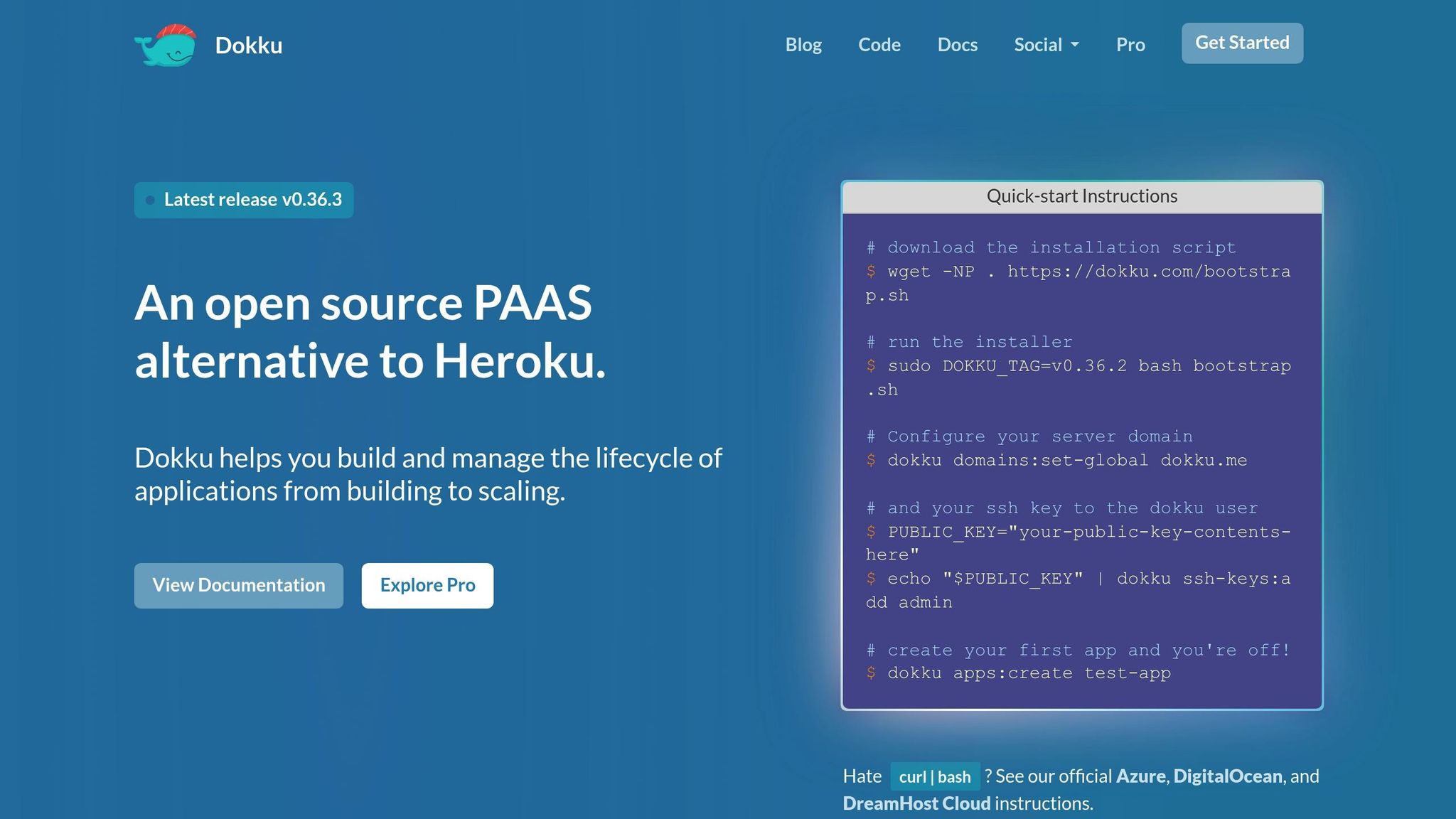
Heroku: Managed Deployment Platform
Heroku is a Platform-as-a-Service (PaaS) that takes the hassle out of managing infrastructure. Instead of worrying about servers and configurations, developers can focus on writing code and deploying it straight to production with simple Git commands.
At its core, Heroku uses a dyno-based architecture, where applications run in lightweight Linux containers called dynos. This setup automates tasks like server provisioning, load balancing, and database clustering. For teams aiming to move quickly without investing heavily in DevOps, this automation is a game-changer, simplifying database and application deployment and scaling.
Key Features of Heroku
One standout feature is Heroku's buildpack system, which automatically detects the language and framework of your app. Whether you're deploying a Node.js app, a Django project in Python, or a Ruby on Rails application, Heroku configures the runtime environment and installs dependencies for you. This means less setup and more coding.
Heroku also boasts an add-on marketplace with over 200 third-party services that integrate seamlessly into your apps. From Heroku Postgres for databases to Redis for caching and SendGrid for email delivery, these add-ons can be set up with a single command, saving time and effort.
Heroku's automatic scaling feature ensures your app can handle traffic spikes by adjusting the number of dynos as needed. It supports both horizontal scaling (adding more dynos) and vertical scaling (upgrading to more powerful dynos), giving you flexibility to manage demand.
The Heroku CLI is another powerful tool. It simplifies deployment workflows, allowing developers to deploy apps, check logs, manage resources, and more - all from the command line. It integrates easily with existing development tools and CI/CD pipelines, keeping workflows smooth and efficient.
When to Use Heroku
Heroku shines in situations where speed and simplicity are priorities:
- Rapid prototyping: If you need to get a minimum viable product (MVP) up and running quickly, Heroku’s zero-configuration deployment can have your app live in minutes. This is especially handy during hackathons or when testing new ideas.
- Small to medium-sized teams: For teams without dedicated DevOps expertise, Heroku’s streamlined model allows them to focus on building the product instead of managing infrastructure.
- Apps with predictable traffic: Heroku works well for applications that don’t require extensive customization of the underlying infrastructure, such as web apps, APIs, and background job processors.
- Development and staging environments: Even if production runs elsewhere, Heroku is ideal for spinning up temporary environments for testing, code reviews, or client demos with minimal overhead.
Limitations of Heroku
While Heroku offers plenty of conveniences, there are some trade-offs to consider.
Costs can add up as your application scales. While Heroku’s pricing works well for smaller projects, high-traffic apps or those needing significant computational resources may find the costs far exceed those of self-hosted alternatives.
Platform lock-in is another concern. Apps tailored to Heroku’s architecture - like its ephemeral filesystem and dyno-based scaling - can be tricky to migrate elsewhere, limiting flexibility for future infrastructure changes.
Customization options are limited, which can be an issue for applications needing unique configurations. Heroku’s standardized environment, while convenient, doesn’t suit every use case.
Performance constraints may arise for resource-intensive applications. The shared infrastructure and dyno limitations might not deliver the raw power or low-latency performance required for computationally heavy workloads or real-time apps.
Lastly, the ephemeral filesystem adds complexity. Any files written to a dyno’s local disk vanish when the dyno restarts, which happens regularly. This means apps must rely on external storage solutions for persistent data, complicating workflows for apps that depend heavily on file system operations.
Self-Hosted Deployment: Full Control and Flexibility
Self-hosted deployment puts you in the driver’s seat. You’re in charge of setting up, configuring, and maintaining your own servers and infrastructure. This gives you complete oversight of your deployment environment, from the operating system to the network configuration. Let’s take a closer look at what self-hosting involves, along with its advantages and challenges.
What is Self-Hosted Deployment?
Self-hosted deployment means running your applications on infrastructure that you either own or rent directly from providers like AWS, Google Cloud, or DigitalOcean. Here, you’re responsible for everything - server provisioning, applying security patches, monitoring, backups, and scaling.
Tools like Docker simplify this process. Docker allows you to package your application and its dependencies into lightweight, portable containers. Meanwhile, Docker Compose can orchestrate multi-container setups using a single YAML file, making complex deployments far easier than traditional server setups.
A popular approach is deploying on a low-cost VPS, often with Docker Compose, which keeps expenses down while giving you complete control over customization.
Benefits of Self-Hosting
One of the biggest perks of self-hosting is cost control. For example, a $20/month VPS can often match the performance of a $200/month managed service. You only pay for the raw computing resources you need, avoiding the premium pricing of managed platforms.
Customization is another major advantage. You can install specific software versions, optimize system performance, and integrate specialized tools. This level of control allows you to tweak system configurations to meet your exact needs - something managed platforms rarely offer.
Self-hosting also ensures full data ownership and privacy. Your data stays on servers you directly control, which is crucial for handling sensitive information or meeting strict regulatory requirements. You decide where the data is stored, how it’s backed up, and who can access it.
Performance optimization is another strong point. With full control over CPU allocation, memory management, network configurations, and storage, you can fine-tune your setup for maximum efficiency. This often leads to better performance per dollar spent. Plus, using technologies like Docker and Linux ensures your applications remain portable across different hosting providers.
Of course, these benefits come with their own set of challenges.
Challenges of Self-Hosting
The technical complexity of self-hosting can be daunting, especially for teams without DevOps expertise. Setting up and managing monitoring systems, automated backups, SSL certificates, and security configurations requires a solid technical foundation. A single misstep - like a misconfigured firewall - can result in vulnerabilities or downtime.
Security is entirely your responsibility. You’ll need to stay up to date with patches, manage firewalls and SSH access, set up intrusion detection systems, and handle SSL certificate renewals. Any oversight can leave your application exposed to threats.
Scaling is another hurdle. Unlike managed platforms that handle scaling automatically, you’ll need to plan and implement solutions like load balancing, database replication, and horizontal scaling yourself. This often involves using tools like Kubernetes or creating custom scripts.
Operational overhead can also pile up. Tasks like managing backups, monitoring performance, troubleshooting issues, and maintaining disaster recovery procedures require ongoing attention. And when something breaks in the middle of the night, it’s on you to fix it.
The learning curve for self-hosting can be steep. However, many developers feel the control and cost savings are well worth the effort. Tools like Docker and Docker Compose have made self-hosting much more approachable, transforming what used to require deep system administration knowledge into workflows that are easier to manage.
Dokploy: Combining Managed and Self-Hosted Benefits
Imagine having the simplicity of managed platforms without giving up the control that self-hosting offers. That’s exactly what Dokploy delivers - a deployment platform that merges these two worlds. It’s designed for developers who want streamlined deployment workflows but still need full control over their infrastructure.
Unlike managed platforms that lock you into their ecosystem, Dokploy offers an open-source model that can be deployed on your own servers. This gives you the ease of a user-friendly interface and automated processes while keeping your applications and data entirely under your control. Drawing on the strengths of platforms like Heroku and the flexibility of self-hosting, Dokploy strikes a practical balance.
Key Features of Dokploy
Dokploy’s standout feature is its multi-server deployment capability, which requires minimal setup. From a single dashboard, you can manage applications across multiple servers - perfect for teams juggling various projects or environments. It supports several deployment methods, including Nixpacks, Heroku Buildpacks, and custom Dockerfiles, giving you flexibility in how you package and deploy your applications.
For complex applications, Dokploy’s native Docker Compose support is a game-changer. Instead of dealing with intricate server configurations, you can define your entire application stack in a YAML file, and Dokploy takes care of the rest. This works seamlessly with multi-container setups, databases, and microservices architectures.
Database management is another area where Dokploy shines. It supports MySQL, PostgreSQL, MongoDB, MariaDB, and Redis, handling provisioning, backups, and monitoring automatically. Secure, automated backup solutions are built in, so your data stays protected without extra effort.
Access control is robust, thanks to an advanced user management system with roles and permissions. For developers who prefer programmatic control, Dokploy offers API and CLI access, making it easy to integrate deployments into existing workflows.
Performance monitoring is simplified with real-time insights into CPU, memory, and network usage, all accessible through a unified dashboard. Additionally, Dokploy integrates Traefik for managing domain names and SSL certificates, streamlining processes that often require separate tools and configurations.
Pricing and Plans
Dokploy offers flexible and affordable pricing options. The open-source version is completely free, allowing you to deploy it on your own infrastructure with access to core features, community support, and regular updates. This is ideal for developers who want full control.
For those who prefer a managed solution, Dokploy’s hosting plan costs $4.50 per month. This plan includes unlimited deployments, databases, applications, and users, with the only limitation being that it’s restricted to one server.
Best Use Cases for Dokploy
Dokploy is particularly useful when centralized management of multiple applications is required. Development teams handling staging, testing, and production environments across various servers will find its unified dashboard invaluable. Instead of juggling multiple tools or SSH sessions, everything is managed in one place.
It’s also an excellent option for migration projects. If you’re moving away from a traditional managed platform but want to maintain familiar deployment workflows, Dokploy makes the transition smoother.
Growing startups can benefit greatly from Dokploy. Starting with simple deployments and scaling to more complex infrastructures - including multi-server setups with Docker Swarm clusters - is seamless.
Teams with diverse technical expertise will appreciate Dokploy’s dual approach. It offers a web dashboard for those who prefer a visual interface and command-line tools for more advanced users.
For agencies and consultancies managing multiple client projects, Dokploy’s user permission system is invaluable. It allows controlled client visibility while the unlimited applications feature ensures cost predictability, making it easier to manage budgets and resources effectively.
Side-by-Side Comparison: Heroku vs Self-Hosted vs Dokploy
Let’s break down the key features of Heroku, self-hosted solutions, and Dokploy to help you decide which one best suits your deployment needs.
Comparison Table
| Feature | Heroku | Self-Hosted | Dokploy |
|---|---|---|---|
| Ease of Use | Very High – Managed PaaS with Git-based deployment | Moderate to Low – Requires server setup and a steeper learning curve | High – Intuitive UI with API/CLI and zero-config remote deployment |
| Customization | Limited – Predefined dyno resources with options for paid static IPs | Full Control – Customize infrastructure and resource management to your needs | High – Supports Nixpacks, Heroku Buildpacks, custom Dockerfiles, and Docker Compose/Swarm |
| Integration | Robust add-on ecosystem and Git integration | Git-based deployments, APIs, and plugin ecosystems | Built-in API/CLI, integrated Traefik for routing, prebuilt templates, and notifications |
Key Takeaways
Each option brings something different to the table, depending on your priorities like cost, control, and ease of integration.
Heroku offers simplicity through its managed service, but this convenience comes at a higher cost as your resource demands increase. On the other hand, self-hosted solutions provide full control over your infrastructure, often with predictable server costs, but they require more technical expertise. Dokploy strikes a middle ground, offering flexibility with its free self-hosted option or an affordable managed plan starting at just $4.50 per month.
When it comes to maintenance, Heroku automates most of the heavy lifting. Self-hosted setups, however, demand manual oversight and ongoing management. Dokploy offers a blend of both worlds, simplifying maintenance without sacrificing flexibility.
Deployment processes also vary. Heroku’s Git-based deployment is straightforward, while self-hosted solutions often require custom automation scripts. Dokploy simplifies this with built-in Git integration and API access, making it easier to incorporate CI/CD workflows.
For team productivity, Heroku’s managed approach allows developers to focus solely on coding. Self-hosting, however, requires a deeper understanding of infrastructure, which can slow down onboarding. Dokploy’s user-friendly interface and advanced features, like Docker Swarm clustering, make it an excellent choice for teams looking to scale without the steep learning curve of self-hosting.
Ultimately, your choice depends on your project’s specific requirements and long-term goals. Each option has its strengths, so weigh them against your team's skills, budget, and scalability needs.
How to Choose the Right Deployment Option
When deciding on a deployment option, it's essential to weigh factors like budget, team expertise, scalability, and the level of control you need. Here's a closer look at how these elements can guide your choice:
Budget Considerations:
For small businesses or solo projects, keeping costs predictable often outweighs the need for advanced features. Managed platforms like Heroku can start affordably but may become expensive as your application scales, especially when you add services like databases, monitoring tools, and SSL certificates. On the other hand, self-hosted solutions often come with fixed server costs but demand significant time for maintenance. For example, a $50/month VPS might seem cheaper than a $25/month managed dyno. However, if you spend 10 extra hours on maintenance at $75/hour, that’s an additional $750 - making self-hosting far less economical. Managed options like Dokploy, starting at $4.50/month, strike a balance by offering affordable hosting without the high price tag. Next, consider your team's technical expertise to see if self-hosting is even feasible.
Team Expertise:
Assess your team’s technical skills honestly. If no one on your team has experience configuring Linux servers, setting up SSL certificates, or managing database backups, self-hosting could slow your progress significantly. However, if you have a team member with DevOps experience or someone confident in server administration, self-hosting becomes more viable. A technically skilled team can handle tasks like managing Docker containers or setting up reverse proxies, which are often necessary for self-hosted solutions. Your team's expertise directly impacts how smoothly and quickly you can scale.
Scalability Needs:
Think about how your application will grow. If you expect unpredictable traffic spikes, managed platforms with automatic scaling are a lifesaver, as they adjust resources instantly to meet demand. On the flip side, if your growth is steady and predictable, self-hosted solutions give you the ability to fine-tune resources and control costs more effectively. Consider whether your traffic will be consistent or fluctuate wildly, and choose a platform that aligns with your growth pattern.
Customization and Compliance:
The level of control you need over your infrastructure is another key factor. Managed platforms work well for standard web applications with typical database requirements. But if you need custom server configurations, unique networking setups, or specialized software installations, self-hosting might be the better path. Industries like healthcare, finance, or government often have strict compliance requirements. While managed services often provide these certifications, they can come at a premium. Self-hosting gives you full control over compliance standards, but it also means you're solely responsible for maintaining them. Platforms like Dokploy offer a middle ground, combining flexibility with simplicity.
Long-Term Strategy and Flexibility:
For quick launches, managed platforms are ideal - they can have your MVP up and running in hours. But for long-term, predictable growth, self-hosting or flexible solutions like Dokploy might be more suitable. Many companies adopt a hybrid approach: they start with managed platforms for rapid prototyping and later transition to self-hosted solutions as their needs grow and evolve.
Conclusion
Choosing between Heroku, self-hosted deployment, and Dokploy ultimately depends on what your project demands. Each option brings its own set of strengths tailored to different use cases.
Heroku is perfect for startups and small teams looking for quick deployment and automatic scaling. Its managed platform eliminates much of the technical overhead, but this convenience comes with higher costs and less flexibility.
Self-hosted deployment is a great fit for organizations needing full control, cost efficiency, or strict compliance. However, it requires a solid technical foundation and ongoing maintenance, which can be a challenge for smaller teams.
Dokploy offers a middle ground, combining flexibility and affordability. For just $4.50/month for managed hosting - or free if you self-host - it supports features like Docker Compose, multi-server deployment, and real-time monitoring, making it a versatile choice for many scenarios.
Ultimately, your decision should revolve around your team’s technical expertise, budget constraints, and scalability goals. For example, a small team with limited DevOps knowledge might find a managed solution like Heroku more practical, while a larger organization with a dedicated infrastructure team could take advantage of the control and savings of self-hosting.
Containerization remains a crucial element no matter which deployment strategy you pick. And remember, your choice isn’t set in stone - many companies start with managed platforms for speed and simplicity, then transition to custom solutions as their needs grow. The best option is the one that matches your team’s skills, budget, and long-term vision.
FAQs
What should I consider when choosing between Heroku and self-hosting for app deployment?
When choosing between Heroku and self-hosting to deploy your application, there are a few key areas to consider:
- Control and Flexibility: Self-hosting gives you full control over your infrastructure and allows for a high level of customization. But keep in mind, this route demands technical expertise and ongoing management to keep everything running smoothly.
- Budget Considerations: Self-hosting can often be more cost-effective for larger projects. On the other hand, Heroku’s managed services come with a higher price tag, but that extra cost buys you convenience and time.
- Ease of Use: Heroku shines when it comes to simplicity. Its managed environment makes deployment and scaling straightforward, which is great for teams that want to focus on development rather than infrastructure. Self-hosting, however, requires more effort for setup, updates, and regular maintenance.
- Scaling Options: Heroku includes built-in tools to handle scaling seamlessly. With self-hosting, you can scale as needed, but it requires the right expertise and resources to manage effectively.
Choosing the best option boils down to what matters most to you: Do you value control and customization? Are you working within a tight budget? Or is ease of use and minimal maintenance your top priority? Do you need an AI app deployment solution? Your answers will guide you to the right solution.
How does Dokploy combine the ease of managed platforms with the flexibility of self-hosting?
Dokploy hits the sweet spot by providing an open-source, self-hostable platform that makes deploying applications straightforward while keeping you in complete control of your infrastructure. Thanks to its Docker Compose integration and user-friendly interface, it simplifies workflows without limiting your options.
Whether you're a small startup or a large enterprise, Dokploy is a solid pick for managing infrastructure with ease. It offers the perfect mix of scalability and customization to meet the needs of teams of any size.
What are the cost differences between using Heroku and a self-hosted solution for scaling applications?
When it comes to scaling applications, Heroku's pricing can quickly add up, especially when compared to self-hosted alternatives. Heroku operates on a tiered pricing model, and for production-ready setups with features like autoscaling, monthly costs can easily surpass $250, depending on your resource requirements.
In contrast, self-hosted solutions can be far more budget-friendly. Some hosting providers offer plans starting as low as $5 per month. However, this affordability comes with a trade-off: self-hosting demands a higher level of technical know-how for both setup and ongoing maintenance. While Heroku shines in terms of simplicity and user-friendliness, self-hosted options give you more control and can lead to substantial savings in the long run, particularly for larger-scale projects.
]]>Docker Compose in 2025 introduces advanced features that simplify multi-container app deployment. Key updates include AI development support, large language model (LLM) integration with GPU acceleration, streamlined cloud deployments, and tools like Docker Offload for shifting workloads to the cloud. Developers can now convert Compose files into Kubernetes manifests or Helm charts using Compose Bridge, while enhanced commands like watch and Bake improve workflows. Here's what you need to know:
- AI Integration: Native support for frameworks like LangGraph and Vercel AI SDK.
- LLM Deployment: Pull and run open-weight models locally or in the cloud with Docker Model Runner.
- Cloud Support: Deploy directly to Google Cloud Run or Azure Container Apps.
- Compose Bridge: Convert Compose files for Kubernetes or Helm, with environment-specific profiles.
-
Updated Tools: Bake for builds,
watchfor real-time updates, and improved logging.
Whether you're scaling databases, managing resources, or integrating CI/CD pipelines, these features make Docker Compose a powerful tool for modern app development and deployment. Let’s dive into the details.
Docker Compose Watch: Hot Reload & Rebuild Explained (2025 Tutorial)
Setting Up Your Environment for Docker Compose
Getting your system ready for Docker Compose involves understanding its requirements and installation steps to ensure a smooth setup. The latest version of Docker Compose brings new capabilities, so proper preparation is key to making the most of its features. Start by checking the system requirements and supported platforms to confirm compatibility.
System Requirements and Supported Platforms
Docker Compose is a command-line tool designed to manage and orchestrate Docker containers, so its system requirements align closely with Docker Engine and Docker Desktop. It works on Windows, macOS, and Linux systems. For server deployments, it’s fully compatible with Amazon Linux 2023 and Amazon Linux 2, making it versatile for cloud environments. It also supports both AMD64 and ARM64 architectures, ensuring it runs smoothly on Apple Silicon Macs as well as traditional Intel-based machines. These compatibility features lay the groundwork for leveraging Docker Compose in 2025.
As of version 2.39.2 (released August 4, 2025), Docker Compose requires Docker Engine and CLI version 28.3.3. This ensures optimal performance and seamless operation when managing multi-container applications.
Installing Docker and Docker Compose
The installation process for Docker Compose has been simplified. It now comes bundled with Docker Desktop, which includes Docker Compose, Docker Engine, and Docker CLI as an all-in-one package. This approach removes the hassle of managing separate installations and ensures everything works together seamlessly.
- Windows and macOS: Download Docker Desktop from Docker’s official website. The installation wizard will guide you through the process, automatically setting up Docker Compose alongside the other components.
-
Linux: Linux users have two main options. You can either install Docker Desktop for Linux or use your distribution’s package manager. Many Linux distributions now include Docker Compose in their official repositories, so installation is as simple as running a command like
sudo apt install docker-compose(or the equivalent for your package manager).
After installation, verify everything is set up correctly. Open your terminal or command prompt and run:
docker --version
docker-compose --version
If the version numbers display, you’re ready to move forward with using Docker Compose.
Setting Up Your Local Development Environment
Once Docker and Docker Compose are installed, you can configure your local development workspace. Start by creating a dedicated project directory to store your docker-compose.yaml file and any related configuration files. This organization helps ensure your environment is reproducible across different systems.
One of Docker Compose’s biggest advantages is its ability to run complex services - like Redis and PostgreSQL - in containers. This means you don’t have to install or manage these tools directly on your machine, avoiding version conflicts and simplifying collaboration across teams.
To launch your development environment, use the following command:
docker-compose up
This command reads your docker-compose.yaml file and starts all the services you’ve defined, automatically setting up networks and volumes as needed.
To test your setup, create a simple docker-compose.yaml file with a basic web service and run docker-compose up. If everything works as expected, you’re all set to tackle more complex projects.
Creating and Configuring Docker Compose Files
Now that your environment is set up, let’s dive into creating a Docker Compose file for seamless deployments. The compose.yaml file (or docker-compose.yaml) is the backbone of any Docker Compose setup. It outlines how your services interact, which containers to run, and the resources they require. Think of it as a blueprint for orchestrating your application’s components.
Key Components of docker-compose.yaml
A Compose file organizes your application into services, sets up custom networks for secure communication, and configures volumes for persistent data storage.
Starting in 2025, the version field is no longer necessary. Docker Compose v2 ignores this field and will display warnings if it’s included. As noted on Stack Overflow in July 2025:
"Version two of the Docker Compose command-line binary was announced in 2020, is written in Go, and is invoked with docker compose. Compose v2 ignores the version top-level element in the compose.yaml file."
Here’s an example of a modern compose.yaml file without the outdated version field:
services:
  web:
    build: .
    ports:
      - "8000:8000"
    environment:
      - DATABASE_URL=postgresql://user:pass@db:5432/myapp
    depends_on:
      - db
      - redis

  db:
    image: postgres:15
    environment:
      POSTGRES_DB: myapp
      POSTGRES_USER: user
      POSTGRES_PASSWORD: pass
    volumes:
      - postgres_data:/var/lib/postgresql/data

  redis:
    image: redis:7-alpine

volumes:
  postgres_data:
This structure provides a solid foundation for defining your services. Next, let’s talk about securing and optimizing these configurations.
Best Practices for Defining Services
When configuring services, avoid hardcoding sensitive information directly in the Compose file. Instead, use environment files or Docker secrets. For example, create a .env file in the same directory as your Compose file:
POSTGRES_PASSWORD=your_secure_password_here
DATABASE_URL=postgresql://user:${POSTGRES_PASSWORD}@db:5432/myapp
API_KEY=your_api_key_here
Then, reference these variables in your Compose file using ${VARIABLE_NAME} syntax. This keeps sensitive data out of version control and makes it easier to adapt configurations for different environments.
The depends_on directive ensures that services like databases start before your application containers. However, keep in mind that depends_on only handles the startup order of containers, not their readiness. For critical services like databases, consider adding health checks or wait scripts to confirm they’re fully operational before other services attempt to connect.
Another best practice is to always use explicit image tags (e.g., postgres:15.4) to ensure consistent deployments across environments.
You can also manage resource allocation by setting limits and reservations for your containers. For example:
services:
  web:
    image: myapp:latest
    deploy:
      resources:
        limits:
          memory: 512M
          cpus: "0.5"
        reservations:
          memory: 256M
          cpus: "0.25"
This ensures no single container can monopolize system resources, keeping your deployment stable.
Versioning and Compatibility
Docker Compose v2 uses the unified Compose Specification, which merges the features of the older 2.x and 3.x formats into a single standard. This eliminates the need for version declarations in your Compose files. As Docker’s documentation states:
"The Compose Specification is the latest and recommended version of the Compose file format. It helps you define a Compose file which is used to configure your Docker application's services, networks, volumes, and more."
To stay current, use the docker compose command (without a hyphen) instead of the older docker-compose command. The hyphenated version was part of Docker Compose v1, which was officially deprecated in July 2023. For consistency, rename your files from docker-compose.yaml to compose.yaml to reflect modern practices.
When working with teams or integrating Docker Compose into CI/CD pipelines, ensure everyone is using Docker Compose v2. This minimizes compatibility issues and simplifies troubleshooting across different environments.
With your Compose file ready, the next step is deploying and managing these configurations in real-world scenarios.
Deploying and Managing Applications with Docker Compose
Once your Compose file is ready, you can breathe life into your multi-container application. Docker Compose takes your YAML configuration and transforms it into a functioning system. But deployment isn't just about starting containers - it's about monitoring, scaling, and maintaining them effectively.
Running and Managing Docker Compose Deployments
To launch all services in the background for production, use the command: docker compose up -d. If you want to check what's happening inside your containers, docker compose logs shows output from all services. Need to focus on a specific service? Use docker compose logs web. Adding the -f flag lets you follow logs in real time, which is a lifesaver when debugging deployment issues.
When you make code changes and need to rebuild images, run docker compose up --build. This will rebuild and restart your services with the latest updates.
You can also manage individual services without disrupting the entire application. For example:
-
Stop a service with
docker compose stop [service] -
Restart it with
docker compose restart [service]
To check the status of your services, use docker compose ps. For troubleshooting inside a container, docker compose exec is your go-to command.
Scaling and Updating Services
Scaling services is simple with Docker Compose. Use docker compose up --scale [service]=[number] to adjust the number of instances for a specific service. For updates, a rolling update strategy works well, especially for stateless services. Use --no-deps to update a service without restarting its dependencies. For example, docker compose up -d --no-deps web updates just the web service while keeping other services, like databases, unaffected.
To identify resource bottlenecks in your scaled services, docker stats provides real-time resource usage data, helping you fine-tune resource allocation.
If you're scaling databases or other stateful services, extra steps are necessary. Always back up your data volumes before making changes. Avoid using docker compose down --volumes unless you're sure you want to delete persistent data. For a safer approach, stick with docker compose down to preserve your data.
Configuration changes might require a two-step process. First, update your compose.yaml file. Then, apply the changes with docker compose up -d. Docker Compose will detect the differences and only recreate the containers that need updating, minimizing disruptions. For more efficiency, consider automating these updates by integrating Docker Compose into your CI/CD pipeline.
Integrating Docker Compose with CI/CD Pipelines
Integrating Docker Compose into your CI/CD pipeline streamlines testing and deployment. With tools like GitHub Actions, you can automate these processes for consistency and reliability.
A typical CI/CD workflow starts with building and testing your application in a containerized environment. For instance, you can use docker compose -f docker-compose.test.yml up --abort-on-container-exit in your GitHub Actions workflow to run tests. If any test fails, the build is automatically stopped, ensuring only functional code moves forward.
Managing environment-specific configurations is easier with multiple Compose files. Start with a base compose.yaml file for common settings, then create an overlay file like compose.prod.yaml for production-specific configurations. Use the command docker compose -f compose.yaml -f compose.prod.yaml up -d to merge these files and apply production settings, such as resource limits and security configurations.
Handling sensitive information like database passwords or API keys requires caution. Store these secrets in your CI platform's secret management system. GitHub Actions, for example, can inject these values as environment variables, which your Compose file can reference using the .env file pattern.
For deployment automation, SSH connections to production servers are often used. Tools like the appleboy/ssh-action GitHub Action can connect to your server, pull updated images, and restart services. This is especially useful for smaller setups where full orchestration platforms aren't necessary.
Blue-green deployments are also achievable with Docker Compose. By maintaining two identical environments - one active ("blue") and one idle ("green") - you can switch traffic between them. Use different project names like docker compose -p blue up -d and docker compose -p green up -d, then update your load balancer to point to the active environment.
To ensure deployments are successful, include health checks in your CI pipeline. Simple HTTP requests using curl or dedicated health check endpoints can verify that services are running correctly before users experience any issues.
Using Dokploy for Docker Compose Deployments
Docker Compose is a fantastic tool for container orchestration, but when it comes to managing complex deployments, things can get tricky. That’s where Dokploy steps in. Designed to complement Docker Compose, Dokploy simplifies deployment workflows, making it easier for developers and DevOps teams to manage multi-server environments.
Key Features of Dokploy
Dokploy takes the hassle out of multi-server deployments by offering centralized control through a single, user-friendly dashboard.
- Automated Database Management: Forget about manually setting up backups and configurations for databases like MySQL, PostgreSQL, MongoDB, MariaDB, or Redis. Dokploy handles it all, saving time and reducing errors.
-
Real-Time Monitoring: Keep tabs on CPU, memory, and network usage for all your containers. Unlike the basic
docker statscommand, Dokploy provides persistent monitoring data, helping you identify patterns and optimize resource use over time. - Traefik Management: Automatic domain routing and SSL certificate provisioning are built-in, so you don’t have to configure reverse proxies manually.
- API and CLI Access: Seamlessly integrate Dokploy with your CI/CD pipelines. You can deploy, scale, and manage configurations programmatically without juggling multiple tools.
- Docker Swarm Support: Scaling across multiple nodes becomes a breeze. Dokploy abstracts the complexities of Docker Swarm, letting you enjoy distributed orchestration without the headache. Check out how it compares to other tools in our Kubernetes vs. Docker Swarm comparison.
Step-by-Step Deployment Example with Dokploy
Here’s how you can leverage Dokploy to deploy your Docker Compose applications efficiently:
-
Set Up Your Domain and Project
Point your domain to your server’s IP address using an A record. In the Dokploy dashboard, create a new project and create a new service called compose and select Docker Compose as your deployment method. -
Update Your Docker Compose File
Modify your Compose file to align with Dokploy’s infrastructure. Add thedokploy-networkand configure Traefik labels for routing:networks: dokploy-network: external: true - Create your domains in your domains tab
- Go back to general page and click deploy
-
Configure Data Persistence
Use the../filesdirectory structure recommended by Dokploy for data persistence. For instance, set up volumes like../files/database:/var/lib/mysqlto ensure your data survives container restarts and updates. -
Avoid Explicit
container_nameDeclarations
Skipping this step ensures Dokploy’s logging system works without interruptions. -
Push Your Compose File to Git
Commit your updated Compose file to your Git repository. Dokploy will pull it and handle the deployment. -
Set Deployment Settings
In Dokploy, connect your Git repository and specify the branch you want to deploy from. -
Deploy and Monitor
Use the Dokploy dashboard to deploy your application. You can monitor deployment progress, view real-time logs, and track resource usage - all in one place.
Dokploy Managed vs. Self-Hosted Options
Dokploy offers two deployment models to suit different needs: a self-hosted option and a managed plan. Here’s how they compare:
| Feature | Dokploy Open Source (Free) | Dokploy Plan ($4.50/month) |
|---|---|---|
| Hosting | Self-hosted on your infrastructure | Fully managed by Dokploy |
| Server Limit | Unlimited servers | 1 server slot included (You provide the server) we manage the infrastructure |
| Applications | Unlimited | Unlimited |
| Databases | Unlimited | Unlimited |
| Users | Unlimited | Unlimited |
| Support | Community-based | Priority support |
| Setup Complexity | Requires server management | Zero setup required |
| Control Level | Complete infrastructure control | Platform-managed |
| Updates | Manual updates required | Automatic updates |
The self-hosted option is ideal for organizations that want complete control over their infrastructure. You can customize the platform to meet specific needs and maintain full ownership of your data. However, it does require technical expertise to manage servers and updates.
On the other hand, the managed plan, priced at $4.50 per month, eliminates the burden of infrastructure management. It’s particularly appealing to startups and small teams, as it includes automatic updates and priority support. For teams in the United States, where developer time is expensive, this plan often makes financial sense. A single hour of developer time can cost more than several months of the managed plan, making it a practical choice for teams focused on building applications rather than managing infrastructure.
Best Practices and Troubleshooting for 2025
As we look at Docker Compose deployments in 2025, there are updated strategies to ensure security, performance, and smooth operations. Let’s dive into some key best practices and troubleshooting tips tailored to the challenges of this year.
Docker Compose Best Practices for 2025
When working with Docker Compose, security should always come first. Stick to using official base images from Docker Hub or verified publishers. These images are regularly updated to address vulnerabilities, unlike some community-maintained alternatives.
Another critical step is setting resource limits for every service in your Compose file. Without these constraints, a single container could hog all system resources, potentially disrupting your entire application stack. Be sure to define memory and CPU limits based on real-world usage patterns.
Health checks are a must for production environments. They allow Docker to detect and restart failing containers, ensuring reliability. Here's an example of a health check configuration:
healthcheck:
  test: ["CMD", "curl", "-f", "http://localhost:3000/health"]
  interval: 30s
  timeout: 10s
  retries: 3
  start_period: 40s
For managing sensitive data, avoid hardcoding secrets in your Compose files. Instead, use Docker secrets to securely handle sensitive information like API keys or database credentials.
To improve security and reduce exposure, implement network segmentation. Create dedicated networks for different parts of your application. For instance, database services should only be accessible to application services that need them, not to the public internet or unrelated services.
By following these practices, you can avoid many of the common pitfalls that arise during deployment.
Common Issues and Solutions
Even with the best practices in place, challenges can occur. Here are some common ones and how to address them:
-
Container startup failures: If a container doesn’t start, check its logs using
docker compose logs [service-name]. Common culprits include missing environment variables, incorrect file permissions, or port conflicts. -
Network connectivity problems: Services within Docker networks communicate using their service names. For example, if your web service needs to connect to a database named
postgres, usepostgres:5432as the connection string instead oflocalhost:5432. -
Volume mounting issues: On Linux systems, file permissions between the host and container can cause problems. You can resolve this by using the
userdirective in your Compose file to set the correct permissions or by adjusting file ownership on the host. - Memory and performance bottlenecks: These often surface under heavy load. Monitor resource usage regularly and adjust limits if needed. If a container exits with code 137 (out-of-memory error), consider increasing its memory allocation or optimizing your app’s memory usage.
- SSL certificate errors: For reverse proxies like Traefik, ensure your DNS records are properly configured before deployment. Domain validation (e.g., with Let’s Encrypt) requires accurate DNS settings. Make sure your domain points to the correct IP address and that ports 80 and 443 are open.
New Tools and Features for Maintenance
Docker Compose in 2025 comes with several updates to make maintenance tasks easier and more efficient:
-
The
watchcommand now enables real-time file synchronization during development. This means fewer container rebuilds, as changes to your source code are reflected instantly in running containers. - Bake has become the default build tool, offering advanced orchestration for complex builds. It simplifies managing builds across multiple targets and platforms, ensuring consistency across environments.
-
The logging system now supports better-structured output and filtering. For example, you can use
docker compose logs --since=1h --filter service=webto quickly pinpoint recent logs for a specific service. - Health monitoring has been improved, with health check results now more visible in Docker Compose outputs. This makes it easier to spot and address failing services.
- The profile system allows you to conditionally include services based on deployment context. This eliminates the need for separate Compose files for different environments, keeping your configurations clean and readable.
These new features and tools are designed to simplify maintenance while improving visibility and control over your deployments.
Conclusion
Docker Compose has become a go-to tool for deploying modern applications. Its success lies in proper setup, secure configurations, and making the most of the tools available.
This guide has walked through the essentials of using Docker Compose, including setup, configuration, security measures, and troubleshooting tips. By prioritizing strong security practices and implementing access controls, you can protect your applications from vulnerabilities while maintaining performance.
For developers aiming to streamline their deployment process, Dokploy offers a compelling solution. With native Docker Compose support, multi-server functionality, real-time monitoring, and a free self-hosted option, it caters to a range of needs. Managed hosting is also available for just $4.50/month. The self-hosted version allows for scalability as your projects grow, while features like automatic backups and Traefik management for SSL certificates make it especially appealing for both solo developers and expanding teams.
FAQs
How do AI and large language models improve Docker Compose in 2025?
Docker Compose in 2025: Embracing AI and Large Language Models
By 2025, Docker Compose has stepped up its game, introducing AI and large language model (LLM) capabilities that revolutionize how developers handle AI-driven applications. With the addition of the 'models' element to the Compose specification, developers can now define and scale AI models directly within containerized environments.
This upgrade simplifies workflows, enabling smooth integration of AI agents into DevOps pipelines. Tools like Docker Model Runner enhance the experience further by speeding up local testing and deployment of LLMs. The result? Less complexity, more efficiency, and a huge time saver. These updates position Docker Compose as a go-to tool for developers building intelligent and scalable applications.
What are the best practices for securely managing sensitive data in Docker Compose deployments?
When it comes to handling sensitive data in Docker Compose deployments, Docker secrets are your go-to solution. They allow you to securely store and share sensitive information like passwords and API keys. With Docker secrets, your data is encrypted and only accessible to the containers that require it. This approach is far safer than using plaintext files or environment variables, which can be easily compromised.
For an extra layer of protection, consider encrypting your .env files. You might also want to explore external secret management tools like Vault to centralize and secure your sensitive information. Taking these precautions ensures your data stays protected and your deployment remains secure.
How does Dokploy make it easier to deploy Docker Compose applications, and what are the main advantages?
Dokploy: Simplifying Docker Compose Deployments
Dokploy takes the hassle out of deploying Docker Compose applications by working directly with Docker Compose and Docker Stack. It handles essential tasks like setting up networks, managing root access, and assigning dedicated IPv4 addresses. The result? A faster, more secure configuration process.
What Makes Dokploy Stand Out?
- Automatic Deployment Configurations: No more manual setup - Dokploy generates deployment configurations for you.
- Streamlined Multi-Container Management: Managing complex multi-container environments becomes straightforward.
- Efficient Scaling: Scaling applications is easier and quicker, fitting perfectly into modern DevOps workflows.
By simplifying container orchestration, Dokploy helps teams save time and focus on building and scaling their applications in 2025 and beyond.
Related Blog Posts
]]>Rollbacks
Now, if you've encountered an issue with a build and need to revert to a previous state of a specific deployment, you can enable this option in the deployments section, available only for applications.

You can enable or disable rollbacks. When you make a new deployment, next to the 'View' button, you will find a new button to perform a rollback to that specific version

Volume Backups
Previously, backups were limited to databases like PostgreSQL, MySQL, MariaDB, and MongoDB. However, we now support Docker Volume backups, significantly expanding the ways you can back up your applications. This functionality works for both applications and Docker Compose setups, For example, applications like N8N, which use an internal SQLite database, can now have their volume backed up.

Restore

Git Provider Permissions
Now, whenever a user in your organization adds a Git provider, it will be exclusively accessible by that user. This prevents unauthorized access, ensuring that only the creator can select repositories or disconnect the provider.

Additional Enhancements
- Cancel Running Schedules: It's now possible to cancel a running schedule (terminate the process).
- Change Publish Mode for Ports: You can now change the publish mode for ports defined in the 'Advanced' section of applications.
- Internal Path Routing & Path Stripping: Added support for internal path routing and path stripping for domains.
- Fix: Changed default DOCKER_CONFIG to a config directory instead of a config.json file.
- Fix: Corrected an incorrect parsing of environment variables when using Railpack.
Support Dokploy
If Dokploy has helped you, consider sponsoring us to maintain this incredible project! And if you'd rather not deal with server administration or errors, try our cloud version - perfect for those who don't have time to manage containers and related issues ❤️
https://opencollective.com/dokploy
https://github.com/sponsors/Dokploy
Release notes: https://github.com/Dokploy/dokploy/releases/tag/v0.24.0
]]>This update brings functionality that unlocks many previously missing use cases, and we can now confidently say that we cover almost any scenario. Let's dive into what's new!
Docker Compose Backups
Previously, we only had dedicated backups for Docker Swarm services. While this approach had its advantages (like maintaining unique entities and easier manipulation), it also had limitations. For complex templates like Umami, Plausible, and many others, it was cumbersome to separate containers into individual services.

Now, you can backup containers within a Docker Compose or Docker Stack file! We've added support for:
- PostgreSQL
- MariaDB
- MySQL
- MongoDB

And yes, this includes restore functionality too!
We've also integrated logging for each backup operation. Before, we couldn't track if executions were running correctly or not. Now, you'll have detailed logs for every backup performed.
No more excuses for not using Docker Compose because of missing backup capabilities!
Schedule Tasks
We consider this one of our most important features as it unlocks almost any use case that wasn't possible before. Schedule Tasks are essentially cron jobs with custom code that run on specific containers or servers.

We offer three ways to declare cron jobs:
- Applications: Generate schedules for application-based services
- Docker Compose Services: Create schedules for specific services defined in your Docker Compose file
- Server Tasks: Create schedule jobs for your Dokploy server or remote server
Real-World Example
Let's say you have a Next.js application and want to run cron jobs. Currently, this is possible in Vercel, but it requires creating a custom server and unnecessary complexity. With Schedule Tasks, you can trigger any command in your containerized project.
For instance, if you have an API endpoint /send-notifications-every-12-hours that sends external notifications, you could create a schedule task with:
curl http://localhost:3000/api/send-notifications-every-12-hours
This will trigger the endpoint without hosting the service on Vercel or creating more complex solutions.

Server Schedule Use Cases
Some practical examples include:
- Automated Docker storage cleanup
- Custom backups for unsupported databases (like Plausible)
- Triggering endpoints using curl commands

Domain Management Improvements
We've redesigned the domains section to include DNS validation. Often, when something doesn't work, it's because DNS isn't properly propagated or is pointing to the wrong server. Now you can:

- Validate if DNS is correctly pointing to your Dokploy or remote server
- Access step-by-step instructions for adding A records in DNS providers

Bug Fixes:
- Fixed Gitea provider repository and branch fetching
- Eliminated race conditions during Dokploy instance backups
- Support for two deployment trigger methods on applications: on push and on tag
Thank You for 20K Stars! 🎉
Today marks an incredible milestone for Dokploy - we're approaching 20,000 GitHub stars! It's hard to believe that exactly one year ago, on May 1st, 2024, I made the first commit to this project. The journey since then has been nothing short of amazing.
This achievement wouldn't have been possible without our incredible community. Your continuous support, recommendations, and contributions have helped shape Dokploy into what it is today. Every star, every piece of feedback, and every contribution has played a crucial role in making Dokploy better.
We have a big announcement coming in a couple of weeks, stay tuned!
Thank you all! ❤️
Support Dokploy
If Dokploy has helped you, consider sponsoring us to maintain this incredible project! And if you'd rather not deal with server administration or errors, try our cloud version - perfect for those who don't have time to manage containers and related issues ❤️
https://opencollective.com/dokploy
https://github.com/sponsors/Dokploy
Release notes: https://github.com/Dokploy/dokploy/releases/tag/v0.22.0
]]>Gitea Provider
You can now use Gitea as a provider for your Dokploy deployments! This allows you to seamlessly integrate your Gitea repositories with Dokploy, streamlining your deployment process.


Backups and Restore for Dokploy
We've added the ability to back up and restore your Dokploy instance. This provides an extra layer of security and makes it easy to migrate your Dokploy setup to a new server or recover from unexpected issues.


Duplicate Services
Need to quickly create a new service based on an existing one? You can now duplicate services with a single click! This saves you time and effort when deploying similar applications.

Custom Docker Hostname
This release introduces significant improvements to how Dokploy handles Docker hostnames, ensuring greater stability and predictability for your core services.
Previously, Dokploy would update the service names of internal services like dokploy-postgres, dokploy-traefik, and dokploy-redis on each restart, based on the Docker hostname. This could lead to unexpected configuration changes and disruptions.
Now, these service names will remain consistent across Dokploy restarts, regardless of the Docker hostname. This provides a more stable and reliable environment.
To further enhance customization, we've introduced two new environment variables:
- DATABASE_URL: Set this to a different database URL if you want to use an external database instead of the built-in dokploy-postgres instance.
- REDIS_HOST: Set this to a different Redis URL if you want to use an external Redis server instead of the built-in redis instance.
These variables allow you to easily configure Dokploy to use your preferred database and Redis solutions, providing greater flexibility and control over your infrastructure.
Upgrade Now!
To start using the new features, update to v0.21.0 and let us know your feedback.
]]>We are excited to announce Dokploy v0.20.0, packed with major improvements, new features, and a revamped template system! This release brings better automation, flexibility, and usability enhancements to streamline your deployments.
HTTP3 Support for Traefik
have migrated from Docker Swarm service to a standalone container for Traefik, which now supports HTTP3 by default for new installations. Existing installations will need to update their traefik.yml configuration:
entryPoints:
  web:
    address: ':80'
  websecure:
    address: ':443'
    http3:
      advertisedPort: 443
    http:
      tls:
        certResolver: letsencrypt
Watch Paths for Selective Deployments
You can now specify watch paths to trigger deployments based on changes in specific directories. This provides more granular control over which parts of your project should be redeployed, reducing unnecessary builds and saving time, useful for monorepos.

New Remote Templates System
We have migrated templates to a separate repository—meaning templates are now independent of Dokploy releases! You can find them here: 👉 Dokploy Templates Repository
In addition, you can now specify a url to an external repository if you want to publish your own directory, the default directory is https://templates.dokploy.com/

Additionally, you can now import templates from the web using a Base64-encoded string, making it easier to test and deploy templates without waiting for new releases.

Database Rebuild Feature
Instead of deleting and recreating a database, you can now wipe your existing database with a single click and start from scratch.

Auto Backup Cleanup: Keep Only the Latest N Backups
Now you can specify how many backups to keep in your storage bucket. This ensures older backups are automatically cleaned up, preventing unnecessary files.

Additional Enhancements & Fixes
- Domains: Added support for custom certificate resolvers.
- Bulk Actions: Move and delete multiple services at once.
Breaking Changes
- Due to issue #1345 it was necessary to migrate from traefik service to standalone docker container, so when you upgrade you may have downtimes or crashes due to the recreation of the container, additionally the templates will have to be deployed again to update the references of the new traefik container.
Upgrade Now!
To start using the new features, update to v0.20.0 and let us know your feedback.
]]>New Features
Organizations
Dokploy now supports multiple organizations, allowing users to better isolate and manage their resources. This is useful for teams working on multiple projects or managing different environments.

AI-Powered Deployments
With this release, Dokploy can generate Docker Compose applications based on a prompt. Instead of manually writing configurations, you can describe your application, and Dokploy will generate the setup for you.
You can create multiple AI Providers

Generate docker compose templates based on your prompt!

API Keys Redesign
The API key system has been improved. Now, you can generate API keys per organization with additional customization options like rate limiting, providing better security and control.

Cloud Version: GitHub & Google Authentication
Users of Dokploy Cloud can now log in using GitHub or Google, making authentication easier and more accessible.

New 2FA Flow
Due to integration of 2FA from better auth we decided to migrate to make it more flexible, if you have previously setup 2FA you will need to setup again.

Other Improvements
- Fixed highlight search terms color
- Sidebar no longer auto-opens when navigating between routes
- New templates: Wiki.js, Linkwarden, Pocket ID, and Mailpit
Breaking Changes
If you created resources in Git Providers, SSH Keys, Registry & Destinations before v0.11.0, they will be automatically deleted due to the new authentication system. You'll need to recreate them, you will also need to setup 2fa if you have setup before.
Additionally, if you encounter login issues (Invalid Origin, etc.), we recommend clearing cookies & local storage and refreshing the page.
Upgrade Now!
To start using the new features, update to v0.19.0 and let us know your feedback.
Thank You for Your Support!
Dokploy has grown thanks to the amazing community behind it. We’re grateful for reaching 17.5k stars on GitHub and 1,000 followers on Twitter. Your support, feedback, and contributions help us improve every day.
]]>