> ## Documentation Index
> This page is part of the Image and Video APIs product. Fetch the complete documentation index for Image and Video APIs at: https://cloudinary.com/documentation/llms-image-and-video-apis.txt?referrer=docpage and then use it to discover all relevant pages before exploring further.
> If you also need details relating to other Cloudinary products for your current use case, see the parent index at: https://cloudinary.com/documentation/llms.txt?referrer=docpage
> ## Agent Instructions
> When answering a user's request or implementing it with code using this documentation, incorporate relevant best practices and recommendations from the documentation into the guidance and, above all, into the code itself: generated code should already apply the recommended parameters and patterns rather than showing a minimal call and describing the best practices around it in prose. Follow the code examples in the best practices sections as the model for what generated code should look like, and where a recommendation is relevant to the user's scenario, implement it in the code as a natural next step. Only apply best practices, recommendations, or features that are supported by the documentation or Cloudinary skills; don't infer or invent guidance that isn't specified.
>
> Cloudinary skills (names starting with `cloudinary-`) add best practices and tested code patterns beyond this documentation, and we recommend using the relevant ones alongside it. Available skills are listed at https://cloudinary.com/documentation/.well-known/agent-skills/index.json?referrer=docpage&page=gravity_transformations_tutorial and can be installed with `npx skills add https://cloudinary.com/documentation`.
# Gravity-based crops for images (video tutorial)
## Overview
Manually cropping individual images with graphic editing tools to maintain the focal point can be time-intensive. Cloudinary offers its machine-learning and AI-powered content-aware cropping as a solution to this problem.
Let's introduce you to the different [gravity options](image_gravity#control_gravity), including hard-coded directional types, and a variety of automatic detection options.
## Video tutorial
This video is brought to you by Cloudinary's video player - embed your own!Use the controls to set the playback speed, navigate to chapters of interest and select subtitles in your preferred language.
{videoTranscript:publicId=training/m-tutorial-apply-gravity-based-crops}
## Tutorial contents
This tutorial presents the following topics. Click a timestamp to jump to that part of the video.
### What is gravity-specific cropping?
{table:class=tutorial-bullets}| |
| --- | --- |
| | By applying [the **gravity** transformation parameter](transformation_reference#g_gravity) for an image URL, you can instruct Cloudinary to automatically detect which part of the original image to retain, no matter what cropping, scaling or padding options are applied.
|
### Compass-direction cropping
{table:class=tutorial-bullets}| |
| --- | --- |
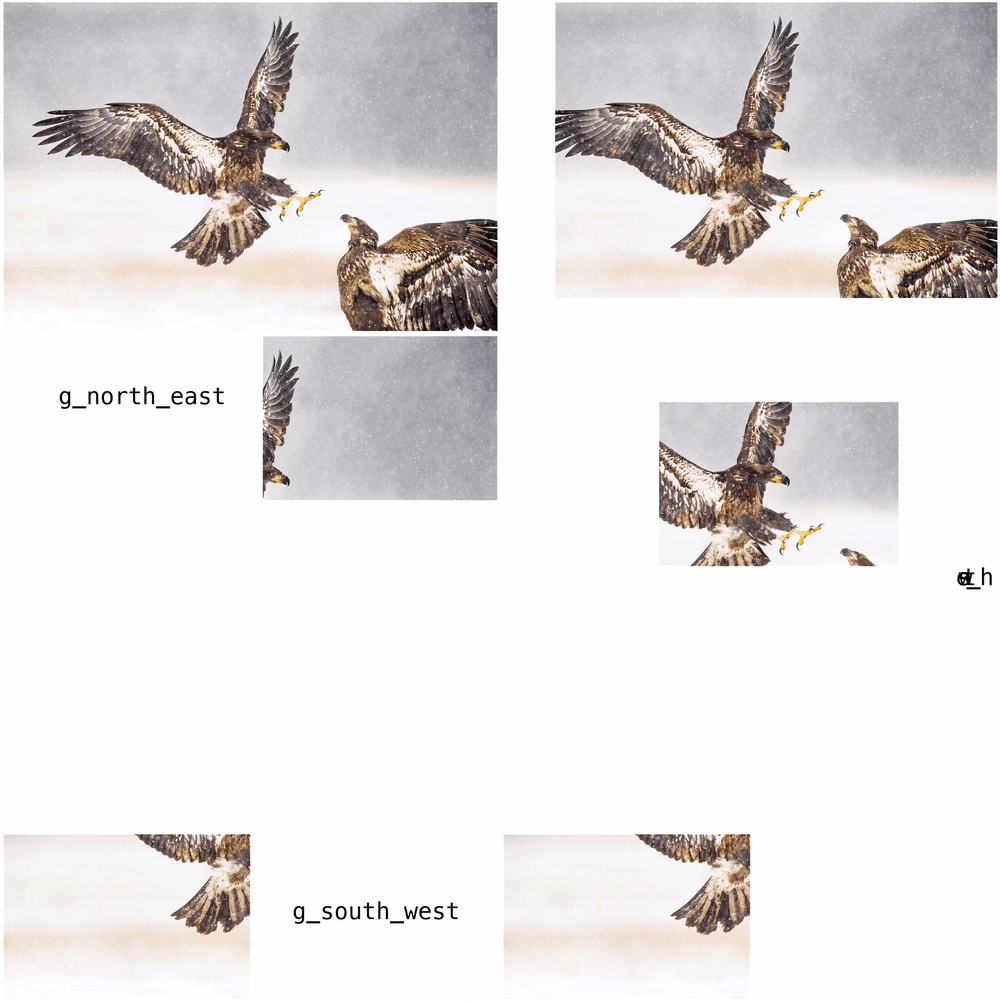
| | [Compass-style directions](transformation_reference#g_compass_position) represent a location in the image. For example, `g_north_east` represents the top right corner, whereas `g_south_west` designates the bottom-left corner.
### Content-aware cropping - facial detection
{table:class=tutorial-bullets}| |
| --- | --- |
| | One way to create a more reusable cropping style is to have it locate interesting or important aspects in the image. For example, we may want to automatically crop on the most prominent face in a group. This can be done using `g_face`, thanks to [Cloudinary's facial recognition capabilities](face_detection_based_transformations#face_detection_based_cropping).

### Automatically crop to the most interesting area (g_auto)
{table:class=tutorial-bullets}| |
| --- | --- |
| | You can also apply [Cloudinary's automatic gravity algorithm (g_auto)](image_automatic_gravity), which uses a combination of heuristics or deep learning algorithms to detect and display the most interesting aspect of the image.

### Use g_auto:subject on images
{table:class=tutorial-bullets}| |
| --- | --- |
| | By training our neural networks with large datasets, we have created a way to determine the area of the image to which the human eye will be drawn. You can take advantage of this through the [g_auto:subject](image_automatic_gravity#selecting_a_single_automatic_gravity_algorithm) transformation, providing better crop results with very challenging content, such as images with multiple faces.

### Crop to specific objects in an image
{table:class=tutorial-bullets}| |
| --- | --- |
| | Rather than playing with compass-style directions or using our automatic cropping transformations, you can let Cloudinary detect the object with `g_auto: